How Airport Retailers Can Ensure Maximum System Uptime

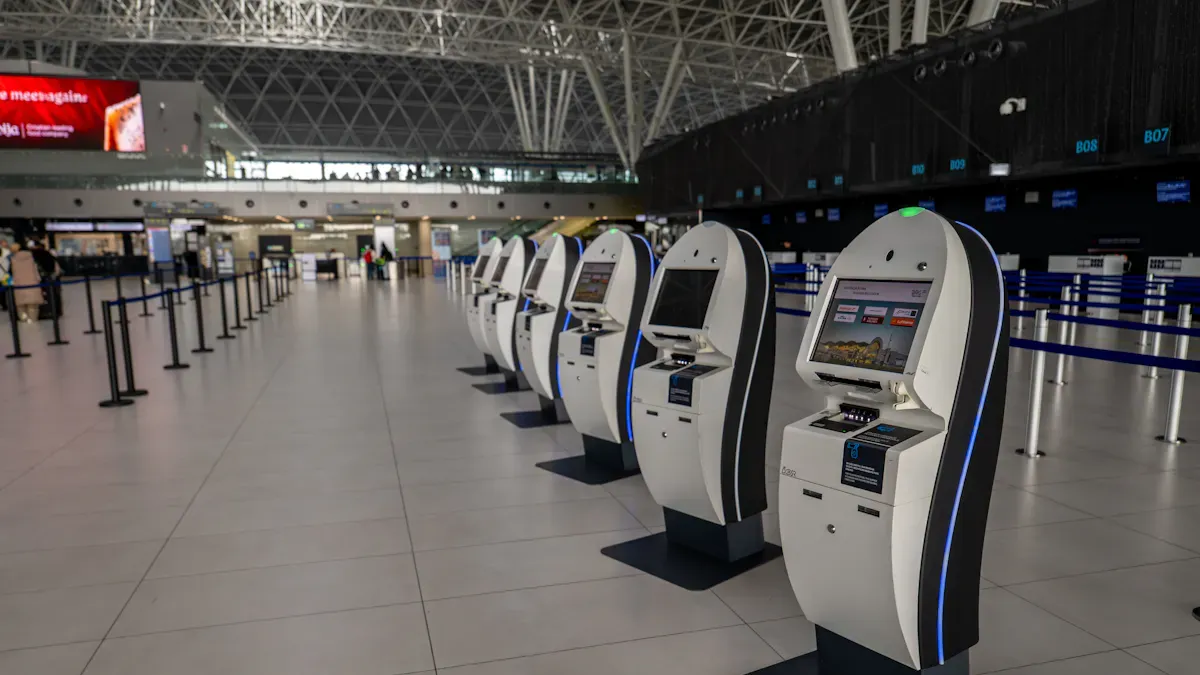
You need technology to help airport retail work well. If the system stops, even for a short time, it can slow down sales. This can make lines longer and travelers upset. The industry expects systems to meet high system uptime requirements, working almost all the time. If your system works 99.9% of the time, it still stops for about nine hours each year. This can cause problems at the airport and hurt your reputation. If you aim for 99.99% uptime, the system stops for less than one hour a year. This helps you provide travelers with a smooth experience.
Key Takeaways
Try to keep systems working 99.9% of the time. This helps stop problems and makes customers happy.
Use real-time monitoring and alerts. These tools help you find and fix problems fast, before they cause trouble.
Buy backup solutions so another system can work if the main one stops.
Do maintenance when there are not many travelers. This keeps things running well and does not bother people.
Teach staff often so they know how to spot and fix system problems fast. This helps customers have a good experience.
System Uptime Requirements in Airport Retail

Uptime Standards and Metrics
It is important to know what system uptime means. Uptime is how long your systems are working and ready. Most airports want at least 99.9% uptime. This means your systems can only stop for about nine hours each year. Some airports want 99.99% uptime, which means less than one hour of downtime a year. These high goals help you avoid trouble when the airport is busy.
You can figure out uptime with easy math. Divide the hours your system works by the total hours in a year. Then multiply by 100 to get a percent. For example, if your system works 8,759 hours out of 8,760, your uptime is 99.99%. Meeting these uptime rules helps you keep selling and makes travelers happy.
Impact on Retail Operations
Downtime can cause many problems for your business. When your systems stop, you lose sales and travelers wait longer. This can make people upset and hurt your reputation. You might also lose a lot of money. For example:
Incident Description | Estimated Financial Impact |
|---|---|
Ground delays (EU) | €166 per minute |
Ground delays (US) | $100 per minute |
Heathrow shutdown | |
Air traffic control failure | £75 million to £100 million loss |
A power failure at Heathrow stopped 1,332 flights and affected over 200,000 passengers, causing a loss of about £20 million.
An air traffic control IT failure in August 2023 left 700,000 passengers stuck and cost up to £100 million.
Unplanned downtime does more than stop sales. It can make staff feel bad, lower customer trust, and even lead to fines from regulators. All together, IT failures can cost businesses $400 billion every year. You need to meet strict uptime rules to avoid these problems and keep your airport retail business strong.
Key Factors Influencing Uptime
High Availability Infrastructure
You need high availability infrastructure to keep systems running. This means your systems are ready almost all the time. High availability helps you avoid downtime and meet uptime goals. Critical applications and databases must work without stopping. Redundancy lets another part take over if one fails. Failover systems switch to backup right away if there is a problem. Real-time monitoring helps you find and fix issues fast.
Network Reliability
Your network must be strong and reliable. If your network fails, your systems can stop working. You should check three main areas to keep your network healthy:
Critical Area | Description |
|---|---|
Reliable Wi-Fi helps travelers use digital tools. It also makes your systems work smoothly. | |
Network Bandwidth | Enough bandwidth lets you handle busy times without slowdowns. |
Aviation Security and Availability | Good security keeps your network safe and running, even if there are cyber threats. |
Loose cables, power problems, or software glitches can cause network trouble. You should check these often to keep your network strong.
Hardware and Software Choices
You must pick the right hardware and software for your store. Old or broken equipment can break and cause downtime. Power outages from storms or too much use can also stop your systems. You should use new, reliable devices and keep your software updated. This helps you avoid problems like display gaps or lost signals. If you plan for these risks, you can keep your systems working well.
Security and Compliance
You must follow strict security and compliance rules to protect your systems. Here are some steps you should take:
Train your staff to follow security rules.
Stick to your security plans to block unauthorized access.
Use strong monitoring to catch cyber threats quickly.
Fix security problems fast to keep your systems safe.
When you follow these steps, you protect your business and keep your systems running. Meeting these rules also helps you reach your system uptime requirements.
Common Challenges
Environmental Risks
Airport retailers face many risks from the environment. Power outages can happen during storms or when equipment fails. Water leaks or too much humidity can hurt your hardware. Dust and dirt can block vents and make systems too hot. You should check equipment rooms often and keep them clean. Use surge protectors and backup power to keep systems safe. If you get ready for these risks, your systems will keep working. This helps you avoid losing money from downtime.
Cybersecurity Threats
Cybersecurity threats can stop your business at any time. Hackers attack airport retailers because you use private data and handle many sales. You must always watch for attacks and protect your systems. Here are some ways cyber threats can hurt your business:
Cyber attacks can cause flight delays or flights to be canceled.
They can hurt the airport’s reputation and make customers lose trust.
You can lose money if your business stops or data is stolen.
You should use strong passwords and update your software often. Teach your staff to spot fake emails and strange actions. Acting fast helps you stop threats before they do damage.
Legacy System Issues
Many airport retailers still use old systems. These legacy systems can make it hard to keep uptime high. It can be tough to connect new tools or software to old machines. Upgrades can cause problems if you do not plan well. The table below shows some common problems with legacy systems:
Challenge | Description |
|---|---|
High Integration Costs | Connecting old systems can cost a lot and hurt uptime. |
Complexity of Legacy Systems | Old systems are hard to fix and keep working well. |
Risk of Operational Disruptions | Upgrades can cause problems and stop systems during busy times. |
Data Security Concerns | Old systems may not be as safe, which can put data at risk. |
Lack of Standardized Integration | No set rules for connecting old systems can make things harder and hurt uptime. |
You may also have old papers and missing records. Wires that are not labeled can make repairs slow and confusing. Updating your systems takes time, but it helps you follow new rules and keep your business running well.
Strategies to Maximize Uptime
Monitoring and Alerts
You need good monitoring and alert tools to keep your airport store running. These tools help you find problems before they stop your systems. Real-time monitoring lets you watch how your systems are doing, like FIDS, self-checkouts, and autonomous checkouts. If you use smart alert systems, you can fix problems fast.
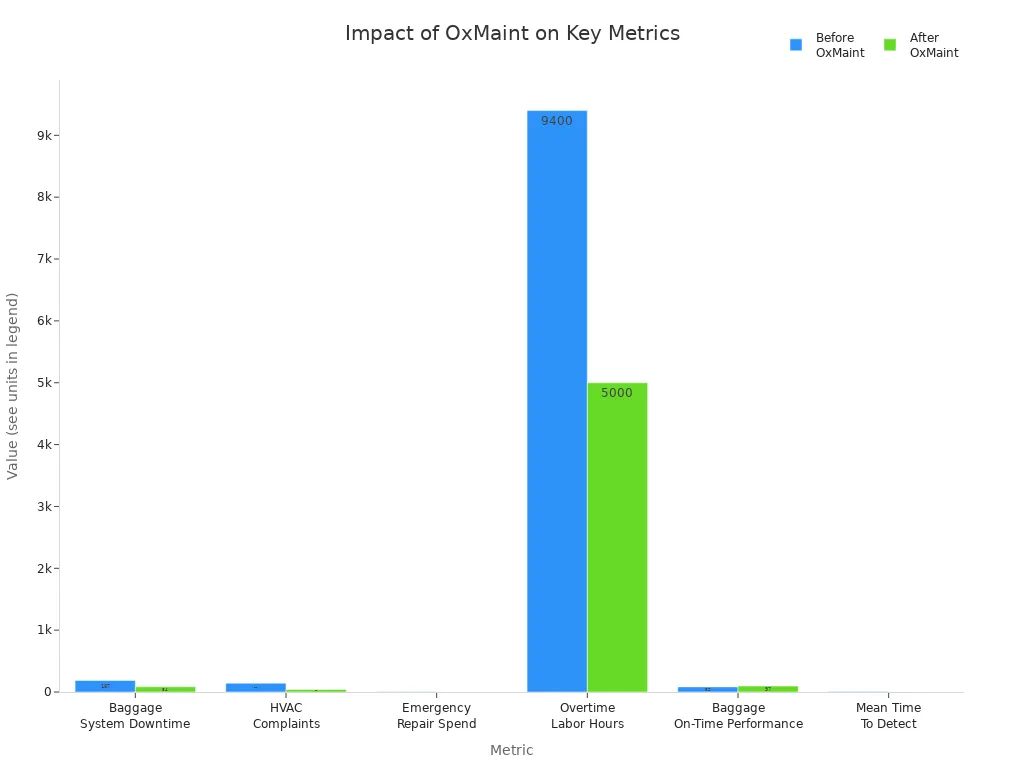
Check out what happened after using OxMaint, a new monitoring tool:
Metric | Before OxMaint | After OxMaint (14 Months) | Improvement |
|---|---|---|---|
Baggage System Downtime (Annual) | 187 hours | 84 hours | -55% |
HVAC Passenger Complaints (Monthly) | 143 complaints | 40 complaints | -72% |
Emergency Repair Spend | $2.1M annually | $882K annually | -58% |
Overtime Labor Hours | 9,400 hours/year | 5,000 hours/year | -47% |
Baggage On-Time Performance | 82% | 97% | +15% points |
Mean Time To Detect (MTTD) | 8.5 hours | 12 minutes | -98% |
Tip: Turn on alerts for important systems. You can fix things faster and stop long outages.
Redundancy Solutions
Redundancy helps you get back to work fast if something breaks. You can use backup servers, failover systems, and extra devices. If one device stops, another one starts right away. This keeps your store open and your customers happy.
Redundancy lets you switch to backup devices quickly, so downtime is short.
Automatic backup connections keep everyone connected, even if there is an outage.
Most companies that have long downtime do not stay open. In fact, 93% close within a year.
Note: Redundancy is very important for meeting system uptime rules. You protect your business and keep things running.
Maintenance Planning
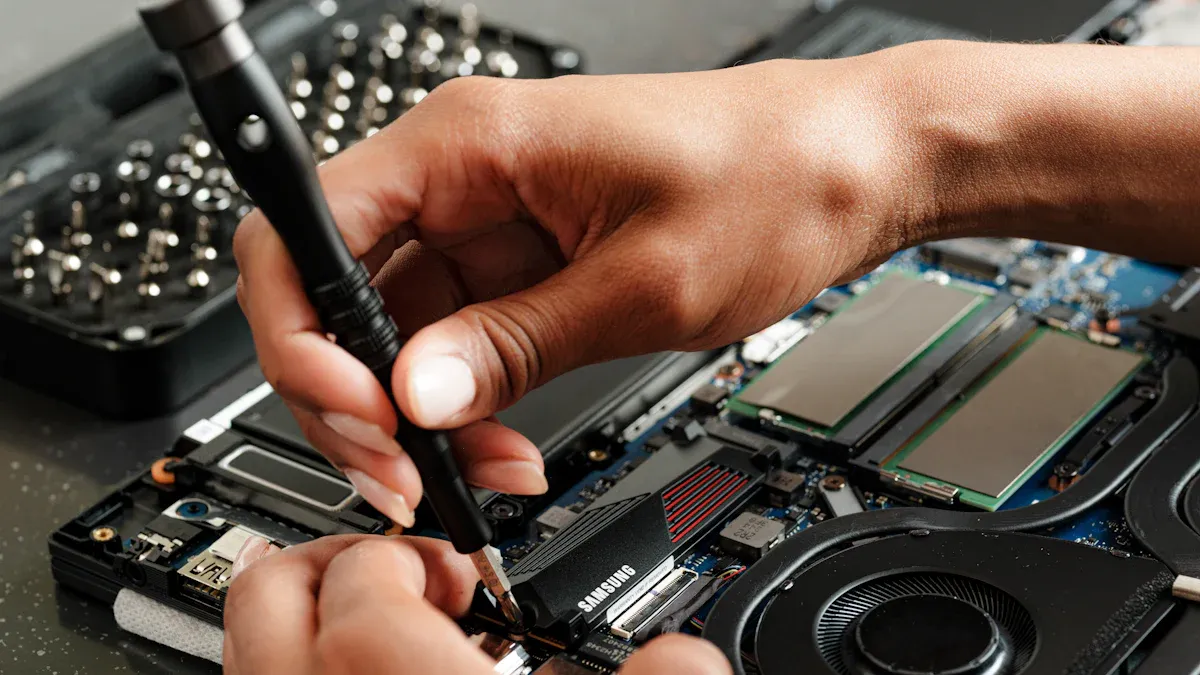
You need to plan maintenance to keep your systems working well. Good planning stops problems before they happen. Predictive maintenance helps you find issues early. You should do maintenance when the store is not busy, so you do not bother travelers.
Strategy | Description |
|---|---|
Increase Use of Predictive Maintenance | Use smart tools for parts that break a lot to cut downtime and make things more reliable. |
Optimize Maintenance Scheduling | Do work during slow times to keep systems ready for busy times. |
Improve Parts Availability and Inventory Management | Keep important parts ready for quick repairs. |
Implement Condition-Based Maintenance | Watch real-time data and fix things when needed, not just on a set schedule. |
Benchmark and Adjust Maintenance Intervals | Check your work against others and change your plan if needed. |
You can follow these steps for better maintenance:
Make a list of all your equipment.
Set jobs and how often to do them.
Plan when to do each job.
Write down when jobs are finished.
Look at how things are working.
Keep making your plan better.
Callout: Maintenance planning helps you stop expensive downtime and keeps your systems ready for travelers.
Staff Training
Your staff must know how to use and fix your systems. Training helps them see problems early and act fast. You can teach your team to use FIDS, self-checkouts, and autonomous checkouts. Well-trained staff keep your business running well.
Staff learn to use monitoring tools and answer alerts.
Training cuts mistakes and keeps things steady.
Workers can fix small problems before they get big.
Tip: Training often makes your team confident and ready for anything.
Autonomous checkouts and self-checkouts also help you keep uptime high. These systems make lines shorter and keep service moving. You need fewer workers and make fewer mistakes. Customers get fast service, which makes them happy and helps your business.
Aspect | Description |
|---|---|
Operational Efficiency | Autonomous checkouts make lines shorter and keep service going. |
Cost Reduction | You need fewer workers, so you can use your money better. |
Enhanced Customer Experience | Fast self-checkouts make customers happy and bring them back. |
Reduction in Human Error | Automated systems cut mistakes, so downtime is less. |
Competitive Advantage | Airports with these systems get more customers and keep business strong. |
Block Quote: You can meet system uptime rules by using good monitoring, redundancy, smart maintenance, and staff training. These steps keep your airport store running and your customers happy.
Tools for Continuous Operation
Cloud-Based Systems
Cloud-based systems help your airport store stay open all the time. You do not have to worry about servers breaking down. Software updates will not slow you down. Service providers watch your systems and fix problems fast. You get updates and upgrades without stopping your work. Cloud systems let you work from anywhere and help your team from far away. Here are some ways cloud-based systems help keep uptime high:
Your store can run every hour, every day.
Remote support and updates keep things working and stop downtime.
Service providers watch your systems and fix problems quickly.
Tip: Cloud-based systems help you avoid long outages and keep your store ready for travelers.
Backup and Recovery
Backup and recovery tools keep your business safe from losing data or system failures. You can save important files and settings in a safe place. If something goes wrong, you can restore your data and get back to work fast. You should set up automatic backups so you do not forget. Recovery plans tell you what to do if there is trouble. You keep your sales and customer records safe.
Automatic backups save your data without extra work.
Recovery plans help you know what to do in emergencies.
Quick restores help you avoid losing money.
Callout: Backup and recovery tools give you peace of mind and help you meet uptime goals.
Remote Management
Remote management lets you control your systems from anywhere. You can see problems as soon as they happen and fix them fast. Automated maintenance keeps your software updated and stops mistakes. You can manage many stores from one place. The table below shows how remote management helps you:
Feature | Benefit |
|---|---|
Real-time monitoring | You spot issues right away |
You cut manual work and errors | |
Centralized control | You manage all systems easily |
Real-time monitoring helps you act fast.
Automated tasks keep your systems healthy.
Integrated monitoring stops small problems from getting bigger.
Note: Remote management tools help you keep your airport store running smoothly and meet strict uptime standards.
Best Practices for Maintenance
Off-Peak Scheduling
Plan maintenance when the airport is not busy. This helps you avoid crowds and keeps travelers happy. Work with engineers, architects, and facilities managers to make a good plan. If you plan well, you do not stop store operations. Using sustainable design makes your systems last longer. It also means you do not need repairs as often. You might pay more at first, but you save money later and avoid problems.
Description | |
|---|---|
Proactive Planning | Maintenance should be part of airport design from the start. This helps you avoid problems later. |
Close Interdisciplinary Collaboration | Engineers, architects, and facilities managers must work together for good maintenance planning. |
Sustainable Design | Using strong and green designs helps systems last longer. It may cost more, but it stops problems. |
Tip: Do maintenance when there are fewer travelers. This keeps your store open and lines short.
Change Management
You need good change management to keep systems working. Change management helps you handle updates and new projects. It stops your staff from feeling too stressed. You can make a special team for change management. This team helps you use your resources well and focus on important jobs. When you manage change well, your team does not get tired and stays productive.
You stop staff from getting too tired, so they work better.
A change management team helps you use resources wisely.
You do not give your team too many jobs at once.
Block Quote: Good change management keeps your team focused and your systems working well.
Vendor Partnerships
You should have strong partnerships with your vendors. Vendors help you get parts and support when you need them. You can work with vendors to plan upgrades and repairs. Good vendors answer fast and help you fix things quickly. This keeps your systems working and stops downtime.
Pick vendors who have done a good job before.
Make sure vendors know how fast they must help you.
Check how well your vendors are doing often.
Note: Vendor partnerships give you expert help and keep your airport store ready for travelers.
You can keep your systems working most of the time by doing a few important things. Make sure kiosks work well and are not blocked by trash. Use predictive maintenance to find problems before they cause trouble. Watch your systems so you can fix issues quickly.
Strategy | Description |
|---|---|
Highly Available Updates | Update backup systems first, then switch them to keep things running. |
Check your uptime plans often. Always focus on uptime to make travelers happy and keep your business doing well.
FAQ
What does system uptime mean for airport retailers?
System uptime is how long your systems work without stopping. When uptime is high, your store can help travelers all day. You do not lose sales and customers stay happy.
How can you reduce downtime in your airport store?
You can use real-time monitoring and backup systems. Do regular maintenance to stop problems before they start. Train your staff to find issues early. These steps help you fix things fast and keep your store open.
Why is redundancy important for airport retail systems?
Redundancy means you have backup systems ready. If one system stops, another one starts working. This keeps your store open and stops long shutdowns.
What should you do if your system goes down?
Stay calm.
Look at alerts or error messages.
Call your IT support or vendor for help.
Use backup systems if you have them.
Tell your customers what is happening.
How often should you update your software and hardware?
You should update your software and hardware often. Many experts say to check for updates every month. This helps you stay safe and keeps your systems working well.
See Also
Boosting Efficiency And Customer Experience With Cloudpick Checkout
Modern Retail Benefits From AI-Enhanced Combo Vending Machines
Smart Vending Solutions That Improve Productivity In Small Offices
Key Maintenance Advice For Vending Machine Locks And Doors
Identifying And Resolving Self-Checkout Cash Errors Effectively
