What a cashierless store looks like in Corporate offices & tech parks

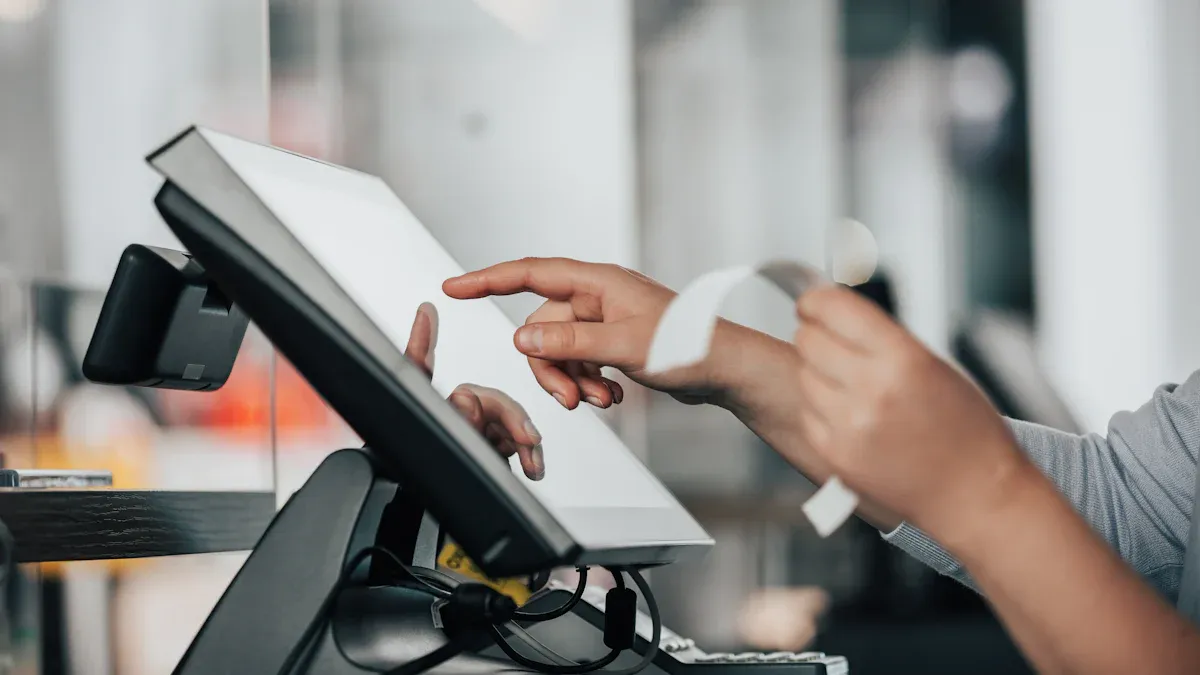
Imagine walking into a bright, open store right inside your office building. You grab a snack or a drink, and you never have to wait in line. There is no cashier. Everything feels smooth and high-tech. A cashierless store uses sensors and cameras to track what you pick up. Many people, especially Gen Z and millennials, love this kind of shopping. In fact, 64% of them have visited automated stores. Shoppers visit more often and buy more, with sales going up by 11%.
Consumer Engagement | Loyalty Shift | Sales Impact |
|---|---|---|
64% of Gen Z and millennials have visited automated stores | 67% of millennials would switch loyalties after a positive experience | 11% sales lift and 11% more trips compared to less automated stores |
Key Takeaways
Cashierless stores offer a fast and convenient shopping experience, allowing employees to grab items without waiting in line.
Smart technology, including sensors and cameras, tracks purchases in real-time, making checkout seamless and automatic.
Mobile apps enhance the shopping experience by providing easy entry, payment options, and personalized recommendations.
These stores help boost productivity by saving time, allowing employees to return to work quickly after shopping.
Privacy and security measures ensure that personal data remains safe while shopping in cashierless environments.
Store Layout and Product Selection
Open and Inviting Design
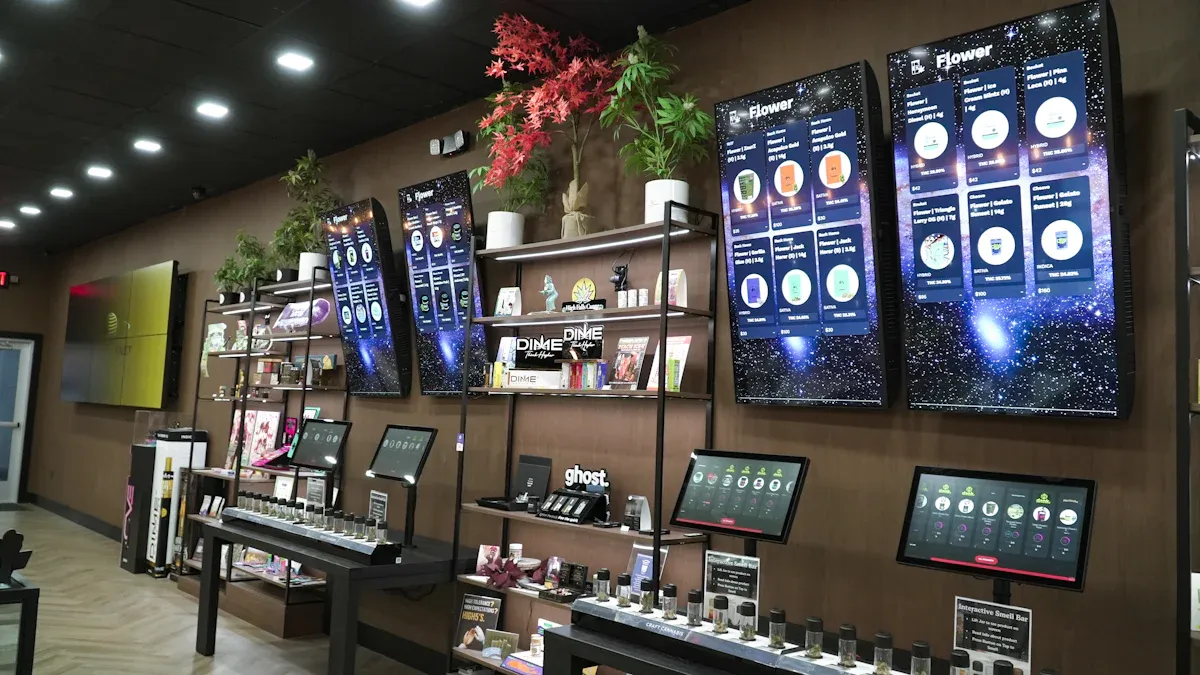
When you step into a cashierless store at your office or tech park, you notice the open layout right away. The space feels bright and welcoming. Shelves stand neatly in rows, and you see clear signs for snacks, drinks, and office supplies. You do not see a checkout counter or a cashier. Instead, you spot small cameras and sensors on the ceiling and shelves. These tools help track what you pick up, making your shopping experience smooth and fast.
Tip: You can move around freely without feeling crowded. The design uses every inch of space, so you find what you need quickly.
Here’s a quick look at some common features you’ll find:
Feature | Description |
|---|---|
Technology like AWM Smart Shelf lets you shop without stopping at a cashier. | |
App Integration | You use an app to enter, shop, and pay. |
Contactless Convenience | You get a safe, touch-free shopping experience. |
Curated Snacks and Office Supplies
You find more than just chips and soda here. The shelves hold a mix of snacks, fresh fruit, and drinks. You can grab a juice or a healthy snack if you want to eat better at work. You also see basic office supplies like pens, notepads, and chargers. These items help you stay productive without leaving the building.
Here’s what you might find:
Type of Product | Description |
|---|---|
Snacks | Everyday essentials like chips, granola bars, and cookies. |
Fresh Produce | Fruits and veggies for healthy snacking. |
Beverages | Juices, water, and other drinks. |
Office Supplies | Pens, sticky notes, and phone chargers. |
Specialty Items | Unique snacks and healthy options you do not see in vending machines. |
Entry and Exit Points
You do not need to wait in line to get in or out. You scan your employee badge or use a mobile app at the entrance. The doors open for you, and you walk right in. When you finish shopping, you just walk out. The system charges your account automatically. This setup saves you time and keeps the flow moving, even during busy hours.
Note: You never have to fumble for cash or cards. The whole process feels quick and easy.
Cashierless Store Technology
Sensors and Cameras
When you walk into a cashierless store, you step into a space filled with smart technology. Sensors and cameras work together to create a digital map of the store. Ceiling cameras and smart vision sensors watch as you move through the aisles. Weight sensors and smart shelves notice when you pick up or put back an item. These tools track your choices in real time.
You might wonder what types of sensors and cameras are in use. Here’s a quick list:
Smart vision sensors
Weight sensors
Ceiling cameras
Smart shelves
RFID tags
Electronic shelf labels (ESL)
Risk detection sensors
These devices do more than just watch. They use artificial intelligence and machine learning to understand your actions. For example, if you pick up a snack, the system adds it to your virtual cart. If you change your mind and put it back, the cart updates instantly. Cameras also help the store learn what products people like and how long they spend looking at each shelf. This helps the store stay stocked with your favorite items.
Tip: You don’t need to worry about privacy. The cameras focus on tracking products, not your identity.
Mobile Apps and Payments
Your phone becomes your shopping assistant in a cashierless store. You use a dedicated mobile app to enter the store, often by scanning a QR code. The app connects to your employee account, so you don’t need to carry cash or cards.
Here are some features you’ll find in these apps:
Feature | Description |
|---|---|
Dedicated Mobile App | Lets you enter the store and verifies your identity with a QR code. |
Real-Time Virtual Cart | Shows what you’ve picked up and lets you review your choices instantly. |
Charges your account as soon as you leave the store. | |
Security Features | Uses biometrics or tokenization to keep your payments safe. |
Integration with Sensors | Syncs with store sensors and cameras for accurate tracking. |
You can pay with your mobile wallet, Apple Pay, or other digital methods. The app also gives you personalized recommendations based on your shopping habits. If your company uses loyalty programs, the app can connect to those too. This makes your shopping experience fast and secure.
Note: You control your spending with real-time updates and receipts sent straight to your phone.
Automated Checkout
The magic of a cashierless store happens at checkout. You don’t need to scan items or wait in line. As you walk out, the system uses data from sensors, cameras, and your mobile app to know exactly what you bought. Payment happens automatically. Your account gets charged, and you receive a digital receipt.
Here’s how the technology works together:
Sensors and cameras track your product choices.
Artificial intelligence and machine learning analyze your actions.
The mobile app links your purchases to your employee account.
Payment processes instantly as you exit.
This setup means you spend less time shopping and more time getting back to work. The cashierless store removes the hassle of traditional checkout, making your day smoother and more efficient.
Callout: You just grab what you need and go. No lines, no cash, no stress.
Customer Journey
Entering the Store
You start your journey by approaching the entrance. There is no need to dig for your wallet or badge. You just open your mobile app and scan a QR code at the door. The doors slide open, and you step inside. You feel the difference right away. The space feels open, and you do not see a cashier waiting behind a counter.
You use a mobile app or QR code to enter.
You do not interact with a cashier.
You enjoy a private and quick entry.
This process saves you time, especially during busy hours. You do not have to wait in line or talk to anyone if you are in a hurry.
Shopping Process
Once inside, you walk through the aisles and pick up what you need. Maybe you grab a snack, a drink, or a phone charger. The shelves have sensors and cameras that track what you take. You do not need to scan each item. You can shop at your own pace.
You pick items and put them in your bag or hands.
The system tracks your choices automatically.
You do not need to talk to staff or wait for help.
You get a more private shopping experience. You can shop anonymously and focus on what you want. The cashierless store makes your shopping trip feel smooth and easy.
Seamless Checkout and Exit
When you finish, you just walk out. There is no checkout line. The system knows what you bought and charges your account. You get a receipt on your phone. Many employees say this is their favorite part.
Mani Suri, senior vice president and chief information officer at 7-Eleven, said, "Ultimately, our goal is to exceed consumers' expectations for faster, easier transactions and a seamless shopping experience."
Leaders like Gianna Puerini from Amazon Go have noticed that people love this fast and simple exit. You get back to work quickly, and you do not waste time standing in line.
Cashierless Store Benefits
Convenience for Employees
You want shopping at work to be quick and easy. A cashierless store gives you that. You can walk in, grab what you need, and leave. You do not need to wait in line or talk to a cashier. You can use your phone to enter and pay. This makes your break time feel longer and less stressful.
Tip: If you forget your lunch or need a snack, you can solve it in minutes without leaving your office building.
Productivity and Efficiency
A cashierless store helps you save time every day. You do not waste time standing in lines. You get back to your desk faster. The store uses smart technology to track what you pick up. It also collects data about what people buy and how they move around the store. This helps the store keep shelves full and place popular items where you can find them easily.
Here’s how these stores boost productivity and efficiency:
You skip checkout lines and save time.
The store learns what you like and keeps your favorites in stock.
Managers use data to make the store run better.
You spend less time shopping and more time working or relaxing.
Space Optimization
You might notice that a cashierless store feels open and tidy. The design uses every inch of space. There is no big checkout counter. Shelves and displays fit more products in a smaller area. This means you get more choices in a smaller store. The store can fit into a hallway, a lobby, or even a corner of your office.
Space Feature | Benefit for You |
|---|---|
No checkout counter | More room for products |
Smart shelf layout | Easy to find what you need |
Compact design | Store fits in small spaces |
You get a better shopping experience, and your office uses space wisely.
Challenges and Considerations
Privacy and Security
You might wonder how your data stays safe in a cashierless store. These stores collect information about what you buy and when you visit. They use strong privacy safeguards to protect you and your coworkers. Here’s a quick look at how your privacy stays protected:
Privacy Safeguard | Description |
|---|---|
Anonymization and Pseudonymization | Your personal details are hidden or removed. |
Informed Consent | You give permission before any data is collected. |
Data Minimization | The store only collects what it needs. |
Robust Data Security Measures | Strong security keeps your data safe from hackers. |
Transparent Data Handling Policies | You know how your data is used and when it gets deleted. |
Employee Training and Awareness | Staff learn how to keep your data private. |
Third-Party Auditing and Certification | Outside experts check that privacy rules are followed. |
You also get extra protection with encryption and tokenization. Payment data stays safe from hackers. Secure payment gateways and PCI DSS compliance add more layers of security. You can shop with peace of mind.
Technical Issues
Sometimes, technology does not work as planned. Cashierless stores can face problems that slow things down or stop you from shopping. Here are some common issues you might see:
Technical Issue | Description |
|---|---|
POS System Failures | The checkout system can freeze or crash. |
Network Connectivity Issues | A weak network can stop payments and updates. |
Payment Gateway Problems | Payment systems might not work, so you cannot buy items. |
Inventory Synchronization Errors | Stock levels can get mixed up, causing shortages or overstock. |
Hardware Failures | Broken scanners or sensors can slow you down. |
Software Update Failures | Updates can cause crashes or bugs. |
Security Breaches | Hackers might try to steal data. |
Price Synchronization Errors | Prices might not match, leading to confusion. |
Server Downtime | The store might close if servers go down. |
Poor IT Support Response Time | Slow help can make problems last longer. |
You may not see these issues every day, but they can happen. Quick IT support and regular checks help keep things running smoothly.
User Adaptation
Trying something new can feel strange at first. You might need time to get used to cashierless shopping. Some people worry about using apps or trusting technology. Others might miss talking to a cashier.
Here’s how you can adapt:
Try the store during a quiet time.
Ask for help if you feel unsure.
Watch for signs and tips inside the store.
Use the app’s help section for quick answers.
Tip: Most people find the process easy after a few visits. You’ll soon enjoy the speed and convenience.
You can help others by sharing your experience. Over time, cashierless shopping will feel like second nature.
A cashierless store in your office brings you speed, ease, and a modern shopping experience. You get smart features like sensor technology, virtual carts, and automatic payment. Here’s a quick look:
Key Features | Advantages |
|---|---|
Sensor technology | Increased efficiency |
Mobile apps/QR codes | Improved satisfaction and loyalty |
AI and cameras | Better inventory management |
You see these stores in places like Amazon Go and 7-Eleven Shop & Go. As more people want contactless shopping, you can expect even more innovation in the future.
FAQ
How do you enter a cashierless store?
You just open the store’s app on your phone and scan the QR code at the door. The doors unlock for you. You walk in and start shopping. It’s that easy!
What if you pick up an item and change your mind?
No worries! If you put the item back on the shelf, the system removes it from your virtual cart. You only pay for what you actually take with you.
Is your payment information safe?
Yes, your payment stays secure. The store uses encryption and tokenization. You never have to share your card with anyone. You get a digital receipt right on your phone.
Can you get help if you have a problem?
Absolutely! Most stores have a help button in the app or a support phone number. You can also find staff nearby who can answer questions or fix issues.
What happens if the technology fails?
If something goes wrong, you can contact support through the app. Some stores have backup systems or staff on call. You won’t get charged for items you didn’t take.
See Also
Cloudpick Delivers Seamless Cashier-Free Shopping Experience
Comparing Micromarkets And Smart Stores In Global Automated Retail
The Future Of Retail Lies In AI-Driven Stores
