A Step-by-Step Guide to Cashless Internal Billing for Corporate Campus Operators

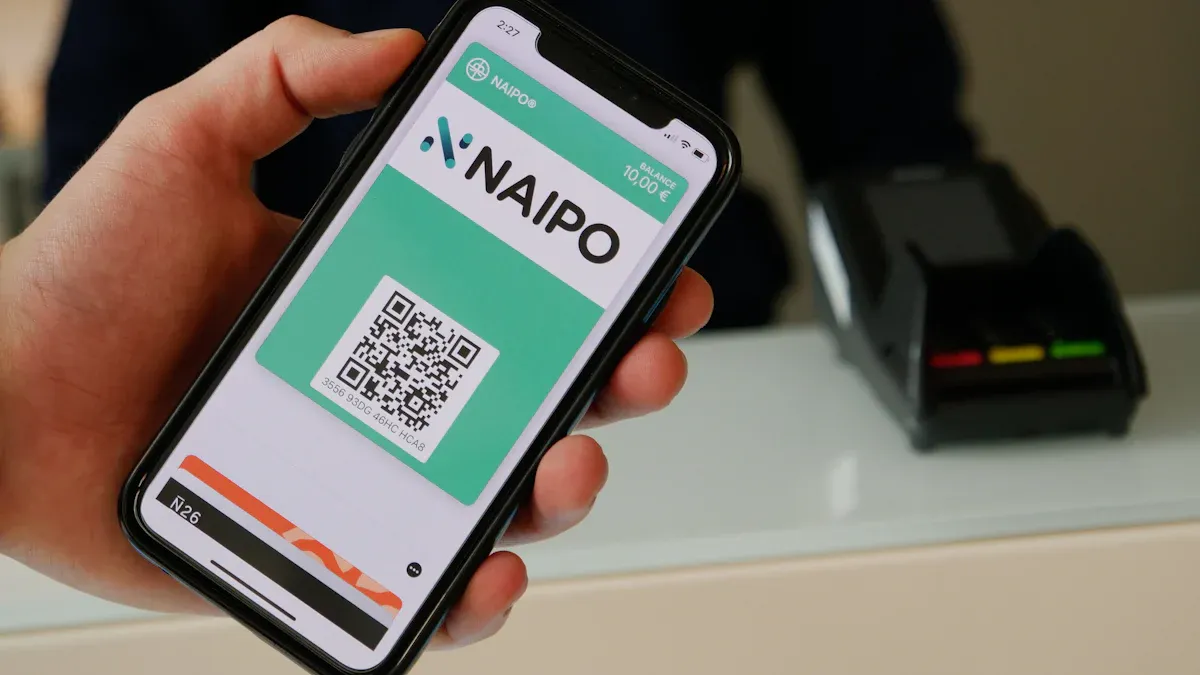
Cashless internal billing helps you pay on a corporate campus without cash. You can use cards, phones, or employee ID badges to buy things. This system makes paying faster and safer. Many companies say transactions are quicker and lines are shorter.
Business | Benefit Description | Source |
|---|---|---|
Mercedes-Benz Stadium | End-of-day work is easier, transactions are faster, lines are shorter | |
Tender Greens | Paying with cash takes 4-5 seconds longer than cards | |
Sweetgreen | Cashless stores handled 5-15% more transactions each hour |
You get these benefits:
Transactions are faster
Cash handling costs go down
There are fewer chances for theft
Business operations work better
Key Takeaways
Cashless internal billing makes transactions 80% faster. Payments happen quickly and people wait less.
Cashless systems help lower labor costs by 30%. They also make more transactions happen, up by 18%.
Cashless payments help stop theft and keep data safe. This makes money operations safer for everyone.
Good communication and training are needed for cashless billing. Make sure everyone knows what is happening and takes part.
Check your cashless system often for rules and safety. This helps it work well and keeps user data safe.
Cashless Internal Billing Overview

What Is Cashless Internal Billing?
Cashless internal billing lets you pay on campus without using cash. You can use cards, your phone, or your employee ID badge to buy things. This system saves time because workers do not count cash or give change. You do not have to worry about theft or losing money when moving it. Most people like digital payments, so your experience is easier and safer.
Cashless internal billing is special because it makes paying much faster. It cuts transaction time by 80%. You get more correct bills, with a 95% accuracy rate. Security gets better, and the system is easy to use with a score of 88 out of 100.
Feature | Cashless Internal Billing | Traditional Billing Methods |
|---|---|---|
Average Transaction Time | Takes longer | |
Accuracy Rate | 95% | More mistakes |
Usability Score (SUS) | 88/100 | Lower scores |
Data Security | Better | Not as safe |
Key Benefits for Campus Operators
Campus operators get many good things from cashless internal billing. One campus in New Jersey had 18% more transactions each day. Labor costs went down by 30% in just three months. Customers were happier because paying was faster and safer. Texas A&M University stopped using cash for tuition and fees. They saved $1.4 million and made payments easier. Staff could do more important work instead of handling cash. Security got better because there was no cash or checks to worry about.
Transactions are faster
Labor costs are lower
Customers are happier
Staff feel better at work
There are fewer payment mistakes
Why Go Cashless in Office Retail?
Office retail has problems like counting change and paying bank fees for coins and bills. Keeping cash costs more for storage, moving it, and keeping it safe. Businesses spend billions each year on cash management. Cashless systems mean you do not need cash drawers or as many bank trips. You can pay with credit cards, debit cards, mobile wallets, online payments, and even cryptocurrency. Cashless internal billing lowers costs and helps your business run better.
No counting change
Fewer bank trips
Lower costs
More ways to pay
Planning for Implementation

Assessing Organizational Needs
Before you start cashless internal billing, look at your organization. Make sure your devices and software work together. Some people worry about safety and security. Others do not trust new technology or think it costs too much. You should talk to managers from all departments. Meet often so everyone knows the plan. Top managers help lead and make big choices.
Factor | Description |
|---|---|
Device Barrier | Compatibility issues with software and devices can hinder the adoption of cashless systems. |
Anxiety | Users' concerns about safety and security can affect their willingness to adopt cashless methods. |
Perceived Cost | Users may be discouraged by high costs associated with cashless transactions, impacting adoption. |
Perceived Trust | Trust in financial institutions and technology influences users' readiness to adopt cashless systems. |
Working together helps you find the best way.
Managers make sure you follow the plan.
Sharing updates keeps everyone in the loop.
Cost/Benefit and Compliance Review
You need to look at the costs and benefits of cashless internal billing. Cash-based systems need people to handle money and can be lost or stolen. Cashless systems use machines and save time. You pay some fees, but you spend less on handling cash. You must share some personal information, so privacy changes. Cashless systems help you follow rules like Anti-Money Laundering and Know-Your-Customer. They also make payments easier to track.
Aspect | Cash-Based Systems | Cashless Systems |
|---|---|---|
Operational Efficiency | Simplicity but involves physical handling | |
Security | Vulnerable to theft and loss | Cybersecurity risks present |
Transaction Fees | Costs associated with cash management | Fees charged by intermediaries |
Privacy | High privacy in transactions | Requires personal information disclosure |
Compliance Requirements | Manual tracking | Automated compliance with AML/KYC |
Transparency | Limited | Increased |
Tip: Always check for PCI compliance and use multi-factor authentication. Update your software often and run security scans to keep your system safe.
Mapping Billing Processes
You need a simple plan for your billing steps. Start by planning. Set up a place to get devices and tell everyone the new steps. Let your team know about changes. Train staff so they know how to use the cashless system. Mapping the process helps you see where things might go wrong or need fixing.
Planning: Make a step-by-step plan for setting up devices.
Internal Communication: Tell all team members about changes and device pick-up.
Training: Show staff how to use the new system.
Benefit | Description |
|---|---|
Visual representation | Provides a clear view of workflows and procedures involved in cashless billing implementation. |
Identification of inefficiencies | Helps in pinpointing areas that require improvement and potential risks in the process. |
Technological needs assessment | Aids in determining what technology is necessary for effective cashless operations. |
Regulatory obstacle identification | Allows institutions to recognize potential regulatory challenges that may arise. |
Note: Mapping your process helps you find problems and fix them before they happen.
Executing the Transition
Securing Buy-In and Support
You need everyone’s help to make cashless internal billing work. Employees, managers, and retail partners must know why you are changing. Some people worry that cashless systems might not work for older people or those who have trouble reading. Others think it will cost more or that digital payments are not fair for all. You can help by making sure digital payment methods are simple and easy for everyone.
Give training sessions to employees and partners.
Use clear and simple instructions.
Offer payment choices for people with different needs.
Share news often so everyone feels included.
Tip: Use meetings, emails, and posters to tell about the benefits and steps of cashless internal billing. Listen to feedback and answer questions fast.
Technical Integration Steps
You must connect your new payment system to your campus setup. This step needs careful planning. You can update payments by using the cloud and making sure all systems work together. Try to stop problems by using ready-made connectors and real-time data sharing. Your system should let people pay with mobile wallets, credit cards, and other ways. You need to keep PCI compliance and make payments easy for everyone. Seeing all transactions helps you get ready for audits.
Component | Description |
|---|---|
Payment Gateway | Connects apps, kiosks, and systems to transaction platforms. |
Large-scale Payment Processing | Makes transaction routing, settlement, and reconciliation easier. |
Centralized Account Management | Handles tuition, fees, and services in a campus-focused platform. |
Secure Payment Processing | Supports card and digital payments across many channels. |
Mobile Credentials | Lets people pay quickly and safely with their own devices. |
You may have problems like keeping payments safe, connecting to many payment systems, and making your system flexible. You can fix these by using two-factor authentication, fraud detection, and open APIs. You can also use cloud-based payment processing and work with local partners.
Challenge | Solutions |
|---|---|
Secure and reliable processing | Two-factor authentication, fraud detection, tokenization, education, law enforcement |
Integration with payment systems | Open APIs, standardization, payment hubs, partnerships, regulatory support, consumer education |
Scalable infrastructure | Cloud-based systems, advanced cybersecurity, big data analytics, open banking standards |
Customer trust | Build confidence with clear communication and strong security measures |
You should connect with partner platforms directly and share data on a schedule. Change how information moves to fit your campus needs. Employee ID badges and mobile devices help you pay quickly and safely. These tools let you use prepaid cards, mobile apps, and contactless payments. You get real-time transaction details and handle less cash.
Staff Training and Communication
You must train your staff so they know how to use the new system. Training helps everyone feel ready and sure. You can use step-by-step guides, videos, and practice. Make sure staff know how to use employee ID badges and mobile devices for payments. This makes paying faster and safer.
Hold workshops and practice times.
Give staff easy-to-read guides.
Use posters and screens to remind staff of new steps.
Let staff ask questions and answer them quickly.
Note: Tell employees and retail partners about changes early. Use simple words and repeat important things. Make sure everyone knows who to ask for help.
You may have problems like growing back-office work and handling more payments. Automation helps you fix these problems. Big companies improve middle and back-office work. Small ones focus on getting new customers but now use automation for better rules and checks.
You can see if you are doing well by tracking key numbers. These include profits from cashless payments, monthly active users, conversion rates, and website visits.
Metric Type | Description |
|---|---|
Shows profits made without cash, helps you manage money better. | |
Lagging Indicators | Gives insights from past results, good for looking back. |
Leading Indicators | Helps you make choices and change plans. |
Monthly Active Users (MAU) | Shows how many people use the system and if it is growing. |
Conversion Rates | Measures how well you turn leads into paying customers. |
Website Traffic | Shows interest and if more people might become customers. |
Sales Funnel Leads | Tells you how many possible customers are in the pipeline. |
Callout: Employee ID badges and mobile devices are best for cashless internal billing. They make payments easy, safe, and quick. You can use them to speed up service and get helpful information.
You can make your campus better and safer by using cashless internal billing. Automated payments help you keep track of money and save time. New technology keeps your payments safe from fraud.
Here are the main steps to begin:
Step | Description | Benefits |
|---|---|---|
1 | Set up cash-to-card kiosks | Makes work easier |
2 | Fix cash-handling problems | Lowers staff costs |
3 | Pay attention to service | Makes guests happier |
You help your team finish jobs faster and stay safe.
Office retail is changing now. More stores use cashierless technology and AI to help shoppers. You will get faster service and shopping that fits you better.
FAQ
What is cashless internal billing?
Cashless internal billing lets you pay for things on campus without using cash. You use cards, phones, or employee ID badges. This system makes payments faster and safer for you.
How do you keep payments secure?
You use strong passwords and two-factor authentication. The system encrypts your data. You should update your software often. This keeps your information safe from hackers.
Can everyone use cashless payments?
Most people can use cashless payments. You can choose cards, mobile wallets, or ID badges. If you do not have a smartphone, you can use a card or badge instead.
What if the system goes down?
If the system stops working, you can use backup methods. Some places offer cash-to-card kiosks. Staff can help you finish your payment. You will not lose your money.
See Also
Enhancing Store Experience With Cashierless Solutions From Cloudpick
Boosting Office Efficiency Through Innovative Vending Machines
Identifying And Resolving Cash Issues In Self-Checkout Systems
Understanding The Expenses Involved With Vending Machine Permits
Exploring How Vending Machines Manage Large Bills Effectively
