A Step-by-Step Guide to Cashless Internal Billing for Corporate Campus Operators

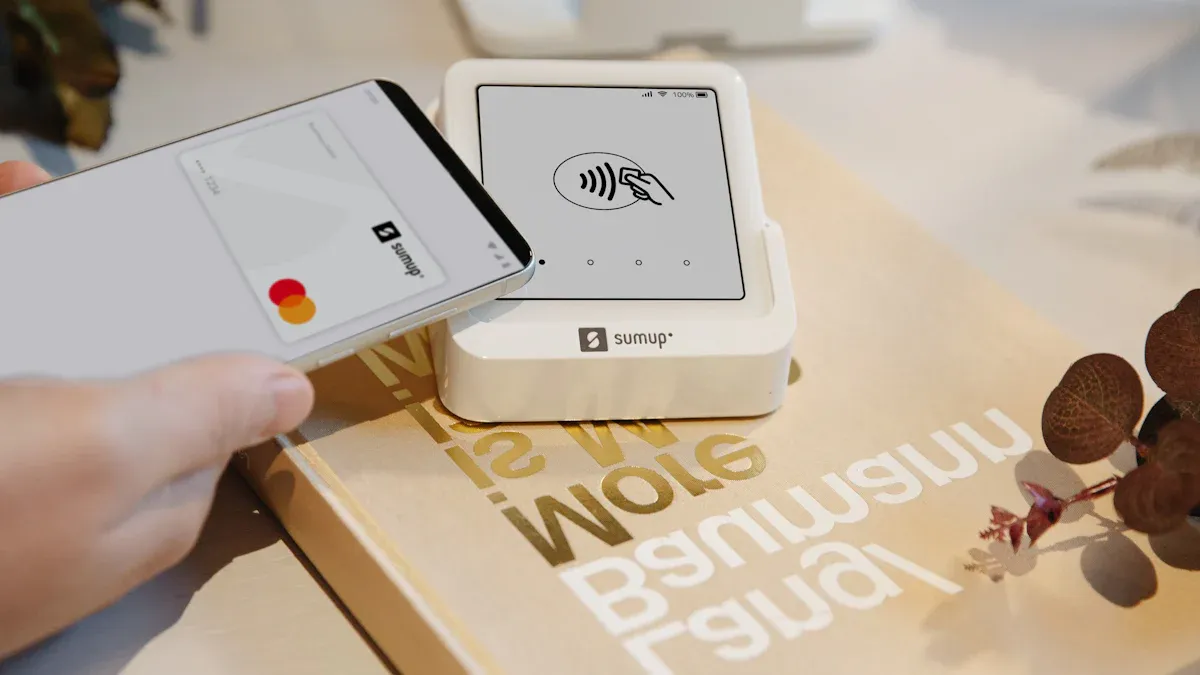
You can make your office retail better by using cashless internal billing. When you pay with digital methods, your business becomes safer and works faster. Many companies have less stealing, better service, and happier customers.
Benefit | Description |
|---|---|
Cashless systems help stop stealing and fraud in office retail spaces. | |
Improved Efficiency | Faster transactions let staff and customers save time. |
Enhanced Customer Experience | People like the easy and quick cashless payments. |
Get ready to guide your campus into a digital future.
Key Takeaways
Cashless internal billing makes things safer by lowering theft and fraud in office stores. - Using cashless systems helps things go faster, so people can buy things quickly and feel happier. - First, look at how your store works now to learn what customers like and what technology you need. - Pick a safe and easy-to-use cashless billing platform that helps both your workers and customers. - Teach workers and users well so they feel good and sure about using the new cashless payment system.
What Is Cashless Internal Billing?
Definition and Core Features
Cashless internal billing helps you pay on campus without cash. You use digital wallets, kiosks, and payment systems for fast payments. Digital wallets keep your payment details safe. You can pay with your phone or card. You do not need to carry any cash. Kiosks let you put money on prepaid cards or accounts. These systems work together to make payments easy and safe.
Here is a table that shows how cashless internal billing is different from traditional billing:
Feature | Cashless Internal Billing | Traditional Billing Methods |
|---|---|---|
80% less time | Takes longer | |
Accuracy Rate | 95% | More mistakes |
Usability Score (SUS) | 88/100 | Lower scores |
Data Security | Better | Not as safe |
You will see that payments are faster and there are fewer mistakes. Labor costs go down, and staff and customers feel happier.
Benefits for Office Retail
Cashless internal billing saves you time and money. You do not have to count cash or handle coins. This system helps you avoid mistakes and keeps records correct. For example, Texas A&M University saved $1.4 million by using cashless payments. Staff could do more important work instead of counting money. Your office retail is safer because there is less chance of theft.
Tip: Cashless systems help you serve more people fast and keep your business running well.
Why Corporate Campuses Are Going Cashless
Many companies pick cashless internal billing because it is safer and faster. Smartphones and QR codes make digital payments easy for everyone. Contactless payments give you a touch-free way to pay, which many people like. Companies like MasterCard and PayPal help people trust these systems. Cashless payments also help stop illegal actions and let more people use financial services.
This trend is growing all over the world. In 2025, experts think 4.8 billion people will use digital wallets, with about $10 trillion in payments. North America has seen a 25% rise in digital wallet use. The need for safety, speed, and better data makes more campuses go cashless each year.
Implementation Steps for Cashless Internal Billing
Assess Current Retail Operations
You should start by looking at your current retail setup. This helps you understand what you need before you switch to cashless internal billing. Here are some important things to check:
Know your customers. Find out if they like using cash or digital payments.
Look at the costs and benefits. Think about transaction fees and if you might lose customers.
Check your technology. Make sure your systems can handle cashless payments.
Think about security. Cash handling can lead to theft or mistakes.
Plan for problems. Have backup plans for technical failures.
Talk to your staff and customers. Good communication and training help everyone get ready.
Tip: Try out cashless payments in one area first. This lets you see what works and fix problems before you go campus-wide.
Challenge | Description |
|---|---|
Your old software may not work well with new cashless systems. | |
User Anxiety | Some people worry about the safety of cashless payments. |
Perceived Costs | High costs can make people not want to switch to cashless systems. |
Choose a Cashless Billing Platform
Pick a platform that fits your needs. You want a system that is safe, easy to use, and supports your staff and customers. Look for these features:
Security: Make sure the platform protects payment data and is open about how it keeps information safe.
Customer Support: Choose a platform that helps with problems quickly.
Compliance: Check for certifications like PCI DSS. These show the platform follows rules for safe payments.
Integrate with Existing Systems
You need to connect your new cashless internal billing system with your current tools. This step is important for smooth operations. Focus on these points:
Protect sensitive information. Use strong security for card and bank data.
Follow rules like PCI standards to keep data safe and avoid fraud.
Add features like encryption, fraud checks, and user authentication.
Make sure your digital wallets, kiosks, and vending machines work with the new system.
Note: Handling cash takes a lot of time and staff. Cashless systems help you work faster and safer.
Set Up User Accounts
Set up accounts for staff and users quickly. Automation can help you save time and avoid mistakes. Here are some ways to make onboarding easy:
Use tools that check for new employees and set up accounts automatically.
Automate tasks like account creation and document collection.
Connect your HR system to your billing platform. This stops you from entering the same data twice.
Make sure new users get access to everything they need on their first day.
Train Staff and Users
Training helps everyone feel comfortable with cashless internal billing. Use different methods to teach staff and users:
Strategy Type | Description |
|---|---|
Keep teaching staff so they stay confident with the system. | |
Certification Courses | Offer courses to help staff improve their skills. |
Hands-on Training | Let staff and users practice using the system. This makes them better and happier. |
Some people may find cashless systems hard to use, especially if they are not used to technology. Make sure you explain how to stay safe and avoid fraud.
Launch and Monitor
Start your cashless internal billing system in stages. Watch how things go and fix problems quickly. Here are some ways to keep things running smoothly:
Enable contactless payments to speed up lines.
Use mobile payment systems so staff can help customers anywhere.
Try virtual queuing to let customers wait without standing in line.
Schedule staff based on busy times to keep things moving.
Track important numbers like:
Cashless profits, so you know how much money you make.
Monthly active users, conversion rates, and website traffic. These help you see what works and what needs fixing.
Remember: Start small, listen to feedback, and adjust your system as you go. This helps you avoid big problems and keeps your campus running well.
Overcoming Challenges
Security and Data Privacy
You need to keep users’ information safe with digital payments. Hackers look for weak spots in payment systems. They try to steal personal and money details. Data breaches can show private information. Devices need to be secure, too. If someone hacks a device, they can get payment info. Identity theft is a risk. Bad people use stolen data for fraud. You must follow laws about digital payments.
Risk Type | Description |
|---|---|
Security Risks | Hackers find weak spots in payment systems to steal personal and money details. |
Data Breaches | Companies using digital payments can have breaches that show private information. |
Device Security | Hacked devices can let others get payment details without permission. |
Identity Theft | Bad people use stolen information to do fraud. |
Legal and Regulatory | Users may have trouble following new rules for digital payments. |
Watch out for phishing scams and malware. These tricks can fool users or hurt devices. Even with new technology like NFC, scams can happen. Always use strong passwords and update your software. Make sure your system follows rules like PCI DSS. This means you must encrypt data, limit who sees account numbers, and check your system every year.
User Adoption Strategies
You want everyone to feel safe and ready to use the new system. Some people worry about safety or costs. You can help by making the system easy and safe. Show users how you protect their data. Lower extra fees. Make sure your payment app works on all devices. Many people started using cashless payments during the pandemic to avoid touching cash.
Strategy | Description |
|---|---|
Help users feel safe about security so more people use the system. | |
Minimizing perceived costs | Lower device and payment costs so more people try it. |
Ensuring compatibility across devices | Make sure your app works on all kinds of devices. |
Leveraging pandemic precautionary measures | Use health safety as a reason to switch to cashless payments. |
Focusing on behavioral intention | Help users feel confident and willing to try the new system. |
If you help users feel comfortable, more will use cashless internal billing. Simple steps like clear instructions and good support help a lot.
Technical Integration Issues
You may have problems connecting new payment systems to old ones. Different systems use different rules and setups. This makes connecting hard. Security rules like PCI DSS are strict. You must follow them to keep data safe. Connecting systems costs money. You need to check if the benefits are worth the cost. Rules can change how you set up your system. Users may get upset if payments take too many steps or if the network fails.
Technical Integration Issue | Description and Impact |
|---|---|
Standards, Models, and Architectures | Different systems use different rules, making connecting hard. |
Security | Strict rules can stop new systems from joining old networks. |
Profitability | Connecting costs money, so you must check if it is worth it. |
Regulation | Laws and rules can change how you connect systems. |
User Experience | Hard steps or network problems can make users stop using the system. |
Network Reliability | Outages and failures can stop payments and hurt trust. |
You can fix these problems with careful planning. Get your IT, finance, and operations teams involved early. Test your system before you start. Train your staff well. Always back up your data and check for risks. Good teamwork and clear steps help you avoid big problems.
Best Practices for Management
System Maintenance
You need to keep your cashless payment system working well. Make a plan to check and clean devices often. Clean kiosks and card readers every month. Look for paper jams or parts that are not lined up in printers. Update software and firmware to fix bugs and add new features. Change old hardware every five to seven years so things do not slow down. Use surge protectors to stop power problems from hurting your equipment. Taking care of your system helps it work better and keeps users happy.
Tip: Do updates and cleaning when fewer people are using the system. This way, you do not interrupt service.
Troubleshooting and Support
Problems can happen with hardware, software, or network connections. Teach your staff how to fix simple issues. Give them easy checklists and clear guides near each device. Here are some common problems and quick fixes:
Issue Category | Common Problems | Quick Actions |
|---|---|---|
Hardware | Printer jams, chip errors | Clear jams, clean readers, restart devices |
Software | Freezes, outdated firmware | Update software, reboot, reset if needed |
Network | Failed transactions, slow Wi-Fi | Check settings, restart network, re-enter Wi-Fi |
User Errors | Wrong data entry | Train users, confirm info before submitting |
If a problem does not get fixed or you see broken hardware, call professional support. Use digital tools like email alerts or text messages to tell users about outages or repairs. Fast help stops long downtime. Many retailers lose lots of money every minute their system is not working.
Optimizing User Experience
You can make payments easier and faster for everyone. Offer payment methods your users like, such as mobile wallets or cards. Send digital reminders, like SMS with payment links, to help users pay on time. Look at payment data to find and fix slow spots. Use smart routing to keep payments working during outages. Put clear instructions and pictures near devices to help users. Use AI tools to find and stop fraud. When you focus on what users need, you build trust and make people happier with your cashless internal billing system.
Note: Giving users payment choices and making things easy helps them want to use your system again.
You can make your campus retail better with cashless internal billing. This system lets you save time and avoid mistakes. It keeps payments safe for everyone. Using digital tools gives you more control. Customers feel happier with these changes. First, look at how your campus works now. Next, pick a platform that fits your needs. Then, teach your team how to use it. Start today and find more resources to help you.
FAQ
What is cashless internal billing?
Cashless internal billing lets you pay for things on campus without using cash. You use digital wallets, cards, or kiosks. This system keeps your money safe and makes payments fast.
How do I set up my account?
You get instructions from your campus operator. You follow simple steps to create your account. Most systems let you use your email or employee ID. You can add money or link a card.
Is my payment information safe?
Yes. The system uses strong security tools like encryption. Only you and trusted staff can see your details. Always use strong passwords and never share your login.
What if I have trouble with a payment?
If you have a problem, ask staff for help right away. You can also check the help section in your payment app. Most issues get fixed quickly.
Can I use my phone to pay?
You can use your phone if the system supports mobile wallets. Look for Apple Pay, Google Pay, or QR code options at checkout. This makes paying easy and quick.
See Also
Enhancing Store Experience With Cashierless Solutions By Cloudpick
Boosting Office Efficiency Through Intelligent Vending Machines
Identifying And Resolving Cash Issues At Self-Checkout Stations
Understanding The Expenses Involved In Vending Machine Permits
Exploring Vending Machines' Capabilities For Accepting Large Bills
