How computer vision transforms checkout accuracy in multi-location retail chains

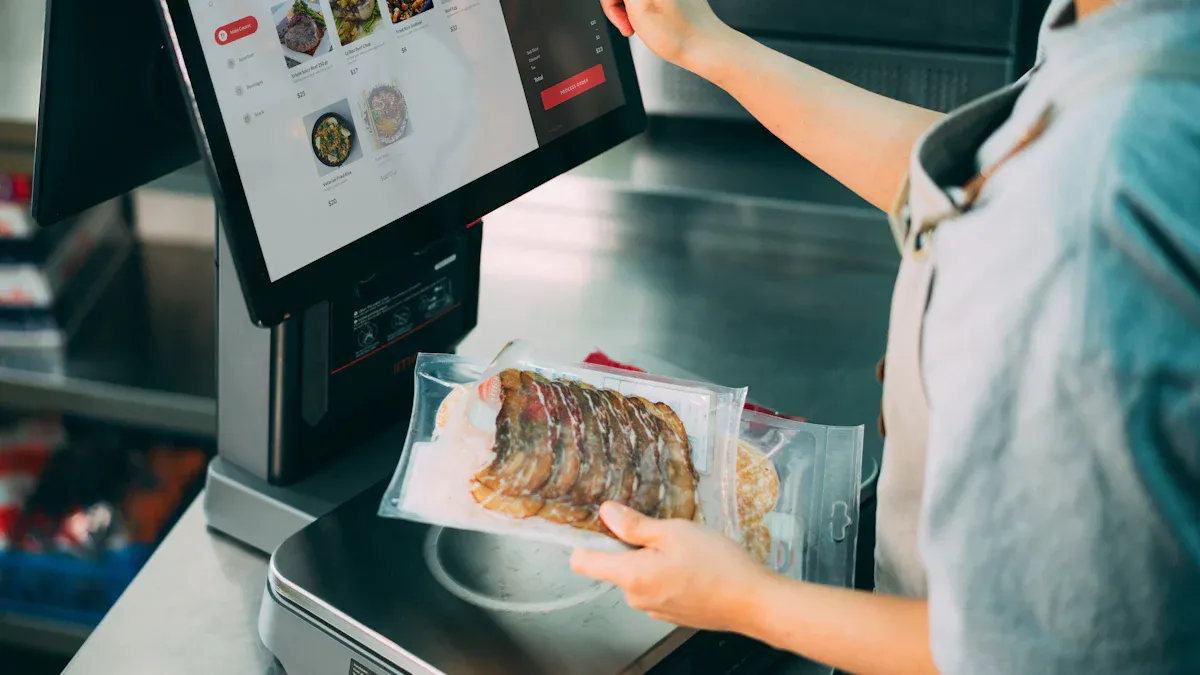
You see computer vision making checkout better in stores. This technology lets you scan items by itself. You can check out without a cashier. You trust this system because it makes fewer mistakes. Old checkout ways often have problems. Here are some common problems:
Challenge | Description |
|---|---|
Long wait times | Slow lines make you annoyed. You might leave your cart. |
Labor cost and staff allocation | Workers feel stressed when it is busy. They cannot help you much. |
Limited payment flexibility | You get upset if you cannot use your favorite way to pay. |
Lack of personalized shopping experiences | You want shopping to fit you. Old systems do not do this. |
Human errors at checkout | Checkout mistakes make you unhappy. Service is not as good. |
Computer vision makes checkout faster and more correct for stores. You get a better shopping trip with fewer mistakes.
Key Takeaways
Computer vision makes checkout faster by scanning items automatically. This cuts checkout time from 90 seconds to only 12.5 seconds.
Cashier-less systems make shopping better. Customers can pay without waiting in line. This makes shopping quicker and easier.
Computer vision tracks inventory in real time. Stores can keep better track of their stock. This means fewer empty shelves and happier customers.
Visual search technology helps customers find products easily. This makes shopping more fun and helps people enjoy the store more.
Training staff to use computer vision tools is important. Employees can help customers better. This leads to good service and more trust from shoppers.
Computer vision and accurate checkout
Automated product detection
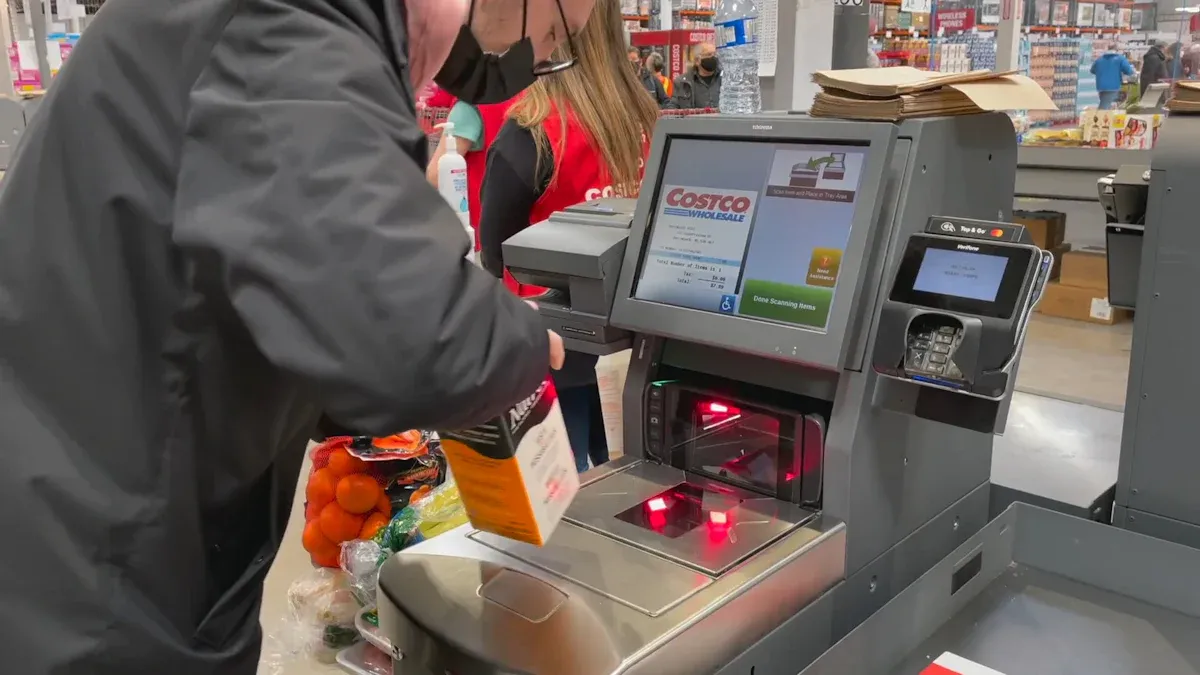
Computer vision is changing how you shop in stores. When you grab an item, computer vision scans it. It matches the item to the right price. This system uses deep learning algorithms, like better YOLOv10 models. These models can spot products even if the light is bad or items are stacked. You do not have to worry about mistakes. Checkout is more reliable because computer vision finds each product with high accuracy.
Automated product detection helps you avoid problems at checkout. You always get the right price. Retail chains use computer vision to cut down on human error. For example, Everseen's AI solution helped Kroger fix over 75% of checkout mistakes without a worker. You see fewer errors and shopping feels smoother.
Cashier-less checkout experience
You can check out without waiting in line. Computer vision watches your moves and what you buy as you shop. When you finish, you just walk out. The system charges you by itself. This cashier-less checkout saves you time and makes shopping easier.
Many retail chains use computer vision for stores without cashiers. Amazon Go uses cameras on the ceiling and sensors on shelves. You can shop and leave without stopping at a register. AiFi and Trigo have opened hundreds of these stores around the world. You can see the benefits in the table below:
Case Study | Description | Benefits |
|---|---|---|
Amazon Go | First to use cashier-less checkout with cameras and sensors | No lines, faster shopping, bigger baskets |
AiFi & Trigo | Made stores that run by themselves with high accuracy | Stores open fast, rules are followed |
You like shopping that is fast and easy. Automated checkout systems finish sales faster and help more people. AI-powered kiosks finish sales in about 15 to 20 seconds. Old checkout lanes take 45 seconds or more. You see shorter lines and a better time in the store. Cashier-less systems let you add items without waiting, which makes you happier and want to come back.
Preventing pricing errors
Computer vision helps you avoid pricing mistakes. The system sees each item at checkout and matches it to the right price in the database. You do not get charged too much or too little. Stores say they make fewer mistakes and have fewer problems.
You see computer vision track every item you pick. This cuts down on scanning mistakes and makes checkout right. You trust the system because it stops pricing errors and makes shopping fair. Retail chains use computer vision to make checkout better and build trust with customers.
Tip: You can count on computer vision for correct checkout and a smoother shopping trip. Stores use this technology to make your time in the store better and more reliable.
Enhancing inventory and operations
Real-time shelf and stock accuracy
Computer vision helps stores keep track of products. Cameras and sensors watch the shelves all day. They find empty spots and items in the wrong place right away. Visual signals tell workers to refill shelves and fix mistakes fast. You do not need to check shelves by hand as much. Inventory checks are up to 15 times faster with computer vision. This means you make fewer mistakes and keep the right amount of stock.
You can spend more time helping customers because computer vision does many inventory jobs. The system sees when products run out and shows low stock. It turns what it sees into helpful information for your inventory system. Store teams can fix problems right away, which makes things work better. Watching shelves all the time keeps stock right and stops out-of-stock problems. You save time and spend less money on labor.
Here is how computer vision helps with shelf and stock accuracy:
Visual signals show empty spots and wrong items.
Inventory checks are much faster and more correct.
Workers do not spend as much time checking shelves.
Special cameras watch shelves and show low stock.
Store teams fix problems as soon as they see them.
Evidence Type | Description |
|---|---|
Speed of Inventory Checks | Inventory checks can be performed up to 15 times faster with computer vision technology. |
Reduction in Out-of-Stock Events | Retailers using shelf-monitoring computer vision have seen a significant reduction in out-of-stock events. |
Labor Cost Savings | Automated inventory monitoring reduces the need for manual checks, leading to cost savings. |
Operational visibility across locations
Computer vision gives you a clear look at how stores work. The technology watches inventory and customer actions in every store. Managers get real-time data and know how stores are doing. You do not have to wait for reports. You see how products move and how people shop. This helps you learn what shoppers like and make service better.
Computer vision lets you see how long lines are and change staff fast. You keep checkout running well and service stays the same in every store. Visual dashboards help managers watch many stores at once. You can check if staff are in the right places and see if shelves are filled and clean. Finding problems early stops money loss.
Evidence Description | Explanation |
|---|---|
Continuous monitoring of inventory | Computer vision provides ongoing visual tracking of inventory, ensuring accurate stock levels and reducing discrepancies between actual and recorded inventory. |
Real-time insights into store performance | Managers receive immediate feedback on store operations, enabling them to make informed decisions without waiting for manual reports. |
Tracking product movement and customer behavior | The technology allows for the observation of how products are handled and how customers interact with them, enhancing understanding of shopping patterns across locations. |
Evidence Type | Description |
|---|---|
Queue length visibility | Visual systems identify queue buildup early, allowing managers to adjust staffing proactively. |
Faster transaction flow | Checkout operations improve when staff allocation aligns with real-time customer demand. |
Consistent checkout experience | Maintains predictable service levels across locations, reducing wait times and enhancing throughput. |
Zone coverage monitoring | Confirms staff availability across store sections, ensuring adequate coverage during operational hours. |
Task execution visibility | Tracks essential tasks like shelf replenishment and cleaning, ensuring operational standards are met. |
Early detection of store-level issues | Highlights issues like shelf gaps and idle counters, enabling timely intervention to prevent revenue loss. |
Scalable regional oversight | Allows area managers to monitor multiple stores through visual dashboards, enhancing operational consistency. |
Note: Computer vision helps you make your inventory system better and use staff wisely. Real-time data helps you make good choices and keeps your stores running well.
Benefits for retailers and customers
Faster transactions
No one likes waiting in long lines. Computer vision helps stores check out customers much faster. The system scans items quickly and finds the right price. Your checkout time drops from 90 seconds to only 12.5 seconds. You leave the store sooner and feel less rushed. Staff can help more people because they spend less time at the register.
Here is what changes with computer vision:
Metric | Before Computer Vision | After Computer Vision | Improvement |
|---|---|---|---|
Average Checkout Time | 90 seconds | 12.5 seconds | 86% reduction |
Checkout Wait Time | High | Low | 15-20% reduction |
Staff Utilization | Standard | Improved by 30% | Enhanced service focus |
Drive-thru and curbside pickup get better too. The system watches the lanes and helps manage orders. Menus show your favorite foods, which makes you happy. Mobile orders are ready faster, so you do not wait as long. These changes help stores serve more people and keep lines short.
Improved customer trust
You want stores to get your order right every time. Computer vision matches each item to the correct price. You see fewer mistakes when you check out. This means you do not have as many problems or returns. Stores using this technology get fewer complaints.
Computer vision stops pricing mistakes and scanning errors.
You see fewer products with the wrong label.
The system checks stock, so popular items stay on shelves.
Companies like Trax and RetailNext find product gaps with over 95% accuracy.
You feel sure the store has what you want. Fast and correct checkout makes you want to shop there again. Payment is easy, and you do not get upset.
Visual search for product discovery
Finding products is easier with visual search and computer vision. The system looks at color, pattern, and style to help you find new things. If you upload a photo, the store suggests items that match your taste. Shopping feels more fun and personal.
Many brands use visual search to help you shop:
Brand | Implementation Description | Impact on Product Discovery |
|---|---|---|
Launched a visual search tool allowing users to upload images for similar clothing search. | Increased customer engagement within weeks. | |
Home Depot | Integrated image search in the mobile app for identifying products through pictures. | Simplified product identification for DIY shoppers. |
Wayfair | Uses visual search to match items with customer style preferences. | Suggests products that fit well with customer spaces. |
You see more products and sometimes buy more things. ASOS shoppers looked at 48% more items and spent more money per order. Visual search helps small stores compete with big ones. You get suggestions that fit your style, so you feel closer to the store.
Tip: Try visual search when you shop next time. You might find new things that fit your needs and style.
Implementation and privacy considerations
Hardware and software requirements
You need special hardware and software for computer vision in stores. High-resolution cameras help scan products and watch inventory. Edge computing devices process data close to the store. Integrated solutions put hardware, software, and services together. This makes everything work well. You also need help with setup, fixing problems, training, and support. Technology companies, payment processors, and delivery companies work together. They help you build a system that fits your store.
Core service modules do important jobs for computer vision checkout.
Frameworks and libraries make building systems easier for stores.
Picking the right partner helps you grow and save money. Buying hardware and making custom AI models costs money at first. Connecting computer vision to your old systems can save money and help you grow faster.
Staff training
Your workers need to learn how to use computer vision tools. Training classes show staff how the technology helps them. They learn it is a tool to make work easier. Talking often and letting staff join in helps them get used to changes. When workers know the system, they can help customers more.
Feature | Description |
|---|---|
Computer vision sees when customers look confused. Staff can help right away. | |
Alerts for proactive assistance | Staff get alerts to help customers fast. Service gets better. |
Integration with CRM | The system works with customer analytics to give personal tips. |
You should spend money on training so your team feels ready and sure about using new tools.
Privacy and security
You must keep customer information safe when using computer vision. Stores need to follow rules about data and use safe storage and encryption. Good rules and limited access keep pictures and videos safe. Telling people how you use their data helps them trust you.
Use systems to sort and protect personal data.
Always think about privacy when making new systems.
Use encryption and extra login steps.
Keep all data in a safe, rule-following platform.
Use tools to get customer permission automatically.
Check outside companies to make sure they follow rules.
Look at privacy rules and training often.
Tip: Learn about new privacy rules and teach your staff how to keep data safe. Keeping customer information safe helps people trust your store and keeps your business strong.
You notice computer vision makes checkout quicker and more correct. Stores use it to keep track of products, watch how people shop, and let you check out by yourself. This means you get better help and wait less in line. Franchise retailers can use computer vision to save money, stop mistakes, and make products better. Here are some main benefits:
Advantage | Description |
|---|---|
Automates checkout and reduces wait times. | |
Inventory Management | Tracks stock and triggers reordering. |
Shopper Behavior Analysis | Helps stores optimize layouts and workflows. |
In the future, you will see robots, smart fitting rooms, and live data in stores. Automation will give you better shopping and faster service.
FAQ
What is computer vision in retail?
Computer vision uses cameras and software in stores. It scans products and keeps track of inventory. It also helps you check out faster. Stores use this technology to make shopping more accurate.
How does computer vision improve checkout accuracy?
Computer vision scans each item you buy. It matches the item to the right price. This means there are fewer mistakes. You can trust the checkout more.
Is my personal data safe with computer vision systems?
Stores keep your data safe with strong rules and encryption. You can ask how your information is used. Privacy and security are always important for stores.
Do staff need special training to use computer vision?
Yes, staff need to learn how to use these tools. Training helps them answer your questions. It also makes shopping better for you.
See Also
Navigating Walgreens Self-Checkout: Benefits and Hurdles in Shopping
How Cloudpick's Checkout Technology Boosts Service and User Satisfaction
The Progression of Self-Service Checkout Systems Over Time
Walmart Self-Checkout Updates: Anticipated Changes for 2025
Addressing Self-Checkout Cash Mistakes: Reasons and Remedies
