Build a Smart Warehouse Inventory Solution with Computer Vision Technology

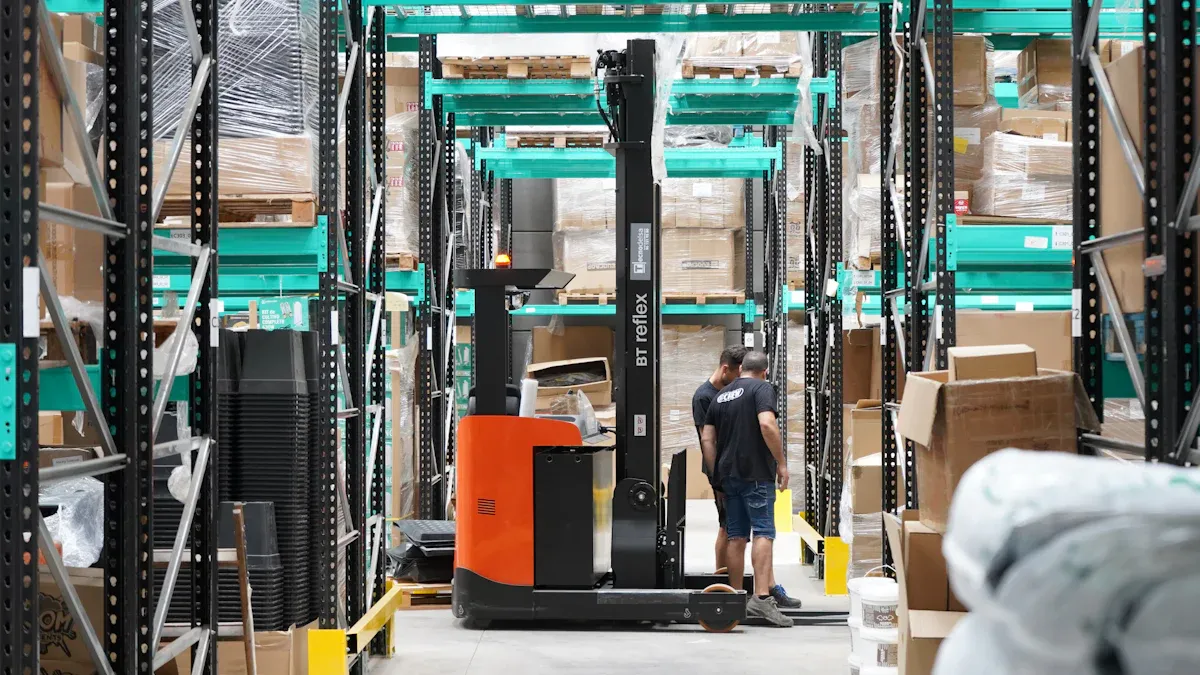
You can transform your warehouse by utilizing computer vision applications. These applications help streamline your inventory processes, making them faster and more accurate. The market for visual inventory tools was valued at $2.47 billion in 2024 and continues to grow rapidly. Studies indicate that AI-powered systems can reduce errors by up to 50%, outperforming traditional inventory methods. By integrating smart cameras, AI models, and real-time systems, you create an efficient workflow that captures, processes, and matches data for effective inventory control.
Key Takeaways
Use computer vision technology to make warehouse inventory easier and faster. This helps improve speed and makes counting more correct.
Set up automated inventory management to lower mistakes made by people. This lets your team spend time on other important jobs.
Add real-time tracking and quality checks to cut down on problems. This helps everything work better and faster.
Follow a clear plan to start, beginning with taking pictures and collecting data. This helps you build a smart inventory system.
Get your team involved in the process. Make sure they learn and use the new technology for better results.
Computer Vision Applications in Inventory Control
Object Detection and Tracking
Computer vision tools help your warehouse work better. These tools let you see every item and know where it is.
Object detection and tracking help you watch your inventory all the time.
You can use barcode and QR code reading to find products fast, even if codes are hard to read.
Dimensioning gives you the right size of items, so you can plan shipments and use space well.
Cycle counting happens by itself, so you save time and avoid stopping work.
With platforms like Intelgic, you get real-time tracking and automatic checking. You can see your inventory clearly. Lineage Eye uses computer vision with AI to take pictures and spot mistakes right away. You can make your supply chain better and keep things moving.
Automated Inventory Management
Computer vision tools can do inventory jobs that people used to do.
Automated inventory management means people do not have to check as much, so there are fewer mistakes.
The technology lets you watch your stock all the time and find problems fast.
Your inventory records become almost perfect.
When computer vision tools manage your inventory, you make fewer mistakes and your team can do other jobs. You build a system that works faster and smarter every day.
Quality Control and Defect Detection
Computer vision tools help you check quality and find problems before they get worse. The results are easy to see:
Impact Description | Measurable Outcome |
|---|---|
Fewer bad products sent out | |
Lower costs to fix mistakes | 20-50% less rework cost |
More products made and better speed | 15% more efficient |
Better rules followed and easier tracking | Improved compliance |
ROI | Achieved in under six months |
With these results, you make fewer mistakes, spend less money, and your warehouse gets a better name for quality. You help your warehouse do well for a long time.
Implementation Steps
To build a smart warehouse inventory solution, you need a good plan. You can follow simple steps to make a system that helps your team and meets your business goals.
Image Capture & Data Collection
First, pick cameras that work well in your warehouse. High-resolution cameras show small details. You can use scanners that work in cold or dirty places. Some warehouses use mobile devices with barcode scanners like SocketCam. These scan items fast.
Collect data like size, weight, photos, and barcodes.
Use cameras that can handle drops and dirt.
Good data helps you plan storage, picking, and shipping.
Tip: Clear images make your inventory data more reliable.
Data Extraction & Processing
After you get images, you need to find useful information. Computer vision applications look at each image to find barcodes, measure items, and check labels. Good images make this step more accurate.
Description | |
|---|---|
Image Quality | Use high-resolution images for small details. |
Data Management | Keep your data safe and organized. |
Secure Storage | Protect important information with strong security. |
Compliance with Regulations | Follow rules like GDPR and HIPAA. Run audits often. |
Effective Analysis | Use checks and connect to analytics tools for better results. |
Integration Strategies | Use APIs and cloud tools to share data easily. |
You can teach your staff to use these tools and understand the results. This helps everyone work together and trust the new system.
Verification & Error Handling
Your system should catch mistakes before they cause trouble. Computer vision applications can find missing items, wrong labels, or damaged goods fast. The system tracks products and counts stock by itself. It also finds items that are not in the right place.
Automated counting and sorting save time.
Anomaly detection keeps your inventory correct.
Note: Automated error handling means you spend less time checking by hand and more time making your warehouse better.
Database Update & Tracking
After checking the data, your system updates the inventory database. Real-time data collection cuts down on mistakes and makes work faster. You can track numbers like inventory accuracy and order cycle time with analytics tools.
Feature/Benefit | Description |
|---|---|
Real-time data collection | Updates inventory right away and lowers mistakes. |
Integration with analytics | Tracks important numbers for better choices. |
Visual reporting | Shares easy-to-read reports with your team. |
Increased visibility | Lets everyone see warehouse operations clearly. |
Improved inventory accuracy | Keeps your records right and up to date. |
Optimized warehouse layout | Helps you plan space for better use. |
Enhanced customer service | Makes order management and delivery better. |
Ongoing optimization | Lets you keep improving your warehouse. |
You can also watch things like temperature and moisture to protect products. Using data from different places helps you find risks, like theft or spoilage, before they get worse.
Human Review & Exception Management
Even the best systems need people to help. When the computer vision system finds something odd, you or your team can look at the flagged images. Operators can mark problems on the images. Teams meet every day to talk about these cases and decide what to do. Working together helps you fix problems and update your processes.
Inspiration: Your team gets stronger when people and technology work together. You solve problems faster and keep your warehouse running well.
By following these steps, you build a smart warehouse that learns and gets better every day. You lead your team to success with the power of computer vision applications.
Tech Stack & Integration

Hardware Requirements
You need good hardware for computer vision in your warehouse. Start with cameras that take clear pictures of your items. Add lights to make dark areas bright and easy to see. Use optics and frame grabbers to help process images fast. Strong processors keep your system working well, even when it is busy.
Cameras
Lighting
Optics
Frame grabbers
Processors
Choosing strong hardware helps your team do better. Your warehouse becomes a place where people and technology work together.
Software & AI Models
Smart software and AI models make your warehouse better. AI-powered cameras watch your shelves and look for problems. Autonomous drones fly around and find items that are not in the right spot. Machine learning helps you guess what you need to order next. Visual inspection tools check your inventory all the time and find damaged goods before they leave.
AI-powered cameras for real-time monitoring
Autonomous drones for inventory validation
Machine learning for demand forecasting
Visual inspection automation for tracking
Anomaly detection for damaged items
These tools help you do jobs automatically and make your warehouse smarter.
Integration with Warehouse Systems
Connecting new technology to old warehouse systems can be hard. Many old systems do not have modern APIs, so it takes longer and costs more to connect them.
Challenge Description |
|---|
Older warehouse management systems and ERPs often lack modern APIs, making integration with computer vision platforms complex and expensive. |
Tip: Talk to your IT team early and make a plan. This helps you avoid problems and keeps your project moving.
You might also have trouble with bad image quality or changing lights. Good data and regular checks help your computer vision tools work well.
Deployment & Scaling
You can start with a small system and make it bigger later. Automated inventory systems work all day and night, so your warehouse runs better. New tools like automated guided vehicles and autonomous mobile robots help your team do important jobs. AI-enabled drones and camera systems give you real-time tracking, so you always know what is in your warehouse.
Remember: Every step you take helps your warehouse learn and grow. Your team can do more and reach new goals.
Benefits, Challenges, and Best Practices
Efficiency & Accuracy Gains
You can make your warehouse work better and more accurately. Real-time monitoring lets you see your inventory all the time. Automated scanning and tracking help your team move faster and make fewer mistakes. Many warehouses get better at filling orders and working faster after using these tools. Case studies show that smart monitoring and real-time analytics save money and make customers happier. Your work will become smoother, safer, and more dependable.
Benefit | Description |
|---|---|
You always know where your inventory is and how much you have. | |
Improved order fulfillment | AI finds mistakes and problems, so orders are right and on time. |
Enhanced productivity | Automated scanning and tracking mean less manual work and faster jobs. |
Common Challenges & Solutions
You might have some problems when you start using these systems. High setup costs and connecting to old systems can slow things down. You need to think about data privacy and security. Sometimes, hardware does not work well if it is not set up right. Bad planning can make you miss your goals.
High setup costs for hardware and software
Worries about data privacy and security
Trouble connecting to old systems
Hardware not installed the right way
Not enough planning for model building
You can solve these problems with smart ideas:
Let workers do more useful jobs
Make scanning better, even with missing labels
Help robots pick and sort items with fewer mistakes
Watch stock levels and get updates right away
Use AI to keep inventory levels right and guess what you need
Count items automatically to stop human mistakes
Best Practices for Implementation
You can help your project succeed by following good steps:
Look at your current inventory process before starting.
Set clear goals and pick the right KPIs.
Get good data ready for your AI models.
Choose a solution that fits your warehouse.
Check and improve your models often.
Maintenance Practice | Purpose |
|---|---|
Model versioning | Keep track of different model versions and changes |
Automated retraining | Make sure your models stay accurate with new data |
Monitoring KPIs | Watch for fewer mistakes and better rule-following |
Feedback loops | Make your system better with real-world data |
Remember: Each step you take helps your warehouse become smarter, safer, and more efficient.
You can make a smart warehouse if you follow easy steps and use computer vision. Begin with a small test project. Try out your system with a few people and simple tools. Pick goals like faster checks and saving money. Watch how you do by using important numbers:
Metric Type | Description |
|---|---|
Picking Accuracy | How well your team picks the right items |
Processing Time | How fast you finish inventory tasks |
Success Criteria | Benchmarks for your pilot project |
Baseline Metrics | Compare new results to your old process |
Ask data scientists, machine learning engineers, and data engineers to work together. Their teamwork helps you reach your goals. When you see good results, you can make your project bigger and your warehouse smarter.
FAQ
How do you start with computer vision in your warehouse?
You can begin with a small pilot project. Pick one area to automate. Use a few cameras and simple software. Measure your results. Grow your system as you see success.
What skills does your team need for this technology?
Your team needs basic tech skills. Train them to use cameras and software. Encourage learning about AI and data. Support teamwork between IT and warehouse staff.
Can computer vision work with your old warehouse systems?
Yes! Many solutions connect with older systems. Use APIs or middleware tools. Work with your IT team to plan the integration. You can keep your current setup and add new features.
How do you keep your data safe?
You protect your data with strong passwords and secure networks. Use encrypted storage. Limit who can see sensitive information. Review your security often to stay safe.
What results can you expect in the first year?
You can see fewer mistakes and faster inventory checks. Your team will spend less time on manual tasks. Customers will notice better service. Many warehouses see a return on investment within months.
See Also
The Future of Retail Lies in AI-Driven Stores
Transforming Online Retail Management with AI Tools
Smart Technology in Vending Machines Revolutionizes Retail
