How Businesses Can Benefit from Data Synchronization Between POS and AI Analytics

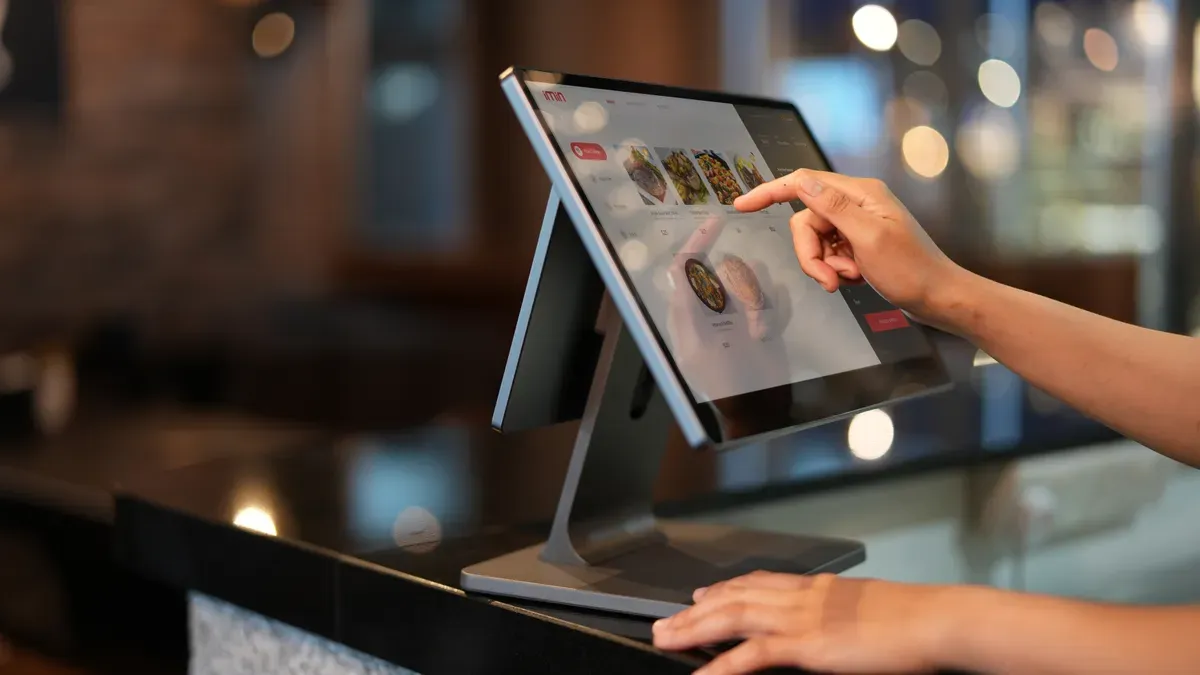
You get a big help when you connect your POS and AI analytics through data synchronization. Sharing data right away lets you make better choices. It also helps you serve customers better. For example, your store can see trends fast. It can order more products by itself. This also cuts down on mistakes people make. The table below shows how this can help your business grow:
Benefit Category | Business Impact |
|---|---|
Inventory Control | Stops you from having too much stock and saves money on items that do not sell fast. |
Customer Insight | Lets you create special ads for customers based on what they bought before. |
Operational Efficiency | Matches worker shifts to busy times so you spend less on pay. |
Financial Planning | Shows how much money you make on each product to help set prices. |
Think about how these good things could change your daily work. They can also help you do better than other stores.
Key Takeaways
Data synchronization between POS and AI analytics helps businesses decide faster and smarter. It gives real-time information.
Better inventory management means fewer stockouts and less extra inventory. This helps cash flow and makes customers happier.
AI-driven marketing lets businesses give special offers to customers. This makes customers want to come back and buy more.
Automating workflows saves time and cuts down on mistakes. Staff can spend more time helping customers and growing the business.
Keeping data safe and following rules like GDPR and CCPA is very important. This matters when handling private customer information.
Understanding Data Synchronization

What Is Data Synchronization?
Data synchronization means making sure information matches in all systems. When you use it, your POS and AI analytics always have the newest data. This process updates sales, inventory, and customer details right away. You do not need to type the same data twice. This saves time and helps stop mistakes.
You get many good things when you use data synchronization between your POS and AI analytics:
Making customer interactions more personal
Improving how you manage inventory
Finding and stopping fraud
Making work run better
Helping other systems work together
Adding new features like voice and image recognition
These things help your business run well. You can also add new tools and features without trouble.
Why It Matters for POS and AI Analytics
You need quick and correct information to make smart choices. Data synchronization gives you this power. When your POS and AI analytics share data right away, you can see trends and act fast. Top companies use advanced analytics and safe sharing to turn raw data into helpful ideas. This helps them stay ahead in a busy market.
AI tools can look at lots of data much faster than people. Real-time analysis lets you see patterns as they happen. You can make choices based on what is happening now, not last week.
A 2023 survey by Deloitte found that companies using AI-generated business intelligence made decisions 37% faster. They also made their decisions 29% better than those using old tools.
When you connect your POS and AI analytics with data synchronization, your business gets a strong advantage.
Key Business Benefits

Inventory and Sales Optimization
Data synchronization helps you keep the right products in stock. Your POS and AI analytics work together to track sales and inventory right away. You can see what sells quickly and what does not. There is no need to guess when to order more. The system can even order more products for you if needed.
Many stores had 18% fewer stockouts after three months of using POS and AI analytics together.
Systechcorp used an AI-based inventory system that linked POS transactions with supplier data. This helped them refill stock automatically and meet customer needs.
Decision-makers got updates right away about what sold and how fast items moved.
You can see the results in the table below:
Improvement Type | Measurable Impact |
|---|---|
Reduced stockouts | |
Lower excess inventory | 20% reduction |
Faster multichannel fulfillment | Increased efficiency |
Decreased carrying costs | Less cash tied up in inventory |
Sell-through rate improvement | Increased sales |
Aged inventory reduction | Improved cash flow |
Time saved on inventory management | Up to 75% reduction in counting time |
Customer satisfaction improvement | 12% lift in satisfaction |
You get better cash flow and happier customers when you always have what they want.
Smarter Marketing with AI
You can reach your customers in new ways by connecting your POS and AI analytics. Data synchronization gives you real-time information about what your customers like and buy. AI uses this information to make special offers just for them.
AI-driven marketing uses the latest POS data to find trends and customer habits.
You can send personal deals that match each shopper’s likes.
The system helps you know which ads work best and when to send them.
Evidence Type | Description |
|---|---|
AI helps retailers increase average order value by showing personalized product suggestions during checkout. | |
Dynamic Promotional Offers | AI-powered POS systems collect and study customer purchase history, making targeted marketing campaigns. |
Smart Upselling | AI lets stores recognize customers in real time, which helps them engage and sell more. |
Real-time Customer Insights | AI-driven insights help stores look at purchase history and likes for better customer retention. |
Personalized Loyalty Programs | AI-enabled loyalty systems give rewards based on what customers do, offering special discounts and benefits. |
You can build loyalty and boost sales by making every customer feel special.
Real-Time Insights and Reporting
You can make quick choices when you have the newest information. Data synchronization lets your POS and AI analytics share data right away. You see sales trends, inventory levels, and customer actions as they happen.
Example Description | Result |
|---|---|
A financial services company automating reporting processes | 90% less time spent on manual reports and faster decisions |
A retail brand using automated data pipelines for inventory management | 30% less overstock and 40% fewer stockouts |
Automated alerts and actions for spikes in customer acquisition cost | Fast actions taken to fix ad spending and reporting |
You do not waste time on manual reports. You spot problems early and act fast. This keeps your business running smoothly.
Streamlined Operations
You can make your business run better with data synchronization. Your sales, inventory, and customer data all connect in one place. This helps you see trends, spot fraud, and restock quickly.
You get up-to-date data for better decisions.
Customers enjoy faster service and more personal attention.
Your team spends less time on manual tasks and more time helping shoppers.
AI can watch for strange activity and flag possible fraud right away.
The system can even check for age-restricted sales and keep records for audits.
Tip: Automation saves time and money. You can sell more while storing less.
You gain more profit and give your customers a better experience.
Implementing Data Synchronization
Connecting POS and AI with APIs
You can connect your POS and AI analytics using APIs. APIs help your systems talk to each other and share data safely. When you set up your connection, you should follow some best practices:
Use unique API keys for each request to keep your data safe.
Set up OAuth 2.0 so you can control who gets access without sharing passwords.
Add webhooks for instant updates, like when you get a new order or need to sync inventory.
Use API polling for older systems, but make sure you schedule it smartly to avoid slowdowns.
Treat your APIs like products. Write clear instructions and rules so everyone knows how they work.
Enforce rules at the gateway to check requests and stop problems before they start.
Build your workflows in small parts so you can update them easily.
Prepare for busy times so your system does not slow down.
Track how your APIs work with monitoring tools.
Tip: Good API connections help your business run smoothly and keep your data safe.
Ensuring Accurate, Real-Time Sync
You need the right setup for your data to sync in real time. Start by picking POS and AI systems that work well together and support open APIs or plug-ins. Work with a tech partner to make sure your systems connect without trouble. Test your setup and keep checking how your AI works.
Step | Description |
|---|---|
Choose Compatible Systems | Pick a POS that works with AI and supports open APIs or plug-ins. |
Test and Optimize | Watch how your AI performs and make changes if needed. |
Integrate Seamlessly | Team up with a tech partner for smooth setup. |
You should also use strong security. Encrypt all data when you send or store it. Use digital signatures to prove your data is real. Try new tools like zero-knowledge proofs to keep your data private, even during AI training.
Monitoring and Automating Workflows
You can save time and avoid mistakes by automating your workflows. Start by finding tasks you do over and over. Use tools that connect your POS and AI analytics, like ApiX-Drive, to automate these jobs. Train your team on the new tools and keep an eye on how things work.
Automate order management with digital kiosks or apps.
Track inventory automatically to keep the right amount in stock.
Use tools to schedule staff shifts and avoid conflicts.
Manage customer data and feedback with CRM automation.
Connect all your systems for smooth data flow.
Identify tasks you repeat often.
Pick tools that fit your needs.
Connect your systems with automation services.
Teach your team how to use the new setup.
Watch and adjust your workflows as needed.
Note: Automation helps you focus on your customers and grow your business.
Challenges and Solutions
Data Security and Privacy
When you sync POS and AI analytics, you handle more sensitive data. Customers worry about privacy. Half of them are concerned about AI ordering. Hackers look for businesses with lots of data. You must follow strict rules to protect information. The table below shows important regulations and what they mean:
Regulation | Description | Implications |
|---|---|---|
GDPR | Needs consent and lets people control their data. | Fines can be up to 4% of global sales if you break the rules. |
CCPA | Lets people in California see and delete their data. | Only some businesses must follow; other states are making similar laws. |
PCI DSS | Sets rules for keeping credit card data safe. | If you do not follow, you can get fined and lose card payment rights. |
To keep data safe, use strong security like encryption and access controls. Teach your staff how to handle data safely. Check your systems often to make sure you follow the rules.
AI tools use encryption and tokenization to protect sensitive data.
Regular checks help you avoid fines.
Training staff helps stop mistakes and keeps data safe.
Integration Complexity
Connecting POS and AI analytics is not always easy. You may face technical problems, privacy worries, and need to train your staff. The table below shows common issues:
Integration Complexity | Description |
|---|---|
Technical Challenges | Hard to link old POS systems with new AI platforms. |
Data Privacy Concerns | You must follow rules to protect data. |
Staff Training Needs | Workers need to learn new systems. |
You might also have trouble moving data, matching systems, or getting staff to accept changes. Here are some solutions:
Strategy | Description |
|---|---|
API-first architecture | Makes connecting systems faster and easier. |
Unified data model | Keeps product and customer info the same everywhere. |
Dedicated integration team | Helps finish projects quickly and fix problems fast. |
Observability tools | Watches system health and finds issues early. |
Maintaining Data Quality
You need good data to make smart choices. Clear rules help you manage and protect information. Watch and check your sync processes to catch mistakes quickly. Use encryption and access controls to keep data safe.
Automated checks find mistakes early.
Manual audits make sure important products stay accurate.
Keep records to help fix problems and follow rules.
Automation checks every batch of data before it goes into your AI models. It makes things work better and gives feedback right away if there are errors.
If you do not sync data, you can get data silos, slow teams, and security risks. Reliable tools like automated data validation pipelines and synchronization APIs keep your information correct and safe.
You can get many good things for your business by syncing data between your POS and AI analytics. The table below shows how you get quick ideas, happier customers, and more money:
Benefit | Description |
|---|---|
Real-Time Data Sync | Gives you fast ideas by working well with business analytics tools. |
Enhanced Customer Experiences | Gives special service and easy shopping to make customers happy. |
Operational Efficiency | Does boring jobs like counting stock and making reports, so work is easier. |
Profitability | Helps set prices, run sales, and keep the right amount of products using AI predictions. |
When you connect your systems, you keep prices and stock right. You can thank loyal customers and make better plans. Your team does not have to do as much boring work. They can help your business grow. Try these tools now to stay ahead of other stores.
FAQ
What is data synchronization between POS and AI analytics?
Data synchronization means your POS and AI systems always have the same, up-to-date information. You do not need to enter data twice. This helps you avoid mistakes and saves time.
How does real-time data sync help my business?
You see sales and inventory changes as they happen. You can react fast to trends. This helps you make better choices and serve your customers well.
Is data synchronization safe for customer information?
You keep customer data safe by using encryption and strong passwords. Good systems follow privacy laws like GDPR and CCPA. Always train your staff to handle data with care.
What do I need to start syncing my POS and AI analytics?
You need a POS system and an AI analytics tool that support APIs or plug-ins. You may also need help from a tech expert to set up the connection.
See Also
Exploring AI-Driven Vending Machines: Advantages for Today's Retail
Understanding the Growth of AI-Enhanced Convenience Stores
The Future of Retail: Embracing AI-Driven Stores
Transforming Online Retail Management with AI-Driven Tools
Cloudpick: Revolutionizing Your Store with Cashierless Solutions
