Deploying multi-camera AI retail systems

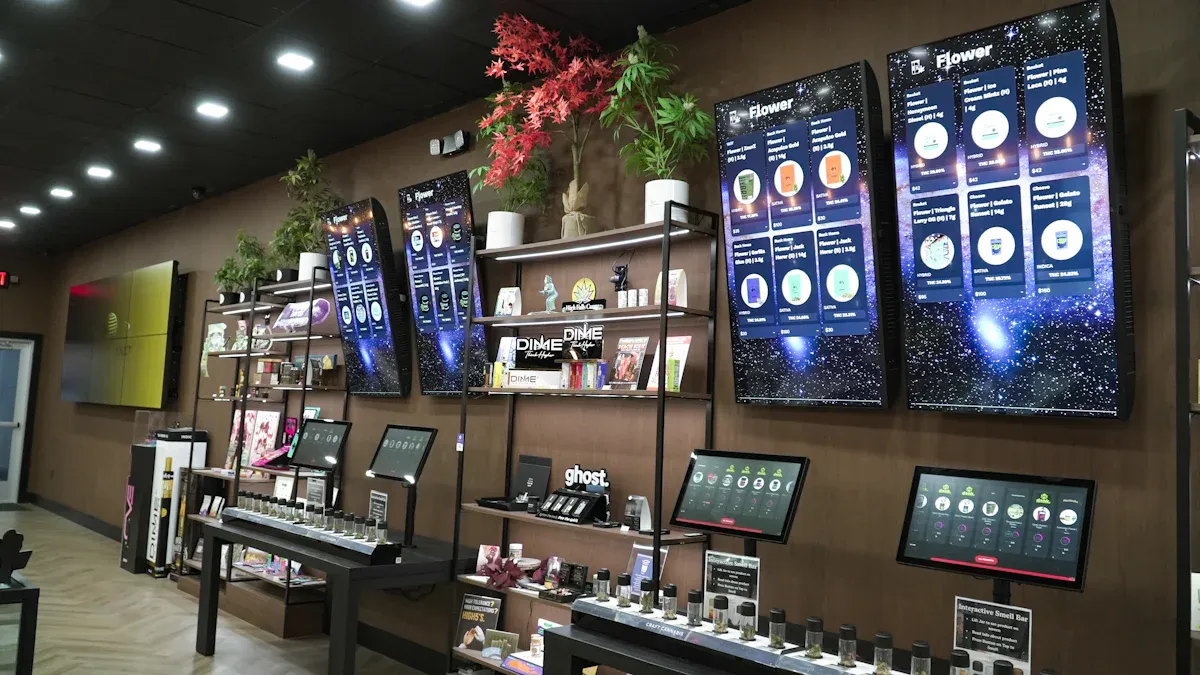
You can set up a multi-camera AI retail system by taking simple steps. First, check the site. Next, place cameras in smart spots. Then, build the needed infrastructure. When you use AI with many cameras, you get many good results. The table below shows benefits found in industry studies:
Benefit | Description |
|---|---|
Makes shopping better, helps sales, and makes customers happier. | |
Operational Efficiency | Automates jobs and gives staff real-time information. |
Data-Driven Decision-Making | Helps people make smarter choices using AI analytics. |
Cost Reduction | Lowers hardware and running costs with automatic fixes. |
Resource Optimization | Uses people and processes in the best way. |
Business Intelligence | Uses surveillance to get useful data about the customer journey. |
This article gives you clear advice to help you get these benefits.
Key Takeaways
Do a careful check of the store before setting up a multi-camera AI system. This helps you find important spots and stops expensive errors.
Pick the best camera types and places to get good coverage. Put high-resolution cameras in busy spots so you can see better.
Use a hybrid cloud model to store data. This lets you process data fast nearby and saves money on long-term cloud storage.
Follow privacy laws and do what is right. Always tell customers about data collection and keep their information safe.
Use AI analytics to make shopping better and work faster. Real-time alerts can help stop theft and give better service.
Multi-camera AI retail system overview
System components
You need a few main parts to make a multi-camera AI retail system. Cameras are the most important part. You put them all over your store. They record video from many places. Edge devices are close to the cameras. They handle video right away. These devices use AI models. This means you do not always need to send video to the cloud. A central server or cloud platform gets data from every camera. It looks at and studies this data. You also need a safe network to link everything together. Retail software works with the system. It gives your staff tips and warnings. Sensors like motion detectors or RFID readers can give more data. This makes the system more correct.
Tip: Pick cameras and edge devices that can do AI processing. This gives you faster answers and saves network money.
Key capabilities
Multi-camera AI retail systems are better than single-camera ones. You can see more of your store. You learn more about what customers do. The table below shows how these systems are different:
Capability | Single-Camera Systems | Multi-Camera Systems |
|---|---|---|
Field of View | Limited | Broader |
Data Capture Angles | Single Angle | Multiple Angles |
Depth Perception | No | Yes |
3D Mapping | No | Yes |
Data Streams | Single Stream | Multiple Streams |
Adaptability | Limited | Greater |
Scalability | Difficult | Easier |
With a multi-camera AI retail system, you can:
Catch theft as it happens
Watch how customers walk in your store
See how long shoppers stay in each spot
Find out which displays get the most looks
You get a bigger view, better ideas, and more ways to change things. These systems help you choose well and make your store do better.
Planning deployment
Site assessment
You must check your store before you set up a multi-camera AI retail system. This helps you know what your store needs and stops expensive errors. Here are steps to help you:
Find out how the technology can help your store.
Look for risks that could happen when you set it up.
Walk around your store and notice important places like doors and busy spots.
Make clear rules for using and keeping customer data safe.
Pick partners who know a lot about retail AI systems.
Tip: Doing a good site check helps you find hidden spots and plan for growth later.
Camera placement strategy
Putting cameras in the right places is very important. You want to see all key areas and not miss anything. Use the table below to help you decide where to put cameras:
Area | Goal | Recommended Cameras | AI Needs | Risk if Ignored |
|---|---|---|---|---|
Aisles & Sales Floor | Watch for people hanging around or hiding things | PTZ for big aisles; fisheye for small aisles | AI changes for different store setups | Hidden spots let thieves take items fast |
Stockrooms & Inventory Areas | Stop inside theft and check deliveries | Bullet cameras, thermal sensors | Motion checks in dark, AI alerts for tailgating | Up to 37% of loss is from inside theft (NRF 2024) |
Employee-Only / Personal Areas | Keep privacy and follow rules | Corridor mode cameras at doors | AI checks rules (no cameras in restrooms/locker rooms) | Fines, lawsuits, and worker problems |
Lighting | Bad lighting means missed events | N/A | AI uses HDR and low-light models | N/A |
Camera Quality | At least 1080p; 4K is better | N/A | Where you point the camera matters more than pixels | N/A |
Check how bright each spot is and where cameras point. Use good cameras, at least 1080p, but 4K is best for big stores. Always keep privacy in employee-only spots. Never put cameras in restrooms or locker rooms.
Infrastructure needs
Your system must handle fast AI work and strong video checks. Decide if you will process video near the cameras or in the cloud. The table below shows both choices:
Aspect | Edge AI Camera / Local Edge Compute | Cloud Video Analytics |
|---|---|---|
Inference location | Camera or local edge box | Remote cloud server |
Network usage | Events and some pictures | Video sent often or many images |
Latency | Decisions made nearby | Depends on network and cloud speed |
Privacy | Video stays in the store | Video may leave the store |
Offline operation | Can keep working locally | Limited |
Integration | MQTT / HTTP / API / local broker | Usually through vendor platform |
Most stores find old systems cannot handle multi-camera AI retail systems. You may need to get better network and hardware. Edge AI devices work on data close by, which lowers network use and keeps video private. But updating and keeping things safe in many stores can be hard. Platforms like Kubernetes help you set up and manage AI services, but growing to many stores needs planning.
Small stores can use old cameras and network gear, which saves money.
Big stores may need new wires, faster connections, and better hardware.
Cloud service bills can get high, so plan your spending.
Note: Stores have seen up to 399% return on investment in five years with multi-camera AI retail systems. You can check ROI by comparing all benefits to all costs.
Hardware, software, and integration
Camera and sensor selection
You need to pick the right cameras and sensors for your store. The best choice depends on your store’s size and shape. Think about what you want the system to do. High-resolution cameras help you see small labels and faces. HDR cameras work well where light changes a lot. Different camera interfaces are good for different jobs. The table below shows some common choices:
Camera Interface | Key Considerations | Ideal Use Cases |
|---|---|---|
USB 3.1 | Short cables, fast data, works with many systems | Small kiosks, self-checkout |
MIPI CSI-2 | Fast processing, fits in small spaces | Smart kiosks, vision devices |
GigE | Works over long distances, lots of data | Big stores, central monitoring |
You can add sensors like motion detectors or RFID readers for more data. These sensors help track movement and inventory. Camera-agnostic video analytics let you use almost any IP camera. This helps you keep your cameras and upgrade easily.
Tip: Put high-resolution cameras in busy spots. Use HDR cameras near windows or doors with changing light.
AI platform choices (TensorFlow, PyTorch, OpenCV)
You need to pick an AI platform that fits your needs. Each one has good and bad points. The table below compares popular choices:
AI Platform | Advantages | Disadvantages |
|---|---|---|
OpenCV | Good for quick tests and simple vision tasks. Used for loading data and showing images. | Not as strong for deep learning. |
PyTorch | Easy to use and good for trying new ideas. Lets you build custom models. | Needs more setup for big stores than TensorFlow. |
TensorFlow | Good for big projects and many cameras. Has lots of tools and ready-made models. | Harder to learn for beginners than PyTorch. |
OpenCV is good for simple jobs like finding objects in pictures. PyTorch is great if you want to try new things and make your own models. TensorFlow works best for big stores with lots of cameras. You can use more than one platform to get better results.
Note: You can train models with PyTorch and use TensorFlow to run them in big stores.
Integration with retail systems
You need to connect your AI system to your store’s management and checkout systems. This helps you get real-time information and run your store better. Here are some best ways to do this:
Treat cameras as sensors to see what happens in your store.
Use AI alerts to help manage lines and keep customers happy.
Connect video to checkout to help stop theft.
You may have problems when you connect new AI to old store systems. Old systems often use different formats and slow data. Data can be in many places, which makes things hard. You can fix these problems by doing these steps:
Change old data to new formats like JSON or XML.
Bring data from many places into one spot for AI.
Update how you work so data is ready right away.
Use middleware to help systems share data.
Make connectors for old systems that do not have APIs.
AI systems can help you find fraud with high accuracy. You can catch between 90% and 98% of fraud. This matters because return fraud cost stores $103 billion in 2025. You can use AI to manage lines and stop theft. Connecting inventory helps you track products and lose less.
Tip: Use strong technology and easy tools to work better. Pick camera-agnostic analytics to protect your investment.
You can build a multi-camera AI retail system that links hardware, software, and store work. This gives you better data, faster choices, and stronger security.
Installation and configuration
Physical setup
First, put cameras in the right places. Make sure each camera can see the area you want. Try not to leave any blind spots. Watch out for some common problems when you set up cameras:
Occlusion and positioning: Things like shelves or signs can block the camera. Move or change these items so the camera can see well.
Variable lighting conditions: Sunlight and store lights change during the day. Use HDR cameras or fix the lights so the AI can see better.
Fine-grained recognition: Many products look almost the same. Put cameras where they can see labels and packages clearly.
Lock all cameras and sensors so people cannot mess with them. Use strong mounts and keep cables neat so no one trips. Test what each camera sees before you finish this step.
Tip: Walk around the store and check camera views on a screen. This helps you find problems early.
Network setup
Connect every camera and edge device to your network. Wired connections are best for big stores. Wireless is okay for small stores or tricky spots. Give each device its own IP address so you can manage them easily.
You need enough bandwidth for all the video. For high-res cameras, use gigabit switches and routers. Keep the camera network separate from your main business network to stay safe. Set up firewalls and use strong passwords on everything.
Note: Test your network speed and make sure it works well before you start. This stops video loss and keeps things running.
Calibration
You have to calibrate cameras so AI works right. Start by lining up each camera’s view with patterns or big boards. This helps stop mistakes, especially in large spaces. If you cannot use patterns, try using things like floor tiles, but be careful because these can trick the system.
For advanced calibration, use human pose estimation. This matches body parts across different camera views. It works even if people block each other or move fast. You can also sync cameras with hardware clocks or by moving a bright LED in front of them.
Calibration Technique | Description |
|---|---|
Known Patterns | Move a board with shapes through the view to line up cameras. |
Large Patterns | Use a big pattern for small or blurry views to help accuracy. |
Active Stereo Technology | Use IR projectors to get better depth in areas with little detail. |
Human Pose Estimation | Match body parts for good timing and alignment, no extra tools needed. |
Tip: Calibrate again if you move cameras or change the store layout. This keeps your AI system working well.
Multi-camera AI retail analytics and optimization
Connecting cameras to AI analytics
You connect cameras to AI analytics by following steps. First, send video to a smart recorder or server in your store. This lets you check video right away without waiting for the cloud. Next, AI looks at the video to spot gestures and actions. The system learns and gets better at finding theft or safety problems. When AI sees something strange, it sends alerts to your workers right away. This helps you act fast and keep your store safe.
Step | Description |
|---|---|
1 | Local processing: Video goes to a smart recorder or server in the store for quick checks, not the cloud. |
2 | Gesture and behavior recognition: AI looks at video to find gestures that may mean theft or safety risks. It gets more accurate over time. |
3 | Alert and action: The system sends alerts to workers when it finds something odd, so people can help. |
Tip: Real-time alerts let you stop problems before they get worse.
Data storage and operational insights
You need a safe way to keep video and data. Many stores use a hybrid cloud model. This means video is checked in the store, but small data or pictures go to the cloud for long-term saving. You can see your data from far away and update analytics without new cameras. Cloud storage also saves money if you keep video for over 90 days.
Feature | Description |
|---|---|
Architecture | Hybrid cloud security camera model |
Processing | Video checked in the store on a smart recorder (IVR) |
Data Storage | Small data and pictures sent to the cloud for saving and remote viewing |
Cost Efficiency | Cloud can cut costs by 55% if you keep video over 90 days |
Upgrade Capability | Camera-agnostic analytics let you upgrade without buying new cameras |
Your multi-camera AI retail system gives you helpful ideas:
Guess customer age and gender for better ads.
Watch how customers feel to give better service.
Check where people walk and stand to change your store layout.
See movement with heatmaps.
Make shopping more personal.
Performance tuning
You can make your system work better. Use queue management to make lines shorter and keep shoppers happy. Heatmaps show if your displays work and where people go most. Good foot traffic data helps you plan when to have more staff. A hybrid cloud model checks video in the store and sends only small data to the cloud, which saves money. Connect your system to POS and inventory tools to stop loss and work faster.
Note: Tuning your system keeps your analytics right as your store gets bigger.
Privacy, compliance, and security
Legal and ethical issues
You have to follow rules when using multi-camera AI systems. These rules help keep your customers and your store safe. You must think about what is legal and what is right. The table below lists the main ethical problems you should know about:
Ethical Concern | Description |
|---|---|
Consent | You need to ask people before you collect their data. |
Bias | AI can be unfair if you do not check your training data. You should test and fix this problem. |
Transparency | You need to tell customers why you use cameras and what you do with their data. |
Data Collection | You should keep personal data safe and only take what you need. |
Privacy Laws | You must follow privacy laws to protect customer rights. |
Personal Identification | You should use ways like data anonymization to make it hard to know who someone is. |
You also need to follow privacy laws where your store is. These laws are different in each place. You must learn the rules for every store you have. Always put up clear signs to let customers know about cameras. This helps people trust you and keeps you following the rules.
Data security
You need strong data security to keep your customers and store safe. Here are some good steps to follow:
Ask users for permission before you take their data.
Use data only for fair and right reasons.
Store and send data with strong encryption.
Follow all laws, like GDPR.
Add privacy controls to your system from the start.
Tell users how you collect and use their data.
Test your AI system often to stop attacks.
Limit who can see private data with passwords and access controls.
Remove personal details from data when you can.
Check and update your system often.
The table below shows important privacy steps you should use:
Privacy Measure | Description |
|---|---|
Data Collection and Storage | Collect and store data safely. Do not keep personal data longer than needed. |
Risk of Personal Identification | Use depersonalization to make it harder to know who someone is. |
Compliance with Privacy Laws | Learn and follow all privacy laws for each store location. |
Retailer’s Responsibility | Use access controls, encryption, and audits to keep customer data safe. |
Importance of Transparency | Always explain why you use cameras and what you do with the data. |
Tip: Your customers trust you more when you protect their privacy and follow the law.
You can deploy a multi-camera AI retail system by following a clear process. Start with these steps:
Audit your existing systems and spot any overlaps.
Standardize your hardware and software for easy scaling.
Integrate monitoring and set up fast response alerts.
Phase your rollout by testing in a few stores first.
Train your team and share real-time results.
For your next move, try these actions:
Let AI spot cleaning needs and alert your staff.
Set up real-time queue alerts to improve checkout speed.
A multi-camera AI retail system gives you better data, faster service, and long-term value.
FAQ
What is the best way to start deploying a multi-camera AI retail system?
Start by checking your store carefully. Find important spots and look at what you already have. Make goals for what you want the system to do. This helps you not make expensive mistakes. It also makes sure the system works for your store.
How do you keep customer data private in these systems?
Use strong codes to lock data. Only let a few people see it. Hide names and faces when you can. Always tell customers about the cameras. Follow rules like GDPR to keep trust and protect your store.
Can you use existing cameras with new AI analytics?
Yes, you can use your old IP cameras with new AI tools. Many systems work with all kinds of cameras. This means you do not have to buy all new cameras to upgrade.
What are the main challenges during installation?
You might have trouble with where cameras go, how fast your network is, and how bright the lights are. Test what each camera sees. Make your network safe. Use good cameras to fix these problems.
See Also
Starting Your Own AI-Driven Corner Store on a Budget
Exploring the Advantages of AI-Enhanced Vending Machines Today
The Future of Retail: Embracing AI-Driven Store Concepts
Revolutionizing Online Retail Management with AI Tools Today
