How Cashierless Checkout Systems Work and Why They're Changing Shopping

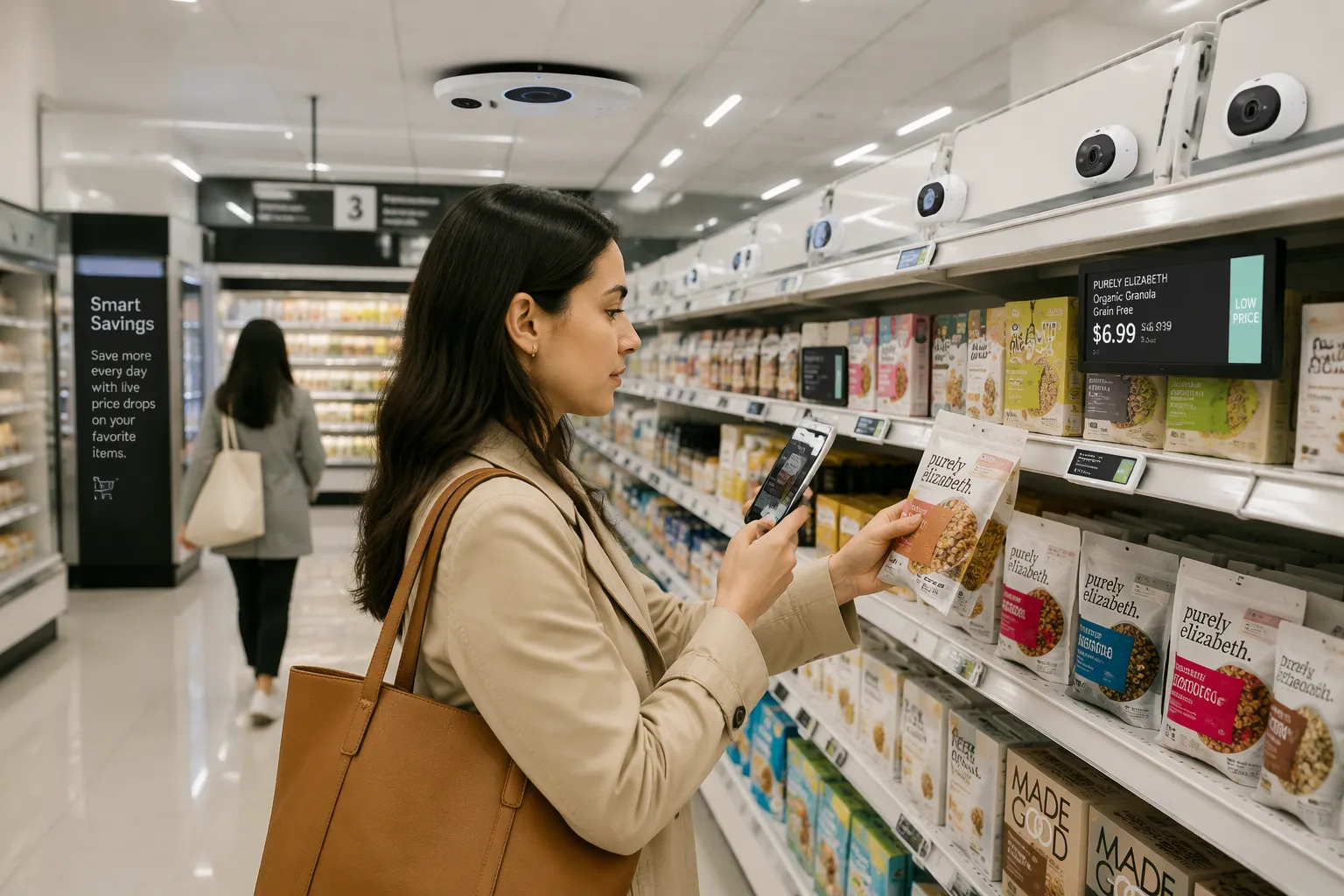
A cashierless checkout system lets you grab what you want and walk out. No scanning. No cashier. No line.
Picture this: you dash in for a carton of milk, lift it off the shelf, and head for the door. Your receipt shows up on your phone before you reach the parking lot. That's the whole trip, done in under a minute.
So how does the store know what you took? And why are so many shops making the switch? Stick with us as we unpack how cashierless checkout systems work – scenario 12 walks you through a real trip, step by step. You'll see the technology behind the magic and the reasons stores keep betting on it.
Key Takeaways
Cashierless checkout lets you shop and leave without waiting in line.
Cameras, shelf sensors, and AI work together to track what you take.
Scan-and-go and just-walk-out are two common cashierless options.
You get speed and convenience, but stores face setup costs and tracking challenges.
Expect more small stores and hybrid setups as the technology improves.
What Is a Cashierless Checkout System?
Definition in Plain Terms
A cashierless checkout system is a setup that identifies the items you take from a store and charges you for them without a traditional checkout lane.
Think of it like a ride-share app. You hop in, ride to your stop, and the app bills you afterward. You never hand over cash at the end. A cashierless store works the same way. You shop, you leave, and the charge lands on your account.
That shift sounds small. It changes the whole rhythm of a store visit, though. You stop thinking about where to pay and start thinking only about what you need.
Scan-and-Go vs. Just-Walk-Out
Two common approaches deliver this result, and they differ in how much work falls on you.
Scan-and-go puts a phone app in your hand. You scan each item as you pick it up, then confirm and leave. This approach fits smaller stores well. It costs less to set up, and shoppers already carry the tool they need.
Just-walk-out flips the model. Overhead cameras and shelf sensors track what you take, and the system builds your bill on its own. You do nothing but shop. This approach suits larger stores with more traffic and more products to watch.
Both paths aim for the same finish line: you walk out with your items and get charged correctly. Neither one wins outright. The right pick depends on store size, budget, and how much control you want in the shopper's hands. Later, a closer look at how cashierless checkout systems work – scenario 12 shows both ideas in action during a single trip.
How Cashierless Checkout Systems Work – Scenario 12
Core Technologies: Vision, Sensors, and AI
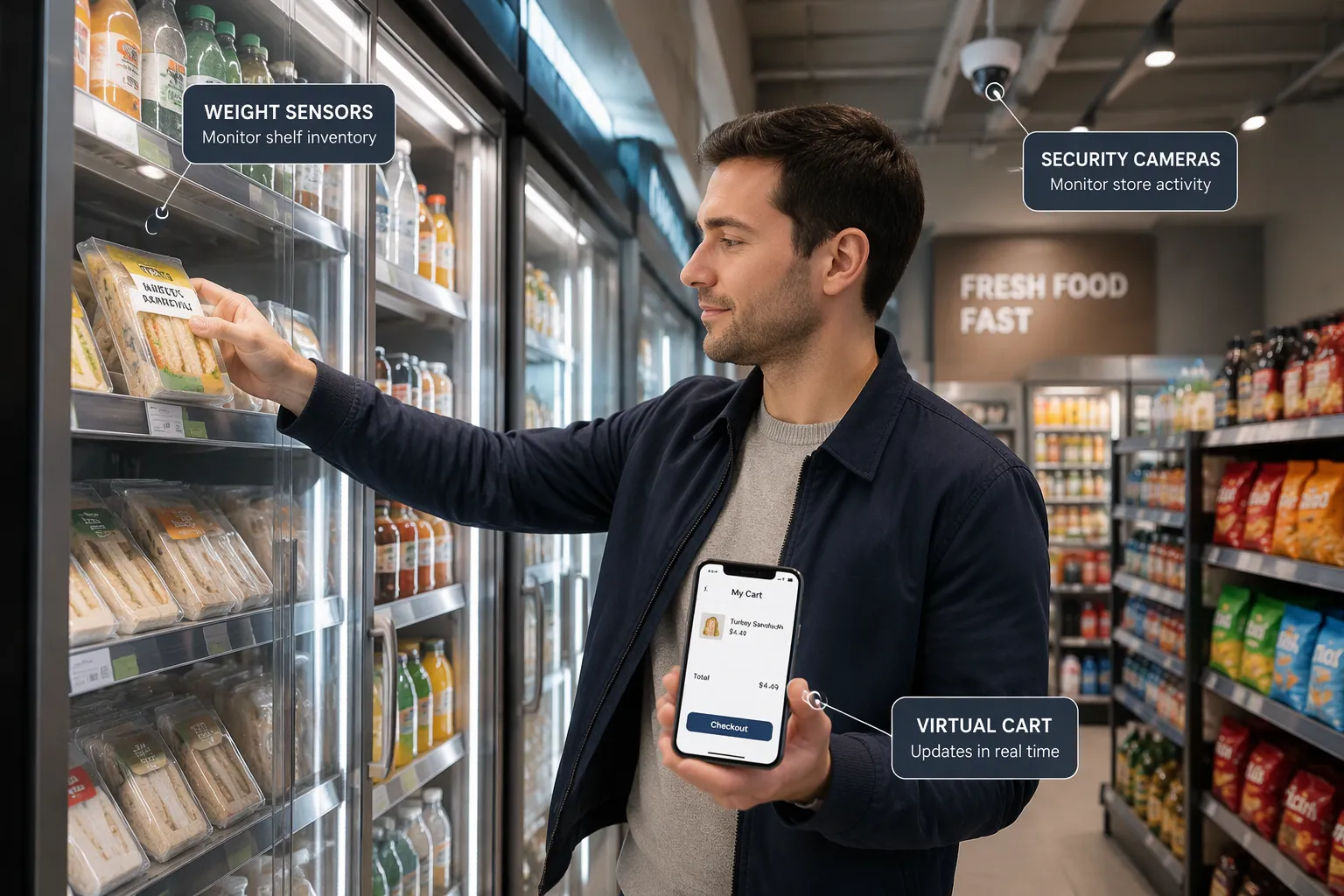
Three tools do the heavy lifting: cameras, shelf sensors, and AI. Overhead cameras watch the aisles. They track people and the items they touch. Shelf sensors add a second layer. Weight pads notice when a product leaves a shelf. Some shelves also carry radio-frequency tags that call out to a reader.
The AI ties it all together. It compares what the cameras see with what the sensors report. Did a hand lift a sandwich? Did the shelf get lighter by one sandwich? When both signals agree, the system logs the item to your cart. When they disagree, the system flags the moment for review. That cross-check is the secret sauce. One sensor can be fooled. Three working together rarely are.
Entry, Picking, and Automatic Billing
Here's how cashierless checkout systems work – scenario 12 follows Alex, a shopper on a lunch break. Alex taps into the store with the app, and a gate opens. No card, no wallet. The app links Alex to a virtual cart.
Alex walks to the cooler and lifts a turkey sandwich. The cameras see the hand. The shelf sensor sees the weight drop. The system adds the sandwich to the cart. Next comes a soda from the fridge. Same dance, same result. Then Alex pauses, reconsiders, and puts the soda back. The shelf sensor notices the weight return. The system removes the soda from the cart. No harm done.
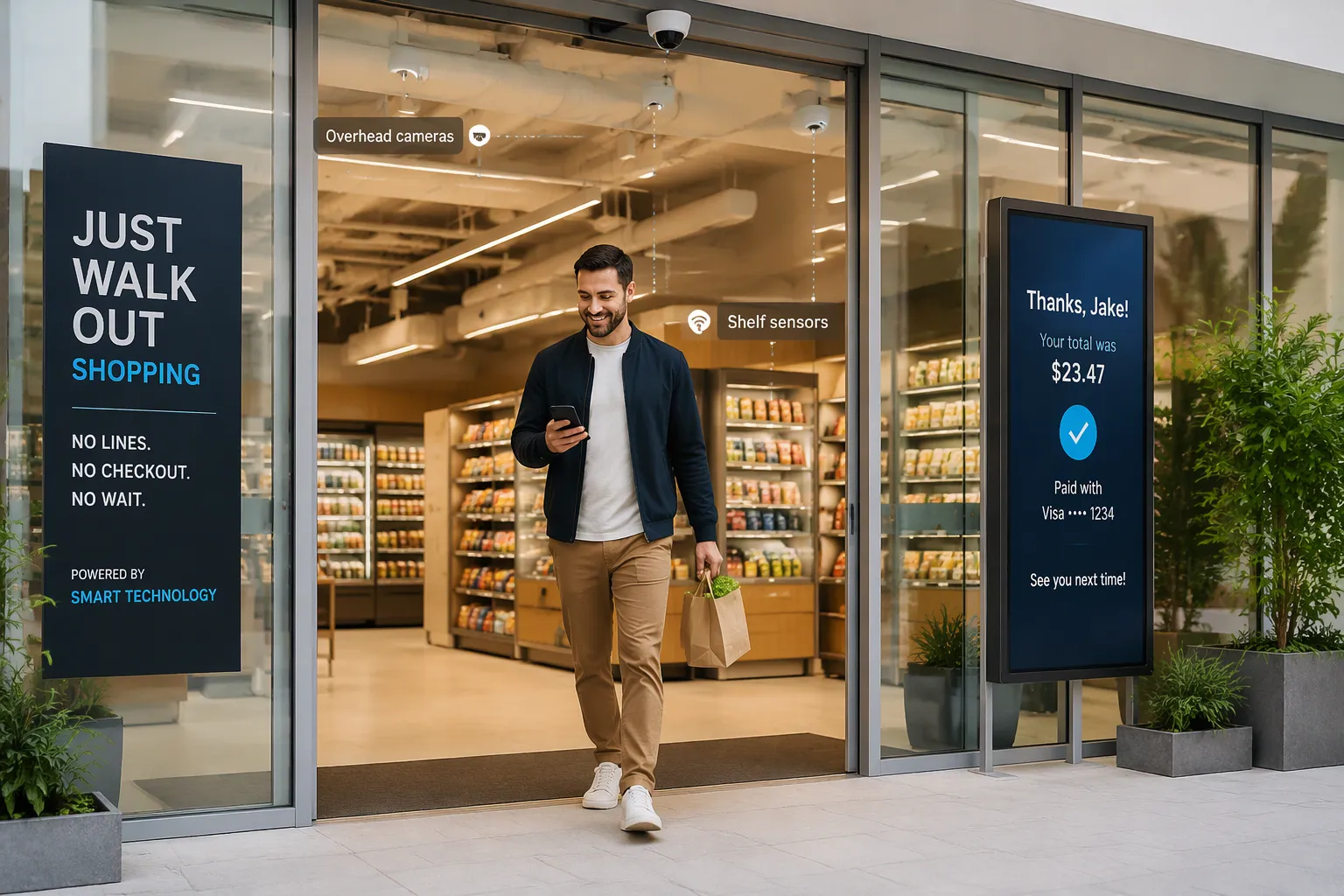
Alex heads for the exit. A screen flashes a quick confirmation, and the app charges the card on file. The receipt lands on the phone seconds later. That's how cashierless checkout systems work – scenario 12 ends with a walk out the door and a bill that's already settled.
What about mistakes? Say the system charges Alex for two sandwiches instead of one. The receipt lists every item, so Alex spots the error fast. Stores keep a record of each trip, and that record makes fixes simple. Most apps offer a one-tap report button. Returns work the same way as any store. Bring the item back, show the receipt, and get a refund. The purchase record protects you here. It proves what you bought and when.
So when you wonder how cashierless checkout systems work – scenario 12 shows the answer in miniature. Cameras see, sensors confirm, AI decides, and your phone pays. The whole trip takes minutes, and the technology stays invisible. That's the point.
Why Cashierless Checkout Is Changing Shopping
Benefits for Shoppers and Retailers
You feel the change first at the door. No line, no wait, no fumbling for a card. You grab your items and go. That speed matters on a quick lunch run or a late-night stop. Shoppers get time back, and the trip feels lighter.
Stores gain just as much. A cashierless layout frees up the space that checkout lanes used to take. That square footage can hold more shelves or more products. Retailers also collect detailed sales data. The system knows what left the shelf and when. That record helps stores stock popular items and spot patterns across the day.
The fit varies by store, though. Small shops do well with scan-and-go, since the setup costs less and shoppers bring their own phones. Larger stores lean toward just-walk-out, where overhead tracking handles the volume. Neither approach suits every location, and many stores mix both. If you want to see the shopper's side of this, how cashierless checkout systems work – scenario 12 walks through a full trip from entry to receipt.
Limitations, Security, and Reliability
Setup cost is the big hurdle. Cameras, shelf sensors, and the AI behind them take real investment. A small store may struggle to justify the spend. Item-tracking edge cases also pop up. A shopper picks up two similar items and puts one back. A product sits in the wrong spot. The system can misread these moments, and that's where reliability gets tested.
Smaller baskets fit this model best. A quick grab-and-go trip plays to its strengths. A full cart of groceries with produce and loose items is harder to track cleanly.
Security and privacy deserve a plain answer. Every trip creates a purchase record. That record ties your account to what you took. Stores use it to fix billing errors and process returns. Good systems also limit what they keep and who can see it. Ask your store how it handles that data, and read the app's privacy terms.
What happens when the system misreads an item? You check your receipt. It lists every item, so a wrong charge stands out fast. Most apps offer a one-tap report button, and stores review the record to correct mistakes. Returns follow the normal path: bring the item back, show the receipt, get a refund. The record works in your favor here. It proves what you bought and when.
That balance — speed and convenience against setup cost and edge cases — shapes where this technology lands next. You'll likely see it in more small stores and in hybrid setups that blend a cashier lane with automatic checkout. The direction is clear, even if the pace varies by store.
Cameras, shelf sensors, and AI team up to spot what you take and charge you for it. You just shop and walk out.
That convenience comes with trade-offs. You get speed and no lines. Stores pay for the setup, and the system still stumbles on tricky moments like similar items or misplaced products.
So where is this heading? Watch for more small shops to try scan-and-go. Expect hybrid setups too, where a cashier lane sits beside automatic checkout. The technology keeps improving, and your quick milk run may soon feel this easy everywhere.
FAQ
Do you need an app to shop in a cashierless store?
It depends on the store. Scan-and-go shops need your phone, since you scan items yourself. Just-walk-out stores often ask you to tap in with an app or a linked card at the gate. Either way, you set up an account once, and the store charges that account after you leave.
What happens if the system charges you for the wrong item?
Check your receipt first. It lists every item, so a wrong charge stands out fast. Most apps give you a one-tap report button. The store pulls up your trip record, reviews it, and corrects the bill. That same record helps if you need a refund later.
Can the cameras identify you personally?
The systems track items and carts more than faces. Stores do link each trip to your account, though, so a purchase record exists. Good operators limit what they keep and who can see it. Read the app's privacy terms, and ask the store how it handles your data.
Why can't every store go cashierless?
Setup cost is the main barrier. Cameras, shelf sensors, and the AI behind them take real investment. Small shops often pick scan-and-go, which costs less to launch. Larger stores lean toward overhead tracking. Many stores run a hybrid setup instead, with a cashier lane beside automatic checkout.
Does cashierless checkout work for a full grocery cart?
It works best for smaller baskets. A quick grab-and-go trip plays to its strengths. A full cart with produce and loose items is harder to track cleanly. That's why many stores keep a traditional lane open for bigger trips.
See Also
Walmart Self-Checkout Access: Upcoming Changes In 2025 Explained
How Self-Checkout Has Evolved Over The Years
Cloudpick Delivers Cashierless Shopping Convenience To Your Store
Walgreens Self-Checkout: Retail Convenience And Challenges Explored
Self-Checkout Cash Errors: Causes And Solutions For Smoother Transactions
