How to upgrade an existing store into a cashierless format
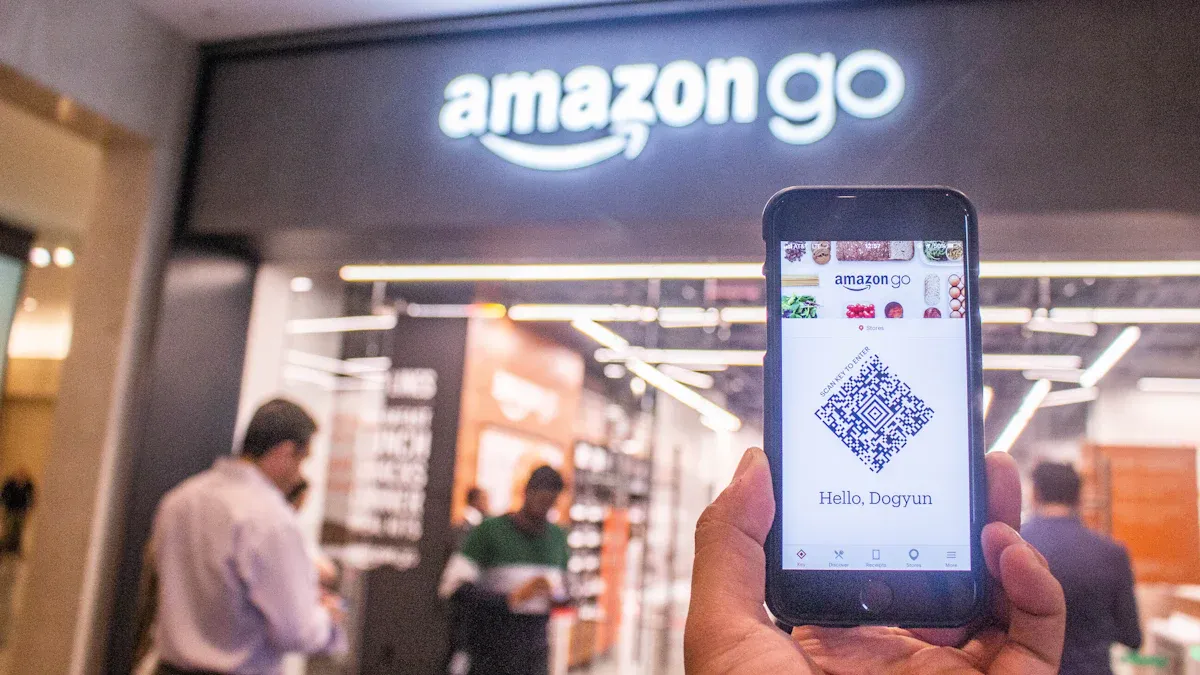
Cashierless retail stores have gained attention worldwide. You see more shoppers wanting a frictionless experience.
A recent study shows that 80% of shoppers look for easy and quick shopping.
Labor shortages and higher wages push more retailers toward automation.
Many customers now prefer contactless shopping after the pandemic.
If you want to upgrade an existing store, you need to check your current systems and plan for new technology. Careful steps help you move toward a cashierless format.
Key Takeaways
Assess your current automation level to identify what systems you already have. This helps you understand what needs upgrading.
Plan for infrastructure upgrades, including strong internet and power supply. A solid foundation supports cashierless operations.
Run a pilot program to test new technology in a small area of your store. This allows you to fix issues before a full rollout.
Train your staff on the new systems. Empower them to assist customers and manage technology effectively.
Communicate clearly with customers about the changes. Use signs and staff support to help them feel comfortable with new technology.
Upgrade an Existing Store: Key Considerations
Upgrading an existing store to a cashierless format takes careful planning. You need to look at your current systems, spot technical challenges, and prepare your infrastructure for new technology. This section will guide you through the most important steps.
Assess Current Automation Level
Before you start, you should check how much automation your store already uses. Many stores have some automated systems, like self-checkout or inventory management. These tools help you understand what you need to add or change.
About 50% of retail activities can be automated with today’s technology.
Retailers plan to automate 70% of daily tasks by 2025.
You can use the table below to see the main factors that show if your store is ready for cashierless technology:
Factor | Description |
|---|---|
Dedicated App | Lets customers sign in, pay, and track their shopping. Improves the experience. |
Sensor Fusion | Uses cameras and sensors to watch customer movements and item choices. Makes billing accurate. |
Backend Operations | Supports the technology and connects with systems customers use. |
Tip: Make a checklist of your current systems. This helps you see what you already have and what you need to upgrade.
Identify Technical Challenges
When you upgrade an existing store, you will face some technical challenges. Knowing these problems early helps you plan better.
High initial investment can make it hard for small stores to upgrade.
Technology needs regular updates and monitoring to avoid glitches.
Privacy concerns may worry customers because of cameras and data collection.
Some customers may find the technology hard to use.
You should also watch out for common mistakes that retailers make:
High costs of innovation can surprise you. Hardware and software need big investments.
Scalability issues may happen if your store grows or changes layout.
Privacy and customer resistance can slow down adoption. Some people do not want to use apps or be watched.
Theft and shrinkage can increase if the system misidentifies items.
Post-pandemic shifts in behavior may send customers back to old checkout methods.
Amazon spent about $1 million on hardware for its first Amazon Go store. This shows that costs can be high, so you need to budget carefully.
You also need to think about legal and regulatory issues. The table below lists some important points:
Legal and Regulatory Issues | Description |
|---|---|
Discrimination Claims | Some people may not be able to use cashierless technology. |
Labor Disputes | Automation can lead to job losses. |
Consumer Privacy | Data collection and tracking can raise concerns. |
Compliance with Security Regulations | You must follow laws about authentication, like biometrics. |
Age-Restricted Goods | You need to follow rules for selling items like alcohol. |
Fraud Detection | You must manage loss and fraud. |
Vendor Relationships | You need to decide who owns customer data. |
Intellectual Property | Protect your technology and data. |
Insurance Coverage | Make sure your insurance covers new risks. |
Technology Procurement | Check rights, costs, and warranties for new tech. |
Note: Talk to legal experts before you upgrade an existing store. This helps you avoid problems later.
Plan for Infrastructure Upgrades
You need strong infrastructure to support cashierless operations. Upgrades help your store run smoothly and keep data safe.
Support for 5G technology gives you fast and reliable connections.
IoT devices help you manage more data and devices.
A solid tech foundation lets you get real-time insights and grow your business.
Tip: Start with a small pilot program. Test your upgrades before you roll them out to the whole store.
When you upgrade an existing store, you set the stage for a better shopping experience. Careful planning and smart choices help you avoid problems and make the transition smooth.
Cashierless Technology Essentials
Smart Shelves and Sensors
You can make your store smarter by using shelves and sensors. These tools help you track products and keep your inventory up to date. Smart shelves use RFID tags, weight sensors, and IoT connections. RFID tags let you count items quickly, even if you cannot see them. Weight sensors tell you when someone takes or adds a product. IoT technology sends updates to your inventory system in real time.
Technology Type | Description |
|---|---|
RFID | Tracks items without needing a direct line of sight. Speeds up stock audits. |
Weight Sensors | Detects changes in shelf weight to show when items move. |
IoT Connectivity | Connects shelves to your central system for instant updates. |
Tip: Smart shelves help you predict what customers want and reduce out-of-stock problems.
Computer Vision and AI
Computer vision and artificial intelligence change how you run your store. Cameras and AI software watch customer actions and product movements. These systems track what shoppers pick up and put back. They also help you manage inventory and spot patterns in customer behavior. AI can even automate checkout, linking purchases to customer accounts and reducing mistakes.
Computer vision makes your store run smoothly by monitoring shelves and inventory.
AI analyzes visual data, helping you understand what customers do.
These tools lower costs and improve efficiency.
Technology Type | Description |
|---|---|
Monitor customer movements and product interactions. | |
Process data in real time to improve the shopping experience. | |
Predictive Maintenance | Monitors equipment and schedules repairs to avoid downtime. |
Note: AI-powered video analytics can spot shoplifting patterns and alert staff right away.
Barcoding and Item Tracking
Barcoding and item tracking systems protect your store from theft and loss. Smart cameras and sensors work with barcodes to watch every transaction. If someone tries to take an item without scanning it, the system sends an alert. These tools also catch mis-scans and barcode switching, stopping theft before it happens.
Barcodes help you track every product and prevent loss.
Cameras and sensors watch for items that leave without being scanned.
The system can flag suspicious actions and notify security.
You can upgrade an existing store with these technologies to make shopping safer and easier. Automated fraud detection and cashless payments also lower risks from cash handling.
Tip: Using digital labels and electronic shelf labels can save energy and reduce waste. These labels work with IoT sensors to keep your inventory accurate and cut down on food waste.
Implementation Steps for Cashierless Upgrade
Upgrading your store to a cashierless format involves several important steps. You need to focus on technology, people, and communication. Each step helps you create a smooth and successful transition.
Hardware and Software Integration
You must connect new hardware and software to make your store work without cashiers. Follow these steps to get started:
Planning and Selection
Start by looking at your store’s needs and budget. Research different point-of-sale (POS) systems. Talk to vendors and compare options. Negotiate contracts to get the best deal.Data Migration and Setup
Install hardware like smart shelves, cameras, and sensors. Make sure each device connects to your software. Test the system to see if everything works together.Security Considerations
Protect your store with strong security. Use locks and alarms for hardware. Set up firewalls and encryption for data. Keep customer information safe.Preparing Your Retail Environment
Check your store’s power and internet. Make sure you have enough outlets and strong Wi-Fi. Set up your space so devices work well and customers feel comfortable.
Tip: Test each part of your system before you open to customers. This helps you find problems early.
Pilot Programs and Testing
You should run a pilot program before you upgrade an existing store fully. Pilots help you test technology and see how it works in real life.
Try the new system in a small part of your store.
Watch how customers use the technology.
Ask for feedback from staff and shoppers.
Fix problems and make changes before you expand.
"Introducing new store technology to 7-Eleven employees first has proven to be a very productive way to test and learn before launching to a wider audience. They are honest and candid with their feedback, which enables us to learn and quickly make adjustments to improve the experience."
Small-scale pilots let you see what works and what needs improvement. You can save money and avoid big mistakes by starting small.
Staff Training and Role Changes
Your staff will have new jobs after you upgrade an existing store. Cashierless systems let employees spend more time helping customers and keeping the store organized.
Staff members can:
Greet and guide shoppers.
Restock shelves and check inventory.
Solve problems with technology.
Keep the store clean and safe.
When you train your team, show them how the new system works. Teach them to answer customer questions. Help them learn new skills so they feel confident.
Staff no longer need to stand at the register all day. They can focus on making shopping better for everyone. This change helps you save money and gives employees more interesting work.
Customer Communication
You need to tell your customers about the changes in your store. Good communication helps shoppers feel comfortable with new technology.
Put up signs that explain how cashierless shopping works.
Use your website and social media to share updates.
Offer help in the store for anyone who needs it.
Answer questions and listen to feedback.
Note: Clear instructions and friendly staff make customers feel welcome. People are more likely to try new technology when they understand how it works.
You can use videos, flyers, or demonstrations to show customers what to do. Make sure everyone knows you are there to help.
By following these steps, you can upgrade an existing store and create a better shopping experience for your customers and staff.
Overcoming Challenges and Ensuring Success
Troubleshooting Technical Issues
You may face technical problems when you run a cashierless store. Sensors can fail, software may glitch, or devices might lose connection. You should set up a system to monitor your devices and data quality. Use encrypted communications to keep customer information safe. If a sensor stops working, your system should reassign tracking loads to other devices. This protects billing accuracy and keeps your store running smoothly.
Tip: Test your devices often and update your software regularly. Quick fixes help you avoid bigger problems later.
You can also use dashboards to watch for issues in real time. If you spot a problem, act fast to solve it. Staff should know how to reset devices and contact support if needed.
Enhancing Customer Experience
You want your customers to enjoy shopping in your store. Cashierless stores remove long lines and let shoppers leave without stopping at a checkout. The system charges them automatically and sends a receipt. Many customers say this makes shopping faster and more private.
Here are ways to improve their experience:
Offer personalized suggestions based on past purchases.
Let customers see their basket total and item details in a mobile app.
Provide multiple payment options, including digital wallets.
Send mobile receipts with special offers after each purchase.
Note: Some shoppers may need time to get used to new technology. Help them with clear signs and friendly staff.
Customers like the convenience and speed. They feel less frustrated during busy hours and enjoy a relaxed shopping trip.
Measuring Operational Efficiency
You need to track how well your store works. Use key metrics to measure success:
Metric | Description |
|---|---|
Save money by needing fewer employees for checkout. | |
Increased Efficiency | Shorter wait times and more product offerings for customers. |
Data-driven Insights | Collect shopper behavior data to improve store layout and product choices. |
You can also use strategies to keep improving:
Strategy | Description |
|---|---|
Hybrid Edge–Cloud Architecture | Fast data processing at the store and deeper analytics in the cloud. |
Event-Driven Data Pipelines | Track every action in real time for better operations. |
Integration Layer | Connect cashierless systems with your current workflows. |
Monitoring & Security | Check device status and protect data privacy. |
Real-Time Inventory & Shrink Control | Update inventory counts with every customer interaction. |
Operational Analytics | Use dashboards to see traffic patterns and product performance. |
Automated Replenishment | Restock shelves based on real-time demand. |
Reliability & Failover Continuity | Keep systems running if a device fails. |
Tip: Understand your customer base. Younger shoppers may adapt quickly, while older customers might prefer traditional checkout. Give everyone time to adjust.
Continuous monitoring and improvement help you keep your store efficient and your customers happy.
You can upgrade your store to a cashierless format by following clear steps: assess your current systems, plan technology integration, run pilot programs, and train your staff. Cashierless stores offer many benefits:
Benefit | Description |
|---|---|
Increased Retail Space | Free up space for more products or displays. |
Potential Profitability | Lower labor costs and boost profits. |
Minimal Staffing Requirements | Operate with fewer staff and longer hours. |
Start with a pilot program and seek expert advice. Regularly review your technology to keep up with new trends. Cashierless stores are growing fast, so adapt often to stay competitive.
FAQ
What is the first step to upgrade my store to cashierless?
You should check your current technology and automation. Make a list of what you have. This helps you see what you need to add or change for a smooth upgrade.
How much does it cost to switch to a cashierless system?
Costs can vary. Small stores may spend tens of thousands of dollars. Larger stores may spend more. You need to budget for hardware, software, and staff training.
Will my staff lose their jobs after the upgrade?
You may need fewer cashiers. However, you can train your staff for new roles. They can help customers, manage inventory, or solve technical problems.
How do I help customers who struggle with new technology?
You can offer in-store help, clear signs, and simple instructions. Friendly staff can answer questions. You can also use videos or flyers to guide shoppers.
See Also
Discover How Cloudpick Enhances Your Store's Cashierless Experience
Upcoming Changes to Walmart Self-Checkout Access in 2025
Analyzing Walgreens Self-Checkout: Benefits and Retail Hurdles
Comparing Micromarkets and Smart Stores in Global Retail Automation
