Designing the ideal product assortment for autonomous stores in Universities & campus retail.

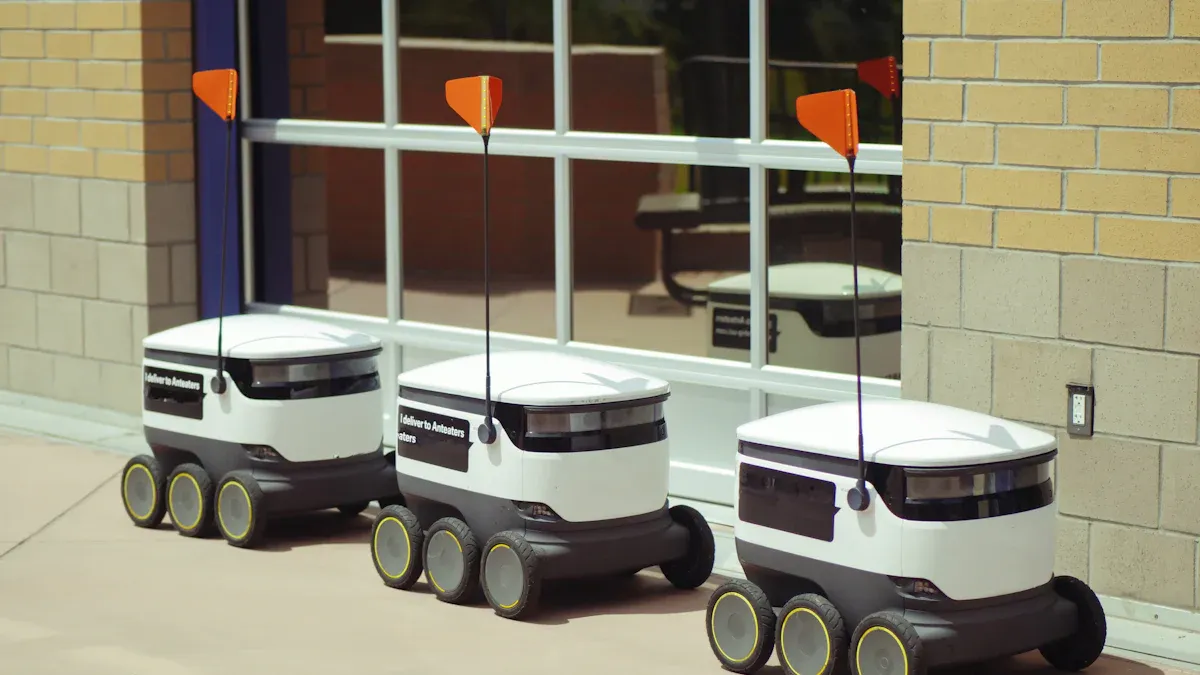
You want the ideal product assortment in your campus store to match what students need every day. Students live in new ways and want products that save space and offer style. You see retailers choose items that balance function and affordability. With technology and cutting-edge technology, you can create a seamless consumer experience. Autonomous shopping experience means more convenience for everyone on campus. These choices help you build a better experience for students.
Key Takeaways
Autonomous stores provide 24/7 access, allowing students to shop anytime without waiting in line.
Using AI and smart inventory management ensures popular items are always in stock, enhancing the shopping experience.
Modular assortments allow for quick adjustments to product offerings based on student needs and campus events.
Collecting student feedback and sales data helps keep the product mix fresh and relevant, improving customer satisfaction.
Effective visual merchandising and technology integration create an inviting shopping environment that encourages purchases.
Autonomous Store Models on College Campuses
Key Features and Benefits
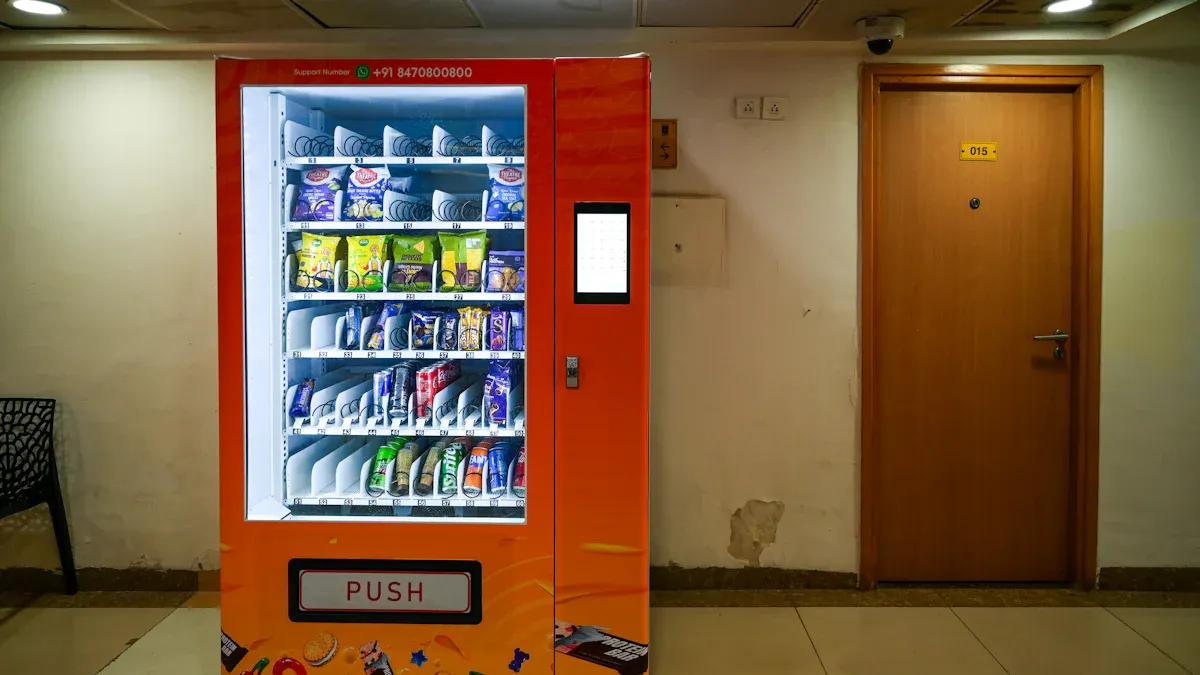
You see many types of autonomous store models on college campuses. Each model uses technology to make shopping easier for you. Some models use smart shelves and cameras to track what you pick up. Others use AI to handle payments and restocking. These models help your campus store stay open all night. You can buy snacks or supplies whenever you need them.
24/7 access means you never have to wait for the store to open.
Contactless checkout keeps your shopping safe and fast.
Smart inventory management makes sure your favorite items are always in stock.
AI handles transactions and monitors the store, so you do not need to wait in line.
You can find these stores in busy spots on campus, making it easy to grab what you need between classes.
Autonomous store models also help your campus store save money. The table below shows how these models cut costs and improve campus retail:
Cost Saving Feature | Benefit to Campus Retail |
|---|---|
Smart inventory management | |
Energy-efficient operations | Lowers utility bills |
Minimal staffing | Cuts payroll expenses |
You get a better shopping experience, and your campus store can focus on what students want most.
Challenges and Opportunities
You may notice some challenges with each autonomous store model. Sometimes, technology needs updates or repairs. Some students may need help using new systems. Your campus store must train staff to handle these changes.
However, these models bring many opportunities. You can enjoy a personalized shopping experience. The store can suggest products you like. Smart inventory means you always find what you need. Autonomous models let your campus store handle busy times without hiring more staff. You see more sales per square foot compared to old campus stores. This model helps your campus store grow and serve you better every day.
Understanding Campus Store Customers
Student Demographics and Segments
You see many types of students on campus. Each group brings different needs to your campus store. Some students come straight from high school. Others return to school after working or raising families. Gen z students often look for digital solutions and quick service. Adult learners may need flexible hours and practical products.
The traditional learner likes face-to-face classes and values in-person help.
The hobby learner wants short, flexible programs and learns for fun.
The career learner focuses on finding a job and likes career support.
The reluctant learner needs flexible options to stay engaged.
The skeptical learner prefers online classes and watches costs.
Race and ethnicity also shape how students experience campus life. Many black and Asian students report facing discrimination, which can affect their choices and needs. You notice that 67% of recent high school graduates enroll in college right away, but this number changes by race and ethnicity. Black and Hispanic students enroll at lower rates. Adult learners often juggle family or work, so they need different support from your store.
Purchasing Behaviors and Preferences
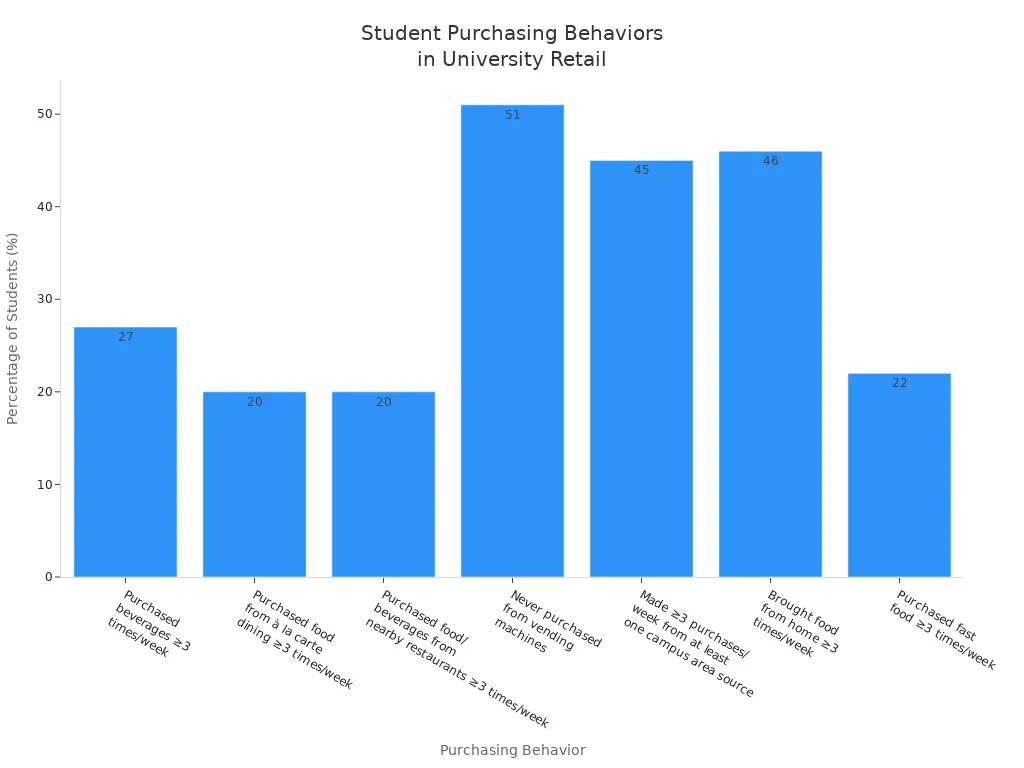
You want to know what students buy most often in the campus store. Many students buy drinks three or more times a week. Food from à la carte dining and nearby restaurants is also popular. Some students never use vending machines, while others make several purchases each week from campus sources. The table below shows how often students buy certain items:
Purchasing Behavior | Percentage of Students (%) |
|---|---|
Purchased beverages ≥3 times/week | 27% |
Purchased food from à la carte dining ≥3 times/week | 20% |
Purchased food/beverages from nearby restaurants ≥3 times/week | 20% |
Never purchased from vending machines | 51% |
Made ≥3 purchases/week from at least one campus area source | 45% |
Brought food from home ≥3 times/week | 46% |
Purchased fast food ≥3 times/week | 22% |
You see that students value convenience and technology in the campus store. Gen z students want personalized experiences and easy ways to shop, like online ordering or in-store pickup. Technology makes shopping faster and more fun for everyone.
Designing the Ideal Product Assortment
Modular Assortments for Student Clusters
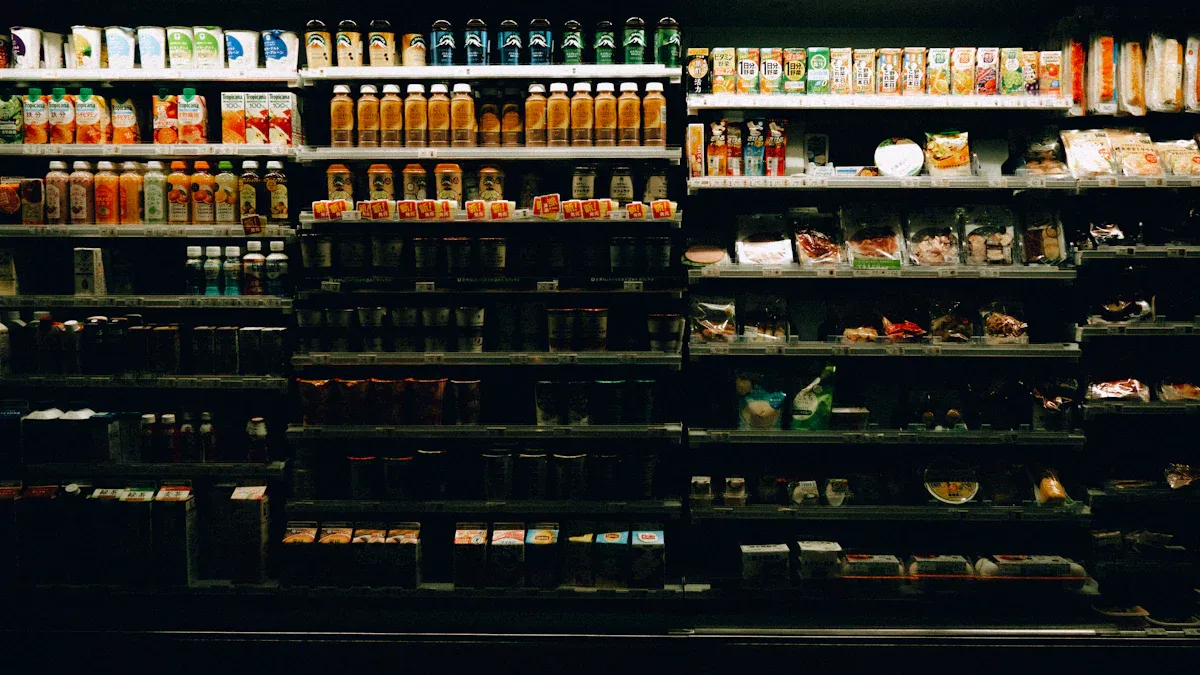
You want your campus store to feel like it was made just for you. Modular assortments help you reach this goal. With this approach, you can adjust the ideal product assortment for different student groups, clubs, and campus events. You see how each group has unique needs. For example, a sports club may need energy drinks and protein snacks, while an art club may look for sketchbooks and markers.
A modular product mix strategy lets you swap out merchandise quickly. You can add or remove products based on the season, event, or even the time of day. This keeps your store fresh and exciting. You also make sure every student finds what they need. When you use input from student unions and organizations, you create assortments that match real campus activities.
Here is how modular assortments work for student clusters and events:
Feature | Description |
|---|---|
Unique needs = Unique solutions | Customizable solutions based on the specific needs of student organizations. |
Built with your input | Developed with input from universities and student unions, ensuring relevance to campus activities. |
Innovation at the core | Focus on user-friendly and feature-rich modules that cater to students and clubs. |
Membership | Easy tracking of members with options for online and in-person sales, including digital passes. |
Event & Ticketing | Flexible ticketing solutions with features like membership validation and collaborative event management. |
You can see how this unique concept helps your campus store stay on-trend and ready for any event. You also create a dynamic product mix that keeps students coming back.
Essential Product Categories
You need to include the right merchandise in your ideal product assortment. Start with course materials. These include textbooks, notebooks, and study guides. You also want to offer digital course materials for students who use tablets or laptops.
Next, add snacks and drinks. These items support campus convenience and keep students energized during long study sessions. You should also stock personal care products, such as hygiene items and face masks. Many students look for tech accessories like chargers, headphones, and USB drives.
Your store should also offer branded merchandise. Hoodies, t-shirts, and water bottles with your school logo help students show school spirit. You can add seasonal items for holidays or special events. For example, you might sell umbrellas during rainy months or sunscreen in the summer.
Here is a list of essential product categories for your campus store:
Course materials (print and digital)
Snacks and beverages
Personal care products
Tech accessories
Branded merchandise
Seasonal and event-specific items
AI-powered assortment strategies help you keep these products in stock. You can use real-time data to see what sells best. Retailers using AI-driven demand planning have seen a 0.9% increase in gross margin. You also see an 80% reduction in stockouts and a 10% drop in inventory write-offs. Automated replenishment makes sure your store always has the right merchandise for every student.
Tip: Use your app to let students suggest new products or vote on what they want to see in the store. This keeps your assortment relevant and student-focused.
Enhancing Convenience, Autonomy, and Safety
You want your campus store to offer the best shopping experience. Convenience matters most to students. Autonomous stores use technology to make shopping fast and easy. The eat> NOW concept at the University of Denver shows how you can shop without waiting in line. You just grab what you need and go. This on-trend concept matches what Gen Z wants in store experiences.
Smart lockers add even more convenience. You can pick up your online orders in as little as 7 seconds. Most students who use smart lockers return to shop again. In fact, 95% of customers who use smart lockers are likely to come back. When you pick up an order, you often buy something extra. About 61% of students make another purchase during pick-up.
Here are some ways smart lockers improve your campus convenience and safety:
You get your order quickly, saving time for study or fun.
Staff spend less time managing online orders, so your store runs smoothly.
You have secure access to your merchandise, which keeps your items safe and fits your schedule.
AI-powered systems also help you adjust your ideal product assortment in real time. Algorithms track what students buy and suggest changes to your product mix. This reduces waste and keeps your store stocked with the right merchandise. You can use your app to check inventory, order ahead, or get alerts about new products.
A well-designed layout helps you find what you need fast. Place popular items near the entrance. Use clear signs and digital displays to guide you. This makes shopping easy and fun. You create a campus convenience hub that supports every student, every day.
Data-Driven Assortment Planning
Leveraging AI and Digital Twins
You can use AI to make your campus store smarter. AI helps you predict what students want to buy. Digital twins create a virtual copy of your store. You can test new ideas in this digital space before you try them in real life. This saves time and money. You see how products move in your store and find the best layout. AI also helps you spot trends early. You can stock up on popular items before they run out. This gives students a better shopping experience.
Using Sales Data and Student Feedback
You can collect sales data every day. This data shows what sells best in your store. You can also ask students for feedback. Use surveys or suggestion boxes to learn what students want. When you listen to students, you make your store better. You can add new products or remove items that do not sell. This keeps your campus store fresh and exciting. Students feel heard and enjoy shopping more.
Tip: Review your sales data each week. Look for patterns. If snacks sell out fast, order more. If some items never sell, try something new.
Dynamic Inventory Adjustments
You can change your inventory quickly with the right tools. AI systems help you track what you have in stock. When you see low numbers, you can restock fast. This keeps your store ready for busy times. You can also adjust your product mix for special events on campus. For example, you can add more drinks during sports games. Dynamic inventory makes your store flexible. Students always find what they need, and you avoid waste. This approach helps your retail store stay ahead and deliver a great experience every day.
Autonomous Store Operations and Merchandising
Supply Chain and Restocking
You need a strong supply chain to keep your store running smoothly. You want shelves full and products ready for students every day. Use real-time tracking to know when items run low. This helps you restock before students notice empty spots. Work with local suppliers to get fresh snacks and drinks. You can also use automated alerts to remind you when to order more. Good supply chain practices help your campus store avoid waste and save money.
Tip: Set up a schedule for checking inventory. This keeps your store organized and ready for busy times.
Visual Merchandising for Campus Stores
You want your campus store to look inviting. Place popular items near the entrance so students see them first. Use bright signs and clear labels to help students find what they need. Change displays often to match seasons or campus events. You can use tables or shelves to show off new products. Good visual merchandising makes shopping easy and fun. Students will spend more time in your store and buy more items.
Place snacks and drinks at eye level.
Use school colors to decorate displays.
Highlight special deals with signs.
Technology Integration and Maintenance
You use technology to make your store smarter. Self-checkout kiosks and smart shelves help students shop faster. Keep all systems updated to avoid problems. Train staff to fix small issues quickly. You can use cameras and sensors to track what students buy. This helps you learn what products are popular. Good technology also keeps your campus store safe. Regular maintenance is important for smooth campus store management. When you care for your tech, you give students a better shopping experience.
Best Practices and Case Studies
Success Stories from College Campuses
You can learn a lot from other campus store successes. Many stores use a mix of standard processes and local touches. This helps you train staff faster and keep your brand strong. For example, some gym chains cut onboarding time by 30% and raised staff retention by 22% by using both standardization and localization. When you use these best practices, your campus store runs smoother and serves students better.
Here are some strategies that work well:
Strategy | Description |
|---|---|
Makes training, ordering, pricing, and forecasting easier. | |
Triangulating communication | Helps suppliers, franchisors, and franchisees work together. |
Implementing lean practices | Cuts waste and boosts efficiency. |
Leveraging economies of scale | Lowers costs with bulk buying and shared resources. |
Conducting regular inventory audits | Finds issues like spoilage and helps assortment. |
Choosing the right POS system | Lets you track inventory and collect data in real time. |
Utilizing inventory management software | Supports standard practices and real-time data sharing. |
Note: Change your product mix for each place, but keep your brand the same. This helps you build loyalty and grow your business.
Lessons Learned and Pitfalls
You should watch out for common mistakes when running an autonomous campus store. Giving too much freedom without clear rules can make the shopping experience uneven. Not every manager knows how to set up displays or choose the right products, which can make the store less inviting.
Some important lessons include:
You need a clear plan and good training before you start using automation.
Always focus on what students want, even as you add new technology.
Make sure your campus store team knows how to use new systems and tools.
Keep checking your store to fix problems quickly.
When you follow these lessons, your campus store will stay strong and ready for the future.
Implementation and Continuous Optimization
Steps for Launching a New Assortment
You want your campus store to succeed when you introduce new products. Careful planning helps you reach your goals. Follow these steps to launch a new assortment:
Strategize. Set clear goals for your store and decide which products fit your campus needs.
Bring in people to collaborate. Work with your team, including product management, sales, and marketing.
Build the launch plan. Create a timeline and assign tasks to each person.
Hack growth using the ‘AAARRR’ funnel. Focus on awareness, acquisition, activation, retention, referral, and revenue.
Reflect and iterate. After the launch, review what worked and what you can improve.
You should also think about timing, funding, and how you will tell students about new items. Good communication and teamwork make your launch stronger.
Ongoing Monitoring and Improvement
You need to keep your campus store fresh and effective. Use tools that help you track which products sell best. Advanced AI can help you adjust your assortment as student needs change. You can use cloud-based tools to check sales and spot items that do not perform well.
Evidence Description | Key Insights |
|---|---|
Assortment Optimization solution helps identify key products and substitutes. | It aids in creating optimal assortment plans that enhance sales and customer loyalty. |
Advanced AI techniques refine assortment models using new information. | This ongoing optimization leads to smarter decision-making regarding product offerings. |
Cloud-based tool allows quick assessment of key items and sales risk evaluation. | Merchants can effectively manage assortment by evaluating the performance of lower-performing items. |
Review your sales data often. Ask students for feedback. Make changes to your product mix when you see new trends. This way, your store stays a favorite spot on campus.
You can design the best product assortment by using AI, modular assortments, and student feedback. Keep your store fresh by reviewing sales data and listening to students. Try these steps to stay ahead:
Actionable Steps | Benefits |
|---|---|
Use reinforcement learning for planning | |
Build strong data pipelines | Cuts inventory by 10-15% |
Test ideas in simulations | Improves product availability |
Involve all departments | Makes inventory management easier |
Keep human oversight | Lowers markdowns |
Work with your team to review AI suggestions.
Track results using simple metrics.
Update your assortment often to match student needs.
FAQ
What is an autonomous campus store?
You shop in a store that uses technology to let you buy items without staff. Sensors, cameras, and AI track your purchases. You pay quickly and leave. The store stays open all day and night.
How does AI help with product assortment?
AI analyzes sales data and student feedback. You get products that match your needs. The system suggests new items and removes unpopular ones. You see fewer stockouts and more relevant merchandise.
Can you request new products in the store?
You can suggest new items using the store app or feedback box. Your input helps shape the product assortment. The store updates inventory based on what you and other students want.
Are autonomous stores safe for students?
You find secure shopping with cameras and smart lockers. The store protects your purchases and personal information. You avoid crowded lines and reduce contact with others.
What happens if technology fails in the store?
You get help from trained staff or support services. The store uses backup systems to keep operations running. You can still shop and pay for your items.
See Also
Exploring Global Trends in Automated Retail: Micromarkets and Smart Stores
The Future of Retail: Embracing AI-Driven Store Innovations
Enhancing Office Efficiency Through Smart Vending Solutions
Understanding the Growth of AI-Enhanced Corner Stores for Retailers
Transforming Online Retail Management with AI-Driven E-Commerce Solutions
