Inventory management ideas to prevent micro store stockouts

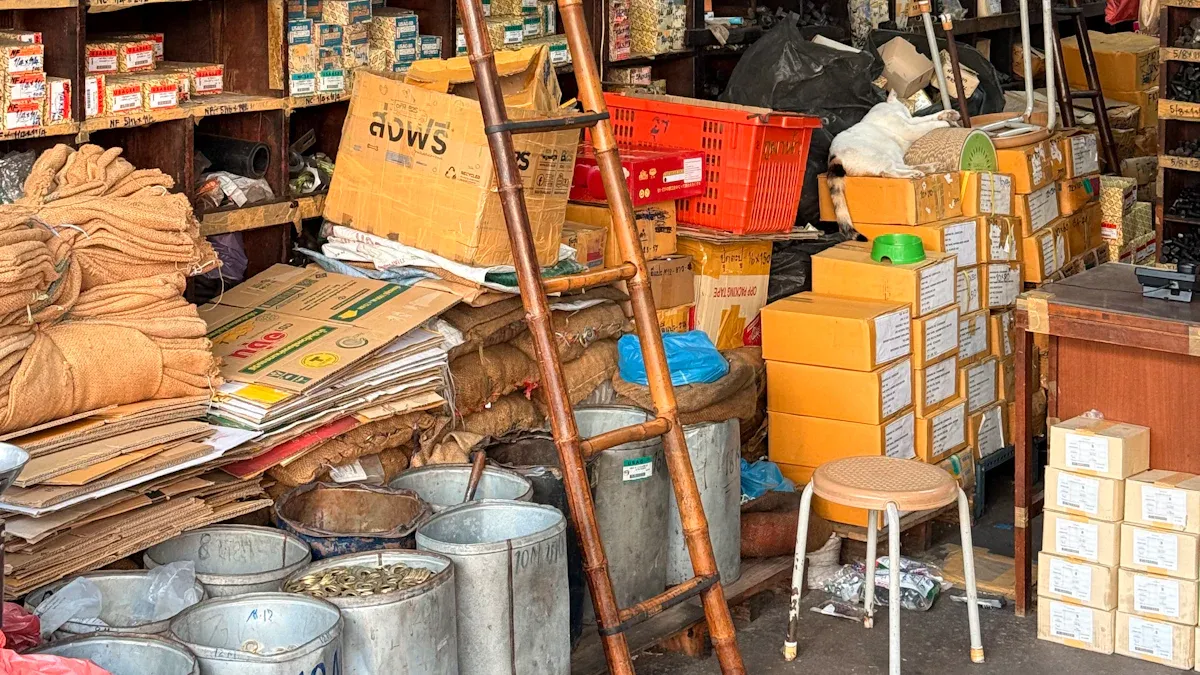
Micro stores sometimes run out of popular items. This can make customers upset and can also cost more money. Good inventory management helps fix these problems.
Automation helps people do less work and make fewer mistakes.
AI helps guess what people will buy and makes orders better.
Real-time tracking stops having too much or too little stock.
Putting micro-fulfillment centers near customers makes delivery faster and cheaper.
Every store should look at these ideas to see what works best for them.
Key Takeaways
Use real-time inventory tracking to see stock levels right away. This stops stockouts and keeps customers happy.
Try automated reordering systems to keep the right amount of stock. These systems cut down on manual work and lower mistakes.
Use demand forecasting methods to guess what customers want. This makes sure popular items are always in stock.
Train staff often on inventory management steps. Well-trained workers can find problems early and keep records correct.
Build strong supplier relationships for on-time deliveries. Good communication stops stock shortages and gives better service.
Real-time inventory management
Digital tracking tools
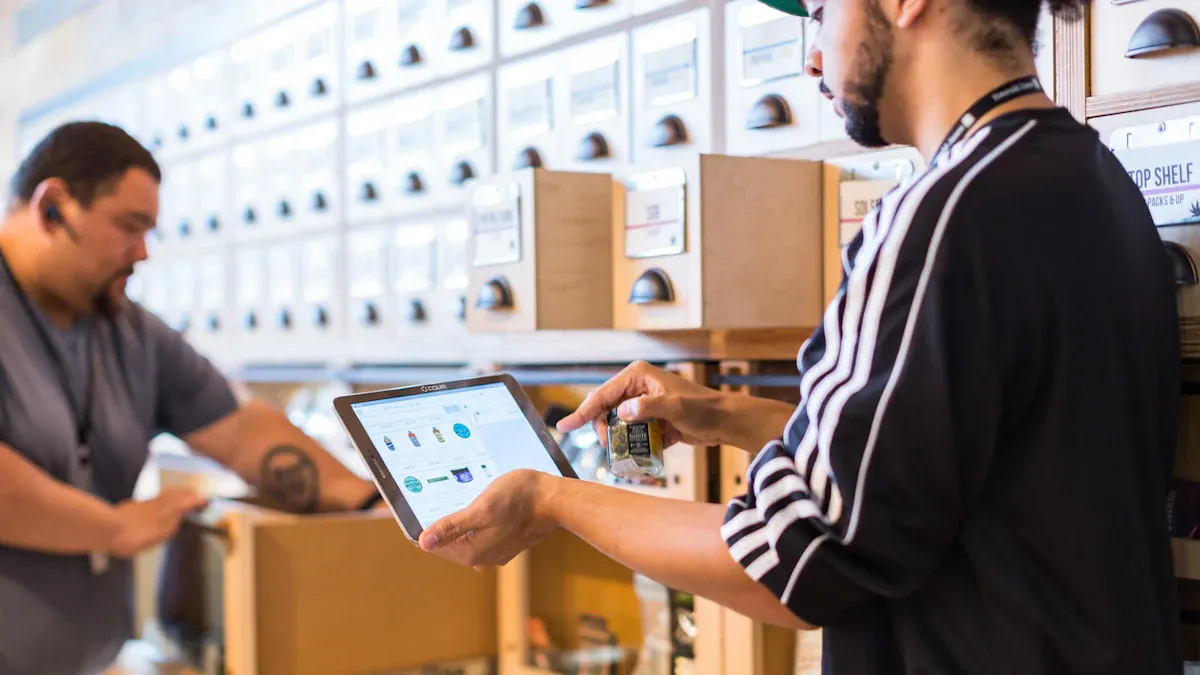
Micro stores must know what they have in stock. Digital tracking tools help managers see stock levels right away. These tools change inventory numbers when staff scan items in or out. This helps stop mistakes and keeps shelves filled. Managers can tell which products sell fast and which do not. They use this to restock popular items before they run out.
Digital tracking tools also help staff keep products fresh. Staff can find items that will expire soon and move them first. This cuts down on waste and keeps food fresh for shoppers. Staff can use mobile devices to check stock from anywhere in the store. This saves time and makes work easier.
Tip: Real-time inventory management software that is simple to use helps micro stores avoid mistakes and train new workers fast.
Some of the best features are:
Stock tracking for quick updates and correct counts.
Automated reordering to stop stockouts.
Multi-channel integration for the same inventory on all sales sites.
Demand forecasting to guess needs and stop shortages.
Feature | Description |
|---|---|
AI-powered Inventory Tracking | Looks at trends to help buy the right amount and save money. |
Seamless Integration | Works with platforms like Shopify for instant updates. |
Workflow Automation | Makes purchase orders and checks happen on time. |
Custom Reporting & Analytics | Gives information to help plan and stop running out. |
Scalable & Secure Cloud Solution | Keeps data safe and works for any business size. |
Setting up real-time alerts
Real-time alerts are important for inventory management. These alerts tell managers before stock gets too low. Staff can order more products quickly and stop shortages. Smart alerts help micro stores keep just enough stock and lower the chance of running out.
Feature | Benefit |
|---|---|
Intelligent alerts | Tell users before stock gets too low |
Helps keep just enough stock and lowers stockout risks |
Good inventory management with real-time alerts makes orders more accurate and customers happier. Staff can restock fast, even when the store is busy. This system helps micro stores keep shelves full and shoppers pleased.
Automated reordering systems
Automated reordering systems help micro stores keep shelves full. These systems use technology to watch inventory and order more when it gets low. Managers save time because the system does the simple jobs. This means there are fewer mistakes. Stores have better inventory turnover and do not run out as much. Technology is important in inventory management. It connects real-time data with automatic purchase orders. This helps stores keep the right amount of stock and move products faster.
Reorder points and triggers
Setting reorder points helps stores always have products for customers. Micro stores look at recent sales and how long suppliers take to deliver. This helps them know when to order more. They add safety stock to be ready for big sales or late deliveries. Many stores use min/max inventory levels to make ordering easy. Managers check key numbers every week to find problems early.
Look at recent sales and delivery times to set reorder points.
Add safety stock for busy times or late shipments.
Use min/max inventory levels for automatic orders.
Check inventory every week.
Change reorder points if sales or delivery times change.
Use tools like spreadsheets and barcode scanners to be correct.
A simple formula helps stores know when to order:
Reorder Point = (Average Daily Usage x Lead Time) + Safety Stock
For example, if a store sells 4 units each day and the supplier takes 10 days, the reorder point is 50 units. Using reorder points all the time helps stop stockouts and keeps inventory moving.
Supplier integration
Supplier integration makes reordering faster and more correct. Automated systems talk to suppliers right away when stock is low. This means less work for people and fewer mistakes. These systems also sort and track items with real-time data. This makes getting and sending products quicker. Lead times get shorter and orders are more correct. Micro stores get products faster and give better service to shoppers.
Benefit | Description |
|---|---|
Faster order processing | Orders go to suppliers right away |
Fewer errors | Automation stops people from making mistakes |
Shorter lead times | Goods come faster, so shelves stay full |
Better customer service | Correct orders make shoppers happy |
Automated reordering systems and good supplier integration help micro stores keep popular items in stock and run smoothly.
Demand forecasting methods
Usage and sales analysis
Micro stores must guess what customers want to buy. Usage and sales analysis helps managers make smart choices. They check old sales to see which products sell fast. They also see which items do not sell well. This helps them order the right amount of stock. Managers use both qualitative and quantitative forecasting for better results.
Forecasting Method | Description |
|---|---|
Qualitative Forecasting | Predicts demand based on broader industry and economic perspectives. |
Quantitative Forecasting | Analyzes historical sales data to estimate customer demand, improving accuracy with more data. |
Quantitative forecasting uses numbers and facts from reports. Managers look at sales reports and find trends. Qualitative forecasting uses staff opinions and news from the industry. Using both ways helps micro stores avoid guessing. They can keep shelves full and waste less.
Tip: Managers should check sales data every week. This helps them see changes in demand early.
Seasonal adjustments
Demand goes up and down during the year. Holidays, weather, and events make some products more popular. Managers need to change orders to match these times. They use models to guess how much they will sell. Some models look for patterns in old sales. Other models use math to find links between events and sales.
Model Type | Description |
|---|---|
Identifies recurring seasonal demand patterns, essential for adjusting inventory in micro stores. | |
Time-Series Forecasting | Analyzes historical data to predict future demand, effective for consistent inventory patterns. |
Multiple Regression Model | Helps in understanding the relationship between multiple variables and demand. |
Bayesian Regression | Incorporates prior knowledge into the forecasting model, useful for seasonal adjustments. |
AI-based forecasting tools can help too. These tools find patterns people may not see. They use lots of data to make better guesses. Some stores use hybrid ways that mix numbers and expert ideas.
Method Type | Description |
|---|---|
AI-based forecasting | Utilizes AI tools to identify complex patterns in large datasets, enhancing accuracy in demand forecasts. |
Quantitative techniques | Includes time series analysis and regression analysis, providing data-driven insights for inventory needs. |
Hybrid approaches | Combines qualitative and quantitative data for a more comprehensive forecasting strategy. |
Managers who use these methods get better at inventory management. They keep the right products in stock and help customers more.
Just-in-time inventory
JIT benefits for micro stores
Just-in-time inventory means micro stores only keep what they need. This way, they do not waste money or space. Many small stores use JIT to react fast when customers want new things. They do not spend money on extra stock. They just order more when they need it.
Some stores have used JIT and done well. One clothing store saved 22% on storage costs. They stopped ordering six months ahead and made smaller orders. This gave them more money for ads. An electronics store kept 93% of items in stock during shortages. They used JIT but also kept extra of popular things. A home décor store spent 31% less on inventory. They used JIT for both Amazon FBA and other shipping.
Case Study Description | Key Benefit | Result |
|---|---|---|
Mid-sized apparel brand reduced inventory holding costs by 22% | Cost reduction | Shifted from 6-month advance orders to 4-6 week production runs, freeing cash for marketing |
Electronics retailer maintained 93% in-stock rates during shortages | Improved customer service | Modified JIT approach with extended safety stock for core products |
Home décor brand reduced inventory investment by 31% | Efficiency | Created a hybrid JIT model for Amazon FBA and 3PL operations |
JIT helps micro stores save money, give better service, and work better. These good things make JIT a smart way to manage inventory.
Implementation steps
Micro stores can follow easy steps to start JIT. First, they ask suppliers to deliver smaller amounts more often. This keeps shelves full without too much stock. Next, they try to make things move faster inside the store. They check if their systems can handle more orders and faster work.
Steps for JIT Implementation | Challenges Encountered |
|---|---|
Align suppliers around smaller, more frequent deliveries | Greater exposure to supply chain disruptions |
Reduce internal lead times and handling inefficiencies | Higher sensitivity to internal execution errors |
Evaluate whether existing systems and layouts can support higher transaction frequency | Increased handling and coordination requirements |
Strong dependency on data accuracy and inventory visibility | |
Need for process and organizational maturity |
JIT has some problems too. Stores can have trouble if suppliers are late. They must keep good records and watch stock all the time. Staff need to work together and follow rules. With good planning, micro stores can use JIT to keep shelves full and shoppers happy.
Mobile inventory management apps

App features for micro stores
Mobile inventory management apps let micro stores check products anywhere. Managers and staff can use a phone or tablet to see stock, change counts, and order more items. Many micro stores pick apps that match their needs and size. Some top choices are:
Zoho Inventory: This app links to many sales channels. It shows stock updates right away and makes order management automatic. These tools stop overselling and keep shelves full.
inFlow: This app is made for wholesalers and distributors. It lets users set special prices for clients. It also sends alerts when stock is low, so stores can order before running out.
These apps use barcode scanning to add or remove items fast and correctly. They also track inventory at different store locations. Managers can see all their stock in one place. With these tools, micro stores can act fast and stop stockouts.
Tip: Pick an app with real-time updates and alerts. This helps micro stores keep up with demand.
Improving accuracy and efficiency
Mobile apps help micro stores manage inventory better every day. They cut down on mistakes and save time with smart features. The table below shows how these features help:
Feature | Impact on Accuracy and Efficiency |
|---|---|
Keeps inventory tracking current, reducing errors. | |
Barcode scanning | Increases data accuracy significantly (1 in 3,000,000). |
Streamlined workflows | Reduces manual entry errors and speeds up processes. |
Live visibility | Enhances decision-making and task management. |
Reduced walking | Increases productivity by cutting travel time. |
Fewer picking mistakes | Lowers costs associated with mis-picks. |
Staff scan items instead of writing numbers by hand. This makes fewer mistakes and keeps records right. Managers see stock levels right away and make better choices. These changes help micro stores manage inventory well and serve customers better.
Multi-store inventory coordination
Remote management tools
Micro stores with more than one location need good remote management tools. These tools let managers see all inventory from one spot. A dashboard shows stock levels at every store. Managers can track products in real time and get alerts when items are low. This helps them restock before shelves are empty.
Feature | Description |
|---|---|
Manage all store locations from one place. | |
Real-time Stock Tracking | See current stock and get alerts for low inventory. |
Retail Data Analytics | Use AI to find sales trends and improve inventory decisions. |
Store staff can check what is in other stores using the POS system. This helps them move products fast if one store runs out. Platforms like Instant Admin let managers control many stores and lots of transactions. They can also change settings for each store to fit special needs.
Tip: Pick remote management tools with real-time updates and easy dashboards for better control.
Balancing stock across locations
Balancing stock means making sure each store has enough products. Managers use demand forecasting to look at old sales and local needs. They set different stock levels for each store, not just the same everywhere. This stops both overstock and stockouts.
Keep all inventory data in one place.
Plan for each store’s needs, not just total sales.
Set safety stock levels for sudden changes.
Check inventory often to find mistakes early.
Use real-time tracking to see moving and on-hand stock.
Automated systems can move products between stores when stock is low. The reorder point formula helps decide when to send more stock:Reorder Point = (Average Daily Usage × Lead Time) + Safety Stock
Companies like Zara, Target, and Amazon use these ideas. They track inventory in real time, use stores as fulfillment hubs, and guess demand for each store. Multi-Echelon Inventory Optimization also helps by looking at the whole supply chain and sending stock where it is needed most. Good inventory management across stores keeps shelves full and customers happy.
Regular audits and cycle counts
Scheduling audits
Micro stores must check their inventory often to keep records right. Managers plan these checks based on what they sell and how fast it sells. Expensive or risky items need to be counted all the time. Items that sell fast or get lost a lot should be checked every week or month. Products that do not sell much can be checked every few months. Most stores count everything once a year.
Inventory Type | Recommended Audit Frequency |
|---|---|
High-value or high-risk items | Continuous cycle counting |
High-turnover or high-shrinkage | Weekly or monthly |
Slower-moving merchandise | Quarterly verification |
Large annual inventories | Annual physical inventory |
Many stores pick weekly or monthly checks for most things. Busy stores might need to check even more often. Managers make sure audits fit with store hours and when staff are free. Checking inventory often helps find mistakes early and makes records better.
Tip: Checking inventory a lot helps managers find problems fast. This keeps inventory numbers right and helps them make good choices.
Resolving discrepancies
Sometimes, mistakes show up during audits. Managers need to fix these problems quickly. People can make mistakes, or items can be put in the wrong place. Old data can also cause errors. Using barcode or RFID scanning helps stop typing mistakes. Training staff on rules also helps. For expensive items, two people should check them.
Cause of Discrepancy | Remedy |
|---|---|
Human Errors | Use barcode/RFID scanning, train staff, double-check high-value items |
Poor Location Management | Assign clear bin locations, use WMS, audit locations regularly |
Lack of Real-Time Data Updates | Integrate handheld devices, sync ERP/WMS for live updates |
Inadequate Cycle Counting | Schedule regular cycle counts, not just annual audits |
Managers look at system data to find and fix problems. Checking often helps find fake inventory before it gets worse. Looking at POS system data also gives clues about mistakes. When managers fix problems fast, shelves stay full and shoppers are happy.
Supplier management and lead times
Building supplier relationships
Good supplier relationships help micro stores keep shelves full. Happy customers come back when they find what they need. Managers can do a few things to build trust and get faster deliveries. First, they can make the warehouse easy to use. Wide and clear aisles help trucks load and unload quickly. Suppliers see that the store cares about safe and fast work. Next, managers should order the right amount at the right time. This helps suppliers plan better and make fewer mistakes. Stores get better service this way. Managers can also ask suppliers for advice about new trends. Suppliers know when demand will change. Their tips help stores stay ready. Using technology like a warehouse management system is smart. A WMS keeps track of inventory and makes picking and packing faster. It also helps with bills and talking to suppliers. This builds trust and makes work easier.
Tip: Meeting with suppliers often helps fix problems early. Everyone works together toward the same goals.
Reducing delivery delays
Delivery delays can make shelves empty and shoppers upset. Micro stores have many problems, but smart tools can help. Sometimes, trucks get stuck because of roadblocks. A transportation management system can find a new route fast. Bad planning can make deliveries late. An AI-powered TMS helps pick better routes and times. Orders can be slow if shipping papers are missing or wrong. Automated systems do the paperwork and make fewer mistakes. If managers cannot see where shipments are, it is hard to fix problems. TMS gives live updates so managers know where things are. Bad weather, broken trucks, or not enough drivers can also cause delays. Stores can use data to get ready and pick good carriers.
The table below shows how good supplier management helps micro stores get products faster and keep shelves full:
Benefit | Impact on Micro Stores |
|---|---|
Faster order fulfillment and better inventory management | |
Shorter storage periods | Less risk of product spoilage and higher product quality |
Fewer stockouts and more accurate stock levels |
Good supplier management and the right tools help micro stores avoid delays. These steps keep products in stock and make customers happy.
Employee training and accountability
Staff education
Employee training is important for good inventory work in micro stores. Staff learn how to use retail technology and follow the right steps. New workers get taught the basics when they start. Training does not stop after hiring. Employees keep learning new tools and ways to do things. Training teaches how to receive and put away items, pick items without mistakes, and count stock often. These skills help staff keep records right and find mistakes early.
Training programs teach:
Inventory basics and how to handle products
The best ways to receive and store items
How to pick and pack items the right way
How to count inventory often
Good training can make inventory more accurate by up to 25%. Staff who know what to do can fix problems before they get big. Counting inventory also helps staff learn where things are and why it is important to write things down. This makes staff feel sure of themselves and helps them work together.
Note: Training often helps staff stay ready for changes in inventory systems.
Assigning responsibilities
Clear jobs and duties make inventory work better. Managers give each team member a special job. One person might get shipments, and another checks how much stock is left. Giving out jobs helps staff stay focused and do their part.
Role | Main Responsibility |
|---|---|
Receiver | Checks and logs incoming products |
Picker/Packer | Selects and prepares orders |
Cycle Counter | Performs regular inventory counts |
Supervisor | Reviews records and resolves issues |
When staff know their jobs, they care more about their work. Counting inventory often helps staff pay attention to details. Employees keep better records this way. Managers can see how everyone is doing and give advice. This way, there are fewer mistakes and shelves stay full for shoppers.
Emergency stock protocols
Buffer stock strategies
Micro stores can have sudden changes in demand or supply. They need good buffer stock plans to keep shelves full. Buffer stock is extra inventory for when normal stock runs low. Managers use different ways to make buffer stock work well:
They use many suppliers and locations. This way, they do not depend on just one.
They keep important items close by and store extra of key products. This helps them get supplies faster if there is a problem.
They make backup delivery plans and check for risks. These steps help them act fast if a supplier cannot deliver.
A store with buffer stock for snacks can still serve customers if shipments are late. Managers look at buffer stock often and change it if sales go up or down. This keeps service good and lowers the chance of running out.
Contingency planning
Contingency planning helps micro stores get ready for emergencies. Managers set up systems to act fast when something goes wrong. They use automatic alerts to watch fast-selling items. These alerts tell staff when to order more, so shelves stay full.
Automatic alerts help staff know when to reorder popular items.
Emergency plans let stores use extra stock and handle busy times.
Good supplier relationships help stores get more stock when needed.
Micro stores also use tools that show live inventory data. These tools include POS systems, IoT sensors, and mobile scanners. Data platforms help managers see when demand will go up or spot odd patterns. Automatic inventory systems use this data to restock on time. With these steps, micro stores are ready for emergencies and keep customers happy.
Micro stores can stop running out of products by using real-time tracking, automated alerts, and predictive analytics. These tools help managers watch inventory, spot late deliveries, and guess what customers will want. Planning ahead keeps shelves full and makes shoppers happy. Managers should use a simple checklist to get started:
Make sure stock levels are just right.
Use demand forecasting to help plan orders.
Track inventory with digital tools.
Teach staff the best ways to do their jobs.
Following these steps helps micro stores spend less money and give better service.
FAQ
What is the main cause of stockouts in micro stores?
Stockouts happen when managers do not check inventory right away. If they guess demand wrong or suppliers are late, shelves get empty. Digital tools help managers find problems sooner.
How can micro stores improve inventory accuracy?
Managers can use barcode scanners and mobile apps. Staff should count inventory a lot and fix mistakes fast. Training helps workers do things the right way every time.
Which inventory management tool works best for small teams?
Easy inventory apps with real-time updates are good for small teams. These tools let staff check stock, scan barcodes, and order more items fast. Many apps also send alerts when stock is low.
How does buffer stock help during emergencies?
Buffer stock means stores have extra products if demand jumps or deliveries are late. This safety net keeps shelves full and shoppers happy. Managers check buffer stock levels often.
Can automated systems reduce human errors?
Yes. Automated systems track inventory, reorder products, and update records without people typing. This cuts down on mistakes and saves staff time.
See Also
Enhancing Workplace Efficiency Through Innovative Vending Solutions
Space-Efficient Snack Vending Machines for Contemporary Environments
Comparing Micromarkets and Smart Stores in Global Retail
