POS integration boosts sales with computer vision

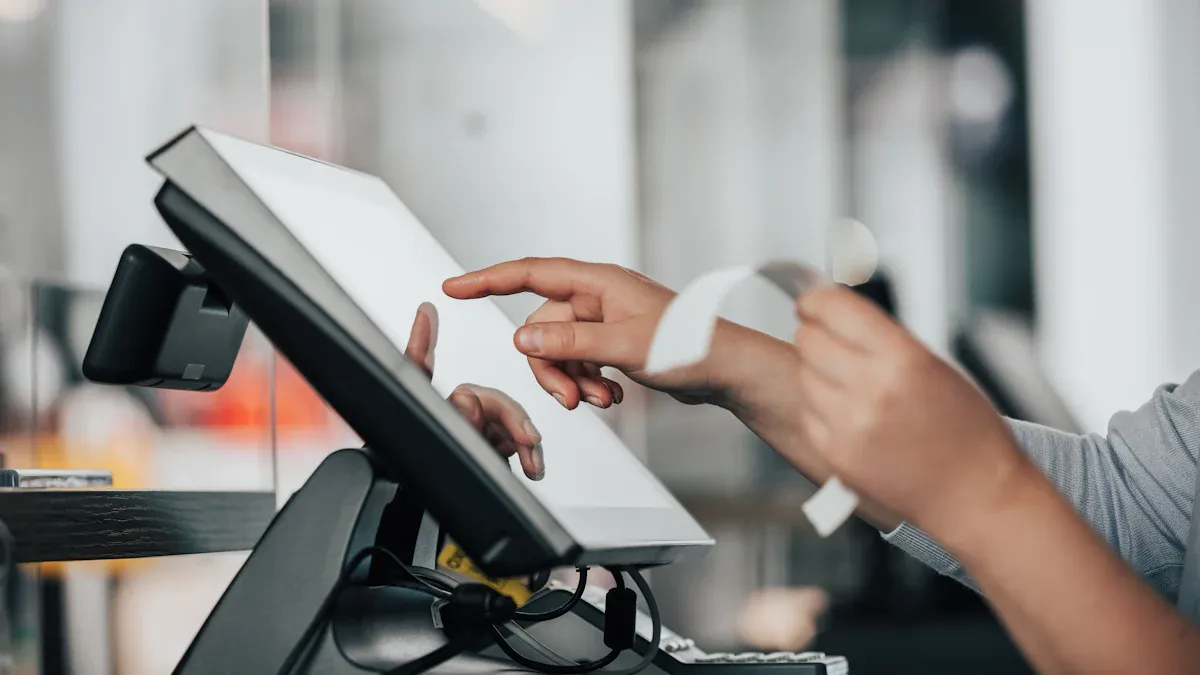
You see pos integration with computer vision changing how stores sell. This technology helps you check out faster and easier. It also helps stop theft and gives quick updates. Many stores say workers get more done and can plan better. Smart video analytics watch how customers act and help cut down on waste.
Statistic | Description |
|---|---|
Retailers think AI is very important to stay ahead | |
51% | Most expect to earn back their investment in three years |
USD 12.56 billion | Experts think the computer vision market will be worth this by 2033 |
Key Takeaways
POS integration with computer vision makes checkout faster. It cuts down wait times and makes customers happier. Real-time monitoring stops theft and mistakes. It helps keep transactions and inventory correct. AI-driven analytics make shopping more personal. They suggest products that fit each shopper. This helps stores sell more through upselling. Stores using these tools work better and faster. They get more sales and spend less money. Setting up these systems needs good planning and training. Stores start with pilot programs to get the best ROI.
POS integration in retail
Core components of POS and computer vision
Many systems work together in stores. POS systems let you scan items and pay. They also keep track of sales. Computer vision uses cameras and smart software. These watch what happens in the store. These systems make shopping easier and safer. Modern retail systems have many important parts.
Component | Description |
|---|---|
Transaction Processing | Lets you scan barcodes, see totals, get discounts, and pay in different ways. |
Inventory Management | Tracks stock levels and updates inventory when you buy something. |
Customer Management | Collects your data for rewards and special offers. |
Sales Reporting and Analytics | Shows sales trends and helps stores plan better. |
Employee Management | Monitors staff schedules and performance. |
Integration with Other Systems | Connects with accounting and online shopping for smooth operations. |
Mobile POS | Lets staff help you anywhere in the store. |
Cloud-connected point-of-sale systems help stores update prices fast. They also let stores manage inventory from any place. Omnichannel retail integration links online and in-store shopping. This gives you a smooth shopping experience.
How integration works in retail environments
Computer vision and POS systems work together in stores. Cameras watch what you scan at checkout. The systems check if scanned items match what you bag. If something is wrong, staff get an alert right away.
Real-time visual checks stop mistakes and theft.
Behavior analysis finds odd actions and helps stop loss.
Employee monitoring watches staff and keeps stores safe.
Feature | Description |
|---|---|
Real-Time Visual Verification | Matches scanned items with what you take home. |
Behavior Analysis | Spots unusual actions and helps stores stop theft. |
Employee Monitoring | Watches staff to prevent problems. |
Real-Time Transaction Monitoring | Checks every sale for errors or missing items. |
Detection of Scan Avoidance | Alerts staff if you miss scanning an item. |
Sweethearting Prevention | Stops staff from giving free items to friends. |
Employee Behavior Analysis | Finds mistakes by comparing sales data with camera footage. |
These systems help make shopping safer and faster for you. Stores use them to boost sales and keep inventory right. Retailers trust these tools to help them grow and serve you well.
Sales impact of POS integration
Frictionless checkout and customer experience
You want to shop fast and easy. POS integration with computer vision makes this happen. These systems use cameras and AI to speed up checkout. You do not have to wait in long lines anymore. Many people say checkout is the hardest part of shopping. In fact, 74% of shoppers say checkout is their biggest problem. Long lines make 86% of people leave stores. This causes stores to lose $37.7 billion in sales every year.
When checkout is faster, you wait less. AI in POS systems helps you find items at self-checkout in 3 seconds, not 10. This 70% drop means one self-checkout lane can help 40 people each hour and save 280 seconds of waiting. Frictionless checkout makes shopping better and helps you finish your purchase. Stores get more sales because you are happier and want to buy.
Loss prevention and POS analytics
You want your store to be safe and your purchases right. POS integration uses AI and computer vision to watch for mistakes and theft. These systems check every sale and tell staff if something is wrong. They compare what you scan with what you put in your bag. This helps stop loss and keeps your store running well.
Technology Used | Impact on Loss Prevention |
|---|---|
POS Analytics | Finds strange patterns that may mean theft, like staying too long in risky areas. |
Computer Vision | Watches body language and actions to spot hiding and stealing. |
Technology Integration | Benefit |
|---|---|
Helps stop checkout fraud by checking item counts with POS data. | |
Smart Store Systems | Treats shrink as a system problem, making inventory more accurate and finding problems fast. |
Computer vision helps loss prevention by watching every item at self-checkout. This cuts down on shrink and saves money for stores. You can trust your purchases are safe and correct.
Personalization and upselling with AI in POS systems
You want offers that fit your needs. AI in POS systems uses customer data to learn what you like. These systems suggest things you may want to buy. If you buy a spare part, the system can suggest other items that match your past shopping. If you buy a new battery, the AI POS may suggest a service visit based on your old visits. This makes it more likely you will buy more.
AI POS systems are very good at finding upsell and cross-sell chances right away. For example, if you buy a spare part, the system can suggest matching items based on your shopping or your car.
When you buy a new battery, the AI POS suggests a service visit based on your old service, making it more likely you will buy again.
AI upselling and cross-selling raise average order value by suggesting add-ons or matching products.
AI in POS systems makes shopping feel personal. You see offers that matter to you. This makes you feel special and helps stores sell more.
Inventory accuracy and real-time data
You want stores to have what you need in stock. POS integration with computer vision and AI gives stores real-time inventory tracking. These systems watch every item as it sells. Inventory accuracy can reach 96%, much better than old manual checks. Real-time tracking helps stores keep shelves full and avoid running out.
Computer vision with POS systems makes inventory accuracy reach 96%.
This is much better than old manual checks, which are slow and have mistakes.
Real-time tracking helps stores manage stock and avoid empty shelves.
AI demand forecasting uses customer data to balance stock and cut extra items. These systems change orders using real-time data. You get what you want, and stores do not waste money on too much stock. For example, More Retail Limited in India used real-time data to make forecasts better and keep more fresh food in stock. Unified commerce, with integrated POS, lets you buy online and pick up in the store. This makes shopping flexible and helps you buy more. In fact, 85% of shoppers who used BOPIS bought extra things when picking up their orders.
Modern POS integration gives you and stores tools to do well. You get better service, and stores see more sales and less waste.
Next-generation retail POS terminal technology
AI chips and model inference in POS
Next-generation retail pos terminal technology is changing stores. AI chips inside each terminal help you get faster service. These chips use machine learning in pos to recognize products. They also track sales as they happen. AI chips make the terminal smarter and quicker. They process images and data very fast. This helps the terminal find mistakes or missing items right away.
These new pos terminals use ai to check what you scan. The terminal looks at the item and checks its database. When you scan something, ai matches it with the right price. You get the correct total and fewer mistakes. Stores use computer vision and pos together for speed and safety. Self-checkout kiosks use ai chips to help you finish buying faster.
Automated checkout and seamless payments
You want checkout to be simple and quick. New pos terminals use ai to make paying easy. The terminal uses computer vision to spot products fast. You do not have to wait long. The terminal makes checkout faster and helps you pay quickly.
Aspect | Findings |
|---|---|
Product Recognition Accuracy | YOLOv10 makes product recognition better and faster. |
Checkout Speed | New systems are faster and help you pay quicker. |
Automated checkout systems help stores earn over $2M more. Labor costs go down by 10-15%. Customer happiness goes up by 15-25%. The terminal lets you pay fast and keeps lines short.
New pos terminals also help stores keep customers coming back. The terminal saves your purchase history and gives you special offers. You get loyalty rewards and deals. Stores see 10% more repeat customer sales. The terminal makes shopping easier and helps you return.
AI in new pos terminals makes product recognition better.
Seamless payments help stores keep customers.
AI and pos together make checkout fast and safe.
Next-generation retail pos terminal technology makes shopping better for everyone.
Real-world retail integration examples
Measurable sales growth from POS and computer vision
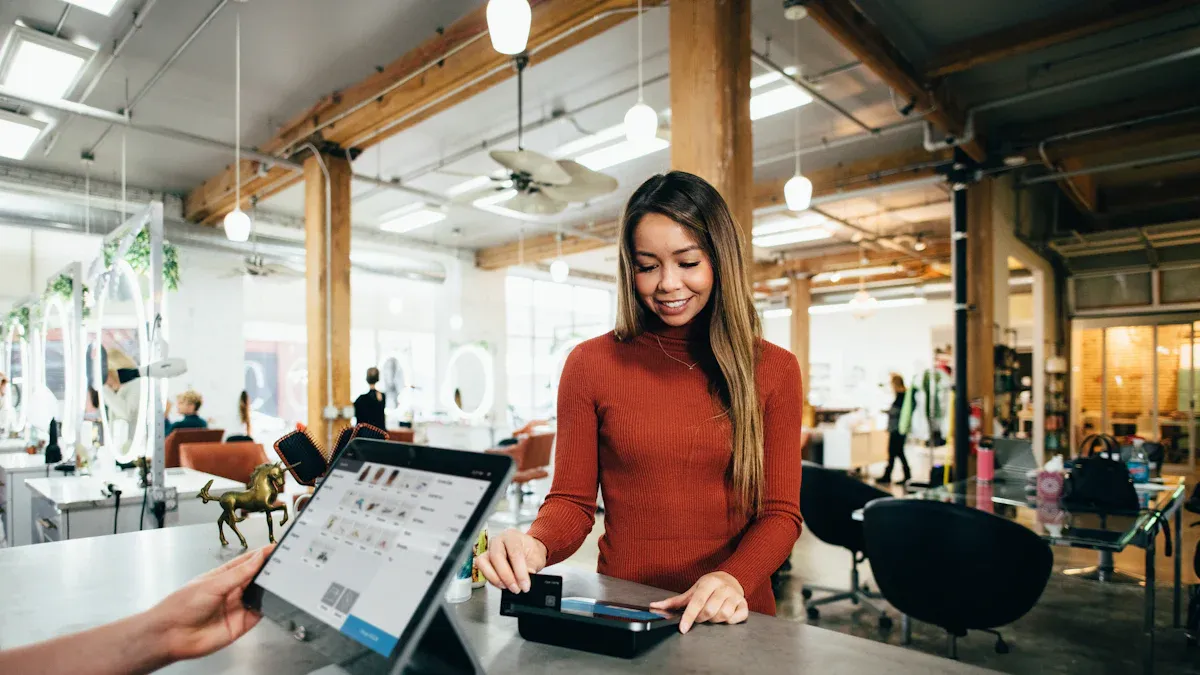
Retail stores use pos and computer vision to help sell more. Stores look at data to decide where to put products. One store chain used heatmaps to move best-selling items. This made sales go up in those areas. When you enter a store, you see items placed to catch your eye.
Checkout is also faster for you. One store used alerts to make lines shorter by one minute. This made shoppers happier and more likely to buy. Stores with video and pos can see empty shelves and fill them fast. You find what you need more often.
Outcome | Impact |
|---|---|
Reduction in theft | |
Uplift in conversion rates | 10-20% after optimizing product placement |
Increase in average basket size | Improved product visibility and customer experience |
Reduction in checkout wait times | Average wait time cut by 1 minute |
Sales increase from layout changes | Increased sales in promoted categories |
Sales increase from AI analytics | 3-5% sales increases within 6-12 months |
Operational cost reduction | 2-3% within 6-12 months |
Stores use real-time data to make better choices. They see more people buying and bigger baskets. You get a nicer shopping trip, and stores make more money.
Operational efficiency and data-driven decisions
Shopping feels easier when stores use pos and computer vision. These tools help workers keep shelves full and make fewer mistakes. Stores using computer vision for inventory see stock accuracy go up by 30%. Workers spend less time counting and more time helping you.
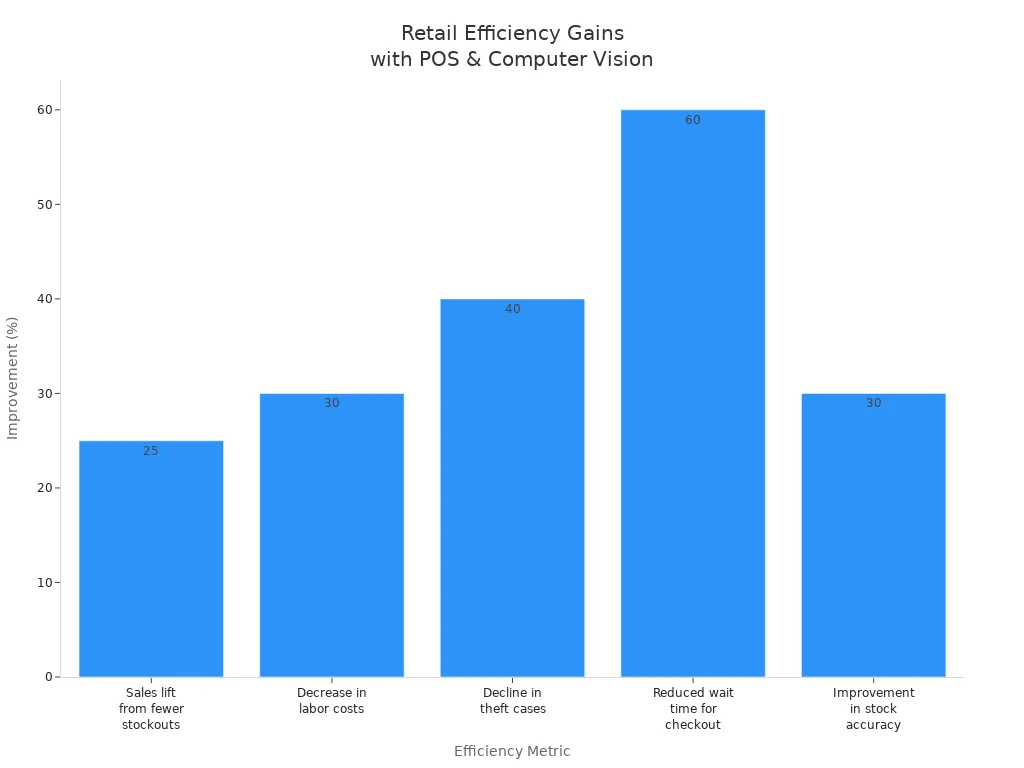
Metric | Improvement |
|---|---|
Sales lift from fewer stockouts | |
Decrease in labor costs | 30% |
Decline in theft cases | 40% |
Reduced wait time for checkout | 60% |
Improvement in stock accuracy | 30% |
Customer service gets better too. Automated alerts help staff fix problems fast. Stores use data to match work hours with busy times. You get help when you need it. Stores using these systems see less theft, lower costs, and more sales. You have a better shopping trip every time.
Implementation best practices for retailers
Steps for integrating computer vision with POS
You can make your store smarter by following some easy steps. First, look at your current systems and how they work. Check if your POS and computer vision tools can connect. Many stores use middleware or APIs to help old and new systems work together. This keeps data moving smoothly and saves money on upgrades.
Challenge | Solution |
|---|---|
Integration with Existing Systems | Use middleware or APIs for smooth data flow and lower upgrade costs. |
Real-Time Processing | Pick edge computing and fast AI models for quick choices. |
Privacy & Compliance | Use anonymization and follow GDPR/CCPA rules to keep data safe. |
You should teach your staff about the new ways of working. Training helps everyone learn how computer vision works in stores. Plan your data setup early so information moves easily between systems. Most stores pick cloud solutions for better analytics and easy growth.
Tip: Try a pilot in a few stores first. Focus on important product groups. This helps you test how things work and learn before growing bigger.
Maximizing ROI and ongoing optimization
You want to get the most from your new system. Start with just one to three stores. Watch for better sales and more accurate inventory. Add more stores when you see good results. Use analytics to make your work better and write down labor savings.
Phase | Scope | Technology | Goals | ROI Focus |
|---|---|---|---|---|
1 | Pilot in 1-3 stores | Core computer vision | Test how it works, learn skills | Show better results in pilot stores |
2 | Expand to 5-10 stores | Add analytics, connect systems | Make work better, count benefits | Write down labor savings, inventory accuracy |
3 | Chain-wide deployment | Full integration | Make inventory better, save money | Show full ROI across all stores |
Set clear goals and share results often. Teams from IT, operations, merchandising, and finance should work together. Change how you work to use computer vision and be more efficient.
To keep getting better, watch real-time updates and set up alerts for staff. Study what customers and workers do to improve service. Retrain AI models often so your system keeps up with changes. This keeps your data right and your store running well.
Note: Keep learning and updating so your system can handle new products, layouts, and customer actions.
By following these best practices, you can connect your systems and get the most value. Your store will have better sales, safer work, and smarter data use.
You can see how POS integration with computer vision helps stores sell more. These systems help stores work better, stop theft, give special deals, and keep track of products.
AI-powered computer vision can cut shrinkage by up to 40% by watching closely and acting fast.
Reason for Adoption | Description |
|---|---|
AI-Enabled Analytics | You learn from sales patterns and what customers like. |
Operational Efficiency | Automation lets you restock and manage inventory more quickly. |
You can get ahead by using new POS tools and these systems to beat other stores.
FAQ
What is POS integration with computer vision?
You link your POS system to cameras and AI software. This setup helps you watch sales and check inventory. It also helps spot theft. Checkout goes faster and shopping feels safer.
How does computer vision improve checkout speed?
Cameras and AI see products right away. You scan items quickly and wait less in line. Stores have shorter lines and customers feel happier.
Can computer vision help prevent theft?
You use cameras to look for strange actions. AI warns staff if someone tries to steal or skip scanning. Stores lose less and keep more money safe.
Is my data safe with POS and computer vision?
You keep your data safe by following privacy laws. Stores use tools to hide your info and strong security. You can trust your data stays private.
What benefits do stores see from POS integration?
Benefit | Result |
|---|---|
More sales | |
Accurate inventory | Fewer stockouts |
Lower shrinkage | |
Personal offers | Higher customer loyalty |
See Also
Transforming Online Store Management With AI-Driven E-Commerce Solutions
Enhancing Customer Experience Through Cloudpick's Efficient Checkout Systems
The Future of Retail Lies in AI-Driven Stores
Exploring Features and Advantages of AI-Enabled Vending Machines
Essential Insights for Retailers on AI-Enhanced Corner Stores
