POS integration helps stores cut errors and save money

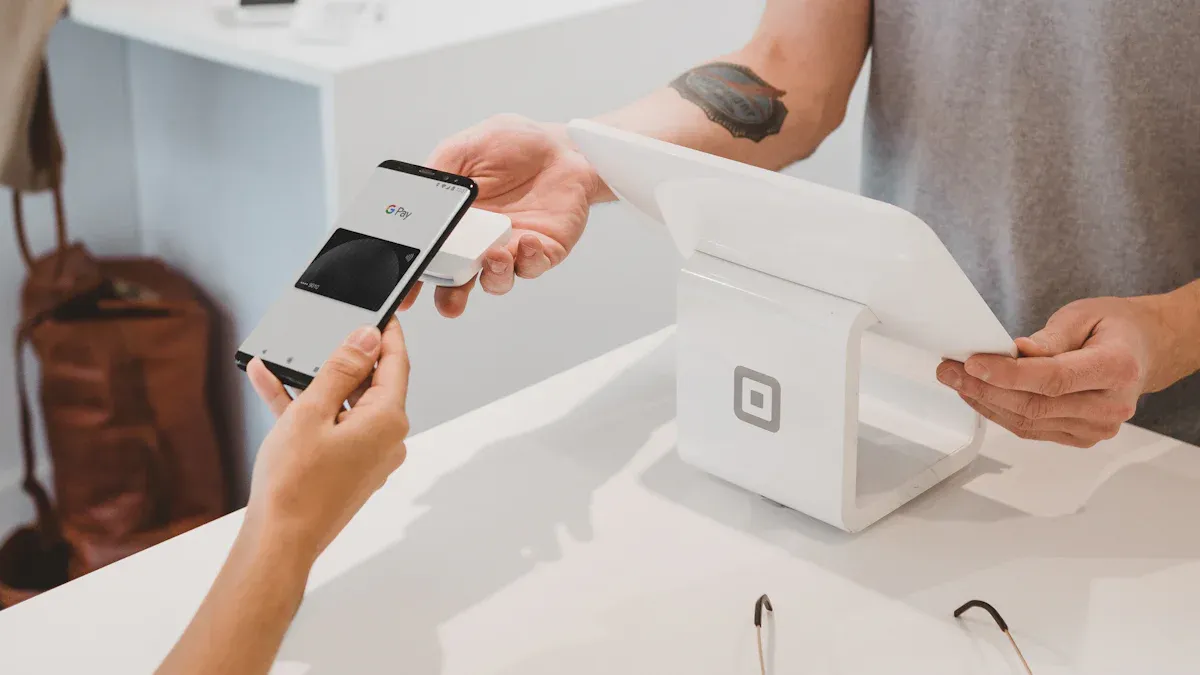
You can make fewer expensive mistakes and save money by using POS integration with computer vision systems. This technology lets you scan products by itself. It helps you keep track of inventory better and stops theft. Retailers say they make more money, have better profits, and fix problems faster. Stores also have shorter lines and more items on shelves, which makes customers happier. These systems check inventory more often and help keep products in stock, which leads to big sales growth.
Key Takeaways
POS integration with computer vision helps reduce checkout mistakes. It also makes transactions faster. This makes customers happier. It helps stores work better.
This technology helps track products in real time. It makes inventory more accurate. Stores can keep shelves full. They can avoid running out of items. This saves money.
Loss prevention tools in POS systems help stop theft. They also help prevent fraud. This saves stores money. It protects their profits.
Automating tasks with POS integration lowers labor costs. Staff can spend more time helping customers. They can also work on making the store better.
Start with small pilot programs. Pick the right technology partners. Train your staff well. This helps you get the best results from POS integration.
Reducing errors with POS integration
Automated product scanning
Automated product scanning with POS integration helps cut mistakes at checkout. The system scans barcodes and uses computer vision to check items. You do not have to type prices or names by hand. The scanner always puts the right price and discount. Errors in transactions happen less because inventory updates right away. Payment systems link to the scanner, so checkout mistakes are avoided. Computer vision checks each item and stops theft by making sure every product is scanned and recorded.
Tip: Automated scanning keeps your store running well. You spend less time fixing mistakes and more time helping customers.
Inventory accuracy improvements
POS integration and computer vision help you keep inventory correct. These tools track products and keep shelves full.
You see fewer empty spots, which builds trust with shoppers.
Real-time monitoring keeps inventory records correct.
You do not need manual audits as much.
Computer vision shows inventory clearly, so you refill shelves faster.
Regular shelf checks help you keep the right amount of products.
Benefit | How It Helps Your Store |
|---|---|
Shelf monitoring | Fewer gaps, more sales |
Real-time analytics | Accurate stock, less manual work |
Fast replenishment | Products always available |
Loss prevention and fraud reduction
POS integration and computer vision protect your store from theft and fraud.
Shrinkage from employee theft, shoplifting, and checkout fraud hurts profits.
Computer vision compares scanned items to what is at checkout in real time.
Cameras count items and send data to the POS system, which checks for mistakes.
Staff get alerts if something looks wrong, so they can act before finishing the sale.
This system stops checkout fraud, even at self-checkout lanes, by making sure every item gets scanned and billed.
Customers and employees change their behavior when they know the system watches, so shrinkage drops.
POS analytics spot odd transactions like voids, big discounts, or sweethearting.
Computer vision matches scanned items with what goes in bags and checks for suspicious actions.
Real-time monitoring lets staff catch scan avoidance and theft right away.
The system also helps manage inventory and improves customer service while keeping privacy safe.
Note: Loss prevention tools help you save money and keep your store safe. You can focus on serving customers instead of worrying about theft.
Cost savings from error reduction
Lower labor costs
POS integration with computer vision helps stores spend less on workers. The technology does many jobs by itself. It used to take people a long time to do these jobs. Now, you do not need as many workers to scan items or check inventory. The system does these tasks fast and gets them right. You can see when your store is busy. This helps you plan when workers should be there. You do not pay for extra hours when you do not need them.
Stores say labor costs go down by 30% because of better automation.
Transactions are faster, so stores spend less on manual work. Labor costs drop by 10-15%.
Workers can do other jobs, like helping customers or fixing shelves.
Tip: When you automate simple jobs, you can spend more time helping customers and growing your store.
Reduced theft and shrinkage
You keep more money when you stop theft and shrinkage. Many stores lose money because they cannot stop workers from stealing. Employee theft is almost one-third of all inventory loss. Retail employee theft costs stores about $100 billion each year. POS integration with computer vision gives you strong ways to fight these problems.
Loss prevention software helps track and lower theft and mistakes.
The system works with cameras and POS for real-time checks.
You get tools like inventory tracking, reporting, and fraud alerts.
The National Retail Crime survey says employee theft is getting worse.
Real-time alerts help you catch bad actions before they cost you a lot.
Note: Good loss prevention tools keep your store safe and help you save money.
Optimized inventory management
POS integration helps you manage inventory better and save money. Computer vision checks your stock and updates it after every sale. You do not buy too much or run out of products. This means you do not waste money or lose sales. Real-time sales data helps you see trends and keep shelves full.
Evidence Type | Details |
|---|---|
Inventory Accuracy | Computer vision with POS makes inventory accuracy reach 96%. |
Comparison to Manual Checks | This is much better than old manual checks, which are slow and wrong. |
Real-time Tracking Benefits | Real-time tracking helps stores avoid empty shelves. |
POS systems do inventory work by themselves, so you check stock less.
You manage money better and waste less.
Stores see real money benefits by making work easier and using resources well.
Callout: Having the right amount of stock helps you avoid mistakes and keeps shoppers happy.
Real-world impact of POS integration
Store case study
Stores change a lot when they use POS integration with computer vision. One electronics store upgraded its checkout and inventory systems. Before, the store had theft, slow lines, and wrong inventory numbers. After the upgrade, things got much better. The table below shows what changed:
Outcome | Impact |
|---|---|
Reduction in theft | |
Uplift in conversion rates | 10-20% after optimizing product placement |
Increase in average basket size | Improved product visibility and experience |
Reduction in checkout wait times | Average wait time cut by 1 minute |
Sales increase from layout changes | Increased sales in promoted categories |
Sales increase from AI analytics | 3-5% sales increases within 6-12 months |
Operational cost reduction | 2-3% within 6-12 months |
Customers wait less in line. They find what they want faster. The store makes more money and loses less to theft. Workers fix fewer mistakes and help customers more.
Error and cost reduction stats
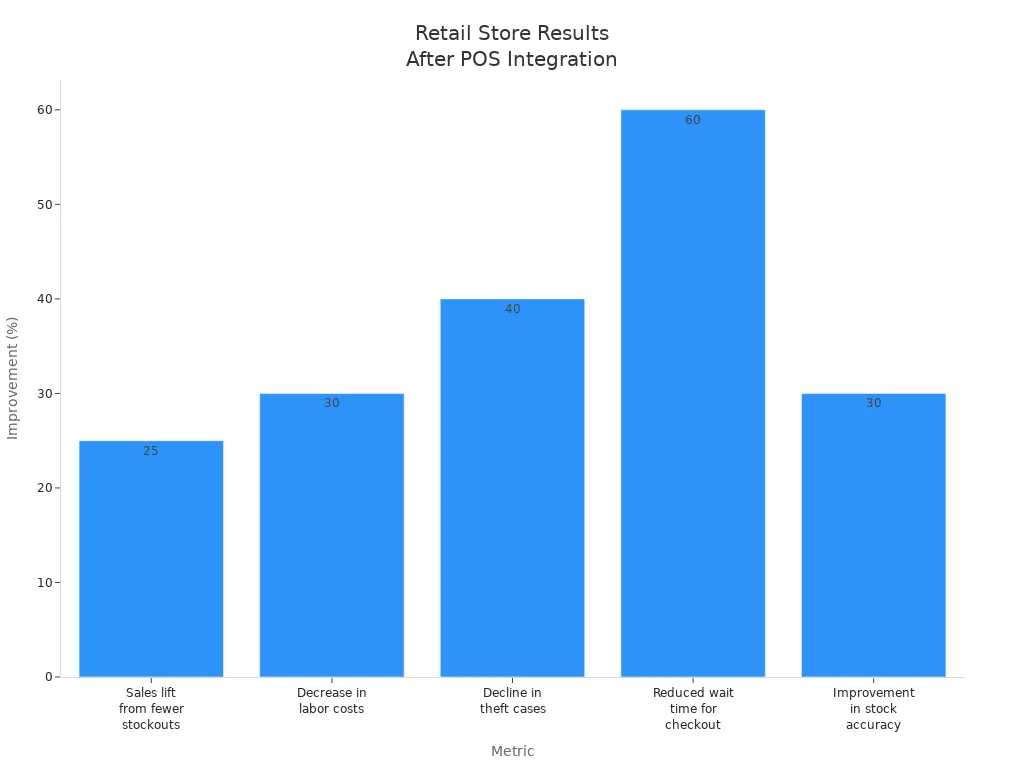
You can see how POS integration helps by looking at the numbers. Stores say they make fewer mistakes and spend less money. The table below shows how much stores got better with computer vision:
Metric | Improvement |
|---|---|
Sales lift from fewer stockouts | 25% |
Decrease in labor costs | 30% |
40% | |
Reduced wait time for checkout | 60% |
Improvement in stock accuracy | 30% |
Customer happiness goes up too. AI in POS systems makes self-checkout faster, from 10 seconds to 3 seconds. Inventory accuracy gets 30% better. Shoppers like it more because they wait less and find what they need.
Tip: If you watch these numbers, you see your store get better. You save money, help shoppers, and grow your store.
Implementing POS integration with computer vision
Assessing readiness
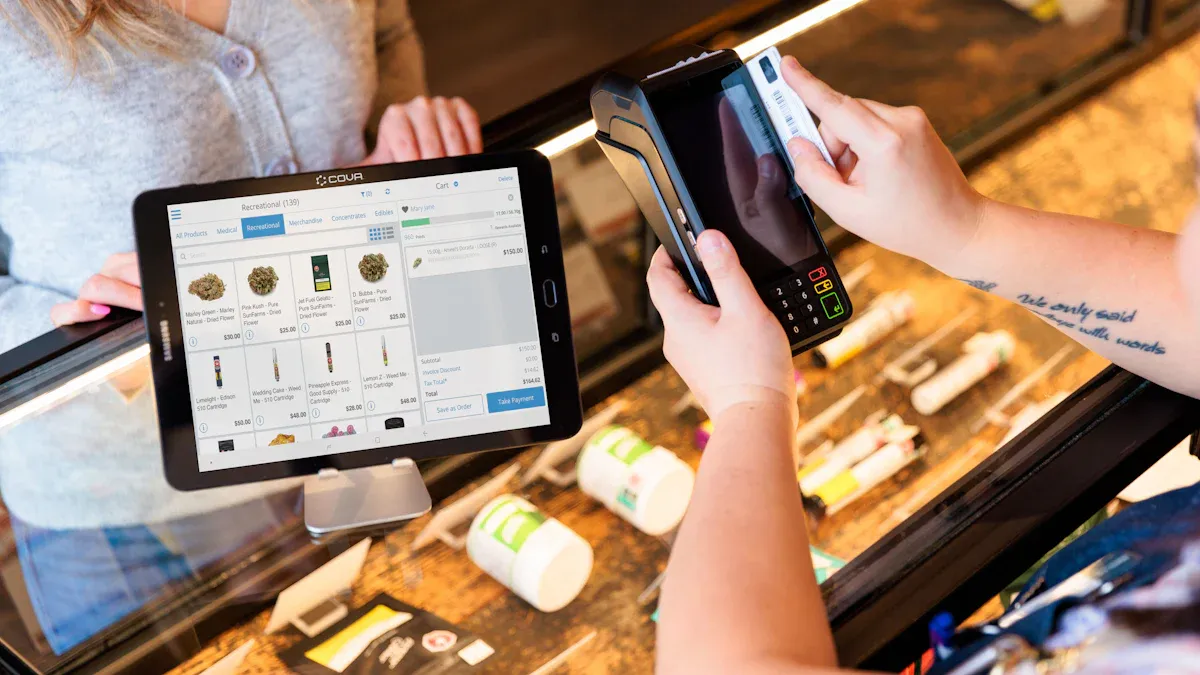
You should check if your store is ready for POS integration with computer vision. First, look at your current systems and see if they can work with new technology. Review how you handle inventory and checkout. Make sure your data is correct and easy to find. Think about privacy and security rules. You must keep customer information safe and follow laws like GDPR and CCPA. If your systems are old, plan to upgrade them or find ways to connect them to new tools. Try small pilot projects in a few stores to test the technology and see what happens. Watch for better sales and more accurate inventory. This helps you know when to use it in more stores.
Tip: Start with a team from different departments. This group can help set goals and check progress.
Selecting technology partners
Picking the right technology partner is very important. Look for companies that know retail and have strong technical skills. Make sure they have done good work in many stores before. Choose partners who care about business results, not just features. Ask if they can make custom AI solutions for your store. Check if their systems work with your POS, ERP, and inventory platforms. You want solutions that work in many stores and with lots of cameras. Flexible cloud or edge computing options help you grow. Good partners turn real-time data into helpful ideas.
Make sure they have strong technical and integration skills.
Look for solutions that can grow and change.
Focus on business results and custom AI options.
Staff training and performance tracking
Train your staff so they feel good using new systems. Start with pilot programs and include teams from different areas. Give clear training on how to use the technology and show why it helps. Keep talking to staff to lower worries. Explain that computer vision helps them do their jobs better, not take their jobs away. Offer more training as new features come out. Track how staff do with analytics. Measure labor savings and check for better sales and inventory accuracy. Set up regular checks to keep the system working well as your store changes.
Challenge | Description |
|---|---|
Data Privacy and Security Concerns | Keep customer information safe and set clear privacy rules. |
Integration with Legacy Systems | Plan upgrades or find ways to connect old and new systems. |
Training and Maintenance Complexity | Give ongoing training and update models often. |
Note: Use analytics to track staff and system performance. This helps you make your store better and keep things running smoothly.
You get real benefits when you use POS integration with computer vision. This system helps you make fewer mistakes and work faster. It gives you live data to manage inventory better. Customers like shopping more because lines are shorter and checkout is quicker. If you want to start, follow these steps:
Try pilot programs in just a few stores first.
Pick certain product groups to test how things go.
Add the system to more stores after you see good results.
Tip: Work with experts and use open APIs so everything connects easily.
FAQ
How does POS integration with computer vision help my store?
You get fewer mistakes at checkout. The system scans items and updates inventory right away. You save money and keep shelves full. Customers enjoy faster lines and better service.
Is POS integration hard to set up?
You can start with a pilot program in one store. Most systems connect to your current POS. Your staff gets training, and you see results quickly.
Will my staff need special training?
You give your team simple training. They learn how to use scanners and check inventory. You track their progress with easy reports. Staff feel confident and work better.
Can POS integration protect customer privacy?
You keep customer data safe. The system follows privacy laws like GDPR and CCPA. You set clear rules and use secure software.
See Also
Understanding Self-Checkout Errors: Solutions for Seamless Payments
Transforming Online Retail Management With AI-Driven Tools
Walgreens Self-Checkout: Benefits and Hurdles in Shopping
