How POS Integration with Computer Vision Enhances Retail Operations

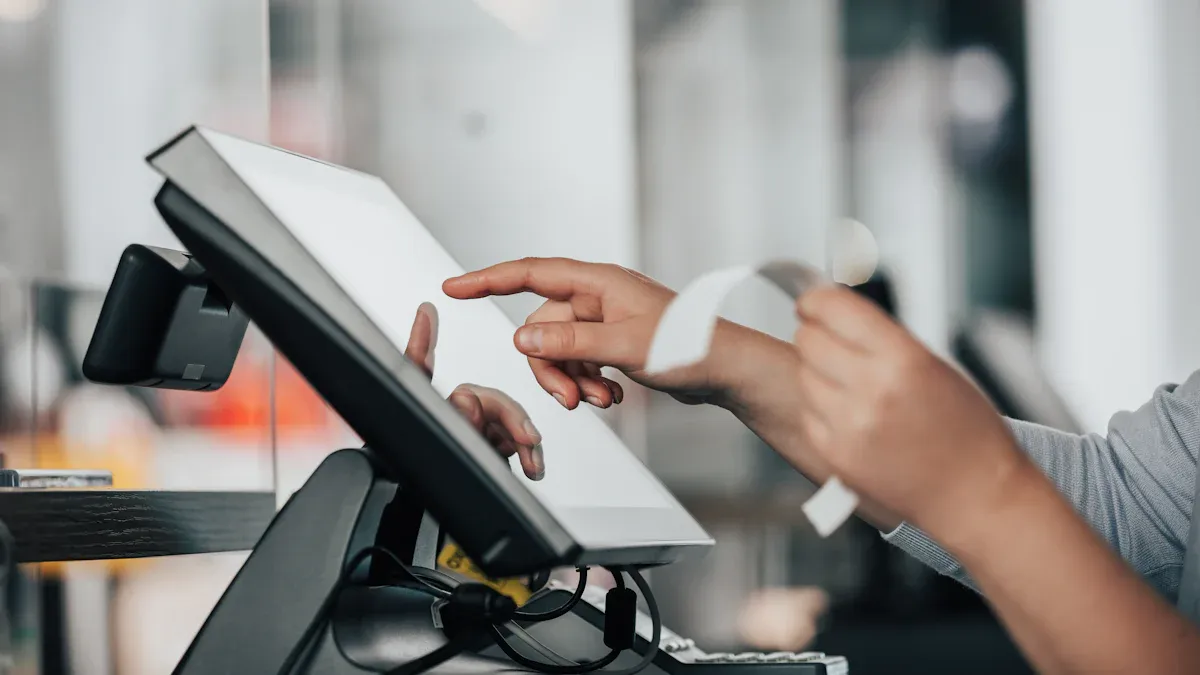
POS integration with computer vision changes how you run your store. You get faster checkouts and fewer mistakes. Security gets stronger too. For example, you can use real-time visual checks. These checks match scanned items with what customers put in bags. The table below shows more benefits you can expect:
Benefit | Description |
|---|---|
Makes sure scanned items match what goes in bags. It finds items that are not scanned. | |
Behavior Analysis | Spots suspicious actions in risky areas. |
Employee Monitoring | Watches what workers do to make sure rules are followed. It helps find theft. |
Real-Time Transaction Monitoring | Checks scanned items at checkout with what is seen in the cart. |
Detection of Scan Avoidance | Finds items not scanned. Staff can step in right away. |
Sweethearting Prevention | Uses data and pictures to stop employee theft. |
Improved Customer Service | Lets staff spend more time helping customers. They do not have to watch for theft as much. |
Enhanced Inventory Management | Tracks inventory levels right away. This helps restock and manage stock better. |
You get better control over inventory. Theft goes down. Your customers have a smoother shopping trip.
Key Takeaways
POS integration with computer vision makes checkouts faster. It also lowers mistakes. This helps customers shop easily.
Real-time visual checks help stop theft. They make sure scanned items match what customers take. This makes stores safer.
Automated scanning cuts down errors. It saves time. Staff can spend more time helping customers.
Real-time inventory tracking helps manage stock well. It keeps shelves full and ready for shoppers.
Using these technologies makes shopping better. It is more fun and efficient for customers.
POS Integration and Computer Vision
What Is POS Integration?
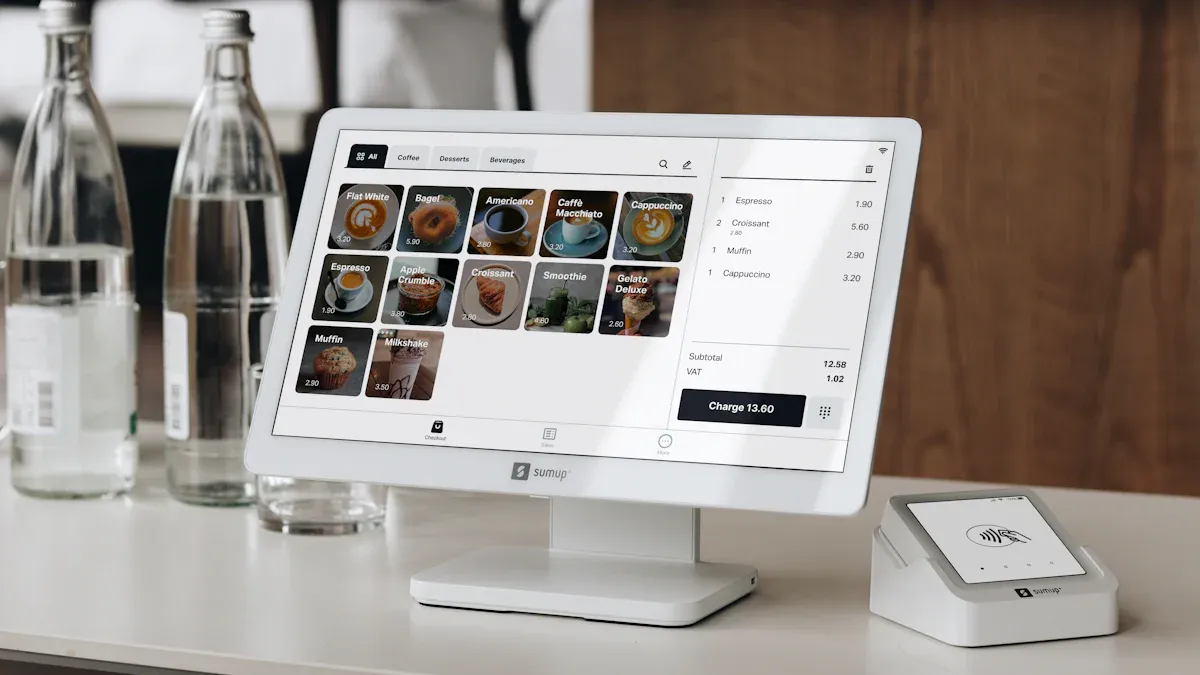
POS integration connects your checkout with other store tech. Now, your POS does more than take payments. It helps you with many store jobs. You can have things like self-checkout and smart vending. Your POS lets people shop online and pick up in the store. This makes shopping easier for everyone.
How Computer Vision Works in Retail
Computer vision uses cameras and AI to watch your store. It sees what products people pick up and how long they look. It also sees what items they compare before buying. The system finds objects right away and checks your stock. It looks for bad behavior too. You get alerts if shelves are empty or if someone tries to steal. Computer vision gives shoppers special suggestions. For example, cameras can see what goes in a cart. Customers can check out without scanning each thing. This tech makes your store smarter and faster.
Key features of computer vision in retail include:
Finds products and customers right away
Watches actions and moods
Checks stock and scans shelves
Stops fraud and theft
Gives shopping tips just for you
Why Integration Matters
When you use POS integration with computer vision, you get big benefits. You can catch theft faster and make fewer mistakes at checkout. Your workers spend less time looking for trouble. They help customers more. Visual checks make sure scanned items match what goes in bags. The system finds things not scanned, so you can fix it fast. You also keep better track of your stock. This helps you restock before things run out. These tools help you earn more and make shoppers happy.
Tip: Using these tools helps you use data to make good choices and keeps your store working well.
Benefit | Description |
|---|---|
Enhanced Theft Detection | Visual checks help you spot theft and fraud better. |
Real-Time Visual Verification | Makes sure scanned items match what goes in bags. |
Improved Customer Service | Workers can help customers instead of just watching for theft. |
Enhanced Inventory Management | Tracks stock right away so you can manage it better. |
Operational Benefits of POS Integration
Automated Scanning and Transaction Accuracy
Automated scanning makes checkout faster and more correct. Barcode scanning lets the system read each product and set the right price. This means fewer mistakes than typing numbers by hand. You do not have to worry about wrong prices or missing items. Automated scanning keeps prices and product info the same on every device. Customers always get the right price. You save time, and workers can help shoppers instead of fixing mistakes.
Automated scanning stops typing mistakes and makes checkout quicker.
Loss Prevention and Error Reduction
POS integration with computer vision helps stop theft and errors. The system checks what customers scan and what goes in bags. It finds items that are not scanned or are put in the wrong place. It also watches for risky actions, like someone staying too long or touching expensive things in a strange way. Staff get alerts right away, so they can act fast. The system also watches what workers do, which helps stop theft from inside the store.
Functionality | Description |
|---|---|
Real-Time Visual Verification | Makes sure scanned items match what goes in bags and finds missed items. |
Behavior Analysis | Spots strange actions like staying in risky spots or touching pricey things oddly. |
Employee Monitoring | Watches workers to make sure they follow rules and to find theft. |
Real-Time Transaction Monitoring | Checks every scanned item and compares it to what is seen in the cart. |
Detection of Scan Avoidance | Finds items not scanned so staff can fix it right away. |
Sweethearting Prevention | Spots sweethearting and gives proof to help stop worker theft. |
Employee Behavior Analysis | Uses data and watching to find problems and possible theft at checkout. |
These tools make your store safer and help you lose less.
Real-Time Analytics and Inventory Management
Real-time analytics help you track your stock all the time. Computer vision watches shelves and stock rooms. It tells you when to restock or if something is missing. This tech can be up to 96% right when counting stock, which is better than counting by hand. You can see empty shelves and fix them before you lose sales. Stores using these systems usually have 4% more items on shelves.
Key Features and Functionalities | Benefits |
|---|---|
Real-time tracking of products, SKUs, pallets, and containers | |
Automated counting, sorting, and stock level monitoring | Better view and tracking of inventory |
OCR and barcode/QR code reading for faster identification | Quick tips for making choices |
Anomaly detection (e.g., missing items, misplaced inventory) | Better safety with cameras |
Multi-location synchronization and remote diagnostics | Faster picking, packing, and shipping |
Alerts and notifications for low stock or misplacement | Lower costs over time. |
AI helps you keep the right amount of stock and react fast to changes.
You do not have too much or too little inventory.
Real-time data helps you make smart choices and keeps your store working well.
Enhanced Customer Experience
POS integration and computer vision give shoppers a better trip. These systems make checkout faster by finding products right away. Shoppers wait less in line. The tech can also suggest items based on what people do in the store. This makes shopping more fun and personal. Smart systems help you set up your store to match how people shop. This helps customers find things faster.
All-in-one tech makes shopping easy and fun.
Fast checkouts and smart tips make shoppers happy.
Digital tools help you serve customers better and faster.
Using these tools makes a store people want to visit again.
POS Integration Use Cases
Frictionless Checkout and Kiosks
Frictionless checkout and kiosks make paying easier and faster. These tools use computer vision to see products right away. You do not have to scan each item by hand. For example, a busy restaurant in the UK used an AI checkout system. This system made lines shorter by 30%. It also made checkout five minutes quicker. There were fewer mistakes too. Many stores now use AI self-checkout to catch theft as it happens. This helps lower shrink losses by up to 60%. The table below shows what these kiosks can do:
Feature | Description |
|---|---|
Finds many items at once, so no scanning is needed. | |
Smart Item Recognition | Spots things like keys or phones to stop errors. |
Faster Service, Less Labor | Helps more people with fewer workers, keeping things quick and correct. |
AI-driven Item Recognition | Changes the cart right away, so there are no scan delays. |
Error Reduction | No need for barcodes, so prices are right. |
Tip: Frictionless checkout makes customers happy and gives your team less work.
Visual Data for Inventory and Demand Forecasting
Computer vision helps you keep track of your stock better. It gives you exact counts and stops mistakes that hurt sales. This saves time and lets workers help customers more. By looking at old data, computer vision helps you know what to order next. This keeps shelves full and costs low.
Computer vision stops people from making mistakes when counting.
It makes checking stock faster and costs less money.
It uses data to guess what you will need soon.
Evidence | Description |
|---|---|
Computer vision optimizes supply chain | Tracks stock, helps reorder, and makes moving goods easier. |
Personalized marketing campaigns | Sells more by giving special deals and offers. |
Advanced algorithms for insights | Looks at shopping habits to help with stock and sales. |
Employee Monitoring and Compliance
Computer vision helps you make sure workers follow store rules. The system checks if workers wear uniforms and keep things clean. It also checks if products are put in the right place. If someone breaks a rule, the system sends an alert. Staff can fix problems right away. This keeps your store running well and stops mistakes.
Benefit | Description |
|---|---|
Uses cameras to check rules and remind workers, so there are fewer mistakes. | |
Enhanced Visibility | Shows live camera views to spot problems fast. |
Improved Efficiency | Checks rules all the time, saves money, and keeps shoppers happy. |
Transaction Integrity and Verification
Computer vision and POS work together to stop fraud. Cameras watch checkout lanes and count items as they are scanned. The system checks if what the camera sees matches the POS record. If something does not match, you get an alert right away. This keeps your sales safe and correct.
Method | Description |
|---|---|
ACID Properties | Makes sure every sale is finished and right. |
End-to-End Encryption | Keeps your data safe as it moves between systems. |
Access Controls and Authentication | Only lets the right people use the system. |
Cameras and POS find mistakes or theft together.
You get alerts if something is wrong, so you can fix it fast.
Implementation Challenges and Considerations
Privacy and Ethics
When you use computer vision, you must think about privacy. Cameras record video all day in your store. This can make people feel nervous. You collect a lot of video data from these cameras. You have to follow rules like GDPR and CCPA. These laws tell you how to handle and store data. If you use facial recognition, you need to be extra careful. Some places have strict rules for using biometric data. Always ask people before you collect their visual data. Tell customers how you use their data and keep it safe. If you do not follow the rules, you could lose trust or get in trouble.
Privacy Concern | Description |
|---|---|
Consumer Privacy Regulations | GDPR, CCPA, and other rules limit what data you can collect and keep. |
Employee Monitoring Concerns | Workers may feel watched, and this can make them upset. |
Biometric Data Restrictions | New laws control how you use things like facial recognition. |
Consent Requirements | You must get clear permission before collecting visual data. |
International Variation | Different countries have different rules, so global use is harder. |
Use strong security like encryption and access controls.
Let customers say no if they do not want their data used.
Some stores use new ways, like federated learning, to keep data private.
Note: Being honest about your data rules helps shoppers and workers trust you.
System Compatibility and Upgrades
You need to check if your new system works with your old one. Sometimes, data does not match or software will not work together. Test all your hardware and software before you start. Make sure your network is strong enough for new tech. Work with your tech partners to fix problems fast. Good planning helps you avoid surprises.
Best Practice | Description |
|---|---|
Robust Technical Infrastructure | Supports AI and computer vision and keeps costs low. |
System Performance Testing | Checks that everything connects and shares data well. |
Collaboration with Partners | Fixes problems faster and helps you get value sooner. |
Test everything in a pilot before using it everywhere.
Keep IT help ready when you start using the new system.
Fix any problems before you use the system in all stores.
Cost, ROI, and Staff Training
You might worry about how much new systems cost. Most stores get their money back in less than two years. You save money by needing fewer workers and making fewer mistakes. You also lose less to theft and sell more. To get the best results, train your staff well. People learn in different ways, so use training that fits each person. Let new workers learn from others. This helps everyone feel sure and use the system well.
Give each worker a training plan that fits them.
Set up mentors so new staff can learn from experts.
Good training means fewer mistakes and happier workers.
Tip: Spending time on training and planning helps you get the most from your new tech.
Future Trends in Retail AI
On-Device AI and Offline Capabilities
You will see more stores using on-device AI. This means the AI works right on the cameras or checkout machines. You do not need a strong internet connection for every task. Stores can keep running even if the network goes down. On-device AI helps you process data faster and keeps customer information safer. You get quick alerts about problems, and your store stays secure. Many retailers choose this technology to save money and protect privacy.
Note: On-device AI lets you keep your store open and smart, even during internet outages.
Predictive Analytics and Automation
AI now helps you predict what customers want before they ask. You can use data from cameras and sales to see shopping patterns. This helps you plan for busy times and slow days. AI can also set prices that match demand. You do not have to guess how much stock you need. The system tells you when to restock and what to order. Automation means you spend less time on routine tasks and more time helping shoppers.
AI predicts what products will sell fast.
You get alerts when shelves are empty.
Automation helps you keep the right amount of stock.
Evolving Customer Expectations
Customers want shopping to feel personal and easy. They like when you remember what they buy and suggest new things they might like. AI helps you track foot traffic and shopper behavior. You can use this data to create special offers and improve store layouts. Real-time inventory tracking means customers find what they need without waiting. You build trust when you use technology to make shopping better.
Trend | How It Helps You and Your Customers |
|---|---|
Personalized Experiences | Shoppers get offers and tips just for them |
Real-Time Inventory | Fewer out-of-stock items, happier customers |
AI-Driven Insights | Better planning for sales and promotions |
Tip: Meeting new customer needs with AI keeps your store ahead of the competition.
You get quicker checkouts with computer vision and smart checkout systems. Security gets better, and you can control inventory more easily. These tools help you find theft and cut down mistakes. Customer service improves because workers can help more. If you want to make your store better, test new systems in one place first. Teach your staff how to use them and ask what they think. This helps you make your store safer and work better.
Tip: Make small changes first and see how they work before using them everywhere.
FAQ
What is POS integration with computer vision?
You connect your checkout system with smart cameras. The cameras watch what happens in your store. The system checks items, tracks stock, and helps stop theft. You get faster checkouts and better control.
How does computer vision help with loss prevention?
Computer vision spots theft by watching for missed scans or strange actions. You get alerts right away. This helps you stop problems before they grow.
Is customer privacy protected with these systems?
You must follow privacy laws like GDPR and CCPA. You should tell customers how you use their data. Many stores use encryption and let shoppers opt out.
What training do employees need?
Show staff how to use the new system.
Teach them to handle alerts and help customers.
Give extra help to new workers.
Can small stores use POS integration with computer vision?
Store Size | Can Use? | Notes |
|---|---|---|
Small | ✅ | Many systems scale up |
Medium | ✅ | Easy to add features |
Large | ✅ | Handles big data |
You can start small and grow as your store needs change.
See Also
Exploring The Advantages Of AI-Enhanced Vending Machines
The Future Of Retail Lies In AI-Driven Stores
Transforming Online Retail With AI-Driven E-Commerce Solutions
Understanding The Growth Of AI-Enhanced Convenience Stores
Introducing Cashierless Shopping Solutions With Cloudpick Technology
