How to prevent shrinkage with computer vision

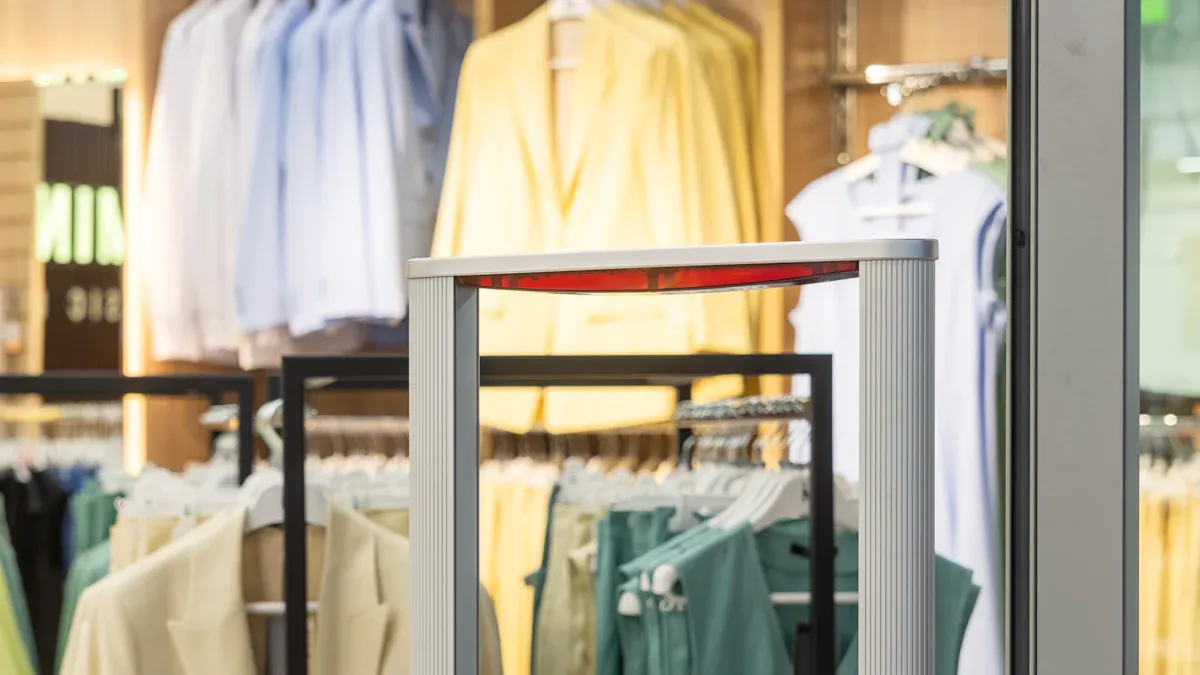
You can prevent shrinkage in your store with computer vision AI. This technology lets you watch things live, track items automatically, and get alerts right away. Retail shrink may hit $132 billion worldwide in 2024, showing that smart solutions matter a lot. Computer vision AI is quicker than old systems, providing fast insights and identifying patterns. You enhance accuracy and lower shrinkage. Additionally, you improve the shopping experience with line monitoring and shelf-checking robots.
Key Takeaways
Computer vision AI stops shrinkage by watching things in real time and sending alerts. This helps people act fast if there is theft or a mistake.
Computer vision tracks inventory by itself. This saves time and cuts down on errors. It keeps stock numbers right and helps manage things better.
Teaching workers about new technology helps stop loss. It gives them the power to see theft and do something fast.
Making clear goals and looking at what the store needs are important steps. These steps help use computer vision the right way.
Adding computer vision to old systems makes everything work better. It also helps keep customer privacy safe.
Shrinkage and Loss Prevention Basics
What Is Shrinkage
Sometimes, the number of items in your system is not the same as what you see on your shelves. This is called shrinkage. Shrinkage means you lose products when the records do not match the real amount in the store. Shrink does not happen because of sales. It happens for other reasons like stealing, broken items, or counting mistakes.
The main reasons for shrink in stores are:
Shoplifting, when people take things or change price tags.
Organized retail crime, where groups steal valuable stuff.
Employee theft, like workers taking money or products.
Sweethearting, when workers give discounts to friends without permission.
Administrative errors, such as counting or labeling things wrong.
Return fraud, when people bring back things they never bought.
Scan errors at checkout.
Damage and spoilage, when things break or go bad.
Cybertheft, which can hurt both online and regular stores.
Vendor fraud, when suppliers trick the store.
Why Loss Prevention Matters
It is important to stop loss to keep your business safe. Shrink can take away a lot of your profit. In 2021, stores lost almost $95 million because of shrink. Good ways to stop loss help protect your things and make more money. Many businesses hire loss prevention managers and teams. They use security tools and better ways of working to lower shrink.
Shrinkage Impact on Retail
Shrink hurts your business in many ways. Every year, shrink makes stores lose over $100 billion in profit around the world. This big number shows why you need to fix shrink fast. Shrink can also make prices go up for shoppers and leave less money for your store. If you do not stop shrink, your business might not grow or could even close.
How Computer Vision AI Prevents Shrinkage

Real-Time Monitoring and Alerts
You can stop shrinkage in your store with computer vision ai. Cameras watch your store and checkout all the time. These cameras do more than just record video. They use ai to figure out what is going on. If someone tries to steal or makes a mistake, the system sees it fast. You get alerts right away on your phone or computer. This helps you act quickly.
Cameras watch live video to catch checkout mistakes as they happen.
The system warns staff about strange actions, so you can stop theft early.
Cameras follow carts and shoppers, looking for items left behind or scams.
You get feedback right away, so shoppers can fix mistakes fast.
Tip: Real-time alerts help your security team stop theft before it happens. These alerts are saved for later, making your loss prevention better.
Automated Inventory Tracking
Computer vision ai also helps you keep track of your inventory. Cameras count items on shelves and in bins very well. If the number of items does not match your records, the system tells you right away. This means you do not have to count by hand as much, which saves time.
Automated systems count products and find mistakes right away.
Cameras take pictures all day, watching how products move.
You can control inventory levels automatically, so you do not run out or have too much.
The system finds trends, helping you guess what you will need.
Here are some new ways to manage inventory:
Advancement Type | Description |
|---|---|
Inventory Drones | Drones with computer vision fly around and check stock levels by themselves. |
Object Detection | AI models spot and outline products, making counts better and cutting down on mistakes. |
Predictive Analytics | AI systems look at pictures to help your store work better and faster. |
Stores using object detection have seen 37% fewer inventory mistakes and an 18% smoother store operation. This helps you stop shrinkage and keep shelves full.
Detecting Theft and Errors
Cameras with computer vision ai do more than just watch. They help you catch theft and mistakes before they get worse. The system looks at how shoppers move and touch products. If someone hides an item or skips scanning it, the cameras notice and send an alert to your security team.
Smart carts use cameras and scales to check every item as shoppers add them. If a shopper puts something back, the system updates the cart. This stops mistakes and theft at checkout. For example, the Cust2Mate platform checks each item right away, catching wrong scans or missing items before they cause shrink.
Cameras see hand-to-shelf moves that look odd.
The system sends alerts when scanned items do not match the cart.
Security staff get alerts right away about theft or mistakes.
AI finds strange patterns, like someone hanging around where they should not be.
Note: Real-time alerts help you act fast. You can stop a loss before it happens, making your loss prevention stronger.
Smart carts and automated checkout systems have helped stores lower shrink by a lot. These tools link what customers do to a virtual basket, making it easier to stop theft. When you use computer vision ai, you get many layers of protection against theft, mistakes, and shrink.
Steps to Reduce Shrinkage with Computer Vision
Assess Needs and Set Goals
First, you should know what risks your store has. You also need to know what you want to fix. To stop shrinkage, try these steps:
Figure out the problem you want to fix. It could be theft, mistakes, or lost items.
Put cameras and sensors in good spots. This helps you get clear pictures and videos.
Make sure your pictures look good. Change the lights and remove anything that makes them blurry.
Use computer vision to find products and watch what customers do.
Look at the data to see patterns and learn new things.
Use what you learn to make changes that lower shrinkage.
Tip: Clear goals help you see if you are doing well and help you make smart choices.
Choose and Integrate Technology
Pick technology that works for your store. Find systems that are fast, correct, and give you updates right away. Good computer vision tools make shopping better and help stop shrinkage. Always think about privacy and keeping data safe when you add new tools.
Some choices are:
Self-checkout systems that make shopping quick and safe.
Smart checkout tools that help you skip long lines.
Cashierless stores for easy shopping.
You can use computer vision with your other systems. Here is how it works:
Integration Point | Function |
|---|---|
Point-of-sale systems | Connects what customers do to what they buy. |
Inventory management | Watches stock and helps you order more. |
Workforce management | Matches worker hours to busy times. |
Customer analytics | Puts together pictures and customer habits. |
Marketing systems | Uses what you learn to make better ads. |
Staff Training and Optimization
Teach your staff how to use the new systems. When workers know how to spot theft and act fast, you stop shrinkage. Use practice and teach good customer service. This helps your store have a strong loss prevention team.
Keep checking if your system works well. Watch for new data and update your models when you need to. Use different ways to check both the data and the results. Updating often keeps your system strong and helps stop shrinkage.
Best Practices and Overcoming Challenges
Maximizing Effectiveness
You can make computer vision work better by following some easy steps. First, find out where your store has the most problems. Ask customers what they notice about missing products. Put cameras and sensors in places that matter most. Set up your system to send alerts when you need to restock, when there is theft, or when there are quality problems. Always look at your results and ask shoppers and workers for their thoughts. This helps you change your system so it fits what people really need.
Here is a simple plan to help you do better: 1. Find your biggest inventory problems. 2. Put cameras in the right places. 3. Set up alerts so you can act fast. 4. Use feedback to make your system better.
Tip: Getting feedback often and making updates keeps your system strong and helps you stop shrink.
Minimizing False Positives
False positives can waste time and make things confusing. You can lower these mistakes by letting people check alerts along with AI. Train your system often and let workers look at alerts. Keep checkout areas neat and change your process if needed. Use technology that can spot items at checkout for better results.
Strategy | Explanation |
|---|---|
Integration of human oversight | Workers check alerts and help the system get smarter. |
Continuous system training | Regular updates help the system find new patterns. |
Operational adjustments | Clean and tidy areas help stop false alarms. |
False positives show you where you can do better.
When people and AI work together, you find real problems.
Common Obstacles and Solutions
You might have some problems when you start using computer vision. Bad lighting can make it hard to see things. Products that look alike can trick the system. Adding lots of new products takes time. Big catalogs make it slower to find items. It can be hard to connect new tools to old systems. Buying hardware and setting it up can cost a lot.
Here are some ways to fix these problems:
Solution Description | Benefits |
|---|---|
Custom AI-in-the-wild neural networks | Stores work faster, sell more, and lose less. |
Anonymized journey tracking | Better privacy and more accurate tracking. |
Modular software backbone | Easy to grow and add new features. |
You can use the cameras you already have to save money. Anonymous tracking keeps people’s privacy safe and works with fewer cameras. These ideas help managers, workers, and shoppers. Everyone gets a safer and easier shopping trip.
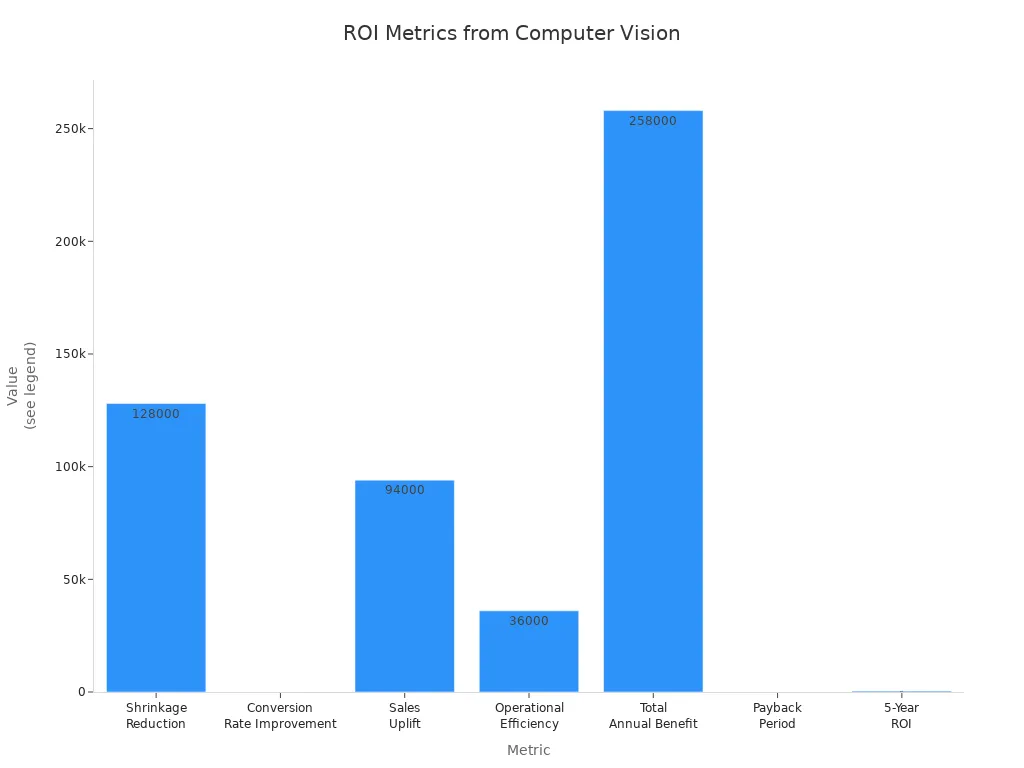
Note: Many stores see shrink go down a lot and get their money back fast after using computer vision.
You can use computer vision AI to help stop shrinkage. This tool helps keep your store safe. It finds mistakes when people check out. It also looks for theft and helps you keep track of items. AI works quickly and makes your store safer. Your store runs better and workers have an easier time. Shoppers like using self-checkout and smart carts because it is simple.
AI finds wrong scans and checks item age very fast.
You lose less and your records are more correct.
Your store works well and shoppers are happier.
Start now. Think about what your store needs and look at computer vision tools for a safer, smarter store.
FAQ
How does computer vision help you stop shrinkage?
Computer vision watches your store and checks products. You get alerts when something looks wrong. You can act fast to fix mistakes or stop theft.
Is computer vision hard to set up in your store?
You can set up computer vision with help from experts. Most systems use your current cameras. You need to train staff and connect the software.
Will computer vision protect customer privacy?
Computer vision can use anonymous tracking. You do not need to record faces or names. You keep customer data safe and follow privacy rules.
Can computer vision work with your other store systems?
You can link computer vision to your point-of-sale and inventory tools. This helps you track products and sales together. You get better reports.
What problems might you face with computer vision?
Problem | Solution |
|---|---|
Bad lighting | Add more lights |
Similar products | Train AI with new data |
Old cameras | Upgrade if needed |
See Also
Boosting Efficiency And Customer Experience With Cloudpick Checkout Systems
The Role Of Cloudpick Vending Machines In Promoting Healthy Snacks
Identifying And Resolving Cash Errors In Self-Checkout Systems
Transforming Retail: The Smart Technology Behind Electronics Vending Machines
The Convenience And Challenges Of Walgreens Self-Checkout Experience
