Steps to retrofit existing infrastructure for autonomous retail in Convenience store chains & small-format grocery.

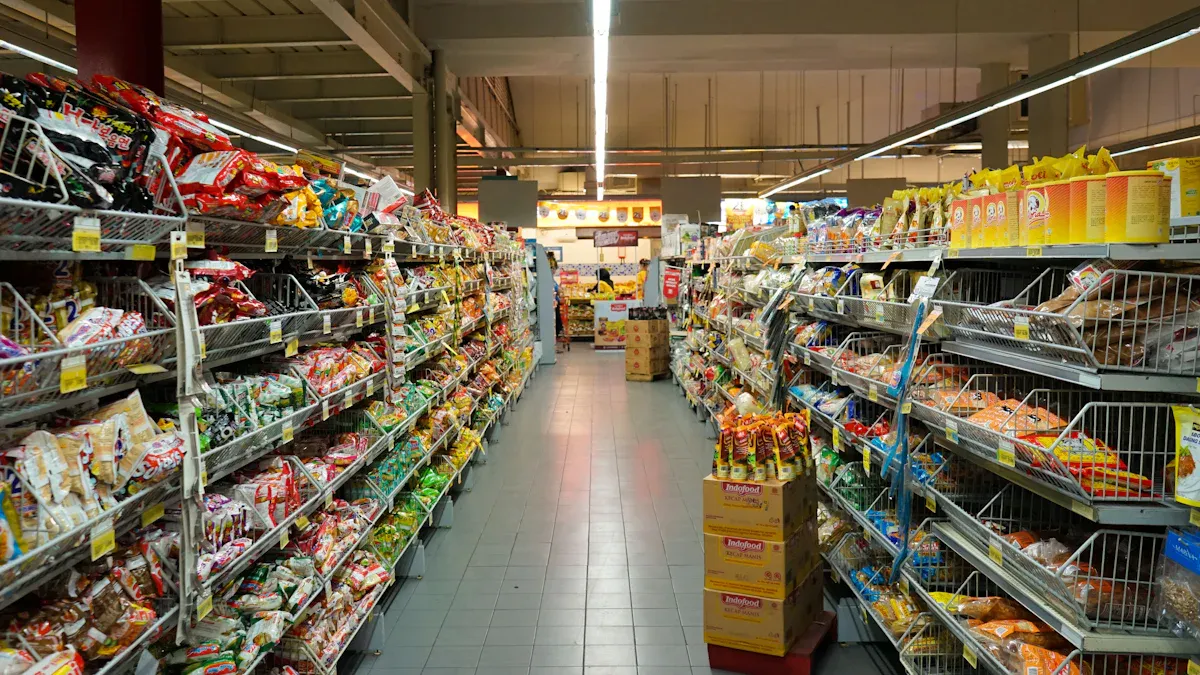
You can start your transformation by focusing on how to retrofit existing infrastructure for autonomous retail. A cross-functional team will help you lead the implementation and guide your small-format grocery or convenience store chains toward the future. Autonomous technology changes the customer journey, but you must be ready for challenges. Many customers worry about privacy, data security, or using new systems. The table below shows common issues you might face in autonomous retail:
Challenge Description |
|---|
Accuracy of product detection and billing can cause mistakes and upset customers. |
Customers may hesitate to use new systems due to privacy concerns or lack of understanding. |
High initial investment and ongoing costs can hinder the adoption of autonomous systems. |
Technical glitches and downtime may interrupt service and frustrate shoppers. |
Inventory management can become difficult, especially with fast-moving items. |
Data privacy and security concerns may arise when collecting customer information. |
Shrinkage and fraud can still occur, even with systems designed to reduce theft. |
You must use technology, data, and staff training to build trust and create a smooth retail experience. Autonomous implementation shapes the future of small-format grocery and retail, but you need careful planning, customer support, and a focus on data to succeed.
Key Takeaways
Form a cross-functional team to guide the retrofit process. Include members from various departments to address challenges effectively.
Assess your store layout to enhance visibility for technology. An open design helps cameras and sensors track products and customers better.
Set clear goals for automation and customer experience. Define what success looks like to guide your retrofit project.
Implement a pilot project to test autonomous systems before a full rollout. This helps identify issues and gather valuable feedback.
Focus on staff training and customer communication. Educate your team and shoppers about new systems to build trust and ensure a smooth transition.
Form Task Force for Retrofit Planning
Cross-Functional Team Setup
You need a strong team to guide your store through the retrofit process. Start by bringing together people from different departments. Include store managers, IT specialists, operations staff, and customer service representatives. Each person brings unique skills and insights. This mix helps you see challenges from every angle.
Tip: Invite someone who understands customer needs. Their feedback will help you design retrofit solutions that improve the shopping experience.
A cross-functional team works best when everyone shares ideas. You can hold regular meetings to discuss progress and solve problems. Use a simple table to track who is responsible for each part of the retrofit project:
Team Member | Department | Main Responsibility |
|---|---|---|
Store Manager | Operations | Oversee daily store changes |
IT Specialist | Technology | Manage system upgrades |
Customer Service | Support | Communicate with shoppers |
Inventory Lead | Stock Control | Monitor product movement |
Define Roles and Responsibilities
Clear roles keep your project on track. Assign tasks based on each person’s strengths. You might ask your IT specialist to handle the technical side of retrofit existing infrastructure. Your store manager can lead staff training and daily operations. Customer service staff can answer shopper questions and gather feedback.
List each role and what it covers.
Make sure everyone knows their tasks.
Set deadlines for each step.
Note: When you define roles, you avoid confusion and delays. Everyone knows what to do and when to do it.
You build trust and teamwork when you give each person a clear job. This approach helps you deliver retrofit solutions that work for your store and your customers.
Assess Existing Infrastructure
Store Layout and Design Review
You need to look closely at your store’s layout before you start to retrofit existing infrastructure for autonomous retail. The way you arrange shelves, displays, and aisles affects how well new technology works. An open design with clear views helps sensors and AI vision systems track products and customers. If your store has tight corners or blocked sight lines, you may need to move shelves or change displays. This makes it easier for cameras to see every item and for customers to move smoothly through the store.
Retrofitting existing infrastructure can limit the time- and labor-saving potential of autonomous retail. The cost of installing traditional shelving units with internet capabilities, or strategically placing cameras to see around traditionally placed merchandise will eventually outweigh the benefits and deplete return on investment.
When you plan retrofit solutions, think about how customers enter and exit. You might add digital signage kiosks with interactive screens for customer identification and store admission. Integrated camera systems help recognize selected goods and items. Backend technology supports order processing, pricing, payment collection, and invoice management.
Digital signage kiosks for customer entry
Integrated camera systems for product recognition
Backend technology for payments and invoices
POS and Network Evaluation
Your point-of-sale (POS) and network systems must be ready for autonomous retail. You should check if your current systems can connect with new technology. Use the table below to see what benchmarks matter most:
Description | |
|---|---|
Modular Architecture | Future-ready POS solutions are modular, API-first, and cloud-native, enabling integration into existing infrastructures. |
Integration Capabilities | Real-time communication across systems is essential for effective CRM data, stock levels, and personalized offers. |
Scalability | A clear separation between core systems and extensions allows for vertical and horizontal scaling, especially via cloud infrastructures. |
Security | IT security is crucial, particularly at the POS where sensitive payment data is processed, necessitating robust security architecture. |
You should test your network speed and reliability. Slow or unstable connections can cause problems with checkout-free systems. Make sure your security is strong to protect payment data and customer information. When you review these systems, you prepare your store for a smooth transition to autonomous retail.
Set Autonomous Retail Goals
Setting clear goals helps you retrofit existing infrastructure for autonomous retail in your small-format grocery store. You need to decide how much automation you want and what kind of customer experience you aim to deliver. These goals guide every step of your project and shape the customer journey.
Automation Level Targets
You should start by choosing the right level of autonomous technology for your store. Some stores use basic self-checkout systems, while others move toward fully autonomous retail with AI-powered sensors and smart inventory tools. You can focus on processes that are repetitive and time-sensitive, such as pricing, inventory, or customer support. Prioritize use cases that offer high ROI and are easy to implement. Begin with valuable and achievable goals to build momentum.
Tip: Adaptive planning lets your autonomous systems learn from customer interactions and adjust strategies. This approach keeps your store running smoothly, even when things change.
You can set targets for automation, such as reducing manual checkouts by 80% or automating inventory tracking for fast-moving items. These targets help you measure progress and keep your team focused.
Customer Experience Objectives
Your customer experience objectives shape the way shoppers feel during each visit. You want to create a seamless shopping experience that makes every customer journey easy and enjoyable. Retail leaders often set goals like rapid customer acquisition, growing lifetime value, and improving conversion rates for existing traffic.
Train staff to resolve exceptions and assist customers quickly.
Make dashboards visible and tie them to measurable adoption metrics.
Embed feedback loops during pilot phases to address user experience issues.
Agentic AI in autonomous retail supports goal orientation, adaptive planning, autonomy, tool access, and continuity of execution. These elements help you personalize the experience and keep operations smooth. You should focus on optimizing inventory and making every customer journey simple. When you set clear objectives, you improve the experience for every shopper in your small-format grocery store.
Proof of Concept for Checkout-Free Stores
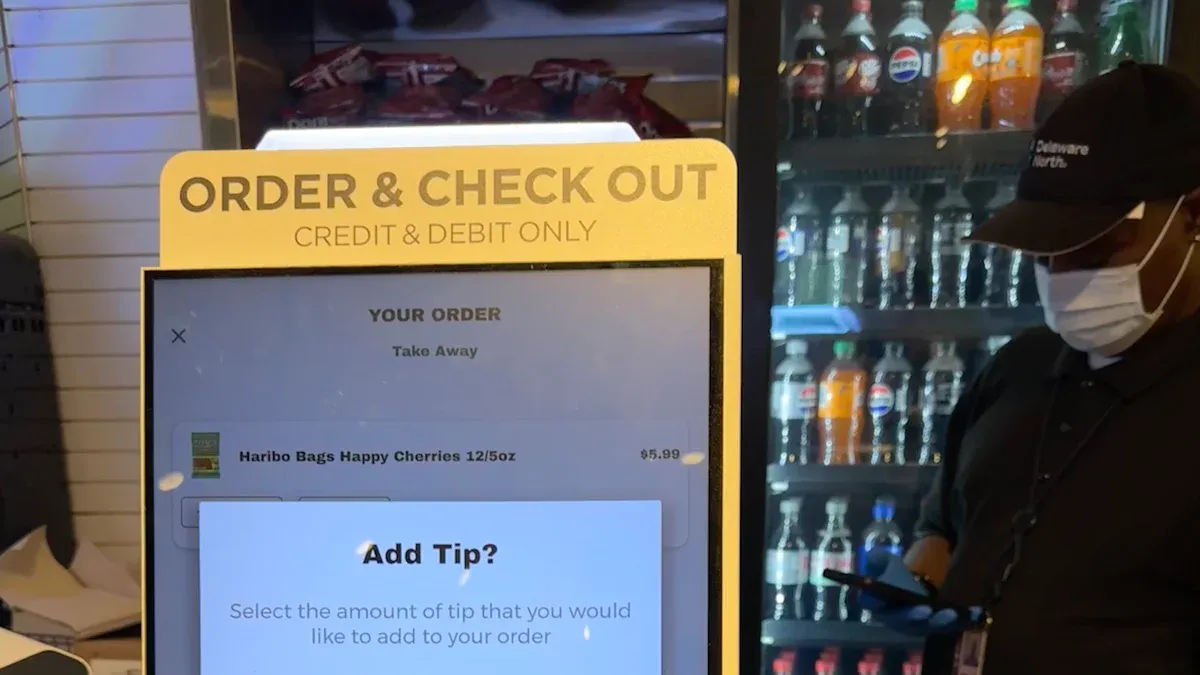
Pilot Project Planning
You should start your journey toward autonomous retail by planning a pilot project for checkout-free stores. A pilot helps you test new technology before you retrofit existing infrastructure across all locations. You can select one store with a simple layout and moderate foot traffic. This makes it easier to monitor how checkout-free systems work. You need to install cameras, sensors, and just walk out technology. These tools track products and customer movements for frictionless checkout.
Tip: Choose a store where staff and customers are open to trying autonomous solutions. Their feedback will help you improve the checkout-free experience.
You should set clear goals for your pilot. For example, you can aim to reduce checkout lines, speed up shopping, and increase customer satisfaction. You need to train staff to help shoppers use checkout-free systems. You can use surveys and direct observation to gather feedback. This helps you understand what works and what needs improvement.
Controlled Deployment Strategy
After your pilot, you should use a controlled deployment strategy for checkout-free stores. You can expand autonomous retail technology to a few more locations. This step-by-step approach helps you solve problems before a full rollout. You need to monitor how checkout-free systems handle busy times and different store layouts. You should check if just walk out technology works well with your current checkout process.
You can use a table to track key metrics during deployment:
Metric | Target Value | How to Measure |
|---|---|---|
Checkout speed | Under 1 minute | Time per transaction |
Customer satisfaction | Above 85% | Survey results |
System uptime | 99% | Downtime logs |
You should collect feedback from staff and customers at each stage. This helps you optimize autonomous systems and improve checkout-free stores. You can adjust your strategy based on real-world results. When you measure success and listen to feedback, you build a strong foundation for autonomous retail.
Select Technologies for Retrofit Existing Infrastructure
Cameras and Sensors Installation
You need to choose the right cameras and sensors to retrofit existing infrastructure for autonomous retail. Cameras and sensors help track products and customer movements. Many stores use AI-powered cameras for a seamless shopping experience. Some companies combine cameras with shelf sensors to improve accuracy and inventory management. The table below shows popular options:
Company | Technology Used | Description |
|---|---|---|
AiFi | Camera-Only | Utilizes AI-powered cameras for tracking without shelf sensors, focusing on a seamless shopping experience. |
Trigo | Cameras + Shelf Sensors | Combines AI-powered cameras with shelf sensors for enhanced accuracy and inventory management. |
You should place cameras in areas with high traffic and clear views. Shelf sensors work best for tracking fast-moving items. This technology helps you create a reliable autonomous retail environment.
AI Powered Automated Self Checkout Systems
You can improve your store by installing ai powered automated self checkout systems. These systems let customers scan and pay for items without help from staff. You can choose from several leading solutions. The table below lists popular automated checkout systems for autonomous retail:
System | Features |
|---|---|
AiFi Refresh | Integrates autonomous checkout into existing stores without major modifications. |
AiFi Build | Enables scalable, AI-powered stores for new locations with customizable formats. |
AiFi To-Go | Portable modular store setup for staff-free operations in new commercial spaces. |
AI retailer | Offers a 24/7 shopping experience with automatic billing based on customer-selected payment methods. |
Grabango | Uses cameras and AI to detect products; offers both app-based and traditional checkout options. |
Trigo Vision | Employs ceiling-mounted cameras for automatic item identification and billing. |
Żabka Nano | Europe’s largest chain of autonomous stores, using advanced technology for item tracking and payment. |
You should select a system that fits your store’s size and layout. Ai powered automated self checkout systems reduce wait times and make shopping easier. These autonomous checkout systems also support both app-based and traditional self-checkout options.
Smart Inventory and Analytics Tools
Smart inventory and analytics tools help you manage stock and improve efficiency in autonomous retail. You can use these tools to see real-time data on stock levels and item movement. This reduces the risk of overstocking or running out of products. Automated processes save time and lower labor costs. You can set up alerts for low stock and automate reordering. These features help you keep shelves full and customers happy.
Smart inventory tools provide live data on stock levels and item movement.
Automated restocking and low-stock alerts save time and reduce errors.
Systems detect supply chain disruptions quickly and send early alerts.
Managers can adjust procurement strategies to maintain operational continuity.
You can use analytics to track sales trends and customer preferences. This technology helps you make better decisions and improve your autonomous retail operations.
Integration with Current Systems
Inventory and POS Sync
You need to connect new autonomous retail technology with your store’s existing inventory and POS systems. This step helps you keep track of products and sales in real time. Many stores face challenges when they try to sync old systems with new ones. You may see manual errors if data does not flow smoothly. Staff can struggle with usability, which slows down customer service. Upgrading systems costs money, and you must train your team to use new tools. Protecting customer information is also important.
Real-time data flow prevents mistakes and keeps shelves stocked.
Staff need easy-to-use systems to help customers quickly.
Upgrades and training require careful planning and budgeting.
Data security keeps customer trust strong.
You can choose digital platforms that work well with your current setup. These platforms help you scale your autonomous retail operations. If you pick the wrong technology, you may limit your ability to grow. Complex integration with supply chain management or CRM software can take time and cost more. Look for solutions that offer a uniform experience across all your stores.
Security and Payment Integration
You must focus on security and payment integration when you retrofit your store. Payment systems need to work with both old and new technology. Customers want fast, safe, and easy payment options. You should use secure payment gateways to protect customer data. Staff must learn how to handle payment issues and keep transactions smooth. Payment integration helps you offer contactless payment, mobile payment, and traditional payment methods.
Secure payment gateways protect customer information.
Staff training reduces payment errors and improves service.
Multiple payment options make shopping easier for everyone.
Start by testing payment systems in one store or section. This phased approach lets you learn and fix problems before you expand. You manage risk and improve payment processes step by step. When you connect payment systems with your inventory and POS, you create a seamless shopping experience. Payment integration supports real-time updates, reduces manual work, and keeps customers happy. Payment security builds trust and loyalty. Payment flexibility helps you serve more shoppers. Payment upgrades prepare your store for future growth. Payment technology keeps your business competitive. Payment solutions must adapt as your store changes. Payment data helps you understand customer habits. Payment analytics guide your decisions. Payment support helps staff solve problems. Payment alerts warn you about issues. Payment monitoring keeps your systems safe. Payment compliance meets legal standards. Payment innovation drives new features. Payment reliability ensures smooth transactions. Payment speed improves customer satisfaction. Payment accuracy prevents mistakes. Payment transparency builds confidence. Payment records help with audits. Payment feedback improves your service. Payment integration is the key to autonomous retail success.
Infrastructure Upgrades for Checkout-Free Stores
Store Layout Enhancements
You need to rethink your store’s layout when you move to checkout-free stores. Open spaces help cameras and sensors see every product and customer. Wide aisles make it easy for shoppers to move around and for technology to track items. Place shelves so that nothing blocks the view of the checkout-free system. You can use clear signs to guide customers through the checkout-free process. Entry and exit points should be easy to find and use.
Tip: Use floor markings or digital displays to show customers how to use checkout-free systems. This helps everyone feel comfortable in checkout-free stores.
A good layout reduces confusion and speeds up shopping. You can also add special zones for quick purchases or online order pickups. These changes make checkout-free stores more efficient and friendly.
Network and Power Improvements
Strong network and power systems are key for checkout-free stores. You need fast Wi-Fi and wired connections to support cameras, sensors, and checkout-free technology. Place routers and access points in spots that cover the whole store. Backup power keeps checkout-free systems running during outages.
Check your store’s wiring before you install checkout-free equipment.
Use surge protectors to keep devices safe.
Test your network speed often to avoid slowdowns.
A reliable network lets checkout-free stores process payments and update inventory in real time. Power upgrades prevent downtime and keep the checkout-free experience smooth. When you retrofit existing infrastructure, focus on these upgrades to support your checkout-free goals.
Upgrade Area | Why It Matters for Checkout-Free Stores |
|---|---|
Network Coverage | Supports real-time tracking and payments |
Power Backup | Prevents system outages in checkout-free stores |
Layout Changes | Improves visibility for checkout-free tech |
You create a better shopping experience when you invest in these upgrades. Checkout-free stores work best with strong support systems in place.
Staff Training and Customer Communication

Continuous Training Programs
You need to prepare your staff for the shift to autonomous retail. Training helps your team understand new systems and support every customer. Start with small steps. Test the new technology in one area of your store. This approach lets you learn and fix problems before you expand. Staff should know how to use the new tools and answer customer questions. You also want your team to keep the human touch. Some customers will need extra help, especially when they try new systems for the first time.
Here are some best practices for staff training:
Best Practice | Description |
|---|---|
Start Small | Test autonomous systems in one area to learn and fix problems before full rollout. |
Train Staff | Equip staff to use new tools and assist customers with inquiries. |
Maintain Human Touch | Ensure staff are available for complex issues to enhance customer experience. |
Explain how the technology works and its benefits to build trust. | |
Manage New System | Train associates on the new system and how to handle customer inquiries. |
Efficient Restocking | Teach staff how to restock shelves efficiently. |
Troubleshooting | Prepare staff to troubleshoot basic issues with the new technology. |
You should run regular training sessions. These sessions help your team stay ready for updates and new features. When your staff feels confident, they can create a better experience for every customer.
Customer Education and Support
You must help customers understand the changes in your store. Clear communication builds trust and makes the transition smooth. Tell customers how the new technology works. Show them the benefits, like faster shopping and a better customer experience. Be open about how you collect and use data. This honesty helps customers feel safe.
You can use these steps to support your customers:
Share clear instructions on how to use the new systems.
Offer support channels, such as help desks or staff guides, for questions.
Use signs and digital displays to guide customers through the store.
Stay transparent about data collection and explain why it matters.
When you educate customers, you make the experience easier for everyone. Support helps customers feel comfortable and willing to try new ways to shop. Your focus on customer experience will set your store apart and keep shoppers coming back.
Monitor, Optimize, and Scale Autonomous Retail
Performance Tracking
You need to track how your checkout-free stores perform after you retrofit existing infrastructure for autonomous retail. Use key performance indicators to measure sales, inventory, customer behavior, and operational efficiency. These numbers help you see if your implementation works and where you can improve. You can use a table to organize your data:
KPI Category | Examples |
|---|---|
Sales Performance | Revenue per square foot, conversion rates |
Inventory Health | Turnover rates, stockout frequency |
Customer Behavior | Average transaction value, retention rates |
Operational Efficiency | Labor costs as a percentage of sales, shrinkage rates |
Collect data from your checkout-free systems and review it often. This helps you spot trends and make changes that boost efficiency. You can use dashboards to share results with your team. Tracking these numbers helps you plan for the future and improve the customer experience.
Troubleshooting and Optimization
You will face challenges as you scale autonomous retail. Start by involving store managers and IT teams early in the process. Plan resources so you have enough staff and budget for technology upgrades. Watch how automation affects customer satisfaction and patronage. Use a controlled deployment strategy to lower risks during scaling. Standardize technology solutions to avoid integration problems and support efficiency.
Monitor automation’s effect on customer satisfaction.
Use controlled deployment for scaling.
Standardize technology for easy integration.
Troubleshooting helps you fix issues with checkout-free systems, such as data errors or slow checkout. You can use feedback from customers and staff to find problems. Optimize your technology to improve operational efficiency and the overall retail experience.
Full-Scale Rollout Planning
When you plan a full-scale rollout of checkout-free stores, you must prepare for common challenges. You may see errors in product detection and billing, which can upset customers. Some customers may not understand the new technology or prefer human interaction. High costs for hardware, software, and integration can slow your implementation. Technical glitches and downtime can disrupt checkout-free operations. Inventory management may be hard, especially with fast-moving items. Data privacy and security concerns will need your attention. Shrinkage and fraud can still happen, even with autonomous systems.
Accuracy of product detection and billing
Customer adoption and understanding
Technical glitches and downtime
Inventory management challenges
Data privacy and security concerns
Shrinkage and fraud
You need to address these issues before you expand. Train your staff, educate your customers, and upgrade your technology. Use data to guide your decisions and improve efficiency. A strong plan helps you scale autonomous retail and create a better experience for everyone. Your checkout-free stores will be ready for the future.
You can guide your small-format grocery through a successful transformation by following a phased approach. Start with a task force, then move to pilot checkout projects, and scale up as you learn. This method helps you manage costs and keeps store disruptions low.
Phased transformation lets you focus on high-impact checkout areas first.
Incremental changes support modernization and prepare your store for the future.
Technology, staff training, and customer feedback drive autonomous retail success.
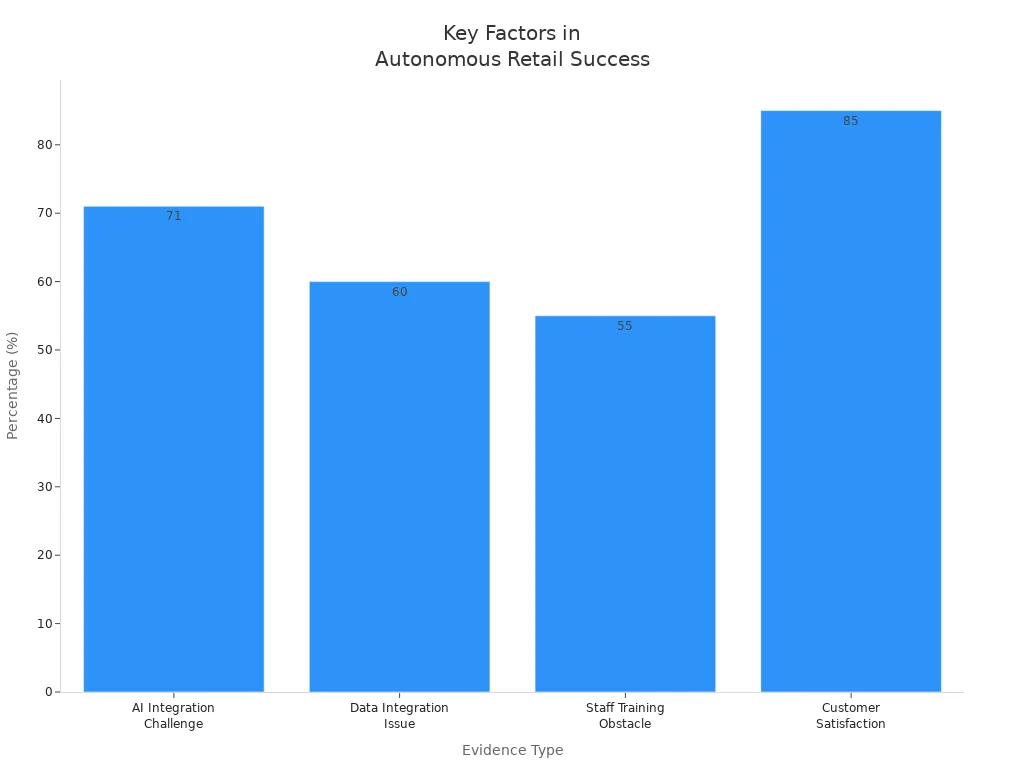
Evidence Type | Description |
|---|---|
AI Integration Challenge | 71% of retailers struggle with integrating AI into existing systems due to legacy systems. |
Data Integration Issue | 60% of retailers face challenges with data silos, leading to ineffective AI strategies. |
Staff Training Obstacle | 55% of retailers report staff training as a major obstacle in implementing AI-powered solutions. |
Customer Satisfaction | 85% of customers report a positive experience with AI-powered retail solutions when implemented well. |
You can consult expert vendors for autonomous checkout solutions. Many offer unmanned checkout, real-time inventory, and AI recommendations with fast support. Companies like Walmart, Amazon, and Nike have seen strong results from autonomous transformation.
Take the next step toward the future by starting a pilot checkout project or reaching out to experts. Your store will be ready for the future of autonomous retail.
FAQ
What is autonomous retail?
Autonomous retail uses technology to let customers shop and pay without help from staff. You see cameras, sensors, and AI systems working together. These tools track products and handle payments automatically.
How do you keep customer data safe in autonomous stores?
You use secure payment gateways and strong encryption. Staff learn how to protect information. You also follow privacy laws and share clear policies with customers.
Will staff lose their jobs after retrofitting for autonomous retail?
You still need staff for customer support, troubleshooting, and restocking. Staff roles may change, but you help them learn new skills through training programs.
How do you handle technical problems in checkout-free stores?
You monitor systems with dashboards and alerts. Staff receive training to fix basic issues. You contact vendors for advanced support when needed.
See Also
Comparing Micromarkets And Smart Stores In Global Retail
Examining Walgreens Self-Checkout: Benefits And Hurdles In Retail
Understanding The Growth Of AI-Driven Corner Stores For Retailers
