How to Achieve Seamless Data Synchronization Between POS and AI Analytics

You can make your POS and AI analytics work together easily by using AI-powered integration. AI changes your POS system into a smart engine that facilitates data synchronization. It connects data and performs tasks for you. Predictive analytics helps you manage sales and inventory effectively. AI enhances inventory management by predicting when stock will run out and restocking automatically. You provide special customer experiences because AI analyzes previous purchases. Data-driven insights empower you to make informed decisions about sales and promotions.
Key Takeaways
Data synchronization between POS and AI analytics gives real-time insights. This helps businesses react 15-25% faster to changes. - AI makes customer experiences better by giving special deals. These deals can make each sale go up by as much as 8%. - Using AI-powered integration cuts down on manual mistakes. It also keeps data correct on every platform. - Check and pick the best integration tools often. This helps data move smoothly and makes work easier. - Always focus on data security during synchronization. This keeps customer information safe and keeps trust strong.
Why Data Synchronization Matters
Real-Time Insights
When POS and AI analytics share data right away, you get a big advantage. You can see sales, inventory, and customer activity as it happens. This helps you act fast when things change. Businesses react 15-25% faster to problems. Stockouts drop by 30-40%, so customers find what they want more often.
Here is a quick look at how business insights improve:
Benefit | Impact on Business Insights |
|---|---|
Faster response to disruptions | 15-25% faster responses |
Reduced stockouts | 30-40% fewer stockouts |
Improved operational efficiency | Enhanced productivity and cost reduction |
You get new information quickly. You manage inventory better. You spot fraud faster. These changes help you make smart choices every day.
Enhanced Customer Experience
When you sync data between POS and AI analytics, shopping feels more personal. AI-driven offers can make each sale worth up to 8% more. You can reach small groups with special deals. This lifts sales by 1-2% and improves margins by 1-3%.
65% of shoppers say personalized deals affect what they buy.
Note: Synchronized data and useful insights make customers happier and help your business do better.
Benefit | Description |
|---|---|
Enhanced Customer Experience | AI-driven personalized offers can increase transaction value by up to 8%. |
Customers feel understood and valued. This leads to higher satisfaction and loyalty.
Operational Efficiency
Data synchronization helps your business run smoothly. You can change prices in real time based on stock and what others charge. You waste less and earn more.
Real-time POS sales data in analytics dashboards lets you adjust inventory and learn what customers like. You find sales trends and busy hours. This helps you plan staff and marketing.
You use data to boost productivity and cut costs.
You get better at managing stock and planning marketing.
Benefit | Description |
|---|---|
Operational Efficiency | Real-time pricing adjustments minimize waste and maximize margins. |
Optimal Staffing | Data analysis determines staffing needs minute-by-minute. |
Your business responds fast and works well.
AI and Data Synchronization

AI-Powered Integration
AI-powered integration helps your POS system talk to analytics tools. This technology keeps all your data together and updates it right away. You do not have to type in information yourself. AI checks that your stock and prices are the same everywhere. Customers can use rewards in stores or online. You save time and make fewer mistakes.
Here is a table that lists the main features of AI-powered integration:
Feature | Description |
|---|---|
Makes sure stock and prices are right everywhere, so there are no mix-ups. | |
Centralized customer profiles | Lets customers use points and rewards in every channel. |
Improved operational efficiency | Reduces manual work and mistakes, so your business runs better. |
Enhanced customer experience | Gives shoppers special deals and better service. |
Predictive analytics | Helps you plan what to order by guessing what you need. |
Data Cleansing and Enrichment
AI helps clean and fix your POS data. It gathers information from many places, even if the formats are not the same. AI can solve problems like broken purchase histories, different names, and product details that do not match. It also removes extra copies and fills in missing parts. This makes your data correct and ready to use.
AI collects and changes messy data from different sources.
Automated pipelines keep your data new and synced all the time.
AI engines clean and sort your records, so you only use good data.
Predictive Analytics
When your data is clean and synced, AI can guess what will happen next. You can see sales trends and know when to get more items. AI also helps you find fraud and keep prices right. You get real-time tips that help you make smart choices about prices and sales. Your customers get faster checkouts and deals made just for them.
Tip: Use AI-driven data sync to spend less on inventory and earn more by making better choices.
Synchronization Steps
Assess Current Systems
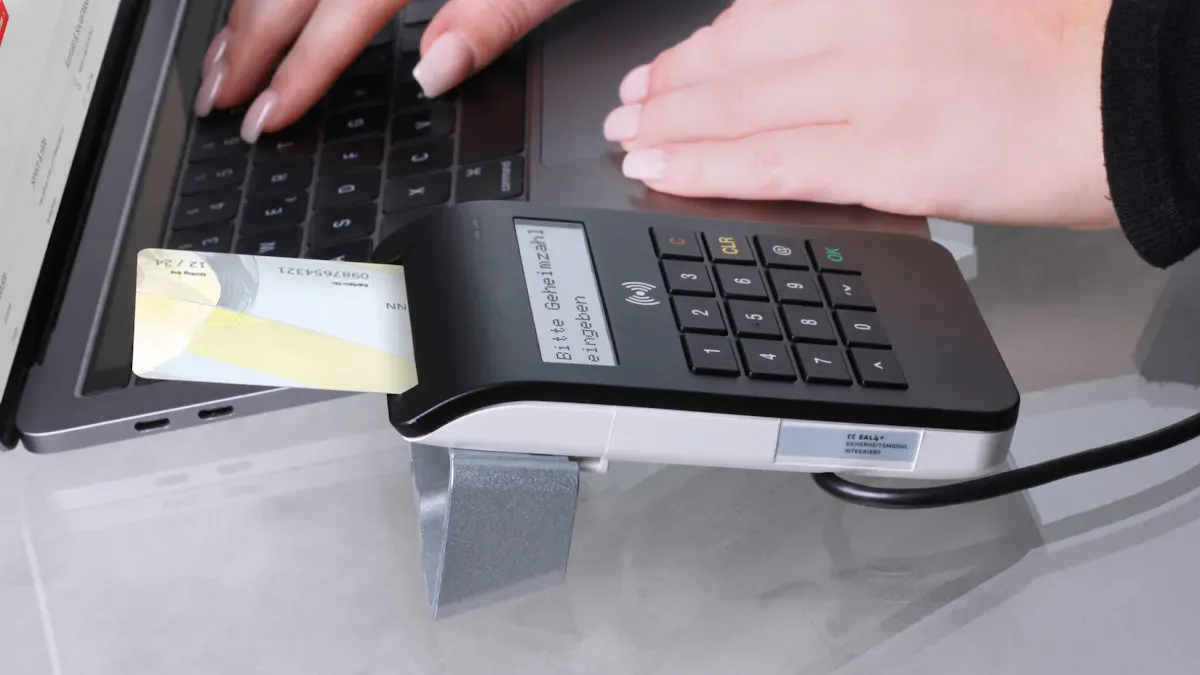
First, look at your POS and AI analytics systems. Check how they handle sales, inventory, and customer data. Track how often carts are left without buying. Measure when you run out of stock or have too much. Watch the average order value if you want to boost sales. To find return on investment, divide net profit from AI by the cost of AI, then multiply by 100. This shows where your systems need to get better before you start syncing data.
Tip: Use these numbers to find weak spots and set goals for your integration project.
Choose Integration Tools
Pick integration tools that fit your business. Find tools that support real-time analytics and automatic inventory management. These tools help you earn more and keep customers happy. Integration makes reports easier and helps you do more. Automatic inventory management cuts mistakes and keeps the right items in stock. Using AI with synced data improves customer interactions and brings customers back. Data synchronization makes work easier, so your team can focus on helping customers.
Here are some features to look for:
Real-time order sync
Automatic menu updates
Instant inventory changes
Easy staff management
Implement Real-Time Sync
Set up real-time sync between your POS and AI analytics systems. Make sure you stop duplicate customer records and check that order details match. Test payment confirmation steps to make sure they work. Compare reporting data across all platforms. Watch webhook logs and use retry logic for failed deliveries. Increase sync frequency and turn on manual sync triggers to fix menu sync problems. Check time zone settings in all connected systems.
Note: Using AI and IoT lets you watch and test systems in real time. This matters a lot for POS systems where speed is important.
Here is a table showing the main steps for smooth data synchronization:
Step | Description |
|---|---|
Requirements Gathering | Find out what your data integration needs are, and identify data sources, formats, and needs. |
Data Profiling | Check source data for quality issues, differences, and strange things. |
Data Extraction | Pull data using batch jobs or real-time streaming. |
Data Transformation | Clean and standardize data to fit your business needs. |
Data Mapping and Matching | Match data from source to target systems and fix differences. |
Data Loading | Put cleaned data into the target place while keeping it safe. |
Data Verification and Validation | Check integrated data for quality, accuracy, and completeness. |
Data Governance and Security | Set rules and steps to protect data privacy and follow laws. |
Ensure Data Security
Keep your data safe during synchronization by following best practices. Use real-time secure replication to share only needed data changes. Hide sensitive information so people who should not see it cannot. Send only recent data to lower risks and save cloud costs. Use copied data for AI analytics to stop your main systems from slowing down.
Best Practice | Description |
|---|---|
Real-time secure replication | Use Change Data Capture (CDC) to share only needed data changes. |
Sensitive information masking | Make sure sensitive data is hidden from people who should not see it. |
Smart historical data filtering | Send only recent data to lower risks and save cloud costs. |
Offloading heavy queries | Use copied data for AI analytics to keep main systems fast. |
Alert: Always check your security rules and update them as your business grows.
Monitor and Optimize
Watch and improve your data synchronization to keep systems working well. Set up real-time or scheduled sync to keep data correct. Use conflict detection and resolution to cut errors. Support two-way sync so data moves both ways between cloud and local systems. Make sure your tools work with APIs, files, tables, and databases. Guarantee high availability and failover protection for reliability.
Feature | Description |
|---|---|
Real-time or scheduled synchronization | Keeps data updated all the time or at set times, making it accurate. |
Conflict detection & resolution logic | Finds and fixes data conflicts automatically, cutting errors. |
Bi-directional sync | Lets data move both ways, keeping it consistent. |
Compatibility | Works with APIs, files, tables, and databases. |
High availability and failover protection | Makes sure systems stay reliable and running. |
Data observability turns your data stack into a control tower, letting you watch and manage data flows.
Automation lowers manual work and mistakes, making operations better.
Callout: Review your sync process often and change settings to fit your business needs.
Overcoming Challenges
Breaking Data Silos
Sometimes, your data is in different places. This makes it hard to see your whole business. Data silos slow your team down. They also make smart choices harder. You can fix this by:
Using one set of rules for all your data so it stays correct and easy to find.
Helping teams work together and share what they know.
Making sure data looks the same everywhere to stop mistakes.
Using smart integration tools with AI to link all departments.
Giving clear jobs for data so people know who does what.
Setting up automatic checks to watch data quality all the time.
A real-life story shows a business worked with a tech company. They used a tool to add new POS data automatically. The tool changed and checked the data. This made the process easy to repeat and grow. It helped with money reports and saved time.
Compatibility Issues
Sometimes, your POS and AI analytics do not work together. This can cause slowdowns and mistakes. You can fix these problems by:
Getting help from your POS company or a tech partner to connect systems.
Using APIs or middleware to join old systems with new AI features.
These steps help your systems work well and keep data moving.
Security and Privacy
Security and privacy are important when you use customer and sales data. You need to keep your business safe and follow the rules. Here is a table that lists the main worries:
Concern Type | Description |
|---|---|
Cyberattacks | Hackers might attack your POS and put in bad software. |
Data Breaches | Leaks of customer history can lose money and trust. |
Ethical Implications | Watching what customers do can cause privacy worries and you must follow data laws. |
You should use strong security tools and teach your staff. Always update your systems and check your privacy rules. This keeps your data safe and helps customers trust you.
Best Practices & Examples
Proven Strategies
There are some good ways to help your POS and AI analytics work well together. Many stores use first-party data and privacy-by-design rules. These steps help you earn trust and keep data safe. You should make a plan before using AI. This helps your team work together and makes syncing data easier.
You can find important areas where AI helps, like demand forecasting. This lets you use your time and money wisely. Some stores use tools like StyleMatrix to keep data the same everywhere. Cloud access and smart alerts help you avoid missing chances and keep reports right.
Use first-party data and privacy-by-design rules.
Make a plan before you start with AI.
Focus on important things like demand forecasting.
Pick tools that keep data the same and give real-time alerts.
Tip: When your team and tools work together, your data helps your business more.
Recommended Tools
There are many tools to help connect POS and AI analytics. Bytes AI links right to your POS system. It cuts down on typing and makes orders more correct. Microsoft Power Automate is good if you use Microsoft products. It helps you automate tasks and follow rules. Domo is a cloud tool that brings in data from many places, like POS and online stores. It also shows your data in easy charts.
Tool | Key Benefit |
|---|---|
Bytes AI | Direct POS connection, less manual work |
Microsoft Power Automate | Automation and rule-following for Microsoft users |
Domo | Cloud-based, brings data from many places |
Success Stories
Many companies have done well with smooth data syncing. One business used API-based integration to link their website, app, and social media with their CRM. This let them share data right away. Every customer action was saved and checked on all channels. The company made one profile for each customer. Their AI sales agents used this data to give better service and special offers.
Note: Sharing data in real time helps you know your customers and make their experience better.
You can help your business grow by using easy steps for data synchronization between POS and AI analytics. AI-driven integration and real-time processing let you act fast and make shopping special for each customer. First, collect sales data, set up automatic pipelines, and use simple dashboards. When you make your systems better, you earn more money and customers come back more often.
Benefit | Description |
|---|---|
Customers trust your business and engage more. | |
Personalized Marketing | Targeted promotions increase satisfaction. |
Operational Efficiency | Real-time insights help you build loyalty. |
Start now. Seamless data synchronization turns your POS into a smart tool that helps your business grow.
FAQ
How often should you sync your POS data with AI analytics?
You should sync your data in real time if possible. This keeps your reports and insights up to date. If real-time sync is not available, try to update at least every hour.
What happens if your POS and AI analytics data do not match?
Data mismatches can cause wrong reports and poor decisions. You should check your data often. Use AI tools to spot and fix errors quickly.
Can small businesses use AI-powered data synchronization?
Yes! Many tools work for small businesses. You do not need a big budget. Cloud-based solutions make setup easy and affordable.
Is your customer data safe during synchronization?
You keep your customer data safe by using encryption and strong passwords. Always update your software. Teach your team about security best practices.
See Also
The Future of Retail Lies in AI-Driven Stores
Exploring the Advantages of AI-Enhanced Vending Machines
Transforming Online Retail Management with AI Tools
