Security and privacy considerations for autonomous stores in Universities & campus retail.

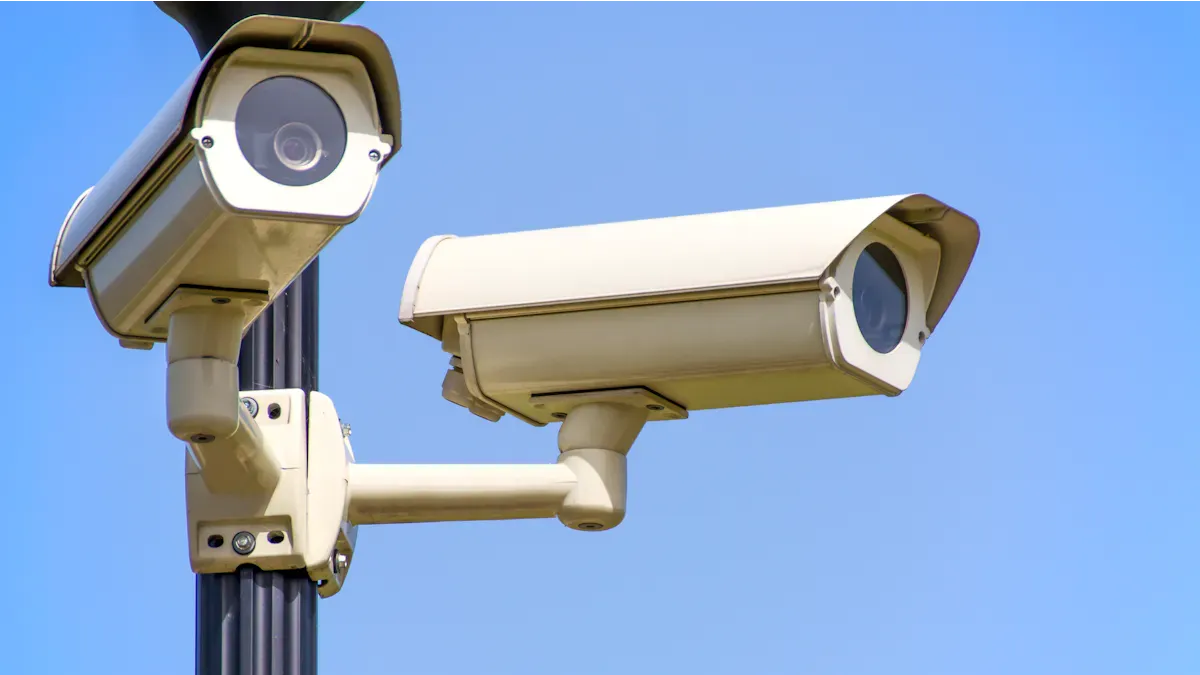
You must take security and privacy seriously when you use autonomous stores on campus. These stores rely on technology that collects a lot of data about students, faculty, and staff. If you do not protect this information, you can put everyone at risk. Security and privacy matter for students because they trust universities with their personal details. Faculty also need to know their actions and purchases stay private. You help build a safe space when you make security and privacy a priority for all.
Key Takeaways
Prioritize security and privacy to protect students and faculty. Trust is essential for a safe campus environment.
Implement strong data security measures like encryption and regular updates. These steps help prevent cyber threats and data breaches.
Use privacy-by-design strategies to build trust. Design systems that protect personal information from the start.
Train staff and faculty on safety and privacy practices. Knowledgeable teams can respond effectively to security issues.
Encourage minimal data collection. Collect only necessary information to reduce risks and respect user privacy.
Security and privacy risks in autonomous stores

Physical threats and vulnerabilities
You face new risks when you use autonomous stores on campus. These stores rely on sensors, cameras, and security technology to track products and people. If you do not use advanced physical security solutions, you can lose products and damage campus safety. Theft and vandalism can happen if you do not monitor entrances and exits. You must protect inventory and prevent unauthorized access. Loss prevention matters because you want to keep products safe and avoid waste.
You can use security technology like smart locks, alarms, and real-time monitoring. These tools help you spot suspicious activity and respond quickly. You must train staff and faculty to recognize threats and report problems. When you combine technology with human oversight, you build a safer environment for everyone.
Tip: Place cameras in visible spots and use clear signs to remind people about campus safety rules.
Cyber risks and data security measures
Autonomous retail stores collect large amounts of data. You must protect this information from cyber threats and data breaches. Hackers target these stores because they hold sensitive details about students, faculty, and staff. You need strong data security to keep personal information safe.
Here are some common cyber attacks that target autonomous retail stores in universities:
Type of Attack | Description |
|---|---|
Hyper-Personalised Phishing | AI-generated messages that mimic trusted communications to deceive users. |
Credential Cracking and MFA Bypass | Automated brute-force attacks and techniques to bypass multi-factor authentication. |
Network Reconnaissance | Use of AI to scan systems for vulnerabilities and map supply chains. |
Autonomous Ransomware | Advanced ransomware that adapts to avoid detection and spreads through connected systems. |
Voice Phishing (Vishing) | AI-generated voices impersonating staff to extract sensitive information from employees. |
You must use data security measures like encryption, firewalls, and regular software updates. These steps help you block cyber threats and reduce the risk of data breaches. You should also teach staff and faculty about cybersecurity. When you use strong data security and train your team, you protect campus safety and keep information private.
Operational challenges
Autonomous stores bring new operational challenges to campus retail. You must manage technology, inventory, and compliance with campus safety rules. If you do not plan well, you can face higher costs and system failures.
Here are some unique operational challenges for autonomous retail stores in university environments:
Challenge Type | Description |
|---|---|
Higher Operating Costs | Increased costs require new operational models. |
Need for Effective Digital Solutions | Digital tools must boost efficiency without raising expenses. |
Integration with Campus Systems | Smooth integration is key for real-time management. |
Security and Compliance Issues | Protect sensitive data and follow changing regulations. |
Robust Inventory Management | Keep stock levels steady for smooth operations. |
You must use security technology to track products and manage inventory. You need strong data security to protect sensitive information. You should work with staff and faculty to solve problems and improve campus safety. When you address operational challenges, you help autonomous stores run smoothly and protect everyone’s privacy.
Privacy concerns and data protection

Data collection and student privacy
You interact with autonomous stores every day on campus. These stores use cameras and sensors to track what you buy and how you move. This technology can raise privacy concerns for students, faculty, and staff. Many people worry about being watched without their consent.
“I don’t want to live in a world where one’s employer installing networked sensors in your office without asking you first is a model for other organizations to follow.”
You may not always know when sensors collect your information. The deployment of sensors in campus environments raises significant privacy issues, especially when you do not give consent. These devices can collect sensitive data now or in the future. You might feel anxious about how your data could be used or shared.
Issues of consent regarding the installation of sensors.
Potential for surveillance without user awareness.
Concerns about future data collection capabilities and the risk of de-anonymization of aggregated data.
Regulatory and ethical considerations
You must understand the rules that protect your privacy in autonomous stores. Universities must follow strict regulations to keep your sensitive data safe. These rules help protect students and faculty from misuse of information.
Key Principles | |
|---|---|
GDPR | Purpose limitation, data minimization, consent, storage limitation |
EU AI Act | Governance, risk management, transparency, data usage limitations |
US Privacy Regulations | Consent, data protection principles, state-specific laws |
China’s Interim Measures | Respect for rights, privacy rights, and personal information rights |
You face ethical dilemmas when using big data in campus retail. You need to know how your data is collected and used. Sometimes, universities assume you agree to data collection when you enroll. This can make it hard to give meaningful consent. You need transparency from your school to trust how they use your information. You may also worry about surveillance or being judged unfairly if your data links to sensitive topics.
Privacy: Concerns about how student data is collected and used without adequate consent.
Consent: The challenge of obtaining meaningful consent from students.
Transparency: The need for institutions to clearly communicate how data will be used.
Surveillance: Fears of creating a 'surveillance state' where student behaviors are excessively monitored.
Stigmatization: Risks of linking data that could lead to negative judgments about vulnerable groups.
Preventing misuse and ensuring data protection
You can help prevent misuse of sensitive data by following strong data protection practices. The open and collaborative nature of universities increases the risk of unauthorized access. High mobility and portable devices make it easier for data to leak. Many students and faculty do not know enough about data privacy measures. High turnover rates and complacency can also put information at risk.
You should ask for clear policies and regular training. Your university must use encryption, access controls, and regular audits to protect your information. When you stay informed and follow best practices, you help keep autonomous stores safe for everyone.
Balancing security and privacy in campus retail
Privacy-by-design strategies
You can build trust in autonomous stores by using privacy-by-design strategies. When you design systems with privacy in mind, you help students, faculty, and staff feel safe. Privacy-by-design means you protect information from the start. You do not wait until problems happen. You set clear rules for data collection and storage. You use strong security tools to keep information private. Studies show that privacy concerns can lower trust in campus retail systems. If you use privacy-by-design, you reduce these worries and improve customer experience for everyone.
Tip: Ask your university to explain how self-checkout systems protect your privacy before you use them.
Minimal data collection approaches
You can limit risks by collecting only the data you need. Autonomous stores often gather lots of information about students and faculty. You should ask for clear policies that explain what data is collected and why. When you use self-checkout systems, you can choose options that do not require personal details. You help protect privacy when you avoid storing unnecessary information. Minimal data collection makes it harder for hackers to find valuable data. You also show respect for student privacy and help build a safer campus retail environment.
Collect only what is needed for transactions.
Delete data after use.
Use anonymous data when possible.
Integrating security without compromising privacy
You can balance security and privacy by using smart solutions. You do not have to sacrifice privacy to keep autonomous stores safe. You can use encryption and access controls to protect information. You can train staff and faculty to spot threats and report problems. You should review security policies often to make sure they protect students. You can use technology that keeps data safe without tracking every move. When you combine strong security with privacy rules, you create a better customer experience for everyone.
Security Tool | Privacy Benefit |
|---|---|
Encryption | Keeps data private |
Access Controls | Limits who sees data |
Regular Audits | Finds and fixes risks |
Solutions and accessibility for autonomous stores
Technology safeguards and staff training
You can protect autonomous stores by using strong technology safeguards. Network cameras help you monitor activities in real time. These cameras can stop theft and keep students safe. Secure software and hardware protect against cyber threats. You should always update systems to block new risks. AI-based video analytics can spot strange behavior and send alerts right away. This helps you act fast if something goes wrong.
You need to train staff and faculty to use these tools. Training helps everyone know what to do in an emergency. When you teach students about privacy and safety, you build trust. You also make sure that everyone understands how to use effective digital solutions.
Use network cameras for real-time monitoring.
Invest in secure software and hardware.
Add AI-based video analytics for quick alerts.
Train staff and faculty on safety and privacy rules.
Tip: Hold regular workshops to keep everyone updated on new technology and safety practices.
Collaboration with IT/security experts
You should work with IT and security experts to keep autonomous stores safe. These experts know how to set up effective digital solutions. They can help you find weak spots in your system. You can ask them to check your software and hardware often. They will help you fix problems before they become big issues.
Faculty and staff can share feedback with IT teams. This helps everyone understand what works best for students. When you work together, you create a safer campus for all.
Role | Responsibility |
|---|---|
IT Experts | Set up and maintain secure systems |
Security Teams | Monitor and respond to threats |
Faculty & Staff | Report issues and suggest improvements |
Students | Follow safety guidelines |
Ensuring equitable access for all users
You want every student to feel welcome in autonomous stores. Some students may face psychological barriers when using new technology. Others may feel unsure because of cultural factors. You should listen to these concerns and offer support. You can provide clear instructions and friendly help.
The shift to machines can change how students, faculty, and staff shop. You need to make sure that effective digital solutions do not leave anyone behind. Try to offer different ways to pay and get help. You can also ask for feedback to improve the shopping experience for everyone.
Address psychological barriers with clear guides.
Respect cultural differences in technology use.
Offer human support alongside machines.
Note: When you focus on accessibility, you help all students, faculty, and staff feel included and safe.
You can help your university protect autonomous stores by following clear steps. Work with faculty and staff to set strong privacy rules. Use smart technology like Cisco Meraki Smart Cameras and Cisco Umbrella to spot threats and keep data safe. Review policies often and ask for feedback from students. Stay alert and use tools that adapt to new risks.
Tip: Hold regular meetings with faculty to check security plans and share updates.
Step | Action |
|---|---|
Set privacy rules | Work with faculty and staff |
Use smart tools | Monitor stores and block threats |
Review policies | Ask students for feedback |
Stay alert | Adapt to new risks |
FAQ
What data do autonomous stores collect from you?
You share information like purchase history, movement patterns, and payment details. Cameras and sensors track your actions. You should ask your university what data they collect and how they use it.
How can you protect your privacy in autonomous stores?
You can read privacy policies and ask questions. You should use anonymous payment methods when possible. Faculty often help students understand privacy risks and safe practices.
Who can access your personal data in campus stores?
Usually, only authorized staff and faculty can view your information. Universities use access controls to limit who sees sensitive data. You should ask for clear rules about data access.
What should you do if you notice a security issue?
You should report problems to campus security or faculty right away. Quick action helps protect everyone. You can also share feedback to improve store safety.
Are autonomous stores safe for all students?
Most stores use technology and training to keep you safe. You can ask for help if you feel unsure. Stores try to make shopping easy for everyone, including students with different needs.
See Also
Understanding AI-Driven Convenience Stores: Key Insights for Retailers
Analyzing Walgreens Self-Service Checkout: Benefits and Hurdles
The Future of Retail: Embracing AI-Enhanced Stores
Comparing Micromarkets and Smart Stores: Global Automation Trends
Discovering Sensi Retail: A Cannabis Dispensary Focused on Equity
