How Smart Cameras Prevent Fraud at Supermarket Checkouts

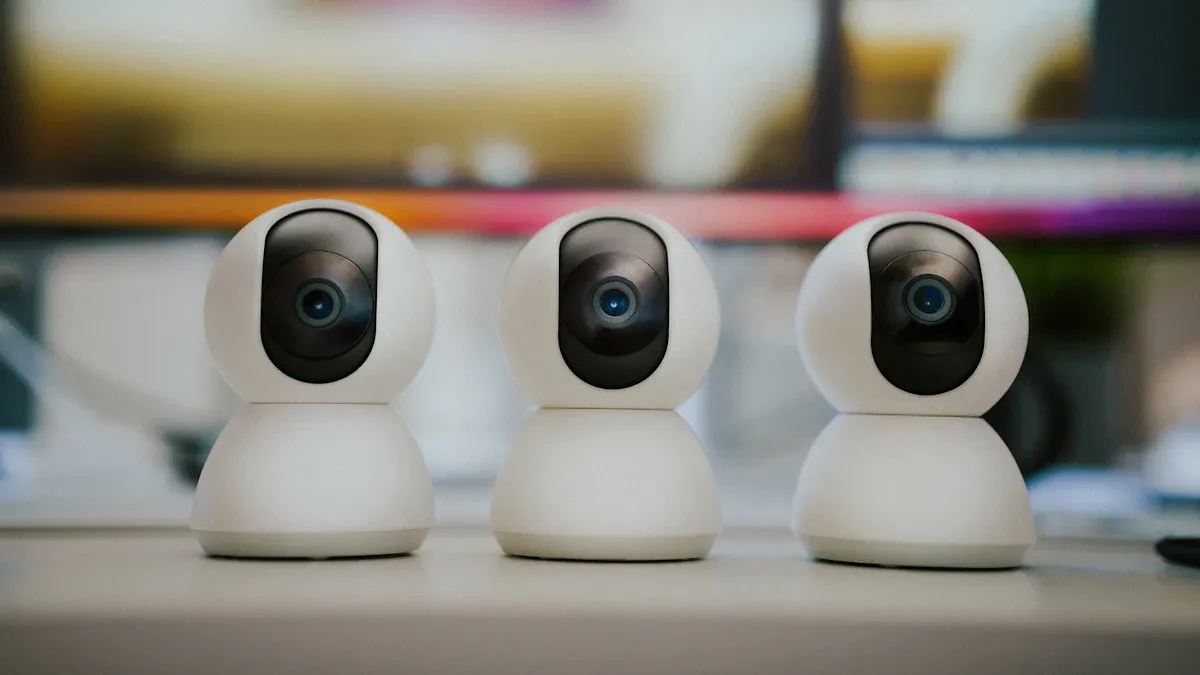
Imagine you are at an automated checkout. You feel sure you can pay fast and leave without problems. Smart cameras watch every transaction. They help catch theft as it happens. These systems use AI to see if someone swaps barcodes or skips scanning items. Recent reports say self-checkout lanes lose 16 times more than cashier lanes. Smart cameras help lower these losses. They make shopping safer for everyone.
Key Takeaways
Smart cameras use AI to watch transactions as they happen. This helps catch theft right away. It makes shopping safer for everyone.
Machine learning systems study how customers act. They look for fraud patterns. They can change fast when thieves try new tricks.
Smart cameras work with POS systems. They send alerts right away if something looks wrong. This helps staff act fast and do their jobs well.
Some people try to cheat by switching barcodes or skipping items. Smart cameras can spot these tricks. They tell staff so stores do not lose money.
Buying smart camera technology can lower theft a lot. It also makes shopping better for everyone. This leads to happier customers.
AI in Automated Checkout Fraud Prevention
Real-Time Computer Vision for Retail
When you walk into a store, you see checkout stations. Smart cameras and AI vision systems watch what you do. These systems follow your actions and the items you pick up. They notice if you miss scanning something and tell staff fast. This makes shopping safer for you. Stores lose less money from fraud.
Tip: Staff can act quickly when they get fraud alerts. This helps stop theft before it happens.
Computer vision sensors watch how you move and check each item. If you skip scanning or swap barcodes, the system sees it. It stops unpaid items from leaving. This keeps checkout fair for everyone. You feel safe because the store uses smart technology to protect you and your things.
Component | Description |
|---|---|
AI-Enabled Computer Vision | Changes how stores work, using computer vision and AI for checkout. |
Loss Prevention Implementation | Finds SKUs by looking at objects, text, and barcodes to check products. |
Core Service Modules | Builds AI checkout systems with reusable vision tools and fast middleware. |
Performance Evaluation Service | Checks system performance and works with different tasks. |
Machine Learning for Fraud Detection
Machine learning helps you every time you use automated checkout. These systems learn from lots of transactions. They find patterns that show fraud, even when people try new tricks. Machine learning changes quickly to keep you safe.
The system checks transactions right away to catch fraud.
It finds small clues in how customers act.
The system works well even when many people use checkout.
It can change to stop new types of fraud.
Machine learning uses different data to protect you:
Details about transactions like time, date, and product type
How customers act, like what they buy and chargebacks
Device info such as browser and location
Network data like IP address and payment ways
Facial expression recognition can be right 89% of the time in tests. This means the system can spot suspicious actions very well. You get a checkout that feels safe and easy.
Integration with POS and Inventory Systems
You see the benefits when AI vision systems connect with POS and inventory. These systems match what you buy with camera video. If you hide an item or try to get too many refunds, the system sees it and tells staff.
AI watches customers and finds hidden items.
POS matches transaction data with video to find odd patterns.
Real-time syncing links your actions with your purchases.
Sales data connects with video to show how people act.
Real-time alerts for risky transactions help staff check fast.
You get a smooth checkout experience. Stores trust their systems more and lose less money. You help make shopping safer for everyone.
Common Self-Checkout Fraud Tactics

You want to shop safely and honestly. Learning about common self-checkout fraud tricks helps you see how smart cameras protect you and your things.
Skip-Scanning and Barcode Switching
Some people try to cheat self-checkout systems. The most used tricks are:
Barcode switching: Someone puts a cheap barcode on an expensive item.
Item skipping: A person puts things in the bag without scanning them.
Weighing manipulation: Shoppers use codes for cheap items when bagging costly ones.
Receipt fraud: Some use old receipts to claim new purchases.
Skip-scanning happens a lot. A survey showed 15% of self-checkout users admitted to stealing. 44% said they might do it again. Self-checkout lanes make up 39% of thefts in grocery stores. Shrink rates at self-checkouts can reach 4%. This is much higher than regular lanes.
Smart cameras and AI vision systems help stop these tricks. They check scanned items against what the camera sees. If someone switches a barcode, the system finds it and tells staff. You can trust these systems to catch things people might miss.
Refund Fraud and Collusion
Refund fraud and collusion also hurt self-checkout safety. Some people try to get money back for things they never bought. Others work with employees to cheat the system. Here are some ways:
Method Description | Example of Fraudulent Activity |
|---|---|
Holding an item to make it seem lighter and cheaper | |
Code Misentry | Typing a cheap code for items without barcodes |
Non-Placement of Articles | Not putting all scanned items in the bagging area |
Direct Placement | Putting items in bags or pockets without scanning |
Employee Collusion | Staff helps a customer break the rules |
Receipt Reuse | Using an old receipt to leave without paying |
AI and vision technology look for these tricks. They match video with transaction data and warn staff if something seems wrong. You help keep stores safe by checking out honestly.
Randomized Checkout Control Methods
Randomized checkout controls make it tough for thieves to guess which purchases get checked. Algorithms pick some transactions for extra review before you pay. This surprise makes it harder for people to steal.
Tip: If you see extra checks at self-checkout, remember they help keep you and others safe.
Smart cameras and AI work together to keep self-checkout fair. You can feel sure these systems fight fraud and make shopping better for everyone.
Retail Theft Detection and Prevention Benefits
Reduced Shrink and Losses
You want your store to do well. Smart cameras help stop theft and loss. When you use these systems, you see fewer missing items. Stores using Trigo-powered technology have seen shrink drop by 70%. You protect your store from theft and fraud. You keep more money and make the store safer for everyone.
You find fewer things missing from shelves.
Shrink rates at self-checkout go down.
You trust your loss prevention plan more.
Faster Incident Resolution
You need quick help when problems happen. Smart cameras give you fast support. AI video search lets you find footage in seconds, not hours. You solve customer problems and safety issues faster. Stores now have cameras that work all day and night. Your cameras help stop theft and retail crime.
You use Magic Search to find people or actions fast.
You get proof quickly and find suspects sooner.
You fix problems with speed and care.
Tip: Solving problems fast means you worry less and help customers more.
Enhanced Customer Experience
You want shoppers to feel safe and happy. Smart cameras make shopping better for everyone. Computer vision and AI keep self-checkout safe and simple. Real-time checks stop fraud and help find items, so bills are right. New systems make lines shorter and checkout easier. You get smooth shopping and better service.
You check out faster and wait in line less.
Items are found right away and sales go smoothly.
Inventory is managed better and stores run well.
Note: Using smart cameras makes your store a better place for customers and workers.
Implementing Smart Camera Solutions in Retail
Integration Steps for Automated Checkout
You can add smart cameras to your store with ease. First, pick a good technology partner who knows what you need. Make sure the new system works well with your checkout and inventory tools. This helps you see every transaction clearly and spot risky ones fast.
Many stores have problems like tech issues, privacy worries, and systems that do not connect. You can fix these by planning well and choosing a strong support team. When you use ai-powered video surveillance, you close security gaps and stop more theft. Real-time ai video analytics send alerts right away and show you customer flow, shrink, and inventory levels. You can make shopping better for customers and change your store layout based on how people move.
Tip: Watch transactions closely and use real-time alerts to stop fraud and shrink before they happen.
Staff Training and Ongoing Support
Your team is important for smart cameras to work well. Train staff to use ai video analytics and learn basic surveillance skills. Give them practice with the equipment. Teach them to spot loss prevention risks and use features like motion detection and analytics.
Training Type | Description |
|---|---|
Assess Training Needs | Find out where your team needs more skills for better camera use. |
Understand CCTV Basics | Show staff how to use and care for the equipment. |
Enhance Surveillance Skills | Teach staff to watch footage and spot security threats. |
Utilize Advanced Features | Help staff use motion detection and analytics tools. |
Promote Proactive Risk Management | Encourage staff to find and fix weak spots in security. |
Ensure Legal Compliance | Train staff on privacy laws and data protection. |
Keep your system working well with regular updates and support. Maintenance keeps ai video analytics sharp and your loss prevention plan strong every day.
Measuring ROI and Success
You want to know if your investment works. Use clear numbers to track progress. Watch foot traffic, dwell time, and queue length to see how your store runs. These numbers help you find ways to improve and serve customers better.
Metric | Description | Benefit |
|---|---|---|
Foot Traffic | Counts customers in your store | Shows your store’s drawing power |
Dwell Time | Tracks time spent in each area | Reveals popular products and sections |
Queue Length | Measures checkout line length | Helps you manage staff and wait times |
Stores using ai video analytics and loss prevention tools get big results. One European store made checkout 30% faster and counted inventory better. A large U.S. store cut shrink and theft by 40% with smart cameras and alerts. You can get up to 300% return on investment by picking the right system and support.
Note: When you invest in visibility, loss prevention, and ai, you make your store safer and smarter for everyone.
You can change your store by using smart cameras and ai. These tools help you catch theft and solve fraud faster. They also make shopping safer for customers.
You see what customers do and how your store works right away.
Ai video analytics help your team work better and faster.
Experts say more stores will use smart cameras soon. This will make stores safer and help them earn more money.
Want to make your checkout ready for the future? Begin by finding out what you need, gathering product info, and teaching your ai models.
FAQ
How do smart cameras spot fraud at self-checkout?
Smart cameras watch every item you scan. They use AI to compare what you scan with what you bag. If you skip an item, the system alerts staff right away.
Will smart cameras slow down my checkout experience?
You get a faster checkout. Smart cameras work in real time. They help you finish your purchase quickly. You spend less time waiting for help.
Are smart cameras safe for my privacy?
You stay protected. Stores use encrypted systems and follow privacy laws. Your personal data stays secure. Cameras only watch for fraud and theft.
What should I do if the system flags my transaction?
Stay calm. Staff will help you solve the issue. You can ask questions and get support. The system wants to keep you safe and honest.
Can smart cameras help stores save money?
Absolutely! Stores using smart cameras see less theft and fewer losses. You help your favorite store grow stronger. Everyone benefits from safer shopping.
See Also
Understanding Self-Checkout Cash Mistakes and Their Solutions
Upcoming Changes to Walmart Self-Checkout Access in 2025
The Transformation Journey of Self-Checkout Systems
Cloudpick's Innovative Approach to Cashierless Shopping Experience
Smart Technology: The Future of Electronics Vending Machines
