Step by Step Guide to Inventory Management for Corporate Micro Stores

Inventory management helps you save money. It stops your micro store from running out of items. You work better by keeping the right amount of stock. This also helps you manage your money well. Using steps can fix problems like bad tracking and wrong data. Technology and smart plans make jobs easier. They also help you earn more money.
Buying digital tools and teaching staff helps you work faster. It also helps you make more money.
Challenge | Solution |
|---|---|
Inconsistent Tracking | |
Changing Demand | Apply flexible strategies |
Manual Documentation | Switch to digital tools |
Key Takeaways
Good inventory management helps you save money. It also stops you from running out of items. You should keep enough stock for your customers.
Use digital tools to watch your inventory. These tools help you make fewer mistakes. They also give you updates right away. This makes your work easier.
Check your inventory often to keep good records. Doing checks often helps you find mistakes early. This keeps your inventory correct.
Look at your sales history to guess what you need. Knowing trends helps you buy the right amount. You can order stock when you need it.
Make your work better by clearing slow stock. Use just-in-time plans to help you. This saves money and helps you have more cash.
Inventory Management Basics
Micro Store Inventory Overview
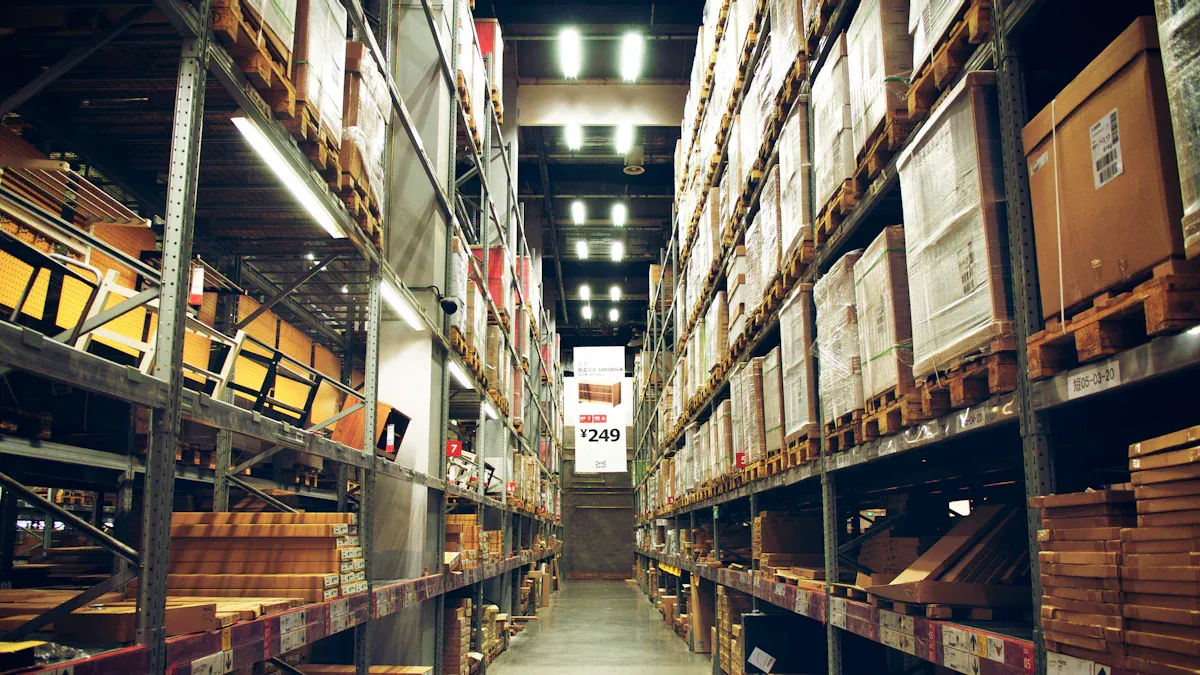
When you manage inventory in a micro store, you keep track of each item. This helps you know what is in stock and what you need to buy. You also know when it is time to restock. Micro stores are small, so you must use your space well. You face problems that big stores do not have. If you buy too much stock, you can lose money. You might have to sell things for less. You also need to change fast when customers want new things. Many micro stores use just-in-time strategies. This keeps inventory fresh and costs low.
Tip: Try using digital tools to track your inventory. They help you make fewer mistakes and save time.
Description | |
|---|---|
Guess what customers will want so you have enough stock. | |
Keep the right amount of inventory to save money and help customers. | |
Inventory Flow Management | Watch how inventory moves so products are there when needed. |
Key Objectives
You have a few main goals when you manage inventory in a micro store. First, you need to know about your business. This means knowing your age, education, income, how long you have worked, how many workers you have, and your capital. Next, you should check how well you manage inventory. You also need to see if your way of managing changes based on your business profile.
Write down facts about your business, like age, education, income, how long you have worked, number of workers, and capital.
Check how you manage your inventory.
See if your way of managing inventory changes because of your business profile.
You want to keep the right amount of inventory, spend less money, and meet customer needs. You should use your space well and not buy too much stock. Good inventory management helps you reach these goals and keeps your micro store working well.
Inventory Management Steps

Assess Inventory Needs
You need to know what your store sells and how much you sell. Start by looking at your sales history. This helps you see which items sell fast and which do not. Use barcode systems or RFID tags to track each product. IoT-enabled shelves can tell you when stock is low. You should sort your inventory into A, B, and C groups. A items are worth the most, B items are important, and C items are less important. This helps you pay attention to what matters most.
Make your predictions better by checking old sales and market trends.
Use the FIFO method so older items sell first.
Find slow-moving stock so you do not buy too much.
Check your stock often to keep records right.
Tip: Cloud-based inventory management software gives you live data and helps you make good choices.
Choose Tools & Software
Pick tools that fit your store size and needs. Many micro stores use cloud-based software like Sortly, Asset Panda, or Aptien. These tools let you scan barcodes, set user permissions, and get reports. Mobile apps help you track inventory from anywhere. They send alerts when stock is low and keep data the same on all devices. Automation tools can handle tracking and ordering, which saves time and cuts mistakes.
Software Name | Key Features | Cost |
|---|---|---|
Aptien | Contract management, Upload images, Maintenance scheduling | Free for 1 user, $6/month for 10 users |
Asset Panda | Role-based access, Custom notifications, Audit trails | $125+/month for up to 500 assets |
Sortly | Barcode scanning, User permissions, PDF reports | $25-$49/month for 3 users |
Note: Cloud-based systems give you live updates and help you make fewer mistakes.
Set Up Systems
Set up your inventory system to track every item. Use barcode scanning to lower mistakes. Make sure your system updates stock levels right away. A central database lets you see all inventory changes. You can set up alerts for low stock. Some systems even make purchase orders when you need more stock.
Use live tracking to keep your records up to date.
Make sure all staff know how to use the system.
Watch how products move at all times.
Automation tools help you track stock in all sales places. This means you always know what you have and when to order more.
Track Inventory
Check your inventory every day. Use methods like FIFO, ABC analysis, and batch tracking. Mobile apps let you scan barcodes and update stock right away. Live data keeps your team informed. Set alerts for low stock so you never run out.
Method | Description |
|---|---|
First-In, First-Out (FIFO) | Sell oldest inventory first to keep products fresh. |
ABC Analysis | Focus on most valuable items for better control. |
Economic Order Quantity (EOQ) | Order the right amount to save on storage costs. |
Just-In-Time (JIT) | Order goods only when needed to cut down on storage. |
Inventory Audits and Cycle Counting | Check inventory often for accuracy. |
Mobile apps make it easy to manage inventory from anywhere, using barcode scanning and live updates.
Audit Regularly
You should check your inventory often. Cycle counts let you check small parts of your stock without stopping business. Full audits count everything but take more time and can slow work. Cycle counts are easier and help you fix mistakes fast.
Inventory Type | Recommended Audit Frequency |
|---|---|
High-value or high-risk items | Continuous cycle counting |
High-turnover or high-shrinkage | Weekly or monthly |
Slower-moving merchandise | Quarterly verification |
Large annual inventories | Annual physical inventory |
Regular audits keep your records right and help you find problems before they get big.
Forecast Demand
Forecasting helps you know what to order and when. Look at your sales history to spot trends and busy times. Use time series analysis or regression analysis to guess future sales. You can also use market research or expert advice if you have less data. Some stores use more than one way for better results.
Best Practice | Description |
|---|---|
Accurate Demand Prediction | Balances stock with cost, reducing stockouts and overstocks. |
Historical Data Analysis | Uses past sales to plan for the future. |
Market Trends Consideration | Looks at outside factors that affect demand. |
Good forecasting helps you avoid running out of stock and keeps customers happy.
Optimize Processes
You can make your inventory management better by using smart strategies. Clear out old or slow stock to free up money. Use lean practices like batch picking and smaller orders based on live sales. Just-in-time inventory keeps costs low by ordering only what you need. Work closely with suppliers to restock fast and keep shelves full. Strong supplier relationships help you get products on time and improve quality.
Strategy | Action | Result |
|---|---|---|
Eliminate Obsolete Stock | Classify and clear slow items | Leaner inventory, faster cash flow |
Lean Inventory Practices | Use barcode scanning, batch picking | Lower costs, faster stock movement |
Just-in-Time (JIT) Inventory | Order only as needed, automate purchase orders | Less storage cost, more cash flexibility |
Vendor-Managed Inventory (VMI) | Let suppliers monitor and restock | Fewer stockouts, less admin work |
Shorten Supplier Lead Times | Negotiate faster delivery, track reliability | Faster restocking, less safety stock needed |
Use Optimization Software | Deploy cloud tools, use dashboards | Smarter planning, real-time visibility |
Building strong supplier partnerships helps you restock faster and keeps your store running well.
By following these steps, you can keep your inventory management system working well, correct, and ready to grow.
Tips & Mistakes
Efficiency Tips
You can help your micro store work better by using smart ideas. Try these tips to keep your stock in control and save money: Look at old sales and market trends to guess what you need. Use the FIFO method so you sell older items first and keep things fresh. Find items that do not sell fast and make sales to get rid of them. Check your stock often to make sure your records are right. Use cloud-based software to see your stock live and get alerts. Watch expensive items closely so you do not lose them. Fix equipment quickly so your store does not stop working. Do quality checks during audits to find problems early. If you need help, hire a stock controller. Put your items in A, B, and C groups to focus better. Try drop shipping to spend less on extra stock.
Tip: Teach your team the best ways to work and use cycle counting to keep your records right.
You can also make a budget for inventory to track all costs. Plan time to restock items that were picked wrong. Change your minimum stock levels when your store gets busy.
Benefit | Description |
|---|---|
Good software helps you track stock and not run out. | |
Cost savings on labor | Automation does work for you and saves money. |
Faster order processing | Technology makes orders faster and keeps customers happy. |
Space optimization | Smart systems help you use space well, even in small stores. |
Common Mistakes
Many micro stores make the same mistakes. You can stop these mistakes if you pay attention: If you only use manual tracking, you will make mistakes and waste time. If you do not guess what you need, you may run out or buy too much. A bad store layout makes it hard to find things and costs more. If you skip audits, mistakes get bigger and cost you money. If you do not follow rules, you can get fines and lose trust.
To fix these problems, use inventory software to see your stock live. Set par levels and reorder points so you do not run out or buy too much. Organize your store so you can find things fast. Teach your team the best ways to manage stock. Check your inventory often to find mistakes early.
Corrective Action | Description |
|---|---|
Use inventory software | Track suppliers and find problems fast. |
Optimize store layout | Give products spots and pick them faster. |
Set par levels and reorder points | Keep enough stock and order before you run out. |
Train employees | Show your team how to manage stock and use tools. |
Conduct regular audits | Check your records to keep everything right. |
Note: Small changes in how you work can stop big problems and help your store do well.
You can make your micro store better by following easy steps and using smart tools. Automation and live tracking help you finish work faster and save money. Stores that use these ideas get much better results:
Before Changes | After Changes |
|---|---|
95% inventory accuracy | |
High error rates | Less than 5% errors |
Full-day closures | No closures, faster counts |
You get faster deliveries, happier customers, and more money. Try these steps now to see good changes in your store.
FAQ
What is the best way to start inventory management in a micro store?
You should begin by listing all products. Use simple tools like spreadsheets or free inventory apps. Check your stock often. Teach your team how to track items. This helps you avoid mistakes and keeps your store running smoothly.
How often should you check your inventory?
You should check your inventory at least once a week. For high-value items, check every day. Regular checks help you find mistakes early. This keeps your records correct and prevents stockouts.
Which inventory software works best for small stores?
Many small stores use Sortly, Asset Panda, or Aptien. These tools offer barcode scanning, live updates, and easy reports. You can try free versions before buying. Pick the one that fits your store’s needs.
How do you handle slow-moving stock?
You can mark slow items for discounts or bundle them with popular products. Move these items to a special section. This frees up space and cash for new stock.
Why is demand forecasting important?
Demand forecasting helps you know what to order and when. You avoid buying too much or too little. This keeps your costs low and your customers happy.
See Also
Exploring Global Automated Retail: Micromarkets Versus Smart Stores
Enhancing Office Efficiency Through Smart Vending Solutions
Transforming Online Retail Management with AI-Driven Tools
