Store layout design for optimal computer vision coverage in convenience store chains & small-format grocery.

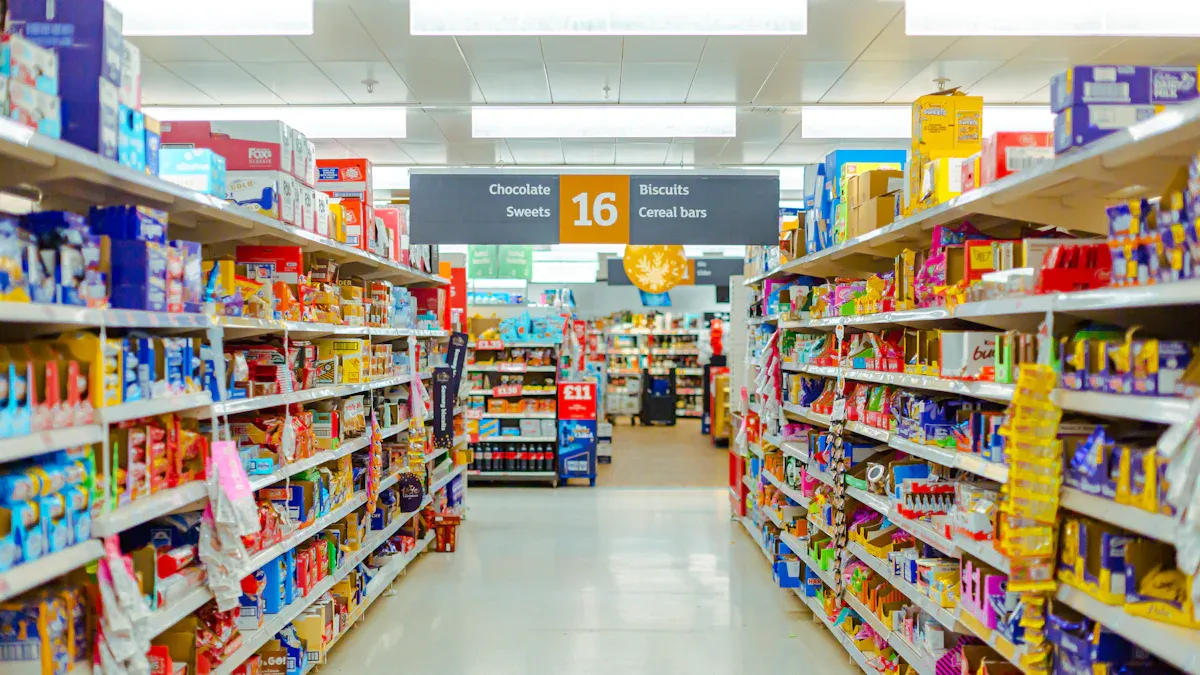
You can transform your store layout design using computer vision and AI. These tools help you create a seamless shopper experience and boost customer satisfaction. Many retail managers see improved efficiency when they use smart monitoring. Shrinkage costs the retail industry over $112 billion each year, but computer vision helps you reduce losses and keep inventory accurate. Nearly 40% of customers feel frustrated by out-of-stocks. With AI-driven store layout design, you improve reordering and keep shelves stocked. You deliver a better customer experience and make every store visit smooth. Your store becomes a place where customer experience matters, and every customer enjoys a seamless shopper experience. You use store layout design to guide customer movement, improve efficiency, and create a positive experience for every customer. Store layout design and computer vision work together to make your store efficient, secure, and focused on customer experience.
Key Takeaways
Use computer vision and AI to enhance your store layout. This technology improves customer experience and boosts satisfaction.
Choose the right store layout type to guide customer movement. Options like grid, herringbone, and loop layouts each have unique benefits.
Implement effective camera placement to minimize blind spots. Cover key areas like entrances and checkout zones for better security.
Utilize heatmaps and analytics to understand customer behavior. This data helps optimize product placement and improve sales.
Continuously test and refine your store layout. A/B testing allows you to find the most effective designs for your customers.
Store layout design fundamentals
Key layout types in retail
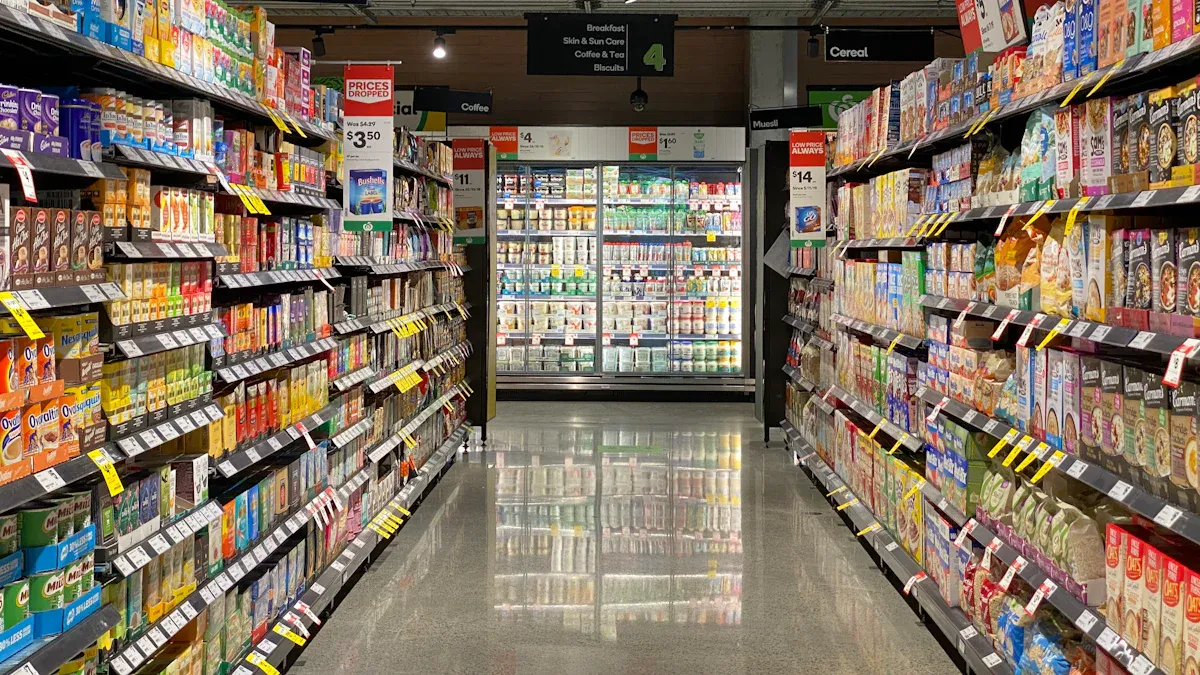
You can choose from several retail store layout options when you plan your store design. Each layout affects how customers move and how you use computer vision. The grid layout uses straight aisles and works well for convenience stores and small-format grocery. You guide shoppers along clear paths, making it easy to monitor movement. The herringbone layout fits narrow spaces and helps you maximize shelf space. You use this design in stores with limited room. The loop layout creates a circular path, leading customers past every section. You encourage shoppers to see more products and improve coverage with this retail store layout. The free-flow layout lets you design open spaces and flexible paths. You create a relaxed atmosphere and use computer vision to track movement in every area. You select the best layout for your store design based on your goals and space.
Tip: You improve customer experience and security when you match your retail store layout to your store design needs.
Principles of camera placement
You need to follow key principles when you design camera placement for your store layout. You start with a property and security assessment. You identify risk areas like cash registers, doors, and windows. You cover all critical zones with cameras and respect privacy in break rooms and restrooms. You choose bullet or dome cameras based on your store design and layout. You minimize blind spots by using wide-angle and PTZ cameras. You decide between hardwired or wireless installation depending on your store structure. You install cameras at entry points and main hallways. You secure high-traffic areas such as checkout zones and aisles. You make sure your store design supports full coverage and easy monitoring.
Field of view and blind spots
You must consider field of view and blind spots in your store design. You position cameras to cover the entire retail store layout. You avoid placing cameras where shelves or displays block the view. You use wide-angle lenses to see more of your grocery or convenience store. You check for blind spots and adjust your store design to remove them. You test camera placement and make changes to improve coverage. You keep your store layout flexible so you can update camera positions as your store design changes.
Layout Type | Best For | Coverage Challenge |
|---|---|---|
Grid | Convenience, Grocery | Aisle blind spots |
Herringbone | Narrow Grocery | End-cap coverage |
Loop | Small-format Grocery | Corner visibility |
Free-flow | Flexible Convenience | Open area monitoring |
You use smart store design and retail store layout to make your store safe and efficient.
Computer vision and shopper analytics

Video analytics for movement tracking
You use computer vision to track customer flow in your store. Computer vision technology detects people and objects, then classifies shoppers and employees. You monitor how shoppers move through aisles and interact with products. Computer vision analytics help you understand which areas attract the most attention. You see how customer flow changes during busy hours. Object tracking lets you follow each shopper’s path, revealing patterns in the grocery shopping experience. Behavior analysis shows how customers pick up items or browse shelves. You use these insights to improve the shopping experience and make your store layout more effective.
Heatmaps and zone-based metrics
Heatmaps give you a visual map of customer flow. Computer vision analytics generate heatmaps that show where shoppers spend the most time. You use heatmap and density overlay tools to highlight high-traffic zones. These maps help you optimize product placement and adjust staffing. You see which areas get overlooked and move high-margin items to busy spots. You test layout changes and measure their impact on sales. The grocery shopping experience improves when you place popular products in easy-to-reach locations. You use zone-based metrics to track dwell time, customer pathways, and queue management. The table below shows key metrics you can monitor:
Metric | Description |
|---|---|
Foot Traffic | Counts customers entering the store. |
Dwell Time | Measures how long shoppers stay in each area. |
Queue Lengths | Tracks lines at checkout for better staffing. |
Product Interaction | Shows how often customers pick up products. |
Heatmaps | Visualizes customer flow and engagement zones. |
Real-time recognition and shrinkage reduction
Computer vision analytics protect your store from shrinkage. AI systems act as digital security guards, watching for suspicious behavior. You receive real-time alerts if someone tries to steal or makes a checkout mistake. Stores using computer vision have seen a 2% drop in transaction errors and a 15% reduction in staff interventions. Some systems catch hundreds of thousands of thefts each year and reduce shrink by up to 30% in six months. You keep your store secure and improve the grocery shopping experience for honest customers. Computer vision helps you create a safer, more efficient shopping experience while boosting your bottom line.
Store layout optimization steps
Planning and camera placement
You start store layout optimization by preparing your store for AI integration. First, collect enough customer behavior, sales, and foot traffic data. Make sure your technology can support AI tools and data integration. Train your staff so they can use AI-driven insights in daily tasks.
Prepare your store for AI by gathering data and checking your tech setup.
Choose the right AI tools for your store size and goals. Look for platforms that are easy to use, scalable, and fit your budget.
Plan your camera placement. Cover all key areas, such as entrances, exits, aisles, and checkout zones. Use wide-angle and PTZ cameras to reduce blind spots.
Calibrate your cameras to match real-world coordinates. This step helps you collect accurate data for store layout effectiveness.
Integrate your computer vision system with your POS system. This connection lets you measure conversion rates and track how layout changes affect sales.
Proper camera placement and coverage are crucial for effective data collection. Always calibrate your camera views and connect computer vision data with your POS system to get the best results.
You also need to decide between edge and cloud processing. Edge processing handles data on-site, which gives you faster results and better privacy. Cloud processing stores data off-site and offers more storage and advanced analytics. Choose the method that fits your store’s needs and resources.
A/B testing and iterative improvements
You improve store layout performance by testing different layouts and measuring their impact. A/B testing lets you compare two or more layout designs at the same time. You track metrics like sales, customer satisfaction, and foot traffic. Use computer vision data to see which layout works best for your store.
Improvement Type | Percentage Increase | Timeframe |
|---|---|---|
25% | 3 months | |
Product placement accuracy | 40% | N/A |
Sales lift in affected categories | 3-5% | N/A |
Sales uplift from static to adaptive | 2% to ~5% | 2 years |
You can see big improvements in store efficiency and sales when you use iterative optimization. Test new layouts in a pilot phase before rolling them out to all stores. Track results and make changes based on what you learn. This process helps you keep your store layout effective and up to date.
Tip: Use heatmaps and zone-based metrics to see how customers move and interact with products. Move high-margin items to busy areas and adjust staffing based on real-time data.
Integration with store systems
You need to connect your computer vision tools with your existing store management systems. This integration helps you get the most value from your store layout optimization efforts.
Computer vision tools analyze how customers interact with displays and products. You use this data to improve product visibility and drive sales.
Real-time shelf monitoring helps you keep stock levels optimal and follow planograms. You make faster decisions and keep shelves full.
AI-driven insights show you how to improve store efficiency by analyzing product placement and visibility.
You may face technical challenges during integration. You need to understand hardware costs, processing power, and network needs for real-time data. Regular training keeps your system accurate, especially with many products and changing conditions. Maintenance is important for both hardware and software to keep your store secure and running smoothly.
Note: Always follow data privacy and compliance rules. Make sure your staff understands how to use new systems and why these changes matter.
Store layout optimization is an ongoing process. You use computer vision data to make smart decisions, test new ideas, and keep your store layout effective. This approach helps you boost store efficiency, reduce shrinkage, and create a better shopping experience for your customers.
Operational considerations and best practices
Privacy and compliance
You must protect customer and employee privacy when you use computer vision in your store. Data privacy and protection help you build trust and follow government rules. Many regions require you to process data on-site. You should keep employee information confidential. Some stores use cameras that do not record or stream video to respect privacy. Customers expect less privacy in public areas, but you still need to protect staff confidentiality.
Evidence | Description |
|---|---|
On-premise data handling | Privacy regulations require that data be processed on-site in many jurisdictions. |
Employee confidentiality | Maintaining confidentiality is crucial, especially regarding employee privacy. |
Non-recording cameras | Using cameras that do not record or stream video is a privacy-conscious option. |
Privacy laws change by region. For example, the EU uses the EU AI Act, which has strict rules for high-risk AI. China uses industry-specific rules and local projects.
Region | Compliance Framework | Key Features |
|---|---|---|
EU | EU AI Act | Comprehensive legal framework, risk-based categorization, strict obligations. |
China | Fragmented approach | Industry-specific regulations, local governance, no unified AI definition. |
Staff training and alignment
You need to train your staff before you use computer vision tools. Start by setting clear goals for your training program. Use high-quality data to help your Vision AI system work better. Choose tools that are easy for your team to use. Run a pilot program to test the new system in a small part of your store. Ask for feedback and make changes to your training as needed.
Define clear objectives for training.
Use good data to improve Vision AI.
Pick user-friendly tools and train staff on them.
Test the system with a pilot program.
Review feedback and update training often.
When your staff understands the system, you improve customer engagement and store security.
Case studies and common challenges
Many stores have used computer vision to improve their operations. Redner’s Markets used AI to catch a customer stealing $5,000 worth of goods. Sainsbury’s cut theft in half by using computer vision to monitor aisles. Diebold Nixdorf improved checkout accuracy and age checks with smart software.
Grocery Store | Implementation Details | Outcome |
|---|---|---|
Redner’s Markets | AI detects suspicious activities at self-checkout. | Caught a customer stealing $5,000 worth of goods. |
Sainsbury’s | Computer vision monitors aisles for theft. | Reduced theft by half. |
Diebold Nixdorf | Detects unscanned items and verifies age for age-sensitive items. | Enhanced checkout accuracy and compliance. |
You may face challenges when you use computer vision. The system must identify products and track customer engagement, even when items look different. Real-time processing needs strong computers. You must connect new tools with your current systems. Your AI must adapt to changes in your store. Understanding customer engagement can be hard for AI, so you need to check results often.
Tip: Review your system’s performance and update your training and technology to keep up with changes in your store.
Future trends in retail store layout
AI-driven layout adaptation
You will see AI-driven layout adaptation change how you manage your retail store. AI tools help you adjust your layout based on real-time data. You use planograms to place products where they sell best. These tools let you optimize space and encourage impulse buying. You can tailor your layout to local demand and improve your store’s performance. Automation tools, such as LEAFIO, make it easy to create and update planograms. You track key performance indicators like profit per meter and shelf fullness. This approach supports your digital transformation and helps you respond quickly to changes in customer behavior.
Evidence Description | Key Points |
|---|---|
Planograms enhance product placement | They optimize space and encourage impulse buying, tailored to local demand. |
Strategic layout adjustments | Guided by key performance indicators like profit per meter and shelf fullness. |
Automation tools | Tools like LEAFIO facilitate efficient planogram creation and implementation. |
Reinforcement learning for layout optimization
Reinforcement learning is a new way to improve your retail layout. You use this technology to test different layout options and learn which ones work best. The system tries new layouts, measures results, and keeps the best changes. You get a layout that fits your store and your customers. This method helps you keep up with trends in retail and supports your digital transformation. Reinforcement learning lets you adapt your layout as shopping habits change. You can use this approach to boost sales and improve the customer experience.
Continuous improvement strategies
You need to keep improving your retail store layout to stay ahead. Regular tuning of your computer vision models helps you maintain strong coverage. You connect insights from computer vision to your daily workflows. Assign clear ownership for monitoring alerts and insights. This keeps your team confident in the system and avoids information overload.
Strategy | Description |
|---|---|
Ongoing Tuning | Regular adjustments to computer vision models to ensure they remain effective over time. |
Integration with Workflows | Ensuring insights from computer vision are connected to existing processes to avoid being overlooked. |
Clear Ownership | Assigning responsibility for monitoring alerts and insights to prevent information overload and maintain confidence in the system. |
Computer vision helps you spot risky products and underperforming areas in your store.
The technology monitors visual standards and flags problems early.
Your system learns from every interaction, making your layout smarter over time.
You will also see new retail technology trends shape your store. Digital wayfinding, circular layouts, and the integration of technology with physical layouts will become more common. These trends help you create a better shopping experience and support your digital transformation.
Trend | Description | Benefits |
|---|---|---|
Digital Wayfinding | Interactive store maps and navigation assistance | Increases dwell time by up to 45% and provides real-time analytics on customer preferences. |
Circular Store Layouts | Intuitive, discovery-focused designs that optimize traffic flow | Improves traffic distribution, enhances product visibility, and mimics natural shopping flow. |
Integration of Technology | Combining digital touchpoints with physical layouts for enhanced experiences | Supports modular elements for pop-up activations and creates cohesive shopping environments. |
Stay alert to new trends in retail and keep updating your layout. This will help you lead in digital transformation and deliver the best experience for your customers.
You can boost your store’s performance by using computer vision and smart layout design. Start with these steps:
Actionable Step | Expected Outcome |
|---|---|
Analyze heatmaps | |
Use foot-traffic analysis | Improve sales for underperforming items |
Implement AI planogram checks | Maximize sales potential |
Optimize workforce management | Better resource use during peak times |
Keep improving your layout and systems. AI will help you adapt quickly and create better shopping experiences. Review your store often and use new technology to stay ahead.
FAQ
How does computer vision help you reduce theft in your store?
Computer vision watches for suspicious actions. You get alerts when someone tries to steal. You can respond quickly and stop losses. Many stores see less theft after using these systems.
What is the best camera type for small-format grocery stores?
You should use dome cameras for wide coverage. Bullet cameras work well for focused areas. PTZ cameras help you monitor busy zones. Choose based on your store layout and needs.
Can you use computer vision with your current POS system?
Most computer vision tools connect with popular POS systems. You can track sales and customer movement together. This helps you improve product placement and boost sales.
Is customer privacy protected with computer vision?
You must follow privacy laws. Many systems process data on-site and avoid recording sensitive areas. You should train staff to respect privacy and keep customer trust.
See Also
Understanding Automated Retail: Micromarkets Versus Smart Stores
Space-Efficient Snack Vending Machines for Contemporary Environments
Analyzing Walgreens Self-Checkout: Benefits and Retail Hurdles
