Achieving Continuous System Uptime in Airport Retail Environments


You are important for keeping airport retail working well. When your systems work, travelers can shop fast. This helps everything stay organized. Meeting system uptime requirements means you follow airport rules. It also helps you stop service problems. Good asset management and working closely with airport infrastructure help reach this goal. By paying attention to these things, you make travel easier for passengers. You also help follow the rules.
Key Takeaways
System uptime is very important for airport retail. Make sure your POS, payment, and inventory systems work all the time. This keeps travelers happy and helps sales go smoothly.
Follow airport compliance rules to avoid getting fined. This builds trust with partners and customers. Compliance keeps your business safe and makes your reputation better.
Get ready for busy times by making backup plans. Use redundancy to help manage crowds and stop service problems.
Use cloud-based tools for easy management and real-time checks. These tools help you change quickly and keep systems working.
Train your staff often on how to use and fix systems. Well-trained workers can spot and solve problems fast. This keeps your systems running well.
System Uptime Requirements in Airport Retail

Defining Uptime for Retail Systems
You have to keep your retail systems working all the time. Uptime means your systems are ready to use. In airport retail, this covers your POS terminals, inventory management, and payment processing. If these systems stop, you cannot help travelers. You might lose sales and lines can get long. Passengers want quick service. They want to buy snacks, gifts, or travel items fast. When you meet uptime rules, your team can do their jobs well. You also help travelers have a good time.
System uptime rules tell you how often your systems must work without stopping. In airports, these rules are very strict. You need your systems working almost always. Even a short break can cause big trouble. You should plan for busy times and sudden crowds. You also need to get ready for tech problems. By caring about uptime, you show you care about your business and your customers.
Regulatory and Compliance Needs
You have to follow rules from airport leaders and the government. For example, rules like 14 CFR Part 121 say your systems must be safe and reliable. These rules keep passengers safe and help airports run well. If you do not follow these rules, you could get fines or other punishments. You may also have to tell someone if your systems fail.
Note: Following compliance rules does more than stop fines. It helps you earn trust from airport partners and travelers.
Compliance rules change how you work every day. The table below shows how these rules affect your work:
Type of Impact | Description |
|---|---|
Losing ticket money, paying passengers, hiring more staff, and hurting your reputation. | |
Legal Impact | You must report problems, and you could get fined for not following rules. |
Operational Challenges | Backup plans can cost more and slow down your service. |
You cannot forget about system uptime rules. These rules protect your business and everyone at the airport. When your systems work, you meet what airport managers, retail partners, and travelers want. You also avoid big problems and keep your good name.
Challenges to Continuous Uptime
High Traffic and Demand
Every day, many travelers walk through airports. This makes airport stores very busy. Long lines and crowded shops put stress on your systems. If your POS terminals or payment systems slow down, you might lose sales. Travelers want fast service. You have to keep your systems ready for busy times. Lots of people can make things break without warning. You need good plans to handle these busy times. Acting fast helps you stop downtime and keeps travelers happy.
Integration with Airport Systems
Your retail systems must connect with the airport’s IT infrastructure. This is not always easy. Making your systems work with airport technology can cost a lot and take time. Small retailers may find these costs hard to pay. You need to make sure your systems can share information. Security and data privacy are important because you use sensitive data. If integration fails, you can have big problems.
Evidence Type | Description |
|---|---|
Gateway Failure Impact | If one IoT gateway fails, sensors cannot report. This means alerts are missed and work orders do not happen. Equipment may run without checks, causing downtime. |
Cost of Downtime | Downtime costs mid-size and large companies over $300K each hour. |
Uptime Standards | Airports need 99.99% uptime. Even short breaks can cause big problems. |
Technology problems make things harder and cause more downtime.
Service that is not the same everywhere can hurt sales and guest happiness.
You must follow system uptime rules to avoid these problems and keep your business working well.
Security and Compliance Risks
Airport retail faces many security threats. Airports use complex systems with many devices. Devices that are not listed and unsafe remote maintenance can be weak spots. Old systems may have settings that hackers can use.
Cyber threats include phishing, malware, ransomware, and denial of service attacks.
One attack can hurt the whole airport system.
Smart attacks on important systems are happening more often.
You need AI-driven cybersecurity and sharing threat information to protect your systems.
Staying careful and spending money on strong security helps keep your systems safe and working.
Best Practices for Uptime
Redundancy and Failover
You need good backup plans to keep systems working. Redundancy means you have extra parts or paths ready. If something breaks, failover lets your system switch fast. First, find out how much downtime costs your business. You should also know how much lost work you can handle. Then, you can make a plan that fits your needs.
Show how these systems depend on each other.
Set goals for how fast you want to recover (RTO) and how much data you can lose (RPO).
Get backup resources and failover tools ready.
Test your plan often and change it when needed.
Strategy | Description |
|---|---|
Make extra data paths to keep things working if connections fail. | |
Multiple ISPs | Use more than one Internet Service Provider to stop ISP problems from causing downtime. |
Redundant Hardware | Add extra hardware so you can switch if something stops working. |
Backup Power Solutions | Use UPS and generators to keep power on for important systems. |
SD-WAN Technology | Use software-defined networking for better failover and backup. |
Tip: Testing your failover plan helps you meet system uptime rules and keeps your business safe.
Monitoring and Maintenance
You must watch your systems closely and fix problems early. Monitoring tools help you find issues before they get big. Maintenance keeps your equipment working well. You can use different protocols to connect and control devices.
Protocol | Description |
|---|---|
BACnet | Used for HVAC and lighting integration. |
Modbus | Connects field devices like energy meters. |
LonWorks | Helps old systems talk to each other. |
KNX | Used for lighting and room automation. |
OPC | Brings third-party systems together for visualization. |
MQTT | Good for IoT and remote monitoring. |
Note: Regular checks and updates stop small problems from causing downtime.
Staff Training Protocols
Your team needs the right skills to keep systems running. Give them good resources, like training and online lessons. Make sure staff get enough breaks during training. This keeps them alert and helps stop mistakes. Set clear goals for training. Make programs fit the skills your staff need at each stage.
Give skill-building resources.
Plan breaks to keep safety and security.
Set training goals for focused learning.
Callout: Well-trained staff can find problems early and fix them fast.
Technology Solutions for Uptime
Cloud POS and Monitoring Tools
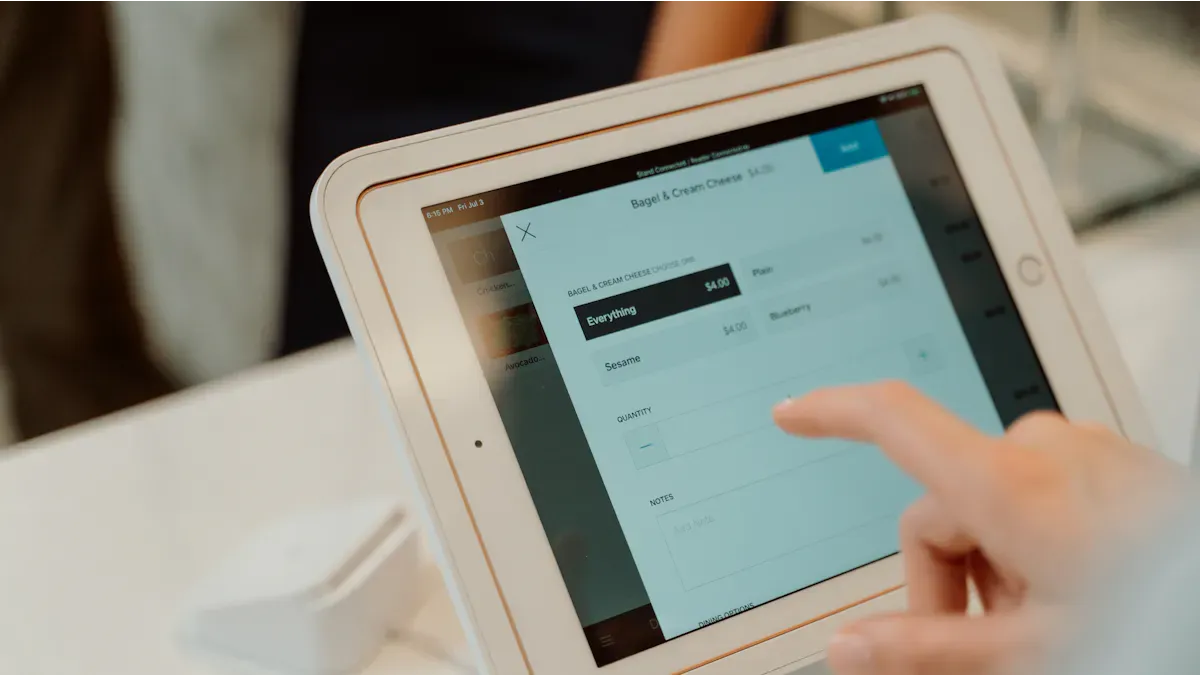
Cloud-based POS and monitoring tools help your systems work better. You can check your retail systems from anywhere with internet. You do not need a big IT team or lots of hardware. Cloud POS lets you add new registers or stores fast. You can make your business bigger or smaller when airports get busy or slow. Real-time data shows sales and inventory changes right away. This helps you act fast during busy times or problems.
Centralized management makes updates easy to do. You do not have to close your store for long updates. Quick updates mean less downtime and your store keeps running. Subscription pricing means you pay only for what you use. This helps you save money and plan your budget. Staff can see POS data on any device. This helps your team work together and stay updated. Cloud POS and monitoring tools keep your systems working, even when things change fast at the airport.
Tip: Cloud-based tools help you stay ready for anything that happens at the airport.
Automated Backup Systems
Automated backup systems are important for keeping your data safe. These systems help your business keep running. You can get your lost data back quickly if there is a problem. Backups happen by themselves, so you make fewer mistakes and your data stays up to date. You can add more storage as your business grows, so you always have enough space. These systems have strong security to protect your data from cyber threats. They also work well with disaster recovery plans, so your business can stay open if something goes wrong.
You should use automated backup systems to keep your data safe and stop downtime. These systems help you feel calm and meet airport uptime rules.
Real-World Uptime Examples
Airport Uptime Success
Many airports use good uptime strategies. This helps both travelers and stores. When systems work well, travelers are happier. Stores also make more money. The table below shows how things get better:
Benefit | Measurement |
|---|---|
Passenger Satisfaction | Big improvements seen |
Stress Levels | 30% lower in better areas |
Blood Pressure | 10-15% lower in calm zones |
Dwell Time | People stay longer in nice areas |
Revenue Opportunities | More money from stores and food |
Social Media Engagement | More people talk online about these places |
Travelers feel calm and enjoy their time more. They spend more time shopping and feel less worried. Stores see more sales, and people share good stories online. Airports use new tools like predictive maintenance and digital dashboards. These tools help find problems early and fix them fast. This keeps systems working and makes airports better for everyone.
Downtime Lessons
Airports have had system failures before. They learn from these problems and get better. Here are some important lessons:
Airports use strong cybersecurity to keep systems safe.
Extra networks stop problems from spreading everywhere.
Updates and watching systems help stop issues.
Good plans help you act fast when things go wrong.
IT is very important for your business.
Flexible IT helps you avoid big problems.
Disaster recovery plans keep things running during trouble.
Learning from mistakes helps you make systems better.
Airports also use service desks and smart tools for repairs. These changes help fix things quickly and keep everything working. By using these lessons, airport stores become stronger and more reliable.
Implementing Uptime Strategies
Assessing System Uptime Requirements
You need to understand how your systems work first. Check each part of your retail setup one by one. Look at your POS terminals, payment systems, and inventory tools. Write down when these systems stop working. Ask your staff if they see problems during busy times. Use easy checklists to keep track of issues.
Set clear goals for uptime. Decide how much downtime is okay for your store. Most airport stores want almost no downtime at all. This helps you meet system uptime requirements and keeps travelers happy. Use reports from your IT team to see which systems need help. Make sure you include asset management in your review. Count all your devices and check how old they are.
Tip: Keep a log every time a system fails. This helps you find patterns and fix problems faster.
Planning and Execution Steps
You need a strong plan to keep your systems running. Start with these steps:
List all your assets
Make a table of every device and system in your store. Include computers, POS terminals, and backup power units.Set your uptime goals
Decide how much downtime you can accept. Most airport stores want 99.99% uptime.Create a maintenance schedule
Plan regular checks for each system. Clean devices and update software often.Prepare backup solutions
Get extra hardware and power sources ready. Make sure you have a failover plan for each system.Train your staff
Teach your team how to spot problems and use backup systems. Give them easy guides and practice drills.Monitor your systems
Use tools that alert you when something goes wrong. Check reports daily and fix issues right away.Review and improve
Meet with your team every month. Talk about what worked and what needs to change. Update your plan as needed.
You need to balance what your partners, staff, and travelers want. Make your retail systems work with the airport’s main infrastructure. This helps you work well with other airport groups. You can use AI tools to connect your store with airport operations. This makes service faster and more reliable.
Description | |
|---|---|
Enhancing Operational Efficiency | Integrating multiple airport segments into an efficient pattern leads to better operations and increased revenue. |
Business Continuity | Maintaining operations with limited risk ensures that stakeholder needs are met even during disruptions. |
Autonomous Operations | Utilizing AI for omnichannel integration improves service delivery and operational efficiency. |
Note: Good planning protects your business and makes travelers feel safe. You also help the airport run better.
You can use these steps to build a strong uptime strategy. This keeps your store ready for anything and helps you meet system uptime requirements.
You help airport retail work well every day. Meeting system uptime rules helps you follow laws and keeps your business safe. Use clear plans to protect data and keep payments safe. Pick technology that can grow with your store and works with airport systems.
Teach your staff new skills often.
Always use strong security steps.
To get better, do these things:
Find out what airports and travelers need most.
Ask others for ideas and feedback.
Buy tools that help you study data.
Keep working to improve and make sure you follow airport rules.
FAQ
What does system uptime mean for airport retail?
System uptime means your store’s technology does not stop working. Your POS, payment, and inventory systems are always ready. This helps you keep sales and makes travelers happy.
How can you reduce downtime in your airport store?
You can use backup systems to help your store. Watch your devices and train your staff well. Fixing problems fast keeps your store running. Regular checks and repairs help you avoid big issues.
Tip: Test your backup plan often so you know it works.
Why is compliance important for airport retail systems?
Compliance keeps your store safe and follows the law. You follow airport rules and government standards. This protects your business from fines and helps travelers trust you.
Benefit | Result |
|---|---|
Safety | Fewer risks |
Trust | Better reputation |
Legal Security | No fines |
What technology helps you achieve continuous uptime?
Cloud POS, automated backups, and real-time monitoring tools help your systems work. You can manage your store from anywhere and fix problems fast.
Cloud POS lets you add registers quickly.
Automated backups keep your data safe.
Monitoring tools tell you when there is a problem.
See Also
Innovative Vending Machines: Advantages and Features for Today’s Retail
Boosting Office Efficiency with Intelligent Vending Machines
Analyzing Walgreens Self-Checkout: Ease and Hurdles in Shopping
How Cloudpick's Checkout Systems Improve Efficiency and User Experience
Grocery Vending Machines: Transforming Accessibility in Retail Shopping
