How Data Synchronization Powers Accurate Forecasting in POS and AI Analytics

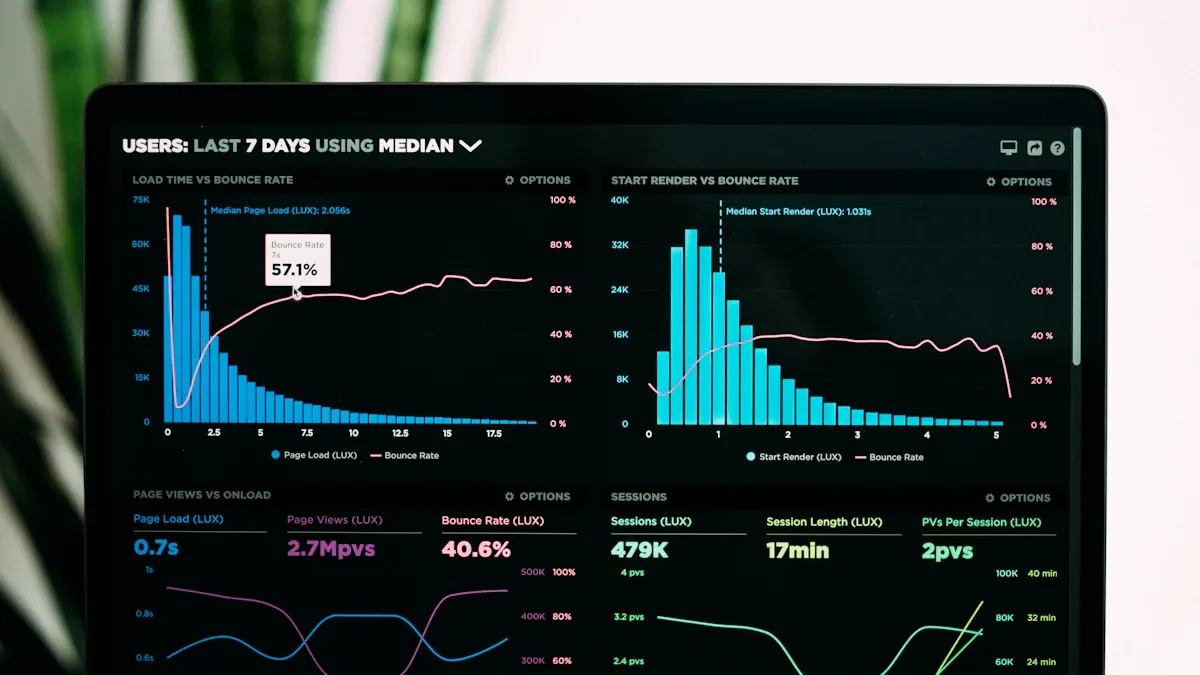
Real-time data synchronization between your POS system and AI analytics tools helps you get the most correct forecasts. When you update sales, inventory, and customer data a lot, your AI models can understand demand better. You might see forecast accuracy get better by up to 20%. Inventory costs can go down by as much as 25%. Updating often also helps lower forecasting mistakes from as high as 40% to just 10-16%. APIs and cloud platforms let your data move easily, so you get insights you can trust.
Key Takeaways
Real-time data synchronization makes forecasts up to 20% more accurate. This helps businesses make better choices.
Using APIs and cloud platforms lets data move easily. This helps manage inventory and understand customers better.
Checking data often and having rules keeps data safe and good. This makes sure forecasts can be trusted.
Good data synchronization can lower inventory costs by up to 25%. It also cuts forecasting mistakes from 40% to 10-16%.
Following the best ways to sync data helps work run smoother. It also gives customers a better experience.
What Is Data Synchronization?
Definition and Core Concepts
Data synchronization helps your business systems stay up to date. It makes sure all your platforms have the same information at the same time. This keeps your sales, inventory, and customer records correct. When you link your POS system with other tools, you can share important data automatically. You can match product catalogs, prices, and promotions between your POS and online stores. This lets you change information everywhere at once.
Data synchronization has a few main parts:
Data analytics helps you learn about how shoppers buy things.
AI and machine learning help you find patterns and trends.
Syncing devices often keeps your data the same everywhere.
Product catalogs, prices, and promotions update together to stop mistakes.
Tip: Letting computers handle data sharing saves you time and cuts down on errors. You can spend more time making choices and less time updating things by hand.
Importance for Forecasting
You need data synchronization to make good forecasts. When your systems update often, you get the newest numbers and trends. This helps you plan how much inventory to keep, when to schedule workers, and how to handle money. In hotels, forecasts help managers make smart choices and need fresh data often. In retail, demand forecasting helps you keep just enough stock. You don’t want too much, which wastes money, or too little, which loses sales. Knowing what customers want helps you meet their needs.
Here are some reasons data synchronization is important for forecasting:
Good demand forecasting keeps your inventory just right.
You work better and make customers happier.
Smart tools look at old data to help balance supply and demand.
You can react fast when things change in the market.
Data synchronization gives you what you need for strong predictions. You can make smarter choices and keep up in a busy business world.
How Data Synchronization Works in POS and AI Analytics

Real-Time Data Flow
Real-time data flow helps your business work well. Your POS system sends updates right away. You always see the newest sales and inventory numbers. This lets you make smart choices fast. You can spot trends as they happen. You can react to changes in demand quickly. Real-time data flow gives you fresh information. You do not have to guess what is happening.
Real-time data flow gives you correct information fast. You can make good choices quickly.
Special data systems help you bring in and look at data fast. This lets you act quickly when things change.
AI in your data pipeline makes processing faster. You get insights sooner and can fix problems before they grow.
Note: Real-time data flow shows what is happening in your store now. This helps you keep stock and not miss sales.
APIs and Cloud Integration
APIs and cloud integration help your POS and AI analytics tools share data. APIs are like bridges. They let your systems talk and share information fast. Cloud platforms keep your data in one place. You can get your data from anywhere.
APIs let your POS and AI analytics share data right away.
They help you put together retail data from different places. You get one view of your business.
APIs connect systems that did not work together before. This helps your retail strategy.
When you use APIs and cloud integration, you get many benefits:
You learn more about your customers for better marketing.
You can manage your inventory using real-time sales data.
You make your business run better and use data to decide.
Tip: Cloud-based POS systems let your business grow easily. You can add new tools without big changes.
Best Practices for Seamless Integration
You need to use best practices to keep your data safe and correct. Here is a table to help you remember:
Best Practice | Description |
|---|---|
Data Governance | Make clear rules for handling and protecting information. |
Regular Monitoring | Check your data often to find and fix problems fast. |
Data Security | Use encryption and controls to keep your data safe. |
Documentation | Keep records of data changes to solve problems quickly. |
You should follow rules like GDPR, CCPA, and HIPAA. Always watch your data transfers with logs and version control. Security checks help you manage risks and keep your information safe.
Remember: Good data synchronization helps your business grow. It improves analytics and builds customer loyalty.
Business Benefits of Data Synchronization
Inventory Management
You can manage inventory better when systems work together. You see what is in stock at each store. This helps you avoid mistakes and keeps shelves full. You do not need to count items by hand as much. You save time and make fewer errors.
Synchronized data lets you see your inventory right away. This is important for keeping inventory correct at every store. It helps stop mistakes and makes sure all stores use the same information.
Centralized inventory systems with real-time updates stop overselling. They help move inventory to the right places. This is important for stores with more than one location.
Your business runs smoothly. You can send products where they are needed most. Customers can find what they want.
Demand Forecasting
You can guess what customers will buy next. You use new sales and inventory data to help AI tools make better guesses. You plan for busy days and slow days. You do not waste money on extra stock.
Here is a table showing how data synchronization helps demand forecasting:
Improvement Type | Description |
|---|---|
Forecast Accuracy | AI models do better than old methods by 20% or more. This helps match supply and demand. |
Inventory Optimization | Better forecasts mean less extra stock, lower costs, and more cash. |
Real-time Decision Making | AI helps you plan ahead and react fast to changes, so you get fewer surprises. |
You make smarter choices. You react fast when trends change. Your business stays ahead of others.
Operational Efficiency
You work faster and smarter when systems share information. You do not need to fix mistakes by hand. You spend less time checking numbers. Your team can focus on helping customers.
The table below shows how data synchronization helps you work better:
Example | Impact on Operational Efficiency |
|---|---|
Bills are made automatically and mistakes are reduced. Checkouts are faster and customers are happier. | |
Cloud sync across stores | Management is easier and you can see data from all stores in real time. |
Smooth data flow | No need to match numbers by hand. You save time and make fewer mistakes in billing. |
You see results quickly. Your business gets stronger. Customers trust you more.
Data Synchronization Challenges and Solutions
Integration Complexity
It can be hard to connect your POS system with AI analytics tools. Many businesses have data silos. This means information is stuck in different systems. It is tough to see all your sales and customers together. Sometimes, the data is not complete or is wrong. You may need tricky steps to put all your data in one place.
Here is a table that lists common integration problems:
Challenge | Description |
|---|---|
Data Silos and Fragmentation | Data is in many places, which causes confusion and missing pieces. |
Data Quality and Completeness | Bad or missing data makes predictions wrong and leads to bad choices. |
Complexity of Integration | You need special tools to clean and mix data for AI. |
Other problems are high costs, slow updates, and lots of manual work. Old systems often cannot share data right away.
“Integration problems are a big reason AI is hard to use. The MuleSoft 2024 Connectivity Benchmark Report says 95% of IT leaders say these issues slow down AI.”
You can fix these problems with new integration platforms. Real-time sync keeps your data up to date. API-led connections help your systems share information. Data virtualization lets you use data without moving it. Linking your ERP and CRM systems helps your team work together.
Data Quality
You need good data for AI to make correct forecasts. If you use bad data, you get bad results. This is called “garbage in, garbage out.” Messy or unorganized data can confuse even smart AI tools.
Try these ways to keep your data clean:
Method | Description |
|---|---|
Consistency Checks | Make sure data matches in all systems and remove copies. |
Integrity Checks | Check that data makes sense and fits together. |
Business Rule Validation | Make sure data follows your company’s rules. |
Data Quality Checkpoints | Add checks in your data flow to find problems early. |
Set up these checks to catch mistakes before they cause trouble. Clean data helps your AI tools give better forecasts.
Security and Compliance
You must keep customer and sales data safe. There are rules that say you must protect data. For example, PCI DSS says you must encrypt credit card data during sales. You need to follow these rules to avoid fines and keep trust.
Compliance Standard | Description |
|---|---|
PCI DSS | Protects credit card data and says you must use encryption. |
Always use strong passwords, encryption, and controls for access. Teach your team to spot risks. Regular checks help you stay safe and follow the rules.
Tip: Good security and following rules keep your business safe and customers happy.
Steps to Implement Effective Data Synchronization
Tool and Platform Selection
You must pick tools that fit your business. Look for tools that show updates right away. This helps you see sales and inventory as they change. Choose platforms that connect your POS and AI analytics easily. Make sure the tool matches what your business needs. Some businesses need more automation to talk to suppliers. Others need tools that help guess demand changes.
Find tools with real-time visibility.
Make sure the platform connects with your systems.
Use automation to help with supplier communication.
Pick predictive analytics to handle demand changes.
Check if the solution fits your needs and limits.
Tip: The best tool is the one that helps your business grow and fits your needs.
Data Governance
Good data governance keeps your data safe and correct. Set clear rules for how you handle data. This makes your data clean and trustworthy. Combine data from all places to see your whole business. Protect important data from leaks or people who should not see it.
Build strong data systems for your company.
Manage data in a way that keeps it safe and organized.
Collect data the same way every time.
Make a good analytics plan to use your data well.
Note: Data governance is more than rules. It helps you trust your data and make smart choices.
Monitoring and Optimization
You must watch your data sync process all the time. Check often to find problems early. Use dashboards to see how data moves and spot mistakes. Fix issues fast and update your tools to keep things running well. This keeps your data fresh and your forecasts correct.
Step | What You Should Do |
|---|---|
Monitor Data Flow | Use dashboards to find problems. |
Check Data Quality | Run checks to keep data clean. |
Update Systems | Install updates to make things better. |
Review Processes | Look for ways to improve your work. |
Keep making your process better. This helps your business stay strong and keeps your data useful.
You can make your forecasts better with strong data synchronization. When your POS and AI analytics work together in real time, you can move fast. This helps you help customers quickly and do a better job. The table below shows how this helps:
Benefit | Description |
|---|---|
When data matches, service gets better and people are happier. | |
Revenue Opportunities | Fast updates help you find more ways to sell. |
Competitive Advantage | Quick answers help you stay ahead of other businesses. |
Start by syncing your systems. Use the best tools. Work together with your team. These steps help you make smart choices and help your business grow.
FAQ
What is data synchronization in POS systems?
Data synchronization means your POS system shares and updates information with other tools. You always see the latest sales, inventory, and customer data. This helps you make better business decisions.
Why does real-time data matter for forecasting?
Real-time data gives you the most current numbers. You can spot trends as they happen. This helps you plan inventory, avoid stockouts, and meet customer needs quickly.
How do APIs help with data synchronization?
APIs act like bridges between your POS and other systems. They let your data move fast and safely. You can connect different tools and keep all your information up to date.
What should you do if your data is not syncing correctly?
Check your connections first. Make sure your systems talk to each other. Review your settings and update your software. If problems continue, contact your support team for help.
See Also
The Future of Retail: Embracing AI-Driven Stores
Understanding the Growth of AI-Enhanced Convenience Stores
Transforming Online Retail Management with AI-Driven Tools
Modern Retail Benefits from AI-Enhanced Combo Vending Machines
Boosting Efficiency and Experience with Cloudpick's Checkout Technology
