Step by Step Guide to Digital Transformation for Convenience Stores

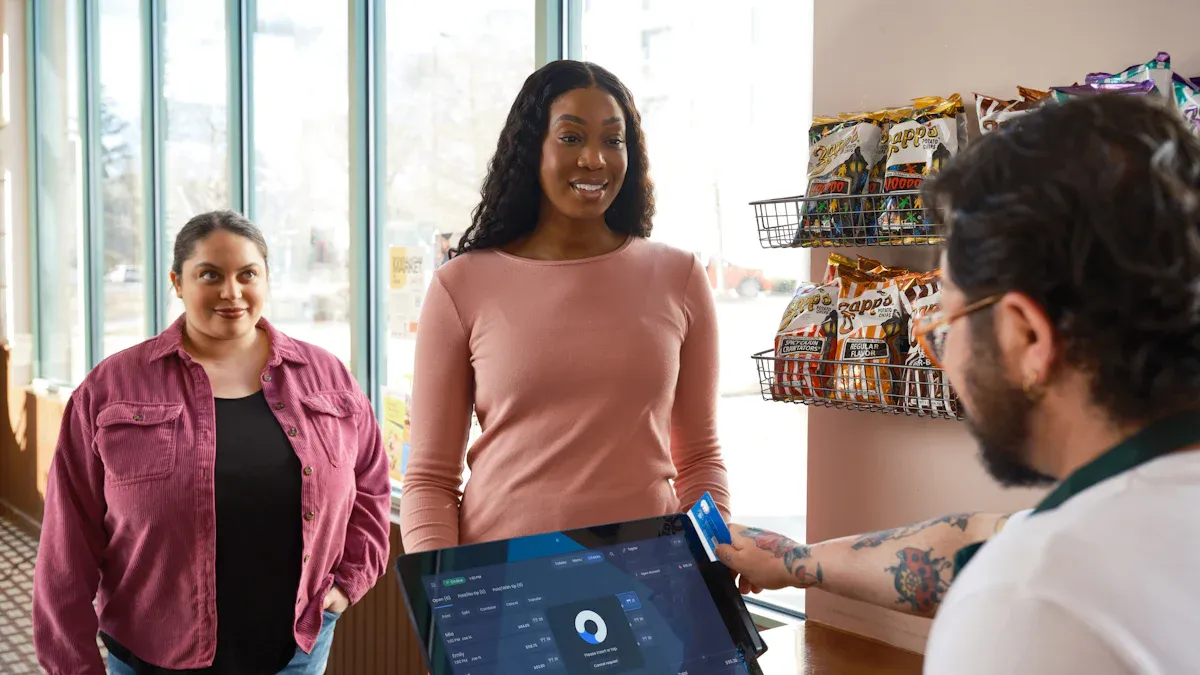
You need a simple digital transformation roadmap to help your store stay ahead. Digital transformation provides real benefits. Stores save time every day by using automation and changing prices quickly. You can sell more and make customers happier with better inventory and digital loyalty programs. Many stores have fewer empty shelves and happier customers because digital tools help with restocking and service. No matter how much you know about digital tools, you can improve step by step with a clear digital transformation roadmap.
Key Takeaways
Begin your digital transformation by looking at your current technology and how your store works. Find out what is good and what needs to get better.
Make goals that are clear and easy to measure for your digital transformation. This lets you see how you are doing and change your plan if you need to.
Spend money to make your store’s digital systems better. Make your networks stronger, use cloud solutions, and make cybersecurity better to help your store work well.
Use automation for jobs you do by hand to save time and make fewer mistakes. Start with one job, like keeping track of inventory, and add more automation slowly.
Use a CRM system to make shopping better for your customers. Look at data to learn how people shop and make special loyalty programs for them.
Digital Transformation Roadmap: Assess & Plan
Review Current Technology & Operations
You begin by checking your store’s technology and how things work. This helps you see what is good and what needs to get better. Use a digital transformation strategy to look at your technology stack. This means checking your point-of-sale system, inventory tools, and employee devices. Many stores use a digital transformation roadmap to see how much technology they use. They also check how well their processes work.
A table can help you compare different ways to check your digital maturity:
Framework | Key Components |
|---|---|
Technology Utilization Rate, Process Automation Rate, Employee Digital Latency, Customer Experience | |
Microsoft 365 Maturity Model | Stages: Initial, Repeatable, Defined, Managed, Optimized |
Digital Maturity Framework | 17 competencies including Culture, Leadership, Budget, Service Delivery |
You can also check advanced analytics, visibility, reporting, and risk management during your review.
Identify Gaps & Opportunities
Next, use your digital transformation strategy to find problems and new chances. Ask yourself where things are slow, like checkout or inventory tracking. Use your digital transformation roadmap to find places to automate tasks or help customers more. You might see you need better data collection or more reporting tools. This step helps you focus on what is most important.
Tip: Talk to your staff and customers. They can tell you what needs to get better in your store.
Set Clear Goals
Now, set clear goals for your digital transformation strategy. Make sure your goals are easy to understand and measure. For example, you may want to make your process automation rate higher or get better customer experience scores. Use your digital transformation roadmap to watch your progress and change your plan if needed. Good planning helps you know what success looks like and how to get there.
A strong digital transformation strategy gives you a clear path. Careful planning helps your store work better and serve customers well.
Upgrade Digital Infrastructure
Modernize Networks & Devices
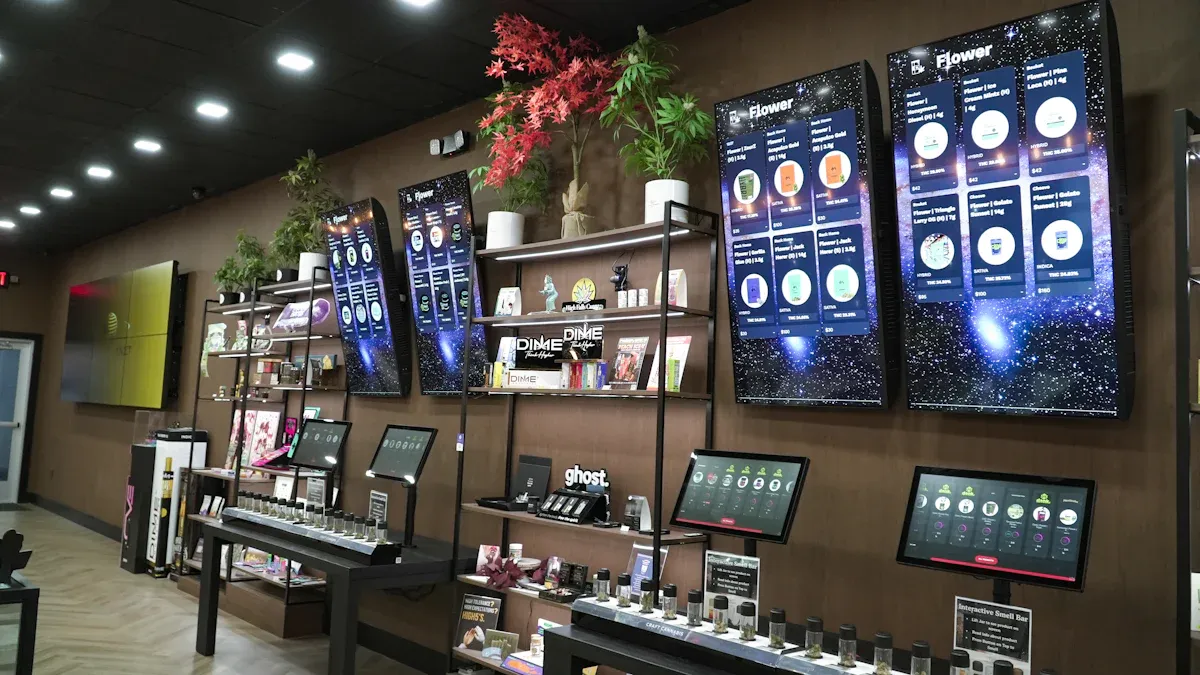
Your store needs fast networks and new devices for digital upgrades. First, check your internet speed and Wi-Fi signal. Change old routers and switches to newer ones. Get new computers, tablets, and scanners if yours are old. This helps your team do their jobs faster. Customers will also have a better time in your store. Many stores use smart devices to watch inventory and control energy. These changes help your store use new digital tools.
Adopt Cloud Solutions
Cloud solutions help you save money and work better. Moving your systems to the cloud means you spend less on hardware and software. For example, one store saved 40% on costs after using the cloud. Cloud services let you get data from anywhere. You can change prices, check inventory, and handle orders right away. Many stores use the cloud for curbside pickup and to automate tasks. This means faster service and less work for people.
Note: Moving to the cloud also helps you use better analytics. This makes it easier to see trends and make good choices.
Strengthen Cybersecurity
It is very important to keep your digital systems safe. Convenience stores face many risks like ransomware and supply chain attacks. Stores have lots of sales and many customers, so they are targets. You must also watch out for problems from vendors and smart devices. To stay safe, use strong passwords and update your software often. Teach your staff how to spot scams. Use firewalls and safe payment systems to protect customer data. Check your security often to find and fix problems before they get worse.
Operationalize Digital Integrations
Automate Manual Processes
You can help your store work faster by using automation. Automation saves time and stops mistakes from happening. For example, software can check inventory and reorder products for you. It can also change prices without you doing it by hand. You do not need to count items or write sales on paper. Automated systems tell you when stock is low. Digital tools can plan staff shifts and handle payroll. These changes let you spend more time with customers and grow your business.
Tip: Pick one task, like inventory tracking, to automate first. When you see it works, try automating other jobs too.
Streamline Curbside & In-Store Operations
Your store does better when you make curbside and in-store work easier. Many stores get big rewards after these changes:
More sales. Curbside pickup brings in shoppers who want things fast.
Lower delivery costs. You spend less money on shipping and boxes.
Better customer loyalty. Easy curbside pickup makes people come back.
Improved inventory management. Good operations help you control stock and save space.
Digital tools help you manage orders, track pickups, and update inventory right away. Customers get faster service, and your team works better.
Enhance HQ-Store Communication
Good communication between headquarters and stores helps your business run well. Digital solutions let you share news and updates quickly. Many stores stop using paper to make talking faster. Mobile workforce software sends messages to all workers at the same time. This keeps everyone on the same page. Digital performance management tools help train staff and get them ready for changes. You make sure your team knows about safety and new rules.
Note: Good communication builds trust and helps your store handle new problems.
Modernize ERP & POS Systems
Select Retail-Focused ERP
You need an ERP system made for stores. This system helps you run your store better. When picking an ERP, look for features that help with daily tasks:
Accounting and money management
Order management
Supply chain and inventory management
Customer relationship management (CRM)
Business intelligence and analytics
A good retail ERP links all parts of your business. You get real-time inventory tracking and strong reports. The system should help you follow rules and keep your data safe. Many stores use ERP software that connects the POS with inventory. This setup gives you automatic reordering and alerts when stock is low. Security controls and accounting tools are also important for store success.
Integrate Advanced POS
Your POS system is the main part of your store. Advanced POS systems do more than track sales. They help you give customers a smooth shopping experience everywhere. You can use AI features to make smarter choices. These systems work with your current hardware, so you do not need to buy new devices. Modern POS platforms connect with other store systems to save time during setup. They also support real-time customer engagement, which helps your store grow.
You may face problems when adding new POS systems to your store. Sometimes, old hardware does not work well with new software. The setup can be hard, and you need to make sure all your store data matches across platforms. Many store owners worry about costs and changes. Today’s POS systems are made to fit into your current setup. You can upgrade your software and keep your hardware, which saves money and avoids big changes.
Ensure Seamless Data Flow
Seamless data flow between your ERP and POS systems is key for inventory accuracy. When your store systems share data in real time, you can predict demand and keep the right amount of stock. This helps you avoid running out of products and keeps your sales steady. You also improve your supply chain by making sure all stores have the right inventory.
Here is how seamless data flow helps your store:
Accurate forecasting matches inventory to what customers want.
Timely restocking stops stock-outs and keeps sales going.
Good teamwork across the supply chain improves inventory management.
Feature | Benefit |
|---|---|
Helps stop stockouts and shrinkage, keeps inventory levels right. | |
Demand-driven replenishment | Automates restocking, reduces mistakes and delays. |
Lot/expiration tracking | Helps manage perishable goods, improves inventory turnover. |
You get one set of store stock data across all channels. Real-time updates on sales and returns give you quick insights. When your POS and ERP systems work together, you do not need to enter data by hand. This cuts mistakes and saves time for your team.
Tip: Try your new systems at one store first. If it works well, use them at other stores.
CRM & Customer Engagement Tools
Implement CRM for Personalization
A CRM system helps you learn about your customers. It collects data from every sale and visit. You can see what people buy and when they shop. You can group customers by their shopping habits. Then you send them special offers. This makes each person feel special. It helps them want to come back. CRM features help you meet customer needs and improve engagement.
CRM Feature | Description |
|---|---|
Unified Customer Profiles | Puts data from different places together. You get one view of the customer. This helps you understand them better. |
Personalization and Segmentation | Groups customers by what they do. You can send offers and messages that fit them. This makes your store more helpful. |
Omnichannel Journeys | Connects online and in-store shopping. Customers get a smooth experience everywhere. |
Tip: Start by making unified customer profiles. This helps you see your shoppers clearly.
Launch Loyalty & Rewards Programs
Loyalty programs reward shoppers who come back often. You can give points for each purchase or offer discounts after many visits. Stores use digital punch cards or apps to track rewards. These programs make customers feel important. They encourage people to visit your store more. You can use your CRM to run these programs and send reminders about rewards.
Give simple rewards, like a free drink after ten purchases.
Use your CRM to track points and send updates.
Make joining and using the program easy for customers.
Use AI for Customer Insights
Artificial intelligence helps you know what your customers want. AI looks at sales data, social media, and reviews. It finds patterns and shows what people like or dislike. AI also watches for strange changes in buying habits. This helps you spot problems early and make your store better.
AI in Retail: What It Does | Example Use Case |
|---|---|
Looks at camera footage for suspicious behavior | Alerts staff if someone might steal |
Checks transaction logs and inventory for odd activities | Finds fraud or mistakes |
Collects and studies data and reviews | Finds trends in what customers like |
Suggests ways to improve processes | Helps you make customer experience better |
Watches mood and feedback for personalization | Changes offers based on how customers feel |
Automates collecting and studying data | Gives you faster insights for good decisions |
Note: AI tools help you react fast to what customers need. They keep your store ahead of new trends.
E-Commerce & Mobile Solutions
Enable Online Ordering & Delivery
You can help your store sell more by letting people order online. Many shoppers like to buy things on their phones or computers. You make a website or app so customers can look at items, order, and pick delivery or pickup. This makes shopping easy for busy people. You watch orders as they come in and update inventory when things sell. Your team gets orders ready fast, and customers get what they need without waiting in line. You build trust by sending updates and making sure deliveries are on time.
Tip: Start with best-selling products and add more as you learn what customers want.
Develop Mobile App Experience
A mobile app lets your store talk to customers every day. You give shoppers an easy way to find products, check prices, and earn rewards. Your app can track inventory, watch orders, and send alerts when stock is low. You also help workers plan shifts and manage tasks. If you have more than one store, you use the app to check performance and inventory everywhere. Security features keep customer data safe and protect transactions.
Description | |
|---|---|
Easy-to-Use | Lets customers find, search, and check out quickly. |
Streamlined Inventory Management | Tracks stock and sends alerts for low inventory. |
Customer Loyalty Programs | Rewards shoppers and builds strong relationships. |
Employee Management | Plans shifts and tracks attendance. |
Multi-Store Management | Watches inventory and sales for all stores. |
Analytics and Reporting | Shows what customers like and buying trends. |
Integration with POS Systems | Syncs sales and inventory for smooth operations. |
Security Features | Keeps customer information safe with strong encryption. |
Support Contactless Payments
You make shopping safer and faster by using contactless payments. More than half of Americans use digital wallets and tap-to-pay tools at stores. You set up payment machines that take cards, phones, and smartwatches. Customers pay quickly without touching cash or buttons. This cuts wait times and keeps your store clean. You also protect customer privacy with secure payment systems.
Note: Contactless payments help your store meet new expectations and make shopping better.
Omnichannel Strategy
Align Online & In-Store Experience
You make your store better by connecting online and in-store shopping. Customers like to shop in different ways. Some look at products online and pick them up at the store. Others visit the store first and then buy from your website. You keep prices, deals, and product info the same everywhere. Your staff uses digital tools to help customers find items online and in person. You answer questions fast and help customers on all channels. Omnichannel systems track what customers like and help you meet their needs. You create a smooth shopping journey that makes customers want to return.
Centralize Inventory & Orders
Centralizing inventory and orders helps your store in many ways. You see all products and sales at every location. You check inventory levels every day and change stock to match sales. You send orders to the closest store with the right stock. This saves money and time. You lower shipping costs and make order filling faster. You use data to spot sales trends and customer habits. You find problems like shrinkage and improve training. You use better info to plan marketing and pricing. Centralized systems help you get ready for busy times and keep customers happy. You avoid running out of stock and keep inventory levels right.
You make your store work better by fixing processes.
You see inventory clearly and make fewer mistakes.
You react fast to customer needs and sales changes.
Offer Flexible Fulfillment
Flexible fulfillment gives your store more power. Customers pick how they want to get their orders. You offer standard delivery, express delivery, and same-day delivery for urgent needs. You let customers order online and pick up at the store. Locker delivery gives safe pickup for busy shoppers. You support in-store pickup for those who want to get orders themselves.
Fulfillment Option | Description |
|---|---|
Standard Delivery | Regular delivery with normal timeframes |
Express Delivery | Faster delivery for urgent needs |
Same-Day Delivery | Delivery on the same day as the order |
Click-and-Collect | Order online and pick up in-store |
In-Store Pickup | Get orders directly from the store |
Locker Delivery | Use lockers for safe order pickup |
You give customers choices that fit their busy lives. You build trust and loyalty by making shopping easy and reliable. Omnichannel fulfillment helps your store stand out in a crowded market.
Analytics & Data Strategy
Collect & Analyze Data
You need to gather data to learn about your store and customers. Start with first-party data, like what people buy and loyalty activity. Zero-party data comes from what customers tell you in surveys or polls. This data shows what shoppers want and how they act. You track purchases and loyalty at each store or region. You use data to see which products are liked in different places. You can make special offers and notifications based on what your data tells you. Try A/B testing signs and product bundles. Use data to see which displays work best. Data helps you see what your store does well and what needs work.
Tip: Ask customers for feedback. Their data helps you make your store better.
Leverage Business Intelligence
Business intelligence turns your data into helpful information. You use dashboards to watch important numbers like inventory turnover and how well promotions work. Real-time data helps you manage inventory and avoid running out or having too much. You automate reports and check productivity with business intelligence tools. This data gives you a better view of your store and helps you plan ahead. You make smart choices by using data from all parts of your store. Business intelligence software helps you track KPIs to boost sales. You keep control over many locations. You use data to set prices and plan promotions.
Benefit | Description |
|---|---|
Data lets you track and manage resources better. | |
Improved Forecasting | Data helps you predict trends and plan ahead. |
Informed Strategic Decisions | Data gives you insights for smarter choices in operations. |
Monitor Key Metrics
You check your digital transformation success by watching key metrics. Data shows how well your store uses digital tools. You track digital self-service adoption, which is the percent of customer interactions through digital channels. Time-to-market measures how fast you launch digital products. Platform consolidation tracks how you cut down on extra systems. Process automation shows the percent of workflows that are digitized. Innovation velocity measures how quickly you turn ideas into products. Revenue from new digital products tells you how much money comes from recent launches.
Metric | Description | Transformation Benefit | Example OKR |
|---|---|---|---|
Digital Self-Service Adoption | Percentage of customer interactions through digital channels | Operational efficiency and customer satisfaction | Increase digital self-service adoption from 45% to 70% |
Time-to-Market | Speed of launching digital products | Faster market response | Reduce average time to market from 6 months to 8 weeks |
Platform Consolidation | Reduction in redundant systems | Lower costs and better data integration | Consolidate marketing tech stack from 37 to 15 platforms |
Process Automation | Percentage of workflows digitized | Higher efficiency and fewer errors | Automate 75% of financial reporting processes |
Innovation Velocity | Speed of moving from idea to market | Shows innovation capability | Launch 15 digital pilots per quarter |
Revenue from New Digital Products | Percentage of revenue from recent launches | Connects innovation to business impact | Generate 25% of revenue from digital channels launched in the past 18 months |
Note: Use data to track progress and change your plan. Data helps you reach your goals and stay ahead.
Data Governance & Security
Set Privacy Policies
You need strong privacy policies to keep your store safe. Clear rules help you handle data the right way. You must tell customers how you use their information. Only collect the data you really need. This lowers mistakes and keeps your store safe. Check new digital tools for privacy risks before using them. Use encryption and access controls to protect data. Train your staff to follow privacy rules. Check vendors and make sure they protect data too. Build privacy into your store’s systems from the start.
Privacy Policy Aspect | Description |
|---|---|
Comprehensive Data Privacy Policy | Set clear rules for data collection, use, sharing, and protection. |
Data Minimization | Collect only what you need to lower risks. |
Data Governance | Define who manages data and how it is controlled. |
Privacy Impact Assessments | Check for privacy risks before using new tools. |
Secure Data Handling | Use encryption and access controls to protect data. |
Employee Training | Teach staff about privacy and how to report problems. |
Third-Party Risk Management | Check vendors and make sure they follow privacy rules. |
Privacy by Design | Build privacy into your store’s systems from the start. |
Tip: Look at your privacy policies often. Change them when you add new digital tools.
Train Staff on Security
You must teach your staff how to keep your store safe. Good training stops mistakes and protects your data. Make training fun and easy to understand. Use games or videos to help staff learn. Check how well your staff learns and test them often. Teach staff about the risks they face at work.
Staff must back up important data to stop loss.
Only trusted people should use store devices.
Staff must not add software that is not allowed.
Teach staff to spot spam and phishing emails.
Test staff often to see how much they know.
Change training to fit each staff member’s risks.
Note: Regular training keeps your store safe and helps staff stay alert.
Audit & Update Protocols
You must check your security protocols often. Audits help you find weak spots and fix them. Update your rules when you add new systems or tools. Keep records of audits and changes. Test your systems to make sure they work. Teach staff to report problems right away. Use simple checklists to track updates.
Audit your store’s security every quarter.
Update protocols when you add new technology.
Keep records of all changes and tests.
Emoji: 🛡️ Stay alert and keep your store safe with regular audits and updates.
Staff Training & Change Management
Build Training Programs
You need good training to help staff use digital tools. Start with easy lessons that show how each system works. Let your team practice with new devices and software. Make guides with pictures and simple steps. Show short videos that explain tasks in a clear way. Hold regular meetings to answer questions and help staff feel sure of themselves. Give quizzes to check what they know and reward them for learning. Add games or fun challenges to make training interesting. Ask your team to share tips and help each other learn.
Training Method | Benefit |
|---|---|
Hands-on Practice | Builds real skills |
Step-by-Step Guides | Makes learning easier |
Short Videos | Explains tasks quickly |
Quizzes & Games | Keeps staff engaged |
Tip: Begin with one system, like your POS. Add more when your team feels ready.
Communicate Transformation Benefits
You need to tell your staff why digital transformation is important. Use a mobile app to keep everyone connected and share news. Send messages that show how new tools make work easier and help customers. Use a Content Distribution Manager to send updates fast, so no one misses out. Get technology that helps your team stay in touch. Share stories about stores with faster checkouts and happier shoppers after digital changes. Show how automation saves time and stops mistakes. Remind staff that digital tools help them do their jobs better and make things simpler.
Use mobile apps to send news and celebrate good work.
Share real stories about better store results.
Explain how digital tools help both staff and customers.
Foster Continuous Improvement
You help your team grow by asking them to keep learning. Match digital and in-store experiences to make customers happy. Teach staff to talk about digital offers and use QR codes for loyalty sign-ups. Make sure your messages are the same on receipts, apps, and in the store. Use geofenced alerts to support campaigns and put promo codes on receipts. Tell people about delivery services online and in the store. Show off mobile app features that make shopping easy. Ask staff for ideas and use their feedback to make training and store work better.
Ask staff to try new digital tools.
Give rewards to team members who help others learn.
Update training often to keep up with new technology.
Note: Always improving helps your store get ready for change and lets your staff grow with each step.
You make your store better by using a clear digital transformation roadmap. Every step helps you work faster and serve customers well. You stay ahead of other stores by following your plan. Set goals and celebrate when you reach them. Digital transformation keeps going, not just one project. You always learn new ways to help your business grow.
Tip: Begin now. Small steps can bring big changes later.
FAQ
What is digital transformation for convenience stores?
Digital transformation means using new technology to make your store work better. You use tools like cloud software, digital payments, and automation. These changes help you serve customers faster and manage your store more easily.
How much does digital transformation cost?
Costs depend on your store size and the tools you choose. You can start small with one system, like a new POS. Many stores see savings over time. You spend less on paper, mistakes, and manual work.
Do I need to hire IT staff?
You do not always need to hire IT staff. Many digital tools offer support and easy setup. You can ask vendors for help. For bigger projects, you may want outside experts or part-time help.
How long does digital transformation take?
Most stores see results in a few months. You can start with one change, like digital payments. Add more tools step by step. You set your own pace and grow as your team learns.
See Also
Comparing Micromarkets And Smart Stores In Global Retail
Understanding The Growth Of AI-Driven Corner Stores
Transforming Online Retail Management With AI Tools
The Future Of Retail Lies In AI-Enhanced Stores
Analyzing Walgreens Self-Checkout: Benefits And Retail Hurdles
