Enterprise Authentication for AI Stores What You Need to Know


You need enterprise authentication to keep your AI store safe. It helps you control who can see important data. Weak authentication makes it easy for attackers to get in. IBM’s 2026 X-Force Threat Intelligence Index shows attacks are rising fast. These attacks target public-facing applications with poor authentication. Attackers use broken authentication and hard-coded credentials. They also take advantage of broken access control. If AI agents are compromised, they can use real API connections. This lets them reach databases and cloud systems. Too many permissions let attackers move around your network. They can do this without setting off any alerts.
Key Takeaways
Enterprise authentication is very important for keeping your AI store safe from attacks. It decides who can see or use important data.
Use Multi-Factor Authentication (MFA) to make security stronger. MFA adds another step, so it is harder for attackers to get in, even if they know a password.
Use Identity and Access Management (IAM) tools to control what AI agents can do. Only let them see or use what they need for their jobs.
Use a Zero Trust method. Always check every request and only give the smallest permissions needed. This helps lower risks.
Keep learning about new authentication ideas and tools. This helps you stay ready for new threats and keep your security strong.
Enterprise Authentication Overview

Key Concepts
You need to know the basics of enterprise authentication to keep your AI store safe. This system has several important parts that work together to protect your data and users.
Unified secrets management keeps passwords and keys safe in one spot.
Non-human identity management controls which AI agents and tools can get access.
Tokenization swaps sensitive information for tokens, so attackers cannot steal real data easily.
Privileged access management limits who can reach important systems.
These parts make a strong defense. They help each other and make it tough for attackers to break in.
Enterprise authentication uses smart methods that are better than just passwords. You might see:
Multi-Factor Authentication (MFA) asks for more than one way to prove who you are.
Single Sign-On (SSO) lets you use one login for many apps.
Passwordless authentication means you do not need passwords.
You should follow these steps to build a secure system:
Use a Zero Trust approach and check every request.
Give only the access needed for each job.
Change tokens and API keys often.
Keep checking identities, especially for important actions.
Encrypt all data.
Store secrets in trusted tools.
Keep detailed logs of all actions.
Manage the full lifecycle of AI agent identities.
Importance for AI Stores
You face big risks if you do not use strong enterprise authentication. Identity-based attacks cause most enterprise breaches. In fact, 90% of organizations had an identity-related incident last year. Good identity management helps you spot and stop these attacks. AI-driven tools can watch user behavior and find strange actions fast.
Note: If you do not secure your AI store, you could have serious problems. For example, a bug in Shopify let anyone become a collaborator without permission. Facebook had an exploit that let attackers take over accounts through the password recovery API.
Example | Description |
|---|---|
Shopify | A bug let anyone become a collaborator without the store manager's okay. |
An exploit in the password recovery API let attackers take over accounts. |
You need enterprise authentication to protect your AI store from these threats and keep your data safe.
Authentication Methods
SSO and Federated Identity
Single Sign-On (SSO) and federated identity make your AI store easier to use. SSO lets you log in once. You can then use many apps without typing your password again. Federated identity lets you sign in with one trusted account, like Google or Microsoft. You can use this account for different services. These methods help you manage users. They also keep your store safe.
Here is a table that shows the benefits and limits of SSO and federated identity:
Benefits of SSO | Limitations of SSO |
|---|---|
Centralized access control | Centralization of risk |
Reduced password fatigue | |
Lower IT costs | |
Increased productivity | |
Enhanced security |
Benefits of Federated Identity | Limitations of Federated Identity |
|---|---|
Convenience | Need for trust agreements |
Cost savings | |
Seamless user experience | |
Simplified data management | |
Secure resource sharing |
Federated identity with SSO gives you better security. You can add Multi-Factor Authentication (MFA) to SSO. This adds another layer of protection. It keeps things simple for users. You use protocols like SAML to keep your data safe when connecting to other services.
Evidence Description | Key Points |
|---|---|
Integration of MFA with SSO | Adds an extra layer of authentication while maintaining a seamless user experience. |
Centralization of authentication through federated identity management | Introduces risks such as identity provider breaches, mitigated by strong security measures. |
Implementation of protocols like SAML | Ensures secure communication between identity providers and service providers, enhancing security. |
Tip: Always check your identity provider’s security. If your provider is weak, attackers can get into all your connected apps.
Multi-Factor Authentication
Multi-Factor Authentication (MFA) makes your AI store much safer. MFA asks for two or more ways to prove who you are. If someone steals your password, they still cannot get in without the second factor. This stops most attacks that use stolen passwords.
Here is a table that shows how MFA helps:
Aspect | Insight |
|---|---|
Security Layer | MFA adds an additional layer of security, preventing unauthorized access even if passwords are compromised. |
Effectiveness | Significantly reduces the likelihood of unauthorized access. |
Challenges | Some users still fall victim to sophisticated attacks despite MFA. |
MFA is necessary, but it is not enough by itself. Attackers keep finding new tricks. You need to watch for strange behavior. You should use other security tools too.
Here are some common types of MFA you can use:
Category | Type of Authentication | Description |
|---|---|---|
Something You Know | Password or PIN | A secret code that only you know. |
Security Questions | Personal questions only you can answer. | |
Something You Have | Smartphone App | An app that gives you a one-time code or sends a push notification. |
Security Token | A small device that creates a one-time passcode. | |
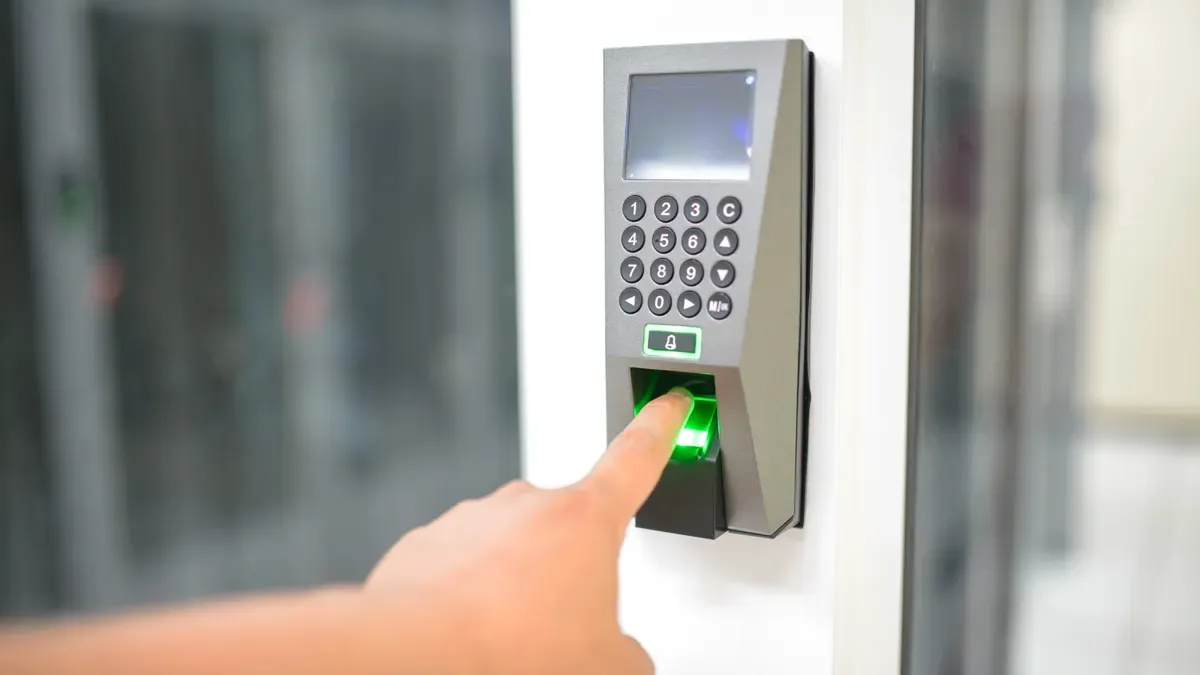
Something You Are | Fingerprint Scan | Uses your fingerprint to check your identity. |
Facial Recognition | Uses your face to verify who you are. | |
Iris Scan | Scans your eye’s unique patterns. | |
Voice Recognition | Checks your voice to make sure it is you. |
Note: Use more than one type of MFA for the best protection. For example, combine a password with a fingerprint scan.
IAM Solutions for AI Agents
You need special tools to manage AI agents in your store. AI agents are not people. They do important jobs. You must control what they can do and see. Identity and Access Management (IAM) helps you do this.
IAM solutions help you:
Give each AI agent only the permissions it needs.
Change permissions quickly if an agent’s job changes.
Track which agent did what, and when.
Remove access right away if you no longer trust an agent.
Managing AI agents is hard. You must watch out for these problems:
Permissions and entitlements are hard to manage. You need to update them often to stop privilege creep.
Tracking which agent has which permission is complex, especially when agents pass tasks to each other.
Agents need many credentials. This creates a challenge for enterprise authentication at scale.
Outdated authentication methods are common. You need dynamic and context-aware checks.
Most AI agents have too many privileges. This increases the risk of data leaks.
AI agents move much more data than humans. This makes breaches more dangerous.
Alert: 90% of AI agents have too many permissions. They transfer 16 times more data than human users. You must act fast to fix this.
You should use IAM solutions that support zero standing privileges. This means agents only get access when they need it. They only get access for a short time. You should use real-time monitoring to spot risky actions.
Remember: The rise of AI agents means you must rethink your security. Old methods do not work well anymore. Use strong enterprise authentication and IAM tools to keep your store safe.
Best Practices
Policy and Compliance Controls
You need strong rules to keep your AI store safe. These rules help you follow laws and protect your data.
Use Role-Based Access Control (RBAC) to limit who can see things.
Add Multi-Factor Authentication (MFA) for more safety.
Make clear jobs for people who manage AI systems and data.
Create an AI Incident Response Protocol to fix problems fast.
Match your AI security steps with your company’s IT rules.
To follow the law, you should do these things:
Watch your AI systems for drift, bias, and strange changes.
Keep records and papers to show you follow the rules.
Hide private data and control who can see it.
Add checks for rules in your CI/CD pipelines before you launch.
Track where your models come from for audits.
Tip: Clear rules and checking often help you get ready for audits and avoid big mistakes.
Role-Based Access and Least Privilege
You must only let people do what they need. This lowers risks and keeps your store safe.
Best Practice | Description |
|---|---|
Let users do only what their jobs need. | |
Define Agent-Specific Roles | Give AI agents their own jobs and tasks. |
Conduct Access Reviews | Check AI agents’ jobs and passwords often. |
Granularity in Permissions | Know each person’s permissions to use least privilege. |
Limit Write Actions | Only trusted people can do powerful actions with extra checks. |
Make jobs for tasks and limit what agents can do.
Check AI agents when you review who can do what.
By limiting what people can do, you make attacks harder. You stop people from getting in without permission and limit damage if something bad happens. If malware tries to spread, small permissions stop it.
Continuous Monitoring and Auditing
Watching and checking all the time keeps your AI store safe and follows rules.
Use tools to collect and check data right away.
Change workflows to add checkpoints and automate simple jobs.
Get leaders to help by showing why checking is good.
Teach workers to use checking tools and keep training them.
Security Measure | Benefit for Compliance |
|---|---|
Single Sign-On (SSO) | Makes logging in easy and keeps records of actions. |
Limits what people can do and stops permission creep, helping with rules. |
Alert: Watching all the time helps you find problems early and keeps your enterprise authentication strong.
Challenges and Trends
Common Risks
You face many risks when you manage authentication for AI stores. AI agents need to use lots of cloud apps. This makes identity management harder. Some AI tools trust everything by default. This creates big security holes. Attackers can use these holes to move around your systems. They can cause damage. Agentic AI can send emails or approve payments. Mistakes or attacks can have serious results.
Risk Type | Description |
|---|---|
Weak Identity and Access Management | AI systems often have too many privileges and weak authentication. This leads to problems. |
Attackers can use stolen identities to move through enterprise environments. |
AI agents need access to many cloud apps. This makes things more complicated.
Trust-by-default in AI tools creates security problems.
Agentic AI can do important actions. This makes attacks worse.
Note: Giving more permissions means more risk. Always check and limit what each agent can do.
Regulatory and Compliance Issues
You must follow lots of rules when you use AI in your store. Laws like GDPR and CCPA apply if you use personal data. You need to know where your data goes and who can see it. The EU AI Act says you must document risk management for high-risk AI systems. Industry rules like HIPAA and PCI DSS add more steps if you handle health or payment data.
AI governance frameworks now cover AI systems.
You must track data flow and access, even with AI.
The EU AI Act says you must manage risks and keep records.
Zero Trust is now expected in many rules.
NIST says to use Zero Trust and keep checking.
Federated learning helps keep data in the right place and follows local laws.
Impact on Authentication Strategies | |
|---|---|
AI Impact Statement | You must check authentication risks before you launch. |
Independent Evaluation | You need outside checks to prove your methods work. |
Ongoing Monitoring | You must keep checking your strategies for new risks. |
Human Review | People must review AI authentication decisions. |
Transparency | You must document your processes to build trust. |
Emerging Trends in AI Store Authentication
New trends are changing how you protect your AI store. Passwordless authentication is becoming more common. It removes passwords and uses safer ways to log in. AI now helps make authentication smarter and more flexible. Zero Trust is spreading to users, devices, and networks.
AI authentication agents now do real-time checks and give better security.
These agents help buyers, sellers, and distributors check products fast.
Publicly verifiable points make the system closed and safe.
AI can do thousands of checks each day without costing more.
Tip: Keep learning about new tools and trends. They help you keep your enterprise authentication strong and ready for the future.
You need enterprise authentication to keep your AI store safe and follow the rules. Use these frameworks to help you:
Framework | Purpose |
|---|---|
NIST AI Risk Management Framework | Rules for managing AI risks |
OWASP LLM Top 10 | Security issues for engineers |
Google SAIF | Rules for safe AI use |
ISO 42001 | Certification for AI management |
Stay careful by doing these things:
Use multi-factor authentication and a main IAM system.
Give only needed permissions to users and AI agents.
Keep audit logs to show you follow the rules.
Use AI-driven authentication and Zero Trust to stay safe.
Keep learning and changing your plans. New threats happen a lot, so you need to update your defenses.
FAQ
What is enterprise authentication?
Enterprise authentication checks who can get into your AI store. You use tools like passwords, MFA, and IAM to keep data safe. This process stops attackers from getting inside.
Why do you need multi-factor authentication?
Multi-factor authentication adds extra steps to log in. You use something you know and something you have. This makes it harder for attackers to steal your account.
How do you manage AI agent permissions?
You use IAM solutions to set permissions for each AI agent. You check and update these permissions often. This keeps your store safe from mistakes and attacks.
What happens if you skip authentication best practices?
You risk data leaks and attacks. Weak authentication lets attackers steal information or control your AI agents. Always follow best practices to protect your store.
Which frameworks help you stay compliant?
Framework | Use |
|---|---|
NIST AI RMF | |
ISO 42001 | Certify AI systems |
OWASP LLM Top 10 | Spot security issues |
See Also
The Future of Retail Lies in AI-Driven Stores
Understanding the Growth of AI-Enhanced Convenience Stores
Transforming Online Retail Management with AI Tools
