Understanding the Technology Behind Cashierless Checkout Systems

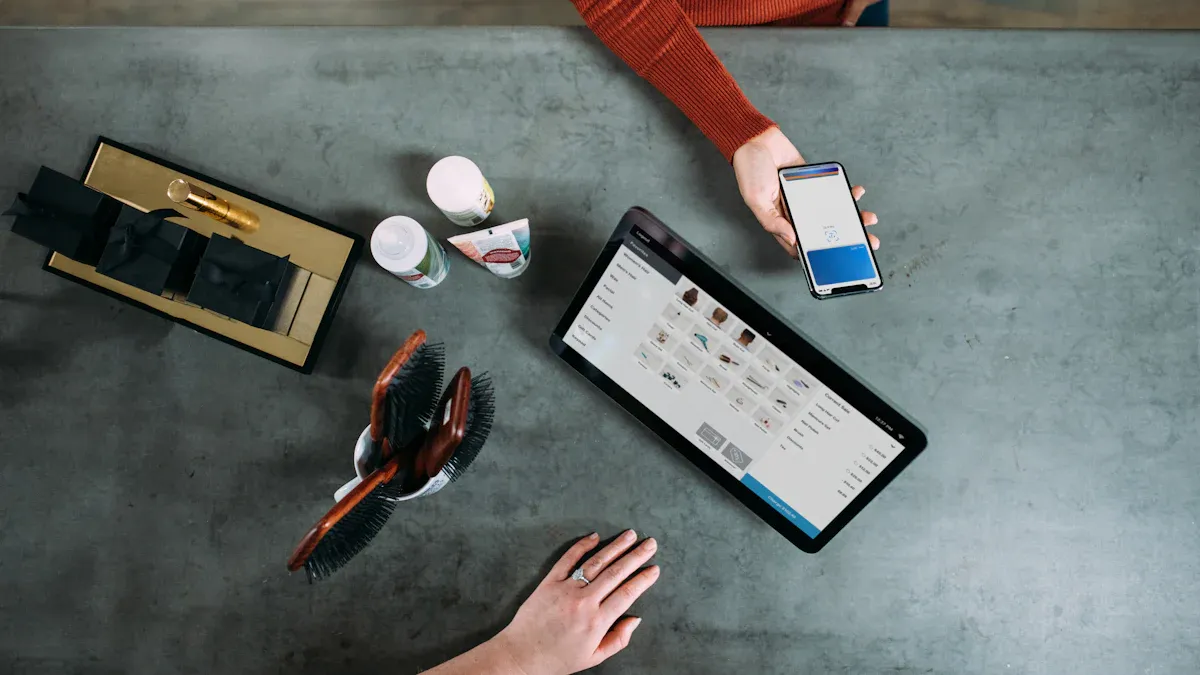
When you use cashierless checkout systems, you walk into a store and shop without stopping at a register. These systems use cameras, sensors, and AI to watch what you pick up and put back. You have a quick and easy shopping trip. You pay right away when you leave. The table below shows the main technologies that make this possible:
Technology | Role in Cashierless Checkout |
|---|---|
AI | Powers cameras for object detection and transaction recording. |
IoT | Connects devices and sensors for automated shopping experiences. |
Computer Vision | Enables real-time monitoring and recognition of items and customers. |
Deep Learning | Enhances accuracy in object detection and customer behavior analysis. |
Big Data Analytics | Processes large volumes of data for improved operational efficiency. |
Key Takeaways
Cashierless checkout systems use cameras, sensors, and AI to make shopping fast and easy.
You can enter stores by scanning a QR code or using biometrics, which speeds up the process.
AI and sensors track your items in real-time, so you only pay for what you take.
Shopping is more enjoyable without lines, allowing you to shop at your own pace.
Stores must protect your data and follow privacy laws to keep your information safe.
How Cashierless Checkout Systems Work

Entry and Authentication
When you go into a cashierless store, you start by proving who you are. Most stores want you to scan a QR code with your phone app. This connects your phone to the store’s payment system. Some stores use special doors that read QR codes and let you in fast. You might see different QR codes at the door. These help keep your visit safe and quick.
Authentication Method | Description |
|---|---|
Dynamic QR Codes | |
Static QR Codes | Scan for entry, offering a fast and easy experience. |
Network Door Controllers | Recognize QR codes and grant seamless access. |
Some stores, like Amazon Go, use QR codes and biometric verification together. This means you can use your fingerprint or face to get inside. Biometric methods make shopping safer and even faster. You walk in, take what you want, and leave without waiting.
Tip: Biometric authentication helps stop fraud and keeps you safe.
Product Tracking Technologies
After you enter, the system uses different tools to watch what you pick up. Cameras follow your moves from many spots. Shelf sensors notice when you take or put back items. RFID tags help track big things and make counting items easier. AI looks at all this information to keep your cart right.
Technology | Functionality |
|---|---|
Cameras | Track your movements and item interactions with high-resolution footage. |
Shelf Sensors | Detect changes on shelves and confirm item removals or returns. |
RFID | Identify and reconcile inventory, especially for larger items. |
AI Algorithms | Analyze camera and sensor data to manage inventory and process payments. |
Cashierless checkout systems often mix data from cameras, RFID, and weight sensors. This helps them record what you buy correctly. RFID tags let the system check your whole basket at once. You do not have to scan each thing. Stores like Uniqlo and Amazon use RFID to make shopping faster and more correct. Computer vision helps spot products and watch you shop, but sometimes things block the camera’s view.
Note: RFID works very well but costs more to set up. Computer vision is flexible but needs more computer power.
Real-Time Cart Management
While you shop, the system keeps your cart updated right away. Cameras and sensors see when you grab something. Computer vision figures out what you picked and adds it to your cart. If you put something back, AI takes it out of your cart. Weight sensors check every change, so mistakes are less likely.
Scanning and Item Recognition: Cameras and sensors see items as you pick them.
Product Tracking: AI watches your actions and updates your cart if you return things.
Payment Processing: The system adds up your total by itself.
Smart carts use barcode scanning for packaged goods and computer vision for things like fruit. This mix helps handle all kinds of products and lowers mistakes. Weight sensors in smart carts check every item, so your cart is right and fraud is harder.
Smart carts use barcode scanning and computer vision for all types of products.
Automated Payment Process
When you finish shopping, paying is simple. You get your bill on your phone. You can pay in the app or scan a QR code from your cart. Payment happens by itself when you leave the store. You do not have to wait in line or talk to workers.
QR code payments let you scan and pay alone.
The system only charges you for what you take.
"Just Walk Out" technology tracks your items and bills you as you leave.
"Just Walk Out" technology knows when you take or put back things. It keeps your cart right and charges you for what you buy. In test stores, mistakes happen less than 1% of the time. But busy stores can sometimes have tracking problems.
You get a smooth shopping trip with fast payment and no lines.
Customer Journey in Cashierless Stores
Entering the Store
You begin by walking into the store. Most cashierless checkout systems want you to check in. You can use a smartphone app, credit card, or biometrics. Sometimes, you scan a barcode from the store’s app at the door. This links you to the system and gets you ready to shop. Some stores use computer vision or RFID to know who you are and watch your shopping. For example, 7-Eleven uses an app with smart technology. Amazon’s Just Walk Out stores use cameras and sensors. Stores usually put clear signs at the entrance. These signs tell you what to do.
Tip: Download the store’s app before you go. This makes getting in faster.
Shopping and Item Selection
After you enter, you can shop as you like. You pick items from shelves without scanning them. You do not need to talk to workers. Some stores may ask you to scan a barcode on some things or tap a screen. Most stores let you pick items in a normal way. Algorithms and sensors keep track of what you take and put back. If you want, you can use scan-and-go with your phone. This lets you scan items yourself. Shopping feels private and easy. Many people like how fast it is. You can also shop without anyone knowing who you are.
You pick products without waiting.
Sensors and cameras watch what you choose.
You get a private shopping trip.
Checkout and Exit
When you are done, you just walk out. You do not have to wait in line or talk to a cashier. The system uses sensor fusion and deep learning to add up your total. Your payment happens by itself with the app or your card. You get a receipt on your phone. Many people say cashierless checkout saves time and makes shopping simple. There are no lines, so shopping is smooth.
Phase | Description |
|---|---|
Before-Purchase | Download the app and make your account. |
Scan your barcode or use biometrics to get inside. | |
Product Selection | Pick up items; sensors watch your choices. |
Check-Out | Walk out; payment happens by itself; get your receipt. |
Note: You can leave quickly, even when the store is busy, because there are no lines.
Security and Privacy in Cashierless Checkout Systems

Data Protection and Privacy
When you shop with cashierless checkout, you give stores your personal information. Stores must keep your data safe by following strict rules. In the US and EU, there are laws like GDPR that protect your privacy. Each country in the EU uses GDPR in its own way. For example, Germany needs you to say yes before stores use AI with your data. Spain lets stores use your data if they have a good reason. Stores spend more money and time to follow these rules in every country.
The EU's GDPR has strong privacy rules.
Germany and Spain follow GDPR in different ways.
Stores must change their systems for each country.
Stores use different ways to keep your information safe. You can see these ways in the table below:
Method | Description |
|---|---|
Anonymization and Pseudonymization | Stores hide or scramble your details to protect your privacy. |
Robust Data Security Measures | Encryption, special locks, and regular checks keep your data safe. |
Transparent Data Handling Policies | Stores tell you how they use your data and delete it when they do not need it anymore. |
Tip: You can ask stores how they keep your data safe and what rules they follow.
Anti-Theft and Fraud Prevention
You want to feel safe when you shop. Cashierless checkout systems use many tools to stop theft and fraud. Machine vision watches you and the things you pick up. Shelf sensors notice when something moves. Barcodes and QR codes help link items to your account. RFID tags track items and check purchases at the exit, but stores use them less for cheap things.
Machine vision watches shoppers and products.
Shelf sensors tell staff when items move.
Barcodes and QR codes link items to your account.
RFID tags check purchases at the exit.
Stores also use workers and smart tools to find fraud. Cameras can warn staff if someone acts strange. AI looks at shopping data for odd patterns. Staff can help if they see something wrong.
Note: These tools help keep your shopping safe and protect stores from losing products.
Benefits and Challenges
Advantages for Retailers
Stores get many good things from cashierless checkout systems. These systems help stores work better and save money. The table below lists some main benefits:
Benefit | Description |
|---|---|
Reduced Wait Times | Customers experience shorter lines and faster checkouts. |
Decreased Labor Costs | Stores save money because they need fewer workers. |
Streamlined Shopping Experience | Shopping becomes more efficient and enjoyable. |
Stores manage inventory and customer flow more easily. |
Cashierless checkout systems help stores spend less on workers. By 2025, US supermarkets can cut labor costs by about 10%. Workers can help customers and keep the store tidy. Technology helps fix problems fast, so shopping stays easy.
Advantages for Customers
Shopping is quicker and easier for you. You do not have to wait in line or scan each thing. You feel in charge of your shopping trip. Many people say shopping is more fun and simple. You can pay with your phone or app, which saves time. Studies show people are happier when stores use these systems. You feel good when shopping is fast and easy.
Shopping is quicker and easier.
You feel in control of your trip.
You enjoy better service.
You can pay with your phone.
Tip: Shop at your own speed and leave when you want.
Common Challenges
There are some problems with cashierless checkout systems. Sometimes, the system does not see products or payments right. You may worry about privacy because cameras and sensors watch you. Some people do not like using apps or smartphones. Stores spend a lot to set up these systems. Automation can change jobs for cashiers. Stores must follow rules to keep your data safe and protect against cyber threats.
Challenge Type | Description |
|---|---|
Technical Issues | Problems with product identification and payment can frustrate you. |
Stores pay a lot to install and run these systems. | |
Consumer Acceptance | Some shoppers worry about privacy or prefer talking to cashiers. |
Employment Concerns | Automation can change jobs for workers in stores. |
Regulatory Compliance | Stores must follow laws to protect your data and keep systems secure. |
Note: Stores use smart tools and AI to fix problems fast and keep shopping safe.
You have learned that cashierless checkout systems use cameras, sensors, and AI. These tools make shopping faster and easier for you. You do not have to wait in lines. Shopping feels smooth and simple. But there can be problems with privacy and technology. In the future, more stores will use these systems as technology gets better.
More people want self-service because it is fast and gives them control.
AI and machine learning help stop theft and make billing right.
Touchless payments and mobile wallets are used more often.
Future Improvement | What It Means for You |
|---|---|
AI shows you products you might like at checkout. | |
Voice and gesture interfaces | You can shop without touching any screens. |
Biometric payments | You can pay with your face or fingerprint for ease. |
FAQ
What happens if you pick up an item and then put it back?
Sensors and cameras track your actions. If you return an item to the shelf, the system removes it from your virtual cart. You only pay for what you take out of the store.
Do you need a smartphone to shop in cashierless stores?
Most cashierless stores ask you to use a smartphone app for entry and payment. Some stores let you use a credit card or biometrics instead. You can check store signs for accepted methods.
How does the system keep your payment information safe?
Stores use encryption and secure servers to protect your payment details. You can ask staff about their privacy policies. Many stores follow strict laws to keep your data safe.
Can you get help if you have trouble with the system?
You can find staff or use help kiosks in most cashierless stores. Staff can answer questions or fix problems. Stores want you to have a smooth shopping experience.
See Also
The Journey of Self-Checkout Technology Over The Years
Examining Walgreens Self-Checkout: Benefits And Hurdles In Retail
Discover How Cloudpick Introduces Cashier-Free Shopping Experiences
Addressing Self-Checkout Cash Mistakes: Reasons And Remedies
