Retail AI checklist every store owner should know


You need a good retail AI checklist to do well today. The market changes fast. Data management and security are the base for smart technology in your store. Many retail leaders use AI now. Even more want to use it soon:
Metric | Percentage | Timeline |
|---|---|---|
Retail executives reporting AI adoption | Recent | |
Retail and consumer product companies planning AI adoption | 80% | By 2025 |
Clear goals, support from leaders, and teamwork help you avoid mistakes. If you follow a checklist, you make fewer errors. You also trust your results more. A checklist is a useful way to make retail AI work for you.
Key Takeaways
Begin with strong data management and security. Good data is very important for AI to work well.
Make clear business goals before using AI. This helps your team know what to do and how to check success.
Create teams with people from different areas to work together. Different ideas help make better AI solutions.
Check key performance indicators (KPIs) often to see if AI works well. Change your plans if you get new feedback.
Always try to get better. Support new ideas and be ready for changes in technology and what customers want.
Data Management & Security
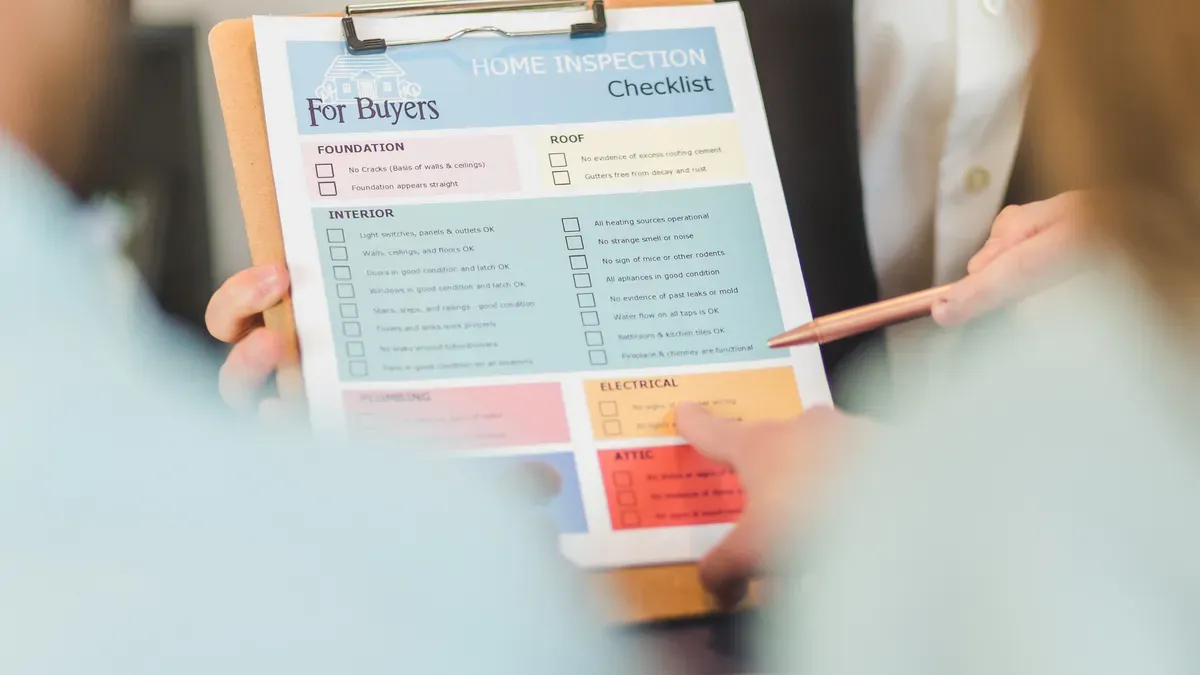
You need to begin your retail AI plan with strong data management and security. Good data is the base for every smart system in your store. If you skip this, you could make mistakes that cost money and trust.
Assess Data Readiness
You should check if your data is ready for retail AI. Many stores have problems like bad data, high costs, and old systems that do not work well with new tools. The table below shows common problems and what they mean for your business:
Challenge | Implication |
|---|---|
Poor Data Quality | Leads to inaccurate AI predictions, such as improper stock recommendations. |
Integration with Legacy Systems | Complex and resource-intensive process to cleanse and integrate datasets across multiple systems. |
High Operational Costs | Increased expenses associated with managing and maintaining data systems. |
Need for Effective Data Governance | Essential for ensuring data accuracy and consistency, impacting overall AI effectiveness. |
You should look at five main things: people, data, technology, rules, and laws. For example, ask how many managers know about AI, how many data sources you have, and if your systems use the cloud.
Pro tip: Give each area a score from 1 to 10. Work on the two lowest scores for the next 90 days before you start any new retail AI project.
Implement Security Measures
You must keep your data safe at every step. Start by adding privacy controls to your apps and services. Only let workers who need personal data see it. Use encryption to protect data when it moves and when it is stored. Anonymize data by removing names and other personal details. Do regular security checks and audits. Make a plan for what to do if something goes wrong.
Limit who can see sensitive information.
Use end-to-end encryption.
Run security audits often.
Follow standards like ISO 27701.
Use role-based access controls.
Ensure Compliance
You must follow all data privacy laws when you use retail AI. The GDPR in Europe asks for clear consent and lets people ask to delete their data. In the United States, laws like CCPA and CPRA say you must respect customer choices about their data. These rules change a lot, so you need to stay updated. Fast changes in AI can make it hard to keep up with these laws, so set up a team to watch for new rules and update your policies.
If you start with strong data management and security, your retail AI projects will have a better chance to succeed.
Retail AI Objectives
Define Business Goals
You should pick clear business goals before using retail AI. These goals help your team know what to do. They also help you see if your plan works. Many store owners want to make shopping better, work faster, or do smarter marketing. The table below shows some common goals and what they mean for your store:
Business Goal | Description |
|---|---|
AI technologies streamline interactions, providing frictionless shopping and checkout experiences. | |
Improving Operational Efficiency | Automation of routine tasks allows employees to focus on critical customer interactions. |
Optimizing Marketing Strategies | AI enables personalized customer engagements and targeted advertising based on shopping habits. |
When you use AI to make shopping personal, customers feel special. This helps them want to come back. Digital signs and kiosks can help people find things faster.
Identify Pain Points
You should find problems in your store that slow things down or upset customers. Start by looking at three main things: people, data, and technology. The table below can help you know where to look:
Pillar | Description |
|---|---|
Evaluates staff understanding of AI concepts and their ability to identify opportunities for AI implementation. | |
Data Infrastructure | Assesses the quality and accessibility of data collected across various systems in retail operations. |
Technology Infrastructure | Examines current systems and their capability to integrate with AI tools, including cloud capabilities and computing power. |
Some common problems are wrong inventory, slow help, and price mistakes. AI can help by checking inventory, running chatbots, and looking at sales trends.
Tip: Ask your team which jobs take the most time or cause the most mistakes. These are good places to try AI first.
Set Measurable Outcomes
You need to check if your retail AI project is working. Start by picking clear goals, like more sales or lower support costs. Use these steps to see your results:
Decide what success means for your store, like faster checkouts or happier customers.
Write down your numbers before you start using AI.
Use dashboards to watch sales, wait times, and mistakes.
Check your progress every week or month. Change your plan if you do not see good results.
Make sure everyone knows their job and shares updates.
When you focus on goals that matter, your AI project gives you the best results.
Leadership & Team Structure
Secure Executive Sponsorship
You need your store leaders to support your retail AI project. When leaders help and show they care, your team feels sure about the work. Leaders should talk to everyone and give updates often. This helps people trust each other and know what is happening. Leaders must also make sure the AI project matches your store’s main goals.
Evidence Type | Description |
|---|---|
When leaders help and show support, projects like AI work better. | |
Engagement | Good leaders talk to everyone and show they care about the project. |
Transparency | Being open and honest helps people trust the AI project. |
Tip: Leaders should talk often, build good relationships, and always link the AI project to your store’s goals.
Build Cross-Functional Teams
You need a team with people from different store jobs. When you bring together sales, marketing, IT, and customer service, you get more ideas. Teams like this help everyone work together and stop confusion. They also make sure the AI project helps every part of your store.
Role of Cross-Functional Teams | Contribution to Retail AI Initiatives |
|---|---|
Makes sure all parts of the store work together. | |
Align strategies | Helps everyone have the same goals. |
Enhance communication | Makes it easier to share information. |
Mitigate operational silos | Stops groups from working alone. |
You should have regular team meetings. Use these meetings to share news, fix problems, and keep everyone on track. When your team works together, your retail AI project is more likely to do well.
Audit Current AI Usage
Review Existing AI Tools
You should start by looking at the AI tools you already use in your store. Many retailers use smart systems to help with tasks like inventory, checkout, and customer service. According to recent reports, 40% of retail executives say their businesses use some form of intelligent automation, including AI tools. This shows that many stores have started using these technologies, but not all use them in the best way.
Make a list of every AI tool in your store. Write down what each tool does and how often your team uses it. Ask your staff if they find these tools helpful or if they face problems. You can use a simple table to organize your findings:
AI Tool Name | Main Use | How Often Used | Staff Feedback |
|---|---|---|---|
ExampleBot | Customer Service | Daily | Speeds up responses |
StockSmart | Inventory Check | Weekly | Needs better data |
This step helps you see what works well and what needs improvement.
Identify Gaps & Opportunities
After you review your tools, you need to find gaps and new chances for growth. Many stores face common problems when using AI. These include skills shortages, data quality issues, and trouble connecting new tools with old systems. You might also see that your store does not have a clear plan for using AI, or that costs and lack of skilled workers slow down progress.
Here are some common gaps you may find:
Skills shortages and governance challenges
Problems with data quality and access
Trouble connecting AI tools to old systems
No clear strategy for AI use
High costs for new technology
Tip: Write down each gap you find. Then, pick one or two to fix first. This will help you get the most value from your retail AI project.
When you know where your store stands, you can make better choices and plan for the future.
Technology & Infrastructure
Evaluate Current Systems
Check your store’s technology before starting retail AI. Build a team with people from operations, IT, merchandising, finance, and compliance. Spend a few weeks collecting numbers like system counts and data accuracy rates. Ask your staff how they feel about the systems. Find out what frustrates them. Look at how your store makes decisions. Check what technology you use and how your data moves. Compare your setup to your goals. Find gaps, like disconnected systems or missing customer data. Make a plan to fix these gaps. Rank them by how hard they are and how much they matter. Assign people to work on each gap.
Tip: Give each area a score from 1 to 10. Focus on the two lowest scores for three months. Track your progress in a simple spreadsheet. Use columns for pillar, current state, desired state, gap, and priority.
Optimize for Seamless Experience
Make sure your technology works well for customers and staff. Review forecasts using real-time data. Use customer data platforms to make shopping personal. Connect all your sales channels with omnichannel retail platforms. Improve supply chain efficiency with special software.
Best Practice | Technology Solution |
|---|---|
Review forecasts based on real-time data | N/A |
Personalize customer experience | Customer Data Platforms, AI-Powered Tools |
Achieve seamless omnichannel integration | Omnichannel Retail Platforms |
Improve supply chain efficiency | Supply Chain Management Software |
Check and upgrade your systems often. This keeps them fast and reliable.
Plan for Integration
Make a clear plan to connect new AI tools with old systems. Stores face challenges like system compatibility and data management. Use middleware platforms or integration tools to link AI outputs with legacy systems. Get key staff involved early. Make sure your AI projects match your business goals. Robust APIs and middleware solutions help connect computer vision models and other AI tools to your store’s systems.
Challenge Type | Description |
|---|---|
System Compatibility | Use middleware platforms or integration tools to connect AI outputs with legacy systems. |
Data Management | Involve key stakeholders early to align AI projects with business objectives. |
Organizational Readiness | Robust APIs and middleware solutions are needed for existing systems. |
Operational Disruption | Integration is vital for minimizing disruptions in daily operations while maximizing AI benefits. |
Note: Planning ahead helps you avoid problems. It also helps you get the most from your retail AI investment.
Retail AI Solution Selection

Research Available Tools
You need to look at many tools before you pick one for your store. Each tool has different strengths. Some work fast, while others handle more data. You should check if the tool can work with your current systems, like SAP or your warehouse software. Some tools can read emails and PDFs, which helps if you get lots of unstructured data. You also want a tool that is easy to set up and does not need a lot of help from your IT team. Security is important, so make sure the tool has the right certifications.
Criteria | Description |
|---|---|
Execution Capability | Does the tool automate actions or need people to finish the job? |
Cross-System Reach | Can it work with your other systems, like SAP or supplier portals? |
Unstructured Data Handling | Can it read emails, PDFs, and other messy data? |
Deployment Speed | How fast can you set it up and start using it? |
Maintenance Overhead | How much work does it take to keep the tool running as things change? |
Security Certifications | Does it meet the security rules your store needs? |
Tip: Make a checklist for each tool you review. This helps you compare them easily.
Match Solutions to Needs
You should match each tool to your store’s biggest needs. Start by listing your main problems, like slow checkouts or missing items. Then, see which tool solves each problem best. Ask your team what features they need most. Some tools work better for small stores, while others fit big chains. Look for tools that help you reach your business goals, like better customer service or faster restocking.
Consider Scalability
You want a solution that grows with your store. A good retail AI tool should work well as your business gets bigger. Look for these signs:
The tool uses MLOps to help you scale and manage AI models.
It lets you set up feedback loops and monitor results for ongoing improvement.
Real-time dashboards show you live data and help you spot problems fast.
You can retrain models often to keep them accurate.
The tool runs audits to check for bias and keep your store safe.
Note: Stores that plan for growth and keep improving their AI see better results. For example, a national chain fixed its data problems and improved its data readiness score from 40% to 85% in six months. This helped them use AI for better demand forecasting and personal recommendations.
When you choose the right tool, you set your store up for long-term success.
Implementation Plan
A strong implementation plan helps you avoid mistakes and makes your retail AI project easier to manage. You need a clear path to follow. This plan gives your team a repeatable way to work, so you can reduce errors and keep everyone on track.
Set Timeline & Milestones
Start by setting a timeline for your project. Break your plan into small steps. Most pilot phases last three to six months. Full deployment can take seven to twelve months. Use a table to track your progress:
Phase | Typical Duration | Key Activities |
|---|---|---|
Pilot Testing | 3–6 months | Test AI in one store or area |
Full Deployment | 7–12 months | Roll out to all locations |
Check your progress at each milestone. Adjust your plan if you find problems.
Assign Responsibilities
You need to give each team member a clear job. Build a cross-functional team with people from IT, marketing, supply chain, and HR. This helps everyone work together and share ideas. Make sure someone manages data, another person handles training, and someone else checks for bias and fairness.
Without clear change management, your team may resist the new system or use it the wrong way. Build training and communication into your plan.
Pilot Testing
Test your retail AI solution in a small, low-risk area first. Pick a use case that can show value quickly. Set clear goals and decide how you will measure success. Work with outside experts if you need help. Make sure your data is ready and your team understands the new system. Encourage open feedback and support new ideas.
Define clear objectives and metrics.
Start with high-impact, low-risk use cases.
Invest in data management.
Foster a culture of innovation.
When you follow these steps, you set your project up for success.
Team Training & Support
Hands-On Training
Your team needs to learn how to use retail AI tools. Start with easy workshops that show new systems. Let staff practice real jobs, like scanning inventory or using chatbots to help customers. Give each department training for their own tasks. For example, marketing can learn customer segmentation. HR can use AI to find new workers. Use simple guides and short videos to help people learn. Tell your team to ask questions and talk about what they try. When people practice, they feel sure about using AI every day.
Foster Innovation
You can help your store be more creative by teaching about AI and teamwork. Leaders should use AI and pick champions to help others. Ask your staff to try new tools and share ideas. Make programs that teach everyone about AI, from managers to new workers. Get departments to work together on projects. This helps people learn from each other and stops groups from working alone. Let employees try new things and learn from mistakes. This helps everyone grow.
Start AI learning for all staff.
Give special training for each department.
Pick AI champions to help others.
Help teams work together.
Keep learning and adapting.
Explain AI benefits and help people learn new skills.
A McKinsey study found that companies using AI a lot are three times more likely to do better with money than those that do not.
Support Channels
Your team needs good support to fix AI problems. Phone support lets staff talk to real people if online help is not enough. This builds trust and solves hard problems fast. Omnichannel support means staff can get help in many ways. AI remembers past help, so staff do not have to repeat things. This saves time and makes getting help easier. Make sure your team knows how to get support and gets answers quickly when they need them.
Monitor & Optimize
Track KPIs
You need to watch key performance indicators, or KPIs, to know if your retail AI is working. KPIs show if you are doing well or if there are problems. Here are some important KPIs you can use:
Customer experience metrics, like faster help and quick answers.
Operational efficiency, such as first contact resolution rates and less work for people.
Decision intelligence, including how often decisions are right and how much money you make from each insight.
Many stores use AI for things like personal marketing, digital helpers, and making content. For example, 42% use GenAI for marketing, 40% for shopping assistants, and 60% for content. You should also check sales conversions, how happy customers are, and how fast you sell your stock. Dashboards help you see these numbers right away. Set up tools that watch these KPIs and tell you if something changes.
Tip: Update your AI models a lot. This helps you keep up with new trends and what customers want.
Gather Feedback
You need feedback to make your AI better. Add a feedback loop to your store’s checks. Ask staff and managers what works and what does not. Have regular meetings to talk about AI results. Let everyone share problems or ideas. Open talks help you find and fix issues fast. Make feedback a normal part of your work. Over time, this will make your AI stronger and more helpful.
Add a feedback loop to your review system.
Let staff and managers talk openly.
Work together to make your AI better.
Check feedback often to improve your process.
Continuous Improvement
You should always try to make your retail AI better. Use a clear plan to check how things are going and fix weak spots. The table below shows smart ways to keep getting better:
Strategy | Description |
|---|---|
Continuous Evaluation Process | Check your AI every few months. Change your plan if you learn something new. |
Capacity Building | Fix your weakest areas, like data or staff skills, before you move on. |
Linking Improvements to Outcomes | Make sure your AI upgrades help your real business goals, like better stock or happier shoppers. |
When you watch KPIs, get feedback, and keep improving, your retail AI will help your store do well and stay ahead.
You can build a strong retail AI plan by following each step in this checklist. Focus on data management, leadership, and teamwork. Use a clear process to reduce mistakes and boost results.
Start your AI journey today.
Keep learning as technology changes.
Work with your team to find new ways to grow.
Remember: AI helps you stay competitive and ready for the future. Take action now to lead your store forward.
FAQ
What is the first step to start using AI in my store?
You should check your data quality and security first. Good data helps AI work well. Make sure you follow privacy laws and protect customer information.
How can I measure if AI helps my store?
Track key numbers like sales, customer wait times, and staff workload. Use dashboards to see changes. Compare results before and after using AI.
Do I need a big budget to use retail AI?
You do not need a huge budget. Many AI tools offer flexible pricing. Start small with pilot projects. Grow your investment as you see results.
How do I train my team to use AI tools?
Offer hands-on workshops and simple guides. Let staff practice with real tasks. Encourage questions and share tips often.
Can AI help small stores or only big chains?
AI works for stores of any size. Small stores can use AI for tasks like inventory checks or customer service. Start with one tool and expand as you learn.
See Also
Understanding AI-Driven Corner Stores: Key Insights for Retailers
Launching an AI-Enhanced Corner Store on a Budget
Revolutionizing Online Store Management with AI E-Commerce Solutions
