Surprising inventory management wins for micro stores


You run a micro store, so you know inventory management matters every day. Small changes can help you track items in real time. You save money by cutting waste and improve efficiency with simple steps. Even a quick adjustment can make your store run smoother.
Tip: Look for easy wins that fit your daily routine. These can help you notice results fast.
Key Takeaways
Doing regular stock audits can make inventory more correct by 30-40%. Count your items every week so you can find mistakes early.
Pay attention to fast-moving items. Check A-items every day. Check B-items every week. Check C-items every month. This helps keep popular products in stock.
Use technology like barcode scanners for fast tracking. They do not cost a lot and help stop mistakes in inventory management.
Try just-in-time restocking to save money. It also helps you react fast to what customers want. Watch your suppliers to make sure you do not run out of stock.
Get your team to help with inventory management. Train them often and solve problems together. This can make inventory more correct and lower losses.
Quick wins in inventory management
Simple stock audits
You can boost your store’s accuracy with regular stock audits. When you count your items often, you spot mistakes before they grow. Many micro store owners see inventory accuracy improve by 30–40% just by doing simple checks. These audits help you find miscounted items, misplaced products, and billing errors. Try counting a few shelves or bins each week instead of waiting for a big yearly count. This habit keeps your numbers correct and helps you avoid running out of popular items.
Tip: Make sure every stock adjustment has a clear reason. Write down why you change your numbers. This helps you find the real cause of any problem.
Prioritizing fast-moving items
Some products sell faster than others. You need to know which items move quickly so you can keep them in stock. Group your products into three types:
Category | Description |
|---|---|
High value, low quantity | |
B-items | Moderate value and quantity |
C-items | Low value, high quantity |
Focus on your A-items first. These bring in the most money and often sell out fast. Check their levels every day. For B-items, check them every week. C-items need less attention, but you should still review them each month. You can also track which items sell most often. Fast-moving items need quick reorders. Slow or non-moving items may need discounts or special offers to clear space.
Fast-moving: Sells or gets used often
Slow-moving: Sells sometimes
Non-moving: Sits on the shelf for a long time
Easy process improvements
Small changes in your daily routine can make a big difference. Start by naming every shelf, bin, and storage area. Labeling helps you and your team find items quickly and prevents loss. Use the same labels for SKUs and locations so everyone trusts the counts. When you receive new stock, always check the quantity and match it to your order before putting it on the shelf. This step stops mistakes before they reach your sales floor.
You can also merge duplicate SKUs. This keeps your records clean and stops you from buying too much of the same thing. Try doing micro-counts each week for your best-selling products. These small counts keep your inventory management sharp and help you catch problems early.
Note: Make every change to your stock intentional. Write down the reason for each adjustment. This habit helps you spot patterns and fix issues fast.
Tech tools for inventory management
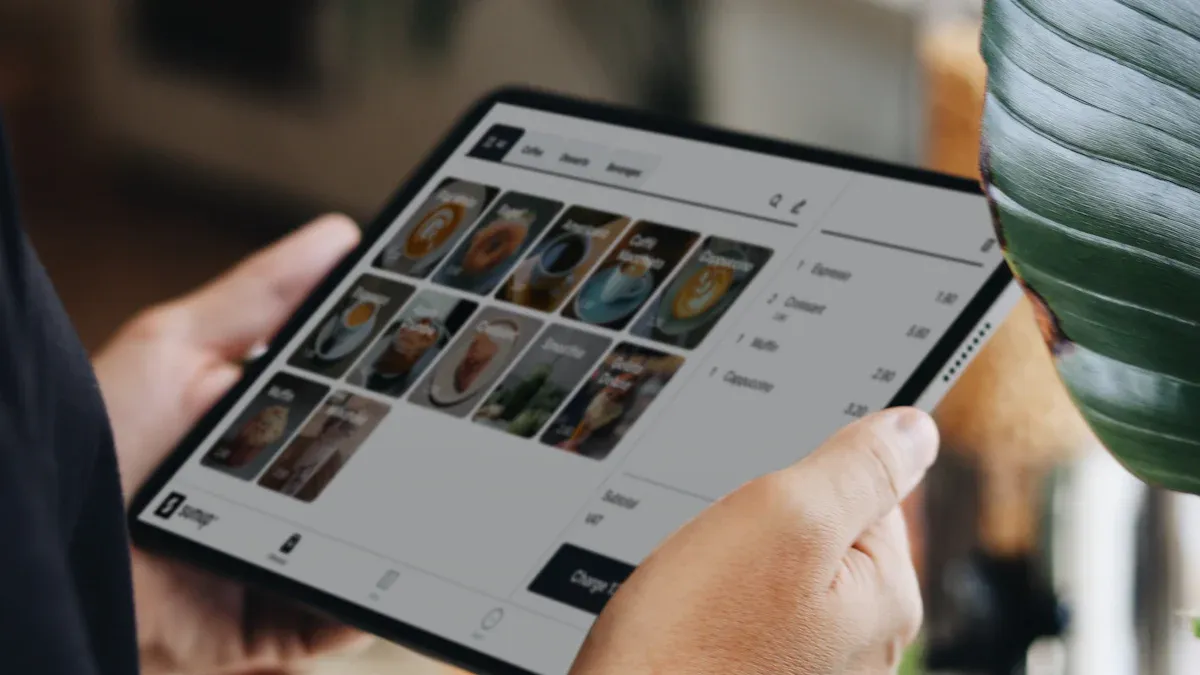
Technology can help you manage your store’s inventory with less effort and more accuracy. You do not need a big budget to get started. Many micro stores use simple tech tools to save time and avoid mistakes.
Barcode and RFID systems
Barcodes and RFID tags help you track products quickly. You scan a barcode with a handheld device or your phone. This updates your inventory right away. Barcodes are very affordable. Each label costs between $0.01 and $0.05. You can print them yourself or order them online.
RFID systems use radio waves to track items. They work faster than barcodes and do not need direct scanning. RFID tags cost more. For small stores, setting up RFID can cost from $6,000 to $30,000. The tags themselves cost $0.05 to $0.50 each, depending on the type. You also pay for readers and software. RFID works best if you have many items or need to track things in real time.
Tip: Start with barcodes if you want a low-cost, easy solution. Move to RFID only if you need faster tracking and have a bigger budget.
Inventory management software
Inventory management software helps you keep track of every product. You can see what you have, what you sold, and what you need to order. Many programs work with your point-of-sale (POS) system. This means your sales and inventory update together.
Here is a quick look at common features:
Feature | Description |
|---|---|
See your inventory change as you sell or receive items. | |
Automated reordering | The system orders more stock when you run low. |
Integration with POS systems | Connects sales and inventory for smooth operations. |
User-friendly interface | Easy to use, even if you are not a tech expert. |
Customer support | Get help when you need it. |
You should choose software that matches your store’s needs. Look for programs that are easy to use and offer good support. Many micro store owners like software that connects with their POS system. This saves time and reduces errors.
Cloud-based solutions
Cloud-based inventory tools let you manage your store from anywhere. You log in from your phone, tablet, or computer. These systems update automatically, so you always have the latest features.
Some main benefits include:
Cost-effective for small stores
Easy to use and set up
Access your data from any device
Automatic updates with no extra work
Share access with your team for better collaboration
Connect with other business tools
Get real-time analytics to help you make smart decisions
Cloud-based solutions help you stay organized and respond quickly to changes. You do not need to worry about losing data or installing updates. Many micro stores find these systems save time and money.
Note: Try a free trial before you buy. This helps you see if the system fits your store.
Data-driven inventory
Tracking key metrics
You make better choices when you track important numbers. These numbers show how your store is doing. They help you find problems early. Here is a table with three key metrics to watch:
Metric | Description |
|---|---|
Inventory turnover ratio | Shows how fast you sell and replace items. This helps you keep the right amount of stock. |
Stockout rate | Measures how often you run out of items. You can use this to improve your ordering process. |
Shrinkage rate | Tracks losses from theft, damage, or mistakes. You can find and fix the causes faster. |
Check these numbers every week. This habit keeps your shelves full. It also helps you lose less money.
Revealing hidden patterns
You can use data to find patterns in your inventory. Descriptive analytics tells you what happens in your store. Diagnostic analytics explains why things happen. You can use statistics to spot strange trends or mistakes. Predictive analytics helps you guess what will happen next. It uses your past sales to predict what you need. Machine learning models help you set better reorder points. They warn you about supply chain problems.
Descriptive analytics shows what is happening.
Diagnostic analytics explains why it happens.
Predictive analytics guesses future trends.
Machine learning models help with demand forecasting.
Early warning systems alert you to supply chain issues.
These tools make your inventory management smarter. They help you be more accurate.
Reducing waste and overstock
You can cut waste and avoid too much stock with smart steps. Advanced inventory optimization tools give you updates in real time. Demand forecasting helps you order the right amount. Reverse logistics makes returns easier and cuts waste. Retail inventory visibility systems let you see your stock anytime. Returns management systems help you plan better. Using clear inventory terms helps your team work faster.
Use inventory optimization tools for real-time updates.
Improve demand forecasting with old sales data.
Make returns easier with reverse logistics.
Watch your stock with visibility systems.
Manage returns with RMS.
Use clear inventory terms for better teamwork.
Stores that use data-driven inventory often see big changes. One store cut extra stock by 22% with AI tools. Another store saw a 38% drop in extra stock after better forecasting.
Tip: Start tracking your key numbers today. You will see less waste and more profit.
Process improvements
Cycle counting
Cycle counting helps you keep your inventory correct. You count small parts of your stock all year. You do not wait for one big count. This way, you find mistakes fast and fix them early. Your team helps often, so everyone stays involved. You do not need to close your store for counting. The table below shows how cycle counting is different from a yearly stocktake:
Aspect | Cycle Counting | Annual Stocktake |
|---|---|---|
Frequency | Happens all year | Happens once a year |
Error Detection | Finds mistakes right away | Finds mistakes at year-end |
Team Engagement | Team counts often | Team counts less |
Data Integrity | Data stays correct all year | Data checked only at year-end |
Operational Disruption | Store stays open | Store may close for counting |
Discrepancy Handling | Fixes mistakes right away | Fixes mistakes at year-end |
You can pick how often to count items. Many micro stores count expensive items every day or week. Other items get counted each month or every few months. This keeps your numbers right and your store running well.
Just-in-time restocking
Just-in-time restocking means you order products only when you need them. You save money because you do not keep extra stock. You can react quickly to what customers want. The table below shows the good and bad sides:
Benefits | Challenges |
|---|---|
Saves money on storage | Suppliers may be late |
Better cash flow | You might run out of stock |
Quick response to trends | Needs good inventory systems |
You must watch for problems. If your supplier is late, you may run out of items. You need to keep your data correct and your process strong. You also need to work with your suppliers and train your team for frequent deliveries. This method works best if you have good systems and reliable partners.
Streamlined ordering
You can stop running out of items by making your ordering process simple. Use these ideas to help your store:
Strategy | Impact on Stockouts |
|---|---|
Lower Last-Mile Delivery Costs | Shorter routes, saves money on delivery |
Efficient Space Utilization | Uses space better, makes inventory easier to reach |
Reduced Manual Labor Dependency | More accurate, faster orders, better fulfillment |
These systems also cut mistakes and fill orders faster.
When you use these process improvements, your inventory management gets stronger. Your store becomes more successful.
Team engagement in inventory management
Staff accountability
You make your team strong by setting clear rules for inventory jobs. Staff accountability keeps your store accurate and stops losses. Training your workers and making them responsible brings real results. Stores that focus on accountability and training lose less money from shrinkage. Here are some proven outcomes:
One retailer lost $78,000 less per store after better training and accountability.
Frequent training helped employees remember steps, which lowered shrink rates.
Stores with better training saw shrink drop from $140,000 to $62,000 per store.
You can give inventory jobs to certain team members. This helps everyone know their role and lets you find mistakes fast. Staff who know their jobs feel proud and help your store do well.
Collaborative problem-solving
You fix inventory problems faster when your team works together. Encourage your staff to share ideas and report issues. Hold regular meetings so everyone can talk about inventory problems and suggest fixes. Use a simple table to track ideas and results:
Problem | Suggested Solution | Outcome |
|---|---|---|
Missing items | Double-check bins | Fewer errors |
Overstocked shelf | Weekly audits | Less waste |
When you listen to your team, you find new ways to make your store better. Teamwork builds trust and keeps your inventory correct.
Tip: Celebrate small wins as a group. This makes your staff happy and keeps everyone involved.
Training best practices
You keep your team smart with ongoing training. Short, focused sessions fit into your staff’s routine and help them learn fast. Use technology to give training at different locations. Personalize training for each employee’s job and skill level. Repeat lessons so your staff remembers inventory management steps. Here are some best practices:
Give ongoing training to keep staff updated.
Keep sessions short and focused.
Use technology for easy training.
Personalize training for each job.
Repeat lessons often.
You build a skilled team when you invest in training. Your staff stays confident and your store works well.
Micro store success stories

Case study: Small change, big win
Small changes can make a big difference. One micro store owner put labels on every shelf and bin. This made it easier for the team to find things fast. The time spent searching for products was cut in half. Customers liked the faster service. Sales went up because people did not have to wait long. You do not need a lot of money to see results. Try making one small change and see how it helps your store.
Tech adoption boosts accuracy
You can use technology to help your store work better. Many micro stores have learned some helpful things:
Using technology for inventory control makes things more accurate and efficient.
Real-time tracking helps you watch your stock and make smart choices.
Automated systems lower mistakes and make inventory management easier.
You can start with a barcode scanner or a cloud app. These tools show you what is in stock right now. You make fewer mistakes and save time. Your team can spend more time helping customers instead of counting items by hand.
Team-driven improvements
You get better results when your team works together. Machine learning can help your staff focus on popular products. This means your team does not waste time restocking slow sellers. They can spend more time helping customers.
Machine learning helps your team work on high-demand products instead of items that do not sell well. This lets your workers focus on customer service, which builds loyalty.
With machine learning and good inventory data, you can make picklists for backroom teams. Sales floor staff do not need to check shelves. This lets your sales team focus on helping customers, which is important for loyalty.
You make your store stronger when you trust your team and use smart tools. These changes make inventory management easier and help your business grow.
You can make your micro store better with smart inventory management. First, look at how your system works now. Set clear goals for what you want to improve. Use demand forecasting to plan what you need. Pick suppliers you can trust. Organize your storage so items are easy to find. Use inventory management software to help you track products. Restock your items often so you do not run out. Efficient order fulfillment keeps your customers happy.
"Warehouse technology gives you real-time data and boosts accuracy."
Try one new idea today. Small changes can help your store win big.
FAQ
How often should I do stock audits?
You should do small stock audits every week. This helps you catch mistakes early. You do not need to wait for a yearly count. Weekly checks keep your numbers right and your shelves full.
What is the best low-cost tech tool for inventory?
Start with barcode scanners. They are cheap and easy to use. You can print your own labels. Barcodes help you track items fast and cut down on mistakes.
How can I stop running out of popular items?
Track your fast-moving products every day. Set reorder points for these items. Use inventory software to get alerts when stock runs low. This helps you restock before you run out.
Do I need special training for my staff?
Yes. Give your team short, focused training sessions. Teach them how to count stock, use tech tools, and spot problems. Well-trained staff make fewer mistakes and keep your store running smoothly.
See Also
Exploring Global Automated Retail: Micromarkets And Smart Stores
Enhancing Workplace Efficiency Through Smart Vending Solutions
Uncovering Top Micro Market And Vending Options For Businesses
Space-Efficient Tabletop Vending Machines For Contemporary Environments
Finding Ideal Micro Market And Vending Solutions Across The USA
