AI Workforce Planning for Retail: A Practical Guide to Reducing Labor Costs

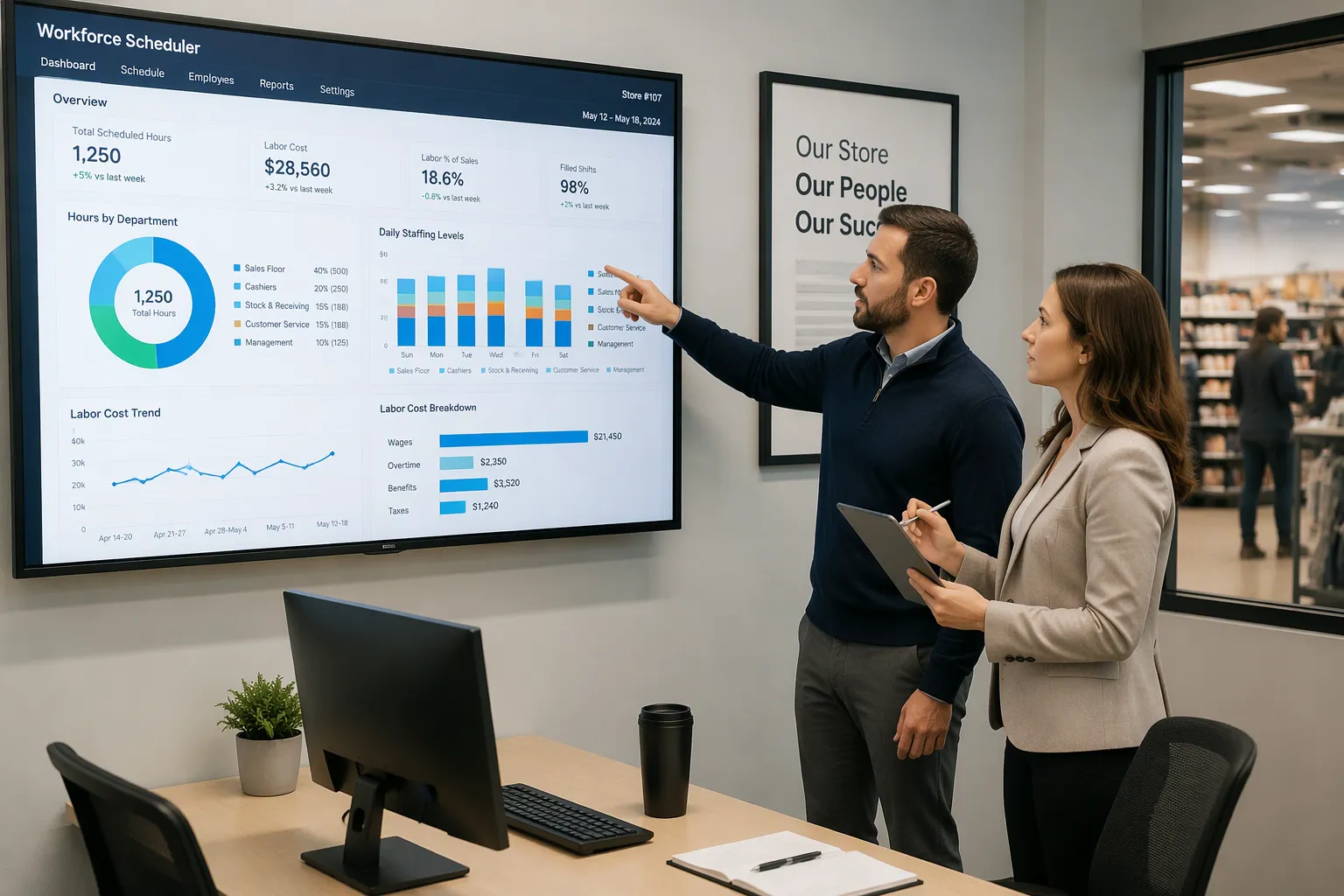
AI workforce planning for store operations means using artificial intelligence and predictive analytics to predict staffing needs, find skills gaps, and match people with business goals. Research from McKinsey, PwC, and IBM shows organizations can cut labor costs by 10–30% with this approach, and the savings depend on how well it is carried out. How does the technology deliver that saving without hurting service quality or compliance? AI workforce planning mechanisms are concrete: AI demand forecasting, AI-assisted scheduling, and AI-driven absence and turnover prediction. You will see e-commerce examples, including reducing retail labor costs with AI – scenario 12, plus a step-by-step roadmap you can act on this quarter.
Key Takeaways
AI predicts what customers will want and plans staff schedules to match, cutting wasted labor and saving 10–30% on labor costs.
Clean data is key for accurate forecasts. Fix store IDs, job codes, and timestamps before you start.
Follow a step-by-step plan: check your data, set KPIs, pick a platform, test it in one store cluster, then grow.
Keep an eye on sales per labor hour, overtime percent, and queue time. This shows your savings are real and that service is still good.
AI scheduling can make employees happier by balancing their available time with what the business needs.
Why Manual Scheduling In Retail Costs More
The Guesswork Problem
Old-school planning reacts to foot traffic after it happens. Managers make schedules from last week's gut feeling, not from detailed demand signals. They ignore real-time foot traffic patterns and sales curves. No AI model guides these choices. This guesswork causes too many and too few workers in the same week, often in the same store. The cost of guesswork shows up as idle workers during quiet hours and long lines during rushes.
TCP Software notes that without historical data or insights, managers rely on guesswork, which often leads to too many workers during slow periods and too few during peak hours. StoreForce lists the fallout: idle labor on slow days, missed sales at peaks, uneven service, and hours of manual schedule changes every week. Your workforce absorbs those costs through overtime and turnover. That cost adds up across the whole portfolio.
Where the Money Leaks
Think of a store cluster with five locations. Managers staff weekday mornings heavily "just in case," then run thin on Saturday afternoons. NRS Plus describes the practical result: idle hours still show up on the payroll, while understaffed checkout lines create slower transactions and abandoned purchases. OpenTimeClock adds that too much staffing wastes money on labor that creates no value, and too little staffing pushes your team toward mistakes and burnout. The cluster pays twice in costs: once for idle hours and again for lost baskets.
The leak goes beyond the schedule itself. A LinkedIn analysis by Saleem S. Khatri of 47 locations found scheduled hours and actual hours differed by 4.8 hours per employee per week, at a cost of $8.3M a year across 2,100 employees. Labor overruns averaged $847 per week per location. Schedule-versus-sales mismatches averaged $234 per week per location. These costs hide because dashboards report what was scheduled, not what happened. AI closes that gap by tying schedules to demand. AI forecasting turns those hidden leaks into visible, fixable numbers, and the workforce sees the difference in stable hours and fairer shifts.
How AI Workforce Planning Helps Reduce Labor Costs
Forecasting and Scheduling
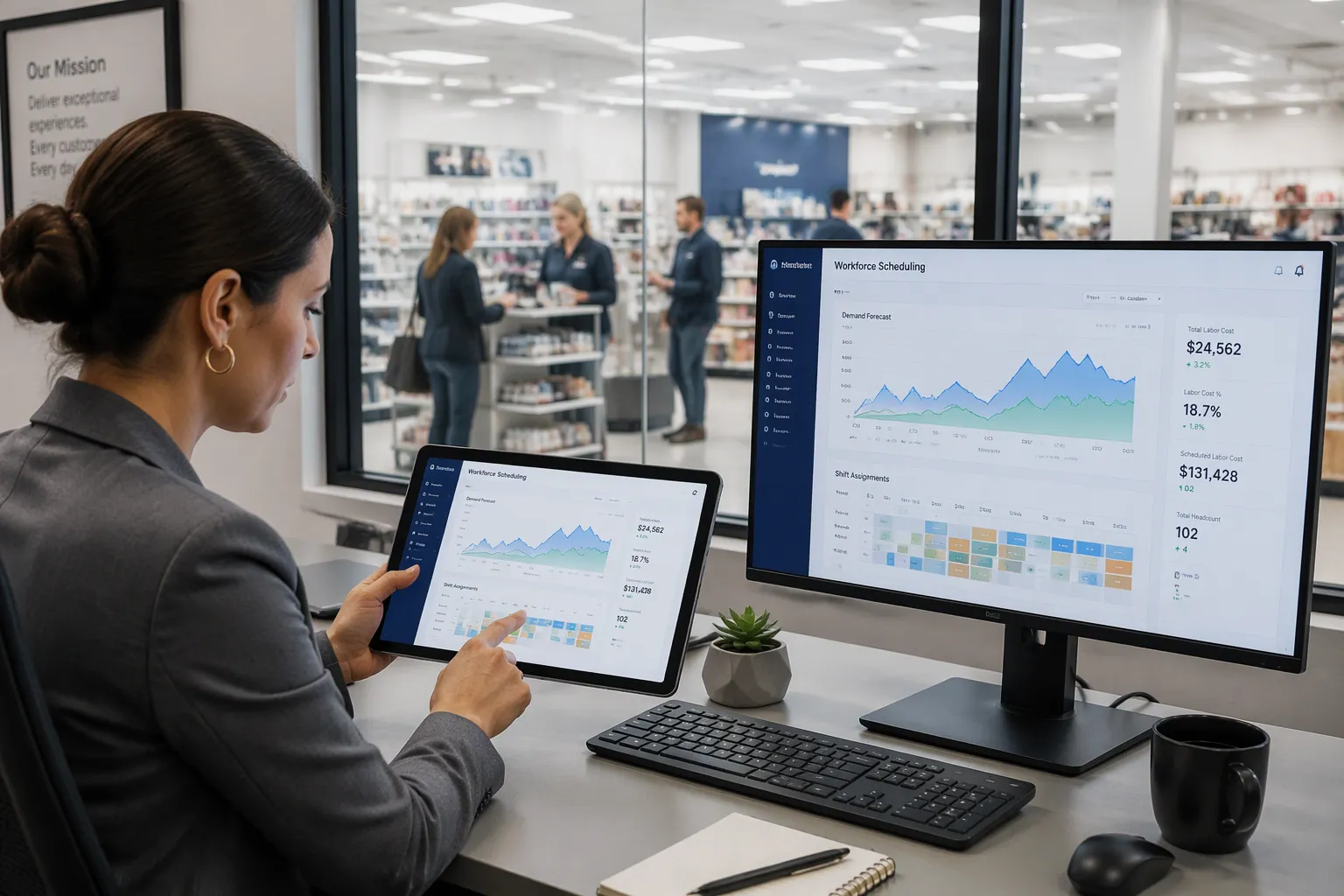
Predictive demand forecasting links retail sales signals to the schedule. AI models read internal data like past sales by hour, attendance patterns, shift swaps, and no-show rates. They also read labor cost per shift and per role, as Nowsta describes. They also read outside signals: weather, local events, holiday calendars, and economic indicators. The result is a forecast that looks ahead, not back.
The difference shows up in planning decisions. Old tools staff from past average hours per revenue dollar. AI workforce planning builds schedules from demand patterns and moves staff early when a demand signal crosses a threshold, according to r4.ai. Promotional calendars give the most lead time, weather and local events give 24 to 72 hours, and foot traffic data gives same-day signals. Inventory alerts matter too, because an out-of-stock event creates service labor without matching sales.
AI-assisted scheduling then drafts the schedule against your labor budget. Deputy notes that systems can weigh employee availability, labor cost, training or qualifications, and set scheduling rules. TCP Software adds that AI checks schedules against labor rules and flags rest-period, overtime, or predictive scheduling issues before you publish. As TCP Software puts it:
AI considers employee preferences, like availability, shift swaps, or time-off and PTO requests, and balances them with business needs.
Absence, Skills, and Turnover
Absence management moves from reactive to proactive. Intellectyx reports that AI tracks absence patterns and predicts unplanned absences, so managers arrange coverage early and avoid last-minute overtime premiums, which usually run 1.5–2x regular pay. Skills-based workforce allocation builds live skills lists from certifications, experience, and performance data, so the right person fills each task and rework costs fall. Turnover prediction flags flight risks weeks or months ahead; SHRM research cited by Intellectyx puts replacement cost at 50% to 200% of yearly salary. Contingent workforce optimization blends full-time, part-time, and contract labor and can cut total labor spend by 12–20% without lowering output quality.
Across these levers, AI workforce planning usually reduces labor costs by 10–30%. Better schedules also support a happier, safer, more productive workforce through balanced shifts and better compliance. For a worked example, see reducing retail labor costs with ai – scenario 12, which walks through these levers end to end. Teams studying reducing retail labor costs with ai – scenario 12 see how forecasting, absence, and contingent labor interact. The same logic in reducing retail labor costs with ai – scenario 12 applies to any store cluster. Use reducing retail labor costs with ai – scenario 12 as your planning template, and revisit reducing retail labor costs with ai – scenario 12 before each seasonal build.
Protecting Productivity in Retail & E-commerce
Matching Labor to Demand
AI-powered demand forecasting gives you a schedule that follows real demand, not last month's average. Lumina Datamatics reports that multifactor forecasting gets rid of overstaffing and understaffing, makes shift distribution better, and boosts productivity by putting the right people on the right tasks at the right time. In e-commerce, order volumes swing hard, so forecast accuracy directly shapes delivery timelines, customer satisfaction, and operational cost control.
Accurate forecasts also protect service and compliance. Rapid Innovation notes that accurate demand forecasts let retailers improve staff schedules, so the right number of employees is on hand during peak times, which improves customer service and satisfaction. The same source points out that automated systems help you keep up with labor laws and regulations, and non-compliance can bring legal issues and financial penalties. AI handles that check before you publish. Your team then spends its energy on customers, not on fixing the schedule.
Measuring the Trade-Off
You need proof that productivity held steady. StoreForce calls sales per labor hour one of the most important workforce management KPIs in retail, and defines it as total sales divided by total labor hours. That single ratio shows whether labor investments produce results while balancing customer service and profitability. Track it alongside the metrics in the table below, drawn from the Umbrex store labor productivity scorecard.
KPI | What it measures |
|---|---|
Overtime percent | Share of hours paid at premium rates; a signal of planning gaps |
Schedule adherence | How closely actual hours match the published schedule |
Queue time | Customer wait for checkout, service desk, pickup, or returns |
Payroll variance | Gap between planned and actual payroll in hours, dollars, or percent |
Review these weekly against your baseline. Rising sales per labor hour with flat queue time proves you cut waste, not service. Falling queue time with stable payroll variance proves the schedule now matches labor demand. Either result gives you the evidence to scale.
A Practical Implementation Roadmap
Audit, Define, and Choose
Begin with a data audit. Logile lists the inputs worth gathering: sales and traffic forecasts, transaction and item volumes, workload, labor standards, store and department traits, employee availability, wage rates, budget targets, and past performance. Add the demand signals that shape your peaks: promotions, weather, seasons, fulfillment demand, and local events. Clean store IDs, job codes, and timestamps before you load anything. A messy baseline will produce a messy forecast, and your team will blame the model.
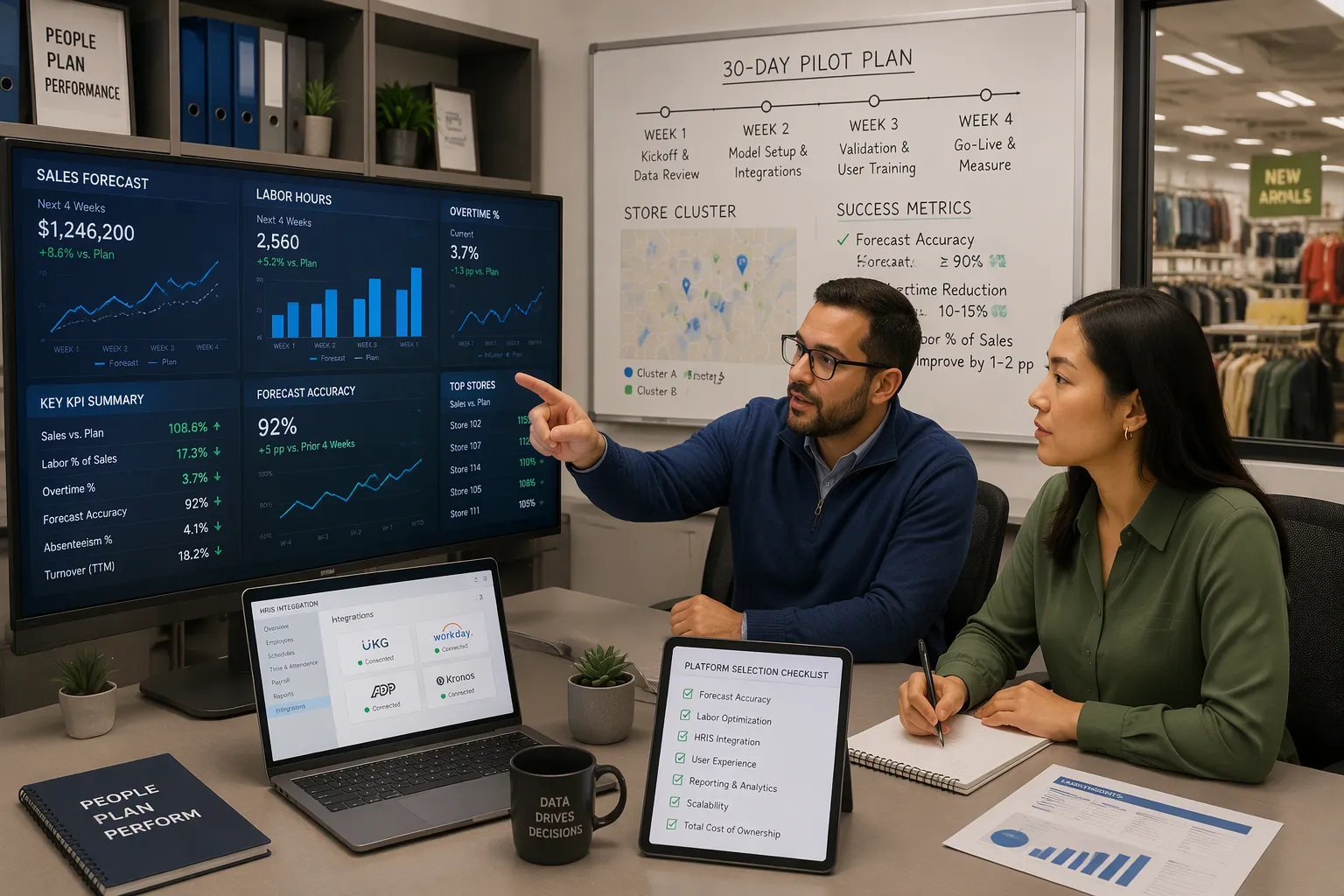
Next, define the KPIs your pilot must move. AIHR suggests forecast accuracy against actuals, overtime reduction, contractor spend reduction, vacancy days in key roles, and time to fill. Pick two or three. These numbers become the yardstick for every later decision about headcount and cost.
Then choose a platform that fits your operation. AIHR recommends strong links with HRIS and ATS systems, bias reduction and explanation features, scenario modeling, clear audit trails, and easy-to-use dashboards. Assessteam adds that the platform should support measurable goals, reporting, and human review of every AI recommendation. Match the tool to your size and growth stage, and confirm it gives HR and finance shared visibility into headcount and cost.
Pilot, Measure, and Scale
Run the pilot on a single store cluster for 30 days. Smarterway.ai recommends assigning an AI champion, deploying to 5–10 stores, capturing baseline metrics, writing down a governance and privacy framework, and training the pilot team on AI outputs and their limits. Collect daily feedback from store teams. In week four, share early wins with the full team.
Build the plan itself around business drivers. Ricci advises tying each role family to the driver that creates its work, so demand forecasts to hiring waves flow from one model. Map the top twenty skills for pilot roles, then model attrition and time to hire to see where gaps open. Run at least three scenarios and turn each gap into an action: build, buy, borrow, bridge, or automate. This is strategic workforce planning in practice, not a spreadsheet exercise.
Measure against your KPIs weekly. Yoobic separates people metrics from operational ones, so track employee turnover and time-to-productivity alongside task completion. Prove the KPI moved before you scale. Then extend intelligent scheduling to the next cluster, and let operational workforce planning absorb the lessons. Your ai workforce tools should earn trust store by store, and your ai scheduling tools should show their value in the numbers. With disciplined ai workforce planning, headcount and cost stay aligned, and the workforce sees fairer shifts. That is how ai workforce planning pays for itself.
Managing Risks and Costly Mistakes
Data Quality and Trust
AI works well only when the data is clean, complete, and well organized. Appliview warns that bad data leads to weak insights and poor workforce forecasts. Coworker.ai explains what goes wrong: missing past records, wrong skill profiles, and old availability choices all create bad forecasts. One retail chain found its planners spent 18 hours a week fixing conflicting availability data across three systems. More manual overrides show supervisors do not trust the system, and fairness complaints show the algorithm cares more about efficiency than about workers.
Lower these risks with careful steps. AIHR suggests checking and mapping data flows before you start, using only the data you need, and checking vendors as closely as you check employees. Test for bias before and after launch, and compare results across demographic groups. Visier says its models can be adjusted, so customers can apply their own bias rules and confirm the source data is clean. Appliview adds that explainable AI and open communication build trust. Give employees a clear way to challenge AI-influenced results.
Privacy and Over-Reliance
Data privacy is a risk from the start, not something to handle later. MP-HR advises using only the data you need, limiting its purpose, getting consent and giving notice, and setting clear retention rules. Several states are watching automated hiring tools more closely, so employers in many states should expect employee data rules to keep changing. Require human review for AI-supported employment decisions, train managers on responsible use, and document vendor due diligence.
Keep humans in charge of high-stakes calls. Sysgenpro suggests human-in-the-loop reviews at key decision points, regular model audits, and backup plans. Check forecast accuracy often and retrain models as conditions change. Match the platform to your main problem: Legion and UKG fit shift-based scheduling and complex labor rules, Deputy suits smaller operations at about $5 to $9 per user per month, and Visier or Anaplan fit headcount and budget planning. Many mid-size companies use one of each. Quarterly reviews of override rates and complaints keep costs and trust in check.
AI workforce planning uses real demand instead of guessing. You forecast demand, schedule to it, and manage absence, skills, turnover, and contingent labor with the same data. Savings usually reach 10–30%, and you cut labor costs without lowering service.
Productivity and service quality stay safe when you follow the audit–KPI–platform–pilot–scale roadmap. That order keeps strategic workforce planning based on evidence, and your workforce productivity stays steady.
Pick one high-cost problem, such as overtime or last-minute agency shifts. Run a 30-day data audit, then pilot a forecasting tool on a single store cluster. Track the costs each week, and let the results guide your next move.
FAQ
How long does it take to see savings from ai workforce planning?
You can see early signs in about 30 days. Run a pilot on one store cluster and track overtime and schedule adherence each week. Full savings build over several quarters as you scale. Most labor cost cuts fall in the 10–30% range.
Do I need clean data before I start?
Yes. Bad data makes weak forecasts, and your store teams will lose trust fast. Check sales, traffic, availability, and wage data first. Fix store IDs, job codes, and timestamps. Then load the clean baseline into your ai platform.
Will ai scheduling hurt employee satisfaction?
It can help. AI balances availability, shift swaps, and time-off requests with business needs. Balanced shifts support a happier, safer, more productive workforce. Give employees a clear way to question AI-influenced results, and review override rates each quarter.
Which metrics prove the pilot worked?
Track sales per labor hour, overtime percent, schedule adherence, queue time, and payroll variance. Compare each against your baseline every week. Rising sales per labor hour with flat queue time proves you cut waste without cutting service.
Can small retailers use ai workforce planning?
Yes. Match the platform to your size and main problem. Deputy suits smaller operations at about $5 to $9 per user per month. Larger chains often pair a scheduling tool with a headcount planning system. Start with one high-cost pain point.
See Also
Transforming Online Store Management With AI-Powered E-Commerce Tools
AI-Powered Corner Stores Rising: Essential Insights for Retailers
Opening an AI-Powered Corner Store With Minimal Investment
Walgreens Self-Checkout Explored: Retail Convenience and Challenges
