How to Scale Computer Vision Model Testing in Real World Retail Networks

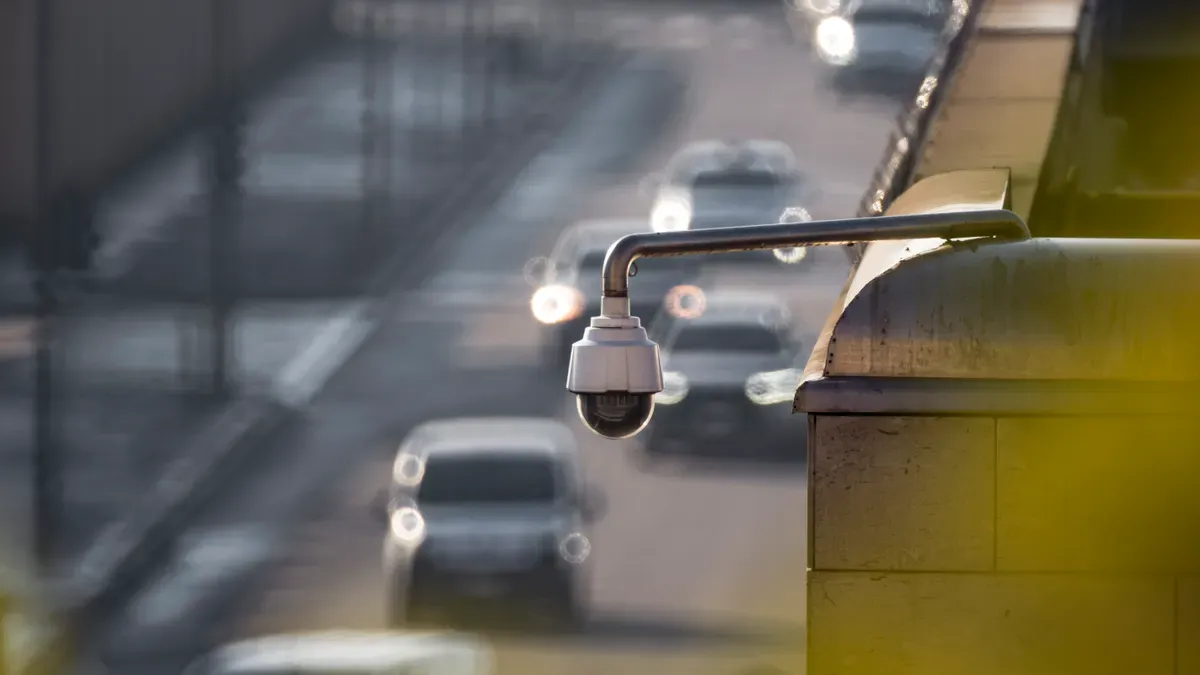
You scale testing for computer vision models across real store networks. You do this by deploying three main parts. First, use a central edge-orchestration framework. Second, use automated shadow deployments. Third, use localized drift detection. Physical retail stores have special work challenges. Sending raw video feeds to the cloud costs a lot of money. Bad store connections cause big telemetry delays.
💡 Key Takeaway: Edge testing checks model accuracy locally on live camera feeds. It does this without stopping store work. It also avoids sending big video files to cloud storage.
You test your inference workloads at the store edge. This action removes high network costs. You stop store downtime. You do this by hiding updates before real production rollouts. In the end, this neat edge-testing pipeline ensures good store telemetry. It also keeps strong infrastructure across every location.
Key Takeaways
Test computer vision models on store devices locally.
This cuts high cloud bandwidth costs.
Shrink model sizes using quantization.
This speeds up frame processing on low-power chips.
Run shadow deployments on live camera feeds.
Test new models without risking store operations.
Track image metrics and entropy locally.
Spot data drift without sending big videos online.
Use blue-green deployments on edge devices.
Update store software with zero downtime.
Standardizing Edge Computer Vision Models
Standardize your target systems first. Do this before sending computer vision models to stores. Hardware changes a lot across shops. Old shops use legacy x86 servers. New branches use small ARM gateway devices. Others use NVIDIA Jetson boards. Pick small detection models now. This choice guarantees fast real-time inference everywhere.
+-------------------+--------------------+------------------------+
| Model Architecture| Target Framework   | Best Retail Use Case   |
+-------------------+--------------------+------------------------+
| SSD MobileNet V2  | TFLite / ONNX      | Basic On-Shelf Sensing |
| YOLO-FastestV2    | NCNN / TensorRT    | Fast Foot-Traffic Count|
| YOLOv5s           | TensorRT / OpenVINO| Loss Prevention Cameras|
| YOLOXn            | TensorRT / ONNX    | Dense Checkout Scans   |
+-------------------+--------------------+------------------------+
Heterogeneous Hardware Management
Manage varied chips by splitting app code from silicon. Current shop tech includes three hardware types:
NVIDIA Jetson Nodes: Great for decoding many video streams using TensorRT.
ARM Gateway Devices: Low-power chips that run simple detection tasks.
x86 Legacy Servers: Existing computers doing CPU checks via OpenVINO.
Separate these hardware layers using one build system. Engineers compile base models into ONNX files. Next, your tools turn ONNX files into local engines.
Edge Containerization Strategies
Put your detection tasks into small container images. Free container tools run identical code everywhere.
💡 Pro Tip: Keep edge container images under 500 MB. Remove extra dev tools. Install tiny operating systems like Alpine Linux.
Create multi-architecture container images using Docker Buildx. Your pipeline builds single container manifests. These hold files for ARM64, AMD64, and CUDA. Devices automatically download the right image layer locally. This plan removes custom setup scripts for stores.
Model Quantization for Retail Nodes
Heavy network weights slow down local nodes. They also waste store memory. Apply post-training quantization after cloud model training steps.
import tensorflow as tf

# Convert FP32 model to INT8 for edge nodes
converter = tf.lite.TFLiteConverter.from_saved_model("store_detector")
converter.optimizations = [tf.lite.Optimize.DEFAULT]
converter.target_spec.supported_types = [tf.int8]

quantized_model = converter.convert()
with open("edge_detector_int8.tflite", "wb") as f:
    f.write(quantized_model)
Quantization changes 32-bit parameters (FP32) into 8-bit integers (INT8). This process shrinks model sizes by 75 percent. It accelerates frame processing on low-power chips. Accuracy stays well above your production limits.
Testing Models Across Retail Use Cases

Check shop tools in many places first. Do this before big store launches. Testing computer vision models needs strong checks. Each shop task needs clear steps. Focus on shelf checks. Watch for store theft. Automate customer checkouts. Analyze how shoppers move.
Evaluating Computer Vision Models Across Retail Tasks
Measure tool success using video data. Compare predictions to real labels. Each store task uses unique scores.
Shelf Monitoring: Watch product levels on display shelves. High Precision stops false restock alerts.
Loss Prevention: Spot bad actions near costly items. High Recall catches every single incident.
Cashierless Checkout: Scan items inside shopping carts. High Accuracy is needed for all products.
Shopper Flow Analysis: Track path lines through store aisles. Check Mean Average Precision for moving objects.
Sort tool outputs using a confusion matrix. This chart tracks four simple outcomes:
+-------------------+----------------------+----------------------+
|                   | Predicted Positive   | Predicted Negative   |
+-------------------+----------------------+----------------------+
| Actual Positive   | True Positive (TP)   | False Negative (FN)  |
| Actual Negative   | False Positive (FP)  | True Negative (TN)   |
+-------------------+----------------------+----------------------+
Find Precision by dividing True Positives. Divide them by all positive guesses. Find Recall by dividing True Positives. Divide them by all real positives. Check these math results using store video. Test thousands of marked video frames.
💡 Tip: Set firm goal scores for tasks. Theft systems can make small mistakes. Payment systems must never miss items.
Shadow Deployments on Live Camera Feeds
Do not send new code live. It might ruin daily store work. Use shadow deployments on camera feeds.
                       +-------------------+
                       | RTSP Video Feed   |
                       +---------+---------+
                                 |
            +--------------------+--------------------+
            |                                         |
            v                                         v
+-----------------------+                 +-----------------------+
| Active Production     |                 | Shadow Candidate      |
| Model                 |                 | Model                 |
+-----------+-----------+                 +-----------+-----------+
            |                                         |
            v                                         v
+-----------------------+                 +-----------------------+
| POS System / Actions  |                 | Silent Telemetry Logs |
+-----------------------+                 +-----------------------+
Shadow tests send live video streams. They feed your new test models. Your main model runs store operations. Your test model runs quietly behind. Compare both results safely without risk.
This method shows real-time inference delays. It tests models under true workloads. Save prediction differences on edge nodes. Teams review errors before updating models. Swap new computer vision models later.
Handling Occlusions and Lighting Changes
Real stores create tricky visual scenes. Shoppers block goods using their hands. Carts cover items on low shelves. Sunbeams move across windows all day. Bright lights create glare on plastic.
Test models against these visual obstacles. Use videos with hard store conditions:
Visual Occlusions: People reaching for goods. Blocked shelf views. Busy checkout lines.
Variable Lighting: Bright morning sun. Dark evening store lights. Glare on shiny packages.
Angle Changes: Moved camera positions. Wide-angle lens bends at corners.
Send hard video clips back online. Improve your model training dataset now. Add fake shadows and brightness changes. Cut out random image parts.
# Apply data augmentation techniques for physical store conditions
import torchvision.transforms as T

store_transform = T.Compose([
    T.ColorJitter(brightness=0.4, contrast=0.4),
    T.RandomErasing(p=0.5, scale=(0.02, 0.2)),
    T.ToTensor()
])
This smart update fixes system bugs. Retraining helps models handle store noise. Send hard cases to model training. This loop ensures great store performance.
Edge Observability and Drift Detection
Watch live store vision tools constantly. Daily shops shift visual patterns often. Edge view systems catch bugs early. Bad bugs ruin shopper trips.
Monitoring Data Drift in Bandwidth-Constrained Stores
Camera pictures change every day. Managers move sale displays fast. Sun rays change room light. Shifts create big data drift.
+------------------+-----------------------+------------------------+
| Drift Indicator  | Visual Cause          | System Impact          |
+------------------+-----------------------+------------------------+
| Image Blur       | Dirty Camera Lenses   | Lower Bounding Accuracy|
| Color Shift      | New Store Lighting    | Misidentified Packages |
| Pixel Noise      | Weak Cable Signals    | Dropped Video Frames   |
+------------------+-----------------------+------------------------+
Sending big videos online wastes money. Measure pixel numbers on local chips. Compute brightness, contrast, and image sharpness. Compare numbers to base training sets. Chips send quick alerts on errors.
💡 Tip: Measure light picture stats locally. Save network data on bad views.
Localized Concept Drift Detection
Concept drift alters normal shopper actions. People use personal shopping bags. Items move, but photos stay clear.
Track confidence scores during store hours. Low scores mark potential concept drift. Find entropy using one simple equation: entropy = sum(p * log(p)).
import numpy as np

# Calculate local prediction entropy on edge nodes
def calculate_entropy(probabilities):
    # Filter zero probabilities to avoid math errors
    p = probabilities[probabilities > 0]
    return -np.sum(p * np.log(p))

# High entropy flags concept drift locally
sample_probs = np.array([0.45, 0.40, 0.15])
drift_score = calculate_entropy(sample_probs)
High entropy scores show model doubt. Store chips save specific bad frames. Save clips for future model training.
Asynchronous Telemetry Syncing
Bad network feeds break online tools. Separate data logs from video feeds. Save logs in local databases.
Send light JSON files at night. Shrink files to save data paths. Local chips resend dropped network logs. Offline syncing keeps engineering boards updated.
CI/CD Pipelines for Store-Wide Rollouts
Safe delivery fixes store software fast. Automate updates to stop store bugs.
Zero-Downtime Blue/Green Deployments
Live updates hurt store software. Use blue/green plans on local chips.
               +----------------------------------+
               | Incoming Camera Video Feed       |
               +----------------+-----------------+
                                |
                   +------------+------------+
                   |                         |
                   v                         v
       +-----------------------+ +-----------------------+
       | Active Container      | | Standby Container     |
       | (Blue: Version 1.0)   | | (Green: Version 2.0)  |
       +-----------+-----------+ +-----------+-----------+
                   |                         |
                   v                         v
       +-----------------------+ +-----------------------+
       | Live Point of Sale    | | Local Health Checks   |
       +-----------------------+ +-----------------------+
Run two app setups together locally. Blue apps process active store cameras. Green apps download updates quietly. Check system health before moving video feeds.
These simple methods keep stores safe:
Blue-Green and Canary Deployment Strategies: Dual systems fix bugs in seconds.
Feature Flagging: Toggle features to avoid system resets.
Automated Rollback Threshold Triggers
Pipelines catch store bugs instantly. Check new telemetry metrics after updates.
+---------------------+-------------------+-----------------------+
| Metric Monitored    | Failure Threshold | Automated Pipeline    |
+---------------------+-------------------+-----------------------+
| Inference Latency   | > 120 ms          | Revert to Blue Container|
| Local CPU Usage     | > 90% sustained   | Revert to Blue Container|
| Frame Drop Rate     | > 5% total frames | Revert to Blue Container|
+---------------------+-------------------+-----------------------+
Edge nodes undo bad releases quickly. Traffic flips back to blue containers.
💡 Pro Tip: Base rollback rules on peak traffic.
Scaled Multi-Store Continuous Integration
Big shop networks need clear plans. Manage updates using five simple steps:
Implement Ring-Based Progressive Rollouts: Test updates in labs before stores.
Version Everything via Git: Save configuration files inside Git tools.
Automate Pre-Deployment Verification: Run network health checks before updating.
Embed Safeguards and Telemetry: Add rule policies and alert triggers.
Schedule Around Operations: Update apps during low sales hours.
Growing computer vision models in shops takes planning. You need centralized edge systems. Use local viewing tools. Run tests on live store cameras. This plan brings great value. It fixes complex retail problems.
💡 Strategic ROI: You get fast deployment speed. You cut network bandwidth expenses. You stop store downtime completely. You boost stock accuracy everywhere.
Do not let old tools slow you down. Update your edge MLOps pipelines today. Build strong shop networks for tomorrow.
FAQ
How do you reduce network bandwidth costs during edge model testing?
Test camera feeds on store edge hardware. Local systems scan data. They send simple JSON logs. They share metrics. They avoid sending big videos.
What is the safest way to update computer vision models in stores?
💡 Use local blue/green deployments to prevent store operational downtime.
Run two containers locally. Standby units download updates. Switch video feeds instantly. Do this after green containers pass checks.
How do you detect data drift on local edge devices?
Calculate local image metrics. Check brightness and contrast. Measure prediction entropy locally. Compare scores to baseline data. Systems catch local drift fast. No cloud power is needed.
Why should you use shadow deployments on live camera feeds?
Shadow tests use live feeds. New models run quietly. Compare real detection accuracy. Measure local latency speeds. Find dangerous bugs early. Protect main checkout systems.
See Also
Comparing Global Automated Smart Stores And Modern Unmanned Micromarkets
Launching An Affordable Smart Local Convenience Market On Budget
Revolutionizing Digital Shop Operations Using Advanced Artificial Intelligence Tools
Essential Merchant Insights Regarding The Growth Of Automated Shops
Automated Food Dispenser Systems Are Transforming Modern Shopping Access
