Comparing Computer Vision and RFID for Smarter Retail Inventory Management

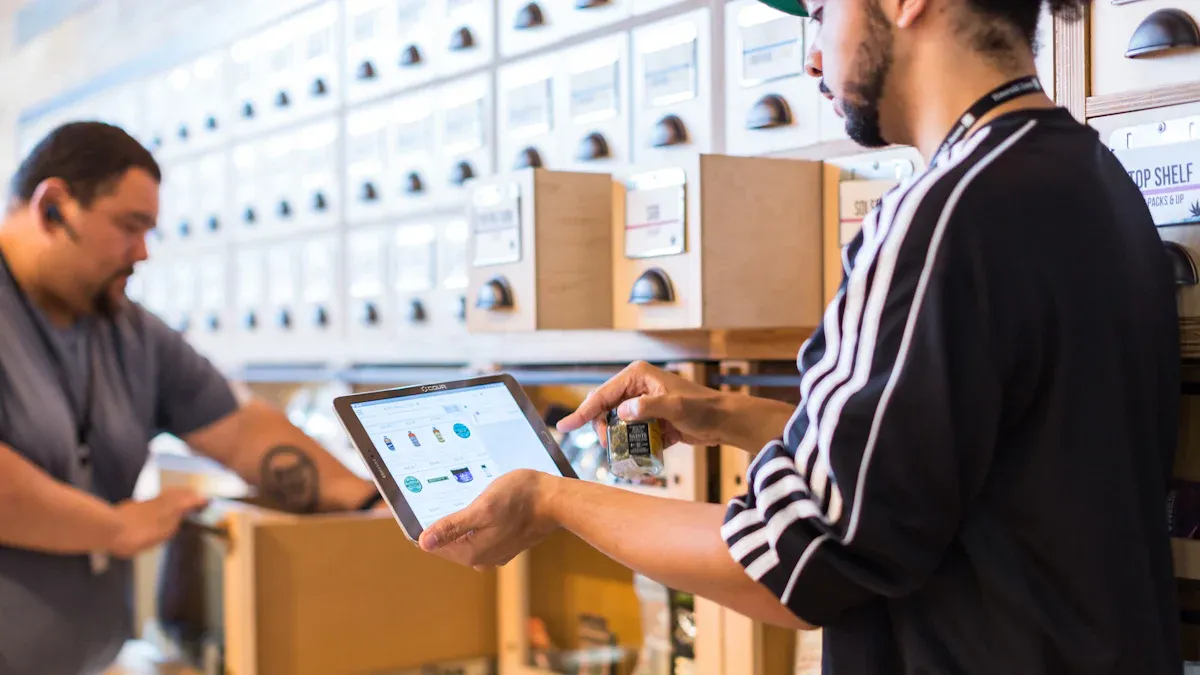
Imagine you run a busy store with no cashiers. You want to track inventory easily so shopping is smooth. The best choice depends on your store. Computer vision gives strong and cheap tracking. RFID is good for organized control. Better inventory management helps stores do better and make more money. For example, some companies cut costs by 28% and raised sales by 12%, as shown below:
Cost Reduction | ROI | Working Capital |
|---|---|---|
28% | 200-400% in 2 years | 15-30% freed in 1 year |
You need to pick the right technology for your goals. You should also plan for more automated stores. Customers want things to be correct.
Key Takeaways
Pick the best technology for your store. Computer vision gives updates right away. RFID helps keep inventory in order.
Good inventory management can help stores make more money. Stores can cut costs by 28%. They can also raise sales by 12% with good systems.
Using RFID and computer vision together works better. This helps stop items from running out. It also makes customers happier.
Buy technology that matches your budget and store size. Think about how much it costs at first. Also, think about how it helps in the long run.
Train your staff often on new systems. Good training keeps things running well. It also helps you get the most from your technology.
Why Inventory Accuracy Matters in Retail
Costs of Poor Inventory Accuracy
If your inventory is not accurate, you face big risks. Mistakes can cost you money and hurt your store’s name. Stores lose a lot every year because of poor accuracy. Look at these numbers:
Type of Loss | Amount (in Trillions/Billions) |
|---|---|
Total Losses | |
Lost Revenue (Stockouts) | $1.2 trillion |
Overstock Losses | $562 billion |
Shrinkage | $407 billion |
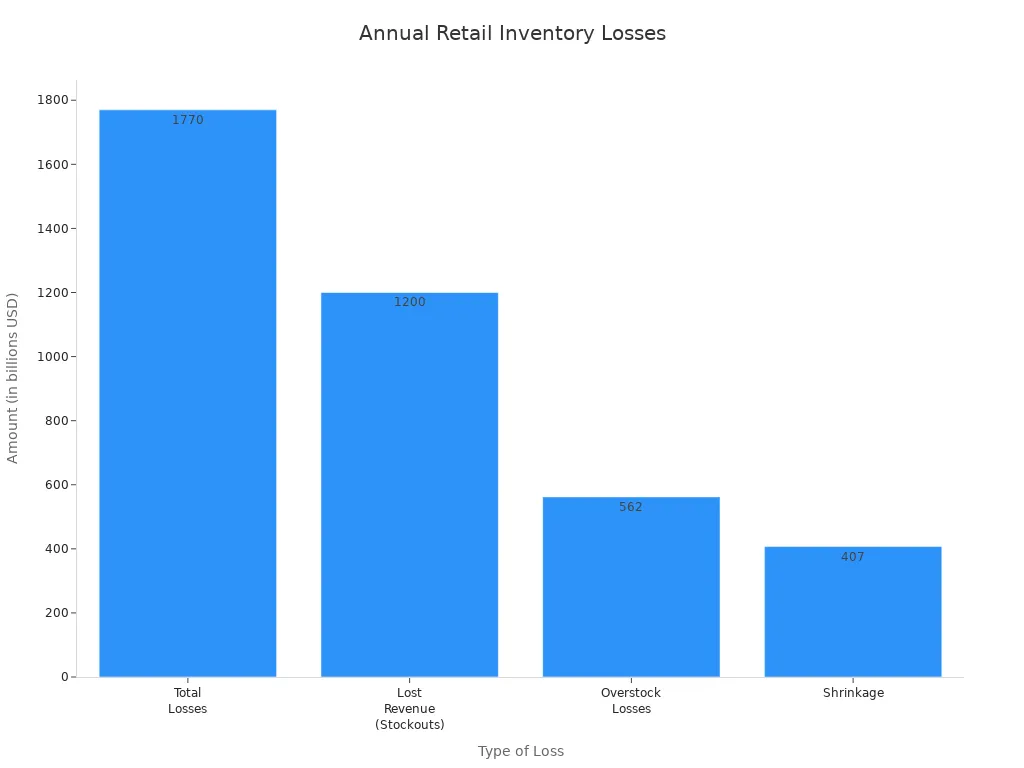
You lose money if you run out of items or have too many. Shrinkage means things are missing or stolen. These problems lower your profits and make customers unhappy. If you do not have what people want, they leave and may not come back. You also spend more to fix mistakes, pay for audits, and deal with upset workers.
Type of Cost/Challenge | Description |
|---|---|
You lose power with suppliers, pay more for audits, insurance goes up, and your stock price can drop. | |
Customer Service Degradation | Stockouts and delays make customers upset and cause more returns. |
Supply Chain Disruption | Orders become messy, making it hard for suppliers and transport. |
Planning and Forecasting Failures | Bad data makes it hard to predict what you need. |
Employee Morale Issues | Staff get frustrated and may quit. |
Compliance and Regulatory Risks | You can get fined or lose your license if records are wrong. |
Technology’s Role in Retail Inventory
Technology helps you keep inventory accurate and your store running well. RFID lets you track items fast and cuts mistakes. Computer vision shows you what is on shelves right now. These tools give you updates and help you avoid running out or having too much. Here is how technology helps:
Real-time tracking gives updates with every sale or return.
Automated systems tell you when to order more so you do not run out.
AI and IoT show sales trends and help you plan.
Using RFID and computer vision together works best. You keep inventory accurate, save money, and make customers happy. Good accuracy means orders are filled on time, mistakes are fewer, and shoppers return.
Aspect | Impact on Customer Satisfaction and Retention Rates |
|---|---|
Orders are filled quickly, making customers happy. | |
Error Reduction | Fewer mistakes in picking and shipping make shopping better. |
Stock Discrepancy Minimization | No canceled orders or backorders, so your brand stays strong. |
Consistent Expectations | Meeting customer needs every time builds loyalty. |
Tip: Keep your inventory accurate to protect your profits and earn trust from customers.
RFID in Retail
How RFID Works
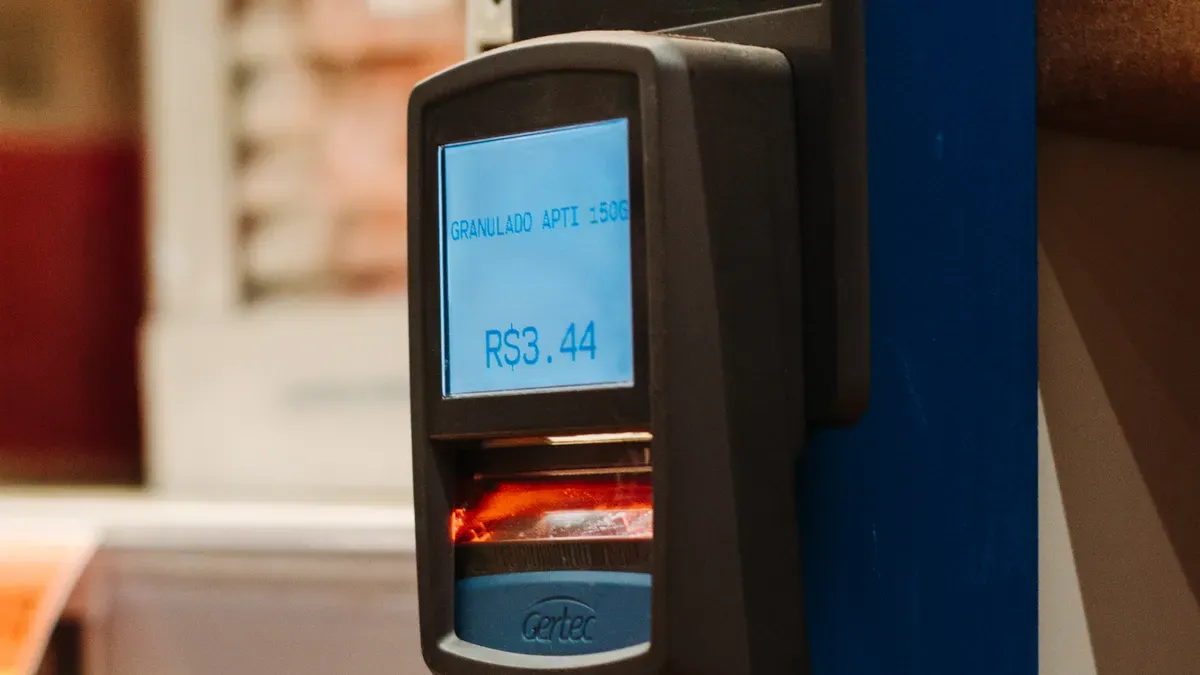
RFID helps you track every item in your store. It uses radio waves to read tags on products. These tags have important information about each item. You put a tag on every product for item-level tagging. RFID readers send signals to the tags and get the data. Antennas help find tags even if you cannot see them. The system sends all the data to special software. This software sorts the data and shows your inventory clearly.
Component/Process | Description |
|---|---|
RFID Tags | Small devices that store electronically encoded information attached to items or assets. |
RFID Readers | Devices that emit radio signals to detect and read data from RFID tags. |
Antennas | Enhance the detection capabilities of RFID readers. |
Software Platform | Collects, processes, and organizes data from RFID systems to create actionable insights. |
RFID Benefits for Inventory Accuracy
RFID lets you see your products in real time. You always know where items are and how they move. This helps you stop running out or having too much stock. Inventory counts are much faster with RFID. You can finish counting in less time, up to 75% faster. Your workers can help customers more instead of counting. RFID makes your inventory records more accurate. Stores using RFID see accuracy go from less than 70% to over 95%. Item-level tagging helps you find missing items and keep records right. Customers get better service because you know what is in stock.
Benefit | Description |
|---|---|
RFID provides full visibility into inventory levels, locations, and movement. | |
Labor Efficiency | RFID reduces manual work and boosts productivity. |
Enhanced Customer Experience | RFID gives more accurate product information and faster service. |
Tip: Use RFID to make your store more accurate and run better.
RFID Limitations
RFID has some problems you should know about. You need to spend a lot of money at first. RFID signals do not work well near liquids or metal. You must put tags and readers in the right places. Your team needs to work together to set up the system. It can be hard to connect RFID to your old inventory system. Changing from old codes to new electronic codes is tricky. You also need to keep the system working well.
You need to spend a lot of money at the start
RFID signals can have trouble near liquids or metal
Teams must work together to set up RFID the right way
Changing from old codes to new electronic codes is hard
It can be tough to connect RFID to your old inventory system
Note: Make a good plan before using RFID so you avoid problems.
Computer Vision in Retail
How Computer Vision Tracks Inventory
Computer vision helps stores manage inventory better. Cameras with AI look at shelves and aisles all day. They find products, count them, and check where they are. You get alerts right away if items are missing or moved. Robots with cameras walk around and watch inventory levels. They send updates when stock is low and tell you to restock. Computer vision tracks products and helps stop stockouts. Shelf analytics tools use cameras to gather data and show what needs fixing. You see inventory changes as they happen and make things more accurate.
AI cameras look at shelves and count items.
Cameras find missing or moved products and send alerts.
Robots with cameras check inventory and tell you to restock.
Shelf analytics tools track inventory and give updates.
Computer Vision Advantages
Computer vision has many good points. You see inventory levels right away. You keep products ready for customers and make them happy. Automation saves money by cutting labor and waste. Workers spend less time counting and more time helping people. Shelf analytics help you plan and make smart choices. Computer vision makes things more accurate and helps you guess what you need. You help the planet by having less extra stock and less waste.
Automation cuts labor costs and waste.
Workers do more important jobs.
Shelf analytics help with planning and marketing.
Better accuracy means smarter inventory control.
Tip: Use computer vision to keep shelves full and customers happy. You work faster and protect your profits.
Computer Vision Challenges
There are some problems with computer vision. You need lots of labeled pictures and videos to train the AI. High accuracy needs strong computers and careful setup. You must run models on devices that may not be powerful. It can be hard to connect computer vision to your old systems. Cameras may not work well in bad light or if shelves are blocked.
Challenge Type | Description |
|---|---|
Model Training | Needs lots of labeled pictures and videos for good results. |
Data Requirements | Needs strong computers and careful setup. |
Edge Deployment | Must run models on devices that are not very powerful. |
Integration with Systems | Needs to connect to POS and inventory systems. |
Environmental Factors | Cameras may not work well in bad light or blocked shelves. |
Note: Plan for these problems to get the best results from computer vision.
Comparing RFID and Computer Vision
Inventory Accuracy Comparison
You want your store to always know what is in stock. RFID systems are very accurate, with rates of 95% or more. Old ways of counting only reach about 65%. Computer vision changes how you watch your inventory. It lets you see your shelves right away. You can find missing items fast and fix problems quickly. RFID is good for organized inventory. Computer vision works well even if shelves are messy or busy. Many stores use both at the same time. This gives you the accuracy of RFID and the speed of computer vision. You make fewer mistakes and work faster.
Technology | Inventory Accuracy |
|---|---|
RFID | 95% or better |
Traditional | ~65% |
RFID is much more accurate than old ways.
Computer vision gives real-time updates and helps you work faster.
Using both together gives the best results.
Cost and Implementation
You need to think about money before picking a system. RFID costs between $10,000 and $100,000 or more to start. Each tag or label costs from $0.10 to over $5. Computer vision also needs a big investment. You must buy cameras, computers, and special software. Setting up can be tricky. You need to plan where cameras go and how to connect them. Barcode systems are cheaper but do not give as much information.
Solution Type | Average Implementation Cost | Tag/Label Cost |
|---|---|---|
RFID | $10,000 - $100,000+ | $0.10 - $5+ each |
Computer Vision | High (due to complexity) | Not specified |
Barcode Systems | $2,000 - $5,000 | Pennies each |
Tip: Think about your budget, store size, and how much you want to automate.
Your team needs training too. RFID is easier to add to old systems. Computer vision may need more work to connect to your software. Both systems need updates and care to keep working well.
Impact on Customer Experience
You want shoppers to have a good time in your store. RFID helps keep shelves full and products easy to find. It stops items from running out and makes restocking faster. Staff can help customers more instead of counting items. RFID lets you try things like smart checkouts and special fitting rooms. Computer vision makes shopping even smoother. Cameras watch shelves and tell you when to restock. This means customers always find what they want. Using both RFID and computer vision gives shoppers a great experience.
RFID helps customers find what they need.
Staff spend more time helping people, not counting.
Both systems together make restocking and sales faster.
Smart checkouts and analytics make shopping better.
Scalability and Maintenance
You want a system that grows with your store. RFID is easy to add to old systems. After setup, it does not need much training. You just need to keep the hardware working. Computer vision grows well with cloud tools. You can add more cameras and use better analytics as you grow. You must keep training the AI and update the software. Both systems need regular checks to work well. Hardware placement and care matter for both.
Consideration | RFID | Computer Vision |
|---|---|---|
Integration with Legacy Systems | Easier | May face compatibility issues |
Training and Maintenance Complexity | Minimal ongoing training | Needs continuous training |
Scalability | Limited by hardware | Highly scalable with cloud |
Cloud computing helps you handle lots of visual data. You do not need to buy much new hardware. You can use analytics to track sales and inventory as you grow.
Note: Using RFID and computer vision together gives you strong accuracy, better speed, and a great shopping experience. This mix helps you sell more and keep shelves stocked.
Real-World Retail Examples
RFID Success Stories
RFID changes how stores keep track of items. Many big companies use RFID to make their stores better.
Walmart uses RFID to make supply chains stronger. This helps stop empty shelves and helps guess what people will buy.
ZARA uses RFID to keep track of items and restock quickly.
Uniqlo uses RFID to keep things neat and help shoppers find products.
Disney uses RFID to watch merchandise and make guests happier.
Levi’s uses RFID to track items and lose less.
Using RFID lets you see your inventory right away and make smart choices. Your store works better and customers are happier.
Computer Vision in Action
Computer vision helps you watch inventory and fix problems fast. Stores use cameras and AI to check shelves and keep things correct.
Retailer | Benefit Description | Metrics Achieved |
|---|---|---|
Watches stock and sends alerts when you need more. | Fixes empty shelf problems fast. | |
BJ's Wholesale Club | Uses computer vision to manage inventory. | 60% fewer empty shelves, 90% fewer price mistakes, 50% faster order filling. |
Computer vision gives you quick updates and helps you avoid mistakes. You spend less time counting and more time helping shoppers.
Combined Solutions
Some stores use both RFID and computer vision for the best results. They process orders faster and keep better track of inventory. They also save money and work more smoothly.
Company | Industry | Technology Used | Key Benefits |
|---|---|---|---|
Amazon | E-commerce and Logistics | RFID, cameras, machine vision, robots | Faster orders, lower costs, better inventory, real-time updates |
Walmart | Retail | cameras, machine vision, object recognition | Fewer empty shelves, happier customers, better use of workers |
Coca-Cola | Beverage Manufacturing | RFID, cameras, machine vision, barcode scanning | Better tracking, more accurate inventory, higher efficiency |
Using both RFID and computer vision helps you keep inventory right and make more money. Your store gets smarter and grows with your needs.
Choosing the Right Solution
Key Factors for Retailers
You want your store to work well and keep shoppers happy. Picking the best technology starts with knowing what matters most. Here are some important things to think about:
A strong SKU management system helps you keep shelves full. You get real-time inventory data, so your store is more reliable.
Good data management keeps your records correct. It also helps your team follow rules and stay responsible.
Causal forecasting lets you plan for changes in demand. You can look at holidays, sales, or what other stores are doing.
Simulation forecasting helps you get ready for surprises. This includes supply chain delays or busy times.
Technology has changed how stores manage inventory. Now, you can use data all the time to make better choices.
The best technology depends on your store’s layout, products, and how much you want to spend.
Retail inventory software brings together data from different places. This helps you guess what you need and keep the right amount of stock.
Tip: Every cashierless store can use technology to manage inventory. The right tools help you stay ahead and serve shoppers better.
Checklist for Decision-Making
You need a clear plan to pick rfid, computer vision, or both. Use this checklist to help you decide:
Make sure you have real-time visibility. Use data from warehouse systems, scanners, rfid portals, weight sensors, and cameras.
Look for systems that spot problems fast. Anomaly detection alerts you if something is wrong with inventory.
Check if computer vision can count products, verify picks, and find damaged items.
Review your current inventory levels, turnover rates, and costs. Set goals for what you want to improve.
Compare your store’s performance with others. Find out where you can do better.
Set clear targets, like reducing inventory or improving service.
Plan your timeline. Think about what resources you need and any risks.
Choose technology that fits your needs and budget. Ask vendors for demos.
Make sure new systems work with your current processes. Test everything before going live.
Train your staff so they know how to use the new tools.
Start with a pilot test. Try the system with a few products before using it everywhere.
Step | Description |
|---|---|
Conduct Inventory Audits | Check current inventory, turnover, and costs. |
Analyze Performance Gaps | Compare with industry benchmarks. |
Define Optimization Goals | Set targets for inventory and service. |
Develop Implementation Plan | Plan resources and risks. |
Evaluate Technology | Pick solutions that fit your needs and budget. |
Configure Systems | Make sure new tech works with your current setup. |
Train Staff | Teach your team how to use the new system. |
Pilot Testing | Test with a small group before full rollout. |
Note: After you set up your new system, check your results. Look for a 10-20% drop in inventory investment, 15-25% lower carrying costs, and 5-10% better sales. You should also see fewer stockouts and faster order delivery.
When to Combine Technologies
Sometimes, using both rfid and computer vision gives you the best results. You get the strengths of each system and make your store smarter. Here is when you should think about combining them:
You want to give shoppers a better experience in your cashierless store.
You need to make your operations faster and more efficient.
You want to automate more tasks and lower labor costs.
You need strong data insights to stay ahead in a busy market.
When you use both technologies, you can track inventory in real time, spot problems quickly, and keep shelves full. You also get the benefits of ai, which helps you make smarter decisions. In a cashierless store, combining rfid and computer vision helps you manage inventory, improve customer service, and grow your business.
Tip: If you want your cashierless store to be the best, use ai-powered tools that mix rfid and computer vision. This mix helps you save money, work faster, and keep shoppers coming back.
You should pick technology that fits your store’s needs. Computer vision watches shelves for you and helps stop mistakes. RFID helps you find items fast and keeps inventory right. Both tools make shopping better and keep people happy. You can test new systems or ask experts before you change things. Using computer vision and RFID together helps you earn more money. It also makes sure shoppers find what they want every time.
Smart stores use technology to make shopping better and keep customers loyal.
FAQ
What is the main difference between RFID and computer vision?
RFID uses radio waves to track items with tags. Computer vision uses cameras and AI to see and count products. You choose based on your store’s needs.
Can you use RFID and computer vision together?
Yes, you can combine both. You get better accuracy and faster updates. Many smart stores use both to keep shelves full and customers happy.
Is computer vision more expensive than RFID?
Computer vision often costs more at first. You need cameras and strong computers. Over time, you may save money by reducing labor and mistakes.
How do these systems help prevent theft?
RFID alerts you when items leave the store without payment. Computer vision watches for suspicious actions. You can stop theft faster with real-time alerts.
See Also
Understanding Global Trends in Automated Convenience Retail Solutions
The Impact of Smart Technology on Vending Machine Retail
The Future of Retail: Embracing AI-Driven Store Innovations
Analyzing Self-Checkout Systems: Benefits and Hurdles for Retailers
AI-Enhanced Corner Stores: Essential Insights for Retail Businesses
