How AI identifies peak usage times in Corporate offices & tech parks and optimizes operations.

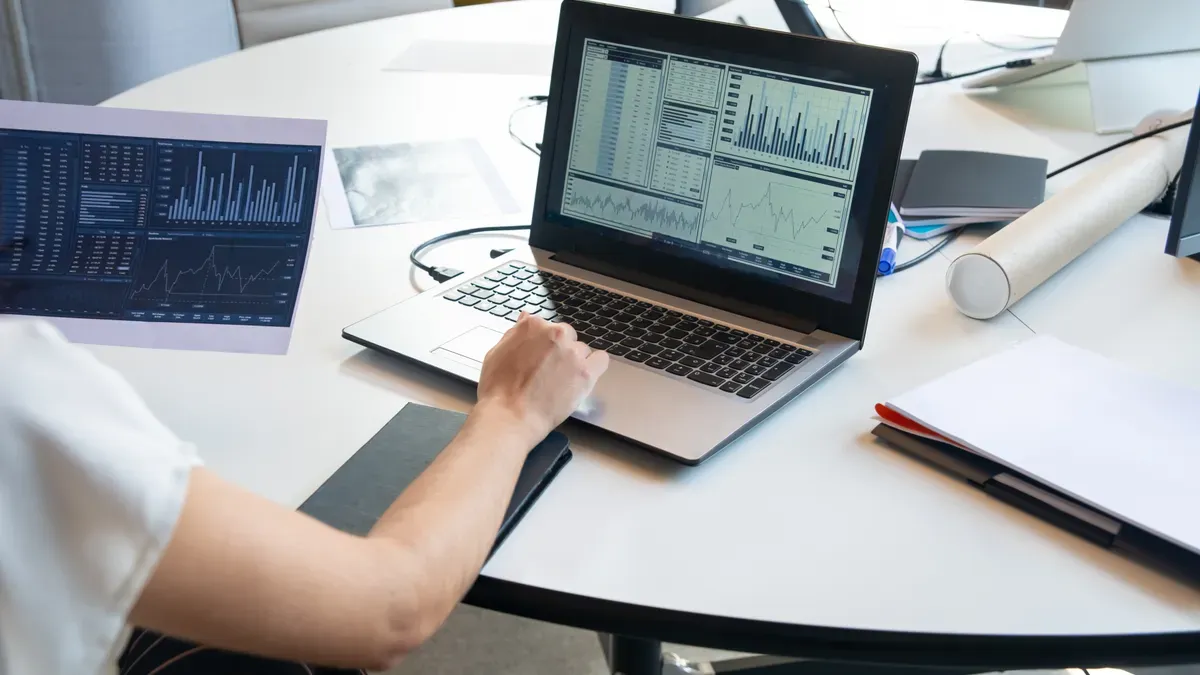
You now see ai transforming the way you understand and manage your corporate office or tech park. AI identifies peak usage by analyzing data from smart sensors and digital logs, helping you spot busy hours and streamline operations. When you let ai handle IT support, you can automate over half of your tasks, saving up to 50% of your time and 40% of your costs within a year. In software development, ai takes on 62% of tasks, boosting efficiency and reducing expenses. With ai, you can also improve cybersecurity, shorten response times, and enhance overall process quality. As ai continues to advance, you gain more control over energy, space, and resource management.
Key Takeaways
AI helps identify busy times in offices by analyzing data from sensors and logs, allowing better resource management.
Using AI can automate over half of IT tasks, saving time and reducing costs significantly within a year.
AI improves energy efficiency by tracking real-time usage, leading to lower energy bills and a more comfortable workspace.
Smart booking systems powered by AI prevent meeting room conflicts, making scheduling easier and more efficient.
AI enhances employee experience by personalizing workspace settings and providing timely feedback, boosting engagement and productivity.
How AI Identifies Peak Usage

Data Sources: Sensors, IoT, and Logs
You can use ai in office technologies to collect data from many sources. Sensors and iot devices help you track how people use spaces and resources. These tools give you real-time occupancy data and help ai identify peak usage. You see smart meters, motion sensors, and occupancy detectors in meeting rooms and workspaces. These devices send data to ai-driven solutions, which analyze patterns and help you make better decisions.
Here is a table showing common sensor types and their applications in corporate offices and tech parks:
Application | Common sensor types |
|---|---|
Energy monitoring | Voltage, current, power, smart meters |
Energy efficiency | Motion, occupancy, temperature, light |
Smart room and desk booking | Occupancy (infrared/ultrasound) |
Smart parking | Vehicle detection (magnetic/inductive) |
Asset and equipment tracking | RFID, Bluetooth, GPS |
Condition monitoring | Temperature, humidity, vibration, pressure, current, voltage |
Water quality assurance | pH, conductivity, turbidity, temperature |
Space planning | Occupancy (infrared/ultrasound), people count, people flow |
Smart cleaning | Occupancy, people count, people flow |
Indoor Air Quality (IAQ) monitoring | Temperature, humidity, CO2, airborne particulates, volatile organic compounds |
You can also use logs from access control systems and digital platforms. These logs show entry and exit times, which help ai-driven data analytics find busy periods. When you combine sensor data and logs, you get data-driven insights that improve decision-making.
Analyzing Historical and Real-Time Trends
Ai in office technologies lets you study both past and current usage patterns. You can use motion sensors and iot devices to track movement and occupancy. Wi-Fi analytics help you estimate how many people are in a space by counting connected devices. Mobile apps use GPS or Bluetooth to show workspace preferences. Cameras, which protect privacy, help ai analyze foot traffic and seating arrangements.
Ai identifies peak usage by looking at historical data and real-time occupancy data.
You can use ai-driven insights to spot areas that are always busy or rarely used.
Predictive analytics help you plan for future needs by studying past trends.
Ai integration with access control systems lets you see entry and exit patterns.
Ai-driven data analytics help you reconfigure office layouts. You can use these insights to allocate space more effectively. Ai in office technologies adapts to changing work habits, so you can keep your office efficient.
Tip: When you use ai-driven solutions, you can forecast peak times and adjust resources before problems arise.
Detecting Activity and Attendance Patterns
Ai identifies peak usage by tracking activity and attendance. You can use facial recognition technology to monitor employee attendance. Machine learning algorithms learn from data and spot patterns like late arrivals or absenteeism. Ai in office technologies gives you real-time updates and detailed reports.
Ai attendance systems use facial recognition to match faces with stored data.
Machine learning improves accuracy by finding trends in attendance.
Ai-driven solutions help managers make better decisions with detailed reports.
Ai studies attendance behaviors and sets a baseline for normal patterns. When someone clocks in late or leaves early, ai detects these anomalies. You can use ai-driven data analytics to improve productivity and spot issues quickly.
Note: Ai identifies peak usage by comparing regular attendance with unusual patterns. This helps you keep your office running smoothly.
AI Methods for Usage Analysis
Machine Learning and Predictive Models
You can use ai to analyze data and predict peak usage times in your office. Machine learning models, such as artificial neural networks, help you understand how occupancy rates, weather, and historical data affect energy consumption. These models learn from thousands of hours of data and provide more accurate predictions than traditional methods. You gain reliable insights that help you plan for busy periods and manage resources better. Predictive analytics lets you see trends and prepare for future needs. When you use ai-powered tools, you can reduce errors and improve operational efficiency.
Tip: Artificial intelligence gives you more precise forecasts, so you can adjust your office operations before problems arise.
Real-Time Decision Making
Ai processes real-time data from sensors and logs. You get instant insights into how people use spaces and resources. Ai models complex scenarios and simulates future outcomes, helping you plan with confidence. You can automate routine tasks and focus on strategic work. Ai-driven analytics provides actionable intelligence, so you make informed decisions quickly. Organizations using ai reduce planning efforts and planning errors, which boosts efficiency. Ai optimizes real estate portfolios and enhances workplace safety.
Ai analyzes vast amounts of data for actionable insights.
Ai helps you identify trends and adjust operations in real time.
Ai improves security by detecting and mitigating threats.
Workflow Automation
Ai streamlines workflows by automating repetitive tasks. You save time and resources when ai handles scheduling, document management, and customer inquiries. Ai-powered scheduling assistants coordinate meetings efficiently. Chatbots respond instantly to questions, allowing you to focus on higher-value tasks. Ai improves communication tools, making interactions seamless even in virtual environments. Document management software uses ai to organize and retrieve files easily. Automation lets you concentrate on creativity and strategic thinking, which increases productivity and engagement.
AI Workflow Automation Tools | Benefits |
|---|---|
Scheduling assistants | Efficient meeting coordination |
Chatbots | Instant customer support |
Document management | Easy organization and retrieval |
Automated marketing | Personalized content and emails |
Accounting tools | Categorize expenses and generate reports |
Note: Ai-driven workflows help you focus on innovation and growth, leading to enhanced efficiency and reduced costs.
Optimizing Operations with AI

Energy and Resource Management
You can use office technologies powered by ai to manage energy and resources in your workspace. Smart sensors and real-time data help you track how much energy your building uses. When you adopt these solutions, you see a big drop in energy costs. Many companies report a 25% average reduction in energy bills after switching to smart office technologies. You can control lighting, heating, and cooling systems based on actual usage, not just fixed schedules. This approach prevents waste and boosts efficiency.
You can also optimize resource allocation during peak and off-peak hours. Ai helps you scale computing resources automatically, so you never waste power or face bottlenecks. You can use dynamic resource allocation to move virtual machines and balance workloads. Idle resources power down when not needed, which saves even more energy and money.
Strategy | Description |
|---|---|
Adjusts computing resources dynamically based on real-time demand to prevent bottlenecks. | |
Dynamic Resource Allocation | Migrates virtual machines between servers to balance loads and optimize resource use. |
Idle Resource Reduction | Powers down idle resources during off-peak times to save energy and reduce costs. |
You gain valuable insights from ai-driven office technologies. These insights help you make better decisions about energy use and resource management. You see improved productivity because your team works in a comfortable, well-managed environment.
Tip: Use smart office technologies to monitor and adjust energy use. You will see lower costs and higher productivity.
Space Utilization and Scheduling
You can use ai and office technologies to make the most of your workspace. Smart room booking systems solve the common problem of meeting room conflicts. These systems check real-time occupancy and suggest available rooms, so you never double-book a space. You can schedule meetings with just a few clicks, which saves time and reduces stress.
Ai analyzes data from sensors and logs to show you which areas are busy and which are empty. You can use these insights to reassign desks, rearrange furniture, or even reduce your real estate costs. Some companies have cut space costs by over 40% with better space utilization. You can also use digital stack plans and scenario planning tools to test different layouts before making changes.
Smart room booking systems prevent meeting room conflicts.
Ai-driven scheduling tools streamline the booking process.
Office technologies help you optimize space and reduce costs.
You improve productivity when you match the right space to the right task. Your team finds it easier to collaborate, focus, and get work done. You also boost efficiency by making sure every square foot serves a purpose.
Enhancing Employee Experience
You can use ai and office technologies to create a better experience for everyone in your office. These tools personalize workspace settings, so each person feels comfortable and supported. Ai understands your needs by analyzing complex queries and feedback. It delivers quick answers and fixes problems before they grow.
Effect | Details |
|---|---|
Improved engagement | Ai-powered orchestration personalizes communication, ensuring messages are relevant and timely. |
Spot disengagement | Ai tools analyze performance metrics to identify disengagement before it leads to attrition. |
Tailored communication styles | 51% of deskless workers prefer mobile-based updates, but 69% of organizations rely on email. |
Optimized timing for communication | Ai predicts the best time to send messages, increasing engagement and visibility. |
Automated feedback collection | Ai scans text for sentiment, enabling proactive adjustments to improve satisfaction. |
Dynamic content personalization | Ai ensures communication is relevant to employees' roles, driving trust and engagement. |
You see higher productivity when employees feel engaged and valued. Smart office technologies improve collaboration and creativity. In fact, 45% of employees report feeling more engaged in smart offices. Better working conditions lead to a 12% drop in absenteeism, which means your team spends more time being productive.
Metric | Improvement |
|---|---|
Energy consumption reduction | 20-30% through intelligent HVAC and lighting management. |
Space utilization optimization | 40%+ reduction in real estate costs. |
Employee productivity | 15-25% increase through streamlined workflows. |
Maintenance cost reductions | Predictive analytics and automated scheduling reduce costs. |
Enhanced employee satisfaction | Smart office technology creates responsive, employee-centric environments. |
Ai and office technologies also help you collect feedback and adjust quickly. You can spot disengagement early and take action. Personalized communication keeps everyone informed and motivated. Integration of these tools ensures that your operations run smoothly and your team stays productive.
Note: When you use ai and office technologies, you create a workspace where everyone can do their best work. You see higher productivity, better engagement, and a happier team.
Challenges and Future of AI in Operations
Privacy and Data Security
You face important privacy and security questions when you use AI in your office. Many employees worry about how much data you collect and how you use it. Some believe monitoring invades their privacy, while others think it depends on their role or industry. Tracking movement patterns can feel intrusive and may create distrust. Storing sensitive data also brings cybersecurity risks, such as hacking or misuse. Invasive monitoring can hurt morale and stifle creativity.
To protect data, you should use strong security measures. Regular audits, bias detection, and privacy techniques like data redaction help keep information safe. Many organizations now use a mix of traditional and data-focused security. This approach protects data in the cloud and on-site. You should set clear rules for access, monitor systems, and update security often.
Implementation Barriers
You may find it hard to add AI to your current systems. Many offices use old technology that does not support real-time tracking. Upgrading these systems takes time and money. You might also struggle to find enough skilled workers, as only a small part of the workforce has AI training. Sharing data safely and avoiding breaches is another challenge.
AI systems can be hard to understand. Sometimes, you do not know how they make decisions. This lack of transparency can make you question their reliability. Legal and regulatory issues, such as data governance and liability, also create barriers. You must decide who is responsible if something goes wrong.
Future Trends in AI for Offices
AI will continue to shape how you work. Predictive analytics will help you plan better and make smarter choices. You will see more personalized experiences, as AI learns what each person needs. Automation will handle routine tasks, giving you more time for important work. Communication tools will improve, making teamwork easier—even if you work remotely. AI-driven security will spot threats before they cause harm.
The smart office market is growing fast. Scalable platforms and better integration will help you get more value from AI. You can expect big savings and more efficient operations as these technologies advance.
You see AI changing how you manage hybrid work in corporate offices and tech parks. AI helps you save money by automating tasks and preventing errors. You use hybrid work to boost resource efficiency, like cooling data centers and scheduling computing tasks. Employees feel more satisfied when hybrid work supports flexible schedules and improves communication. To start, you should:
Define goals for hybrid work and AI adoption.
Assess your data quality.
Build a team skilled in hybrid work and AI.
Test and improve your systems.
Stay updated on AI trends in hybrid work to keep your office productive and competitive.
FAQ
How does AI improve energy efficiency in your workplace?
AI tracks real-time energy use in your workplace. You adjust lighting and HVAC systems based on occupancy. This reduces waste and lowers costs. You see a more comfortable workplace with less energy consumption.
Can AI help you manage space in your workplace?
AI analyzes how you use rooms and desks in your workplace. You get suggestions for better layouts. Smart booking systems prevent conflicts. You save money by using every area in your workplace more efficiently.
Is AI safe for your workplace data?
You protect your workplace data with strong security measures. AI systems use encryption and regular audits. You set clear access rules. These steps keep your workplace information safe from threats.
How does AI boost employee satisfaction in your workplace?
AI personalizes your workplace experience. You receive timely updates and feedback. Smart tools spot disengagement early. You feel more valued and engaged in your workplace, which leads to higher productivity.
What are the first steps to bring AI into your workplace?
You start by defining goals for your workplace. You assess your data quality. You build a skilled team. You test AI systems in your workplace and improve them. Staying updated helps your workplace stay competitive.
See Also
Enhancing Office Efficiency Through Intelligent Vending Machines
Smart Vending Machines: Advantages and Innovations for Retail
Transforming Online Retail Management with AI-Driven Tools
The Future of Retail Lies in AI-Driven Stores
Improving Customer Experience with Cloudpick's Smart Checkout Solutions
