What if facial recognition let every unattended stockroom collection record itself automatically?


Facial recognition allows an unattended stockroom collection to record itself without any help. Each visit creates a smooth digital record with no typing needed. This technology changes two separate steps — taking an item and noting its movement — into one linked process. Automation now connects the physical act of grabbing supplies with the digital log that follows them. A warehouse team no longer needs staff to log every withdrawal by hand. The post explains how this system works, what it changes for operations teams, and where it can be used in different industries.
Key Takeaways
AI cameras and facial recognition take supplies and record each item on their own.
Real-time inventory updates remove the need for hand typing and cut down on mistakes in counting.
Collecting items without anyone watching removes delays and saves the team hours on paperwork.
Check your stockroom by comparing time lost to manual work against automation.
How Unattended Stockroom Collection Records Itself
Facial Recognition Entry
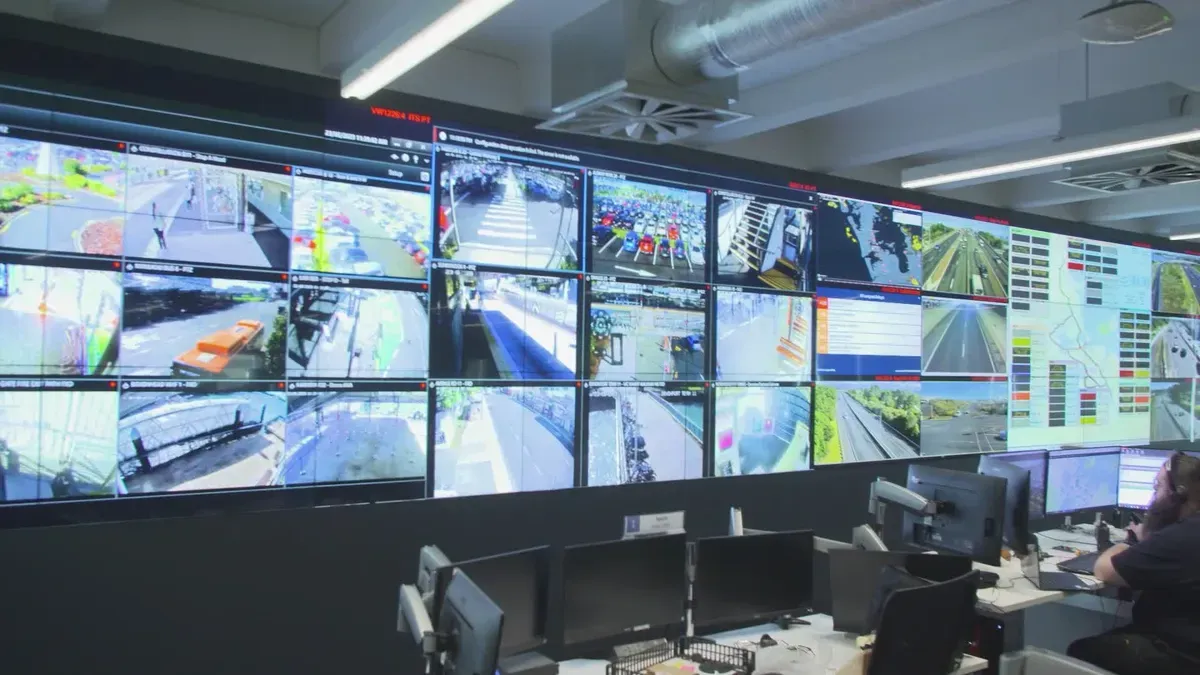
A facial recognition access point replaces the sign-in sheet, the keycard, and the attendant at the door. The camera captures an image of the person's face. Software then detects key facial landmarks such as the eyes, nose, and mouth. These landmarks become a unique numerical code, called a facial signature. The system matches that code against stored templates. If the code matches a stored profile, access is granted.
The process happens in seconds. Detection comes first. The camera locates the face using RGB, infrared, or 3D depth sensors and separates it from the background. Analysis follows. The system maps unique facial features, including the distance between the eyes, nose width, and cheekbone structure, and adjusts for lighting. Conversion comes next. Analyzed features become an encrypted mathematical formula, or faceprint, using AI models such as CNNs. Verification and authorization close the loop. The new faceprint is compared to the stored one. If similarity exceeds 95–99%, verification succeeds and access is granted.
This entry method supports a fully unattended stockroom collection. No staff member stands at the door. No paper-based notification changes hands. The identity check and the door release happen as one action.
Pick, Walk Out, Record
The Cloudpick demonstration shows what happens after entry. A man walks past a facial recognition device and enters a warehouse-like room. He picks up several items and walks straight out. Right away, the display screen at the warehouse entrance shows exactly what he has taken along with the remaining stock inside the facility. No staff member is on site.
Can anyone tell me what's going on here? A man walks past a facial recognition device and enters a warehouse like room. He picks up several items and just walks straight out. Right away. The display screen at the warehouse entrance shows exactly what he has taken along with the remaining stock inside the facility. What's even more impressive, there is not a single staff member on site. How is this even possible?
The workflow behind that demonstration follows a clear sequence:
Staff swipe their work cards to enter the unattended stockroom — no application procedures or paper-based notifications are required.
Staff pick up the items needed for their maintenance tasks.
AI cameras inside the warehouse automatically recognize every item that is taken.
The system instantly synchronizes the captured item information to the company's system, enabling automatic recording with no forms and no errors.
This sequence turns automated data capture into a background activity. The person collects supplies. The system handles the tracking. Automation connects the physical withdrawal to the digital record without any manual entry step. Each visit produces a complete log of what left the room and what remains.
Real-Time Record and Automated Cycle Counting
Physical Withdrawal Meets Live Data
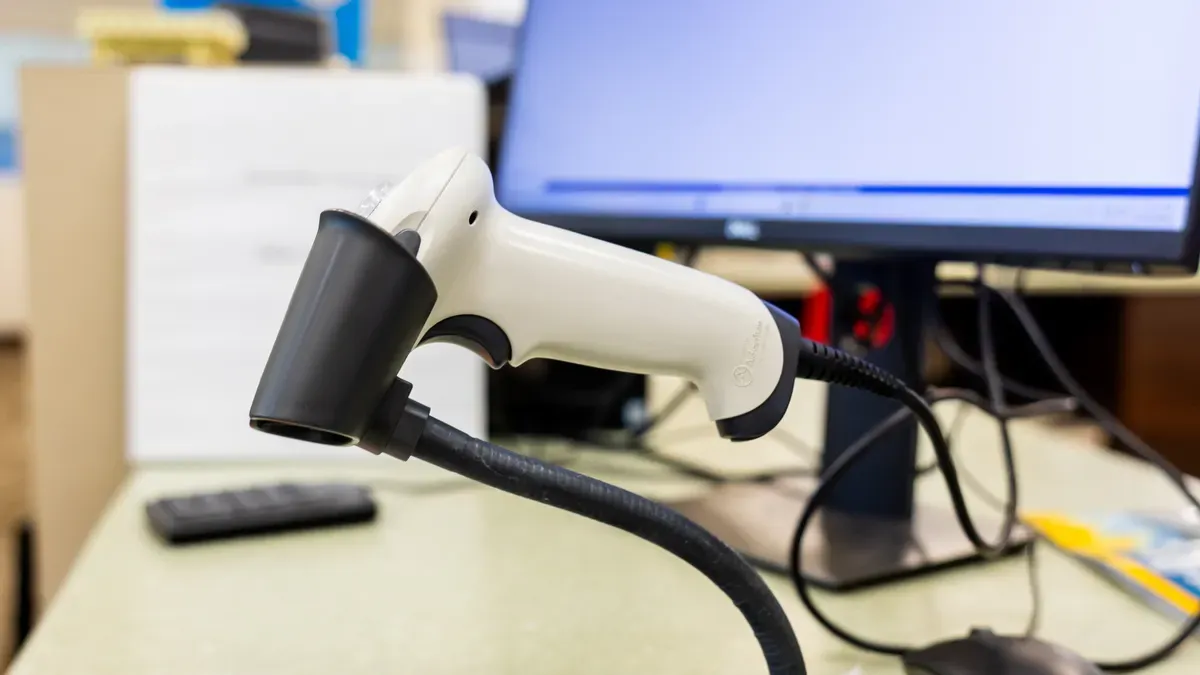
The link between taking something off a shelf and the information the stockroom team sees happens right when the item is picked up. When a person takes stock, they scan the bin and type in the amount taken. The system logs who took the item, how many they took, and which department they work for. The live inventory count updates right away when this withdrawal is entered — no paper sheet or memory needed. The live count on screen shows exactly what is on the shelf. Nothing is different between the system and the storage room because every move updates both at the same time. Each withdrawal gets a timestamp and is tied to a person and a department or cost center, creating a record ready for audits.
This method depends on tools like handheld barcode scanners and RFID systems. These tools let data sync in real time. They cut down manual mistakes and make counting faster. An inventory management platform with a warehouse management system keeps data synced in real time across one or many locations. Problems get found faster. Inventory records stay accurate in real time.
"When the storage system and the ERP are finally on the same page, it creates balance. Customers cycle count far more often because it takes so little time, so errors get caught almost in real time instead of at the end of a week, month, or quarter."
Fewer Inventory Discrepancies
Automated cycle counting changes how teams keep things accurate. Traditional counting happens on a schedule — weekly, monthly, or quarterly. Errors build up between counts. Cycle count automation flips that model. The system counts all the time as items move. Wiliot's solution attaches battery-free IoT Pixels to inventory. These broadcast signals are picked up by fixed infrastructure. A Physical AI platform processes them to give a real-time, trusted inventory count. This count syncs automatically with existing ERP or WMS systems through cloud-to-cloud integration. As items move, inventory updates nonstop without barcode scanning or manual audits.
The result is fewer discrepancies. Real-time visibility of remaining stock helps staff manage availability better and make informed decisions. Teams spend less time looking for items, fixing discrepancies, or answering order-status questions. They stop excess inventory and quickly refill stockouts. An accurate inventory status supports faster fulfillment times and better targeted demand forecasts. Cost reductions follow amid rising input prices. Stronger procurement decisions and supplier relationships come from clean, reliable data.
For operations teams, this level of tracking means fewer surprises. The ultimate goal is a smooth flow of inventory information from supplier to customer — true end-to-end visibility. Getting there may need some IT investment and partner collaboration. The payoff is huge: fewer surprises, faster responses to disruptions, and a more agile supply chain. Warehouse staff get a clearer view of what remains on shelves. They make smarter resource allocation decisions. They send the right stock to retail and ecommerce outlets. More accurate forecasting becomes possible through tracking inbound, outbound, and on-hand stock.
Technologies like high density inventory scanning and warehouse barcode reading support these outcomes. They feed data into the inventory management system without human intervention. Automation handles the rest. The warehouse becomes a self-recording environment. Every pickup, every return, and every movement writes itself into the record.
What Operations Teams Gain
Simplified Unattended Stockroom Collection
An attendant no longer has to hand over each item during an unattended stockroom collection. Staff walk in, take what they need, and leave. The system records every withdrawal as supplies leave the room. This removes a bottleneck that slows down maintenance teams and facility staff. A technician grabs a replacement part and returns to the job site without waiting in line or filling out a form.
Withdrawal records become visible the moment items leave the shelf. The warehouse team sees who took what, when, and for which department. This level of automation cuts the time spent on issuing supplies and reconstructing missing records. Teams stop chasing paper trails and start trusting the data in front of them. The result is a faster, cleaner process that supports daily operations without adding administrative work.
Clearer View of Remaining Stock
Staff get a clearer view of remaining stock when they check availability. Real-time inventory visibility gives accurate, up-to-date stock data across all channels, letting staff monitor levels from anywhere. It removes the need to rely on estimates, giving staff real data instead of guesswork. Automated updates prevent manual errors, ensuring trustworthy, instant information. Cloud platforms make inventory accessible on mobile devices, so staff always have a clear picture of what remains.
This visibility supports smarter restocking decisions. Teams can reduce stockouts and overstock, align supply with demand more effectively, and optimize replenishment using current real-world data. Real-time stock visibility lets businesses see sellable inventory across all locations and channels. By analyzing live data and inventory trends, replenishment cycles improve, carrying costs drop, and profitability rises. For operations teams, this means better accuracy, stronger efficiency, and fewer surprises in the warehouse.
Industry and Supply Fit
Maintenance Supplies and Facility Consumables
Unattended stockrooms work well in places that keep track of maintenance supplies and facility consumables. These common items include spare parts for machines, parts that wear out, everyday items, and important parts needed to fix broken equipment. A typical site keeps track of many different kinds of spare parts. Workers group together parts that wear out so they are easy to reach. They put everyday items on open shelves. They store important parts in locked areas. Each type needs careful tracking because every item helps with daily work.
Facial recognition and automatic recording change the way teams handle these items. A technician goes into the stockroom, picks a spare part, and walks out. The system records the item taken and updates the inventory count. No worker hands the item over. No paper form gets passed around. The warehouse stays open without needing more staff. This method works well for maintenance supplies, facility consumables, and other common business items.
Industrial and Business-Supply Providers
Industrial supply companies already invest in point-of-use visibility through various mechanisms. These include vending devices that control access and track consumption, bin-based systems that capture usage to trigger replenishment, onsite locations that monitor stock, and digital procurement integrations that streamline ordering and feed usage data back into the system. These systems help suppliers maintain customer loyalty and improve visibility.
For business-supply companies, this model could show customers how to manage their own stock areas. A warehouse that records itself gives both the supplier and the customer the same picture of what is used. That shared picture helps make better restocking choices and builds stronger partnerships.
Assessing Your Stockroom with Automated Cycle Counting
Finding Time Lost to Issuing and Records
Teams waste many hours on work that machines can do. Counting inventory by hand is the biggest time-waster. Workers also check prices for each item, type numbers into spreadsheets, and study data to find missing stock or too much ordering. These tasks happen again during every shift.
More waste is easy to miss. Teams do many cycle counts and recount stock between stores. They order items based on guesses, not real data. They count stock that should already be tracked, fix numbers that should match, and create reports that should update by themselves. Looking for details the warehouse system should know takes even more time.
A self-recording stockroom gets rid of most of this effort. Automated cycle counting changes manual counting into a background task. It keeps records up to date as items move. Workers no longer have to rebuild lost records. Instead, they look at data that is already there.
Evaluating the Upgrade
Start your check with one simple question. Where does your team spend time giving out supplies or fixing records? Walk through the area and watch a normal shift. Write down every hand entry, every price check, and every recount. These actions show the true cost of your current process.
Next, think about whether self-service collection would make things better. A facial recognition door and AI cameras can record each item taken without any help from workers. Tools like high density scanning and barcode reading send clean data into the system. That data helps with accuracy, clear views, and speed across the warehouse. The warehouse becomes a place that records itself, and the team moves from paper tasks to smart choices.
The last step is a direct comparison. Count the hours you now spend on giving out supplies and keeping records. Guess how many hours you would save if collecting and recording happened together. Could your next stockroom upgrade turn picking up supplies and logging them into one single step?
Facial recognition turns an unattended stockroom collection into a process that records itself. Each visit creates a digital log with real-time visibility. Teams see what left the shelf the moment someone takes it. This removes manual entry and reduces errors.
The practical next step is simple. Examine where teams spend time issuing supplies or rebuilding missing records. Then assess whether self-service collection would improve that workflow. A warehouse that tracks itself frees staff for better decisions. Could your next stockroom upgrade make collecting supplies and recording them one connected process? That single change could raise efficiency across daily operations.
FAQ
How does facial recognition grant access to a stockroom?
A camera takes a picture of the person's face and finds key features, such as the distance between the eyes and the width of the nose. The system turns these features into a protected faceprint. Then it checks that faceprint against saved ones. If it matches closely enough, the door opens. The whole check only takes a few seconds.
Does the system track items without barcodes?
Yes. AI cameras in the room spot each item a person picks up. The system sends that data right away to the company's inventory system. There is no need to scan anything. The record creates itself when the person leaves.
How does cycle count automation reduce inventory errors?
With old counting, people check stock on a set schedule, so errors build up in between. Cycle count automation keeps counting all the time as items move. Each time something is taken, the live record updates. Teams spot mistakes nearly right away instead of waiting until the week or quarter ends.
Which industries benefit most from this setup?
This works well for maintenance items, everyday supplies, and shared business materials. Industrial suppliers already invest in point-of-use visibility, and business-supply companies could teach customers how to run their own collection areas.
What is the first step to evaluate an upgrade?
During a normal shift, walk through the warehouse. Write down every manual entry, price check, and recount. Note how many hours your team spends giving out supplies or fixing lost records. Then compare that time with a system that records itself. This comparison tells you if going unattended helps.
See Also
Walmart Self-Checkout Access: What Changes Are Coming In 2025?
How Self-Checkout Has Evolved Over The Years
Exploring Walgreens Self-Checkout: Convenience And Challenges In Retail Today
Micromarkets Versus Smart Stores: How Automated Convenience Retail Works Globally
Self-Checkout Cash Errors: Causes And Solutions For Smooth Transactions
