What Happens If a Cashierless Store Loses Its Internet Connection?

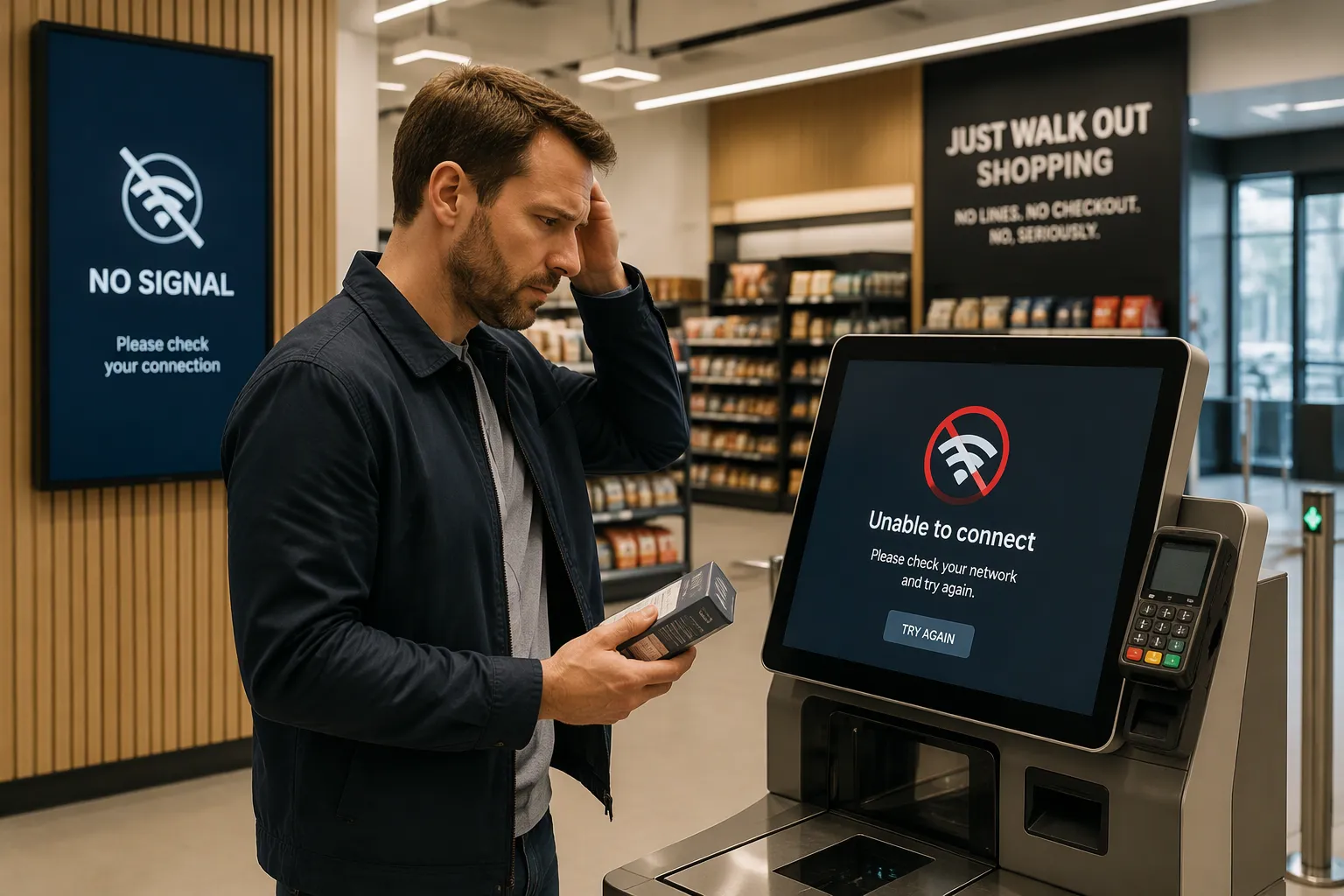
A cashierless store can still serve customers when the internet goes down. The store does not go dark. An offline mode with backup connections keeps the doors open and the checkout running, so a cashierless store loses internet connection without losing business.
Losing the internet connection is not the same as losing the local wireless network. In-store devices still talk to each other on that local network. Only the link to outside services drops.
Store owners and managers usually worry about three things: checkout, payments, and inventory. Each one has a practical safeguard. Cloudpick's offline-capable platform is a working example. Its edge computing stack keeps recognition and checkout running locally, and it reports 99.5% tracking accuracy.
Key Takeaways
Offline mode keeps the checkout working when the internet goes down.
Edge computing handles payments and recognition on the spot for speed.
Store & Forward saves transactions and syncs them later without errors.
Cellular backup gives a second internet path so the store can get back online faster.
Managers should test offline mode and failover when the store is busiest.
When a Cashierless Store Loses Internet Connection
An internet outage hits a cashierless store in stages. The first few minutes seem normal. The local wireless network still works, so in-store cameras, shelves, and devices keep talking to each other. Only the outside link drops. Problems begin when a task needs the cloud.
Checkout and Payment Impact
Online card approval fails without internet. A shopper taps a card, and the terminal waits for a bank reply that never comes. The payment stalls. The line gets longer. A product demo that pulls data from a remote server also fails, and any connected task that relies on the cloud simply cannot run.
Cashierless stores add one more trouble spot. Most depend on app or QR entry. A shopper who cannot load the app or scan a code at the door stands outside. Cloudpick solves this with QR code and card entry at the gate, and its edge computing stack keeps recognition and checkout running on local hardware. The store keeps moving even when the cloud link is gone.
Inventory Visibility Goes Stale
Inventory data gets old fast during an outage. Shoppers keep taking products off shelves, but the cloud dashboard stops updating. A manager watching from a remote office sees the last known stock level, not the current one. Restocking decisions slow down. Out-of-stock alerts go quiet.
Cloudpick's real-time inventory and remote monitoring depend on that cloud link, so a Cashierless Store Loses Internet Connection and the live view freezes. The store still sells. The visibility gap is the real cost. Local systems keep recording pick-ups and put-backs, and those records wait for reconnection. The next section explains how that waiting queue protects the business.
Offline Mode Keeps Checkout Moving
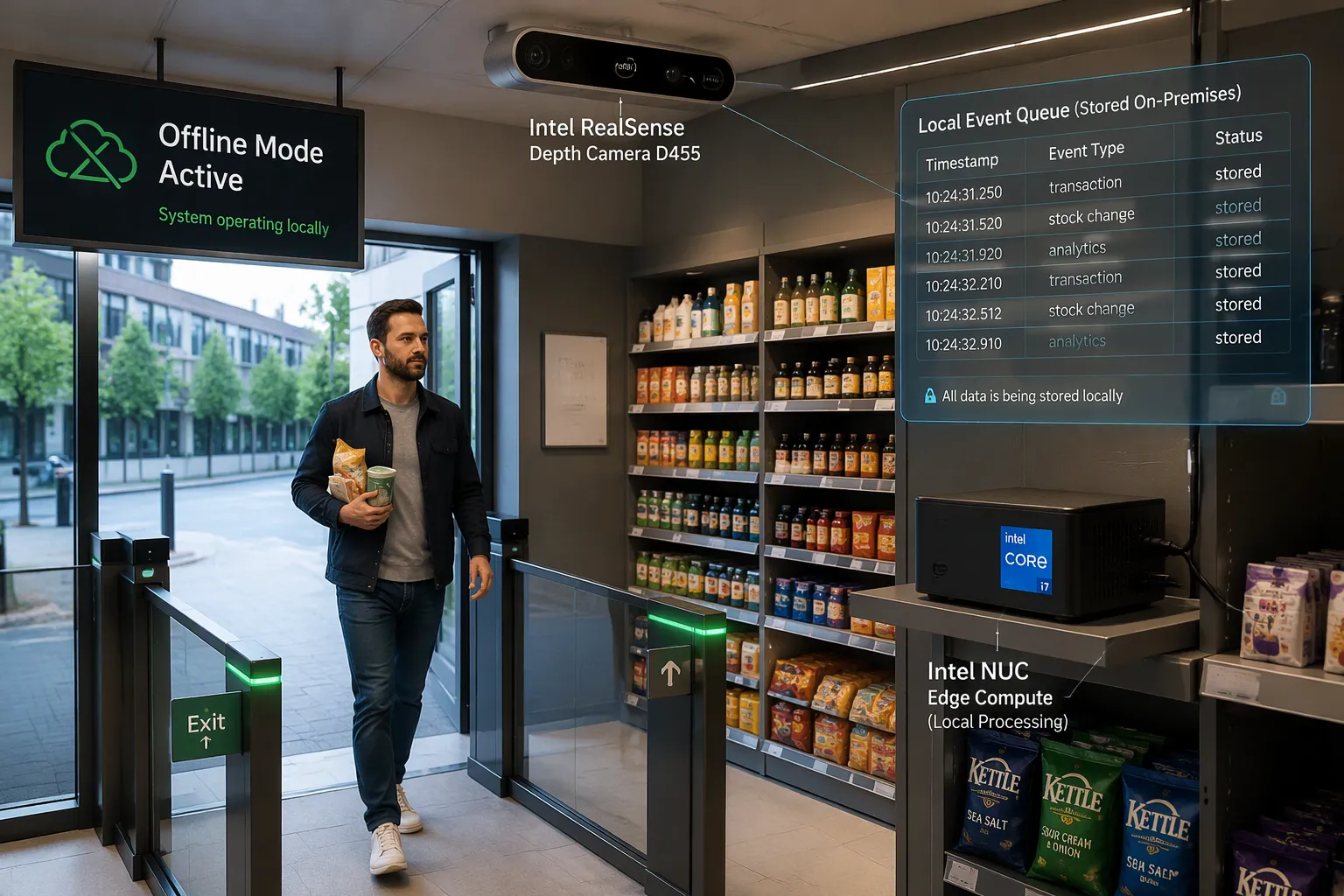
Offline mode turns a scary outage into a problem you can handle. The store stops waiting for the cloud and starts thinking for itself. Local hardware does the most important work: recognizing products, tracking shoppers, and completing the sale.
Edge Computing Takes Over
Cloudpick builds its offline capability on an edge computing stack. The store runs on Intel i3, i7, or i9 processors. These chips handle AI workloads on site with OpenVINO, an Intel toolkit that speeds up vision models on local hardware. A RealSense Depth Camera D455 adds 3D modeling and gesture recognition. The camera sees depth, not just flat images, so it understands a hand reaching for a product.
This stack keeps recognition and checkout running locally. A shopper picks up an item, and the system identifies it right there. It does not need to check with a faraway server. Cloudpick reports 99.5% accuracy in tracking shopper activity and purchases. That number matters during an outage. High local accuracy means the store can trust its own records while the cloud is out of reach.
Automatic payment on exit adds another layer of continuity. The shopper takes products and walks out. The system charges the saved payment method without a cashier and without a live cloud link for the recognition step. A Cashierless Store Loses Internet Connection, yet the exit gate still opens and the sale still completes.
Store & Forward in Action
Store & Forward is the second half of the offline story. The system writes every event to a local queue with a timestamp. Three kinds of events land in that queue:
Transactions, including each shopper's picks and the final charge.
Stock changes, such as a product leaving the shelf or returning to it.
Analytics events, which feed reports on traffic and shelf activity.
The queue holds these records safely until the connection returns. Nothing is lost. Nothing is guessed. Each entry carries its own time marker, so the system can rebuild the exact order of events later.
This design protects the business in two ways. First, checkout keeps moving because the local system never waits for a remote approval to record a sale. Second, the books stay clean because every offline event has a timestamp. When the link comes back, the queue replays in order. Duplicate charges become avoidable, and the sales record matches what actually happened on the floor.
Together, edge computing and Store & Forward form a simple promise. Recognition runs on site. Records wait locally. The store serves customers through the outage and reconciles afterward.
Data Sync After Reconnection
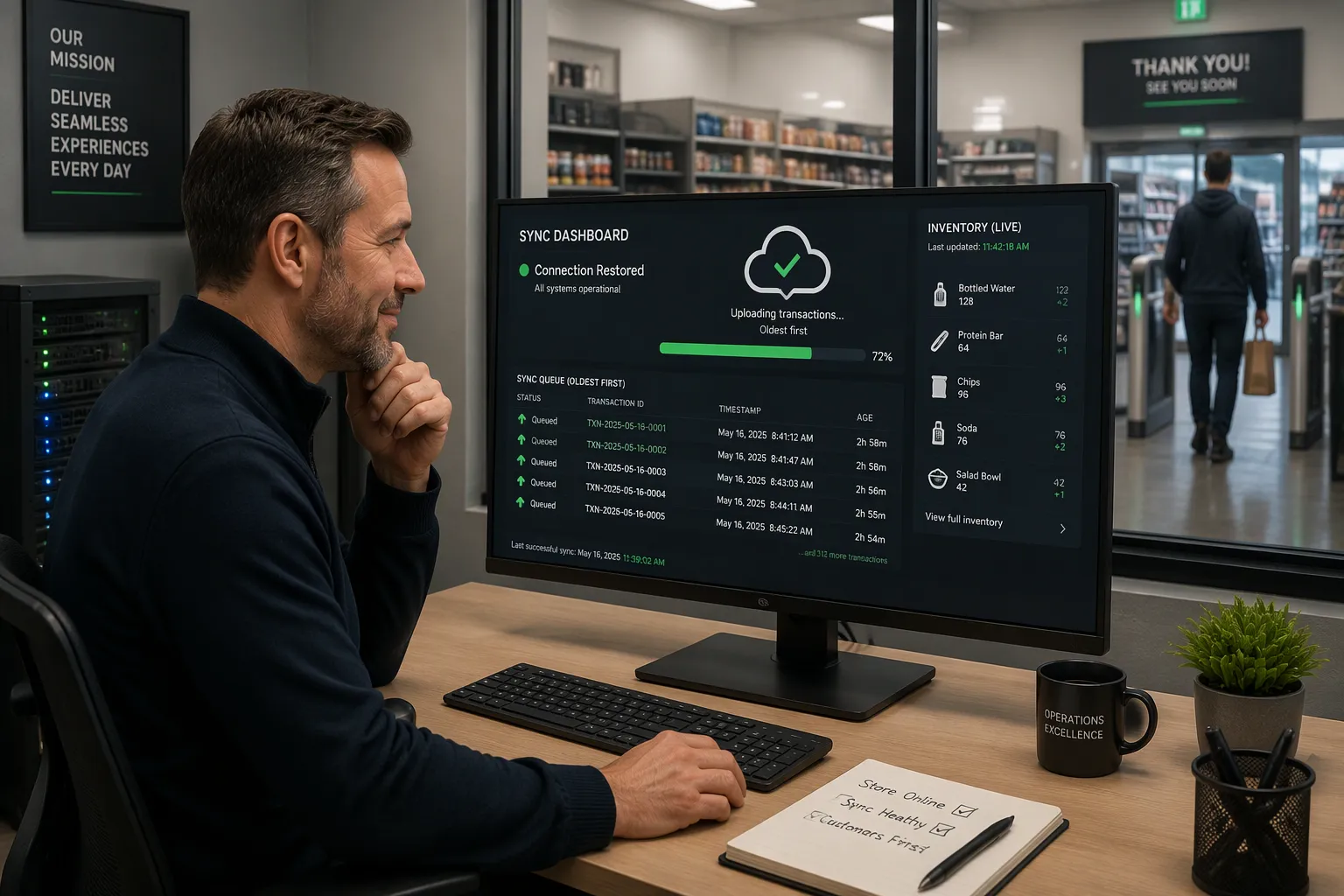
The internet link comes back, and the store has a new job: catching up. The local queue holds every transaction, stock change, and analytics event recorded during the outage. Now that queue has to travel to the cloud without making a mess.
Reconciling Offline Transactions
Cloudpick's Store & Forward design replays the local queue to the cloud in order. Each entry carries a timestamp from the moment it was recorded. The system reads those timestamps and rebuilds the sequence of events just as they happened on the floor. A shopper who picked up a drink at 2:14 p.m. and walked out at 2:16 p.m. keeps that order in the cloud record, even if the sync runs at 3:00 p.m.
The replay follows a clear path:
The system uploads queued entries oldest first.
It checks each timestamp against records already in the cloud.
It skips any entry the cloud already holds, so a charge never posts twice.
It confirms each batch before moving to the next one.
This order matters. A Cashierless Store Loses Internet Connection mid-shift, and the store keeps selling. Without timestamp checks, the same sale could land in the books twice and make revenue look bigger. With them, the offline period closes cleanly and the sales record matches the physical shelf.
Cloudpick's automatic payment on exit also helps here. The charge happens locally at the gate. The sync step only reports it. The shopper never waits for reconciliation, and the manager never chases a missing transaction.
Inventory and Pricing Catch Up
Inventory data follows the same path. During the outage, local systems kept recording pick-ups and put-backs. After reconnection, those records flow to the cloud and update stock counts. Cloudpick's real-time inventory view starts up again on its own. A manager watching a remote dashboard sees current shelf levels again, not the frozen snapshot from before the outage.
Remote monitoring returns at the same time. Out-of-stock alerts start firing again. Replenishment suggestions refresh against the new counts. Shelf heat maps and traffic reports take in the offline analytics events, so the day's data stays complete.
Pricing updates move in the other direction. A price change pushed from the cloud during an outage waits in the queue. After sync, the store applies it and confirms the change. Cloudpick's data-driven layout optimization also picks up the new session data, which helps managers adjust product placement for the next selling period.
The whole process runs without a manual step. Store staff do not rebuild spreadsheets. They do not re-key transactions. The queue drains, the dashboard refreshes, and the store returns to normal operation. That automatic recovery is the payoff of local-first design. The outage becomes a short gap in the cloud view, not a gap in the business record.
Cellular Backup as a Safety Net
Offline mode takes care of the store's inside work. A second internet path takes care of the outside link. Retail continuity planning treats backup internet and cellular failover as good practice. A main wired or fiber line carries normal traffic. A cellular router waits on standby. When the main link drops, the backup takes over.
Automatic Failover
Automatic failover removes the human step from recovery. The router watches the main connection. A dropped link triggers a switch to the cellular modem within seconds. Store staff do not hunt for a hotspot. They do not call a technician. The store keeps its cloud link alive through the cellular network.
Cloudpick's offline-capable platform pairs well with this setup. Edge computing already keeps recognition and checkout running on local Intel hardware. Cellular failover adds a path for the Store & Forward queue to drain sooner. A cashierless store loses internet connection on the main line, and the backup carries the sync traffic instead. The two safeguards stack: local processing covers the gap, and cellular shortens it.
What Backup Covers
Backup connectivity covers the cloud-dependent tasks. Card authorization can reach the payment processor again. Remote monitoring resumes for managers watching from another site. The transaction queue uploads without waiting for the main line to return. Inventory counts and out-of-stock alerts refresh on schedule.
Backup does not cover everything. A cellular link carries less bandwidth than fiber, so large data transfers may slow down. Signal strength varies by location, and a basement or a steel-framed building can weaken it. Backup also adds a monthly service cost. These limits do not make backup a poor choice. They simply mean the store should treat cellular as a bridge, not a permanent replacement. Cloudpick's 5–25 square meter formats in office lobbies, hospitals, and transit hubs fit this model well. Their data loads stay modest, and a cellular bridge handles the sync window comfortably.
Readiness Checklist for Managers
A readiness plan turns an outage from a surprise into a normal event. Managers can check that the store's safeguards work before a real failure happens. The checklist below takes one afternoon and answers the question every operator needs settled.
Test Offline Mode First
A manager should act out an outage on a quiet shift. The test follows a simple order:
Unplug the main internet line at the router.
Go through a purchase the way a shopper would, from entry to exit.
Make sure the local system recognizes products and completes the charge.
Plug the line back in and watch the queue empty to the cloud.
Check the dashboard for the test transaction and the updated stock count.
A clean pass means the store can serve customers through a real outage. A failed step points to the exact part that needs attention. Cloudpick's edge computing stack supports this test directly, because recognition and checkout already run on local Intel hardware.
Lessons from Real Outages
Deployment experience shows where outages hit hardest. A cashierless store loses internet connection in an office lobby at lunch, and a crowd of employees arrives at once. A hospital store faces the same risk during a shift change. Transit hubs see traffic spikes at rush hour, and campuses see them between classes. Cloudpick's 5–25 square meter formats with 100–600 SKUs fit these settings, and their modest data loads make cellular failover a practical bridge.
Managers in these sites learn one lesson: test during peak traffic, not at a quiet hour. A test at 3 p.m. proves less than a test at noon. The store should also confirm the failover path works, not just the offline mode. Both safeguards need a check.
The final step is a calendar entry. Managers should test the POS system in offline mode this month and confirm the failover path works. A store that tests once gains confidence for every outage that follows.
An internet outage is something a modern store can live through. Offline mode, edge processing, and cellular backup each cover a different part of the risk. Together they keep checkout moving and protect the sales record. Managers should treat connectivity planning as part of store readiness, not an after-the-fact repair. A cashierless store loses internet connection on any given day, and a prepared site barely notices. Cloudpick's offline-capable POS and backup connectivity offer a practical next step. The final action is simple. Test the store's POS system in offline mode this month and confirm the failover path works.
FAQ
Does a cashierless store stop working when the internet drops?
No. Cloudpick's offline mode keeps the store open. Edge hardware handles recognition and checkout right there in the store. A local queue holds each transaction until the link comes back. Shoppers still enter, pick products, and pay on exit.
What hardware runs Cloudpick's offline checkout?
Cloudpick builds its edge stack on Intel i3, i7, or i9 processors with OpenVINO. A RealSense Depth Camera D455 adds 3D modeling and gesture recognition. This local setup keeps recognition running. It also supports the platform's 99.5% tracking accuracy.
How does Cloudpick prevent double charges after an outage?
Store & Forward writes every event to a local queue with a timestamp. When the link returns, the system uploads entries oldest first. It skips anything the cloud already holds. Each sale posts once, and the record matches the shelf.
Where does Cloudpick deploy these offline-capable stores?
Cloudpick serves office lobbies, hospitals, transit hubs, factories, and campuses across 30 countries. Its unmanned formats run 5–25 square meters with 100–600 SKUs. These modest data loads work well with cellular failover during an outage.
What should a manager test before trusting offline mode?
A manager should unplug the main line and complete a purchase from entry to exit. Then restore the link and watch the queue drain. Cloudpick's local edge stack supports this drill directly. Testing at peak traffic proves more than a quiet-hour test.
See Also
Cloudpick Delivers Cashierless Shopping Convenience to Your Retail Store
Self-Checkout Cash Errors: Causes and Fixes for Smooth Transactions
Common Self-Checkout Errors at Walmart and How to Handle Them
Walmart Self-Checkout Access: Key Changes Coming in 2025
Exploring Walgreens Self-Checkout: Retail Convenience and Challenges
