How to Synchronize POS Data with AI Analytics for Real-Time Insights

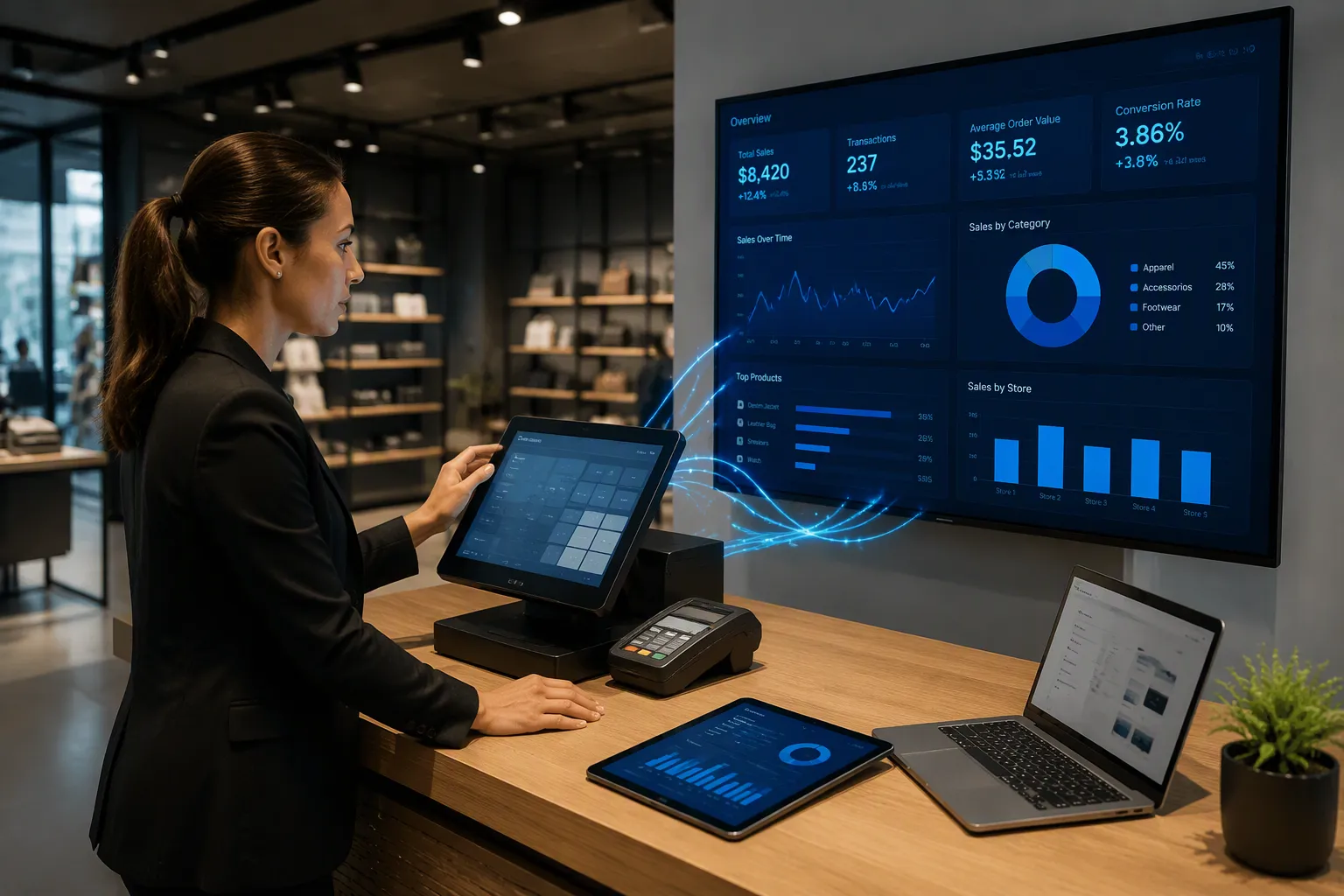
You can sync POS data with AI analytics using one shared data pipeline, applied AI models, and real-time decisions. Real-time insight matters because it turns every sale into a signal you can act on. According to Greg Buzek, President of IHL Group, brands and retailers that use AI and machine learning on their data get sales growth 2.3 times higher and profit growth 2.5 times higher than their peers. Your POS systems already collect that raw material. This guide walks you through four steps: unify your sources, build a streaming pipeline, apply AI in POS systems for predictive insights, and extend data synchronization between POS and AI analytics – scenario [Commercial across every channel. Each step builds on the last, so your analytics stay current.
Key Takeaways
Combine your POS data sources so you have one reliable source of truth.
Set up a live data pipeline that streams each transaction right away.
Use AI models to predict demand and set smart rules for inventory.
Link all sales channels through one shared data system so customers get a smooth experience.
Think of your POS data as a valuable resource that can give you an edge over other businesses.
Unify POS Data Sources
Consolidate Fragmented POS Systems
When POS systems are split apart, they create data silos, duplicate records, and extra manual reconciliation work. Begin with an audit. Map your main data domains, like customer, product, and partner, and find where each one lives now. Then pick a master system for each domain. This step matters most, because it gives every domain one source of truth. Next, set governance policies: who can edit master records, and how new data gets into the system. Last, build the integration architecture so changes flow to the master and spread back to connected systems.
A unified platform usually works better than a patchwork of separate apps. The table below shows typical differences.
Criterion | Unified POS | Multiple Separate Apps |
|---|---|---|
Average monthly cost | ~$150–$250 | ~$350–$500 |
Syncing | Automatic | Manual or third-party |
Training time | ~2–3 hours | ~8–10 hours |
Analytics and reporting | Real-time unified dashboard | Fragmented reports |
One mid-sized café serving about 400 customers daily saved roughly 45 staff hours per month after consolidating into one all-in-one POS. That equals over $1,200 in monthly wage savings. Connect your POS platform to CRM and accounting integrations, and copy settings from an existing store when you open a new location. Modern POS systems reward that discipline with faster setup.
Enforce Data Consistency
Consistency makes or breaks reliable real-time analytics. Make event handlers idempotent so duplicate events do not corrupt stock counts. Set up streaming frameworks for exactly-once processing guarantees. Enforce correct event ordering with timestamps and watermarks, so stock changes apply in order per SKU and location.
Use Change Data Capture tools to capture every inventory change at the source instantly. Define strict, versioned schemas that enforce fields like SKU ID, location, quantity delta, timestamp, and event type. Add metadata such as source system and correlation IDs for traceability. Your POS systems then read from a single source of truth, and clean POS data feeds every downstream model. When POS data is accurate, unified, and available in real time, your team can trust every dashboard and alert. That trust grows once POS data is integrated across systems, because every POS terminal, POS event, and POS record tells the same story.
Build a Real-Time POS Data Pipeline
Connect POS and AI Analytics via APIs
The first step is to collect data from the POS system. Every sale, refund, and stock movement needs to leave the terminal as a structured event. Your POS systems already make this stream. The job is to send it somewhere useful.
Next, link POS systems to AI analytics platforms through APIs. This link handles data synchronization between POS and AI analytics – scenario [commercial operations depend on it for correct, up-to-date numbers. A well-built API layer sends each event to your ai analytics engines without batch delays. Once the link is live, sync product and transaction data with the AI system. Product records hold SKU IDs, prices, and categories. Transaction records hold quantities, timestamps, and locations. Keep both in step, and your models always work from current facts.
Treat syncing data as an ongoing process, not a one-time import. Set a full reconciliation at a fixed interval and let incremental updates fill the gaps between runs. This pattern keeps pos data clean across every location.
Stream Transactions in Real Time
Streaming POS events allows live monitoring and early issue detection. A sudden drop in real-time sales at one store sets off an alert within minutes, not at the next day's report. Your team can check stock, staffing, or a terminal fault before the day ends.
Real-time data pipelines need the right processing layer. The table below shows the main options.
Category | Technologies | Key Capability |
|---|---|---|
Open-source frameworks | Spark, Storm, Samza | Spark offers fast processing and easy-to-use APIs for instant and stored data; Storm handles immediate data processing as it arrives; Samza supports stateful computations using historical context |
Cloud-based services | Amazon Kinesis, Google Cloud Dataflow, Azure Stream Analytics | Kinesis handles huge real-time streams with quick analytics; Dataflow supports both batch and stream processing; Azure Stream Analytics connects smoothly with Azure services |
Hybrid approaches | Combined batch + stream processing | Uses both methods for real-time responses plus periodic heavy computations |
A managed streaming platform adds governance and scale. Confluent Schema Registry provides fully managed data governance, with validation, compatibility, and evolution across all data streams. ksqlDB, Kafka Streams, and Flink handle stream processing for dynamic transformation and enrichment. Fully managed connectors gather data and connect with outside systems, including POS systems. Enterprise performance and scalability let the pipeline grow with your business.
These tools support real time visibility into every transaction. They also feed real-time analytics dashboards that update as sales land. Build the pipeline once, and both live monitoring and downstream ai in pos systems draw from the same flow. Your pos data then moves at the speed of the business, and every integration stays current.
Apply AI in POS Systems for Predictive Insights
Forecast Demand with ML Models
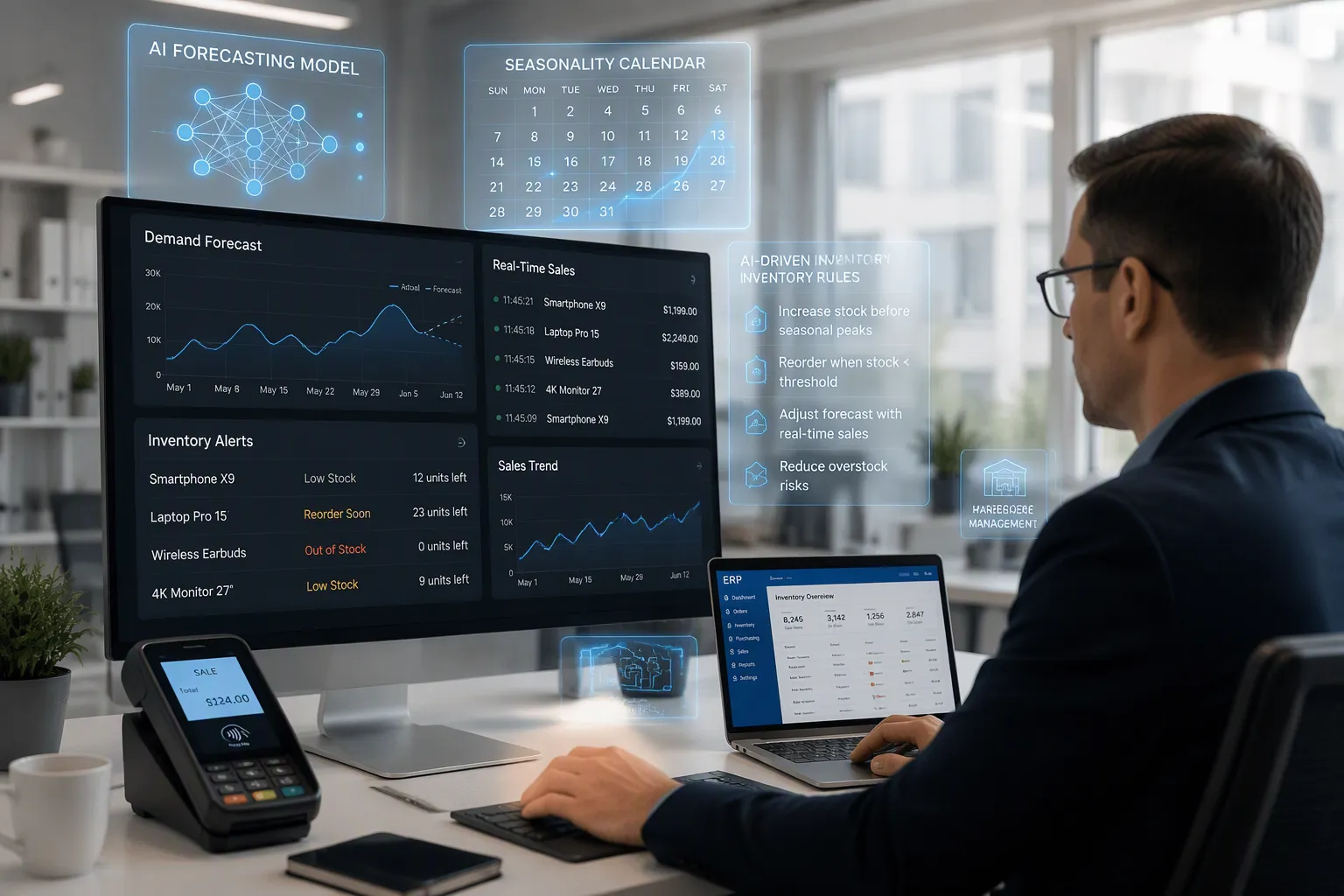
Historical and real-time POS data give machine learning models the raw material they need. You pull past sales, inventory, and customer demand data through integrations with POS, ERP, and WMS systems. Models like time-series forecasting, ARIMA, and neural networks such as LSTM then spot seasonal patterns, market trends, and how consumers buy. This is how AI and machine learning work together in POS systems, and it turns sales, inventory, and customer activity into signals that look ahead.
Feed current POS data into the models too. Recent point-of-sale signals show real-time demand shifts and make forecasts more reliable. Depending on the product type, a good POS data window may cover about one to two months. Your system must also handle a steady flow of large real-time sales data so decisions can happen fast. Two habits keep forecasts honest. First, add forecast consumption logic that adjusts forecasts on its own as actual orders come in. Second, sync nightly with all sales channels so the data used for forecasting stays current.
Adaptive learning systems keep learning from new data and sharpen predictions over time. For example, reinforcement learning algorithms can adjust inventory levels on the fly based on real-time sales data and changing consumer preferences, keeping forecasts accurate as market conditions shift.
This is AI and machine learning turning POS systems from record-keepers into forecasting engines. The result is predictive analytics for sales and inventory that your team can plan around.
Configure AI Inventory Rules
Once product and transaction data are synced, you can set up AI-based inventory rules. Start with the rules that pay off fastest:
Alerts when stock levels run low
Suggested automatic reorders
Forecasting of future demand
Planning inventory for seasonal peaks
Detection of slow-moving products
Balancing stock across multiple branches
These rules depend on clean data synchronization between POS and AI analytics – scenario [commercial operations rely on it for accurate stock counts. With that link in place, ai-powered POS systems give accurate, real-time stock-level insights and make inventory management smoother. Your team stops chasing spreadsheets and starts acting on alerts.
Real-time AI analysis keeps those rules current. Each sale updates stock levels, and each update feeds the next forecast. This loop is where ai in POS systems proves its value. You gain predictive insights that reflect today's demand, not last quarter's. The same flow supports real time visibility across every branch, and your analytics stay in line with what customers actually buy.
Treat these rules as living settings. Review thresholds as seasons change and as new products launch. Ai-powered POS systems adapt to your adjustments, and the integration of AI and machine learning in POS systems gets sharper with every cycle. That discipline turns insights into daily decisions about what to stock, what to reorder, and what to retire.
Enable Omnichannel POS Data Synchronization
Build a Unified Data Backbone
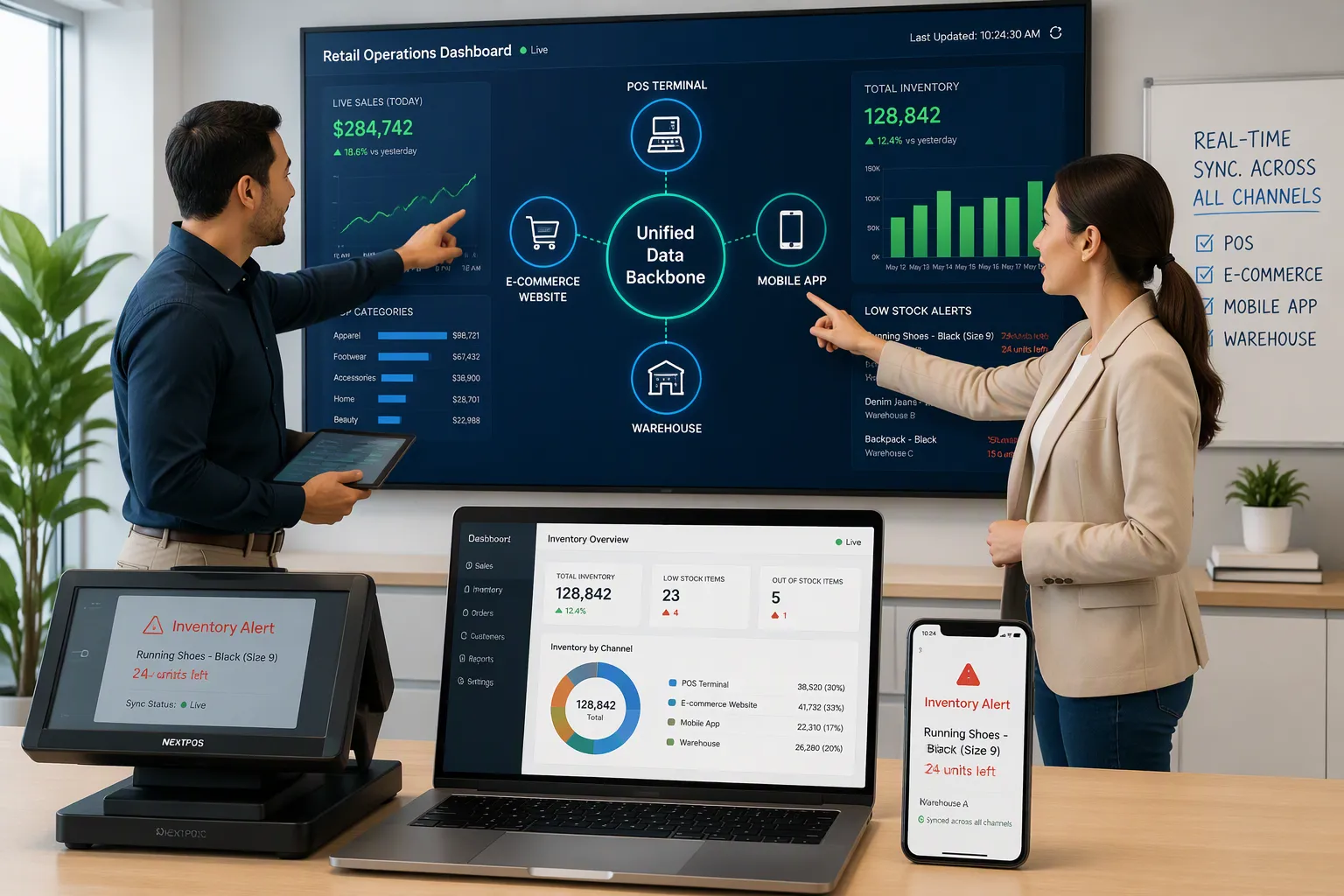
A unified data backbone acts like a central database for daily operations. Every channel reads from it and writes to it, including store POS, e-commerce, mobile apps, and the warehouse. All touchpoints share one source of truth for inventory, customer, order, and product data. Sell an item at a store POS, and the inventory drop reaches online and mobile channels within seconds. Update a customer profile online, and in-store POS systems see it right away. This single POS-driven data model removes the delays and mismatches that middleware or batch integrations create.
An Order Management System makes that backbone stronger. It keeps a global inventory ledger and updates it from all sources in near real time.
An Order Management System (OMS) works like the central nervous system for omnichannel inventory. It keeps a global inventory ledger that is updated in near real-time from all sources. It also runs fulfillment decisions based on configured business rules. Specifically, it achieves real-time inventory sync through sub-60-second updates from POS, e-commerce, WMS, and 3PL systems into a single Available-to-Promise (ATP) figure per SKU per location.
Back-office-to-POS synchronization then keeps every location current. Sales and labor data flow straight into accounting and operational systems, so you avoid duplicate entries and gain administrative efficiency. Real-time inventory management follows: sales data syncs with stock levels, and you gain instant visibility into every SKU. Automated reorder alerts tell managers exactly when to reorder. Staff stop counting manually and return to customer service. Real-time dashboards show live performance, and your team can act on up-to-the-minute numbers instead of end-of-day reports.
Deliver Seamless Cross-Channel Experiences
A shared data foundation produces a 360-degree view of the customer and the business. Data integration combines customer records from CRM, analytics, transactions, and support into one unified profile. That profile gives real-time visibility into behavior and history. A customer can begin a purchase on one platform, adjust it on another, and finish it elsewhere without a break in continuity. Disconnected systems produce the opposite result: broken conversations, inconsistent offers, and repeated questions.
Modern POS systems act as networked decision engines. Scan a barcode at checkout, and the inventory count drops globally. AI predicts low stock and generates purchase orders before shelves empty. A promotion engine resolves nested rules on the same basket in milliseconds. Offline-first architecture caches product data locally during outages, then syncs in the background without double-charging or miscounting stock. Brands such as Salomon run incentives on one real-time decision layer across shoppers, staff, and athletes. Joe & The Juice runs omnichannel incentives across 397 stores in 20 countries, with a real-time checkout connection supporting personalized offers. Your POS, app, and web all call the same logic, so loyalty balances stay correct everywhere. That is how ai in pos systems turns transactions into coordinated action, and how ai-powered pos systems keep every channel aligned.
You now have a clear path you can repeat:
Bring your POS data sources together into one trusted source.
Build a live pipeline that sends every transaction through APIs.
Use AI models to forecast demand and set inventory rules.
Connect every channel with a shared backbone so data stays in sync.
Treat your POS data as a valuable asset. Real advantage comes from your own data, not from public AI tools:
When AI learns from your own customer behaviors and internal patterns, it builds a "digital moat no competitor can cross."
Your POS systems turn daily activity into insights that guide better decisions. Grow the pipeline as your business grows, and keep improving it. Each cycle makes your analytics and predictions sharper, so results keep getting better.
FAQ
How long does it take to sync POS data with AI analytics?
A basic API connection can be live in days. Full syncing takes longer. You need to bring your sources together, keep data consistent, and match up product and transaction records. Plan a rollout in stages, and keep small updates running after the first full match-up.
Do you need to replace your current POS system?
No. Most POS platforms offer APIs, so you can link them to an analytics platform without a rip-and-replace project. Make sure your system supports live event streaming and versioned schemas. If it only sends batch reports, add a middleware layer to catch events as they happen.
How do you keep inventory counts accurate across channels?
Have every channel read from one shared data backbone. An Order Management System updates a single available-to-promise number per SKU per location from POS, e-commerce, and warehouse sources. Idempotent event handlers and exactly-once processing stop duplicate events from messing up stock counts.
What happens to your analytics during an internet outage?
Offline-first architecture stores product data locally on the terminal. Sales keep going, and the system syncs in the background once the connection comes back. This design prevents double-charging and wrong stock counts. Your analytics catch up on their own, so reports stay complete without manual fixes.
How do you know the AI forecasts are working?
Compare forecasts against actual sales each week. Add forecast consumption logic, which adjusts predictions as real orders come in. Sync nightly with every sales channel so models train on current data. Review thresholds as seasons change, and drop rules that no longer fit demand.
See Also
Why Stores Powered By Artificial Intelligence Will Dominate Tomorrow
The Growing Trend of AI Corner Stores Every Retailer Should Understand
How Artificial Intelligence E-Commerce Tools Revolutionize Managing Online Stores
How to Launch an AI Corner Store Without Spending Much Money
