How a Computer Vision Cashierless Store Compares with Self-Checkout

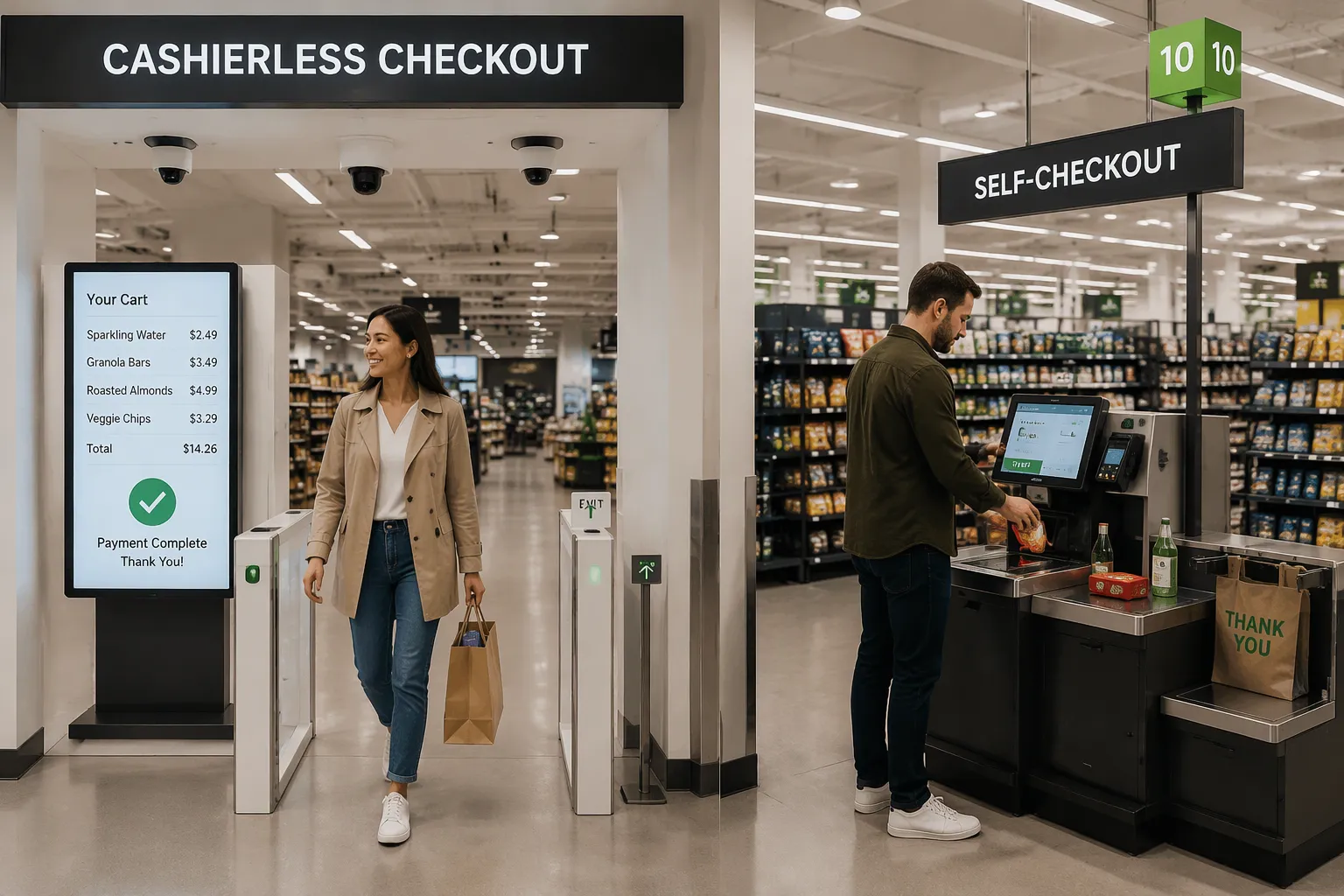
Both checkout formats tackle the same problem: friction at the point of payment. They solve it in very different ways. One removes the checkout step entirely, while the other moves it to a kiosk.
Four criteria separate them: technical performance, application fit, regulatory compliance, and cost. The goal here is matching each format to the right retail scenario, not crowning a winner. CloudPick's computer vision cashierless store serves as the reference point for the cashierless side throughout.
The sections that follow look at each criterion in turn. A practical selection guide at the end helps retailers apply these findings to their own stores.
Key Takeaways
Cashierless stores make shopping faster by getting rid of the checkout step completely.
Self-checkout works well for big stores that have lots of products and complex baskets.
Systems that use cameras need careful planning to protect privacy and make sure everyone can use them.
A small, busy store often saves money over time with cashierless technology.
Many stores will use both kinds of checkout to fit what each location needs.
Two Checkout Models Defined
What a Computer Vision Cashierless Store Does
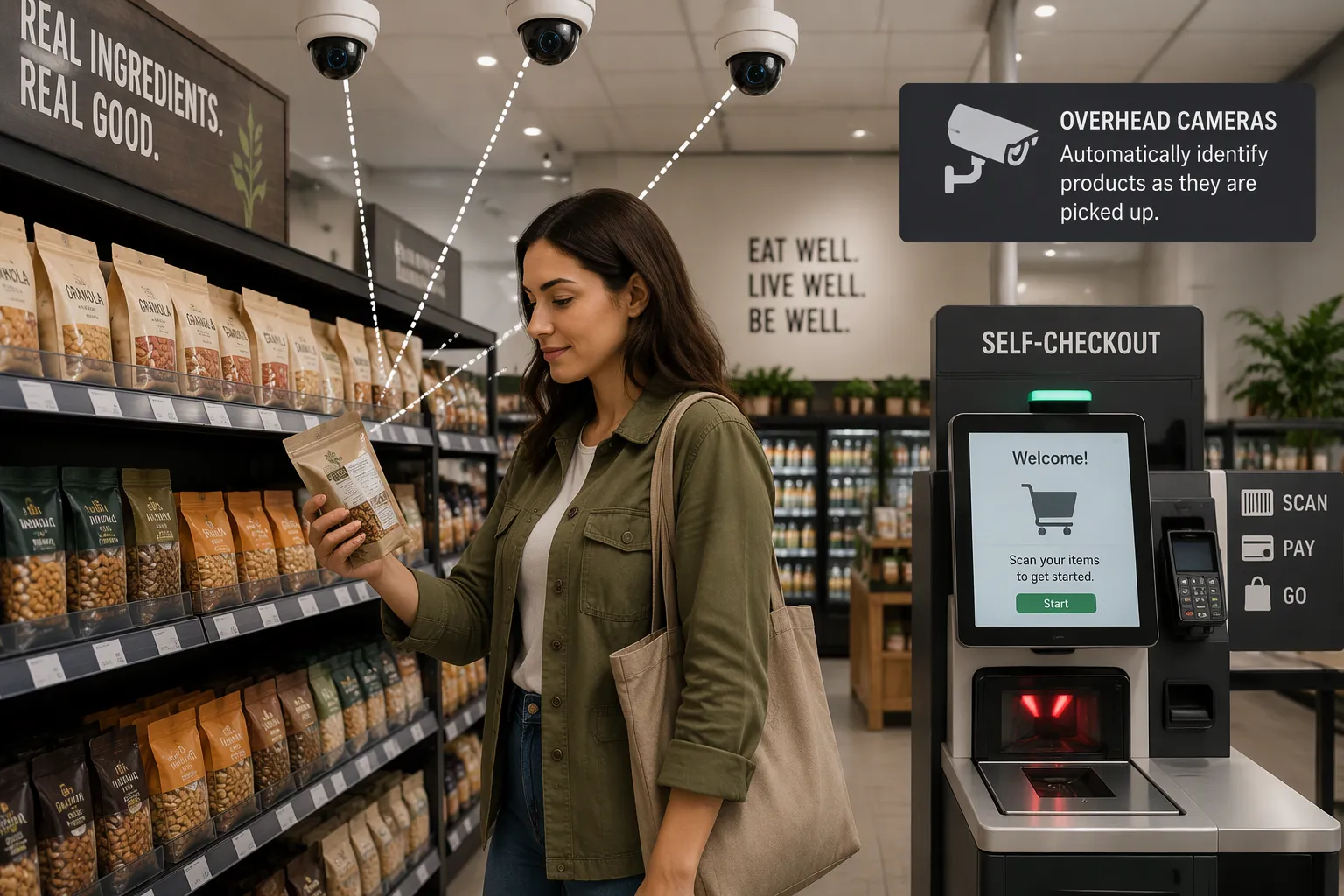
A cashierless store takes the checkout step out of the shopping trip. The format uses AI, computer vision, cameras, and shelf sensors to track what each shopper picks up. Shoppers walk in, take products, and leave. No one scans a barcode and no one waits in line.
The session mechanic works through camera coverage. Cameras watch a set zone inside the store. When a shopper leaves that camera-covered zone, the system treats the exit as the end of the session. It then adds up the total from the items the shopper collected and charges the shopper's account. This design turns the store itself into the checkout counter.
CloudPick builds this kind of system for retailers who want a real example to look at. A computer vision cashierless store from CloudPick recognizes items as shoppers take them, so the payment step happens without a scan.
How Self-Checkout Works Today
Self-checkout kiosks are the established model. A shopper brings items to a station, scans each barcode, and pays at the machine. Retailers know this format well, and most shoppers have used it.
The format has known weak points. User error and malfunctions can cause downtime and frustration. A missed scan slows the line. A frozen screen pulls staff away from other tasks. Computer vision aims to close this gap by removing the scan step entirely.
Technical Performance
Speed and Accuracy
Speed is the clearest difference between the two formats. One industry finding shows that AI-assisted checkout cut average item-finding time from 10 seconds to 3 seconds. That is a 70% drop in the time a shopper spends finding and processing an item. At that rate, a shopper who handles twenty items saves well over two minutes per trip.
Accuracy matters just as much as speed. AI-powered self-checkout reduces shrink by stopping missed scans. A kiosk that flags an unscanned item stops the loss before the shopper pays. Computer vision and basket analysis go further. These tools cut loss from theft and from scanning errors, because the system compares what the shopper takes with what the receipt shows.
CloudPick's vision system shows what instant recognition looks like in practice. Cameras identify each product the moment a shopper lifts it from the shelf. The shopper never scans a barcode, so scan error disappears as a failure mode. A computer vision cashierless store from CloudPick turns recognition into the checkout record itself.
Scalability Across Locations
Each format scales in a different way. Self-checkout scales cheaply across existing stores. A retailer can add kiosks to a store that already has power, network access, and floor space. The hardware arrives, staff learn the interface, and the lane goes live. Chains roll the format out store by store without rebuilding the sales floor.
Cashierless scales where camera infrastructure is planned in. A new build or a major remodel can include camera coverage and shelf sensors from the start. Retrofitting an older store costs more, because the ceiling, network, and power layout all need work. Retailers who plan the infrastructure early get the smoothest path to a full cashierless footprint.
CloudPick designs its deployments around that planning cycle. A retailer can start with a compact, high-turnover location and extend coverage as the camera plan grows. The system scales with the zone it covers, not with the number of kiosks on the floor. That difference shapes the rollout strategy for each format.
Both formats perform well within their design limits. Self-checkout wins on speed of deployment across a scattered estate. Cashierless wins on speed of the shopper's trip once the cameras are in place. The next criterion, application fit, shows where each strength matters most.
Application Fit
Store Size and Product Range
Store size, what a store sells, and who shops there decide which format fits. A small store with a limited product range works well with camera-based checkout. A large supercenter with thousands of SKUs and long aisles is harder to cover with cameras at a fair cost. What a store sells matters too. Packaged goods with clear shapes and labels are easier for vision systems to recognize than loose produce or bakery items sold by weight.
Who shops there shapes the choice as well. A commuter grabbing lunch wants speed and no line. A weekly family shopper often wants a full-service lane and help with bagging. Self-checkout remains the practical choice for large-format stores with wide assortments and mixed shopper needs.
Shopper Experience
Automated checkout systems built with computer vision have shown fast checkout, an easy-to-use interface, and customer satisfaction. Shoppers walk in, take what they need, and leave. The trip feels shorter because the payment step disappears.
The market already reflects this shift. Checkout-free deployments by Amazon Go, Aldi, and Carrefour rely on vendors such as AiFi, Trigo, and Grabango. These names show that major chains are testing the format in real stores. They serve as market context, not as an endorsement of any single vendor.
CloudPick's computer vision cashierless store fits best in compact, high-turnover formats. Convenience stores, campus shops, and grab-and-go outlets match the design. Camera coverage stays affordable in a small zone, and shoppers move through quickly. Self-checkout remains the practical choice for large supermarkets, warehouse clubs, and stores with complex baskets. A retailer can also mix the two formats across a portfolio and match each store to its traffic and product range.
Regulatory Compliance
Privacy and Data Handling
Camera-based checkout gathers a different kind of data than a kiosk does. A self-checkout station records transaction data: what the shopper scanned and how they paid. A cashierless store records visual data about shoppers as they move through the space. That difference puts privacy rules at the center of any cashierless deployment.
Retailers in markets covered by the GDPR and similar privacy laws must write down what the cameras capture, why the system needs it, and how long it keeps it. A common approach processes video on-site and stores only the item-level events the billing system needs. Shoppers also need a clear notice at the entrance. CloudPick designs its computer vision cashierless store around this principle: the system turns camera input into a purchase record and limits how long it keeps raw footage. Retailers should confirm the vendor's data-retention terms in writing before signing.
Accessibility Requirements
Self-checkout kiosks present a known accessibility challenge. A touchscreen, a scanner height, and a payment terminal all create physical and visual barriers for some shoppers. Stores address this with reachable controls, screen-reader support, and staff assistance at the lane.
A cashierless store removes the kiosk, so the interface barrier changes shape. The shopper no longer needs to reach a screen or aim a barcode. The remaining requirements concern entry, wayfinding, and payment. Stores still need accessible doors, clear signage, and a payment method that works for shoppers without a smartphone. Retailers should keep an assisted lane available for anyone who needs help. CloudPick's format fits best when the store pairs camera coverage with an accessible entry and a fallback payment option. Compliance here depends on store design as much as on the vision system.
Cost Comparison
Initial Investment
The two formats spend their upfront money on different things. A cashierless store pays for camera and sensor setup. That includes cameras on the ceiling, shelf sensors, network cables, power lines, and the software that connects it all. A new build can add these costs into construction. An older store that gets upgraded pays these costs on top of its current layout.
Self-checkout pays for kiosk hardware instead. Each station has a scanner, a screen, a payment terminal, and a bagging area. A retailer buys one unit per lane and adds more as traffic grows. The starting cost stays low because the store already has power and network access up front. A retailer can set up a single lane and test the format before doing a full rollout.
Operational Savings Over Time
Ongoing costs change the picture. A CloudPick-style computer vision cashierless store trades scanning labor and shrink losses for setup and software costs. The store needs fewer staffed lanes, and missed scans stop draining revenue. Software licensing and system upkeep replace some of those savings, so the net gain depends on store volume.
Self-checkout trades hardware upkeep and error-related downtime for a lower starting cost. Kiosks need repairs, software updates, and staff help when a shopper hits a problem. A frozen screen or a missed scan pulls an employee away from other work. Those costs stay small per lane but add up across a large chain.
Total cost of ownership depends on the store. A busy, compact store earns back a cashierless investment through faster trips and lower shrink. A large store with steady traffic often finds self-checkout cheaper to run at scale. Retailers should model both paths against their own volume, basket size, and labor plan before they choose.
Choosing the Right Fit
When Self-Checkout Makes Sense
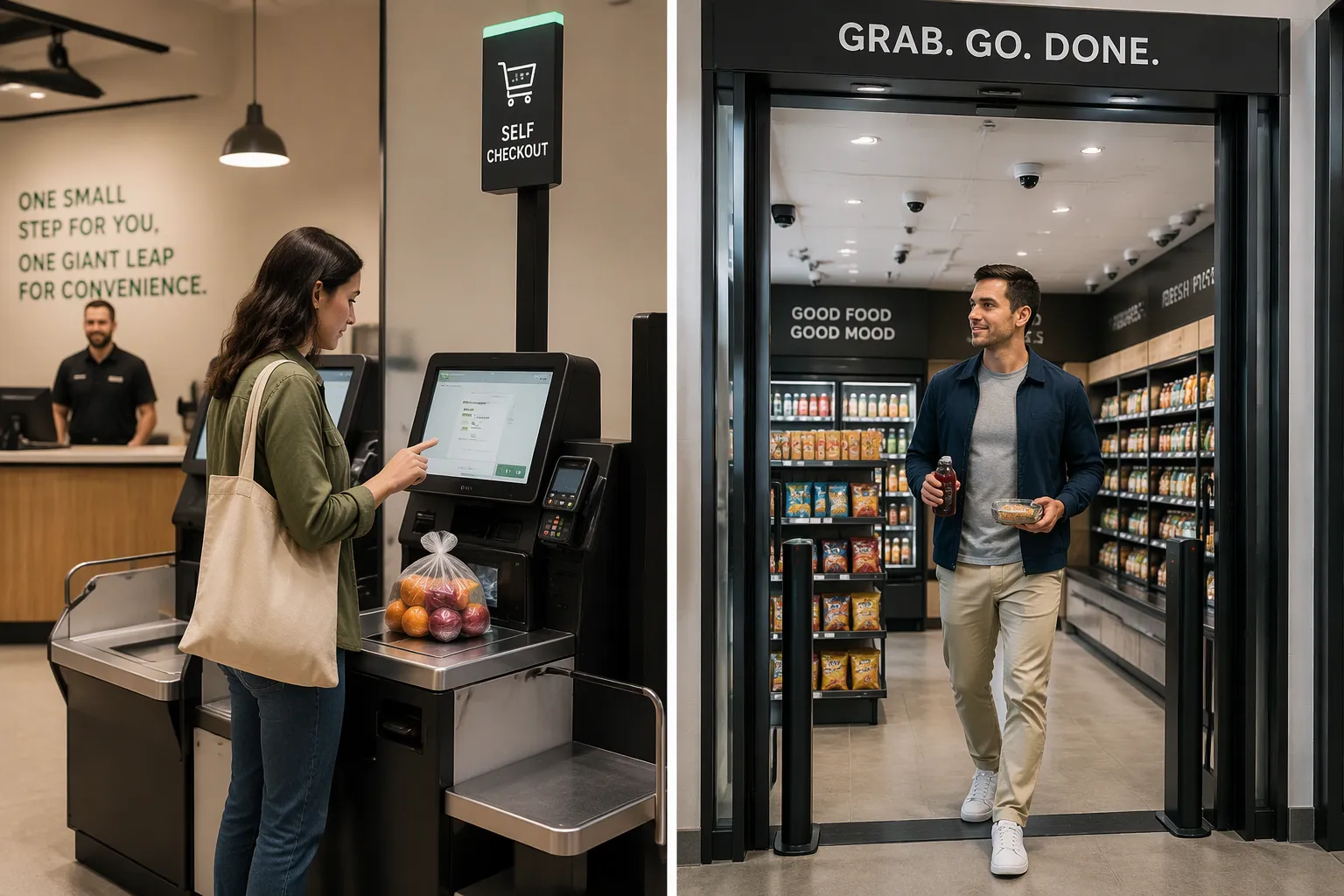
Self-checkout works well for stores that already have the basics. Most supermarkets today have power, network access, and floor space. A retailer can add a kiosk lane without rebuilding the sales floor. That low entry point makes the format a strong first step for chains that want to test automation one store at a time.
Large stores with many product types suit self-checkout well. A supercenter with thousands of SKUs and mixed shopper needs keeps a full-service lane open alongside the kiosks. Weekly family shoppers often want help with bagging and a staffed counter. Kiosks serve the quick trip without forcing every shopper through the same path.
Stores with complex baskets also lean toward self-checkout. Loose produce, bakery items sold by weight, and deli orders are hard for cameras to price at a glance. A kiosk lets the shopper weigh and select those items directly. Retailers who need a fast rollout across many scattered stores find self-checkout the cheaper path, because each lane goes live with hardware alone.
When a Computer Vision Cashierless Store Makes Sense
A computer vision cashierless store fits small, busy formats best. Convenience stores, campus shops, and grab-and-go outlets match the design. Camera coverage stays affordable in a small zone, and shoppers move through fast. The 70% drop in item-finding time, from 10 seconds to 3 seconds, matters most where trips are short and lines build quickly.
Product mix shapes the decision too. Packaged goods with clear shapes and labels are easy for vision systems to recognize. A store that sells mostly drinks, snacks, and ready meals sits in the sweet spot. Shoppers who value speed over assistance respond well to the format. Commuters grabbing lunch rarely want a staffed lane.
CloudPick's format rewards retailers who plan camera infrastructure early. A new build or a major remodel can include coverage from the start. A retailer can begin with one compact location and extend coverage as the plan grows. Stores that pair camera coverage with an accessible entry and a fallback payment option meet the compliance points covered earlier.
Budget closes the loop. A busy, compact store earns back a cashierless investment through faster trips and lower shrink. A large store with steady traffic often finds self-checkout cheaper to run at scale. Many retailers will run both formats across a portfolio and match each store to its traffic, product range, and shopper profile. That mixed approach turns the choice into a store-by-store decision rather than a single company-wide bet.
Technical performance favors cashierless speed and accuracy, but self-checkout is faster to set up in stores that already exist. Application fit depends on store size and what the store sells. Compliance depends on how camera data is handled and whether entry is accessible. Cost splits between camera setup and kiosk hardware.
No format wins everywhere. Store type, product mix, shopper profile, and budget decide the match.
Use this checklist:
Small, busy store with packaged goods? Think about cashierless.
Large product range or complex baskets? Keep self-checkout.
Camera plan in a new build? Plan cashierless coverage early.
Tight budget and stores spread out? Start with kiosks.
CloudPick's computer vision cashierless store fits a mixed-format future, where retailers match each location to its traffic and shoppers.
FAQ
Does a cashierless store still need staff?
Yes. A cashierless store removes the payment step, not the people. Staff restock shelves, help shoppers, and handle problems. Many stores also keep an assisted lane open for anyone who wants help. CloudPick's format works best when a store pairs camera coverage with human support nearby.
How does the store know what a shopper took?
Cameras and shelf sensors track each item a shopper lifts. The system links the item to that shopper's session. When the shopper leaves the camera-covered zone, the session ends and the system charges the account. CloudPick's vision system recognizes items at the moment of pickup, so no scan is needed.
Can a shopper dispute a charge?
Yes. A shopper can review the receipt and flag an error. The store then checks the item-level record against the session. Systems that keep only the events the billing system needs make this review faster. Retailers should confirm the vendor's dispute process in writing before launch.
Is cashierless checkout faster than self-checkout?
For the shopper, usually yes. One industry finding shows AI-assisted checkout cut average item-finding time from 10 seconds to 3 seconds, a 70% reduction. Self-checkout still wins on setup speed, because a retailer can add a kiosk lane to an existing store without rebuilding the sales floor.
Which format costs less to run?
It depends on the store. A busy, compact store often earns back a cashierless investment through faster trips and lower shrink. A large store with steady traffic usually finds self-checkout cheaper at scale. Retailers should model both paths against their own volume, basket size, and labor plan.
See Also
A Look at Walgreens Self-Checkout: Retail Convenience and Its Challenges
Tracing the Historical Development and Evolution of Self-Checkout Systems
Walmart Self-Checkout Access: Key Changes Coming in the Year 2025
How Cloudpick Delivers Cashierless Shopping Convenience to Your Retail Store
Why Cloudpick Checkout Computers Boost Efficiency, Accessibility, and Customer Experience
