Multi-Camera AI Deployment for Retail: Best Practices and Steps

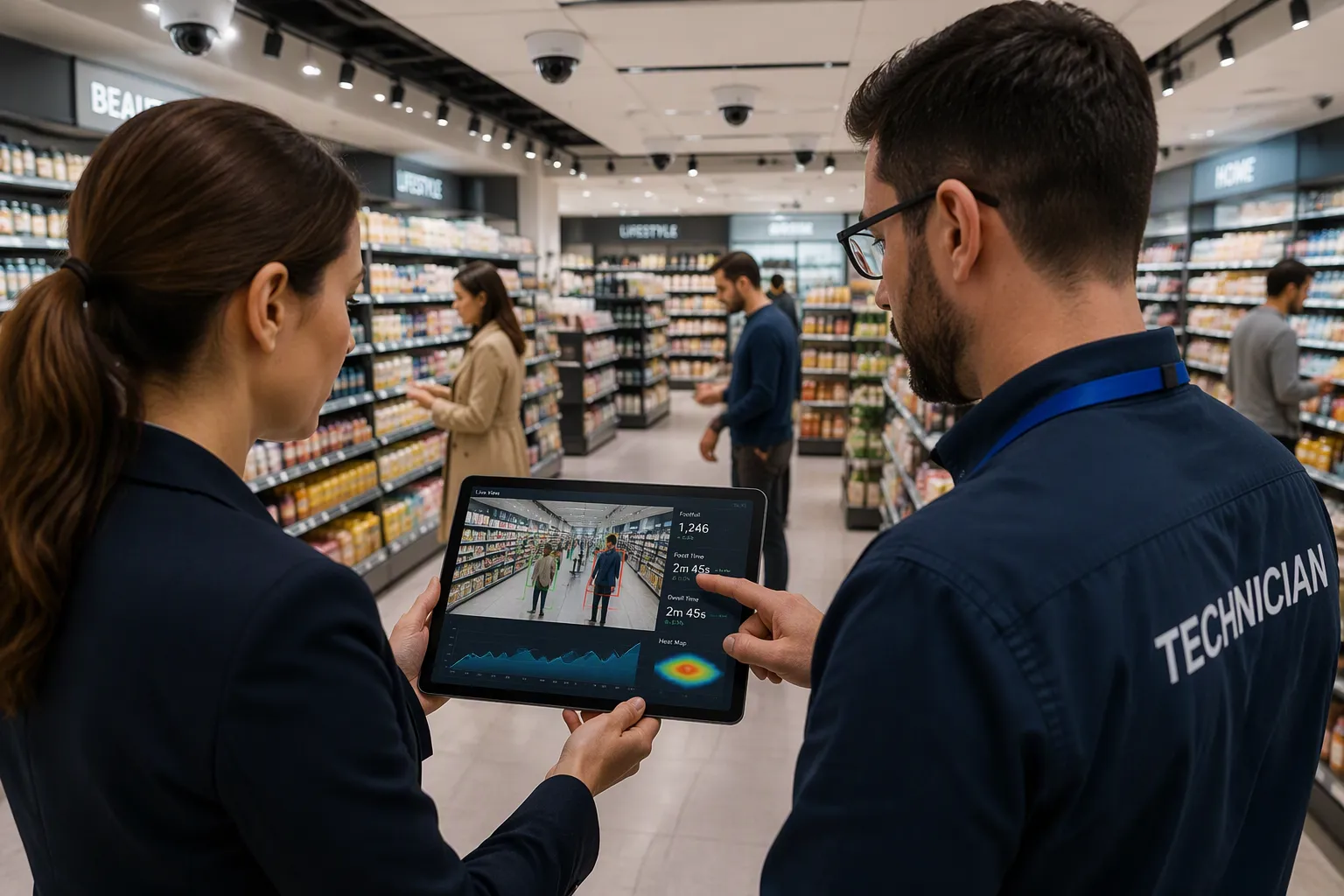
Successful multi-camera AI projects follow a clear order. First, check formats and needs. Then plan coverage by zone and pick camera-friendly technology. Next, test with a recorded baseline, grow in waves, connect systems, and manage them. When deploying multi-camera AI retail systems – scenario [Commercial], use these best practices:
Set clear success goals before you start.
Write down settings and check the system often.
Multi-camera AI fails when coverage is random, tests lack a baseline, or growth moves faster than setup. This post is a hands-on guide with checklists and examples. You can use it for deploying multi-camera AI retail systems – scenario [Commercial] planning for AI cameras for retail in 2026, from one store to a big chain.
Key Takeaways
Begin with a small pilot in one or two stores to test the system and set clear goals.
Plan where each camera goes by store area. Match each spot to what that area is used for. Don't just put cameras in random places.
Use the cameras you already have with AI software to save money and avoid buying new hardware.
Grow in planned stages after the pilot works, using a repeatable process for new stores.
Link AI alerts to your point-of-sale and video systems to act faster and get better results.
Deploying Multi-Camera AI Retail Systems: Scenario and Requirements
Deploying multi-camera AI retail systems – scenario [Commercial] starts with the commercial scenario. Most projects are driven by three application areas: footfall analytics, loss prevention, and store operations optimization.
Application Area | Key Capabilities |
|---|---|
Footfall & People Counting | Entry/exit counting, peak-hour trends, conversion rate |
Customer Behavior | Heatmaps, dwell time, path flow |
Shelf Monitoring | Out-of-stock alerts, planogram compliance |
Loss Prevention | Behavioral theft detection, POS supervision |
Queue Monitoring | Wait-time estimation, checkout lane alerts |
When deploying multi-camera AI retail systems – scenario [Commercial], match each area to your store format. A small store may need two or three cameras at the entrance and checkout. A supermarket adds shelf and queue views. A big-box store needs counting by department and wider coverage across aisles.
Map Store Formats and Use Cases
Match formats to use cases before you count cameras. Small formats fit footfall and queue monitoring with a few devices. Supermarkets gain from shelf monitoring and loss prevention at self-checkout. Big-box stores need multi-zone people counting and path-flow analysis. When deploying multi-camera AI retail systems – scenario [Commercial], let the use case set the camera count, not the other way around.
Build a Requirements Checklist
A written checklist keeps deployment honest. Confirm these items before you buy:
Which events each camera setup can detect.
Whether it works with your current cameras and recorders.
Places that need better lighting or new equipment.
Pilot targets for detection and false-alert performance.
Who gets alerts and how they are passed along.
What happens during camera, power, or internet outages.
What data leaves the site, where it is kept, and who can see it.
What the three-year price covers and what costs extra.
Size the network with math. Sixty cameras at an average of 4 Mbps push 240 Mbps into the server every second. Storage works the same way: bitrate × cameras × hours × retention days. Sixty cameras at 4 Mbps for 30 days needs about 78 TB of usable video. Deploying multi-camera AI retail systems – scenario [Commercial] also means scaling down for smaller stores. Start with a pilot, focus on quick wins, and use open-source or commercial parts where speed matters. Prove value before you expand.
Coverage Design by Zone and Technology Fit
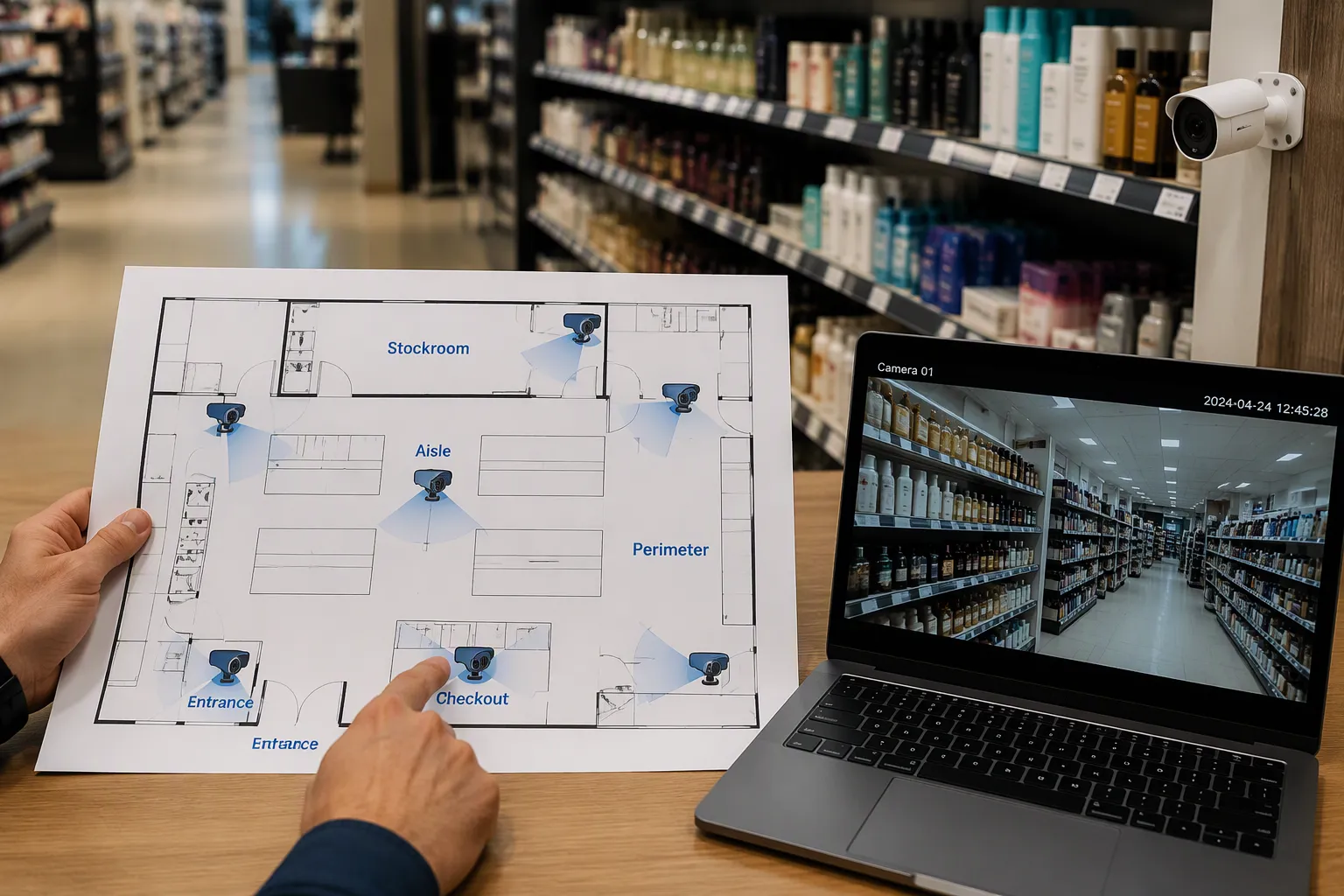
Good coverage design by zone starts with one simple rule: what a zone is for decides where the camera goes and which lens you use. Map five zones in every store. The entrance needs a wide lens at head height to count people coming in and going out. The checkout area needs a close view of the lane and the scanner. Aisle and shelf zones need a straight-on view of the products. The stockroom needs a view of the door and the receiving area. The perimeter needs wide views along the walls. Each zone has its own placement decision. You cannot copy one layout across all five zones.
Coverage Design by Zone
Plan coverage by zone before you mount even one device. Walk the store and mark each zone on a floor plan. Write down the mounting height, the distance to the target, and the light level at each spot. This step turns camera coverage from guesswork into a drawing you can check.
The camera angle problem needs its own plan. A top-angle camera often cannot cover several shelves at once. General-purpose computer vision cameras that capture multiple shelves suffer from an angle of view that does not allow collection of proper data suitable for on-shelf availability. People-counter cameras sit in specific counting zones and do not suit product tracking. Face-recognition cameras aim for faces, so they cannot help with shelf data. Plan shelf-level views separately:
Install cameras directly in front of the shelf you want to analyze. The angle of view is the key requirement.
Mount smaller cameras on the opposite side of the shelf as an alternative. These capture only part of the shelf view, so lower resolution is acceptable.
Leverage Existing AI Cameras for Retail
You do not need to replace all your hardware. AI video analytics platforms connect to existing CCTV/IP cameras via standard RTSP streams, no matter the camera brand or age. This approach turns your current fleet into ai cameras for retail without new infrastructure. Follow this sequence:
Reuse existing cameras and confirm each one passes the suitability check for its zone.
Apply deep learning models trained on normal shopping behavior versus theft actions. These models analyze live feeds in real time with sub-second alert latency.
Enable task-specific detections on the same converted feed: self-checkout monitoring for scan avoidance and mis-scans, shelf sweep detection for rapid abnormal stock decrease, and shrinkage detection for concealment and POS-video correlation.
Preserve privacy by design. The system analyzes body pose and object trajectories, not faces or identities.
Match the model to the task, not the other way around. A shelf analytics model needs a straight-on view. A checkout model needs the lane and the scanner in frame. This context-aware detection approach keeps false alerts low. The table below shows how vendors convert existing feeds.
Vendor | How it converts existing cameras | Relevant task |
|---|---|---|
Pathr.ai | Turns existing CCTV feeds into spatial intelligence with no new hardware | Shelf/store analytics |
Trigo | Computer-vision plus sensor fusion retrofit for full-size supermarkets | Frictionless checkout |
RAIC Labs | Edge-optimized models on low-cost cameras via Azure IoT | On-shelf availability |
Shopic | Clip-on smart cart plus CV-based POS | Checkout analytics |
Tiliter | AI vision for produce recognition at self-checkout | Self-checkout shrink reduction |
Clobotics Retail | Fixed, mobile, and drone imaging on Azure edge and cloud | Real-time shelf KPIs |
AiFi | Autonomous store platform on Azure | Friction-free checkout |
An ai camera system built this way fits retail sites of any size. Treat your ai security cameras as sensors first and recorders second. This mindset supports ai cameras for retail in 2026 planning, where software updates add new detections to hardware you already own.
Pilot First, Then Multi-Store AI Vision Deployment
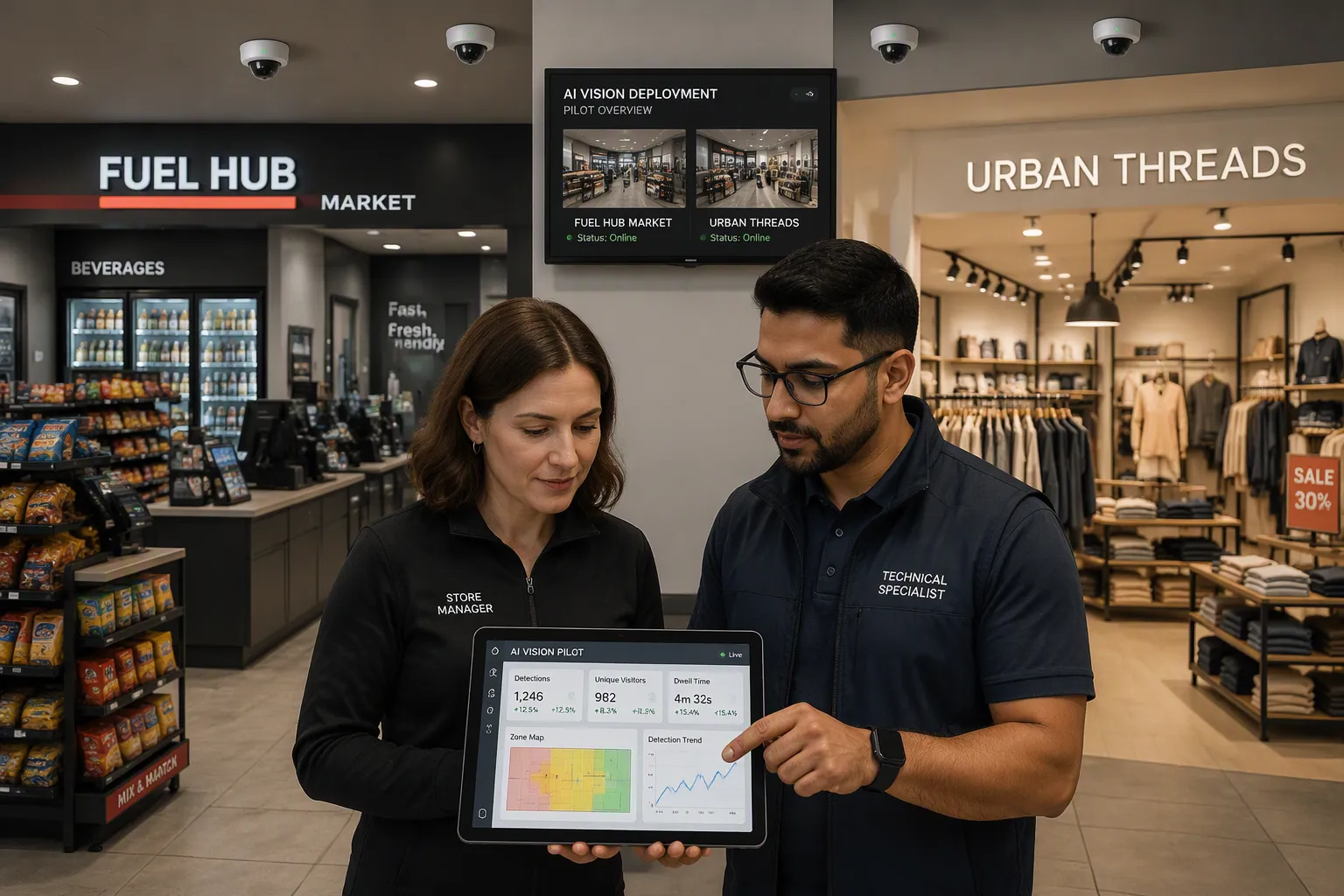
A pilot shows the idea works before you spend big money. Think of it as the first step of multi-store ai vision deployment, not a side test.
Run a Measured Pilot
Pick two very different stores to test across formats. A gas station store and a mall specialty shop will show problems that similar stores would hide. Follow this order:
Pick two store types that are very different, so hidden problems show up during the pilot.
Set a baseline before the first camera turns on.
Map the five zones in each store and note which zones your current cameras already cover.
Judge how good the response is, not just the alerts. Check if each detection fixed the behavior or needed a person to step in.
Set the rollout order by format, starting where the pilot clearly beat its baseline.
A good baseline must run long enough to represent normal activity and long enough for coaching to work. The FMCSA study used a 4-week baseline with feedback turned off, then a 13-week intervention. That is a helpful example design, not a rule. What matters most is a mix that represents your stores and metrics you set in advance, so the pilot answers a question instead of telling a single story.
Set your pilot metrics before you start. The table below shows what to track.
Metric | What it tells you |
|---|---|
Detection and false-alert rates | Whether the system spots real risks without swamping supervisors |
Time between detection and intervention | Whether alerts reach people who can act in time |
Frequency of repeated violations | Whether corrective actions change behavior |
Time required to investigate incidents | Whether footage and records speed up root-cause work |
Corrective-action closure rates | Whether findings turn into completed fixes |
Test detection accuracy under real store conditions, including dim lighting. Measure false alarms, missed detections, and the extra work dumped on supervisors. Expand only after the pilot meets the goals you agreed on.
Scale with a Wave Model
Move to multi-store deployment with a wave-based rollout. A hub-and-spoke setup supports this model: each store runs local edge detection for low latency, while the central hub manages models and dashboards for the whole portfolio. This split lets your ai vision program grow without breaking under its own weight.
Standardized ai shelf monitoring makes chain-wide deployment practical. Before standardization, manual shelf walks ran twice a day and out-of-stock conditions lasted 2–4 hours on average. After standardization, real-time detection with mobile alerts cut average out-of-stock time to under 30 minutes. Chains of 50, 500, or 5000 stores get consistent retail chain operations from the same model.
Use unified portfolio dashboards to compare stores during staged rollout. A stockout rate ranking shows which stores underperform against the network median. A planogram compliance score uses the same model everywhere, so a 92 in one city means the same as a 92 in another. These portfolio-wide dashboards give district and regional managers one view across multi-location retail.
A centralized deployment pipeline turns new-store onboarding into a documented template. Store 501 costs a fraction of store 1. Only about 25% of retailers put AI to work across their full estate, so standardization closes the pilot-to-scale gap. Plan your chain-wide shelf visibility around this repeatable process, and keep detection accuracy steady across varied cameras and lighting through staged rollout.
Integration, Limitations, and Deployment Governance
Integrate with POS, VMS, and Access Control
Connect AI results to the systems your staff already use. Link the video management system (VMS) so alerts open the right clip. Tie the point-of-sale (POS) feed to the camera feed to match registers and transactions. This pairing lets you match a scan event to a video moment. Access control integration adds a second layer: door events and badge records join the same timeline.
Define data ownership before you connect anything. Name one team that owns the video, the POS data, and the alert rules. Set alert routing by role, so a shelf alert reaches the aisle lead and a shrink alert reaches loss prevention. A hub-and-spoke architecture keeps this clean: stores run local inference, and the center manages models and dashboards. Strong transaction correlation depends on accurate timestamps across every system.
Address Limitations and Governance
Be honest about what each approach fits. Lighting, occlusion, camera angles, and edge compute all set real limits.
Limitation Area | Description | Mitigation |
|---|---|---|
Lighting variation | Models trained on daylight degrade 20–40% at night or under mixed lighting | Train on the full lighting range or use IR cameras |
Occlusion | Tracking turns unstable when a target is blocked for more than ~3 seconds | Train on occluded examples or accept lower accuracy |
Camera angles | New angles and SKUs cause silent accuracy decay | Plan a monthly drift review |
Edge compute | "Real-time" spans sub-100ms to sub-2s, and cloud per-call pricing runs 2–5× higher at scale | Match architecture to latency needs and use edge inference |
Governance keeps the program trustworthy. Post privacy notices at every monitored entrance. Set a default retention window, commonly 30–90 days, and automate deletion. Enforce role-based access with unique IDs and multi-factor authentication. Run weekly anomaly scans, monthly sampling, and quarterly access recertification. Build model governance and updates into the same cadence, so detection accuracy holds across the chain. Treat risk classification as a first-sprint requirement, not a legal afterthought.
Think of this sequence as a loop you repeat, not a one-time project. You set needs, plan coverage, test with a recorded baseline, grow in waves, connect systems, and manage them. The biggest wins come from setting needs early, recording a baseline during the pilot, and growing in controlled waves with a full view of the whole portfolio.
Start with one store format and one use case. Use the checklists above to grow. Balance technical performance, application fit, rule compliance, and cost at every step. Strong algorithms alone do not promise success. Weigh edge inference speed, upkeep, auditability, and privacy safeguards against your operational goals. That balance keeps your ai cameras for retail in 2026 deployment sound.
FAQ
How many cameras does a small store need?
Start with the use case, not a camera count. A small format often needs two or three cameras at the entrance and checkout. Add shelf or queue views only when the pilot shows a clear gain. Let the zone plan set the number.
How much network bandwidth and storage should you plan for?
Size both with simple math. Sixty cameras at an average of 4 Mbps push 240 Mbps into the server every second. The same fleet at 4 Mbps for 30 days needs about 78 TB of usable video. Confirm these figures against your own bitrate and retention settings.
Which store zones should you cover first?
Map all five zones on a floor plan: entrance, checkout, aisle and shelf, stockroom, and perimeter. Then rank them by business value. Most teams start with the entrance and checkout, where footfall and loss prevention data pay off fastest.
How long should a pilot run before you scale?
Run the baseline long enough to capture normal activity and to let coaching take effect. The FMCSA study used a 4-week baseline with feedback off, then a 13-week intervention. Treat that as an example design, not a rule. Set your metrics in advance.
What limits detection accuracy in a live store?
Lighting, occlusion, and camera angles set the real limits. Models trained on daylight can degrade 20–40% at night or under mixed lighting. Tracking turns unstable when a target is blocked for more than about 3 seconds. Plan a monthly drift review to catch silent decay.
See Also
Launching An AI Corner Store With Very Little Money
Growing Trend Of AI Corner Stores Retailers Must Understand
AI E-Commerce Tools Revolutionize How Online Stores Are Managed
The Future Of Retail Belongs To AI-Powered Stores
Micromarkets Versus Smart Stores Automated Convenience Retail Globally Explained
