Multi-Camera AI Retail Systems for Loss Prevention and Inventory Management

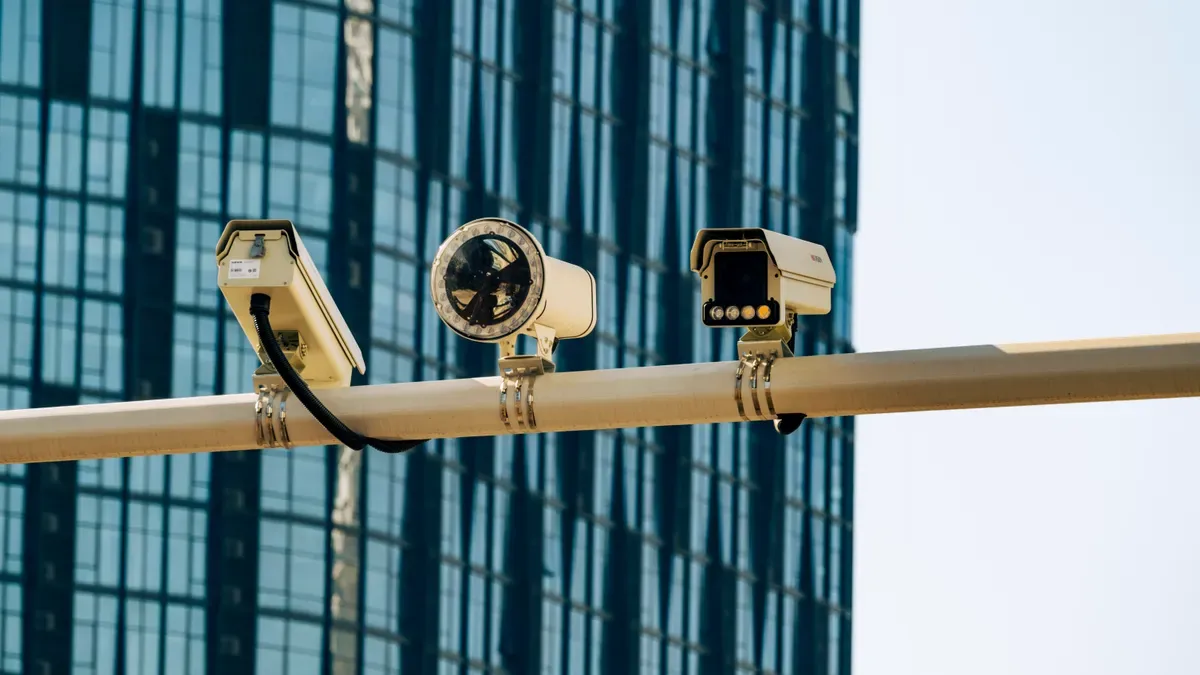
After counting stock, a store manager checks the footage and spots a theft that no one stopped. The cameras recorded everything, yet nobody acted in time. Multi-camera AI systems change that. They analyze footage from all angles, detect theft, flag suspicious behavior, and check shelf inventory in real time.
These systems do more than just watch. They alert staff, study patterns, and connect with current retail operations to prevent loss and keep shelves full. Modern solutions often reuse existing cameras. Deploying multi-camera AI retail systems can start with as few as two cameras. That makes the technology practical for mid-size and small retail stores.
How can retailers approach deployment practically, and what results can they expect?
Key Takeaways
Multi-camera AI systems spot theft and track inventory as it happens.
These systems use cameras that are already there and can start with just two cameras.
Real-time alerts help workers stop theft as it happens.
AI follows people from camera to camera without knowing who they are. It does not use facial recognition.
Connecting with POS and inventory systems stops employee theft and keeps stock counts correct.
Keeping an eye on shelves all the time helps stores follow their planograms better and cuts down on items running out.
Setting it up takes about eight weeks and goes through three clear steps.
Retailers see clear returns in 3-8 months. This comes from less theft and better inventory accuracy.
The High Cost of Retail Loss
How Shrinkage Erodes Margins
Shrinkage quietly takes profit from every retail store. It includes stolen items, paperwork errors, and damaged products that never reach a customer. Each lost item costs the store twice. The store loses the item's worth and the profit it could have made.
External Theft vs. Internal Theft
External theft includes shoplifting and organized theft rings. Internal theft means workers who steal products or change transactions. Both types hurt profits, but they need different responses. External theft often happens quickly and in open sight. Internal theft happens slowly and hides in daily work tasks. A camera that only records cannot tell these patterns apart. It records video, but no one checks it until the loss is already counted.
Administrative and Operational Errors
Mistakes in receiving, pricing, and returns cause shrinkage even without a thief. A wrong label on a shipment or a bad return credit messes up the records. Workers then look for missing inventory for weeks. These mistakes seem small by themselves. Together, they cause a steady loss of profit.
The Hidden Cost of Inventory Errors
Inventory mistakes cost more than just the missing item. They mess up every choice a store makes about ordering, workers, and prices.
Out-of-Stocks and Lost Sales
Empty shelves send customers to competitors. According to a ToolsGroup article, the global retail industry loses about $1.75 trillion each year due to out-of-stock items. That loss is about 8.3% of total retail sales. That figure shows how much money is lost when products are not on the shelf.
Overstocks and Carrying Costs
Overstock uses up cash and takes up valuable space. Extra inventory raises costs for storage, insurance, and markdowns. A medium-sized store chain might keep substantial slow-selling stock at each store. That money cannot pay for new products or store upgrades.
Why Traditional Cameras Fall Short
Most stores already have cameras. The problem is not coverage. The problem is what happens after the recording ends.
Passive Recording vs. Active Detection
Traditional cameras record and store footage. They wait for someone to check the video after a problem happens. Active detection works in a different way. It analyzes video as it happens and points out issues right away. A passive system records a theft. An active system can prevent it.
The Limits of Manual Monitoring
One person cannot watch many camera feeds for a whole shift. Attention drops, and blind spots appear. Manual monitoring also depends on who is watching and what time it is. A busy afternoon shift might miss things that a quiet morning shift would see. This inconsistency creates gaps that thieves and mistakes can use.
How Computer Vision Changes Retail Work
Computer vision changes how stores use their cameras. Edge AI cameras work on video right there. They turn normal cameras into smart sensors. These devices do more than record. They study, sort, and take action on what they see. This shift moves stores from looking back at video to acting before problems happen.
Spotting Problems in Real Time and Sending Alerts
Seeing Strange Shopper Behavior
Computer vision learns what normal shopping looks like. It studies paths, how long people stay, and how they handle items. A shopper who picks up three items and hides them under a jacket acts different from someone just looking. The system notes these differences without any help from people. Vision AI also spots people hanging around high-value items or going back to the same aisle without buying. These actions often come before theft. The system sees them early and acts before loss happens.
Quick Alerts to Security Teams
Speed matters when stopping loss. A recorded theft helps little after it happens. An alert during the event lets staff step in. The table below shows typical response times for different setups.
Performance Level | Response Time (from AI alert to live action) |
|---|---|
Best-in-class | |
Minimum acceptable | Under 2 minutes |
Average threat response time in seconds, not minutes.
This speed changes what happens next. A security team gets a notice on a phone or screen. They see the live video and the flagged behavior. They act while the suspect is still in the store. This real-time ability defines modern store work.
Tracking People Without Names Across Many Cameras
Following Objects from Camera to Camera
One camera sees only one view. A person moves through aisles, past displays, and toward exits. One view cannot follow that trip. Multi-camera tracking connects video feeds together. The system gives a short tag to a person or object. It follows that tag across every camera in the network. A shopper who enters aisle four and leaves through the garden center stays visible the whole time. This connection removes the gaps that thieves use.
Removing Blind Spots Without Knowing Who People Are
Privacy worries often stop stores from adding cameras. Anonymous tracking solves this issue. The system tracks shapes and movement patterns, not faces. It does not store face data or match people to names. A person becomes a moving object with a temporary tag. The tag goes away when they leave. This way respects customer privacy while still stopping loss. Stores get full coverage without crossing ethical or legal lines.
Linking with POS and Inventory Systems
Matching Sales with Video
A sale at the register creates a data point. Video from that same moment creates a visual record. When these two streams connect, checking stock by comparing video to sales becomes possible. The system checks what the cashier scanned against what the camera saw. A missing scan, a fake return, or a discounted sale for a friend becomes visible. The AI camera platform flags the difference and sends it for review. This link catches internal theft that cameras alone would miss.
Keeping Shelf Data in Sync with Store Systems
Shelves change all the time. Products sell, move, and run out. Computer vision tracks these changes as they happen. It counts items on the shelf and compares that count to store records. When the numbers do not match, the system alerts staff. This sync keeps computer records correct. Store teams know what they have and what they need. The camera and AI work all the time, so stock records stay up to date without manual counting.
The mix of edge AI cameras, real-time alerts, and system links gives stores a full picture. Computer vision turns passive watching into an active tool for store work. It protects goods, improves accuracy, and supports better choices at every level of store operations.
Key Features for Loss Prevention and Inventory
Continuous Shelf Monitoring and Planogram Compliance
AI vision cameras run shelf analytics by scanning every facing nonstop. Retail stores get constant shelf visibility without extra workers. Out-of-stock detection stops lost sales. 24/7 autonomous shelf monitoring removes blind spots that manual audits leave behind. Automated planogram compliance starts with this constant coverage. Real-time shelf monitoring scans every facing.
Detecting Misplaced or Missing Products
Automated planogram compliance monitoring finds these problems within minutes. Without automation, planogram compliance averages about 65%. With continuous automated shelf monitoring, compliance goes above 95%. Automated planogram compliance depends on real-time detection. Real-time shelf monitoring finds misplaced items. The system tells staff the exact item and where it belongs.
Automated Restocking Alerts
When a shelf runs low, the system sends smart replenishment alerts. Staff get SKU-specific instructions. Response time falls from hours to minutes. Real-time out-of-stock and low-stock detection stops lost sales. Real-time shelf monitoring sends these alerts. Continuous shelf monitoring sends alerts for low stock.
Real-Time Product Counting and SKU Accuracy
Computer vision gives SKU-level shelf visibility. The system keeps a continuous SKU-level visual record that updates with each sale. Automated planogram compliance builds vendor trust.
Accurate SKU Counting Across All Shelf Areas
Vision AI counts units per SKU by reading labels. Real-time shelf monitoring updates counts as items sell. SKU-level shelf visibility supports accurate ordering. Computer vision allows precise counting. Out-of-stock detection uses these counts.
Stock Validation and Automated Planogram Checking
The system compares shelf counts against the planogram specification. Automated planogram compliance scoring creates a real-time compliance score. Automated planogram compliance scoring gives continuous scoring. Planogram compliance validation makes sure layouts match physical shelves. Real-time out-of-stock detection finds gaps. Automated planogram compliance validation makes sure things are accurate. Continuous shelf monitoring feeds compliance scores.
Scalable Deployment from Two Cameras to Enterprise
The same AI vision camera platform scales from a single store with two cameras to a national chain. Deployment options make the system open to retailers of any size. Automated planogram compliance scales across locations.
Cloud-Based vs. On-Premise Options
Retailers can pick cloud processing or on-premise edge AI cameras. Cloud sends analysis to remote servers. On-premise keeps data local. Edge AI cameras analyze video directly. AI vision cameras support both options.
Managing Multiple Locations from One Dashboard
A central dashboard links all stores. The AI vision camera platform gathers data from every location. Automated planogram compliance metrics show up on the dashboard. Retail chain managers see compliance scores from one screen. This central view allows consistent management across sites.
Deploying Multi-Camera AI Retail Systems
A planned setup turns ideas into working systems. The process has three steps. Each step helps the next one. Most stores finish the full rollout in about 30 days.
Phase 1: Assessment and Planning
The first phase sets the foundation. Teams decide what the system must do and how success will look.
Conducting a Store Risk Assessment
The assessment begins with a walk-through of every store area. Teams list entrances, checkout lanes, aisles, stockrooms, and receiving docks. They write down where losses happen and where cameras cannot see. Areas with high theft need more cameras. The assessment also looks at current cameras. Many stores already have good hardware. A camera-agnostic platform works with common brands and older equipment. This means stores do not have to replace all cameras. They can add smarter software without changing the hardware.
Defining KPIs for Loss and Inventory
Clear KPIs guide the project. Teams set targets for reducing shrinkage, improving inventory accuracy, and lowering out-of-stock rates. These numbers become the baseline to measure results later. Without defined KPIs, teams cannot prove the system works.
Phase 2: Installation and Configuration
The second phase covers hardware and software setup. Where you put cameras matters more than how many megapixels they have for finding problems.
Camera Placement and Network Setup
Camera placement follows rules for each area. Entrances need wide-angle cameras with WDR for bright backlight. A 4mm lens can capture clear images for identification at 10 meters or more. Checkout areas need 4MP or higher resolution with a 3.6–4mm lens. These cameras must see the register screen, the cashier's hands, and the customer's face. Aisles use dome cameras mounted 3–4 meters high. High-value zones need one camera per 30–50 square meters. Standard areas need one per 75–100 square meters. Stockrooms use 2MP–4MP cameras with 2.8mm lenses. Teams should not mount cameras too high. A view from above makes it hard to recognize faces and detect objects.
Configuring AI Models for Store Layout
Camera setup and SKU model training happen at the same time. The system learns the store's layout, where shelves are, and what products look like. Teams label expensive items and set what normal shopping looks like. This training helps the AI tell the difference between normal actions and suspicious ones.
Phase 3: Integration, Testing, and Go-Live
The third phase connects the system to store operations and prepares staff.
Connecting to POS and Inventory Systems
The AI vision camera platform links to point-of-sale terminals and inventory databases. This connection lets the system compare transactions with video. A missed scan or fake return becomes visible. Shelf data syncs with back-end records automatically.
Staff Training and Alert Workflow Setup
Teams learn how to respond to alerts. Security staff practice checking flagged events on mobile devices. Store managers learn to follow restocking notifications. Clear workflows prevent confusion during live events.
Soft Launch and Performance Tuning
A soft launch runs the system while stores still use old processes. Teams compare AI alerts to real events. They adjust sensitivity settings and camera angles. This tuning period finds issues before the store depends fully on the system.
Stores can use edge AI cameras that process video locally. This approach reduces bandwidth needs and keeps data on-site. Cloud options offer centralized management across locations. Both paths support the same goal: turning passive cameras into active tools for store operations.
Measuring ROI and Operational Impact
Key Metrics to Track
Shrinkage Rate Reduction
Shrinkage rate reduction is the first metric that shows the system's value. Retail teams compare the shrinkage rate before deployment to the rate after six months. A measurable reduction proves the system works. This metric connects directly to getting profit back.
Inventory Accuracy Improvement
Inventory accuracy shows how well recorded stock matches physical stock. Teams check shelves and compare counts to system records. A significant gain in accuracy means strong performance. This gain cuts emergency orders and wasted labor.
Out-of-Stock Reduction and Sales Recovery
Out-of-stock detection directly helps sales recovery. The system flags empty shelves before customers see them. Staff restock faster, and lost sales drop. Tracking this metric shows how out-of-stock detection turns into revenue.
Real-World Results from Retail Deployments
Grocery Chain Reduces Shrinkage Significantly
A grocery chain deployed multi-camera AI across its stores. The system cut shrinkage significantly within the first year. Real-time alerts let staff act during theft events. The chain regained profit that used to disappear.
Electronics Retailer Achieves High Inventory Accuracy
An electronics retailer struggled with tracking high-value items. After deployment, inventory accuracy reached high levels. The system counted SKUs nonstop and flagged mismatches. Staff fixed discrepancies within hours instead of weeks.
Calculating Payback Period and Long-Term Savings
Upfront Costs vs. Annual Loss Prevention Savings
A simple payback calculation guides budget decisions. Upfront costs are offset by annual savings from reduced shrinkage, and many deployments achieve payback within a year. The table below shows reported ROI timelines from published case studies.
Context | Reported ROI Timeline | Key Details |
|---|---|---|
General retail AI (including loss prevention) | Varies | Most retailers see measurable ROI within a range of several months. |
Convenience store loss prevention using existing CCTV (6 cameras) | Varies | System cost and savings depend on deployment; payback typically observed in under a year. |
10-store chain (labor optimization and shrinkage reduction) | Varies | AI analytics often pays for itself within a few months. |
Operational Efficiency Gains from Automated Monitoring
Automated monitoring cuts labor hours spent on manual audits. Staff shift their time to customer service and sales. These efficiency gains add to the direct loss prevention savings. Over three years, the total return goes far beyond the first investment.
Computer Vision in the Retail Stockroom
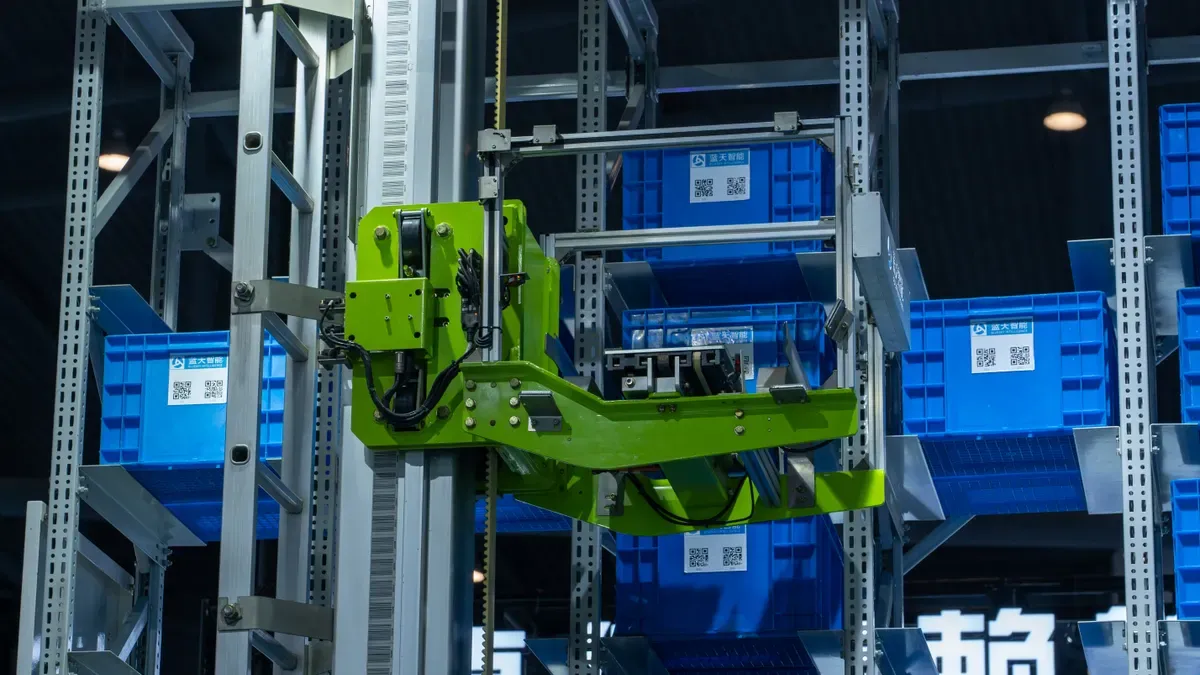
Stockroom cameras finish the picture that front-of-store cameras begin. Store floor cameras watch shelves and customers. Stockroom cameras track what happens behind the scenes. Together, they give full inventory visibility from the loading dock to the checkout line. Computer vision in the stockroom closes the gap between what records show and what is actually on shelves.
Stockroom Inventory Accuracy
Tracking Product Movement In and Out
Stockroom cameras record every box that arrives and every item that leaves. The system reads labels and counts units as workers move them. When a shipment comes in, the AI compares the delivery to the purchase order. A missing carton or an extra pallet becomes visible right away. When staff pull items to restock shelves, the system logs each transfer. This constant tracking builds a real-time record of stockroom contents. Store teams know exactly what they have without counting by hand.
Reducing Administrative Errors
Manual data entry causes many inventory mistakes. A worker types the wrong number or forgets to log a return. Computer vision removes these errors by capturing data automatically. The system records what it sees, not what someone remembers to type. This accuracy cuts down the weeks of searching that follow a bad count. Administrative errors drop because the system does not rely on human memory or typing speed.
Connecting Front-of-Store and Back-of-Store Data
Aligning Shelf Data with Stockroom Records
Shelf cameras count what customers see. Stockroom cameras count what waits in back. When these two data streams connect, the system knows the full inventory picture. A shelf with three units and a stockroom with twenty units gives a complete count of twenty-three. This alignment stops the confusion that happens when front and back records disagree. Staff trust the numbers because both sources confirm them.
Preventing Overstocking and Understocking
Connected data stops both extremes of inventory problems. The system sees when shelves run low and stockroom supply runs high. It sends restocking alerts before customers face empty shelves. It also flags when stockroom levels get too high. Retail teams then pause orders and avoid carrying costs. This balance keeps cash free and shelves full.
Privacy and Compliance in Stockroom Monitoring
Employee Monitoring Policies
Stockroom cameras watch workers, not just products. This fact raises valid concerns. Clear policies help. Stores should tell employees what cameras record and why. They should explain that the goal is inventory accuracy, not constant watching. Written policies that workers sign build trust. Regular reviews keep the program open.
Compliance with Privacy Regulations
Laws like GDPR and CCPA set rules for workplace monitoring. Stockroom systems can follow them by using anonymous data. The AI tracks boxes and shelf positions, not individual identities. It does not store face data or match workers to names. This approach respects privacy while still protecting inventory. Stores should put up signs and talk to legal teams before setting up.
Addressing Common Concerns
Privacy and Compliance
Customer Privacy Laws and Signage
Retail leaders often ask about privacy rules before they say yes to any setup. Computer vision systems can follow GDPR, CCPA, and other privacy laws when teams set them up with care. The system tracks shapes and movement patterns instead of faces. It does not store biometric data or match shoppers to names. Stores must still put up clear signs at entrances. These signs tell customers that cameras record video and that AI looks at it. A short privacy notice near the door builds trust and meets legal duties.
Employee Monitoring Best Practices
Workers deserve clear answers about what cameras record. Managers should write a monitoring policy and share it during hiring. The policy explains that cameras protect inventory and improve safety. It also states that the system uses anonymous tags, not face recognition. Regular reviews keep the program fair. Staff can ask questions at any time. This openness lowers worry and builds support for the system.
Technical Infrastructure Requirements
Bandwidth, Storage, and Edge Computing
Edge AI cameras process video right on the device. This design cuts bandwidth needs because raw footage stays local. The system sends only alerts and summary data to the cloud. Stores with slow internet connections still get full coverage. Storage costs drop as well. Teams keep short clips of flagged events instead of weeks of full video. This approach saves money and keeps the network fast.
Working with Existing Camera Hardware
Most stores do not need to replace their cameras. The AI vision camera platform works with common brands and older equipment. A camera-agnostic design means teams can add smart software to hardware they already own. This choice lowers upfront costs and speeds up the project. Stores can start with two cameras and grow over time.
Change Management and Staff Adoption
Training Teams to Act on AI Alerts
Staff need practice before the system goes live. Security teams learn to check alerts on mobile devices. Store managers learn to follow restocking notices. Clear workflows stop confusion during real events. Training sessions should cover common alert types and the right response for each one.
Overcoming Resistance to Automation
Some workers worry that automation will replace their jobs. Managers should explain that the system supports people, not replaces them. It handles dull tasks like counting shelves. Staff then focus on customers and sales. Early wins help. When a team stops a theft or fixes a shelf gap, they see the value. That proof turns doubt into support.
Multi-camera AI systems turn passive surveillance into proactive loss prevention and real-time inventory intelligence. Retail teams gain a tool that watches every angle, flags threats, and keeps shelf data accurate.
Deploying multi-camera AI retail systems follows a clear path. Assessment, installation, integration, and optimization take as little as 30 days. Most stores reuse existing cameras, which lowers cost and speeds up deployment.
The results are measurable. Shrinkage drops, inventory accuracy rises, and out-of-stocks fall. A system's cost is offset by savings from reduced shrinkage and improved efficiency, leading to a payback period that can be under a year. Retail leaders should schedule a demo, request a store assessment, or download a deployment checklist to begin.
FAQ
How many cameras does a store need to start?
A store can start with just two cameras. The platform grows from a small setup to a nationwide chain. Teams should put cameras in high-risk spots first, then add more coverage later.
Can the system use existing cameras?
Yes. A camera-agnostic platform works with common brands and older equipment. Stores add smart software without swapping out hardware. This choice lowers upfront costs and speeds up the project.
Does the system identify individual shoppers?
No. The system tracks shapes and movement patterns, not faces. It gives temporary tags that vanish when a person leaves. This method respects customer privacy while still stopping loss.
How long does deployment take?
Most stores complete the full rollout in about 30 days. Assessment happens first. Installation runs next. Integration and go-live follow.
What infrastructure does the system require?
Edge AI cameras process video right on the device. This design cuts bandwidth needs because raw footage stays local. The system sends only alerts and summary data to the cloud. Slow internet connections still work.
How does the system comply with privacy laws?
Computer vision systems can follow GDPR, CCPA, and other privacy laws. They track anonymous shapes instead of biometric data. Stores must put up clear signs at entrances and share monitoring policies with workers.
What results can a retail store expect?
Retail teams see results they can measure. A grocery chain reported a significant reduction in shrinkage. An electronics retailer achieved high inventory accuracy. Out-of-stocks drop as staff restock faster.
How fast does the system pay for itself?
Many systems pay for themselves within a year. ROI timelines vary; some deployments achieve payback within several months.
See Also
Transforming Online Store Management Through The Power Of AI E-Commerce Tools
Opening An AI-Powered Corner Store With Very Little Initial Investment
AI-Powered Corner Stores Are Rising: Essential Knowledge For Modern Retailers
Comparing Micromarkets And Smart Stores: How Automated Convenience Retail Operates Globally
Electronic Vending Machines Are Revolutionizing Retail Through The Use Of Smart Technology
