Steps to retrofit existing infrastructure for autonomous retail in hospitals and healthcare facilities

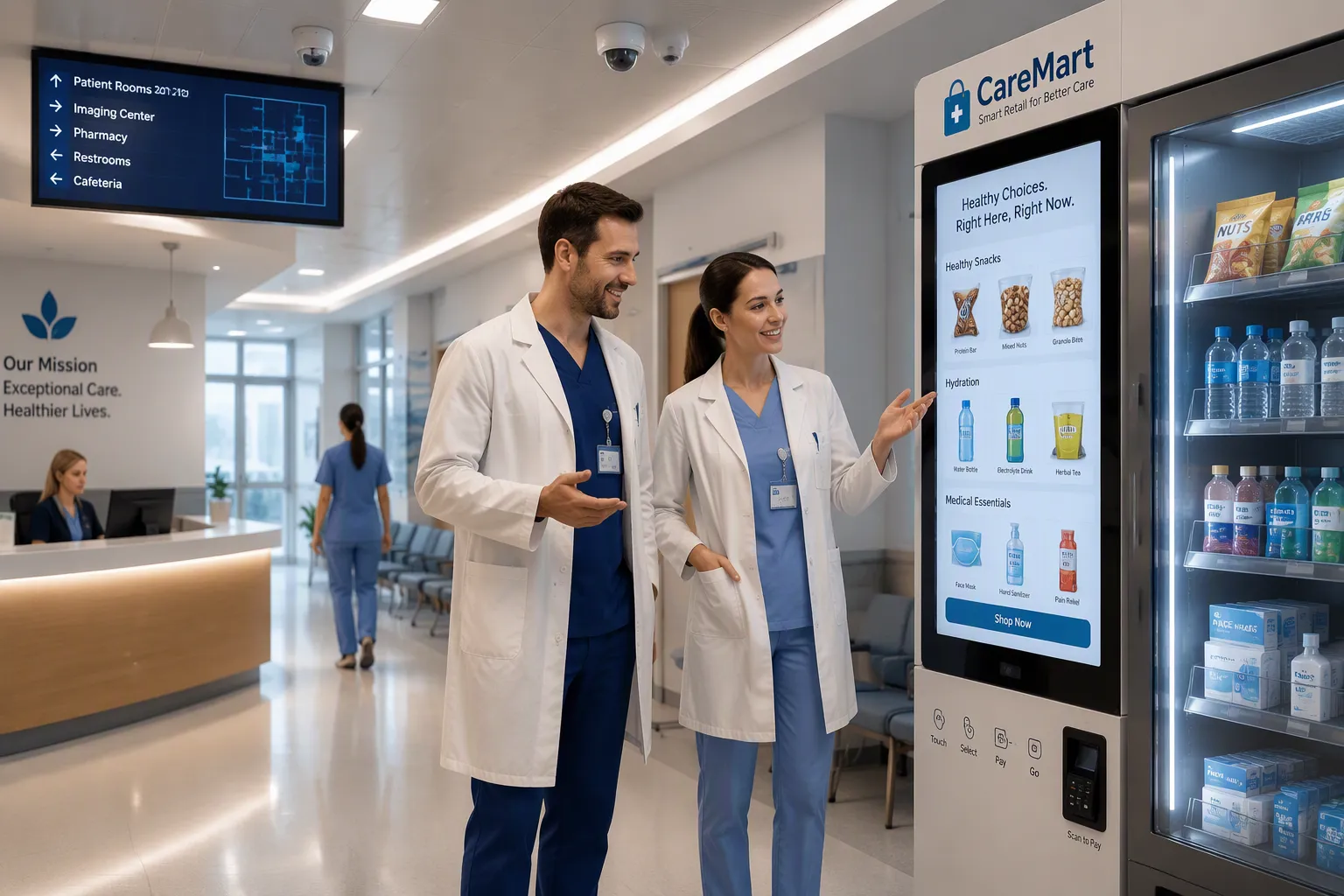
You can retrofit existing infrastructure for autonomous retail without major construction. Follow these eight steps:
Assess infrastructure and needs.
Design the retail layout.
Upgrade power and network infrastructure.
Install security and monitoring.
Integrate payment and inventory.
Ensure compliance for healthcare facility retrofits.
Train staff and educate patients.
Pilot, measure, and scale.
Hospitals and health care facilities serve captive, time-pressed populations with round-the-clock demand. A phased approach lowers risk and cost. Consider the numbers: traditional rip-and-replace smart-room work runs $1,750+ per room, while retrofit strategies average about $1,000 per room—a $930,000 saving across 200 rooms. These figures cover smart-room infrastructure, not autonomous retail itself, yet the pattern holds. Health care organizations and healthcare administrators will find practical guidance here on challenges, solutions, and best practices.
Metric | Traditional Rip-and-Replace | Retrofit Strategy |
|---|---|---|
Capital Expenditure per Room | $1,750+ per room | ~$1,000 per room |
Total Cost for 200 Rooms | $1,100,000 | $170,000 |
Total Capital Saved | — | $930,000 |
Key Takeaways
Retrofitting saves money: about $1,000 per room versus $1,750+ for traditional rebuilds.
Follow eight steps: assess, design, upgrade, secure, integrate, comply, train, and pilot.
Start with one pilot location to test the system and gather data before scaling.
Compliance with HIPAA, ADA, and PCI DSS is critical and must be planned from the start.
Train staff and educate patients to ensure smooth adoption and high satisfaction.
Step 1: Assess Infrastructure and Needs

Audit Space, Power, and Network
Start with structural stability. A structural engineer reviews load-bearing walls, floor loading, and ceiling clearances before any retrofit planning begins. This step matters most when you consider repurposing an existing retail building or turning vacant structures into medical spaces. Older buildings often hide surprises. Order asbestos, lead paint, mold and indoor air quality surveys early. These surveys shape the overall feasibility of the project and the renovation budget.
Next, run a systems and structural analysis of the space. Map the electrical capacity, network drops, and HVAC zones against the demands of coolers, kiosks, and sensors. A phased IT roadmap helps here. Evaluate the current setup first, then set clear strategic goals for connectivity and uptime. Plan automation early with a robot-ready design. Wide aisles, marked charging points, and accessible cable routes cost little now. They avoid costly retrofits later. Treat the existing building configuration as a design input, not an obstacle.
Set Retail Goals and Priorities
Define what success looks like before you buy hardware. Your goals drive layout, product mix, and technology choices. Use the table below to align stakeholders on priorities.
Retail Goal / Priority | Supporting Detail |
|---|---|
Reduce checkout friction | Nurses on 12-hour shifts cannot wait in line; faster checkout captures more sales |
Address staffing shortages | A single self-serve kiosk can replace a full checkout lane and free staff for clinical duties |
Meet hygiene expectations | Touch-free checkout supports higher cleanliness standards and builds trust |
Improve patient experience | Grabbing a meal without leaving the floor reduces stress and saves time |
Enable personalization | Kiosks near oncology or maternity units stock appropriate items |
Protect privacy | Separate health data from retail data and anonymize purchase histories |
Offer healthy assortments | Stock protein bars, low-sugar drinks, and fruit at eye level |
Optimize inventory by location and time | ER sells comfort items at night; outpatient surgery sells recovery snacks by day |
Review these priorities against the healthcare setting. Privacy and hygiene carry more weight here than in a typical store. Document your top three goals. They will guide every later decision, from payment setup to product assortment.
Step 2: Design the Retail Layout
Choose the Right Format
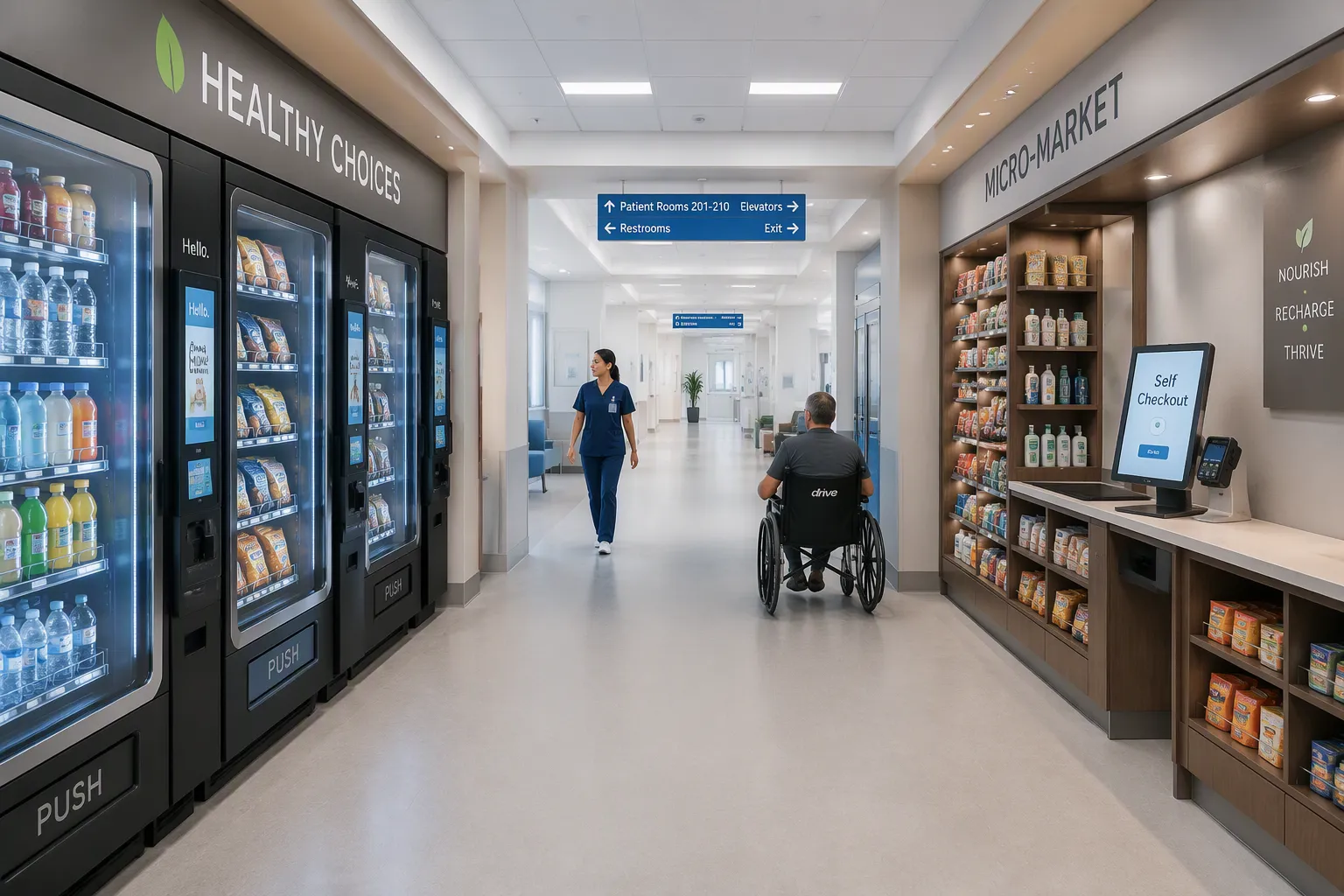
You have three proven formats for autonomous retail in a clinical setting. Smart vending machines suit small nooks and corridors. They require minimal footprint and offer quick installation. Grab-and-go micro-markets work well in cafeterias or break rooms. These spaces feature open shelves and self-checkout kiosks. Cashierless stores fit larger areas with high traffic. They use cameras and sensors to track purchases automatically.
Repurposing big-box retail spaces presents a unique opportunity. Large vacant stores can transform into patient-facing retail hubs. You can divide the floor into zones for snacks, toiletries, and fresh meals. This big-box conversion approach maximizes square footage while minimizing construction. Smaller clinical nooks also hold potential. A former storage closet can house a smart vending wall with minimal disruption.
Consider infection-control-friendly surfaces for every format. Choose non-porous materials for shelving and counters. These surfaces withstand frequent cleaning with hospital-grade disinfectants. Select fixtures with sealed seams and smooth edges. These details prevent bacterial buildup and simplify sanitation protocols.
Plan Foot Traffic and Access
Map the patient journey before you finalize the layout. Identify natural pathways from wards, waiting areas, and entrances. Position retail zones along these routes. This placement captures impulse purchases without disrupting clinical workflows. Keep autonomous retail areas separate from sterile zones and medication storage.
Accessibility drives design decisions. Maintain clear aisles that accommodate wheelchairs and IV stands. Install lower shelving for seated shoppers. Ensure touchscreens sit at reachable heights for all users. These adjustments align with ADA requirements and improve usability for everyone.
Flexible design supports evolving patient needs. Use modular shelving units that reconfigure quickly. Choose mobile kiosks that relocate as demand shifts. This adaptability proves valuable during seasonal surges or department changes. You can repurpose retail space for holiday gift shops or flu-season supply stations without major renovations.
Retail conversions succeed when you plan for real-world conditions. Test traffic flow with temporary tape markings before installing permanent fixtures. Observe how staff and visitors move through the space. Adjust placements based on these observations. This low-cost testing phase prevents expensive layout errors later.
Key Insight: A well-designed layout anticipates both current workflows and future changes. Flexible fixtures and strategic placement reduce the need for costly modifications down the road.
Step 3: Upgrade Power and Network Infrastructure
Ensure Reliable Power and Backup
Autonomous retail draws continuous power for coolers, kiosks, cameras, and sensors. Map the electrical load against your current panel capacity before you order equipment. Many older facilities carry spare capacity in some wings and none in others. A licensed electrician confirms available circuits and identifies panels that need upgrades.
Apply the five-step intelligent building integration process to sequence the work. First, audit existing systems. Second, prioritize upgrades by risk and payoff. Third, build a technology interaction plan that shows how power, network, and retail devices depend on each other. Fourth, make immediate investments in the weakest links. Fifth, design redundancy during change so systems keep running while upgrades happen. This last step protects patient care. Schedule cutovers during low-traffic windows and keep backup power on standby for critical circuits.
Build Secure Connectivity
Treat connectivity as clinical infrastructure, not a retail add-on. Segment the network into zones with separate logical interfaces and strict routing rules. A brand zone carries firewall rules, access control, VPN tunnels, and zero-trust architecture. A payments zone uses VLAN segmentation, strong encryption, and PCI-friendly logging, which simplifies your PCI DSS audit scope. Compromising one zone yields no access to others.
Encrypt data in transit with TLS 1.2 and 1.3 using the ChaCha20 stream cipher. Encrypt stored data with AES-256. Protect engineering access through a VPN with multi-factor authentication, and push device updates through SSH tunnels. A Web Application Firewall checks every incoming request and blocks suspicious traffic. These controls let you retrofit existing infrastructure in an existing building without rebuilding its core. Coordinate with facilities teams on electrical, plumbing and hvac work, because cable routes and cooling loads often share the same chases. Strong healthcare infrastructure planning now prevents downtime later.
Step 4: Install Security and Monitoring
Protect Inventory with Smart Surveillance
Cameras and shelf sensors guard your stock without intruding on patient privacy. Place cameras at entry points, checkout kiosks, and high-value shelves. Aim them at products, not at people in adjacent clinical areas. Weight sensors and RFID tags on shelves flag missing items in real time. Configure alerts to fire only on genuine anomalies, such as a large overnight drop in stock. This approach keeps false alarms low and protects patient trust.
Healthcare settings demand careful data handling. Store footage on a separate network segment from clinical systems. Limit access to authorized loss-prevention staff. Post clear signage that explains camera use near the retail zone. These steps align surveillance with privacy expectations and reduce friction with patients and visitors.
Enable Real-Time System Monitoring
Remote monitoring lets a small team watch many retail points at once. Temperature sensors track cooler performance and send alerts before food spoils. Network monitors report dropped connections. Power monitors flag voltage dips on shared electrical circuits. Dashboards consolidate these signals into one view, so a single operator can respond quickly.
This setup cuts on-site staffing needs. You no longer post an employee at each kiosk. Instead, staff respond to alerts from a central desk or a mobile device. Escalation rules route critical issues, such as a cooler failure, to the right person within minutes. Routine checks happen automatically. Your team spends less time patrolling and more time on patient care.
Key Insight: Monitoring pays off when alerts are few, specific, and actionable. Tune thresholds during the pilot to avoid alert fatigue.
Step 5: Integrate Payment and Inventory
Set Up Frictionless Payment
Payment is the moment your retrofit either earns trust or loses it. Offer contactless cards and mobile wallets as the default. A nurse with gloved hands should never need to tap a keypad. Staff badge integration adds another layer. Link badge IDs to a payroll deduction or pre-funded account, so employees grab a meal and walk out in seconds. This option also reduces cash handling and the electrical load of legacy registers.
Keep the payment stack separate from clinical systems. Route transactions through a dedicated network zone with strong encryption and PCI-friendly logging. Test every method during off-peak hours before you go live. Confirm that refunds, declined cards, and receipt delivery all work without a cashier present.
Automate Inventory and Restocking
Manual counts drain staff time and invite error. Vision-based tracking watches shelves and bins in real time, with no barcode scanning or tagging required. When stock drops below your PAR or min/max levels, the system generates a replenishment alert and prepares restock orders automatically. Your existing ERP stays the system of record for purchasing and financials, so you avoid a rip-and-replace project.
Workflow Component | How It Works |
|---|---|
Automated tracking | Fixed cameras detect removals and restocks in real time |
Replenishment trigger | Alerts fire when stock falls below PAR or min/max levels |
ERP/MMIS integration | Observed data feeds existing purchasing and financial systems |
Phase 1 outcomes (0–6 months) | Up to 40% inventory optimization; up to 50% staff productivity gain; up to 95% fewer stockouts |
Phase 2 outcomes (6–18 months) | ~15% less waste and expiration; lead times cut from ~7 days to as little as 3 days; up to 25% storage space optimization |
Threshold-based auto-restocking frees your team for patient care. Real-time visibility across every location makes low stock easy to spot. Automated updates cut human error, overstock, and stockout risk. The net result is leaner inventory and clearer trend data, all without adding headcount.
Step 6: Ensure Compliance for Healthcare Facility Retrofits
Address Infection Control and Safety Codes
Compliance work starts before you order a single fixture. Treat fire codes as a design constraint, not a final inspection item. Confirm that egress paths stay clear, that you place kiosks away from sprinkler coverage gaps, and that any new partition meets the rating your local authority requires. Check the zoning classification of the space as well. A retail unit inside a health care occupancy may need a conditional permit, and that review takes time. Run a feasibility check with your local building department early. This step protects your schedule.
Infection control shapes materials and cleaning routines. Choose non-porous surfaces that tolerate hospital-grade disinfectants. Coordinate with your infection prevention team on cleaning frequency and product compatibility. Keep retail zones out of sterile corridors. Document these decisions for your accreditation survey.
Meet Privacy, Accessibility, and Payment Rules
Three regulatory regimes govern the technology layer. The table below maps each one to your retrofit.
Regulation | Scope for Autonomous Retail in Hospitals | Key Rules to Address |
|---|---|---|
HIPAA | Applies when a kiosk collects names, payment data, or health-related information | Access controls, encryption, automatic logoff, audit controls, and a Business Associate Agreement before any PHI exchange |
ADA / Section 504 | Physical and digital access standards for health care use | Operable parts between 15 and 48 inches above finished floor; one-hand operation; WCAG 2.1 Level AA for web content and mobile apps under the 2024 final rule |
PCI DSS | Governs every system that accepts, transmits, or stores cardholder data | Twelve core standards; Requirement 10 logging with 12-month retention; non-compliance fines of $5,000–$100,000 per month |
Plan for these rules during design, not after installation. Your hospital, not the vendor, carries the compliance risk. Verify that your electrical and hvac contractors leave clearance around accessible kiosk approaches. Confirm that the existing building configuration supports wheelchair turning space. For medical use and ambulatory care zones, keep retail data on a separate network segment. This separation limits your audit scope and simplifies your PCI DSS review.
Step 7: Train Staff and Educate Patients
Prepare Staff for New Workflows
Autonomous retail changes what your staff do, not how many you need. Cashiers become floor hosts. They watch dashboards, answer questions, and restock shelves when alerts fire. Nurses gain a fast meal option between rounds. Train both groups before the first kiosk goes live.
Build short sessions around real tasks. Walk staff through the monitoring dashboard. Let them trigger a test restock alert and resolve it. Show badge payment in action, so they trust the deduction process. Assign one floor host per shift as the first responder for jams and questions. Give that person a simple escalation card with contacts for IT, facilities, and the vendor. Repeat the training at each new location, because workflows drift over time.
Guide Patients with Clear Signage
Patients and visitors often arrive stressed and short on time. Clear signs remove guesswork. Place wayfinding markers at corridor junctions, elevator banks, and waiting areas. Use large type, high contrast, and plain language. Add icons for food, drinks, and essentials, so non-English speakers can navigate without help.
Support options matter as much as signs. Print a short how-to card beside each kiosk. Show the three-step purchase flow in pictures. Offer a help button that connects to the floor host or a remote agent. Position the kiosk where a staffed desk stays visible, so hesitant users can ask for help. Post hours and accepted payment methods at eye level. Solicit feedback through a simple QR code survey, then adjust signage based on what patients actually miss.
Step 8: Pilot, Measure, and Scale
Run a Controlled Pilot
Pick one location for your first pilot. A cafeteria corner or a staff break room near a busy ward works well. Start small, then watch how people actually use the system. A single-level space with minimal structural upgrades typically takes roughly 12 months to convert. That timeline covers design, permitting, installation, and the first weeks of live operation. Use it to set expectations with leadership and to secure budget approval.
Collect data from day one. Track transaction counts, average basket size, stockout frequency, and alert response times. Add qualitative signals too: patient comments, staff feedback, and help-button requests. Define success metrics before launch, so the pilot answers real questions. Good measures include sales per square foot, uptime percentage, and the share of purchases made without staff help. Compare results against your Step 1 goals. Adjust assortment, signage, and thresholds, then run a second measurement window. Staff the pilot with one dedicated floor host, so problems surface fast.
Expand in Phases
Scale only after the pilot proves its numbers. Rank remaining locations by traffic, clinical need, and infrastructure readiness. A phased rollout spreads cost and lets your team learn from each site. Begin with the easiest spaces, where power and network already meet requirements. Save complex areas for later.
Each new site repeats the same sequence: assess, design, upgrade, and test. Reuse the pilot's playbook, drawings, and vendor contacts. This repetition shortens timelines and lowers risk. Watch for local differences during repurposing of odd spaces, since each conversion brings its own feasibility questions. Budget for small renovations at every stop. Document every change to the playbook, then review results quarterly. Pause expansion if metrics slip. Steady growth beats a rushed rollout.
You now have a clear path. Assess your space and goals, design the layout, upgrade power and network, add security, integrate payment and inventory, meet compliance rules, train your team, and pilot before you scale. Each step builds on the last. This phased method makes healthcare facility retrofits manageable, not disruptive.
The payoff is real. Patients and staff gain convenience. You open a new revenue stream. Monitoring and automation reduce the staffing burden. Satisfaction rises across the facility.
You can retrofit existing infrastructure in hospitals without a major overhaul. Health care organizations should start with a single assessment and one pilot location. That first win builds momentum for every site that follows.
FAQ
How long does a retrofit take?
A single-level space with minimal structural upgrades typically takes roughly 12 months to convert. That window covers design, permitting, installation, and the first weeks of live operation. Use it to set leadership expectations and secure budget approval.
Do I need to close the unit during construction?
No. The five-step integration process builds redundancy during change. Schedule cutovers during low-traffic windows and keep backup power on standby for critical circuits. Systems keep running while upgrades happen, so patient care continues without interruption.
How much does a retrofit cost compared with a full rebuild?
Retrofit strategies average about $1,000 per room, while traditional rip-and-replace work runs $1,750+ per room. Across 200 rooms, that difference saves roughly $930,000. These figures cover smart-room infrastructure, yet the pattern holds for autonomous retail planning.
Which compliance rules apply to my kiosks?
HIPAA applies when a kiosk collects names, payment data, or health-related information. ADA sets operable parts between 15 and 48 inches above the floor for health care use. PCI DSS governs cardholder data, with Requirement 10 logging and 12-month retention.
Can I add kiosks without new cooling equipment?
Often yes. Map the electrical load and cooling demand against your current panel and hvac capacity before you order equipment. A licensed electrician confirms available circuits. Coordinate with facilities teams early, because cable routes and cooling loads often share the same chases.
See Also
Walgreens Self-Checkout: Balancing Retail Convenience With Challenges
Why Stores Powered By AI Represent The Future
Transforming Spaces: The PARC At Tysons Becomes A Community Hub
Walmart Self-Checkout Access: What Changes Are Coming In 2025?
Micromarkets Versus Smart Stores: How Automated Convenience Retail Works Globally
