Step-by-Step Testing of Computer Vision Models in Retail Environments

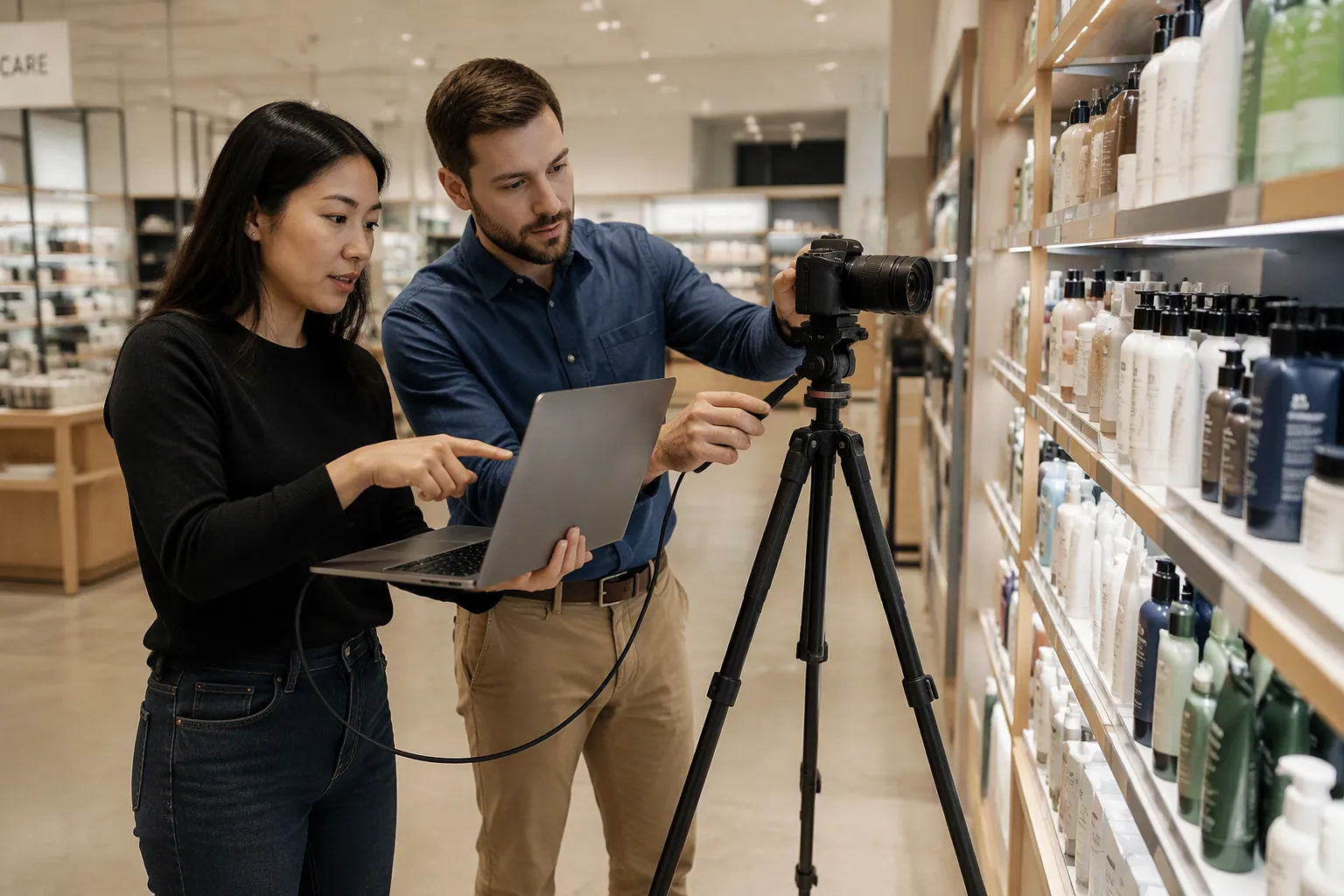
Testing computer vision models in retail environments – scenario by scenario – follows a clear path. You set business goals, prepare labeled data and checked environments, design realistic test scenarios, then run, evaluate, and monitor the deployed model. Retail settings make this hard. Lighting changes through the day, aisles get crowded, and shoppers keep moving. Each condition can break a model that looked perfect in a lab. Start with the business problem, not the technology. Every step builds on the one before it. A weak goal undermines every test that follows. This structured approach keeps computer vision in retail reliable and repeatable.
Key Takeaways
Set clear business goals and pick metrics with pass/fail limits before you start testing.
Gather a variety of labeled data, and check the cameras, network, and integrations.
Create realistic test scenarios that cover main use cases and edge cases, such as crowding and glare.
Run organized tests, check the quality, and keep watching it closely after it's deployed.
Begin with a test in one store to find problems early and help plan for growth.
Set Objectives for Computer Vision in Retail
Define the Business Problem First
Begin with the retail goal, not the camera. Ask what you want to change: fewer stockouts, shorter lines, tighter planogram compliance, or lower shrinkage. Each goal points to a different computer vision solution. A shelf-availability goal fits object detection on fixed overhead cameras. A queue goal fits occupancy and dwell-time tracking near checkout. This match matters because computer vision applications in retail fail when teams buy technology first and look for a problem later.
Your current setup shapes what you can test. Walk the store and note camera placement, lens quality, lighting, network bandwidth, and storage space. A dim aisle with an old camera limits detection accuracy no matter how strong the model is. Write down these limits during scoping. They set the ceiling for every test that follows, and they show you where hardware upgrades will help before you train a single computer vision model.
Choose Metrics That Matter
Turn each goal into numbers you can pass or fail. The mapping is direct. For customer experience, track queue length, wait time, occupancy rate, and dwell time. For staffing, track visitor counts and peak hours. For shelf monitoring, track shelf availability, low-stock alerts, and planogram compliance. One national automotive retailer tied service metrics such as time to first contact and total time with customer directly to conversion, which shows how vision data becomes an operational decision.
Pick the detection metrics that show your real risk. Precision measures how many flagged events are true, so low precision means false alarms. Recall measures how many real events you catch, so low recall means missed detections. Mean average precision, reported as mAP@50:95, averages across overlap thresholds and gives a strict benchmark. Set clear pass/fail thresholds for each metric before testing starts. A false-positive rate that floods staff with alerts fails, even when overall accuracy looks strong.
Prepare Data and Test Environments
Collect and Label Retail Data
Computer vision models in retail need a lot of labeled images and videos of products and shelves. You cannot train and test the ai model on just a few photos. Gather footage from different store layouts, times of day, and SKU variety. Aim for image data that matches your real aisles, not a neat demo shelf.
Labeling quality decides the value of every step that comes later. Build a set of labeled product images with clear rules for boxes, shelf tags, and partial views. Have a second reviewer check a sample and compare the results. Then split the data into three parts: training, validation, and test sets. Keep store locations separate across the splits so the test set shows true generalization. Check that lighting conditions, camera angles, and product families are covered before you accept the dataset.
Validate the Environment
Good data alone will not save a weak setup. Validate the physical environment first: camera height, focus, glare, and network stability. Confirm each camera streams at the resolution your computer vision pipeline expects. Test storage and bandwidth under peak load, because busy hours create the most frames.
Next, run integration testing against the real systems and workflows. Connect the model to your alerting tools, dashboard, and inventory management platform. Verify that a detected out-of-stock event reaches the right person with the right shelf location. This testing and validation stage catches mismatches between model output and store operations. Fix those gaps now, before model training locks in assumptions. Strong validation here protects performance later, and it keeps computer vision in retail dependable.
Design Realistic Test Scenarios
Cover Core Retail Use Cases
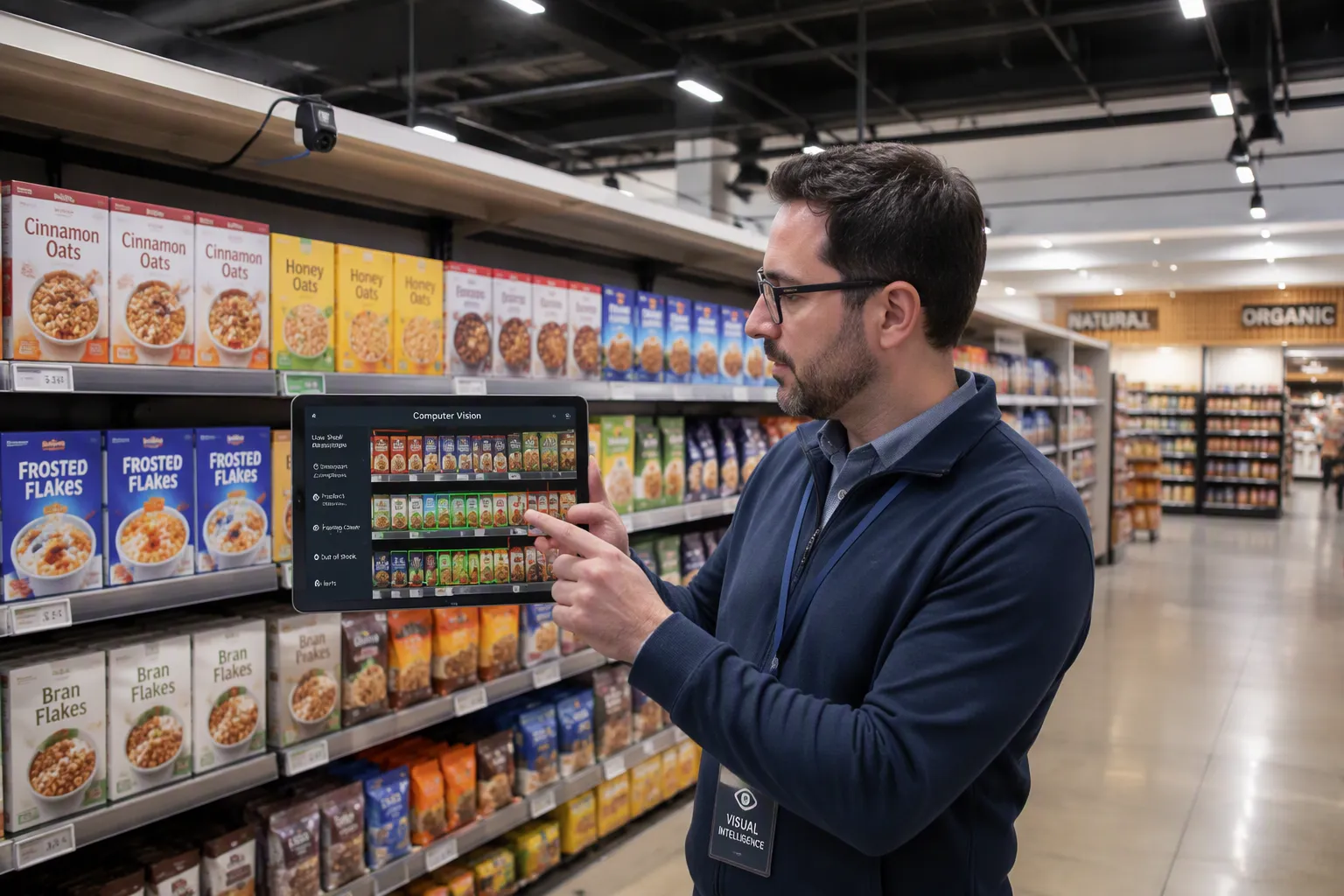
Build your test plan around the jobs the system must do every day. Four computer vision use cases in retail carry most of the value: shelf monitoring, out-of-stock detection, customer detection, and planogram compliance. Each one needs its own scenarios, its own pass criteria, and its own footage.
Real-time shelf monitoring is the foundation. A camera takes shelf images every few minutes. A vision model trained on every SKU then compares each image against the planogram database. The system should instantly flag four things:
Which products are out of stock or very low
Which products sit in the wrong shelf spot
Which planogram setups break the rules, like a wrong number of facings
Which price tags are missing or clearly wrong
Out-of-stock detection feeds inventory management directly. Walmart used computer vision in its Canadian stores to fix out-of-stock issues. It placed cameras in busy aisles to stream stock-level metrics and trigger automatic replenishment alerts. Walmart also runs vision across distribution centers for inventory management, checkout monitoring, and supply chain quality control.
Customer detection deserves its own scenario set. Run a pilot in a single store before you scale. Define what counts as a visitor, where the counting zone starts, and how the system handles groups. Then compare counts against a manual tally during the same hours. This pilot in a single store exposes counting errors early, while fixes stay cheap.
Test Planogram Compliance and Edge Cases
Planogram compliance checking only works when the test knows which planogram assigned to that specific store applies to each bay. Load the correct planogram assigned to that specific store into the test harness, then measure planogram compliance deviations bay by bay. Track shelf compliance across every fixture, and add promotional display compliance for end caps and seasonal zones. Your shelf compliance checking should also cover shelf compliance after restocking, because staff place products by hand.
Real-world scenarios rarely look clean. Shoppers, carts, and stacked displays block shelf views, and accuracy collapses even when quiet audits look perfect. Combine multiple camera angles over the same area, add weight sensors to confirm shelf state, and train on peak-period footage. Set confidence thresholds so the system defers instead of guessing.
Glare breaks models too. Sunlight through storefronts, flickering fluorescents, and reflective packaging change product appearance frame to frame. Capture training data across all lighting states, apply normalization during preprocessing, and test accuracy at different times of day before sign-off. Add rare packaging variants and messy shelves to your holdout set. These edge cases turn a lab demo into a system ready for a live retail environment.
Testing computer vision models in retail environments – scenario by scenario – means covering every use case and every failure mode. That discipline is what makes computer vision in retail dependable. Strong computer vision applications in retail start with scenarios like these, and your retail execution workflow improves when each test mirrors the aisle.
Execute, Evaluate, and Monitor Models
Run Tests and Evaluate Quality
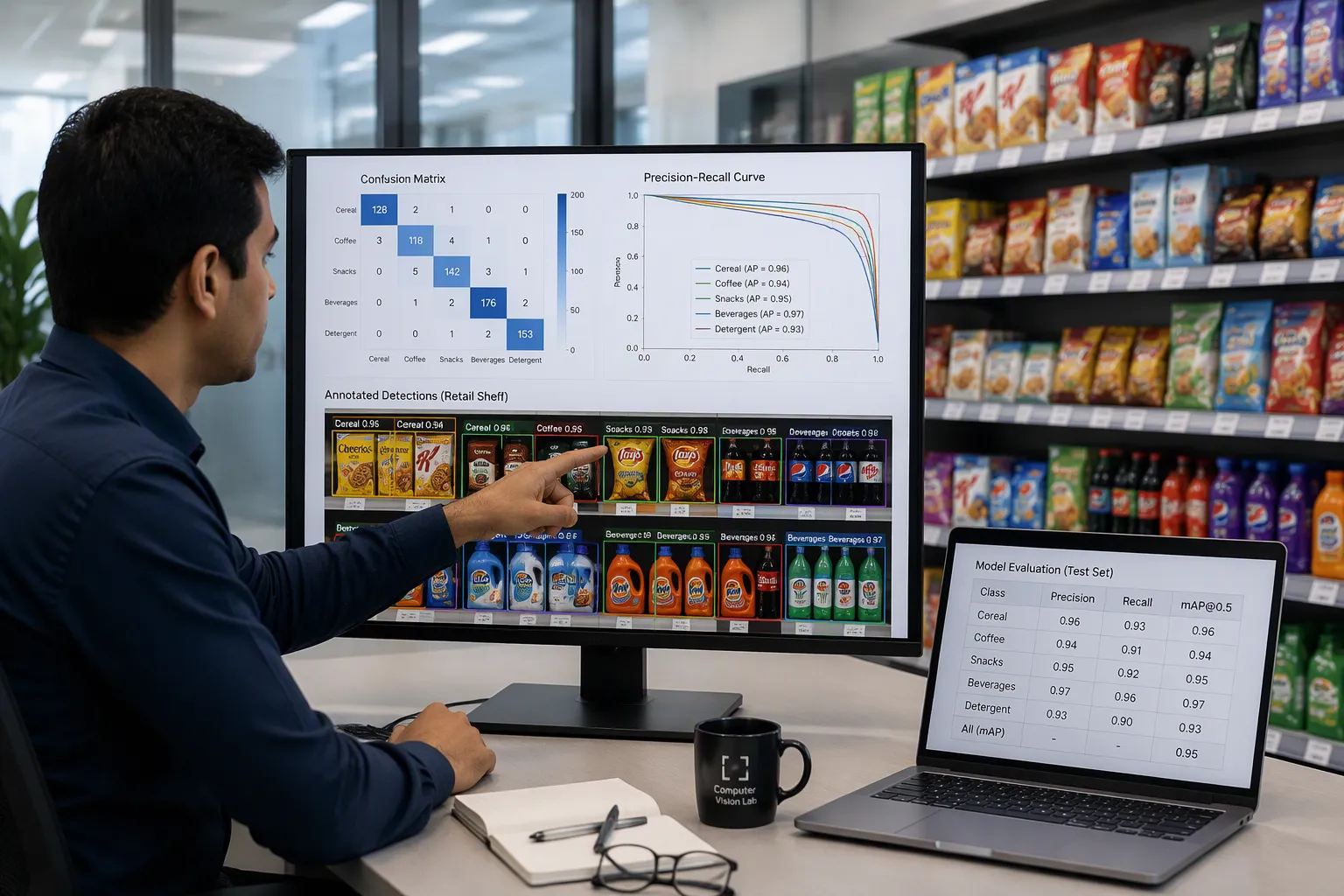
Run planned test rounds on a set schedule. Record every result the same way, so runs can be compared. Treat checking model quality as its own step, apart from training and apart from deployment. You need a clear verdict before the model goes near a live aisle.
Validation on a labeled test split compares predictions against ground-truth labels on held-out data. It gives back precision, recall, mAP50, mAP50-95, a confusion matrix, and a precision-recall curve. Prediction on new images gives you a visual look at unseen, realistic scenes. An overfitting check balances training and validation results. Data leakage detection looks for scores that seem too high or one feature that dominates. A diverse dataset review guards against hidden bias from a single camera or store.
Method | Purpose | Output / Signals |
|---|---|---|
Validation on a labeled test split | Compare predictions against ground-truth labels on held-out data | Precision, recall, mAP50, mAP50-95; confusion matrix; precision-recall curve |
Prediction on new images | Qualitatively inspect behavior on unseen, realistic images | Annotated predictions for visual review |
Overfitting / underfitting check | Balance performance across training and validation sets | Monitored metrics plus visual inspection |
Data leakage detection | Ensure no outside information contaminates training | Suspiciously high results, single dominant feature, correct data split |
Diverse dataset review | Prevent hidden biases | Images and videos from varied cameras and environments |
Compare results to your thresholds, then iterate on data or model changes. Log every training run, hyperparameter, dataset slice, and metric. Version your datasets and models, so each result traces back to the exact images and labels. A model registry records lineage, approvals, and performance history for safe promotion and rollback. Controlled experiments let you compare architectures fairly and promote what works.
Deploy and Monitor Continuously
Deployment starts a new test phase; it does not end one. Track model accuracy in production to catch drift or decline from changing conditions or new data patterns. Use observability tools at the edge for real-time insight into performance, latency, and accuracy, even when endpoints have limited connectivity. Account for lighting, occlusions, and packaging variations across many stores and endpoints.
Log real-world errors and link them back to datasets for retraining. Schedule periodic re-testing, and feed findings into your test plan. This loop keeps computer vision in retail dependable, and it strengthens every computer vision applications in retail you run. Testing computer vision models in retail environments – scenario by scenario – never truly stops. Testing computer vision models in retail environments – scenario by scenario – becomes a habit. That habit protects your retail execution workflow, your inventory management data, and your shelf compliance records. Strong computer vision applications in retail depend on it, and your planogram compliance checks stay honest only when monitoring continues.
You now have a repeatable way to test computer vision in retail. Use this checklist:
Set a clear business goal and pick metrics with pass/fail limits.
Prepare labeled data and check your cameras, network, and integrations.
Design realistic scenarios, including planogram checks and edge cases.
Run structured tests, evaluate quality, then monitor continuously.
Testing does not stop at deployment. Drift, new packaging, and changing light call for periodic re-testing and feedback into your plan. Start small: choose one business goal, run a single-store pilot, and let those results guide your next step. Reliable computer vision in retail grows from that first careful test, and your inventory management data gets stronger with every cycle.
FAQ
How much labeled data do you need before testing starts?
You need enough labeled images and videos to cover every store layout, lighting state, and SKU family in your test plan. No fixed count fits every store. Judge coverage instead of volume. If your test set misses a lighting condition or a product family, collect more data before you run tests.
Which metrics should you track first?
Start with precision and recall. Precision tells you how many alerts are real. Recall tells you how many real events you catch. Add mAP@50:95 as a strict benchmark. Set pass/fail thresholds for each metric before testing begins, so results get a clear verdict.
How do you test a model when aisles are crowded?
Capture footage during peak hours and add it to your holdout set. Combine camera angles over the same shelf area. Set confidence thresholds so the model defers instead of guessing when a shopper blocks the view. Test accuracy at different times of day before you sign off.
When should you retrain a deployed model?
Retrain when monitoring shows drift, a drop in accuracy, or new packaging the model has never seen. Log production errors and link them back to your datasets. Schedule periodic re-testing and feed each finding into your test plan. Continuous evaluation keeps computer vision dependable.
Can you skip the single-store pilot?
You can, but you should not. A single-store pilot exposes counting errors and integration gaps while fixes stay cheap. Compare pilot results against a manual tally during the same hours. Let those results guide your next step. Scaling too early hides problems that cost more to fix later.
See Also
Walgreens Self-Checkout: Retail Convenience And Challenges Explored
Cloudpick Checkout Computers Boost Efficiency, Accessibility, And Customer Experience
Opening An AI-Powered Corner Store With Minimal Investment
Rise Of AI-Powered Corner Stores: Retailers Need To Know
AI-Powered E-Commerce Tools Transform Online Store Management
