7 Key Factors for Comparing Cashless Payment Systems in Office Retail

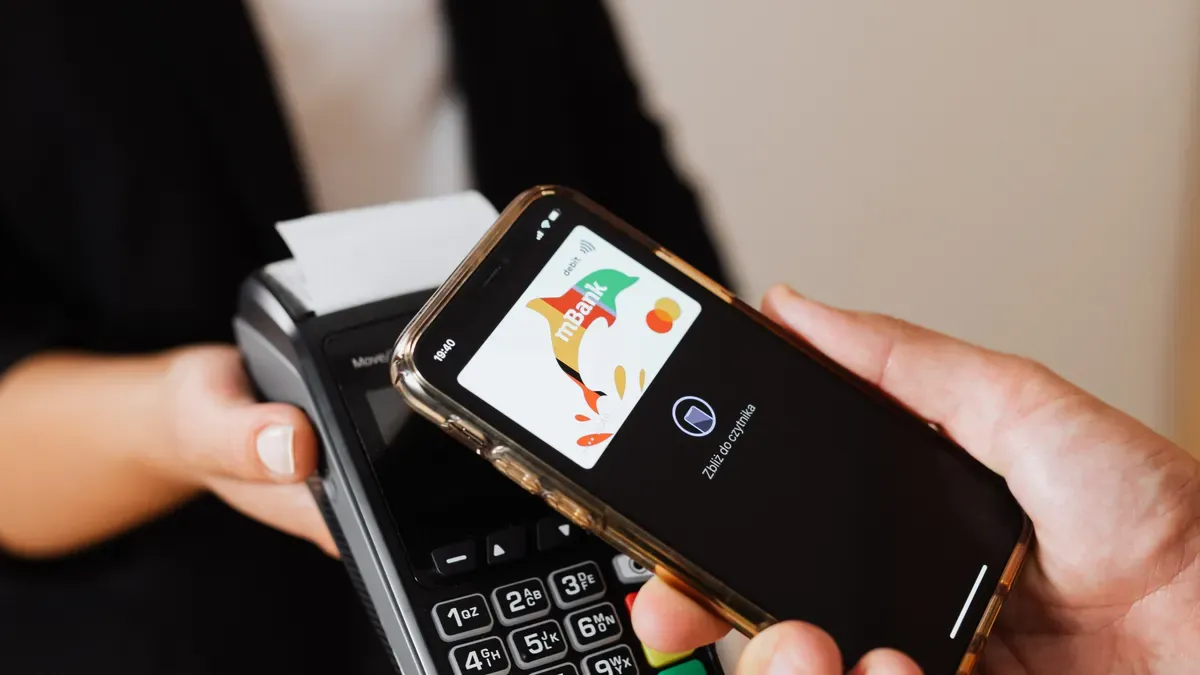
Office retail—cafeterias, convenience stores, coffee bars, and lobby shops—now runs on fast, cashless payments. A slow terminal can hold up the lunch line and frustrate employees on short breaks. The wrong system causes daily problems; the right one keeps service quick and smooth. For many teams, the clearest way to see the stakes is a cashless internal billing for office retail – scenario [Commercial: a busy building where every transaction must clear quickly and reconcile cleanly.
This guide compares cashless payment systems on seven practical factors, not marketing claims. Readers should weigh transaction fees, checkout speed, integration, hardware, reporting, security, and scalability before they sign a contract. Each factor affects daily operations and long-term cost.
The sections ahead examine different types of cashless payment systems through that same lens. Teams that evaluate cashless payments this way avoid costly surprises. They also get a clear view of how payments flow through a busy office building.
Key Takeaways
Look at the full costs, not just the rates, to avoid hidden fees and save money.
Check how fast checkout works during busy hours so lines keep moving quickly.
Make sure it works with your point-of-sale, inventory, and building systems.
Pick hardware that fits your space and has steady power and network.
Check the security and support terms to keep data safe and make sure things run smoothly.
Transaction Fees and Cashless Payments Pricing
Comparing providers takes more than a quick look at the advertised transaction rate. Pricing models are built in different ways, and the total cost structure matters just as much as the headline number. A true cost comparison should look at everything behind each option: hardware, support, and processing. Teams that compare cashless payment systems on rate alone often miss the larger monthly bill.
Flat-Rate vs. Interchange-Plus Models
Flat-rate pricing puts everything into one simple rate. Interchange-plus pricing splits the card network's cost from the provider's markup. That difference adds up fast at a busy office retail counter.
Pricing Model | Rate | |
|---|---|---|
Flat Rate | 2.90% + $0.30 | $3.20 |
Interchange Plus | 2.06% + $0.15 | $2.21 |
Difference | 0.84% + $0.15 | $0.99 |
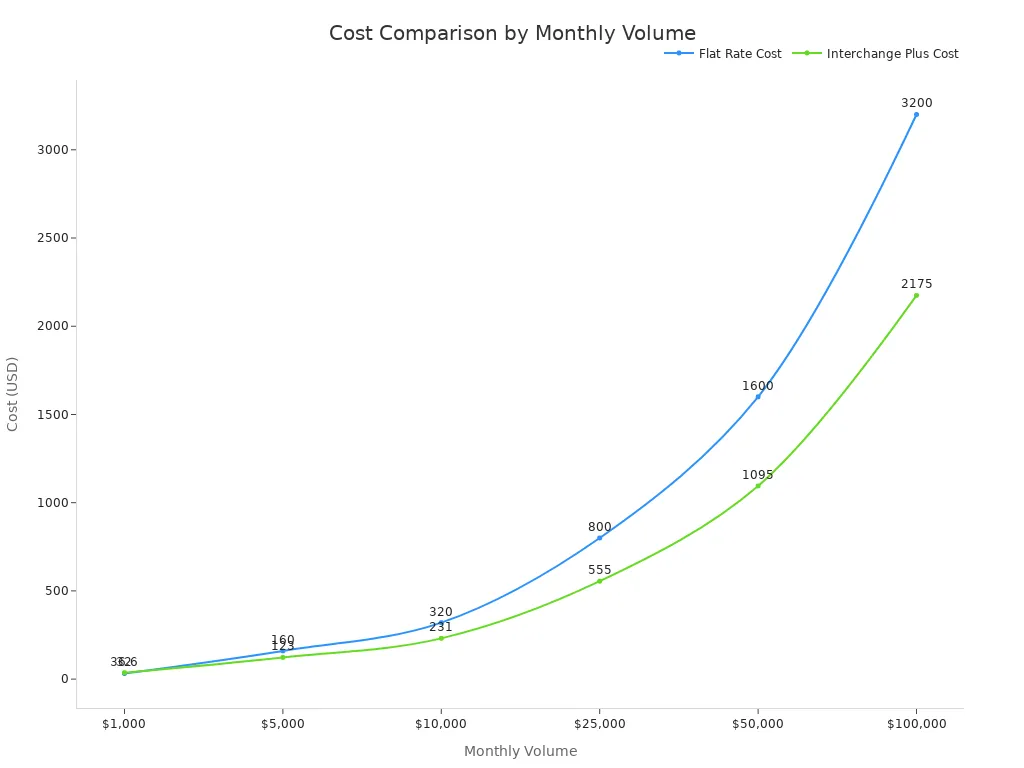
Sales volume decides which model wins. At $1,000 in monthly sales, flat rate costs $32 and interchange-plus costs $36.60. At $10,000, flat rate costs $320 and interchange-plus costs $231. The chart below shows the crossover.
The type of transaction also changes the rate. Lightspeed quotes 2.6% + $0.10 for card-present transactions and 2.9% + $0.30 for card-not-present transactions. Buyers should compare those numbers against interchange-plus quotes for their own mix of cashless payments.
Hidden Costs and Full Cost Structure
The quoted rate seldom tells the whole story. Debit card fees run 0.80% to 2% per transaction, credit card fees run 1% to 2%, and international cards add about 3% plus a currency conversion fee of 3–5%. Buy Now Pay Later transactions cost about 4%. Some providers also charge a flat per-transaction fee of $0.25–$0.30, plus monthly platform or terminal rental.
Lost sales belong in the same ledger. Xero's Global Payments Report 2024 found that 25% of consumers would walk away from a purchase if their preferred payment option was not offered. Staff training, internet outages, and fraud exposure add more cost. A full cost structure review lets teams compare cashless payment solutions honestly, and it shows which cashless payment system fits their volume. Smart cashless payments pricing analysis covers all of these lines, not just the rate.
Checkout Speed and Queue Management
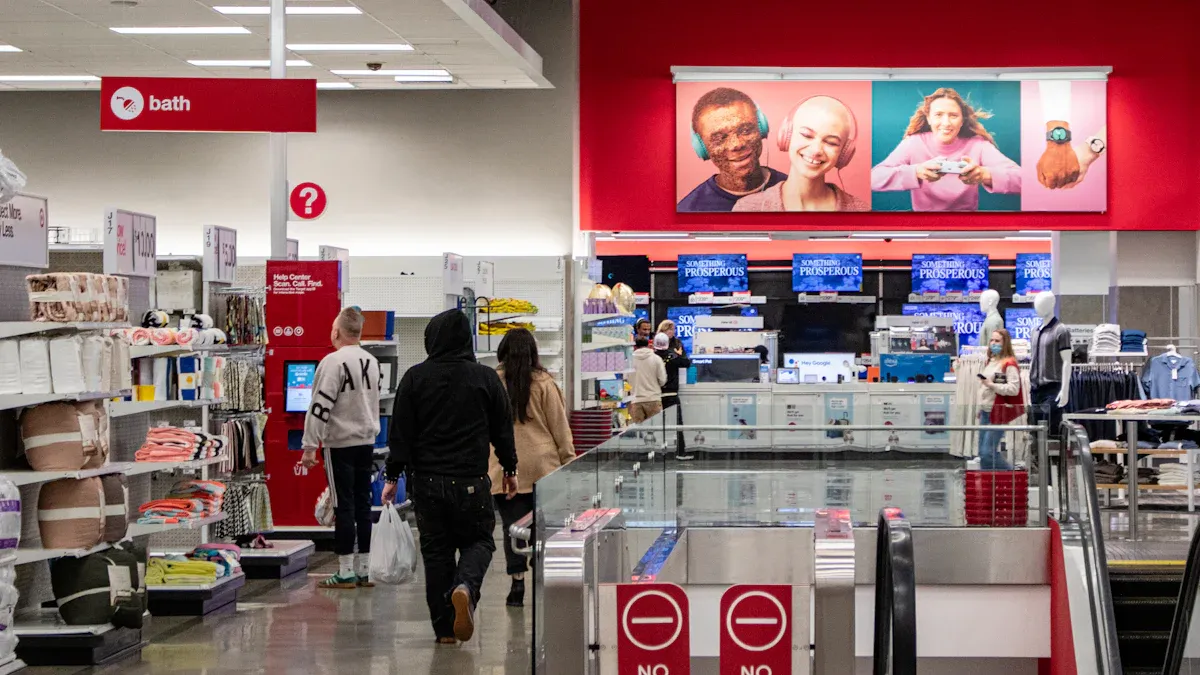
Speed decides whether an office retail counter works during a lunch rush. Cashless payments make the customer experience better by processing transactions faster and more efficiently. A worker on a short break wants a drink and a snack in seconds, not minutes. The right cashless payment system turns a long line into a steady flow.
Peak-Hour Transaction Times
Cashless payments are very fast. Tapping a card or scanning a QR code greatly cuts checkout and transaction times. That speed lets a business serve more customers during busy periods and shortens queues. A cashier handles more cashless transactions per hour, and each employee spends less time waiting.
Contactless payments have the same advantage at the counter. A single tap completes a sale, and the next customer steps up. Mobile pay and nfc solutions give workers who carry only a phone another fast way to pay. These contactless payments keep the line moving when the building empties for lunch.
Line-Reducing Features
Several features cut bottlenecks beyond the payment step itself. Touchscreen product selection interfaces let buyers choose without staff help. Real-time inventory monitoring and automated restocking notifications prevent the empty-shelf delays that stall a queue. Faster transaction processing systems and remote diagnostics and maintenance alerts keep terminals running. Together these tools let employees grab refreshments quickly without waiting in line.
Offline mode protects speed when the network drops. A terminal that still accepts cashless payments during an outage keeps the queue alive. Buyers should test this feature during a demo at peak hours. A system that stalls under load fails the busiest moment of the day.
Integration with Your Cashless Payment System
A payment terminal does not work by itself. It has to connect with the point-of-sale software, the inventory tracker, and the loyalty program. Poor integration and compatibility cause double entries, wrong stock counts, and lost rewards. Teams that compare cashless payment systems should test these links before they sign.
POS, Inventory, and Loyalty Compatibility
The point-of-sale platform is at the heart of daily operations. A good cashless payment system sends each sale to the POS in real time. Stock levels fall as items sell, and reorder alerts go out without manual counts. Loyalty tools should connect too, so a worker earns points with the same tap that pays for coffee. Buyers should ask vendors for a live demo of these links, not a brochure claim.
Many providers post a list of supported POS and inventory platforms. That list matters more than the feature sheet. A system without a native connector makes staff key in sales twice. Double entry slows the counter and causes errors. Teams should confirm that the cashless payment solutions they shortlist support their current software stack, or that a tested connector exists.
Building Access and Tenant Apps
Office retail sits inside a building with its own systems. The best setups link payments to badge access, tenant apps, and building networks. A worker taps a badge or an RFID wristband, and the purchase bills to a tenant account. This approach supports cashless internal billing for multi-tenant buildings. It also removes the need for a separate card at the counter.
Cashless payments cover many methods: cards, mobile wallets, QR codes, and RFID. Each method needs a clear path into the building network. Mobile payment solutions should connect to the tenant app, so workers can pay and check balances in one place. Contactless payments through a badge reader keep lines short at peak hours. Buyers should map every entry point before they choose among the different types of cashless payment systems. Strong integration here turns a payment tool into part of the building's daily flow.
Hardware for Cashless Vending Solutions
Cashless is a broad term. It includes cards, bank transfers, mobile wallets, QR codes, and RFID wristbands. Each method needs a reader that accepts it. Office retail teams should think of cashless hardware as a group of devices, not just one box. The right mix depends on the counter, the building, and the people who pay.
Terminals, Readers, and Counter Space
Counter space is limited in a lobby shop or a cafeteria line. A small terminal saves room at the register. A wall-mounted reader frees up the counter for product display. Cashless readers can also be added to vending machines in break rooms and mail areas. This setup lets unattended retail run beyond staffed hours.
Installation guides are important here. Vendors provide mounting sizes, cable routes, and clearance needs. Teams should read these guides before ordering hardware. A reader that blocks a screen or crowds a card slot slows down every sale. Cashless vending solutions should fit the physical layout first, then the feature list.
Power and Connectivity Needs
Power and network checks decide whether a cashless vending solution works on day one. Readers need a confirmed power source before a retrofit starts. The connector, cable, supply, and controller output all need a check. Payment hardware should come with its own power parts. Teams should also save electrical capacity for a future terminal swap.
Connectivity needs the same attention. A site may use cellular, Wi-Fi, Ethernet, or a required mix. Someone must be in charge of the SIM and the data service. The main connection needs a backup and a clear recovery plan. Remote fault visibility helps staff find problems quickly.
Symptom | Likely Area | First Checks |
|---|---|---|
Reader has no power | Power or wiring | Connector, cable, supply, controller output |
Reader powers on, machine ignores it | MDB or controller | MDB cable, reader configuration, controller firmware |
Reader shows offline | Network or provider | Signal, SIM, Wi-Fi, Ethernet, provider status |
The MDB protocol connects the vending controller to cashless peripherals. Technicians should check the MDB cable and reader setup during installation. Cashless technology only works when power, network, and protocol match up. Teams that compare types of cashless payment systems should rate cashless vending support on these basics. Good cashless payments depend on reliable hardware, and reliable hardware starts with a documented install.
Reporting, Reconciliation, and Payout Speed
Daily sales data and money movement decide how much staff time the back office uses up. A cashless payment system that reports clearly and pays out on a steady schedule frees managers to run the store instead of chasing mistakes. Teams should test both sides of this factor before they sign.
Real-Time Sales Data
Managers need to see sales as they happen. Real-time dashboards show each transaction the moment it clears, so a supervisor can spot a stuck terminal or a pricing error during the lunch rush. Vending management systems add machine-level detail for unattended units, including stock levels and fault alerts. That clear view lets staff restock before shelves empty.
Reconciliation depends on the same data. A system that exports transactions in a format the accounting software accepts saves hours of manual matching. Teams should ask vendors how the platform handles refunds, voids, and split payments. Each of these events must land in the ledger correctly. Poor reporting turns a simple daily close into an afternoon of detective work.
Payout Timelines and Cash Flow
Payout speed affects working capital. Some providers deposit funds the next business day, and others hold money for several days. A small lobby shop with thin margins feels that gap. Buyers should ask each vendor for the standard payout schedule and the conditions that delay it, such as weekends, holidays, or first-time batch reviews.
Faster payouts help, but predictability matters more. A manager who knows exactly when cashless payments arrive can schedule supplier payments with confidence. Teams should also confirm how the provider handles chargebacks and holds. A sudden freeze on payments can leave a store short at month end. Written payout terms belong in the contract, not just the sales pitch.
Security and Compliance
When you compare cashless payment providers, look closely at security as well as pricing and payment methods. A cheap terminal with weak fraud controls costs much more after a breach. Teams should treat security and data privacy as a main buying factor, not something to think about later.
PCI Compliance and Fraud Prevention
Every merchant that accepts card payments must follow PCI DSS. The proof you need to show varies by merchant level, which depends on your yearly transaction volume.
Merchant Level | Annual Transaction Volume | Validation Requirements |
|---|---|---|
Level 1 | Over 6 million | Annual ROC by QSA (or signed internal audit), AOC, quarterly ASV network scan |
Level 2 | 1–6 million | Annual SAQ, AOC, quarterly ASV network scan |
Level 3 | 20,000–1 million | Annual SAQ, AOC, quarterly ASV network scan |
Level 4 | Fewer than 20,000 (or up to 1 million Visa) | Typically annual SAQ and quarterly ASV scan, per acquirer |
A small lobby shop may be at Level 4, but the same twelve PCI DSS rules still apply. Those rules cover firewalls, encryption, malware protection, access limits, logging, and regular testing. Vendors should shrink the cardholder data environment by using tokenization and point-to-point encryption. They should also require multifactor authentication on every path into that environment. Breaking these rules brings fines, forensic costs, and pressure from acquirers.
Data Privacy for Employees and Tenants
Cashless payments create transaction and behavioral data. Organizations must collect, use, and protect that data under privacy law. GDPR covers employees and tenants who live in the EU or EEA. CCPA covers California residents, including data gathered in a business setting. Both rules extend protection to staff, contractors, and tenant accounts.
Insider risk deserves equal attention. Current or former employees, vendors, or contractors may misuse credentials to steal data. Digital payment systems make that risk bigger. Strong identity lifecycle management and quick deprovisioning matter in buildings with high staff turnover. A written responsibility matrix with yearly provider reviews keeps security and data privacy duties visible. Teams that compare cashless payment systems on these terms protect both the business and the people it serves.
Scalability and Cashless Vending Support
Growth Across Locations and Payment Methods
A growing office portfolio needs a payment setup that can grow without being rebuilt. Payment processor infrastructure lets merchants copy their payment setup across many venues, like pop-ups and mobile sales, without starting over. That consistency cuts staff training time at each new site. Omnichannel solutions also give merchants the freedom to add new payment methods and accept international transactions without downtime or errors. Scalable infrastructure can add new technology without big changes to core systems, which lowers cost and disruption.
Capacity needs a close look before signing. A system that works for a small site may not fit a much larger one. Teams should judge scalability by transaction capacity, the number of POS terminals, vendors, payment points, and peak-hour needs. The system should also support the payment methods the audience really uses, such as cards, UPI, QR codes, NFC, or RFID.
Scalability Dimension | Supporting Detail |
|---|---|
Adding new locations | Copy the payment setup across venues without starting over |
Adding new payment methods | Add methods and accept international transactions without downtime |
Integrating new technology | Add it without big changes to core systems |
Handling growth | Handle higher volumes and new channels without system failures |
Vendor Reliability and Support Hours
Quick support keeps cashless vending running when a reader fails at lunch. Teams should check support hours against their operating schedule, read installation guides for each device, and review contract terms on response times and repairs. A vendor with narrow support hours leaves staff stuck during a busy service window.
Multi-tenant buildings add another layer. Cashless internal billing for office retail – scenario [commercial] lets a landlord bill purchases to tenant accounts through badge taps or RFID wristbands. That model supports cashless internal billing for office retail – scenario [commercial] across many tenants, and it grows as new tenants arrive. Strong cashless vending support covers this billing path too, so cashless internal billing for office retail – scenario [commercial] stays accurate as the building grows. Teams that plan for cashless internal billing for office retail – scenario [commercial] early avoid a costly retrofit later.
No one system is best at everything. The right pick depends on how many sales you make, what your building already has, and who your customers are. A busy cafeteria that uses badge-tap billing needs different features than a small lobby kiosk.
Teams should rate each vendor on the seven factors. They should ask for demos at busy times and get total costs in writing. This method turns a long vendor list into a short, clear list.
Readers should now pick two or three cashless payment systems and compare them side by side. A careful review of cashless payments pays off at every lunch rush.
FAQ
Which pricing model suits a small office retail counter?
How much you sell decides the answer. When monthly sales are low, a flat rate often costs less. When sales are higher, interchange-plus wins because the markup gets smaller. Teams should ask for both quotes using their own sales numbers and get every fee in writing.
How can a team test checkout speed before buying?
Ask each vendor for a demo during the lunch rush. Staff should time a full transaction and watch how the terminal handles a dropped network. A system with offline mode keeps the line moving when the connection fails.
What integration should a buyer confirm first?
The point-of-sale link comes first. A native connector stops double entry and wrong stock counts. Teams should then check loyalty tools and building badge or tenant app connections, since cashless methods include cards, mobile wallets, QR codes, and RFID.
How does a buyer verify security compliance?
Ask the vendor for proof of PCI DSS validation at the merchant's level. Confirm tokenization, point-to-point encryption, and multifactor authentication. Teams should also review how the provider protects employee and tenant data under the privacy laws that apply.
How should a multi-tenant building plan for growth?
The system should copy its setup across new venues and accept new payment methods without downtime. Cashless internal billing through badge taps or RFID wristbands lets a landlord bill tenant accounts. Buyers should confirm support hours and contract terms before signing.
See Also
Cloudpick Delivers Seamless Cashierless Shopping Experience for Your Retail Store
Cash Vending Machines Evolve from Coin Operations to Modern Digital Payment Systems
Examining Walgreens Self-Checkout Systems: Retail Convenience Paired with Operational Challenges
Understanding Self-Checkout Cash Errors: Causes and Practical Solutions for Smoother Transactions
Vending Machines Through the Years: Moving from Coins to Contactless Payment Technology
