Using Computer Vision to Track Shopper Behavior and Optimize Retail Operations

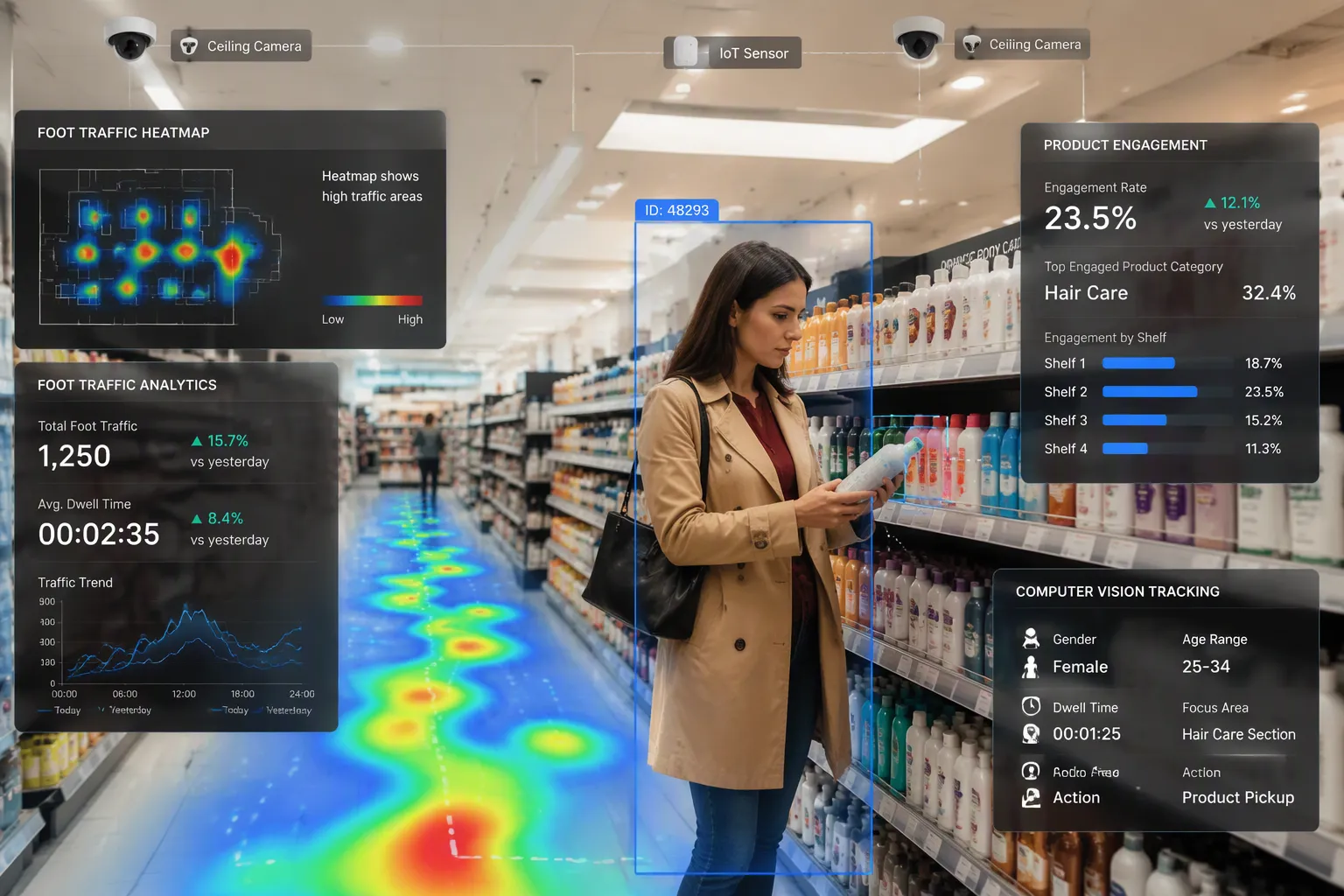
In most stores, more shoppers leave without buying than complete a purchase. Point-of-sale systems record only the moment money changes hands, so transaction logs capture a fraction of each visit. Consider two people in the same aisle. One picks up a product and heads to checkout. The other studies the shelf, checks a price, hesitates, and walks out empty-handed. The second visit may teach a retailer more than the first.
This raises a practical question for retail analytics. Heatmaps cannot tell shoppers from employees, and transaction logs cannot explain walkouts. How can retailers see the whole picture? Computer vision analytics closes this gap. It measures the entire visit anonymously and separates shopper activity from employee movement, without facial recognition or personally identifiable information.
Key Takeaways
Computer vision anonymously tracks how shoppers move and tells shoppers apart from employees.
Coverage gaps happen when shopper activity and employee presence do not match by zone or hour.
Shoppers who don't buy anything give useful hints about what stops purchases and where service falls short.
Change how many staff members work during different parts of the day and busy times so they match shopper demand.
Track changes in shopper activity and employee presence to see what works.
Retail Analytics Beyond Traditional Heatmaps
Limits of Employee & Shopper Heatmaps
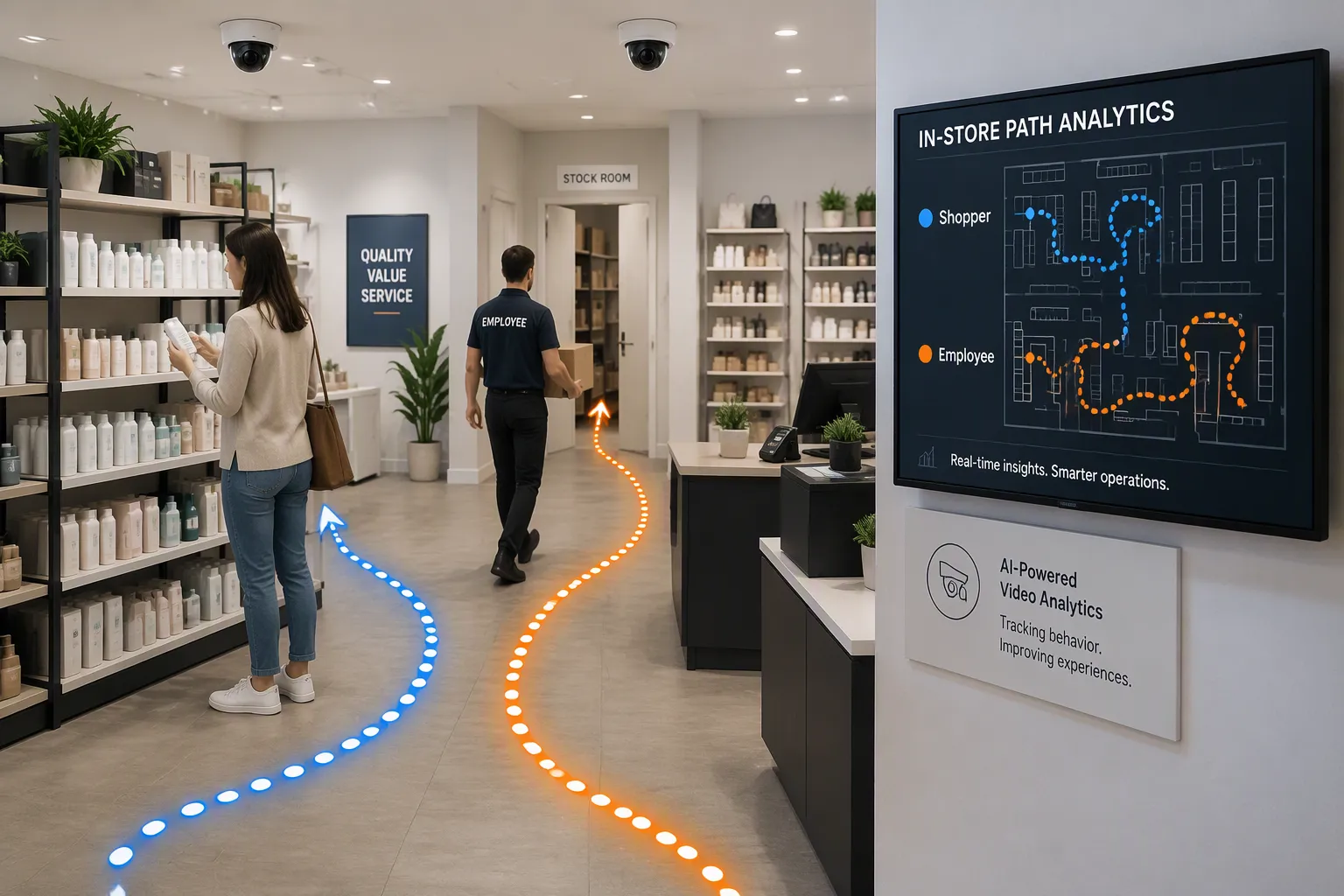
Old footfall heatmaps can't tell shoppers apart from employees. Manual clicker counts are easy to get wrong and give you only a plain number. Basic door sensors catch entries and exits, but they can't tell casual browsers from serious shoppers. Old footfall counts treat everyone the same, so a real browsing customer counts the same as a quick passer-by. Non-shopping traffic messes up the counts: employees back from breaks, delivery workers, and the same person coming in again all make the numbers too high. This creates a gap between measured foot traffic and real sales chances, which is why raw footfall data struggles to explain how a store is really doing. Conversion-rate analysis becomes unreliable when traffic data includes noise from employees, repeat visits, or non-shopping visitors.
Employee and shopper heatmaps also show activity rather than service. They can't link staffing to customer experience. Retailers need to compare how activity changes during the day, where employees are, where shopper activity is highest, and whether coverage matches shopper activity. Transaction logs only record completed sales. They miss browsing, hesitation, and walkouts.
Advanced AI stereo-vision people counters offer dynamic zone setup and staff recognition, helping retailers gather more accurate engagement data and make sure performance analysis reflects real customer behavior rather than employee activity—features that old footfall heatmaps don't have.
What Computer Vision Adds
Computer vision uses cameras already in place to rebuild continuous journeys. As a shopper moves from one camera's view to the next, the system joins the segments into one unified journey instead of disconnected sightings. The approach reads movement and patterns rather than faces. It is more detailed than a simple door counter, which only logs entries, and more precise than an aggregate heat map, which blurs many shoppers together. Original images are thrown away right after anonymization, in under 1 millisecond. Later neural network layers process abstract features to create metadata such as counts, occupancy densities, or movement vectors. This metadata is completely anonymous, with no visual or biometric information.
The system combines shopper movement with employee presence and service interactions. In retail analytics, this means employee movement can be told apart from customer paths without facial recognition or personally identifiable information. Retail traffic analytics gains a fuller view of in-store shopper behavior. Shopper + employee movement becomes measurable as one connected picture. Movement data stays anonymous and short-lived, and temporary identifiers are deleted right after use. Shopper activity, employee movement, and service interactions all show up in the same view. Retail analytics teams can then see where shopper activity is highest and whether employee movement matches it.
Spotting Coverage Gaps With Computer Vision
Computer vision turns anonymous movement data into a map of where service and demand split apart. The analysis shows four common coverage gaps. First, high shopper activity with low employee presence appears when a department draws steady traffic while staff stay elsewhere. Second, employee coverage that does not follow changing demand shows up when a quiet morning department gets busier later, yet staffing stays the same. Third, different coverage needs across store zones matter because store-wide totals hide departmental differences. Fourth, differences in employee and shopper interactions reveal where presence exists but engagement does not. Consistently fewer interactions in busy areas deserve a closer look.
A gap does not always mean an area needs more staff. It is a prompt to check whether coverage matches shopper activity. Retailers should treat each gap as a question, not a verdict. The pattern may point to a scheduling issue, a layout problem, or a service process that needs redesign.
High Shopper Activity With Limited Employee Presence
This gap deserves attention because it repeats across days and time periods. Retail analytics can flag a department that consistently draws crowds while employee presence stays thin. Common causes include greeters focused on hospitality rather than deterrence, blind spots between the entrance and the registers, and distraction techniques that overwhelm single coverage. Long checkout lines and high-value merchandise on display add pressure. Retailers should watch whether the pattern repeats, since a one-day spike carries less weight than a weekly trend.
Coverage That Doesn't Follow Demand
Shopper activity shifts throughout the day. A department quiet in the morning often gets busier later. If employee coverage stays flat while shopper activity changes, the two may not be aligned. Viewing activity by hour reveals when to move staff coverage. Two areas may draw similar daily traffic but behave differently. One area sees quick pass-through, while another sees more stops and longer activity. Zone-level views show where employee presence matters most. Tracking shopper behavior and employee activity separately across the same zones and time periods makes these mismatches visible. Retailers can then compare shopper movement against employee movement and spot where staff coverage drifts from demand.
Computer vision supports this work by measuring shopper activity and employee movement in one view. The system separates the two groups anonymously, so movement data stays free of personal identifiers. Teams can review shopper activity by zone, hour, and day, then test whether staff coverage changes shift the pattern. The goal is not more bodies on the floor. The goal is coverage that follows demand.
What Non-Converting Shoppers Reveal
A visit that ends without a purchase still tells you something. "No sale" does not mean "no information." Retailers need to tell casual browsing apart from a lost sale, and behavioral data makes that possible. A shopper who walks straight to a display, compares two products, and then leaves may be signaling a blocked purchase. Slow wandering tells a different story. Transaction logs record results, sales, and basket size. Behavioral data captures the whole visit, including browsing, hesitation, and walkouts. Used together, the two views explain why visits that don't end in a sale happen.
Visit Intent and Dead-End Zones
The reason behind a visit rarely shows up in a register log. A non-converting visit leaves no trace, so transaction data cannot tell a motivated buyer from a casual browser. Shopper path data can. A direct route toward one display points to a specific intent, and the exit that follows points to a specific obstacle.
Interest can also turn into a dead end. A display may attract attention and hold shoppers yet produce almost no sales. High dwell time paired with low conversion pinpoints a spot where interest turns into a walk-away. Price, product, or nearby placement may be the cause. Sales totals alone would never flag that spot. Shopper activity in the zone reveals it.
Service Gaps That Read as No Demand
Some products fail because shoppers cannot find them. Poor discoverability looks the same as zero demand in a sales report. In-store movement data separates the two. It shows who reached the department, who circled around searching, and who skipped it entirely. Retailers can then back up layout changes with evidence.
Service gaps create the same false picture. A shopper who waits in a high-consideration zone and then leaves looks like no demand in the transaction log. Read against employee movement, it is a coverage problem. The fix is staff coverage, not more product. This is where retail analytics proves its value. Shopper activity, staff location, and shopper behavior come together in one view, and non-converting shoppers become a source of answers rather than a blank spot.
From Insights to Demand-Aligned Coverage
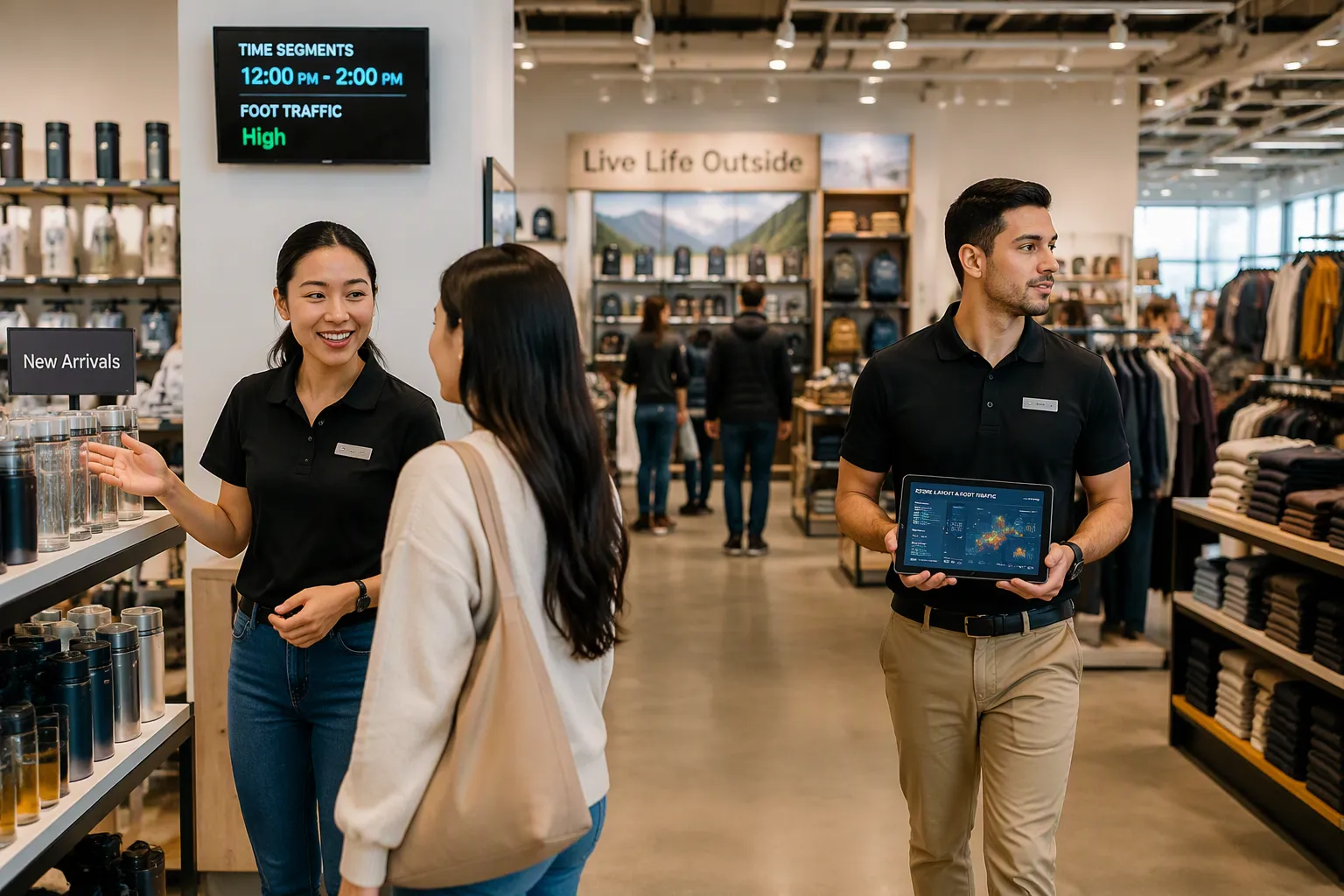
Coverage gaps and walkout patterns only help when they change what happens on the floor. Retailers can turn retail analytics into demand-aligned coverage through four actions: adjust coverage by daypart, reposition employees during peak periods, evaluate staffing changes before and after, and compare patterns across stores. Each action depends on the same foundation: reliable shopper activity data by zone and by hour.
Adjust Coverage and Reposition Staff
Dayparting splits the business day into separate segments to improve operations, staffing, and promotions for different customer patterns. Smart operators match resources and offerings to get the most profit during each daypart while avoiding extra capacity during slow periods. Good dayparting also creates targeted marketing chances to drive traffic during normally slow periods.
A footwear brand found a lasting conversion gap between outlet and full-price stores. Analysis of real-time customer feedback alongside operational data showed staff availability during peak periods as the key factor. In lower-performing stores, limited coverage lined up with weaker conversion. A controlled test increasing payroll and associate training in select outlet stores showed that a 10% increase in staff coverage drove an 8% lift in conversion. That result built a predictive business case tied to a $16.7M revenue opportunity. The lesson: match coverage to traffic and decision moments rather than simply adding labor.
Customers who report being offered help spend 26% more per transaction than those who were not, especially among browsing shoppers. Early engagement often decides whether the visit converts. Retailers should track conversion by daypart to find where the help gap is worst and coach teams to greet shoppers naturally.
Practical steps follow a simple sequence. Identify peak 30-minute trading windows. Protect service coverage during those periods. Move replenishment, delivery, and admin tasks outside peak hours. Apply the rule that service comes before tasks during peak hours. Build rotas around peak trading blocks or when service scores are lowest. Set a customer-to-staff ratio target for target hours. Use daypart patterns rather than weekly averages, because weekly averages hide poor coverage at the wrong times.
Repositioning also requires planning. Retailers should map tasks and workload to staffing requirements, identify available employees and skills, assign shifts based on demand, build backup coverage for absences and demand surges, and review the plan before the peak window opens. Cross-training at least two employees per critical task creates real scheduling flexibility. Employee movement data also reveals who is free to move. Comparing patterns across stores then shows whether a fix works in one location and travels to another.
Measure What Matters After Changes
Retailers need to measure how shoppers move before and after any adjustment. Six measurements matter: shopper activity overall, zone-level activity, employee presence, shopper and employee interactions, time-based patterns, and changes after staffing adjustments. Movement data and behavioral data work best together here. Employee movement shows where service exists, and shopper activity shows where it is needed. Comparing employee coverage against shopper activity by zone and hour reveals whether staff coverage follows demand. Non-converting shoppers become a test group rather than a blank spot. Standard AI's VISION platform uses existing cameras to measure the whole visit anonymously and help retailers reduce non-converting visits.
Transaction logs show results. Behavioral data explains them. Behavioral signals show what shoppers want right now, and purchase history shows what they bought. Together, the two sources give a full picture of customer behavior. Retailers can predict what shoppers will do next and plan with confidence. It also shows where customers get lost along the way.
The goal is not more staff. The goal is to find where coverage and shopper activity do not match. Computer vision makes that visible with cameras already in place. It works anonymously, without facial recognition. Retailers can ask for a demo or pilot to measure non-converting shoppers and coverage gaps in their own stores.
FAQ
How does computer vision tell shoppers apart from employees?
The system looks at how people move, not at their faces. It follows paths and how long people stay, then sorts staff routines from customer browsing. This sorting keeps shopper activity data clean. Retailers see service coverage and customer movement in one view, with no facial recognition or personally identifiable information.
Does this technology store images or personal data?
No. The system throws away original images right after anonymization, in under 1 millisecond. Later processing works on abstract features and makes only metadata like counts and movement vectors. Temporary identifiers are deleted after use, so no visual or biometric information is left.
What counts as a coverage gap?
A coverage gap shows up when shopper activity and employee presence don't line up by zone or by hour. Examples include a busy department with thin staffing or flat coverage during a demand shift. A gap is a prompt to check scheduling and layout, not an automatic call for more staff.
Can non-converting visits really be measured?
Yes. Behavioral data captures the whole visit, including browsing, hesitation, and walkouts. Transaction logs record only completed sales. Read together, the two views show where interest turns into a dead end and where service gaps hold demand down.
Where should a retailer start?
Start with zone-level and hourly views of shopper activity, then compare them against employee presence. Find the peak trading windows and protect service coverage there. Test one change, measure the result, and compare patterns across stores before scaling.
See Also
How AI E-Commerce Tools Are Transforming Online Store Management Today
Why Stores Powered by AI Represent the Future of Retail
The Rise of AI Corner Stores: What Retailers Must Know Now
Exploring Walgreens Self-Checkout: Convenience and Challenges in Modern Retail
How Smart Electronics Vending Machines Are Revolutionizing Retail with Technology
