How Should a Cashierless Store Handle Incorrect Charges and Refund Requests?

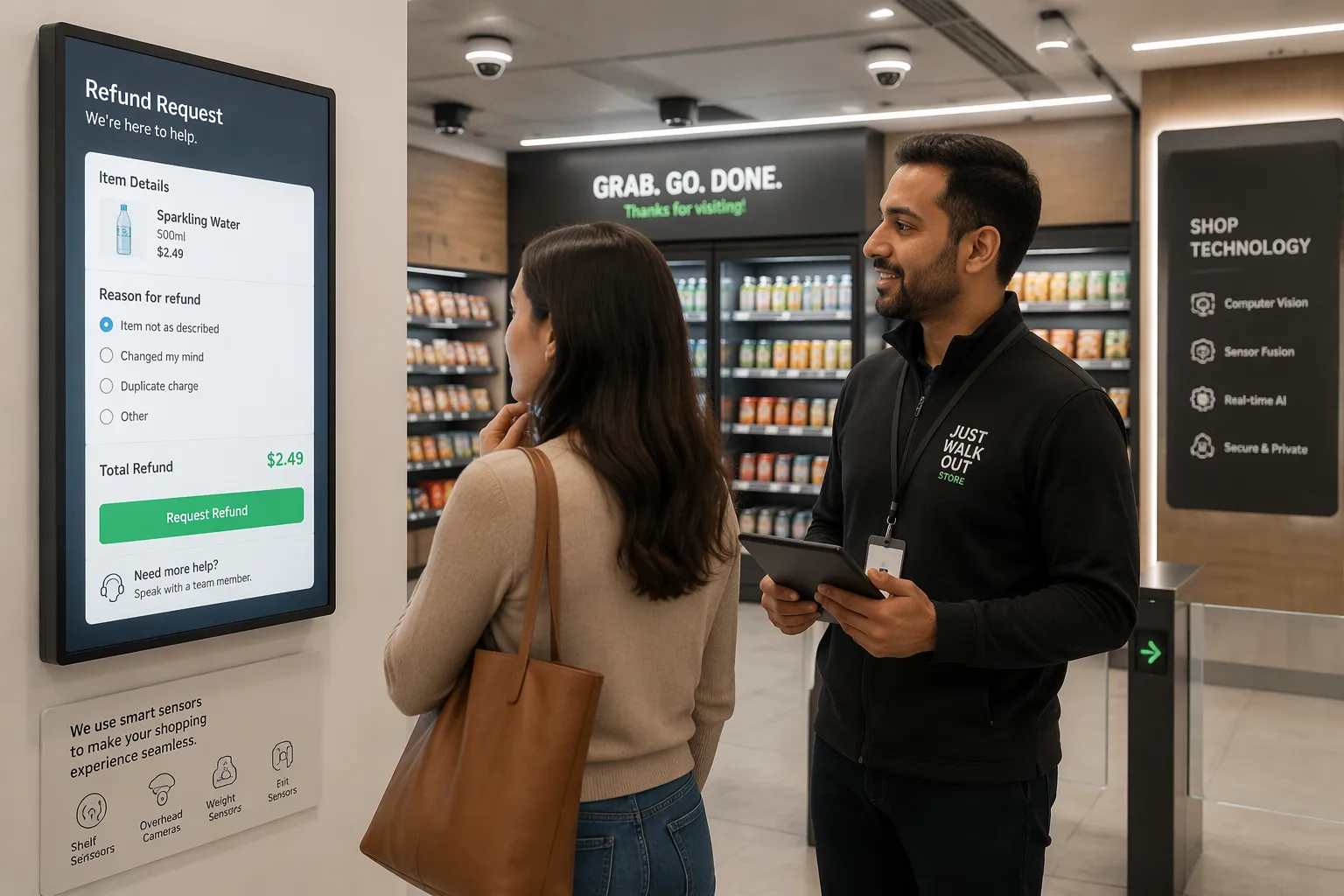
A cashierless store should treat every incorrect charge as a clear process that works both ways. You report the problem in the app with a few details. The store then checks your claim against its transaction log and sensor data. Approved refunds go back to your original payment method on a clear timeline.
This post gives you a step-by-step guide as a shopper and a practical playbook as a store operator. Cloudpick's AI-Powered Unmanned Store and automated settlement make handling incorrect charges and refund requests quick and fair for both sides.
Key Takeaways
Use the store app, phone, or on-screen help to report wrong charges fast.
The store checks your claim against sensor data and transaction logs to make sure it is correct.
Approved refunds return to the payment method you used at first, on a clear schedule.
Look at your digital receipt before you leave the store so you can catch mistakes early.
Stores can stop mistakes by adjusting sensors and labeling shelves clearly.
Handling Incorrect Charges and Refund Requests
A wrong charge on your account feels frustrating. A well-run cashierless store turns that frustration into a quick fix. Cloudpick's AI-Powered Unmanned Store supports a simple reporting path for every shopper. You follow a few clear steps, and the store resolves your claim with real transaction data. The process stays transparent.
Shopper Steps to Report an Error
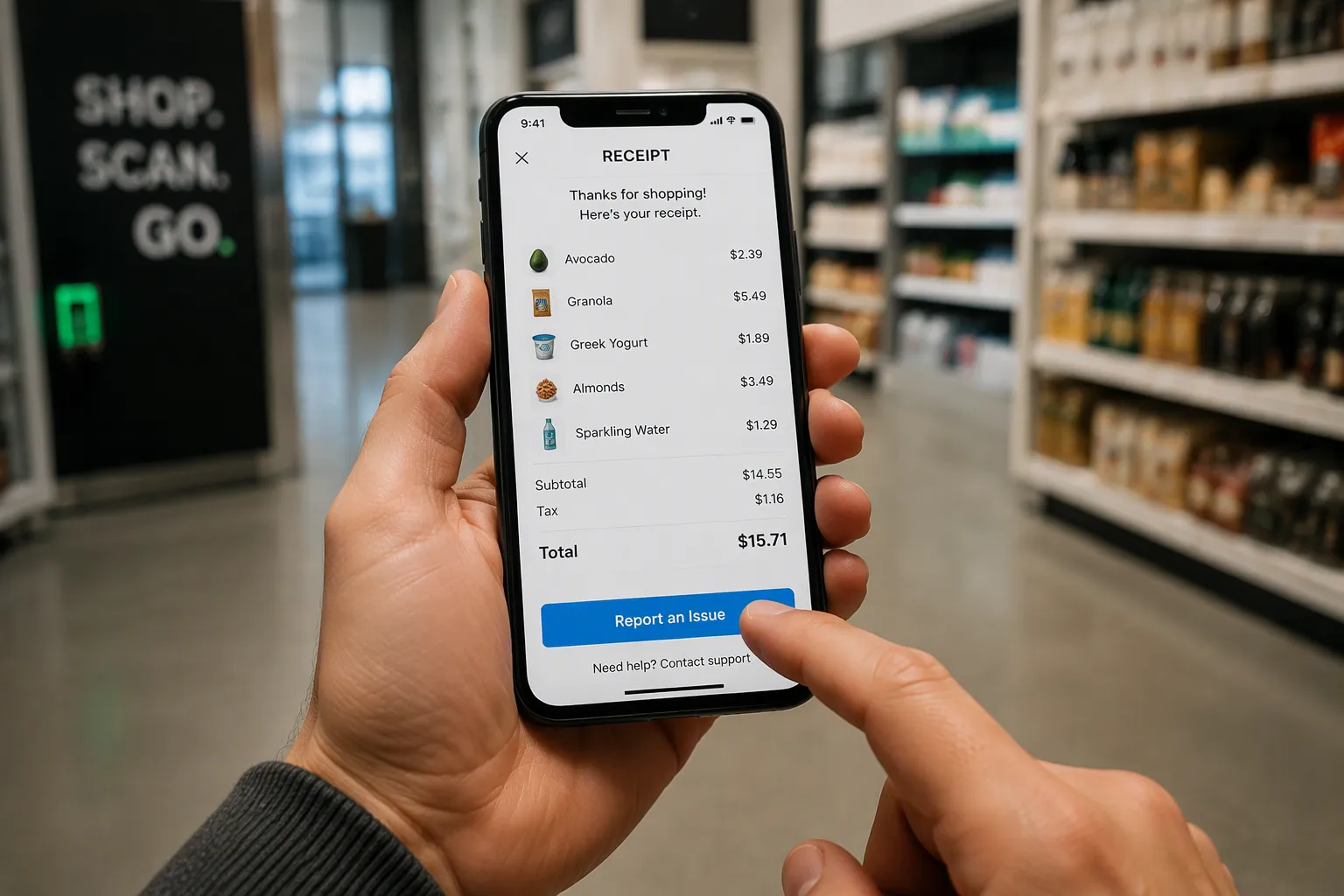
Start with your digital receipt. Cloudpick's AI-Powered Unmanned Store sends an automatic digital receipt after grab-and-go payment. Open the app and review the line items. Note the item name and the amount you believe is wrong. Confirm the error before you report it. This small check saves time for you and the support team.
Common errors include a double scan, a missing item discount, or a product charged at the wrong price. Check the quantity on each line. Compare the shelf price with the receipt price. These details help the store verify your claim quickly.
Next, report the issue through the app. Tap the support button on the receipt screen. Add the item, the amount, and a short description of what happened. Attach a photo if the app allows one. The report goes straight to the store team with your transaction ID attached. You receive a confirmation number right away. Save that number for your records.
You can also use the in-store support line. Walk to the help screen near the exit and follow the prompts. A staff member or a remote agent will pick up your case. Keep your receipt handy during this process. A traditional grocery store refund works the same way. The receipt proves the purchase, and the store checks it against its records. Cloudpick's automated settlement makes this check fast, because every item carries a timestamp.
Support Channels That Work
Cloudpick gives shoppers three reliable ways to reach support. Use the channel that fits your situation.
In-app support: Open the app, select the order, and tap "Report an issue." This channel carries your transaction details automatically.
Phone support: Call the number printed on your digital receipt. Have your order number ready.
On-screen help: Use the help screen at the store entrance or exit. This option works well when you notice the error before you leave.
Pick the channel that matches your urgency. In-app support works best for errors you spot later. On-screen help works best for errors you spot on site. Phone support works when you need a live person.
Each channel creates a ticket. The store team sees the same claim details in every case. You do not need to repeat your story. A single ticket number tracks your case from first contact to final refund. The support team can pull up your receipt, your item list, and your payment record in one view.
Keep a copy of the receipt until the refund lands. Save the confirmation message from the app. These records help if you need to follow up. Clear records also speed up the review of incorrect charges and refund requests. Cloudpick's automated settlement keeps every transaction logged, so your claim always has a paper trail.
How Cloudpick Verifies a Claim
Sensor and Transaction Matching
Cloudpick checks your claim against two records at the same time: what the sensors saw and what the transaction log charged. Multi-sensor fusion combines camera views with depth data. Computer vision identifies each product on the shelf. The behavior recognition engine then reads your pick-up and put-back actions as a sequence. A product you lifted and returned should never show up on your bill. A product you carried out should appear exactly once.
The system ties each action to a timestamp and a shelf position. That link lets the store compare your reported item with the actual event. Cloudpick reports 99.5% accuracy in tracking shopper activity and purchases, so most claims get solved on the first try. A digital twin reconstruction of the store adds a second layer. It rebuilds the aisle in software, and the team can replay the moment in question. So verification rests on recorded events, not on memory or guesswork. This data backbone keeps the review of incorrect charges and refund requests based on evidence.
When Manual Review Kicks In
Some claims need a human eye. Manual review starts when sensor data is unclear, such as two shoppers reaching for the same shelf at the same moment. It also starts when you dispute a specific item and the automated match is unclear. A store team member then replays the digital twin footage and checks the transaction log side by side.
The store should explain its decision in plain, neutral language. If the team declines a refund, the message should state what the records show and invite you to respond with more details. Avoid any tone that suggests suspicion. A clear explanation protects the relationship and cuts down on repeat disputes. Most manual reviews close quickly, because the reviewer works from a complete record rather than a partial one.
Refund Process and Timeline
Refund Requests via Original Payment
An approved refund goes back to the payment method you used at checkout. Cloudpick's automated settlement supports work cards, facial recognition accounts, and mobile payment, so the money returns the same way it left. The store should say sorry for the error and send the refund quickly. A short, honest message builds trust, and a fast reversal keeps it.
Cloudpick splits refunds into two paths. The first path is automatic. When the system finds a clear error, like a double charge on one item or a product recorded with no matching pick-up, it reverses the charge without waiting for a report. You see the fix in your app, and the refund starts on its own. The second path is manual review. A disputed item or unclear sensor data sends the claim to a team member. That person checks the digital twin replay and the transaction log before approving the refund. Both paths end in the same place: your original payment method.
How Long Refunds Take
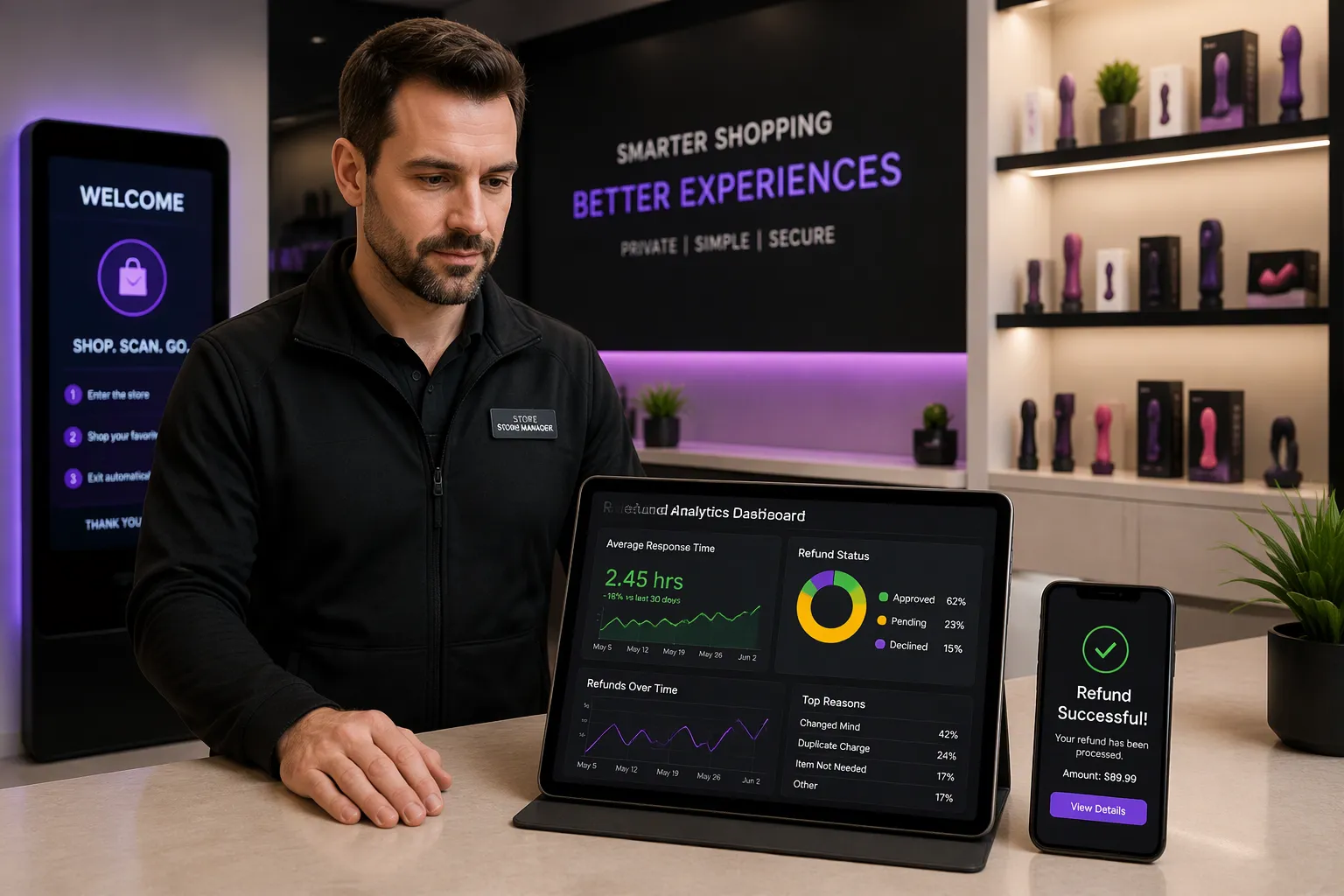
Speed matters most after you report a problem. Your store should track response times from first contact to refund received. Cloudpick's Smart Store Management System analytics make this easy. The dashboard shows how long each claim takes, where it stalls, and which stores resolve claims fastest. Managers can set targets and review them weekly. This data turns refund handling from a guessing game into a measured process.
A clear returns and refunds policy supports every claim. Publish it in the app and at the store entrance. The policy should list refundable items and non-refundable ones, such as gift cards, taxes, and fees. State the timeline for each refund path in plain language. Automatic refunds usually clear faster than manual reviews, and your policy should say so. The policy should also explain your chargeback rights under claims and defenses. If a shopper disputes a charge with the card issuer, the store can present its transaction records and sensor evidence. Cloudpick's logged events give the store a strong position in that process.
Consistent handling of incorrect charges and refund requests protects both sides. Shoppers get their money back without a fight. Stores keep clean records and avoid costly disputes. Review your refund data each month and look for patterns. A cluster of claims around one shelf or one product points to a fixable problem, not a dishonest shopper.
Prevention Tips for Shoppers and Stores
Most incorrect charges never need a refund at all. A few smart habits on both sides stop errors before they reach your account.
Smart Habits for Shoppers
Check the app receipt before you leave the store. Cloudpick's AI-Powered Unmanned Store sends it on its own after grab-and-go payment, so the line items sit right on your phone. Look over the item names, quantities, and prices. Compare them with the shelf labels you just passed.
Use the in-app purchase history to review past orders. Report anything odd the same day. Early reports give the store fresh sensor data to check, and fresh data solves claims faster. Keep your payment method up to date in the app, too. A valid work card or mobile payment account prevents settlement problems that look like wrong charges.
Store Best Practices With Cloudpick
Calibrate sensors on a regular schedule. Clean lenses and steady camera alignment keep recognition sharp. Label every shelf clearly, and place products in their assigned spots. Cloudpick's Smart Store Management System helps with this work through real-time inventory, out-of-stock reminders, and shelf heat maps. Heat maps show which shelves draw heavy traffic, and layout optimization moves high-demand items to spots the cameras read easily.
For small footprints, Cloudpick's Computer Vision Coolbinet fits spaces of 5–25 square meters and handles 100–600 SKUs. Its accurate recognition cuts misreads at the shelf, which is where most billing errors begin. Consider a typical office lobby deployment: a Coolbinet unit serves staff around the clock, and Cloudpick's 99.5% tracking accuracy keeps charges matched to actual pick-ups. Fewer disputes follow.
Keep the right to ban customers who abuse the return policy. Treat occasional refunds as a normal cost of doing business and factor them into prices.
You now have a simple plan to follow. Check your digital receipt, then report the error in the app with the item and amount. You should get your money back on the original payment method within a stated timeline. Store teams should rely on Cloudpick's automated verification, fast refunds, and response-time tracking. They should also calibrate sensors regularly to keep errors rare.
A well-run cashierless store treats every incorrect charge as a quick, fair fix. Cloudpick's logged transactions and sensor data make that promise real. Apply these steps today, and let incorrect charges and refund requests become a routine, painless exchange.
FAQ
How do I report a wrong charge in a cashierless store?
Open the Cloudpick app and pick the order. Tap "Report an issue" and add the item, the amount, and a short description. Your transaction ID is attached on its own. You can also call the number on your digital receipt or use the on-screen help at the store. Keep your ticket number.
How does Cloudpick confirm what I actually bought?
Cloudpick compares sensor data with the transaction log. Multi-sensor fusion and computer vision read each pick-up and put-back action. A digital twin replay shows the exact moment in question. Cloudpick reports 99.5% accuracy in tracking shopper activity and purchases, so most claims are solved on the first check.
Where does my refund go, and how fast?
Approved refunds go back to your original payment method — work card, facial recognition account, or mobile payment. Cloudpick's automated settlement reverses clear errors on its own. Disputed items go to manual review. Your store's published policy states the timeline for each path, so check it in the app.
Can I dispute a charge with my card issuer?
Yes. Your store's returns and refunds policy should explain your chargeback rights under claims and defenses. The store can then show its transaction records and sensor evidence. Cloudpick's logged events give both sides a complete record, which keeps the dispute fair and short.
How do stores keep billing errors rare?
Stores calibrate sensors on a schedule and label shelves clearly. Cloudpick's Smart Store Management System adds real-time inventory, out-of-stock reminders, and shelf heat maps for layout optimization. For small spaces, the Computer Vision Coolbinet fits 5–25 square meters and handles 100–600 SKUs with accurate recognition at the shelf.
See Also
Understanding Self-Checkout Cash Errors And Solutions For Smooth Transactions
Common Self-Checkout Errors At Walmart And How To Fix Them
How Cloudpick Delivers Cashierless Shopping Convenience To Your Retail Store
Exploring Walgreens Self-Checkout Convenience And Challenges In Modern Retail
Walmart Self-Checkout Access Changes And What To Expect In 2025
