How to integrate autonomous stores with existing payment systems in hospitals and healthcare facilities

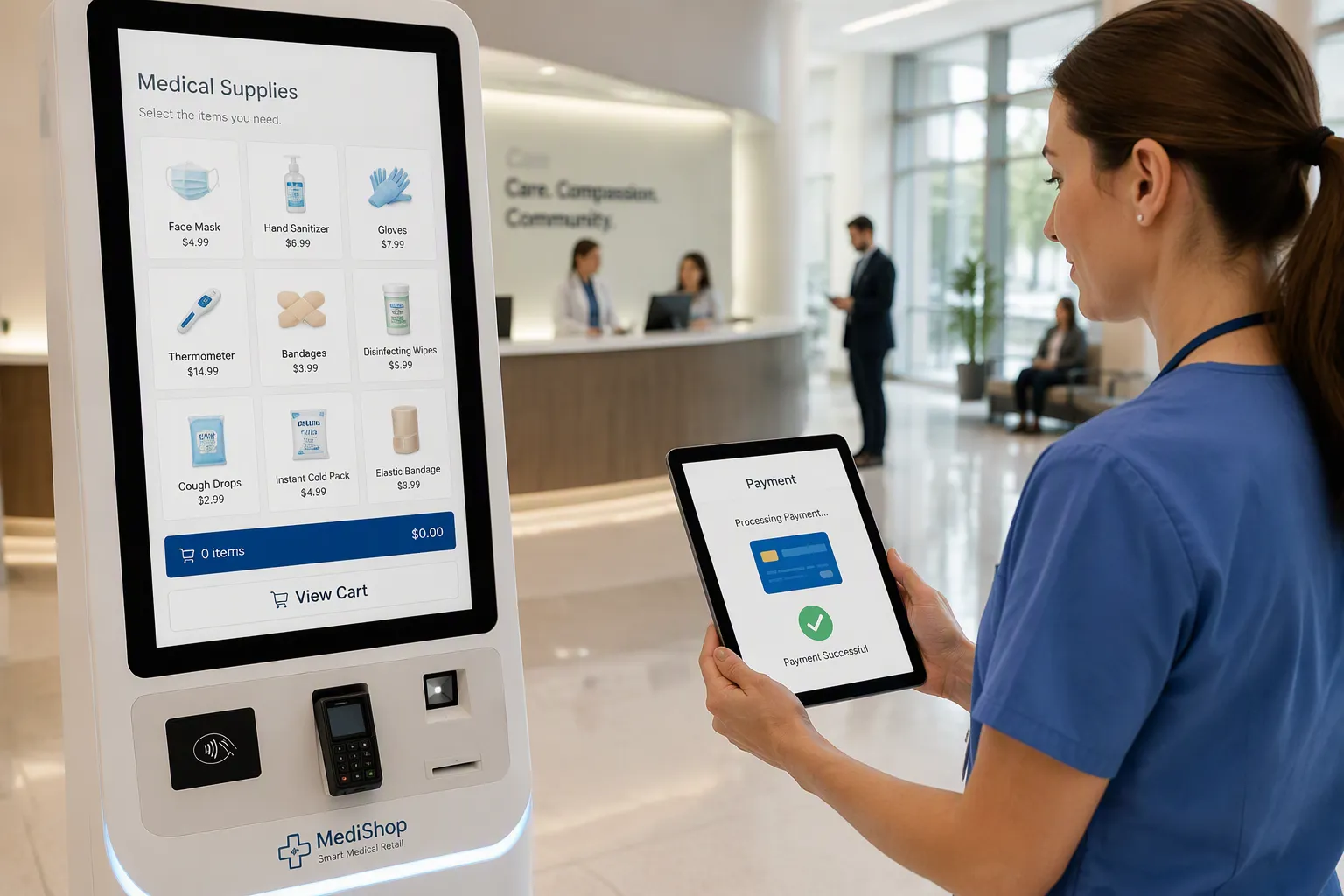
You can integrate autonomous stores with existing payment systems by auditing your current billing workflows, choosing compliance-ready technology, connecting it through secure EHR and middleware layers, and training staff on new processes. Your main concerns matter most here: patient privacy, HIPAA and PCI DSS compliance, security risks, and avoiding disruption to daily operations. This post gives you a practical integration path for your facility. The goal is simple. You automate payments, reduce manual work, and improve the patient experience without compromising compliance. You will learn how to connect autonomous retail tools to your hospital systems safely and efficiently.
Key Takeaways
Audit your current payment workflows first. Find gaps in billing, cash handling, and checkout. Then target automation where it will help most.
Choose checkout systems with computer vision and contactless payments. Employee badges can serve as payment. Verify HIPAA and PCI DSS compliance.
Connect autonomous stores to your EHR through middleware or native integration. This posts charges to patient accounts automatically. It removes duplicate work.
Test all transaction cases before launch. Include approvals, declines, refunds, network failures. Use patient, visitor, and employee scenarios.
Train staff well. Monitor security continuously. Assign one manager to own transaction accuracy. This protects patient trust. It keeps stores running smoothly.
Integrate Autonomous Stores with Hospital Payment Systems
Audit Current Billing and Workflow Gaps
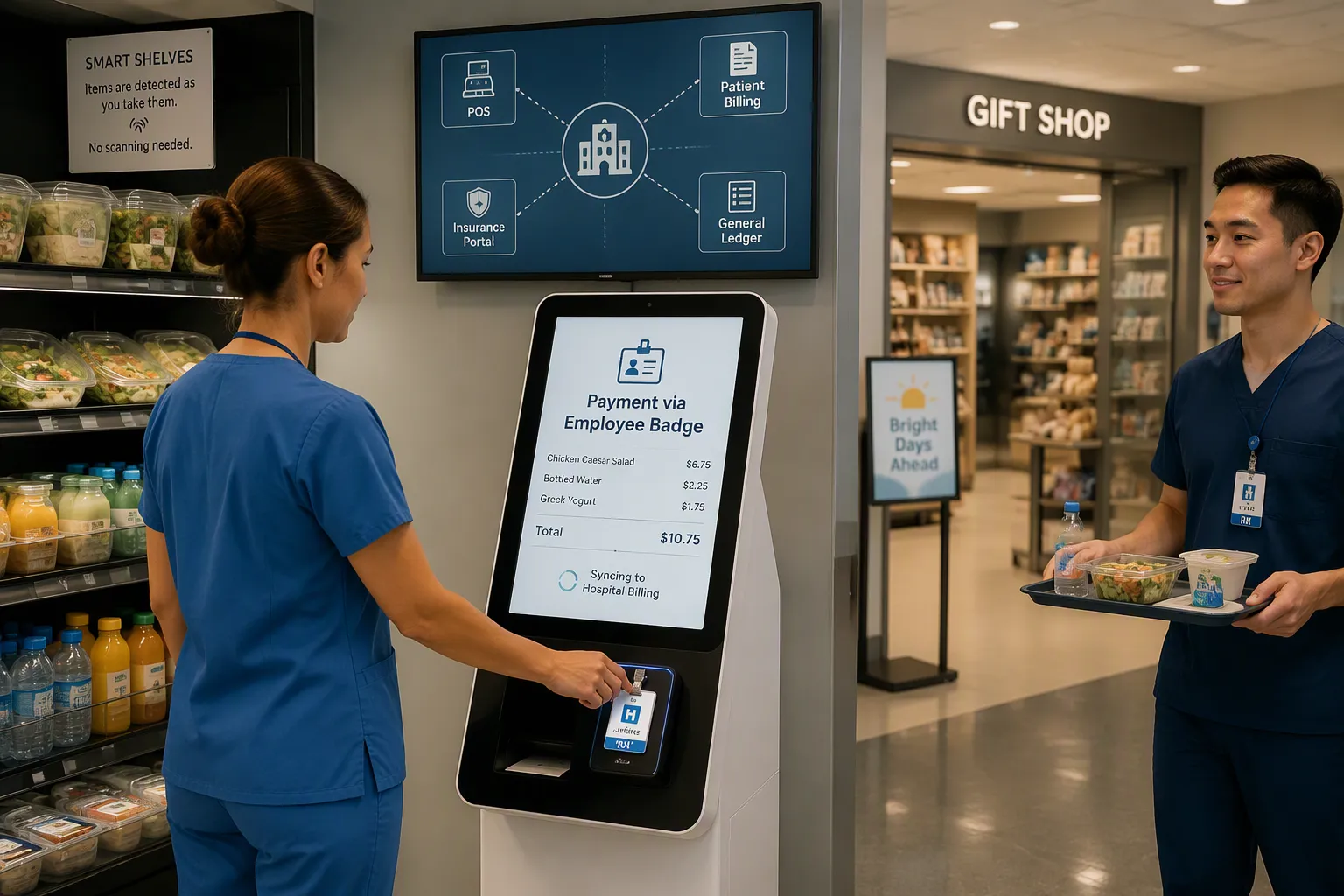
Start by mapping every payment and billing workflow in your facility. This map includes POS terminals at cafeterias and gift shops, patient statements, insurance portals, and manual cash handling at registration desks. You need to see where money moves, who touches it, and where errors happen. Walk through each step yourself. Watch a cashier process payment at the cafeteria. Follow a patient statement from generation to collection. Check how your insurance portal reconciles with your general ledger. You will likely find gaps. Maybe your POS system does not talk to your billing software. Maybe cash handling creates reconciliation delays. Maybe patients wait too long at checkout because staff must manually enter charges. These gaps cost you time and money. They also create compliance risks. When you know exactly where the problems are, you can target your autonomous retail investment where it matters most.
Identify Manual Payment and Automation Opportunities
Hospital cafeterias and hospital gift shops are ideal starting points for autonomous retail. These spaces handle high transaction volumes with limited staff. They also serve people who often lack time to wait in line. Consider what autonomous checkout can do here. At Candler Hospital's Smart Byte Market, the Morrison team deployed a Mashgin ai self-checkout system. That unit processed transactions up to 400% faster than traditional cashier systems and 800% faster than standard self-checkouts. Because hospital staff often do not carry wallets or phones during shifts, the market used employee badges as payment. The market operated without manned checkouts. After reopening in July 2021, revenue rose 67%, and March 2022 sales were 110% higher than October 2020. At BayCare St. Joseph's Hospital in Tampa, Amazon's Just Walk Out technology cut cafeteria checkout times by 75% and extended service hours by 60%. AiFi's cashierless system now runs in 300 stores globally. Lori's Gifts, a chain of about 400 gift shops mostly located in hospitals, uses AiFi's system to keep shops open around the clock. This approach meets demand for 24/7 access without customers waiting in line or relying on traditional staffing. You can apply the same logic to your healthcare facility. Identify every manual payment step in your cafeteria or gift shop. Then ask whether autonomous retail can remove that step entirely. The goal is simple. You want fewer manual errors, lower labor costs, and a faster experience for patients, visitors, and staff.
Adopt Autonomous Checkout in Healthcare Environments
This transition creates real operational savings. You can integrate autonomous stores into your cafeteria and gift shop without expanding PCI scope or raising operational costs. Yet healthcare facilities must treat vendor selection as a compliance decision. Every hardware choice changes fraud exposure and patient trust.
Choose Secure Autonomous Store Technology
Begin with computer vision capability. Strong systems automatically detect all tagged items as shoppers place them into bags. The Mashgin ai self-checkout system demonstrated that capability at Candler Hospital. The ai self-checkout technology processed purchases four times faster than cashier lanes. The ai self-checkout accepted employee badges as the customer's payment method and linked directly to staff accounts.
You need a similar connection for patients and visitors. An autonomous checkout system should accept credit cards, debit cards, and mobile wallets through encrypted terminals. Contactless options reduce physical contact, a meaningful advantage for any medical setting. Choose a payment method with tokenization built in. A secure design processes payment upon exit through an encrypted channel. Raw card numbers never appear on your network.
Look for autonomous retail platforms that link to hospital meal plans and management systems. Staff meal deductions apply without a separate POS step. Patients charge purchases to room accounts automatically. These innovative payment solutions remove duplicate entry tasks and simplify reconciliation.
Verify HIPAA and PCI DSS Compliance
Procurement must include a compliance audit before any contract is signed. Healthcare environments do not allow retrofits. Ask the vendor for a current PCI DSS report. Verify cardholder data flows through validated point-to-point encryption. Your compliance team should trace exactly where the payment method enters and exits the system.
HIPAA diligence follows another track. Autonomous checkout systems do not inherently touch protected health information. The situation changes when you connect the store to patient meal accounts. Customer identifiers like room numbers become patient data. Your vendor must sign a business associate agreement. Your compliance officer should document data retention and access logs. Autonomous retail vendors should demonstrate employee access controls for those logs.
Enhance Healthcare Payment Integration with EHR and Middleware
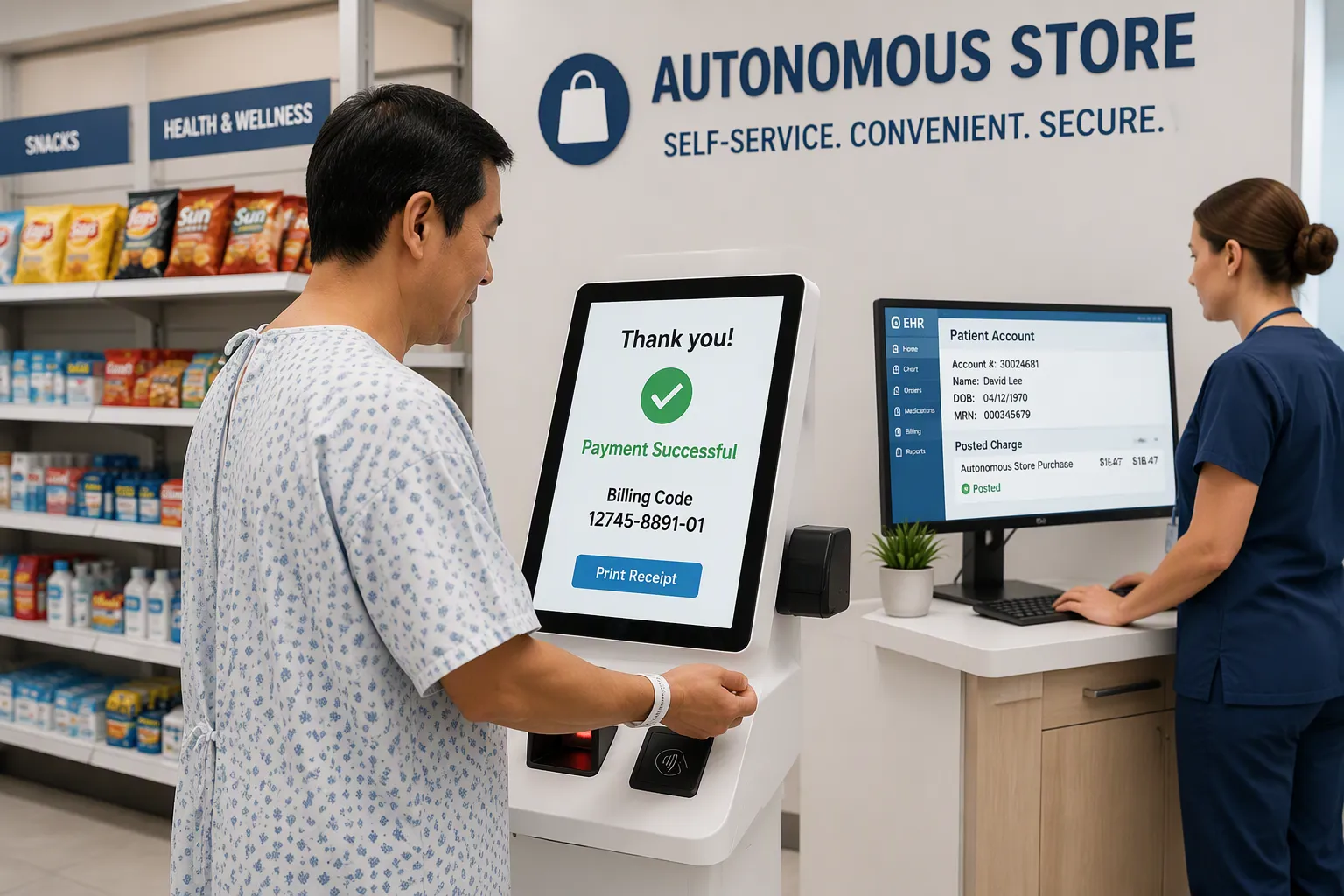
Now you build the connection. To integrate autonomous stores with your billing system, you need a reliable data bridge. Middleware provides that bridge. Native EHR integrations provide another path. Both options create a seamless flow of billing data into patient records without duplicate entry. No one retypes a charge. No one copies a receipt. This is the heart of your automation effort.
Connect Autonomous Stores to Billing Systems
Middleware sits between the autonomous store and your EHR. It captures checkout events. It translates those events into billing messages. It sends the messages to the correct patient account. Native EHR integrations skip the middle layer. The autonomous retail platform talks directly to your EHR. This route reduces complexity and points of failure. Many facilities prefer it.
Imagine a patient buys a snack in your gift shop. She scans her room wristband or employee badge. The system finds her record. It calculates the total. The charge posts to her room account without a manual entry. Staff meal plans work the same way. The employee badge triggers a meal deduction. The middleware logs the action. The EHR updates the employee’s meal balance. This seamless payment method removes duplicate entry and reconciliation delays.
This innovative integration also supports creative payment integrations. You can link multiple retail locations to one billing hub. You can apply discounts based on meal plan entitlements. You can offer visitors a standard card checkout flow. Patients use room billing instead. Each channel sends structured data into the same billing system. You must map every retail item to a billing code. This mapping helps the EHR identify the item correctly. It prevents billing errors downstream. These connections protect audit trails and patient privacy. Healthcare leaders often choose a staged rollout. You can start with one cafeteria. This limited test shows you how each component behaves in a real healthcare environment.
Test Transactions, Refunds, and Security Logs
Do not launch before you test. You need a full test plan. Run it in a controlled environment. Use the same network and hardware you plan to operate.
Your checklist should cover:
Approval: A valid card or badge completes a transaction.
Decline: A card with insufficient funds shows a clear error message.
Refund: A returned item posts the credit to the exact same tender option.
Network failures: A lost connection pauses the checkout and retries safely.
Audit trail: Every transaction, decline, refund, and system alert creates a dated log entry.
Test each case with several patient scenarios. Include a patient with insurance benefits. Include a visitor using a credit card. Include an employee using meal plan funds. Watch how the middleware handles each case. Review the EHR record after each test. Confirm the balance matches the receipt.
This testing process reduces manual workflows. Staff no longer need to re-enter charges. Billing staff no longer chase missing receipts. Your compliance team can rely on complete security logs. When issues appear, fix them before the pilot opens. After the pilot, run the same tests quarterly and after every software update. This ongoing verification keeps your hospital safe and your operations efficient.
Manage Autonomous Stores Across Healthcare Facilities
Train Staff and Update Retail Workflows
Your staff needs clear training before any autonomous store opens. Teach them how to handle hardware issues, payment failures, and compliance procedures. A cashier who once ran a register now becomes a floor monitor. That person watches for checkout errors and helps shoppers who need assistance. Create a simple troubleshooting guide. Include steps for a frozen screen, a declined card, and a jammed sensor. Staff should know when to call a vendor and when to reset a device. Run practice drills across every location. A nurse on the night shift may face the same problem as a cafeteria worker at noon. Both need the same answers.
Update your retail workflows to match the new system. Remove old cash-handling steps from your procedure manuals. Assign someone to restock shelves and check camera angles each morning. Document who reviews refund requests and who approves manual overrides. These updates keep your hospital running smoothly. They also protect your team from confusion during busy hours.
Monitor Security, Maintenance, and Performance
Ongoing monitoring keeps your autonomous retail system healthy. Check transaction accuracy every week. Compare store receipts against billing records. Look for missing charges or duplicate entries. Schedule preventive maintenance for cameras, sensors, and payment terminals. A dirty lens can cause item detection errors. A loose cable can stop checkout entirely.
Watch your security alerts closely. Set up notifications for unusual login attempts or failed badge scans. Review audit logs monthly. Run a full compliance audit each quarter. This step matters most in healthcare environments where patient trust is everything. Track system uptime and checkout speed. If the ai self-checkout slows down, investigate before patients notice. Assign one manager to own these tasks across all your healthcare facilities. That person reports trends to leadership and flags risks early. A steady monitoring routine protects your investment and keeps every hospital store running without interruption.
You now have a clear path. Assess your current systems first. Then choose compliant autonomous checkout technology. Next, connect everything through secure EHR and middleware tools. Finally, manage the rollout with staff training and ongoing monitoring. These four steps help you integrate autonomous stores without disrupting care.
The payoff is real. You get fewer manual payment errors, lower operating costs, and reduced PCI scope. Patients, visitors, and staff all enjoy a smoother experience. Start with a small pilot in one hospital cafeteria or retail area. Test the results before you expand to other healthcare facilities. Keep security and compliance central at every stage. That approach protects patient trust and makes your autonomous retail investment succeed.
FAQ
Do autonomous stores store patient health information?
No. An autonomous store only processes payment data. The risk appears when you link the store to patient meal accounts. At that point, identifiers like room numbers become patient data. Your vendor must sign a business associate agreement, and your compliance officer should document data retention and access logs.
Can you connect an autonomous store to your EHR directly?
Yes. A native EHR integration lets the retail platform talk straight to your system. This route removes the middleware layer and cuts points of failure. You still need to map every retail item to a billing code so charges post to the right account.
What happens when the network goes down during checkout?
A well-designed system pauses the transaction and retries safely once the connection returns. Test this case before you launch. Confirm that no charge posts twice and that every retry creates a dated log entry for your audit trail.
How long does a pilot take before you expand?
Run your pilot in one cafeteria or gift shop first. Test approvals, declines, refunds, and network failures in that single location. Review the results with your compliance team. Expand to other healthcare sites only after the pilot proves stable.
Who owns monitoring across multiple facilities?
Assign one manager to own transaction accuracy, maintenance, and security alerts across every location. That person reviews audit logs monthly, runs a compliance audit each quarter, and reports trends to leadership. A single owner prevents gaps between sites.
See Also
Walgreens Self Checkout Experience Balances Convenience With Retail Hurdles
Artificial Intelligence Stores Poised To Define Tomorrow's Retail World
AI Powered Ecommerce Tools Transform Online Store Management
Automated Convenience Retail Works Worldwide Through Micromarkets And Smart Stores
Walmart Self Checkout Access Gets Major Updates This Calendar Year
