What Is Dwell Time and How Can Retailers Use It to Evaluate Vision Vendors

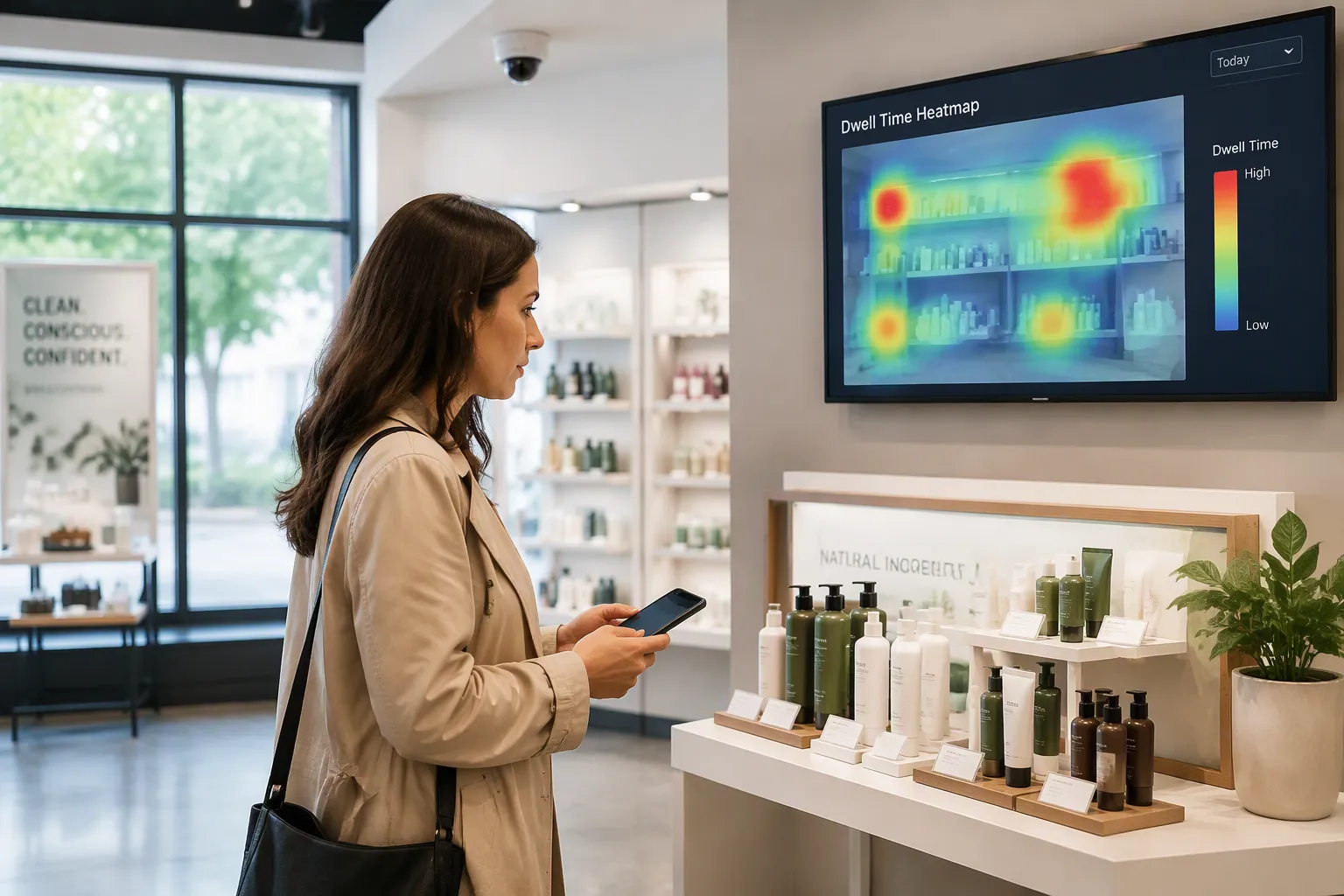
Dwell time is how long a shopper spends in a certain store area, display, or department. You can think of it as the in-store version of time on page. Foot traffic counts how many people walk through, while dwell time shows how many of them actually stop and pay attention. Volume and intent are two different signals.
The idea sounds simple. It is also easy to misread. A long pause can mean deep interest or a lost shopper looking for the exit. That gap between how things look and how they really are makes dwell time a useful test of vendor capability. You can ask any vendor for a number. The stronger question is how that number gets made, and computer vision analytics for retail is where those answers separate.
Key Takeaways
Dwell time shows how much shoppers engage, not just how many people walk by.
A long dwell time can mean confusion or waiting, so the situation matters.
Computer vision analytics gives accurate dwell time data and keeps privacy safe.
Judge vendors by how they define their metrics, how accurate they are, and how they handle privacy.
Use a scorecard to compare vendors based on evidence, not just demos.
What Is Dwell Time in Retail?
Dwell time is how long a shopper spends in a certain area, display, department, or store. Think of it as the in-store version of time on page. A web analyst checks how long a visitor stays on a product page. A store analyst checks how long a shopper stays at a shelf. Both measures show attention, not just presence.
Dwell Time vs. Foot Traffic
Foot traffic is a volume metric. It counts how many people pass through or enter an area. Dwell time measures how long those people stay. Two shoppers may both count as traffic. One walks past a display without slowing down. The other stops for several minutes and compares labels. Their behavior is very different, yet a traffic counter treats them the same.
Dimension | Foot Traffic | Dwell Time |
|---|---|---|
Core question | How many people came in? | How long did they stay, and what did they do? |
Nature | Volume and counting metric | Behavioral and engagement metric |
Scope | Entry or sensor crossing only | In-store behavior: dwell, pathing, zone engagement |
Limitation | Does not explain post-entry activity | Needs traffic measurement as a foundation |
Why Interest and Intent Matter
Foot traffic answers "how many." Dwell time captures interest and intent. It shows what happens between entry and purchase. A shopper who lingers in a high-intent zone is likely weighing a decision. That signal matters more than a raw headcount.
The link between longer stays and sales has early quantitative support. Path Intelligence's 2007 "Time is Money" whitepaper used anonymized mobile phone data from a UK mixed-use shopping center. The researchers found a positive correlation: for every 1% rise in average daily dwell time, daily sales increased by approximately 1.3%. The finding supports a practical claim. Longer dwell time is linked to higher purchase intent, measured through sales.
Treat that correlation as a directional signal, not a guarantee. A long stay can still reflect confusion. The next section covers the cases where a dwell number misleads.
When Dwell Time Misleads
A long stay does not always mean a shopper is interested. You need to know what the shopper was doing during that time. Three patterns look the same on a dashboard, but they mean very different things.
Engaged vs. Unengaged Dwell
Dwell with engagement looks like a shopper comparing products at a shelf. They pick up items, read labels, and move between nearby SKUs. This is the signal you want. Dwell without engagement looks like a shopper hunting for an item or waiting for help. They stand still, scan the aisle, and check their phone. The clock runs the same way in both cases.
Shoppers may also face another direction or stare at a phone screen. A body in a zone does not prove attention. You need context and more behavioral data to tell these cases apart. The same average dwell time can hide a small group staying a long time or a large group leaving fast. Each pattern means different revenue, yet dashboards treat them as the same.
Queues and Other False Signals
Dwell at checkout is the clearest false signal. A shopper in line is not browsing. They are waiting, and the time shows store operations, not interest. Time in non-commercial zones does not turn into sales, so where people spend time matters more than total duration.
Dwell signal pattern | Why it can mislead | How to interpret or check |
|---|---|---|
High footfall + low dwell | Many pass through but few stop | Could be a transit zone, not a merchandising failure |
Low footfall + high dwell | Few enter but stay long | May suit niche or high-consideration categories |
Long dwell + no nearby staff | Long time may reflect waiting | Treat as a possible service gap |
Longer dwell after a merchandising change | Increase may signal confusion | Check whether the display created friction |
Dwell time without context invites these misreads. Sharp drop-offs between zones point to friction, not disinterest. Looking only at averages hides early disengagement and keeps weak zones invisible. Treat dwell time in retail as one input, and pair it with movement and engagement data before you draw conclusions.
Why Stores Don't Measure Dwell Time
Most stores know dwell time matters. Few measure it consistently. Three practical barriers explain the gap between interest and action.
The Scale Problem
Manual tracking does not scale. An associate with a clipboard can watch one aisle for an hour. A store with dozens of aisles, several departments, and long operating hours needs continuous coverage everywhere. Staffing that effort storewide is impractical, and the cost climbs with every zone you add. Partial coverage creates another problem: you see fragments of shopper behavior and mistake them for the full picture.
Traditional retail metrics are simply easier to collect. Sales, conversion, and foot traffic come from point-of-sale systems and door counters that already run every day. These numbers arrive automatically and slot into existing reports. Dwell time requires new instrumentation and new analysis, so it often stays on the wish list. Convenience wins, and the richer behavioral signal goes unmeasured.
The Context Gap
A dwell number alone does not explain why a shopper stayed. The same duration can mean product interest, confusion, or a wait for assistance. Without context, you cannot tell these cases apart. Location type, time of day, and day of week all shape what a stay means. A cluster of long stays near a school entrance at drop-off time tells a different story than the same pattern in a beauty aisle on a Saturday.
Adding additional state variables such as time of day and day of week can improve probabilities and model performance, but if these variables are too specific they may cause overfitting, reducing the model's ability to predict efficiently on unseen data.
You can close this gap by grouping similar observations and comparing summary statistics such as median, mode, mean, and variance. That approach gives each new dwell time a reference point, so a raw duration becomes an interpretable signal. It also demands data infrastructure most stores lack today. The barrier is not shopper willingness to linger. The barrier is the machinery required to explain what that linger means.
How Computer Vision Analytics for Retail Measures Dwell Time
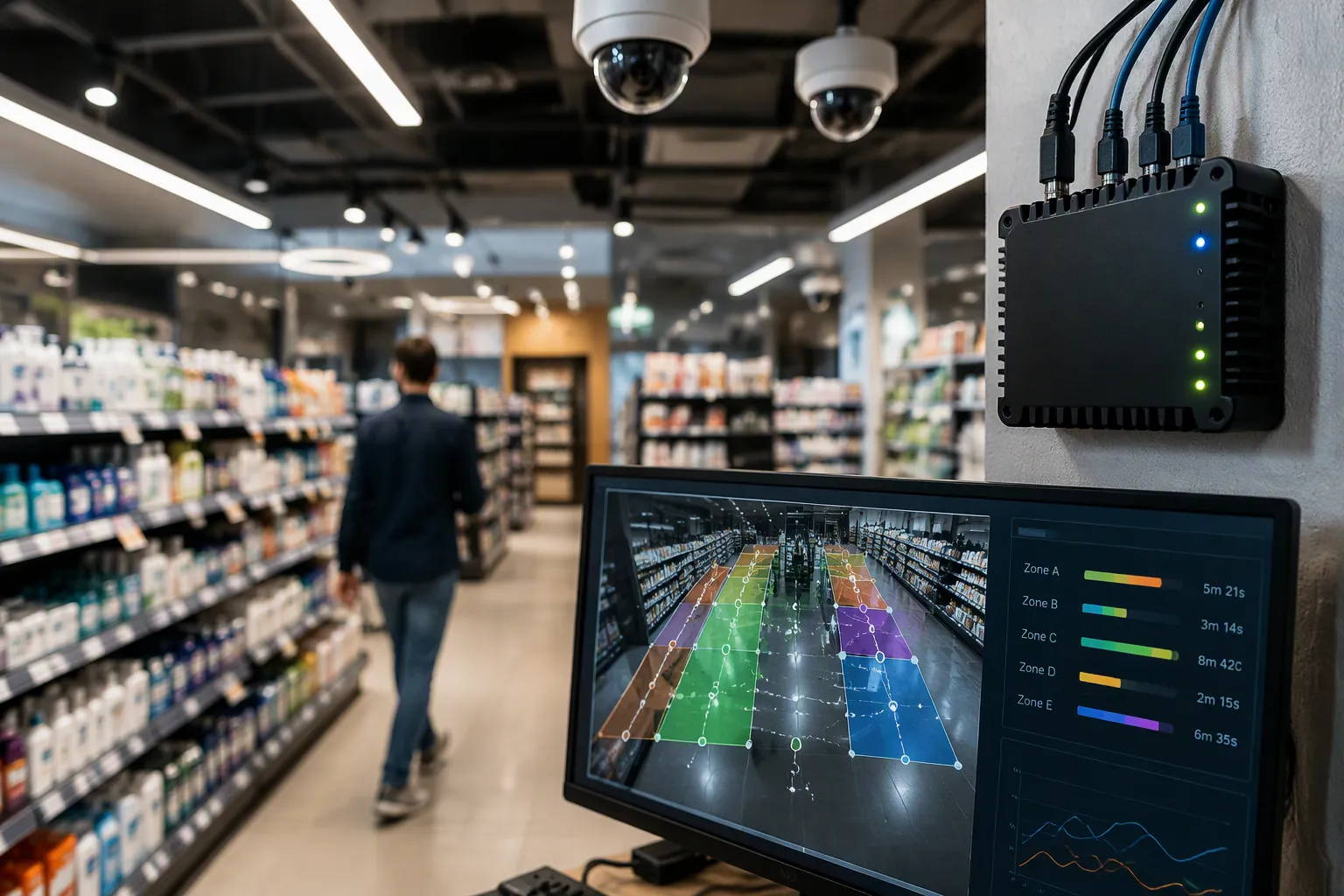
Computer vision analytics for retail turns everyday camera footage into useful information about shopper behavior. Computer vision measures dwell time in physical stores by studying how shoppers move through set areas. Object tracking algorithms follow people through zones and note how long each person stays. This method covers far more ground than a person watching ever could. One edge device can handle several cameras, and larger edge servers manage dozens to hundreds of feeds. Deep learning models, trained on big video datasets, spot patterns in new footage. Edge computing moves the analysis close to the camera, which lowers delay and network strain. The result is steady coverage of every zone, all day, with no extra staff. You get a complete view of shopper activity instead of bits from one aisle.
From Cameras to Privacy-Safe Data
Computer vision analytics for retail works with the cameras you already have. A solid computer vision analytics platform connects with most CCTV and video management systems and pulls streams from different camera models and vendors. Processing often happens at the edge, near the camera, so raw images never leave the building. Frames are processed and thrown away rather than stored. This setup keeps privacy risk low and creates structured, privacy-safe data. The data is grouped and anonymous, which keeps it out of the most heavily regulated category. Group counting with no stored images carries the lowest risk. Zone tracking within a session sits in the middle. Signs should correctly show what the system captures, and how long data is kept should be a clear design choice. Write down what you collect and why, since auditors and legal reviewers will ask. Accuracy backs up the approach. A study using vision transformers to measure dwell time reported a multiclass classification accuracy of 99.34%, a bit above the 99.16% reached by manual labeling.
Connecting the Shopper Journey
Zone counts on their own tell you little. Standard AI's VISION platform links activity across multiple camera views to build continuous customer journeys. It follows a shopper through the store even when they briefly leave one camera's view, piecing the path back together. The platform also tells customers apart from employees as people move through the space, not just at fixed points like the register. As the company describes it:
VISION is designed to connect shopper activity across stores, distinguish shoppers from employees without facial recognition, and anonymously measure shopper behavior without identifying individual shoppers.
This matters when you measure dwell time. A shopper who pauses at a display, walks to an endcap, and returns to the same shelf shows a pattern no single camera can capture. Connected journeys let retail computer vision tie that behavior to engagement and conversion. You can then see where shoppers spend time and what they do next. That is the difference between a count and an explanation. A dashboard that reports only totals leaves the why unanswered. A journey view shows the sequence, and the sequence is what tells you whether a long stay meant interest or confusion. The platform reports traffic, engagement, and demographics as separate metrics, and each one answers a different question. Connected journeys are where computer vision analytics for retail proves its value.
Pairing Dwell Time With Behavior Data
Movement, Engagement, and Conversion
Movement data shows the path a shopper takes. Engagement data shows what they do. Conversion data links the stay to a purchase. When you study all three together, you get a fuller picture. One metric answers one question. Combined analysis answers the questions that guide decisions.
Longer stays usually mean stronger purchase intent. More time in a zone signals higher engagement, and longer visits tend to line up with better conversion. Treat that link as a tendency, not a rule. Some shoppers stay a long time and still leave without buying. Watch for high dwell time followed by low conversion. That gap points to friction, like a confusing layout or a missing size. Pair footfall counts with dwell metrics to see both volume and attention. Then test layout, product placement, and promotion changes while you track shifts in conversion, dwell, and spend. This approach turns shopper behavior insights into action.
Retail Media Measurement
Total traffic is only a proxy for retail media. Brands want proof that a real shopper was in place to see a placement. Dwell time gives that proof. It measures sustained attention, not just surface-level visibility. The Digital Place-Based Audience Measurement Standards require at least 13 seconds of measured dwell time for a 15-second ad slot to count as a viewable impression. That threshold separates a passing glance from a genuine view.
Dwell time also supports retail measurement beyond ad views. Longer dwell signals stronger creative, more relevant messaging, or better placement. You can use those signals to inform creative development, media buying, and campaign optimization. Report dwell alongside impressions so brands see both reach and attention. That pairing builds trust in your numbers and gives advertisers a reason to renew.
Evaluating Computer Vision Analytics Vendors
What to Consider
A clear side-by-side comparison works better than a simple feature list. When you judge computer vision analytics vendors, weigh seven factors: measurement capability, data quality and accuracy, camera and infrastructure requirements, privacy and data practices, platform and use-case capabilities, scalability, and evidence of business value. Each factor connects to a question you can score.
Evaluation factor | What a strong answer looks like |
|---|---|
Metric definitions | Shows how each metric is calculated and what affects it |
Accuracy validation | Explains testing across real stores and changing conditions |
Camera and infrastructure | Works on existing cameras with little or no new hardware |
Privacy by design | Gives behavioral insight without PII or facial recognition |
Use-case breadth | Supports operations, merchandising, staffing, and retail media on one system |
Scalability | Sets a clear path from pilot to enterprise rollout |
Business value | Shows ROI from similar deployments |
Accuracy needs extra attention. Retail computer vision does well with clean lighting and good camera placement. Messy shelves, changing light, and similar-looking SKUs can weaken results. Ask how the vendor handles calibration and retraining. That upkeep separates strong systems from weak ones, and it affects the total cost you will carry. Accuracy depends on camera placement, lighting, and shelf conditions, so these facts shape any computer vision deployment.
Beyond the Demo
A computer vision analytics for retail platform can look the same in a demo and act very differently in a store. Two retail computer vision vendors may both promise dwell time tracking, yet one counts zone entries while the other builds connected journeys.
Similar terminology does not mean similar capability.
Ask how dwell time is defined, calculated, and validated. Then watch for demo pivots to slides, repeated roadmap deflection, and refusal to run your sample data. These signs suggest the capability does not exist yet. Ask the vendor to describe a client implementation that did not go as planned and what they did about it. Teams with real production experience answer quickly. Teams with pilot-stage experience struggle.
Probe technology, measurement capabilities, privacy practices, and support in the same conversation. A vendor that answers all four with specifics earns a shortlist spot.
Questions for Retail Computer Vision Analytics Vendors
Technology, Metrics, and Privacy
Start with the hardware question. Ask whether the platform runs on your current cameras or needs new ones. A vendor that requires a full camera refresh adds cost and delay before you see any insight.
Next, ask whether the system builds connected shopper journeys or only reports traffic and dwell time counts. A zone counter tells you someone paused. A journey view tells you where they came from and where they went next. Ask how the vendor defines and calculates each metric, including the rules for zone entry, exit, and re-entry. Vague answers here usually hide simple counting logic.
Employee traffic can skew every number. Ask how the system tells customers apart from staff without facial recognition. Then request performance data from real stores over time, not a staged demo. Finally, ask directly whether the platform collects personally identifiable information. Strong computer vision analytics vendors answer this with a clear no and explain how they enforce it. Weak answers drift toward "anonymized" without detail. Privacy and compliance risk sits with you, so get the answer in writing.
Integration, Use Cases, and Scale
Integration questions show whether the platform fits your stack or sits beside it. Ask which endpoints are public versus rate-limited, whether writes are supported, and what happens during a merchandising system outage. Request a specific integration pattern for each system you run, not a logo wall. Confirm which ERP platforms are live in production with the vendor today and whether the connection is API-based or a scheduled file transfer. Ask what the register does when the ERP is unreachable mid-shift.
Then test breadth. Ask whether one platform supports operations, merchandising, staffing, and retail media, or whether each use case needs a separate product. For retail media, ask whether the vendor verifies real shopper impressions or reports aggregate traffic as a proxy. Brands pay for confirmed attention, and a proxy will not survive an audit.
Close with scale. Ask what a failed pilot looks like and what triggers a rollback. Request the total cost of ownership, including hardware compatibility, implementation, integration, training, and ongoing tuning. Watch for per-camera or per-site fees that hide the real cost as you grow. Ask for references from clients who saw expected ROI, and ask how responsive support was during rollout. These answers separate retail computer vision analytics vendors with production experience from those still learning in your stores.
A Vendor Scorecard
A scorecard turns a long talk into a fair comparison. Build a table with your evaluation criteria as rows and each vendor as a column. Rate every cell as yes, partial, or no. This simple setup makes it easier to compare vendors the same way. It also keeps the focus on evidence, not on how polished a pitch looks. Include rows for measurement capabilities, accuracy validation, camera requirements, privacy practices, use-case breadth, scalability, and proven business value. Add a notes column for the proof behind each rating. A "yes" with no example to back it up should drop to "partial."
Rating Yes, Partial, or No
Define each rating before you start scoring. A yes means the vendor showed working evidence, like a live store deployment or a reference you can call. A partial means the capability exists but lacks proof, or it covers only part of your need. A no means the vendor cannot deliver it today. Use the same standard for every column, and score vendors on the same day when you can. This evaluation framework takes guesswork out of the decision and gives your team a shared basis for debate.
Scoring Dwell Time Claims
Score dwell time definitions and evidence with extra care. Dwell time is the metric most easily overstated, so treat every claim as unproven until you see how the number is made. Ask for the zone rules, how re-entry is handled, and how staff are treated. Strong vendors show this in the product. Standard AI's VISION platform, for example, builds a heatmap of the store with staff movements filtered out. Clicking a zone brings up its Visual Engagement Score, including average dwell time and glance rates. Historical dwell data also guides placement decisions, such as picking the dairy aisle entrance for promotional displays. Rate a vendor yes only when you can trace a dwell-time measurement from raw footage to the reported figure.
A Look at Standard AI
Existing Cameras and Anonymous Measurement
Standard AI's VISION platform answers the vendor questions above with a clear design. It works with the cameras you already have, so you don't need new hardware before you get useful data. The platform links shopper activity across camera views into one continuous journey. A shopper who stops at a display, moves to an endcap, and comes back to the same shelf shows up as one path, not three separate counts. That connection is what turns a plain dwell time into a clear picture of intent.
Employee traffic can skew every metric, and VISION tells shoppers apart from staff as people move through the space. It does this without facial recognition, so the system never identifies any one person. Measurement stays anonymous by design, and that choice lowers your privacy risk and makes compliance review simpler. The platform reports traffic, engagement, and demographics as separate metrics, and each one answers a different question about shopper behavior.
Breadth matters when you compare vendors. One system supports operations, merchandising, staffing, and in-store retail media, so you don't have to piece together separate products. For retail media, the platform confirms that a real shopper was in place to see a placement instead of reporting total traffic as a stand-in. That difference matters to brands that pay for confirmed attention.
Where does this approach fit best? Retailers who want behavior insights from their current cameras, without new hardware or personal data collection, get to value fastest. Teams that need connected journeys and verified media measurement from one platform will find a strong fit. Ask Standard AI to walk through your own store layout and show how the platform would measure dwell time in your highest-value zones.
A polished demo can get a vendor on your shortlist. It does not win them the deal. What decides the winner is clear, checkable answers about how dwell time and related metrics are made. Ask for the zone rules, the accuracy evidence, and the privacy safeguards behind every claim.
Bring the 10 questions and the scorecard to your next vendor talk. Start with dwell time as the test case. It shows weak measurement faster than any other metric. Compare vendors on evidence, not slides.
Then see how Standard AI's VISION platform would work in your stores. Walk through your layout and watch it measure shopper behavior in your highest-value zones.
FAQ
What does dwell time mean in a store?
Dwell time is the length of time a shopper spends in a defined area, such as a shelf, display, or department. It measures attention rather than volume. A traffic counter records that someone passed by. A dwell measurement records that someone stopped.
Why does dwell time matter more than foot traffic?
Foot traffic tells you how many people entered. Dwell time tells you how many of them engaged. A store can draw a crowd and still lose sales when shoppers walk straight back out. The second number shows whether your layout and displays hold attention.
How do camera-based systems calculate dwell time?
The system defines zones in each camera view, then tracks people as they cross those zones. It records entry and exit times and reports the duration. Connected platforms link views across cameras, so one shopper's path stays whole instead of splitting into separate counts.
What should I ask about data handling?
Ask whether the system stores images, collects personal identifiers, or uses facial recognition. Strong vendors answer no to all three and explain how they enforce it. Confirm the answer in writing, because privacy and compliance risk stays with your business, not the vendor's.
See Also
Smart Combo Vending Machines: Key Features And Benefits For Today's Retail
Micromarkets Versus Smart Stores: How Automated Convenience Retail Operates Globally
Examining Walgreens Self-Checkout: Convenience And Challenges In Modern Retail
The Growth Of AI-Powered Corner Stores: What Retailers Must Understand
How Electronic Vending Machines Are Transforming Retail Through Smart Technology
