What to Check Before Installing a Cashierless Store in an Office Building

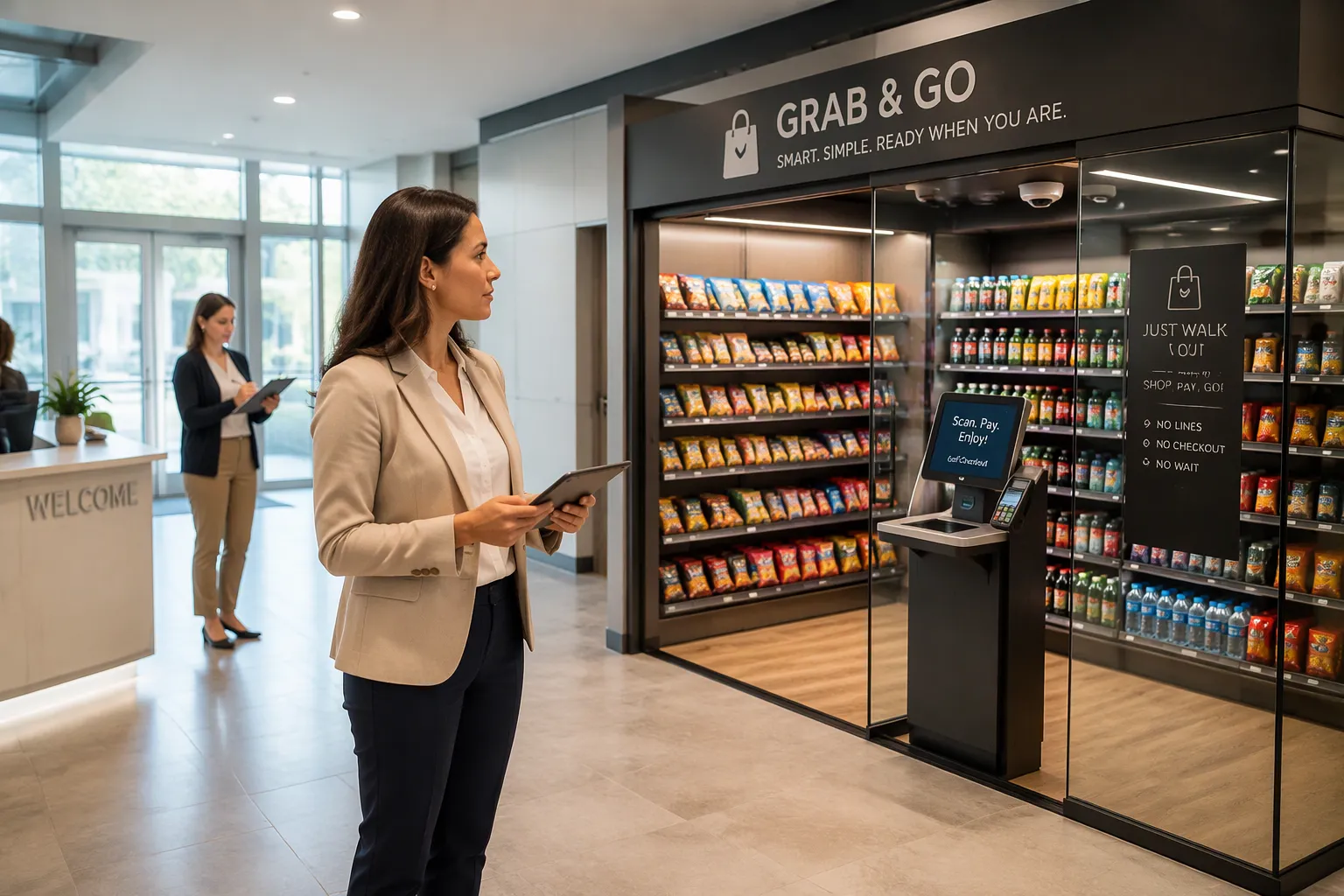
Seven checks come first when installing a cashierless store: space and layout, technology and infrastructure, security and loss prevention, payment and access integration, inventory and restocking, regulatory and building compliance, and cost and ROI. A cashierless store lets shoppers walk in, grab items, pay on their own, and get a receipt without waiting in line. Office buildings add their own limits, from busy lobby times to lease rules. A trusted partner like Cloudpick can make several of these checks easier. Use the sections below as a helpful guide before installing a cashierless store in your building.
Key Takeaways
Measure your space and plan the layout carefully. This helps you avoid bottlenecks and keeps shopper flow smooth.
Make sure your building has a strong network and power before you install the system.
Use cameras and access control together to create layers of security that help prevent loss.
Try out the payment and checkout process with real users before the store opens.
Plan restocking and use sales data to keep shelves full without ordering too much.
Space and Layout Checks
Measure Footprint and Flow
Cashierless stores can be very small. Amazon Go's newest store is under 500 square feet. That size fits inside many office lobbies and break rooms. You do not need a full retail floor to run a cashierless format. You need a compact, well-planned zone that tenants can reach on their way in or out.
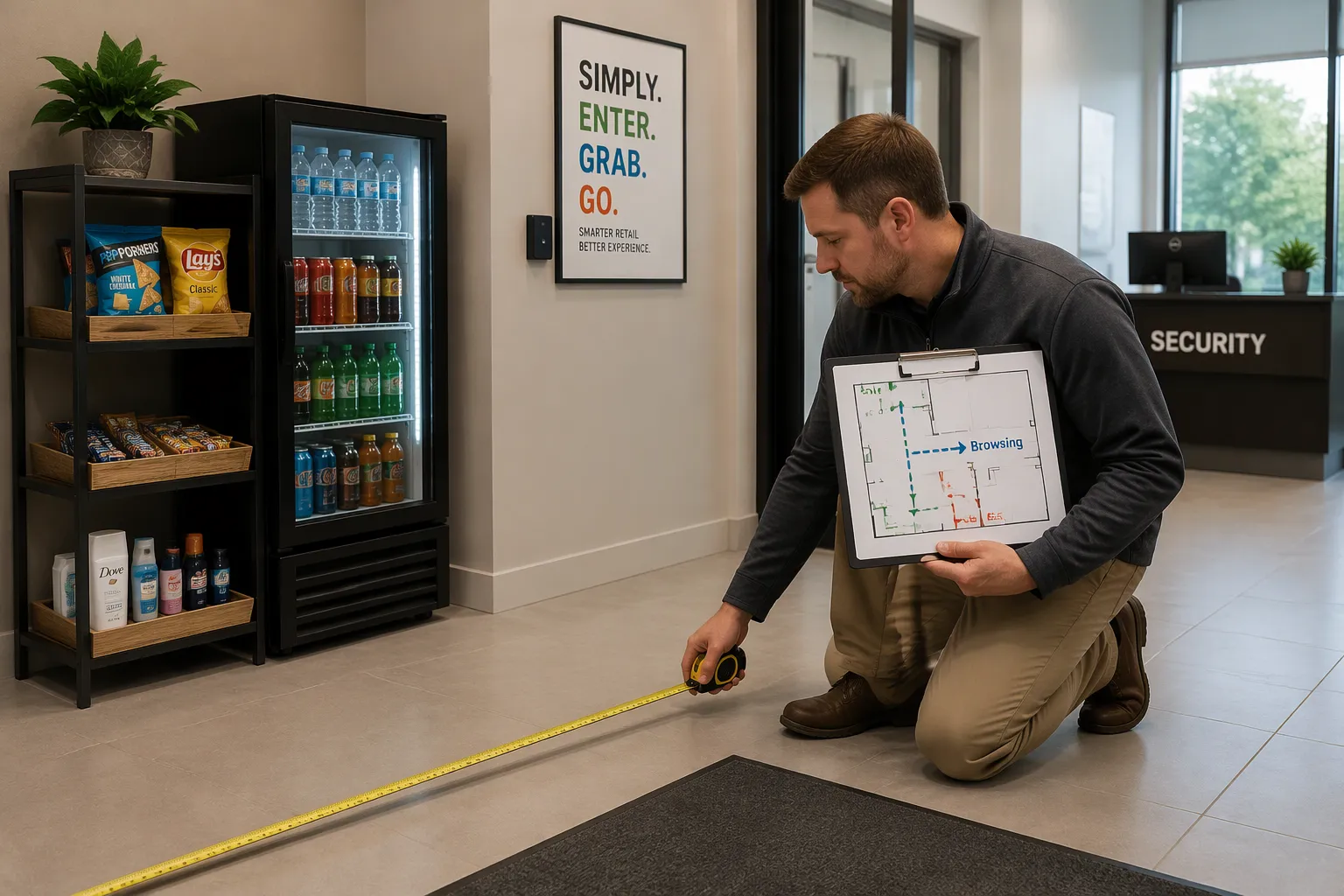
Start with a simple measurement task. Walk the candidate area and record its usable dimensions. Subtract columns, electrical panels, fire equipment, and any path the building code requires you to keep clear. The remaining figure is your true footprint. Compare that figure against the shelving and cooler units you plan to install. A tight fit leaves no room for browsing, and shoppers will block each other at the entrance.
Next, map three paths: entry, browsing, and exit. Draw them on the floor plan. Then overlay your tenant traffic peaks. Most office buildings see a morning rush, a lunch surge, and an afternoon lull. Check that the entry path does not cross the exit path during those peaks. A single narrow doorway that serves both directions will create a bottleneck at 8:30 a.m. Two lanes, or one wide lane with a clear divider, solve this problem.
Watch for elevator banks, stairwells, and main corridors. Shoppers who stop to browse near a corridor can slow building traffic. Place the store where passing foot traffic has room to flow around it. If you plan to install a cashierless store near a security desk, confirm the desk keeps its sightlines.
Plan Shelving and Zoning
Zoning turns a small space into a fast shopping experience. Divide the footprint into four zones: entry and identification, grab-and-go staples, impulse items, and exit and payment confirmation. Keep the entry zone empty of product. Shoppers need a moment to pause, get recognized by the system, and orient themselves.
Place high-turnover items, such as drinks, snacks, and ready meals, in the grab-and-go zone closest to the exit. Tenants on a short break will grab these items and leave. Put impulse items along the browsing path, where shoppers pass them at eye level. Keep low shelves in the center of the room. Tall units belong against walls, where they do not block camera views or shopper sightlines.
Camera coverage depends on layout. Overhead sensors and shelf cameras need a clear line to every product facing. A tall display in the middle of the floor can create blind spots. Cloudpick's team can review your floor plan against its sensor placement guidance, which helps you avoid costly rework after installation.
Leave a clear exit zone with no product. Shoppers should walk out without squeezing past displays. A clean exit also gives the payment system a clear view of who is leaving with what. Test the plan with a cardboard mock-up before you order fixtures. Tape the zones on the floor and walk the route yourself during a busy hour.
Technology Readiness for Installing a Cashierless Store
Verify Network and Power
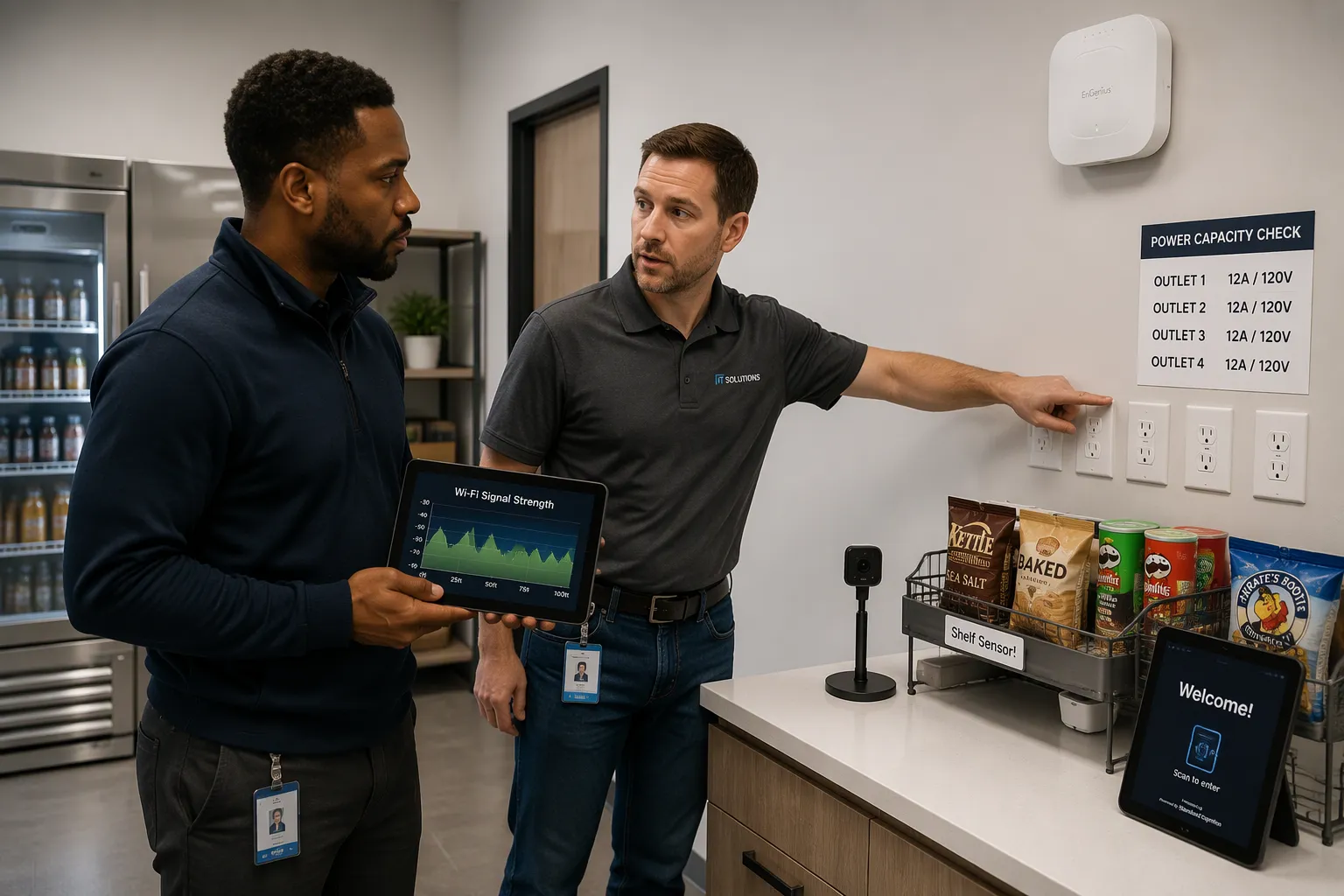
Every cashierless system needs a live data connection to work. Before you decide to install a cashierless store, make sure the building can handle that connection. Ask your IT team for a dedicated circuit or a strong wireless access point near the store area. Guest Wi-Fi that everyone shares is not a good host for payment traffic. Test the signal strength inside the planned space, not just at the door. Shelving, coolers, and concrete walls all make a signal weaker.
Power needs the same careful check. Count the outlets your coolers, cameras, sensors, and payment terminal will need. Compare that number with what the space already has. Many office break rooms have only one or two circuits, and those circuits often share a breaker with nearby equipment. A dedicated circuit prevents surprise outages during the lunch rush.
Run a short test before the full build. Power the system for a week and record every dropped connection. Fix those problems now, while the fix is cheap.
Confirm Platform Fit
A typical cashierless flow has four steps. First, you enter with a contactless method, often face recognition. Second, you pick products from the shelf. Third, the system charges you on its own as you exit. Fourth, your receipt comes by app or email. Each step relies on cameras, shelf sensors, and software working as one system.
Cloudpick builds its platform around AI recognition. Its cameras spot products as shoppers lift them, and its software links that recognition to the payment step. Cloudpick also offers analytics and remote monitoring in the same platform, which fits an office setting with no staff on site. That mix makes Cloudpick a strong fit for lobbies and break rooms.
The wider market has other options, and each fits a different case. Amazon Go works best for operators already inside the Amazon ecosystem. AiFi suits retailers that want flexible, camera-only setups. Trigo fits larger grocery formats with high product counts. Grabango works well for updating existing stores. Compare each provider against your space, your traffic, and your integration needs before you sign.
Security and Loss Prevention
Map Cameras and Access
Treat security as layers, not a single device. The outer layer is access control. Only registered tenants should enter the store zone, and the system should log every entry. The next layer is cameras. Place them to cover the entrance, every shelf run, and the exit. The final layer is local monitoring, which ties the other layers together.
Draw a camera map on your floor plan. Mark each camera position and the area it sees. Check for blind spots behind tall coolers and at shelf ends. A camera that watches the door but misses the back aisle leaves a gap. Cloudpick's platform pairs shelf-level recognition with camera coverage, so the system records what leaves the shelf and who walks out. That pairing closes the most common gap in small office stores.
Access control deserves the same care. Link entry to a tenant list or a badge system. Remove departing tenants from that list on their last day. An old badge that still opens the door is a quiet loss risk.
Set Monitoring and Alerts
Live monitoring matters more in an office building than in a staffed shop. No clerk stands at the door, so the system must watch for you. Set alerts for unusual patterns: repeated entries without a purchase, a shopper who lingers near the exit, or a payment that fails at the door. Route those alerts to a phone or a building security desk.
Cloudpick offers remote monitoring and alert features inside its platform. You can review flagged events, check footage, and adjust thresholds without adding staff. That setup suits an office lobby with no on-site operator. Test each alert before launch. A noisy alert that fires all day trains people to ignore it, and a silent one defeats the purpose. Run a trial week, count false alarms, and tune the settings until the signal stays clean.
Payment and Access Integration
Check Gateway Compatibility
Your payment gateway needs to work with the cashierless platform before any shopper comes in. First, list the payment methods your tenants already use: credit cards, mobile wallets, and stored value cards from the building. Then make sure the platform accepts each one. A system that takes cards but rejects the badge-linked account your tenants depend on will upset people on day one.
Ask your finance team which processor handles settlement now. Most office buildings already have a merchant account, and using it again keeps reconciliation simple. Check that the gateway supports the transaction types a cashierless store creates, like automatic charges at exit instead of at a terminal. Also confirm how refunds and disputes are handled, because a shopper charged twice needs a quick fix.
Cloudpick's platform links its AI recognition and payment steps in one system, which cuts down the number of vendors you must coordinate. Ask any provider for a written integration checklist. That document shows exactly what the building provides and what the vendor provides.
Test the Checkout Flow
Run a full checkout test before launch, not after. Gather a small group of tenants and walk them through entry, product selection, exit, and receipt delivery. Time each step and note where people pause or ask questions. A shopper who stops at the door to figure out where to look shows a design problem, not a user problem.
Test the failure cases as carefully as the happy path. Simulate a declined card, a dropped network connection, and a shopper who leaves without registering. Confirm the system alerts someone and that the shopper gets clear guidance. Check that receipts arrive within a reasonable window and that they match the items taken.
Repeat the test during a real traffic peak. Lunchtime reveals bottlenecks that a quiet afternoon hides. Collect feedback, fix the top issues, and run the test once more. A checkout flow that works smoothly on the second pass gives you confidence for opening day.
Inventory and Restocking Logistics
Define Restocking Routes
A cashierless store in an office building has no clerk to watch the shelves. Stockouts happen quietly, and a tenant who finds an empty cooler may not come back. You need a written restocking route before opening day.
Start by naming who restocks the store and when. Many buildings hand this job to a facilities team or a nearby café partner. Pick a window outside tenant traffic peaks, such as early morning or mid-afternoon. Then walk the route yourself and time it. Record the path from your storage room to the store, the door code you need, and the order you refill each zone.
Build a simple checklist for each visit. Check cooler temperatures, face products forward, and note any empty facings. Photograph the shelves at the end of every restock. These photos give you a record and help the next person spot gaps fast.
Plan Demand with Analytics
Guesswork wastes money in a small store. Overstock spoils, and understock frustrates tenants. Use sales data to set order quantities instead of gut feel.
Cloudpick's analytics show which products sell, when they sell, and which items sit on the shelf too long. You can see demand patterns across the week and schedule restocks around them. That data also helps you trim slow movers and give more space to fast sellers.
Review the numbers on a fixed schedule, such as weekly at first. Compare actual sales against your forecast and adjust order sizes. Watch for building events, holidays, and tenant move-ins that shift demand. A short review each week keeps the store stocked without tying up cash in inventory that never moves.
Regulatory and Building Compliance
Review Permits and Codes
Paperwork comes before construction. A cashierless store sells food and drinks, so it usually needs a business license and tax registration. Check zoning rules for the space. Confirm the occupancy limit for the room. Ask your local authority which permits apply to retail sales in an office building. Rules vary by city, and a quick call saves months of delay.
Fire codes matter in a small space. Keep exits clear, mark extinguishers, and confirm that shelving does not block sprinklers or alarms. Check accessibility rules too. Aisles need enough width for a wheelchair or a stroller. Signage should be readable and placed where people can see it before they enter. Installing a cashierless store also means new equipment, and inspectors may ask for technical documentation. A vendor like Cloudpick can supply equipment specs and safety certificates to support your permit application.
Check Lease and Access Rules
Read your lease before you order any hardware. Many office leases limit retail activity, subletting, or changes to common areas. Some landlords require approval for new electrical work or signage. Find out who owns the lobby or break room space. Confirm that your lease allows a store open to tenants.
Access rules need a review as well. Check how contractors enter the building for installation and restocking. Confirm delivery hours and freight elevator bookings. Ask the property manager about insurance requirements for vendors working on site. Put every approval in writing. A short email trail prevents disputes later, and it keeps your opening date on track.
Cost and ROI of Installing a Cashierless Store
Itemize Total Costs
Begin your budget with the equipment you can see. Cameras, shelf sensors, coolers, shelving, and the payment terminal make up the visible layer. Add the network gear too: access points, cabling, and a dedicated circuit. These items have a set price, and you can get quotes before you commit.
Then write down the costs that are easy to miss. Software subscriptions, payment processing fees, installation labor, and electrical work often sit outside the hardware quote. Add permits, signage, and any lease review fees. Cloudpick puts recognition, payment, and monitoring together in one platform, which cuts down the number of subscriptions you have to track.
Cost category | What to include |
|---|---|
Hardware | Cameras, sensors, coolers, shelving, terminal |
Infrastructure | Network gear, cabling, dedicated circuit |
Software | Platform subscription, payment processing |
One-time setup | Installation, electrical work, permits, signage |
Ongoing | Restocking labor, maintenance, support |
Model Break-Even
Break-even depends on the margin per sale, not on revenue. Take the average basket size and subtract the product cost. That result is your gross margin per transaction. Divide your total setup cost by that margin. The answer shows how many transactions you need before the store pays for itself.
Run the math with your own traffic numbers. Count the tenants in the building and estimate how many will buy each day. Compare that figure with your break-even count. A store that needs more daily sales than your tenant base can support will not earn back its cost.
Cloudpick's analytics help here after launch. Sales data shows real basket sizes and repeat rates, so you can swap estimates for facts. Review the numbers each month and adjust your product mix. Installing a cashierless store is a long-term investment, and honest numbers protect it.
You now have seven checks: space and layout, technology and infrastructure, security and loss prevention, payment and access integration, inventory and restocking, regulatory and building compliance, and cost and ROI. Checking everything carefully before you install a cashierless store stops you from making costly mistakes later.
Treat these checks as a checklist you can actually use. Bring in a partner like Cloudpick early to help with technology, security, and analytics. Their team can look over your floor plan, adjust alerts, and go through sales data with you.
Good planning pays off. When the launch goes smoothly, tenants wait less, shelves stay stocked, and everyone in your building has a better daily experience.
FAQ
How small can a cashierless store be?
Small enough for most office lobbies and break rooms. Amazon Go's newest store is under 500 square feet. Measure your usable floor area first. Then subtract columns, panels, and required clear paths. The space that remains must fit your shelving, coolers, and a clear entry and exit route.
Do you need staff on site to run the store?
No. The system recognizes products, charges shoppers at exit, and sends receipts on its own. You still need someone to restock shelves and review alerts. Cloudpick's remote monitoring lets you handle those tasks from a phone or a security desk instead of hiring a clerk.
What happens if the network goes down during a sale?
Plan for this before opening day. Test the system with a dropped connection and confirm it alerts someone. Shoppers need clear guidance at the door. A backup connection or a short grace period keeps a brief outage from turning into a lost sale or a frustrated tenant.
How do you stop shrink in an unstaffed store?
Use layers. Restrict entry to registered tenants and log every visit. Cover the entrance, each shelf run, and the exit with cameras. Set alerts for odd patterns, like repeated entries with no purchase. Cloudpick's platform ties shelf recognition to camera coverage, which closes common blind spots.
How long does installation take?
Timelines vary by space, permits, and electrical work, so ask your vendor for a written schedule. Build in time for permit review and a test week. Run a full checkout trial with real tenants before you open. A short delay now beats a broken flow on launch day.
See Also
Cloudpick Delivers Cashierless Shopping Convenience to Your Retail Store
Walgreens Self-Checkout Explored: Retail Convenience and Challenges Combined
Launching an AI-Powered Corner Store with Minimal Investment Explained
Smart Vending Solutions Boost Employee Productivity in Small Offices
Walmart Self-Checkout Access Changes Coming in 2025 Explained
